Welcome Guest ( Log In | Register )

Outline · [ Standard ] · Linear+

Home Networking ASUS Malaysia Networking User & Technical Support, Managed by ASUS Malaysia Representative

views
     
billysiah
post May 1 2017, 04:14 PM

Getting Started
**
Junior Member
134 posts

Joined: Jan 2008


Hi Asus,

i need some help here, i have been using RT-AC68U as a access point. From time to time, the router will stall. As in like my computer and phones is connected to the router, but no internet access. Everytime this happens, i will need to unplug the LAN cable connected to the router and restart it many times until it becomes normal again. I have tried updating to latest firmware and also brought it to warranty. After exchanging a new router to me, the problem still occurs. Please enlighten me. thank you
billysiah
post May 3 2017, 12:15 AM

Getting Started
**
Junior Member
134 posts

Joined: Jan 2008


QUOTE(ASUSmy @ May 2 2017, 10:44 AM)
Hi billysiah,

My I know what is your main router model? Is your router able to bind an IP address to the RT-AC68U?

Thank you
*
my main router is a d-link dir-615 which is from unifi. i dont understand wat u mean by binding an ip to my main router. But whenever my ac68u stalls, it says my DHCP not connected on the internet status in asus router settings page.
billysiah
post May 4 2017, 03:04 PM

Getting Started
**
Junior Member
134 posts

Joined: Jan 2008


QUOTE(SilentVampire @ May 3 2017, 08:32 PM)
What he meant is that if you can try to set a permanent IP address to the AC68U, by configuring it in the Dlink router settings, which would hopefully force the Dlink router to assign the same IP address to the AC68U. If you are using the Asus AC68U as an AP, disable the DHCP server in the AC68U. You don't need the DHCP server in the AC68U to generate its own IP address as the Dlink router would have assign it to an IP address that it could use to connect to the Internet via the Dlink router..
*
ok let me try to disable this dhcp on the ac68u.
billysiah
post Jun 16 2017, 08:25 PM

Getting Started
**
Junior Member
134 posts

Joined: Jan 2008


Hi, would need some help here.i am using asus ac68u. My unifi was just upgraded from 50mb to 100mb. But i am unable to get full speed through wifi when connected to 2.4ghz. But if i connect to 5ghz i will get around 80-90mbps speed through speedtest. Is this normal? When i ask the unifi installer they says its normal for 2.4ghz as it wont get full speed unless u are connected to via LAN.
billysiah
post Jun 17 2017, 02:17 PM

Getting Started
**
Junior Member
134 posts

Joined: Jan 2008


QUOTE(sHawTY @ Jun 17 2017, 06:33 AM)
Yes, it's normal on 2.4GHz
Only 5Ghz capable devices will be able to obtain 100Mb/s
*
Ok noted thanks.
billysiah
post Sep 20 2019, 09:09 PM

Getting Started
**
Junior Member
134 posts

Joined: Jan 2008


hi, any feedback from users that have used ac68u vs ac86u ? planning to change my old ac68u to ac86u after serving me for more then 4 years. how is the wifi range ?
billysiah
post Sep 21 2019, 08:21 PM

Getting Started
**
Junior Member
134 posts

Joined: Jan 2008


Sep 21 19:52:22 syslog: WLCEVENTD wlceventd_proc_event(386): eth1: Deauth_ind 40:BC:60:CB:B6:3B, status: 0, reason: Disassociated due to inactivity (4)
Sep 21 19:52:22 syslog: WLCEVENTD wlceventd_proc_event(386): eth1: Deauth_ind 40:BC:60:CB:B6:3B, status: 0, reason: Class 3 frame received from nonassociated station (7)
Sep 21 19:52:23 syslog: WLCEVENTD wlceventd_proc_event(420): eth1: Auth 40:BC:60:CB:B6:3B, status: 0, reason: d11 RC reserved (0)
Sep 21 19:52:23 syslog: WLCEVENTD wlceventd_proc_event(449): eth1: Assoc 40:BC:60:CB:B6:3B, status: 0, reason: d11 RC reserved (0)
Sep 21 19:53:21 syslog: WLCEVENTD wlceventd_proc_event(386): eth1: Deauth_ind 80:B0:3D:19:3E:BE, status: 0, reason: Disassociated due to inactivity (4)
Sep 21 19:53:24 syslog: WLCEVENTD wlceventd_proc_event(386): eth1: Deauth_ind 40:BC:60:CB:B6:3B, status: 0, reason: Disassociated due to inactivity (4)
Sep 21 19:53:24 syslog: WLCEVENTD wlceventd_proc_event(386): eth1: Deauth_ind 40:BC:60:CB:B6:3B, status: 0, reason: Class 3 frame received from nonassociated station (7)
Sep 21 19:53:24 syslog: WLCEVENTD wlceventd_proc_event(420): eth1: Auth 40:BC:60:CB:B6:3B, status: 0, reason: d11 RC reserved (0)
Sep 21 19:53:25 syslog: WLCEVENTD wlceventd_proc_event(420): eth1: Auth 40:BC:60:CB:B6:3B, status: 0, reason: d11 RC reserved (0)
Sep 21 19:53:25 syslog: WLCEVENTD wlceventd_proc_event(449): eth1: Assoc 40:BC:60:CB:B6:3B, status: 0, reason: d11 RC reserved (0)
Sep 21 19:55:23 syslog: WLCEVENTD wlceventd_proc_event(386): eth1: Deauth_ind 40:BC:60:CB:B6:3B, status: 0, reason: Disassociated due to inactivity (4)
Sep 21 19:55:23 syslog: WLCEVENTD wlceventd_proc_event(386): eth1: Deauth_ind 40:BC:60:CB:B6:3B, status: 0, reason: Class 3 frame received from nonassociated station (7)
Sep 21 19:55:23 syslog: WLCEVENTD wlceventd_proc_event(420): eth1: Auth 40:BC:60:CB:B6:3B, status: 0, reason: d11 RC reserved (0)
Sep 21 19:55:23 syslog: WLCEVENTD wlceventd_proc_event(449): eth1: Assoc 40:BC:60:CB:B6:3B, status: 0, reason: d11 RC reserved (0)
Sep 21 19:59:59 syslog: WLCEVENTD wlceventd_proc_event(420): eth1: Auth 80:B0:3D:19:3E:BE, status: 0, reason: d11 RC reserved (0)
Sep 21 19:59:59 syslog: WLCEVENTD wlceventd_proc_event(449): eth1: Assoc 80:B0:3D:19:3E:BE, status: 0, reason: d11 RC reserved (0)
Sep 21 20:06:52 acsd: scan in progress ...
Sep 21 20:06:53 acsd: scan in progress ...
Sep 21 20:06:54 acsd: selected channel spec: 0xe29b (157/80)
Sep 21 20:06:54 acsd: Adjusted channel spec: 0xe29b (157/80)
Sep 21 20:06:54 acsd: selected channel spec: 0xe29b (157/80)
Sep 21 20:06:54 acsd: acs_set_chspec: 0xe29b (157/80) for reason APCS_CSTIMER
Sep 21 20:14:33 syslog: WLCEVENTD wlceventd_proc_event(420): eth1: Auth 28:C2:DD:10:AF:6F, status: 0, reason: d11 RC reserved (0)
Sep 21 20:14:33 syslog: WLCEVENTD wlceventd_proc_event(449): eth1: Assoc 28:C2:DD:10:AF:6F, status: 0


Is my ac68u system logs normal? because whenever im connected, once in a while it will unable to browse the internet. but still connected to the wifi. Then i have to restart to router and it will be normal again. I have updated to latest firmware and did reset factory settings TWICE. still the same. Is it because my router is old and not so durable anymore?
billysiah
post Sep 21 2019, 10:58 PM

Getting Started
**
Junior Member
134 posts

Joined: Jan 2008


QUOTE(AV_2018 @ Sep 21 2019, 09:09 PM)
I'm using AC68U too with latest firmware. The logs are normal if your Apple device is really connecting so many times. Mine has those kind of entries in the logs too but I have no issues with the WiFi.
*
Hmm. Ok.. but i only have problem this 2-3 months ago. used this router for 4 years already and no problem. Until NOW. 😢
billysiah
post Oct 17 2019, 08:13 PM

Getting Started
**
Junior Member
134 posts

Joined: Jan 2008


Hi guys, just bought ac86u twin pack. 1 router as main, another as node using aimesh. got no problem connected to the 5ghz. but my old laptop only able to connect 2.4ghz. But the problem is it keeps disconnecting itself . What is the problem here?
billysiah
post Oct 17 2019, 11:54 PM

Getting Started
**
Junior Member
134 posts

Joined: Jan 2008


QUOTE(blacktubi @ Oct 17 2019, 08:22 PM)
Turn off smart connect.

ASUS version of band steering but don't work very well with older devices.

You may want to try firmware Version 3.0.0.4.384.45717, I feel this firmware give a higher performance and more stable.
*
I am already on the latest firmware for both ac86u. Smart connect is off.
billysiah
post Oct 18 2019, 04:57 PM

Getting Started
**
Junior Member
134 posts

Joined: Jan 2008


QUOTE(blacktubi @ Oct 18 2019, 04:12 PM)
Yes, I am suggesting you to downgrade to 45717.
https://www.blacktubi.com/guide/performance...or-asus-router/

Use this firmware from my site. I got it from ASUS.
*
Just downgraded it to 45717. seems ok. Dont have disconnection problem ... for now. lol. Thanks btw.
billysiah
post Oct 19 2019, 12:30 PM

Getting Started
**
Junior Member
134 posts

Joined: Jan 2008


QUOTE(blacktubi @ Oct 18 2019, 05:21 PM)
Make sure to downgrade your main router and AiMesh node

81049 is unstable on AiMesh.
*
Yes i downgraded both and did reset factory settings. Seems better then the new version fimrware.
billysiah
post Nov 2 2019, 04:22 PM

Getting Started
**
Junior Member
134 posts

Joined: Jan 2008


QUOTE(blacktubi @ Oct 18 2019, 05:21 PM)
Make sure to downgrade your main router and AiMesh node

81049 is unstable on AiMesh.
*
Hi Blacktubi, do you know if merlin 384.13 is better then stock 45717? Seems that 45717 is also not that stable on aimesh for 2.4ghz wifi.
billysiah
post Nov 3 2019, 01:22 AM

Getting Started
**
Junior Member
134 posts

Joined: Jan 2008


QUOTE(blacktubi @ Nov 2 2019, 06:08 PM)
You can try but I generally don’t recommend AiMesh on Merlin.

One thing you can do is disable roaming assistant and beam forming for 2.4Ghz.
*
Disable both universal and explicit beamforming?
billysiah
post Mar 28 2020, 02:40 PM

Getting Started
**
Junior Member
134 posts

Joined: Jan 2008


QUOTE(blacktubi @ Mar 27 2020, 09:35 PM)
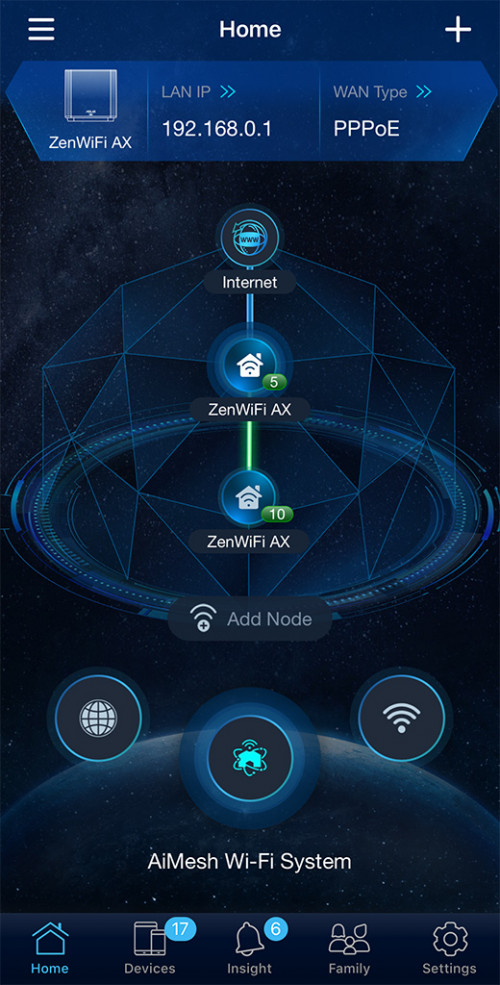
I have been trying out ASUS ZenWiFi XT8 lately. Needless to say, it is the fastest mesh WiFi system you can buy today.

700Mbps on an entire double storey house or a 1600 sq ft condo easily.

user posted image
*
hi blacktubi, how stable is ASUS ZenWiFi XT8 in mesh wifi? because im using 2 ac86u for mesh wifi. its not really stable.


Change to:
| Lo-Fi Version
0.0489sec    0.62    7 queries    GZIP Disabled
Time is now: 13th December 2025 - 08:40 PM