

Did you try replacing the LAN cable from the router to your PC?
Home Networking ASUS Malaysia Networking User & Technical Support, Managed by ASUS Malaysia Representative
Home Networking ASUS Malaysia Networking User & Technical Support, Managed by ASUS Malaysia Representative
|
|
 Oct 23 2019, 12:01 PM Oct 23 2019, 12:01 PM
Return to original view | IPv6 | Post
#1
|
 
Junior Member
262 posts Joined: Oct 2019 
|
Did you try replacing the LAN cable from the router to your PC?
|
|
|
|
|
|
Nov 4 2019, 06:51 AM
Return to original view | IPv6 | Post
#2
|
|
Junior Member
262 posts Joined: Oct 2019
|
QUOTE(nasilemaksedap @ Nov 4 2019, 03:33 AM) What about if willing to pay? They wont fix it as well? It depends on Asus. I bought a Samsung Galaxy S8 Plus handphone from the U.S. so it is slightly different in specs from the Malaysian version. My S8 Plus is out of warranty. A few months ago I called up an authorised Samsung Service Center at the Mines Shopping Center and asked if they would service my phone. They said they can replace parts which are common, like batteries, screens and digitizers but not the motherboard because the processors are different. They will also impose a surcharge for non-Malaysian sets. Bottom line is, Samsung will fix it for you if you are willing to pay.  |
|
|
Nov 10 2019, 08:07 PM
Return to original view | IPv6 | Post
#3
|
|
Junior Member
262 posts Joined: Oct 2019
|
QUOTE(nitehawk @ Nov 10 2019, 07:06 PM) I'm currently using Asus RT-AC55UHP on a 2.5 storey house and my UniFi is 100Mbps. Recently the Asus router is behaving strangely and I'm looking for a replacement router. What do you mean by "behaving strangely"?What would you recommend? |
|
|
Nov 26 2019, 06:18 PM
Return to original view | Post
#4
|
|
Junior Member
262 posts Joined: Oct 2019
|
QUOTE(myrancid @ Nov 26 2019, 05:48 PM) E = mc2 Previously your problem was that you did not set Unifi-Home as your ISP Profile-problem solved- |
|
|
Dec 22 2019, 04:56 PM
Return to original view | Post
#5
|
|
Junior Member
262 posts Joined: Oct 2019
|
QUOTE(aldentan91 @ Dec 22 2019, 04:43 PM) Pls help me ASUS my ,I had bought rt ac88u ,I was set up successfully and try connected with about 10 devise (all use the wifi) BUT the wifi very unstable and I’m sure my Maxis fiber 300Mbps working perfectly cause I was try the old router work very well. Why did you buy an Asus RT-AC88U when your old router works very well?  |
|
|
Dec 29 2019, 10:26 AM
Return to original view | Post
#6
|
|
Junior Member
262 posts Joined: Oct 2019
|
QUOTE(Eterman @ Dec 29 2019, 10:23 AM) i have ac58u , and can enter router GUI page through ethernet connection, but when i try through wifi, browser will show "unable to connect" . It is not normal.is this normal, for asus router, that GUI page can only be assessed by ethernet? For an Asus router, the GUI page can be accessed via Wifi as well as ethernet. |
|
|
Dec 29 2019, 10:37 AM
Return to original view | Post
#7
|
|
Junior Member
262 posts Joined: Oct 2019
|
QUOTE(Eterman @ Dec 29 2019, 10:31 AM) i see, i suppose the setting "access from WAN" is not related to this wifi access? This setting has nothing to do with the ability to access the GUI page via Wifi. |
|
|
Dec 29 2019, 09:56 PM
Return to original view | Post
#8
|
|
Junior Member
262 posts Joined: Oct 2019
|
QUOTE(Eterman @ Dec 29 2019, 11:22 AM) this is weird, do you know of any other setting that might affect this GUI page access? router.asus.com works via Wifi for me. update: i managed to login using 192.168.1.1 through wifi, router.asus.com doesn't work though, but now at least i can assess the GUI page through wifi Attached thumbnail(s) 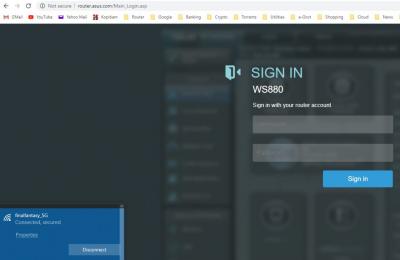
|
| Change to: |  0.0380sec 0.0380sec
 0.36 0.36
 7 queries 7 queries
 GZIP Disabled GZIP Disabled
Time is now: 5th December 2025 - 06:59 PM |
 Quote
Quote