QUOTE(ASUSmy @ Apr 4 2016, 09:30 AM)
Hi Aordinarypeople,
You can try fix the WiFi channel to 1, 6, or 11 at Wireless->General->Control Channel.
If the problem will persist, may I know where do you put the router?
And what is the Internet speed that you get if you test it in line of sigh?
Thank you
Hi ASUSmy,
The screenshot is my current setting for my router now.

The result of the speed that I get is
1st try:
 2nd try
:

After that, I try to swap back the stock router and test the speed. Thats what I get.
1st try:
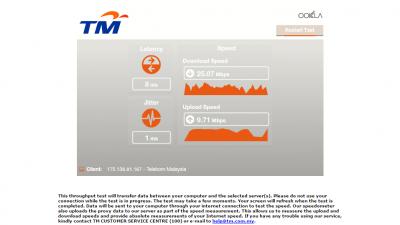 2nd try
:
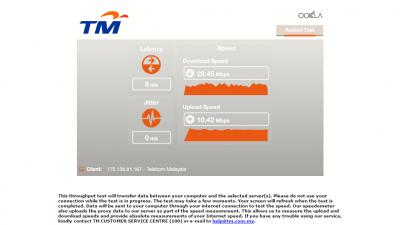
And the signal of both router is
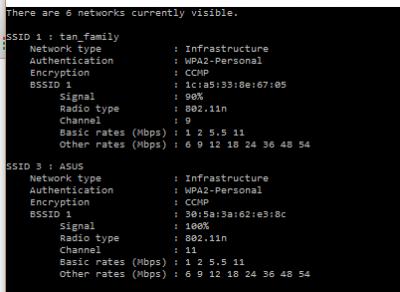
When connect via LAN , both router just functioning well. This issue already 1 week, I already checked the firmware of the ASUS router...Please advice me any solution for the ASUS router to get better upload and download speed? I do suspect the router's antenna problem, so I get back to the seller and request to warranty and they agreed to changed a new router, BUT THE PROBLEM STILL PERSIST..
Hope anyone can help me..Because this really bothering me...Thank you.
This post has been edited by Aordinarypeople: Apr 4 2016, 11:49 PM 

 Jan 28 2016, 11:57 AM


 Quote
Quote


 0.0321sec
 0.68
0.68
 7 queries
 GZIP Disabled