Welcome Guest ( Log In | Register )

Outline · [ Standard ] · Linear+

Home Networking ASUS Malaysia Networking User & Technical Support, Managed by ASUS Malaysia Representative

views
     
AV_2018
post Apr 3 2018, 03:56 PM

Casual
***
Junior Member
451 posts

Joined: Apr 2018
QUOTE(jliewch2003 @ Apr 2 2018, 11:49 PM)
Hi I have a ASUS AC68U router...i bought this router few years back when i initial setup it will show special requirement for Unif Home, BIZ or maxis etc...however recently i change ISP to unifi and when i try to setup the PPPoE it didnt show the special requirement option for me...could anyone assist on this???
Previously i was using Maxis and now change to Unifi which required VLAN setting in ASUS router...i had done factory reset, firmware recovery and whatever i could to get the option for Unifi, but i have no luck on this...can any sifu advise on this? Milion thanks in advanced.
*
I'm using RT-AC68U as well. On the more recent firmwares, you have to select Unifi-Home profile from LAN > IPTV page.
Attached Image
AV_2018
post Jan 4 2019, 02:31 PM

Casual
***
Junior Member
451 posts

Joined: Apr 2018
QUOTE(junclj @ Jan 3 2019, 05:29 PM)
I am queuing in the chat in Unifi website. Something wrong with Unifi today. Both my office and home can't connect to http://iplookup.asus.com/nslookup.php
*
Unifi having issues now... many website can't load such as Asus website. Using DiGi can access so it is not website issue but Unifi issue.
This issue mainly happen to users in East Malaysia that's why ASUSmy still can access http://iplookup.asus.com/nslookup.php. I have tried and I can't access this link using Unifi too but it loads when using DiGi.

This post has been edited by AV_2018: Jan 4 2019, 02:39 PM
AV_2018
post Sep 7 2019, 05:05 PM

Casual
***
Junior Member
451 posts

Joined: Apr 2018
QUOTE(aa123aa @ Sep 7 2019, 04:14 PM)
there will be a offer for asus router on 9.9 later?
*
Can click on the 9.9 icon at the right of "All Products" to view 9.9 offers.
It is the official store since it is linked in the first post of this thread.

This post has been edited by AV_2018: Sep 7 2019, 05:07 PM
AV_2018
post Sep 14 2019, 12:23 PM

Casual
***
Junior Member
451 posts

Joined: Apr 2018
QUOTE(sHawTY @ Sep 13 2019, 11:20 PM)
ASUS RT-AC68U
Although to get a bigger coverage, you need to do these two:
1. Place it in the middle of the house
2. Put it at high place, maybe mount it on the wall

Or, go with MESH network
*
Yup, AC68U is great. It's so stable and my whole house is covered with 5GHz with router placed in my living room.
AV_2018
post Sep 16 2019, 11:24 AM

Casual
***
Junior Member
451 posts

Joined: Apr 2018
QUOTE(sHawTY @ Sep 16 2019, 02:06 AM)
Processor:
68U - Dual Core 800MHz
86U - Dual Core 1.8GHz (that's 1800MHz)
*
AC68U has a few newer revisions with slightly faster CPU right? Mine is the first revision A1 though but still got new firmware update this month šŸ˜€
EDIT: Found the table of revisions.

QUOTE(sHawTY @ Sep 16 2019, 02:06 AM)
RAM:
68U - 128MB
86U - 256MB
*
My AC68U rev A1 has 256MB RAM...
Attached Image

This post has been edited by AV_2018: Sep 16 2019, 12:09 PM
AV_2018
post Sep 21 2019, 09:09 PM

Casual
***
Junior Member
451 posts

Joined: Apr 2018
QUOTE(billysiah @ Sep 21 2019, 08:21 PM)
Sep 21 19:52:22
Is my ac68u system logs normal? because whenever im connected, once in a while it will unable to browse the internet. but still connected to the wifi. Then i have to restart to router and it will be normal again. I have updated to latest firmware and did reset factory settings TWICE. still the same. Is it because my router is old and not so durable anymore?
*
I'm using AC68U too with latest firmware. The logs are normal if your Apple device is really connecting so many times. Mine has those kind of entries in the logs too but I have no issues with the WiFi.

This post has been edited by AV_2018: Sep 21 2019, 09:10 PM
AV_2018
post Sep 25 2019, 03:45 PM

Casual
***
Junior Member
451 posts

Joined: Apr 2018
QUOTE(nasilemaksedap @ Sep 25 2019, 11:26 AM)
Tq for info. I have ax device already. Might consider ac86u but heard got overheating issue and 2ghz band will high chance rosak in this model. hmm.gif I consider ax11000 cause might upgrade to 1gbps when it arrived. Also I do 24hour p2p heavy multiple device. Maybe thats why my dlink dir842 blew up lol too much p2p from multiple device.
Yes I super need help and learn from sifu hereĀ  notworthy.gif where is the video ahhh???
*
Video link available on first page of this thread posted by ASUSmy. I don't know if it's updated for latest firmware or not though.

This post has been edited by AV_2018: Sep 25 2019, 03:46 PM
AV_2018
post Sep 27 2019, 07:56 PM

Casual
***
Junior Member
451 posts

Joined: Apr 2018
QUOTE(sHawTY @ Sep 27 2019, 05:39 PM)
ASUS routers does not have region specific firmwares
No matter where you bought them from, they will always have UniFi settings already built-in
*
But there might be region hardcoded in the bootloader or SoC that the firmware can read to lock down certain features such as display language and wireless channel/power?
AV_2018
post Oct 24 2019, 10:57 AM

Casual
***
Junior Member
451 posts

Joined: Apr 2018
QUOTE(Minaring @ Oct 22 2019, 11:21 PM)
Is the status supposed to be like this? (I can't recall the speed on all port previously but i think it should be 1Gbps? Please correct me if i'm wrong)

3. Here's my router firmware version :

*
I have an AC68U, it should show 1Gbps for all devices connected that supports 1Gbps. On mine, the only port showing 100Mbps is the one connected to Unifi TV STB.

Firmware should always be updated to latest unless latest is giving you issues. This is because Asus fixed some security vulnerabilities in the newer firmwares as well as fixed some bugs.

QUOTE(ikhwandayne @ Oct 23 2019, 11:07 PM)
Hi ASUS team

Recently I bought RT-N14UHP from my friend to replace my Maxis Home Fibre router. I did everything as instructed in the router set-up and config guide. I already reset the router. And I had logon to ASUS Router via 192.168.1.1 and key in my ISP account username and password.

After I have selected "Special Requirement from ISP" and click Next, there is a 5 seconds loading and sudden window prompt "asus-router says "connection timed out", I wonder what's the problem as previously I dont have any issue with my Maxis Fibre internet connection

Hope you can help me.  cry.gif
*
Try skip the setup wizard and manually configure. ISP profile is in LAN - > IPTV section and user account info in WAN - > PPPoE.
AV_2018
post Oct 29 2019, 09:06 PM

Casual
***
Junior Member
451 posts

Joined: Apr 2018
QUOTE(jpong1 @ Oct 29 2019, 08:11 PM)
I am using 9.0.0.4.382_51085-gcf7cbc8 which is beta version to solve problem that unable to go beyond 500Mbps ; yes, I do know after we click Check for Update, it will prompt that new version with 3.0.0.4.382_51812 is available, I did not download and update it cause so fat so good.
I do guess system auto detected 3.0.0.4.382_51812 as new was due to this is official new f/w ; whereas 9.0.0.4 is Beta.

Lets heard from others...for me simple, dont fixed when no problem/issues using it. smile.gif
*
Looking at the list of security fixes, it is better to upgrade if the new version does not cause any issues.

This post has been edited by AV_2018: Oct 29 2019, 09:07 PM
AV_2018
post Nov 2 2019, 04:59 PM

Casual
***
Junior Member
451 posts

Joined: Apr 2018
QUOTE(archimedes @ Nov 2 2019, 12:03 PM)
quick question.. recently upgraded to unifi 300 mbps.. on my asus rt ac68u, i can only get speed of around 160mbps even connected to LAN.

so got unifi to come over and check.. but when they swapped with TP link router, the speed showed 300mbps..

any idea what went wrong with my asus rt ac68u? firmware is updated and everything seems ok. not even on vpn..

thanks in advance.
*
QUOTE(blacktubi @ Nov 2 2019, 01:30 PM)
Flash to new firmware, hard reset and setup again.

Very important if you owned your RT-AC68U for several years.

https://www.asus.com/my/support/FAQ/1039074
*
Try follow blacktubi advice. I'm using AC68U and can reach 800+Mbps on Ethernet cable. Test it with AiProtection and QoS disabled too although the last time I tested, it can reach 700Mbps even with those enabled.
AV_2018
post Nov 13 2019, 06:22 PM

Casual
***
Junior Member
451 posts

Joined: Apr 2018
QUOTE(nitehawk @ Nov 11 2019, 02:34 PM)
How do I keep current configuration before factory restore?
*
QUOTE(jpong1 @ Nov 11 2019, 02:41 PM)
write down your ID and password ; SSID , etc
the rest shall be select UniFi preset will do.
OR back-up and restore back after factory reset; suggest write down ID and password (very important).
*
QUOTE(Jjuggler @ Nov 12 2019, 06:50 PM)
Only keep your xxxx@unifi<username> and xxxxxxxxx <password> is enough. Don't really need to save the configuration and re-load back again after factory reset. It is same as you bring in the same problem after reset process. Same as, you injured yourself while playing football, and after you recovered enough, you back again to play the football again. Most of router's recommended settings can be found at ASUS's website or a third-party website that dealing with ASUS routers.
*
According to developer of asuswrt-merlin, restoring from backup after factory reset defeats the purpose of a factory reset.
Source: https://www.snbforums.com/threads/faq-nvram...lt-reset.22822/
AV_2018
post Dec 8 2019, 05:51 PM

Casual
***
Junior Member
451 posts

Joined: Apr 2018
QUOTE(FaezFarhan @ Dec 8 2019, 04:36 PM)
It has arrived.

user posted image

Does antenna orientation matter? Now I’m waiting for the RT-AC66U to arrive.
*
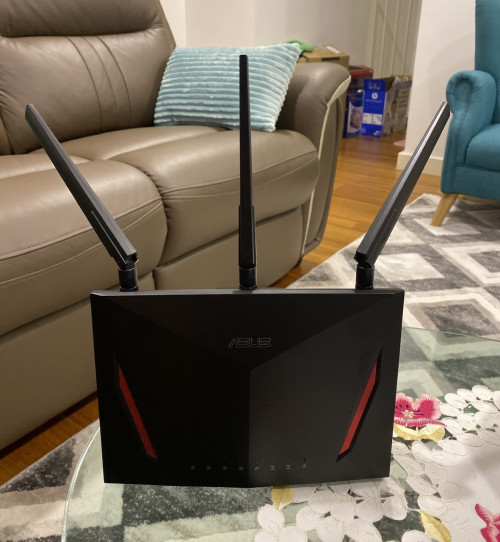
Usually I just put the antennas about 45 degrees to each other like mentioned in the manual. Orientation affects the polarisation of the electromagnetic waves. When the waves are same polarisation direction as the antennas in the phone or laptop then the signal is optimal. Orientation will also affect the radiation pattern of the antenna and may change coverage. With a MIMO system, the multiple antennas should not be in the same orientation for optimal performance. So just put the antenna like the image below and you should get optimum MIMO/beamforming performance. Do refer to the manual/user guide recommendations incase some models are different due to a 4th built-in antenna.
user posted image

This post has been edited by AV_2018: Dec 8 2019, 06:08 PM
AV_2018
post Feb 22 2020, 11:38 AM

Casual
***
Junior Member
451 posts

Joined: Apr 2018
QUOTE(WaNaWe900 @ Feb 22 2020, 01:04 AM)
Just checking if some others had same configuration as myself; UniFi new mode+router set as bridge to RT-AC86UĀ  icon_rolleyes.gifĀ 

Then I cannot login to the AC86U using wifi in my computer for configuration. But still able to using hp Asus apps.

Last setting during configuring both the UniFi modem+routers to the AC86U using LAN cableĀ  sweat.gif

Now the UniFi modem+routers cannot access using LAN cable pulakĀ  shakehead.gifĀ  the address know not usable..

and AC86U cannot login thru browser over wifi (address invalid too)
*
Your Unifi is Fibre or VDSL? If fibre, connect the Asus direct to the Huawei/Alcatel/Nokia ONU/modem and remove the Unifi router.

This post has been edited by AV_2018: Feb 22 2020, 11:39 AM
AV_2018
post Feb 27 2020, 07:31 PM

Casual
***
Junior Member
451 posts

Joined: Apr 2018
QUOTE(yongtjunkit @ Feb 27 2020, 07:07 PM)
ASUSmy, is there any plan for WPA 3 support on the RT-AC68U( I've already have devices supporting WPA 3)?
And also any plan to patch WPA 2 for Kr00K?

https://www.eset.com/int/kr00k/
*
ASUSmy I want to know too. I'm also using RT-AC68U.
AV_2018
post Feb 27 2020, 09:22 PM

Casual
***
Junior Member
451 posts

Joined: Apr 2018
QUOTE(blacktubi @ Feb 27 2020, 08:14 PM)
WPA3 is it is not backwards compatible. Many devices you own now are not going to get WPA3 update. I am speaking of old Android phones, IoT devices and etc. Running WPA3+WPA2 mixed mode don't give you more security as well.

This new vulnerability is really minor and it only affect Broadcom routers. Knowing ASUS, they will be patched soon.

Details: https://nvd.nist.gov/vuln/detail/CVE-2019-15126

TLDR: Minor vulnerability, attackers won't gain access to your network. Minor packet leakage when disassoctiation is triggered. Impractical to be weaponized for malicious use.
*
All the phones in my house are probably gonna be Android 10 later this year. I'm going to use forced WPA3 if the router is going to support it. No more old Android phones here, other devices are all cabled except a printer which I don't really need to connect to network.

EDIT: But even in transition mode, there's still some benefit for WPA3 devices according to wi-fi.org
QUOTE
In addition, even after this attack is successful and the attacker determines the password, the clients that connect with WPA3-Personal will still benefit from the forward-secrecy that SAE affords—that is, the traffic encryption keys will still remain unknown even if the password is known.


This post has been edited by AV_2018: Feb 27 2020, 09:58 PM
AV_2018
post Mar 3 2020, 11:39 AM

Casual
***
Junior Member
451 posts

Joined: Apr 2018
QUOTE(junclj @ Mar 3 2020, 10:01 AM)
The astro decoder doesn't care about which router that you are using. If you are worried about this, you can change your asus router to 192.168.1.1 and maxis router change to 192.168.1.2. It's doesn't matter.
*
He's using astro IPTV... Not just astro with Internet for VOD. So it's a complex set-up with both IPTV VLAN and Internet.

Source: https://forum.lowyat.net/index.php?showtopi...post&p=95663659
AV_2018
post Mar 4 2020, 06:47 PM

Casual
***
Junior Member
451 posts

Joined: Apr 2018
QUOTE(Skylinestar @ Mar 4 2020, 05:29 PM)
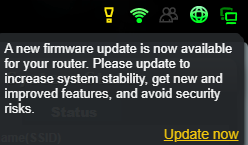
Do I update router by clicking "update now" (via that link shown in screenshot)?
Or better download the firmware separately, then go to flash it?
user posted image
*
I've used that link to update. Also ever download from Asus site and upload. Nowadays I just hit update in the Asus router app on phone. All works.
AV_2018
post Mar 4 2020, 07:31 PM

Casual
***
Junior Member
451 posts

Joined: Apr 2018
QUOTE(Skylinestar @ Mar 4 2020, 07:13 PM)
Need to reset default after update?
*
These days I only reset when skipping multiple versions or updating major version (380 to 382 or 382 to 384 for example) or when there is an issue after updating or if the changelog asks to reset. Already updated a few minor versions without reset and no problem so far.

This post has been edited by AV_2018: Mar 4 2020, 07:31 PM
AV_2018
post Mar 7 2020, 12:23 AM

Casual
***
Junior Member
451 posts

Joined: Apr 2018
I cannot get pass this screen after updating Asus router app
Attached Image

2 Pages  1 2 >Top
 

Change to:
| Lo-Fi Version
0.0416sec    0.56    7 queries    GZIP Disabled
Time is now: 13th December 2025 - 08:40 PM