Welcome Guest ( Log In | Register )

Bump Topic Topic Closed RSS Feed
126 Pages « < 20 21 22 23 24 > » Bottom

Outline · [ Standard ] · Linear+

PC Audio HTPC, anyone doing this?

views
     
player13
post Dec 19 2006, 10:47 AM

Getting Started
**
Junior Member
96 posts

Joined: Oct 2005
From: KL
Hi there,

Im new to this forum and need some advice from you guys.

Anyone uses Thermaltake Mozart? Im deciding between LC16M and mozart for my HTPC project. mozart is cheaper by RM300. Both got VFD and remote control included.

decision...decision...decision.... hmm.gif

Also, any store/shop in LY selling ATI theater 550 pro?

Thanks.
Edifier
post Dec 20 2006, 12:49 PM

Look at all my stars!!
*******
Store Representative
9,138 posts

Joined: Jan 2003
From: Edifier, Stax, Noctua and AirPulse


For HTPC, i will recom u the LC14MC because it come with the Official licensed MCE remote & IR.

LC14MC
nocar
post Dec 20 2006, 03:15 PM

Enthusiast
*****
Senior Member
752 posts

Joined: Dec 2005


QUOTE(Edifier @ Dec 20 2006, 12:49 PM)
For HTPC, i will recom u the LC14MC because it come with the Official licensed MCE remote & IR.

LC14MC
*
edifier - do you have stock for LaScala at your shop? would like to see and touch it.
Edifier
post Dec 20 2006, 05:54 PM

Look at all my stars!!
*******
Store Representative
9,138 posts

Joined: Jan 2003
From: Edifier, Stax, Noctua and AirPulse


Got some in our showroom. U can go there to feel and touch it. We have a setup sample in MyPC too u can drop by to have a look.

This post has been edited by Edifier: Dec 20 2006, 05:55 PM
player13
post Dec 20 2006, 09:17 PM

Getting Started
**
Junior Member
96 posts

Joined: Oct 2005
From: KL
What is the price for LC14MC? does it include a VFD display?

QUOTE(Edifier @ Dec 20 2006, 12:49 PM)
For HTPC, i will recom u the LC14MC because it come with the Official licensed MCE remote & IR.

LC14MC
*
g5sim
post Dec 21 2006, 04:28 AM

Look at all my stars!!
*******
Senior Member
5,750 posts

Joined: Jan 2003
From: Sri Kembangan


QUOTE(sunauto @ Nov 29 2006, 09:43 PM)
Sadly, there's no outlets selling HD DVD titles here and not even a single HD DVD player available locally. cry.gif 

However some shops are selling XBOX 360 HD DVD add on but I wouldn't buy that to be connected to my pc since there's no software for it to play HD DVD movies yet.  doh.gif
*
both PowerDVD 7 and the latest Intervideo WinDVD are able to play HD DVD smile.gif

where can i get the Xbox Add on? and roughly how much (does it come with the remote and King Kong HD DVD ) ?

Yes, there are shops selling HD DVD player, but you might have to place an order. One at KLCC and another one .. (need to go back and check my KL 2006 AV show catalogues and name cards)


Edifier
post Dec 23 2006, 11:19 PM

Look at all my stars!!
*******
Store Representative
9,138 posts

Joined: Jan 2003
From: Edifier, Stax, Noctua and AirPulse


QUOTE(player13 @ Dec 20 2006, 09:17 PM)
What is the price for LC14MC? does it include a VFD display?
*
For the price, please check here

Silverstone Pricelist

The LC14MC come with VFD diaplay.
SUSMatrix
post Dec 25 2006, 02:29 PM

King of Char Siew!
********
Senior Member
15,022 posts

Joined: Jan 2003
From: Damansara Jaya/Bandar Utama


ASTRO EPG Update - 25th December 2006
===========================

Here's a little Christmas present from me to all the HTPC kaki.

I was wondering what happened to channel 75 (animax) as it suddenly dissappear from the face of Earth.

Looks like ASTRO changed their channel numbers again.

Attached here is the latest TVxb.ini file with all the new re-arranged channel.

Just copy this file into your TVxb ini folder as usual and run BladeRunner Pro to get latest update.

Credit goes to Terence and i modified this file based on his original.

Merry Christmas!! Ho! Ho! Ho!

Note: For some strange reason, the "attachment function" don't work. So I just copy and paste the whole thing in the next post.

Just copy the whole thing into a tvxb.ini file.

Anyone has problem with it can feel free to PM me ur e-mail to get a copy.

Terence: Feel free to update it to ur blog there. smile.gif


This post has been edited by Matrix: Dec 25 2006, 02:33 PM
SUSMatrix
post Dec 25 2006, 02:31 PM

King of Char Siew!
********
Senior Member
15,022 posts

Joined: Jan 2003
From: Damansara Jaya/Bandar Utama


! TVxb Version 1.0099

! http://www.tvxb.com/
!
! Set xmltvoutput= to the folder/filename where your PVR software expects to find xmltv.xml
! Set days= item to the number of days of schedule to download
!trace=2

!--main parameters--
xmltvoutput="C:\WINDOWS\ehome\BladeRunnerPro\GuideData\xmltv.xml"
mcechanneloutput="C:\WINDOWS\ehome\BladeRunnerPro\QuickGuide\ChannelInfo.XML"
xmlencoding=utf-8
lang=en
auto=yes

!*****************************************************************
!* Edit days to set TVxb to download how many days of guide info *
!*****************************************************************
days=7,+1

!--end of main parameters--

!****************************************************************
!* Please delete the channels that you do not receieve. *
!* *
!* Eg. To delete channel 1, highlight the entire portion *
!* of channel 1 and remove it from this file. *
!* *
!* [01.astro.my] *
!* name=Ch 01 - RTM1 *
!* url=http://www.astr...... *
!* start=1 *
!* duration=3 *
!* title=2 *
!****************************************************************

!****************************************************************
!* Downloading full description *
!* ---------------------------- *
!* TVxb is able to download full description for a programme. *
!* Due to bandwidth and load consideration on the EPG provider *
!* site, it will not download full description for each *
!* channel, each programme, each day. You can configure it to *
!* download descriptions for all channels and all programme but *
!* TVxb capped the description downloads and it will not *
!* download the descriptions ones the cap is reached during *
!* each run. *
!* *
!* To download programme description for a channel add the *
!* following lines under the line title=2 of the desired *
!* channel: *
!* *
!* special=fulldescriptions *
!* descriptionhtmlstart=Synopsis: *
!* descriptionhtmlend=Also on this week *
!* descriptionhours= weekends+1800-0030 *
!* *
!* "descriptionhours" parameter specifies that when the *
!* description of a channel should be downloaded. More info *
!* on this parameter can be found in C:\Program Files\TVxb\docs *
!* folder. *
!****************************************************************


! All Astro Channels are below this line.
-----------------------------------------

[01.astro.my]
name=Ch 01 - RTM1
url=http://www.astro.com.my/v5/programming/channels/channel_listings.asp?channel_id=M038&sDate=[day=d-Mmm-yyyy]
start=1
duration=3
title=2

[02.astro.my]
name=Ch 02 - RTM2
url=http://www.astro.com.my/v5/programming/channels/channel_listings.asp?channel_id=M039&sDate=[day=d-Mmm-yyyy]
start=1
duration=3
title=2

[03.astro.my]
name=Ch 03 - TV3
url=http://www.astro.com.my/v5/programming/channels/channel_listings.asp?channel_id=M046&sDate=[day=d-Mmm-yyyy]
start=1
duration=3
title=2

[07.astro.my]
name=Ch 07 - NTV7
url=http://www.astro.com.my/v5/programming/channels/channel_listings.asp?channel_id=M036&sDate=[day=d-Mmm-yyyy]
start=1
duration=3
title=2

[10.astro.my]
name=Ch 10 - Hallmark Entertainment
url=http://www.astro.com.my/v5/programming/channels/channel_listings.asp?channel_id=M029&sDate=[day=d-Mmm-yyyy]
start=1
duration=3
title=2

[11.astro.my]
name=Ch 11 - Discovery Travel Adventure
url=http://www.astro.com.my/v5/programming/channels/channel_listings.asp?channel_id=M026&sDate=[day=d-Mmm-yyyy]
start=1
duration=3
title=2

[12.astro.my]
name=Ch 12 - Bloomberg Television
url=http://www.astro.com.my/v5/programming/channels/channel_listings.asp?channel_id=M013&sDate=[day=d-Mmm-yyyy]
start=1
duration=3
title=2

[17.astro.my]
name=Ch 17 - AXN
url=http://www.astro.com.my/v5/programming/channels/channel_listings.asp?channel_id=M008&sDate=[day=d-Mmm-yyyy]
start=1
duration=3
title=2

[18.astro.my]
name=Ch 18 - 8TV
url=http://www.astro.com.my/v5/programming/channels/channel_listings.asp?channel_id=M057&sDate=[day=d-Mmm-yyyy]
start=1
duration=3
title=2

[19.astro.my]
name=Ch 19 - ASTRO AEC
url=http://www.astro.com.my/v5/programming/channels/channel_listings.asp?channel_id=M004&sDate=[day=d-Mmm-yyyy]
start=1
duration=3
title=2

[21.astro.my]
name=Ch 21 - ZEE
url=http://www.astro.com.my/v5/programming/channels/channel_listings.asp?channel_id=M086&sDate=[day=d-Mmm-yyyy]
start=1
duration=3
title=2

[23.astro.my]
name=Ch 23 - Astro Kirana
url=http://www.astro.com.my/v5/programming/channels/channel_listings.asp?channel_id=M053&sDate=[day=d-Mmm-yyyy]
start=1
duration=3
title=2

[24.astro.my]
name=Ch 24 - Astro Ceria
url=http://www.astro.com.my/v5/programming/channels/channel_listings.asp?channel_id=M083&sDate=[day=d-Mmm-yyyy]
start=1
duration=3
title=2

[25.astro.my]
name=Ch 25 - Animax
url=http://www.astro.com.my/v5/programming/channels/channel_listings.asp?channel_id=M087&sDate=[day=d-Mmm-yyyy]
start=1
duration=3
title=2

[28.astro.my]
name=Ch 28 - CCTV4
url=http://www.astro.com.my/v5/programming/channels/channel_listings.asp?channel_id=M085&sDate=[day=d-Mmm-yyyy]
start=1
duration=3
title=2

[29.astro.my]
name=Ch 29 - WATV
url=http://www.astro.com.my/v5/programming/channels/channel_listings.asp?channel_id=M071&sDate=[day=d-Mmm-yyyy]
start=1
duration=3
title=2

[30.astro.my]
url=http://www.astro.com.my/v5/programming/channels/channel_listings.asp?channel_id=M011&sDate=[day=d-Mmm-yyyy]
name=Ch 30 - Wah Lai Toi
start=1
duration=3
title=2

[31.astro.my]
url=http://www.astro.com.my/v5/programming/channels/channel_listings.asp?channel_id=M049&sDate=[day=d-Mmm-yyyy]
name=Ch 31 - TVBS Asia
start=1
duration=3
title=2

[32.astro.my]
url=http://www.astro.com.my/v5/programming/channels/channel_listings.asp?channel_id=M037&sDate=[day=d-Mmm-yyyy]
name=Ch 32 - Phoenix
start=1
duration=3
title=2

[33.astro.my]
url=http://www.astro.com.my/v5/programming/channels/channel_listings.asp?channel_id=M048&sDate=[day=d-Mmm-yyyy]
name=Ch 33 - TVB8
start=1
duration=3
title=2

[34.astro.my]
url=http://www.astro.com.my/v5/programming/channels/channel_listings.asp?channel_id=M047&sDate=[day=d-Mmm-yyyy]
name=Ch 34 - Xing He
start=1
duration=3
title=2

[35.astro.my]
url=http://www.astro.com.my/v5/programming/channels/channel_listings.asp?channel_id=M034&sDate=[day=d-Mmm-yyyy]
name=Ch 35 - NHK World
start=1
duration=3
title=2

[36.astro.my]
name=Ch 36 - CCTV9
url=http://www.astro.com.my/v5/programming/channels/channel_listings.asp?channel_id=M025&sDate=[day=d-Mmm-yyyy]
start=1
duration=3
title=2

[37.astro.my]
url=http://www.astro.com.my/v5/programming/channels/channel_listings.asp?channel_id=M037&sDate=[day=d-Mmm-yyyy]
name=Ch 37 - Phoenix Infonews
start=1
duration=3
title=2

[38.astro.my]
url=http://www.astro.com.my/v5/programming/channels/channel_listings.asp?channel_id=M041&sDate=[day=d-Mmm-yyyy]
name=Ch 38 - Shuang Xing
start=1
duration=3
title=2

[39.astro.my]
url=http://www.astro.com.my/v5/programming/channels/channel_listings.asp?channel_id=M019&sDate=[day=d-Mmm-yyyy]
name=Ch 39 - Celestial Movies
start=1
duration=3
title=2

[40.astro.my]
url=http://www.astro.com.my/v5/programming/channels/channel_listings.asp?channel_id=M030&sDate=[day=d-Mmm-yyyy]
name=Ch 40 - HBO
start=1
duration=3
title=2

[41.astro.my]
url=http://www.astro.com.my/v5/programming/channels/channel_listings.asp?channel_id=M022&sDate=[day=d-Mmm-yyyy]
name=Ch 41 - Cinemax
start=1
duration=3
title=2

[42.astro.my]
url=http://www.astro.com.my/v5/programming/channels/channel_listings.asp?channel_id=M042&sDate=[day=d-Mmm-yyyy]
name=Ch 42 - Star Movies
start=1
duration=3
title=2

[48.astro.my]
url=http://www.astro.com.my/v5/programming/channels/channel_listings.asp?channel_id=M015&sDate=[day=d-Mmm-yyyy]
name=Ch 48 - Box Office Movies Ch. 48
start=1
duration=3
title=2

[49.astro.my]
url=http://www.astro.com.my/v5/programming/channels/channel_listings.asp?channel_id=M016&sDate=[day=d-Mmm-yyyy]
name=Ch 49 - Box Office Movies Ch. 49
start=1
duration=3
title=2

[50.astro.my]
name=Ch 50 - Discovery Channel
url=http://www.astro.com.my/v5/programming/channels/channel_listings.asp?channel_id=M025&sDate=[day=d-Mmm-yyyy]
start=1
duration=3
title=2

[51.astro.my]
name=Ch 51 - Animal Planet
url=http://www.astro.com.my/v5/programming/channels/channel_listings.asp?channel_id=M002&sDate=[day=d-Mmm-yyyy]
start=1
duration=3
title=2

[52.astro.my]
name=Ch 52 - National Geographic Channel
url=http://www.astro.com.my/v5/programming/channels/channel_listings.asp?channel_id=M033&sDate=[day=d-Mmm-yyyy]
start=1
duration=3
title=2

[60.astro.my]
url=http://www.astro.com.my/v5/programming/channels/channel_listings.asp?channel_id=M035&sDate=[day=d-Mmm-yyyy]
name=Ch 60 - Nickelodeon
start=1
duration=3
title=2

[61.astro.my]
url=http://www.astro.com.my/v5/programming/channels/channel_listings.asp?channel_id=M027&sDate=[day=d-Mmm-yyyy]
name=Ch 61 - Disney Channel
start=1
duration=3
title=2

[62.astro.my]
url=http://www.astro.com.my/v5/programming/channels/channel_listings.asp?channel_id=M018&sDate=[day=d-Mmm-yyyy]
name=Ch 62 - Cartoon Network
start=1
duration=3
title=2

[63.astro.my]
url=http://www.astro.com.my/v5/programming/channels/channel_listings.asp?channel_id=M055&sDate=[day=d-Mmm-yyyy]
name=Ch 63 - PlayHouse Disney
start=1
duration=3
title=2

[70.astro.my]
name=Ch 70 - Star World
url=http://www.astro.com.my/v5/programming/channels/channel_listings.asp?channel_id=M044&sDate=[day=d-Mmm-yyyy]
start=1
duration=3
title=2

[71.astro.my]
name=Ch 71 - MTV
url=http://www.astro.com.my/v5/programming/channels/channel_listings.asp?channel_id=M032&sDate=[day=d-Mmm-yyyy]
start=1
duration=3
title=2

[72.astro.my]
name=Ch 72 - Channel [V]
url=http://www.astro.com.my/v5/programming/channels/channel_listings.asp?channel_id=M021&sDate=[day=d-Mmm-yyyy]
start=1
duration=3
title=2

[73.astro.my]
name=Ch 73 - Sun TV
url=http://www.astro.com.my/v5/programming/channels/channel_listings.asp?channel_id=M061&sDate=[day=d-Mmm-yyyy]
start=1
duration=3
title=2

[90.astro.my]
name=Ch 90 - CNN
url=http://www.astro.com.my/v5/programming/channels/channel_listings.asp?channel_id=M024&sDate=[day=d-Mmm-yyyy]
start=1
duration=3
title=2

[91.astro.my]
name=Ch 91 - CNBC Asia
url=http://www.astro.com.my/v5/programming/channels/channel_listings.asp?channel_id=M023&sDate=[day=d-Mmm-yyyy]
start=1 ! possible alternative start-time = 3
duration=3
title=2

[92.astro.my]
name=Ch 92 - The News Channel
url=http://www.astro.com.my/v5/programming/channels/channel_listings.asp?channel_id=M005&sDate=[day=d-Mmm-yyyy]
start=1
duration=3
title=2

[93.astro.my]
name=Ch 93 - BBC World
url=http://www.astro.com.my/v5/programming/channels/channel_listings.asp?channel_id=M012&sDate=[day=d-Mmm-yyyy]
start=1
duration=3
title=2


Edifier
post Dec 28 2006, 12:45 PM

Look at all my stars!!
*******
Store Representative
9,138 posts

Joined: Jan 2003
From: Edifier, Stax, Noctua and AirPulse


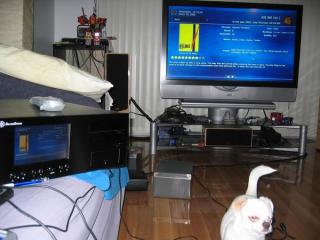
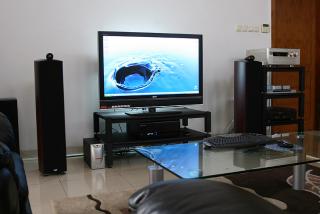
LC18BM & LC20BM HTPC Setup


Attached thumbnail(s)
Attached Image Attached Image Attached Image
terencey
post Dec 28 2006, 03:44 PM

Getting Started
**
Junior Member
119 posts

Joined: Jun 2006
From: PJ


Matrix, thanks for your effort. From what I see, you missed out certain channels like 13-16 and the 4 new channels (20,22...)

While i'm in the midst of updating the ini file I notice that 1 or 2 channels code used for retrieving the programme guide has changed. That means it will be better if I do a full audit to make sure each channel in TVxb is using the right channel code (eg. M001, M038...)

All these comparing is a strain to the eye. What I gonna do is to write a program to read astro's program list and generate the tvxb.ini file automatically. So each time when there's a change, can always run it again to get the latest ini file.

I try to get it done by friday nite so every1 can enjoy new astro channels on their HTPC during the new year.

This post has been edited by terencey: Dec 28 2006, 03:45 PM
SUSMatrix
post Dec 29 2006, 10:30 PM

King of Char Siew!
********
Senior Member
15,022 posts

Joined: Jan 2003
From: Damansara Jaya/Bandar Utama


QUOTE(terencey @ Dec 28 2006, 03:44 PM)
Matrix, thanks for your effort. From what I see, you missed out certain channels like 13-16 and the 4 new channels (20,22...)

While i'm in the midst of updating the ini file I notice that 1 or 2 channels code used for retrieving the programme guide has changed. That means it will be better if I do a full audit to make sure each channel in TVxb is using the right channel code (eg. M001, M038...)

All these comparing is a strain to the eye. What I gonna do is to write a program to read astro's program list and generate the tvxb.ini file automatically. So each time when there's a change, can always run it again to get the latest ini file.

I try to get it done by friday nite so every1 can enjoy new astro channels on their HTPC during the new year.
*
Ok, i'm eagerly waiting for ur updated list. I've absolutely no idea how to get those channel codes...just garbage in, garbage out. LOL.

Update here again when ur done and we go download at ur blog. smile.gif

Happy New Year everyone!! cool2.gif
terencey
post Dec 30 2006, 01:32 AM

Getting Started
**
Junior Member
119 posts

Joined: Jun 2006
From: PJ


Ok the script is done rclxm9.gif

Now I can generate tvxb.ini files on the fly whenever astro decides to add new channels or change the channel sequence.

I have posted the latest tvxb.ini file on my blog. Here's the download link:

http://www.terencey.net/downloads/TVxb-all.ini

If anybody wants to have the script can PM me. Its written in unix script so whoever wants to use it needs to have some basic knowledge of unix shell.

Matrix, need your help to test all the channels as I only has 3 mini packages. Please let me know if there's some issue with the ini file.

Enjoy and happy new year.
shinigamicpt
post Dec 30 2006, 11:58 AM

Getting Started
**
Junior Member
68 posts

Joined: Feb 2006


do u need to mannualy add the channel to media center?

terencey
post Dec 30 2006, 02:46 PM

Getting Started
**
Junior Member
119 posts

Joined: Jun 2006
From: PJ


No, the channels are added based on the ini file.
shinigamicpt
post Jan 2 2007, 03:54 PM

Getting Started
**
Junior Member
68 posts

Joined: Feb 2006


ya.. but in the media center interface???
terencey
post Jan 2 2007, 04:07 PM

Getting Started
**
Junior Member
119 posts

Joined: Jun 2006
From: PJ


Yes the media center interface will have all the channels you configured in the ini file.
SUSMatrix
post Jan 17 2007, 01:40 PM

King of Char Siew!
********
Senior Member
15,022 posts

Joined: Jan 2003
From: Damansara Jaya/Bandar Utama


QUOTE(terencey @ Dec 30 2006, 01:32 AM)
Ok the script is done rclxm9.gif

Now I can generate tvxb.ini files on the fly whenever astro decides to add new channels or change the channel sequence.

I have posted the latest tvxb.ini file on my blog. Here's the download link:

http://www.terencey.net/downloads/TVxb-all.ini

If anybody wants to have the script can PM me. Its written in unix script so whoever wants to use it needs to have some basic knowledge of unix shell.

Matrix, need your help to test all the channels as I only has 3 mini packages. Please let me know if there's some issue with the ini file.

Enjoy and happy new year.
*
Ha..ha..so sorry, only saw ur post today. Okay, i'll try it out tonight or tommorow.
I don't have all the channels though, only the Dynasty package + 3 mini channel. I'll test whatever i can.

Cheers.

And Happy Chinese New Year!!....oh drat...u mean it still a month away??? smile.gif

ccschua
post Jan 18 2007, 04:06 PM

Regular
******
Senior Member
1,630 posts

Joined: Jun 2006
Hello guys,

I have been comtemplating about this issue.

E6600|Intel 965OT|LCD TV 37"

I notice this two is about the same price.

1. MSI 7600 GT diamond plus c/w HDMI cable 128 bit RM 600

2. EVGA 7800 GT DVI only OEM 256 bit RM 600

I am not sure what connection is normally used between HTPC and LCD TV. Do you connect by DVI and follow by RCA audio. I am sure connection by HDMI will give the best output in terms of Audio and Video but is there a difference in terms of video. Is it true that connection by DVI can not have high bandwidth (like 1080p). I notice the MSI 7600 GT diamond plus does not print HDCP on the packaging, does that mean playing hdcp content will not be allowed.

rgds


ryansia
post Jan 19 2007, 04:50 PM

Casual
***
Junior Member
316 posts

Joined: Apr 2005
QUOTE(ccschua @ Jan 18 2007, 04:06 PM)
Hello guys,

I have been comtemplating about this issue.

E6600|Intel 965OT|LCD TV 37"

I notice this two is about the same price.

1. MSI 7600 GT diamond plus c/w HDMI cable 128 bit RM 600

2. EVGA 7800 GT DVI only OEM 256 bit RM 600

I am not sure what connection is normally used between HTPC and LCD TV. Do you connect by DVI and follow by RCA audio. I am sure connection by HDMI will give the best output in terms of Audio and Video but is there a difference in terms of video. Is it true that connection by DVI can not have high bandwidth (like 1080p). I notice the MSI 7600 GT diamond plus does not print HDCP on the packaging, does that mean playing hdcp content will not be allowed.

rgds
*
i'm using
video dvi-hdmi to LCD TV
audio co-axial (digital) to AV amp

in term of video, it's quite tricky to get 1:1 pixel mapping on LCD TV if you want to use the TV for internet browsing etc. this is one of the reason i chosed LG for. if your htpc is meant for purely video, then it's not a big deal to have overscan on HDMI. otherwise, VGA is the best bet.

DVI definitely have enuff bandwidth, 2xxx by 1600 @85 hz is quite normal for pc right?? the video of HDMI is actually based on DVI. if the MSI 7600 GT diamond plus does not support HDCP, no point buying this. it will be no difference than dvi except it connects digital audio signal to your TV. but again, what's the point to let the TV to decode digital audio???

126 Pages « < 20 21 22 23 24 > » Top
Topic ClosedOptions
 

Change to:
| Lo-Fi Version
0.0290sec    0.51    6 queries    GZIP Disabled
Time is now: 1st December 2025 - 08:28 AM