Outline ·
[ Standard ] ·
Linear+
Samsung Galaxy S II Official Thread V37, Jellybean me, maybe?
|
pikachu01
|
 Nov 3 2012, 07:31 PM Nov 3 2012, 07:31 PM
|

|
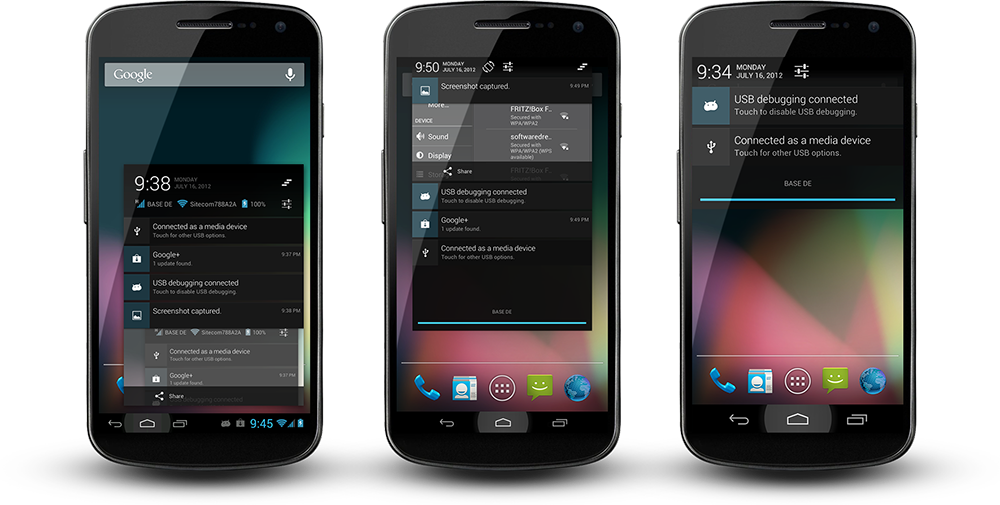
QUOTE(destEX @ Nov 3 2012, 07:19 PM) How do they compare to Cyanogenmod? The interface is basically the same as AOSP from the pictures :/ |
|
|
|
|
|
pikachu01
|
Nov 5 2012, 11:47 PM
|
|
|
QUOTE(Shizuru @ Nov 5 2012, 11:26 PM) Don't wan't to make my phone bulky  Ya, hi  haven't been around since never had problems with my phone this past month plus more user here are on AOSP and I can't relate  i don't think that will do any good cause before it shuts down sometime the screen will go blink2 like when your phone is ringing near your monitor and the screen goes blink2 something like that  Or maybe its the kernel cause the problem did start after I flash Siyah v4.1.5. Haven't try flashing any other kernel yet since donno which one is good nowadays. So sad  Try Siyah 5.0i. |
|
|
|
|
|
pikachu01
|
Nov 10 2012, 01:20 AM
|
|
|
QUOTE(Shizuru @ Nov 10 2012, 01:05 AM) looks like updating my kernel solve the problem. Yeay! but with the new siyah the battery drain is insane Tweak the GPU. I'm using 66-108-160-200-267. 800mv-800mv-800mv-850mv-950mv 85/50-85/55-85/70-85/65 Enable BLNW |
|
|
|
|
|
pikachu01
|
Nov 13 2012, 12:35 AM
|
|
|
Released ThunderBolt! 2.8.0  after such a long hiatus. |
|
|
|
|
|
pikachu01
|
Nov 13 2012, 09:16 AM
|
|
|
QUOTE(reijikageyama @ Nov 13 2012, 07:58 AM) works on CM10?  cause of hiatus was GW2? Yeah, I'm using it in CM10 (SGS though). Well, that has a bit to do with my hiatus. I'm busy with work as well :/ |
|
|
|
|
|
pikachu01
|
Nov 13 2012, 06:06 PM
|
|
|
QUOTE(AnNamir @ Nov 13 2012, 09:46 AM) Oh, would like to try your script, but... pening baca your thread in XDA  Don't really know which one to do or download huhu... If you don't mind to share easy steps here on how to install ThunderBolt, thanks =) Download the main CWM (ThunderBolt! v2.8.0 CWM) and 100MB LMK. If you're not using AOSP/AOKP/CM based ROMs, you can also download screenstate_scaling. After that: - Copy the CWM zip and all the addons you need to your sdcard (internal or external, as long as CWM can access it).
- Install using CWM all the CWM zips without needing a reboot in between
- Wait for bootup
- Open up Script Manager and launch /etc/bolt_scripts/remount[device] (e.g. remounti9000) as Root (The skull icon) and as Boot (The wheel icon).
- Open up Script Manager and launch /etc/bolt_scripts/sqlite_optimize as Root (The skull icon). This script can be used arbitrarily at anytime that you want. Don't load it as boot or copy it to init.d though, it'll significantly slow down your boot up as the script is a very long running script.
- Open up Script Manager and launch /etc/bolt_scripts/s70darky_zipalign as Root (The skull icon). This script can be used arbitrarily at anytime that you want. You can copy it to init.d and setting its permission to rwx-rwx-rwx. I moved it to bolt_scripts so that first boot for some people won't be slowed down.
- Open up Script Manager and launch /etc/bolt_scripts/CFS/S98CFS as Root (The skull icon) and as Boot (The wheel icon)..
|
|
|
|
|
|
pikachu01
|
Dec 4 2012, 05:26 PM
|
|
|
Guys, I've just discovered something important about how LMK is handled in Cyanogenmod vs stock Samsung. If anyone has a device with stock Jelly Bean that is handy with scripts or ADB, please contact me: http://forum.xda-developers.com/showpost.p...&postcount=8027 |
|
|
|
|





 Quote
Quote
 0.0445sec
 0.76
0.76
 7 queries
 GZIP Disabled