Welcome Guest ( Log In | Register )

3 Pages  1 2 3 >Bottom

Outline · [ Standard ] · Linear+

 [REVIEW] ASUS Maximus V Extreme - Performance Test, King of Z77 Mobos, First in Malaysia :)

views
     
TSowikh84
post Oct 14 2012, 11:41 PM, updated 13y ago

i7 Clan
Group Icon
Elite
8,711 posts

Joined: Nov 2007
From: Butterworth, PG / Machang, Kelantan


ASUS Maximus V Extreme - Performance Test

Ivy Bridge (IB) architechture is launched nearly half a year ago. I'm sure that some of us might be having difficulty to decide which motherboard (mobo) to go for, since there are myriads of Z77 boards available in the market, from entry level to enthusiast class. Each of them provides different features and specifications, as well as various price tags.

Today I'm taking the Maximus V Extreme (MVE) for a spin on my watercooled test bench. This mobo is packed with innovative overclocking features and support, as well as the latest technologies such as Thunderbolt. Specifications of MVE can be found HERE

Overview of MVE:
user posted image

Unboxing:
user posted image
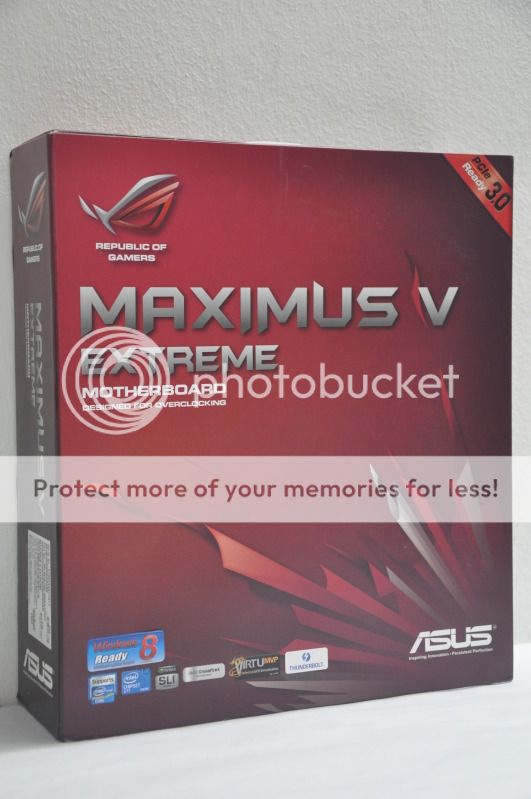
The MVE comes in a red box, same as other ASUS ROG series mobos:

Now, briefly meet the product which is really Extreme...
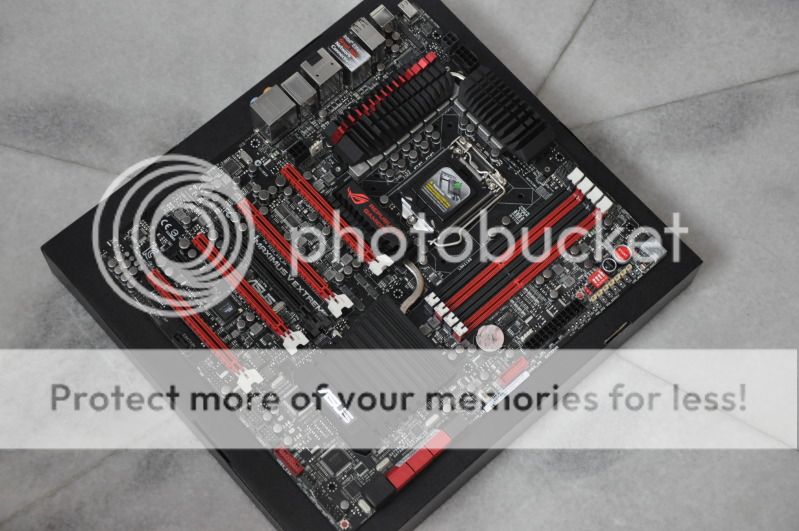
user posted image
The red/black themed board uses LGA1155 socket, supports Intel 3rd/2nd Gen Core i7, i5 & i3/ Pentium / Celeron processors. Its form factor size is extended ATX (E-ATX) with a dimension of 12.0 inch x 10.7 inch (30.5 cm x 27.2 cm). Nowadays there are a lot of cases available in the market, so just make sure that you pick the correct one for this mobo.

user posted image
A closeup at the CPU socket area. The MVE is powered by 8 CPU power phases + 4 phases for iGPU and 2 phases for Memory. That would be more than enough for extreme and non-extreme overclocking. The heatsink on the MVE has been re-engineered and is now extremely thick and as strong as a steel. It looks awesome and striking. Also spotted, four DIMM slots, that support up to 32GB of DDR3 Dual Channel memory & 2800+MHz of RAM frequency.
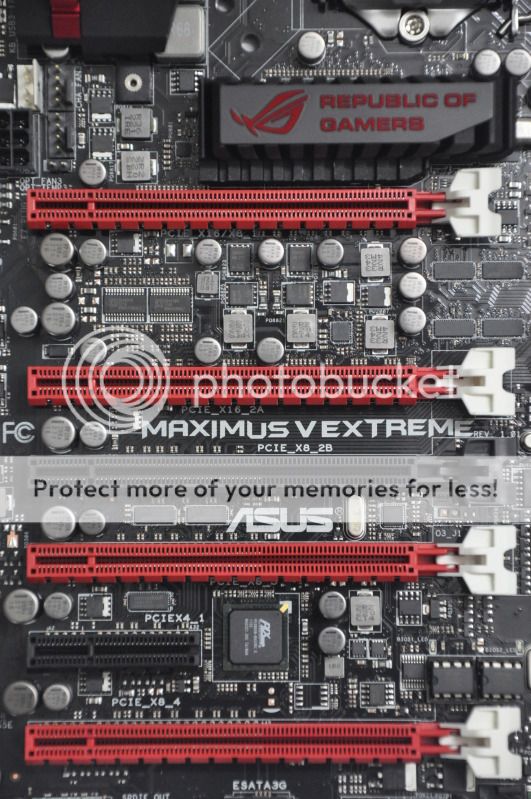
user posted image
Using the latest PCIe 3.0 slots, the MVE supports quad or 4-way SLI/CF @ x8/x16/x8/x8
3-way @ x8/x16/x8
2-way @ x8/x8
single @ x16
Take note that the PCIe 3.0 x8 is as fast as PCIe 2.0 x16
user posted image
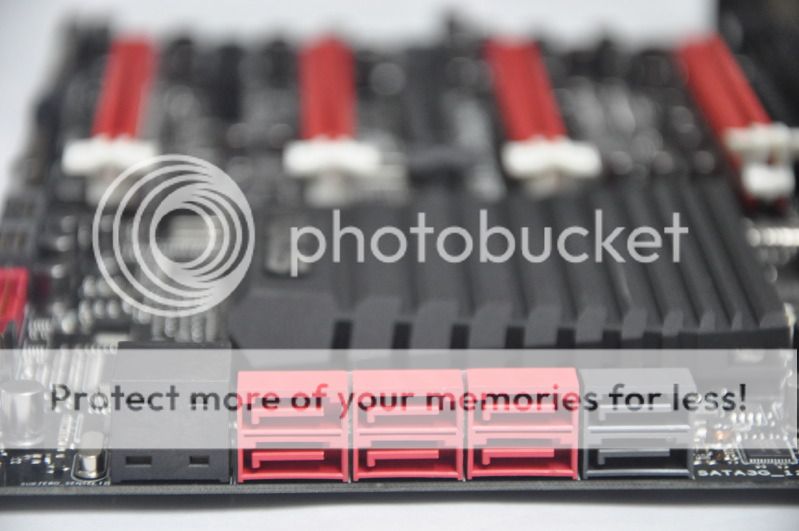
Storage is supplied by six SATA3 (2x Intel Z77 and 4x Asmedia) alongside with two Intel SATA2 ports. The number of Intel based SATA3 ports might be sufficient for some of us, but I personally wish that Intel will provide more and more of these ports for the sake of raid0 multi SSDs/HDDs in the near future.
user posted image
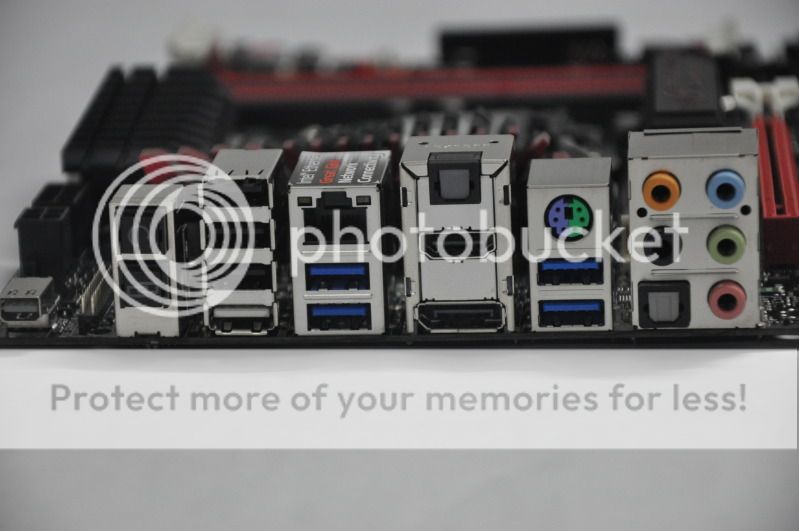
The rear I/O panel offers quite a plenty of connectivity: PS/2 keyboard/mouse combo ports, Thunderbolt port, DisplayPort, HDMI, LAN (RJ45) ports, 4x USB 3.0, 4x USB 2.0 (one port can be switched to ROG Connect), Optical S/PDIF out, Optical S/PDIF in, 7.1-channel audio, Clear CMOS button, ROG Connect button.
user posted image
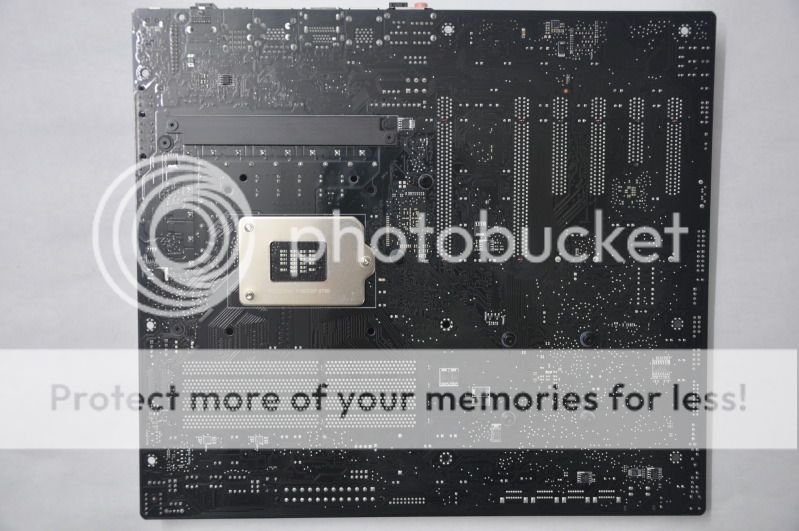
A shot on the other side of the board. It is built by a whopping 8-layer PCB! The PCB thickness will surely push overclocking to the limit.
user posted image
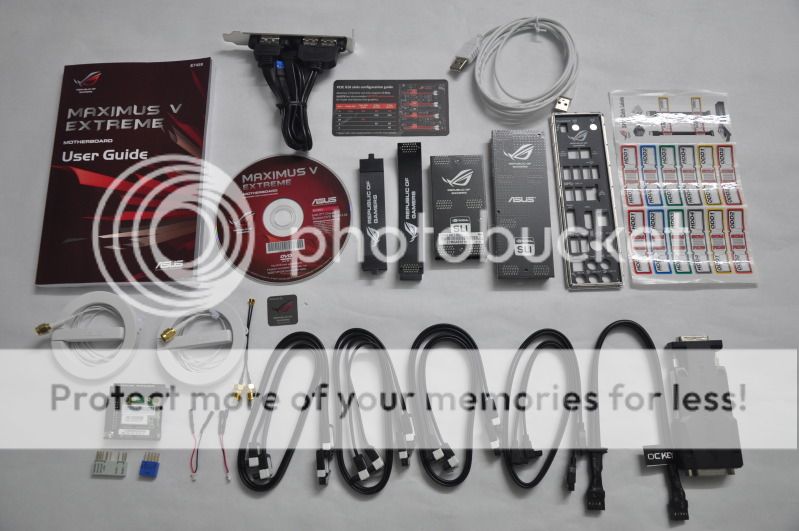
Accessories bundled in the package.

Testing Platform:
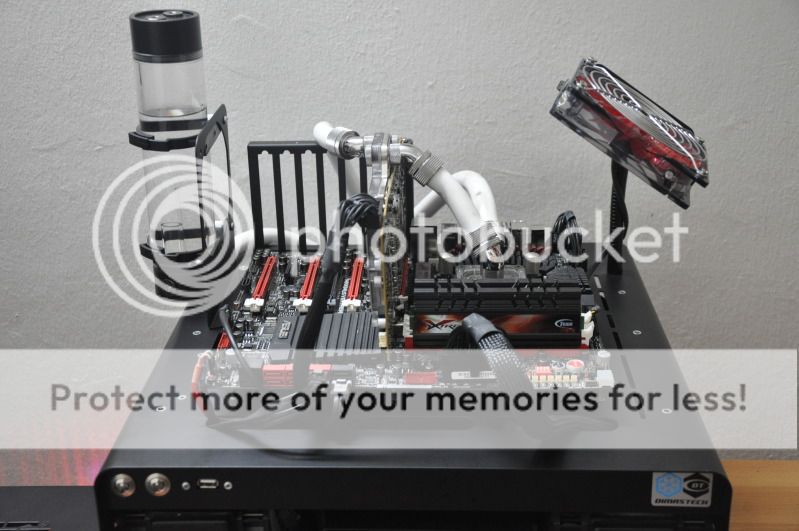
user posted image
CPU: Intel Core i7 3770K
MB: ASUS Maximus V Extreme, BIOS 0021
DRAM: Team Xtreem 2600 10-12-12-28-1T
GPU: Gigabyte HD7970, MSI's special BIOS, Driver Catalyst 12.9 beta, CAP 12.9
Storage: 2x Crucial M4 128GB, FW 010G
ODD: LiteON DVD-RW
PSU: Corsair AX1200
Cooling: Custom watercooling - EK Supreme HF plate #6 CPU waterblock, 2x XSPC RX360 radiator, Swiftech MCP655 pump, EK FC7970 GPU waterblock, EK Multioption X2 Advanced reservoir, XSPC 1/2" ID 3/4" OD white tubing, 12x Scythe GT AP-15 1850rpm 120mm fan + Aerocool Shark 120mm fan, Coolaboratory Liquid Ultra thermalpaste etc.
Casing: Dismatech Easy Dual V2 Bench Table
OS: Windows 7 Ultimate 64-bit SP1

This post has been edited by owikh84: Jun 6 2013, 08:38 AM
TSowikh84
post Oct 14 2012, 11:41 PM

i7 Clan
Group Icon
Elite
8,711 posts

Joined: Nov 2007
From: Butterworth, PG / Machang, Kelantan


The UEFI BIOS:

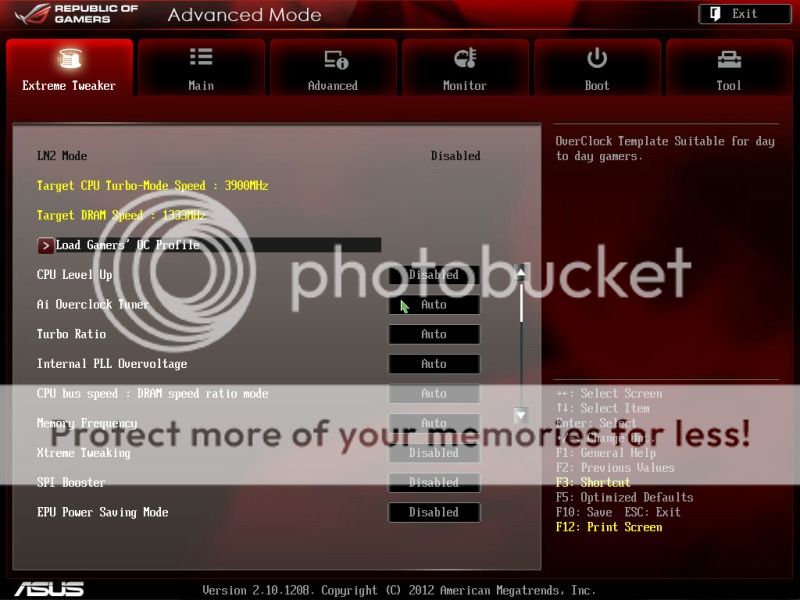
The Maximus V Extreme is driven by the much improved UEFI BIOS. The boot speed is amazingly fast, took me just less than 10 seconds to log into OS.

Main page with LN2 jumper off:
user posted image

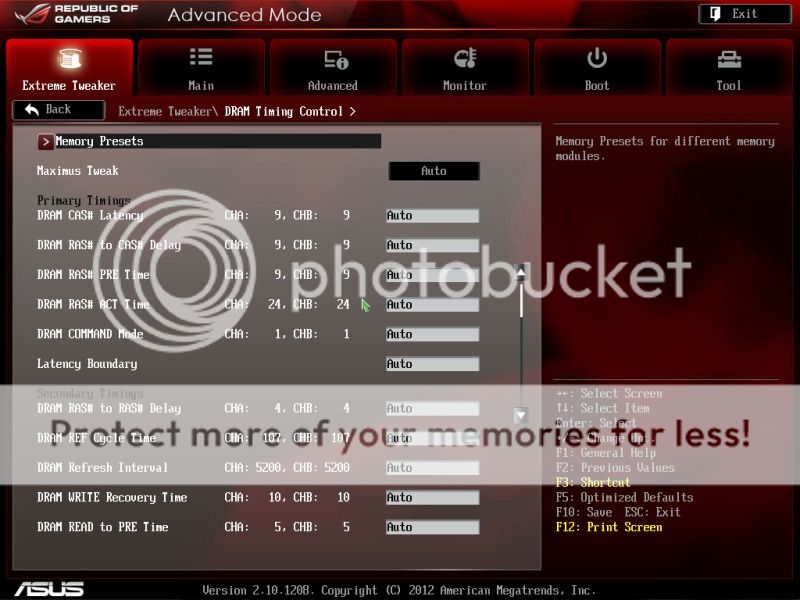
Mem timing settings - there are plenty of main and subtimings to play here. But no worries all of these have been described and explained in the manual.
user posted image

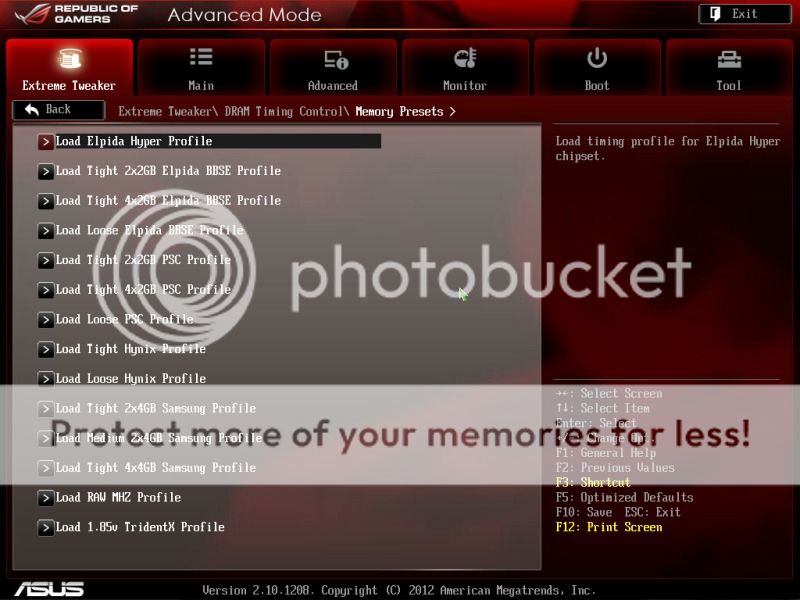
Memory profiles for various IC kits - mem overclocking has been easy right now thanks to ROG OC Team.
user posted image

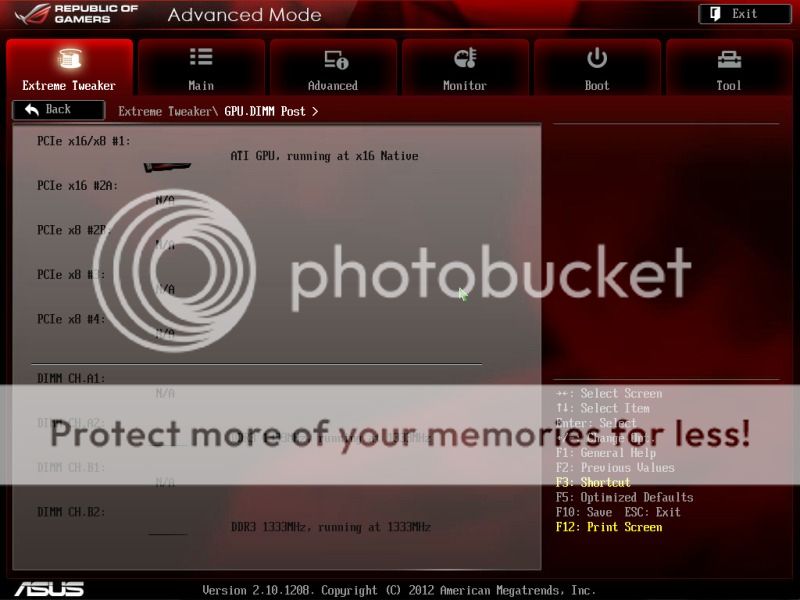
GPU/mem Post:
user posted image

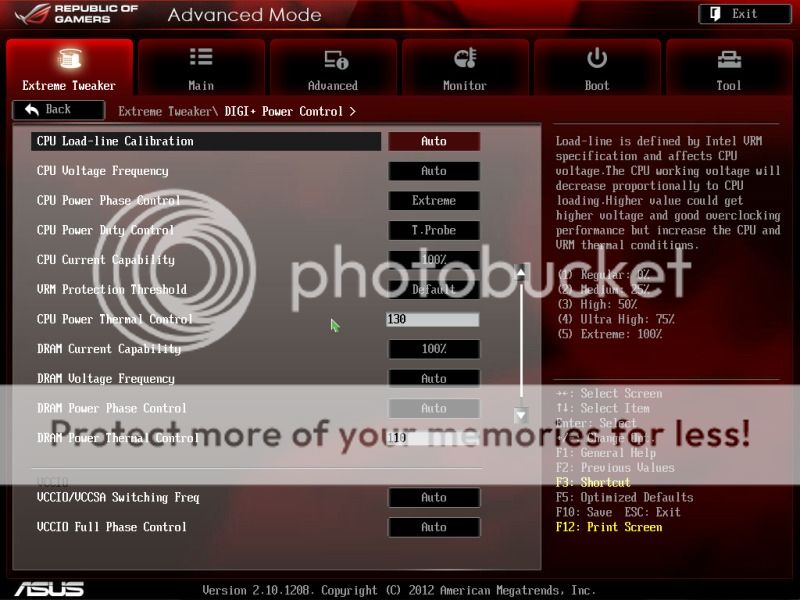
Power phase control:
user posted image

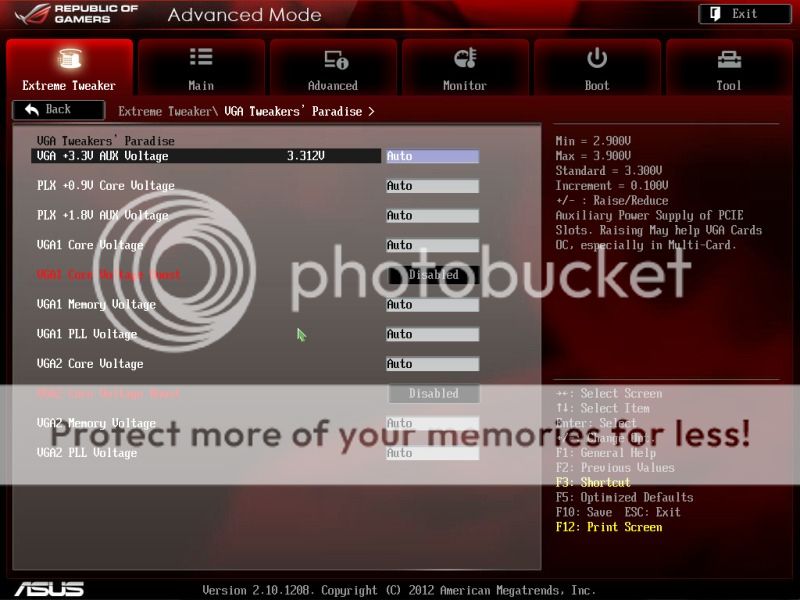
VGA Tweaker paradise:
user posted image

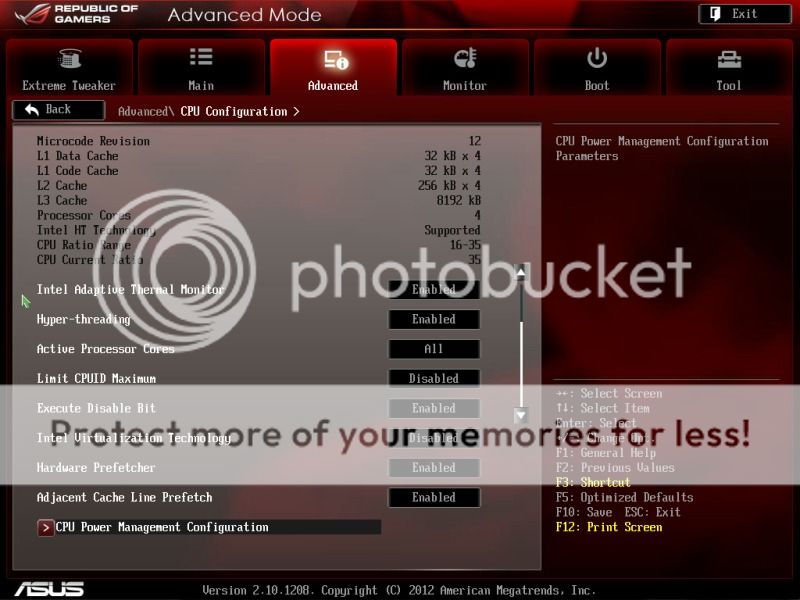
CPU Configurations:
user posted image

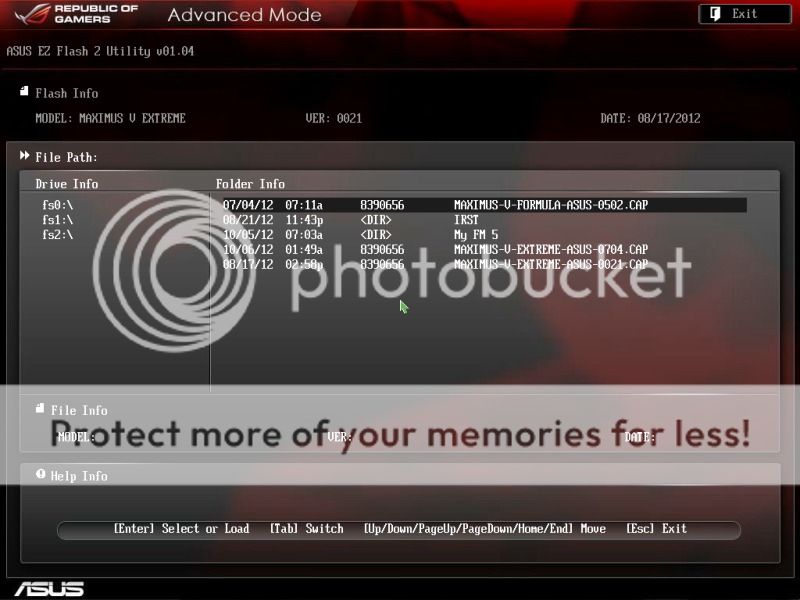
BIOS flashing via USB drive:
user posted image

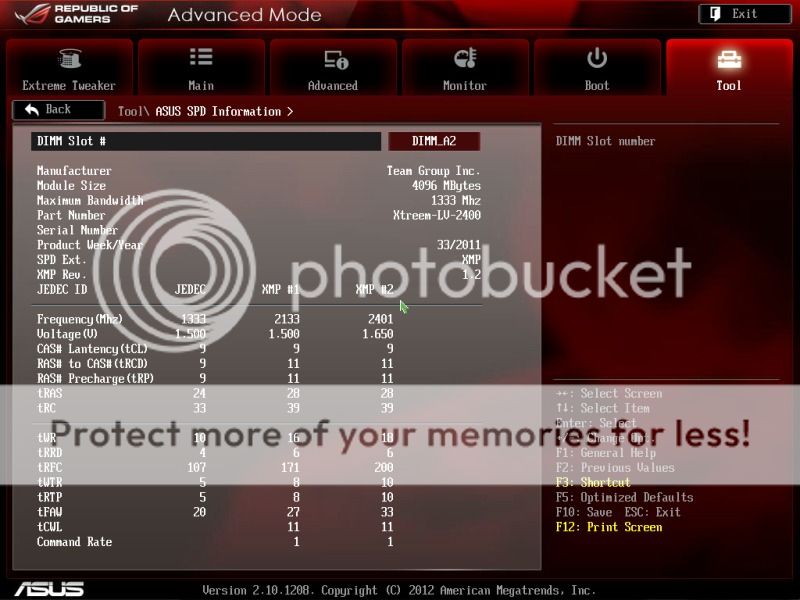
SPD Info:
user posted image

This post has been edited by owikh84: Oct 15 2012, 06:43 AM
TSowikh84
post Oct 14 2012, 11:42 PM

i7 Clan
Group Icon
Elite
8,711 posts

Joined: Nov 2007
From: Butterworth, PG / Machang, Kelantan


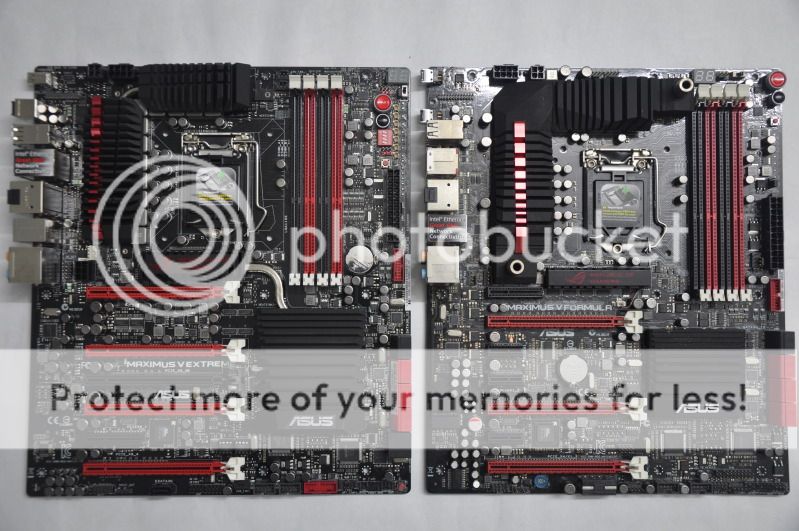
ASUS Maximus V Extreme vs ASUS Maximus Formula:
user posted image

Stability Tests:

The 3770K scales very good under water. Moreover, overclocking is so much easy on this LGA1155 platform.
For mild overclocking all you just have to do is to load the "Gamers' profile" in BIOS settings, increase the CPU multiplier/ratio, choose the desired vCore & set the DRAM timings as well as vdimm and there you go.
Somehow the IB chip is born to be hot on stock, due to cheapo thermalpaste being used between the chip die and integrated heatspreader (IHS) which causes inefficient heat dissipation. If you didn't worry about voiding warranty, it is highly recommended to delid the IHS and replace the stock TIM with a better paste such as Coolaboratory Liquid Ultra which I'm using currently. The new TIM will shave off 9-10C with the IHS installed, and another 9-10C without the IHS.

user posted image
IHS removed by a stationery knife and TIM replaced.
Now let's check out how does this 3770K perform on stress tests.

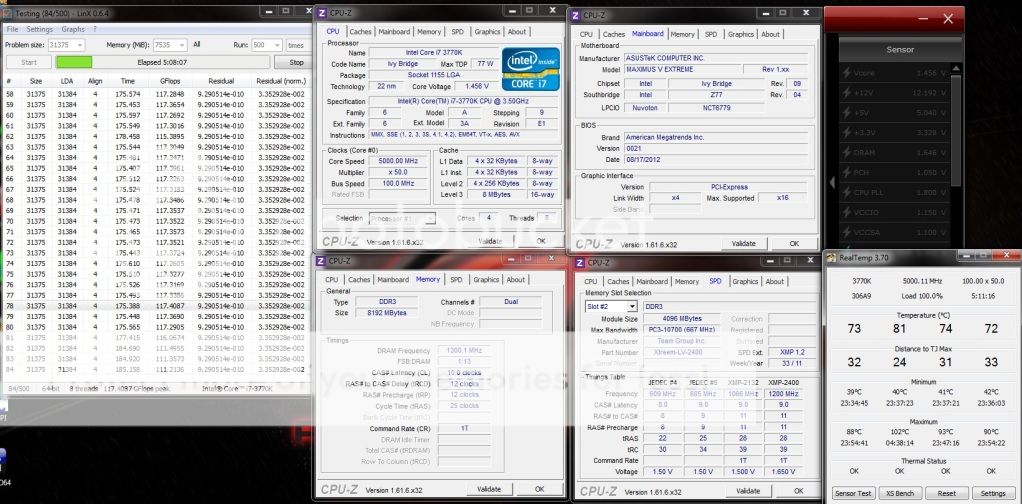
LinX 0.64 (11.0.0.004) w/ AVX:
user posted image
LinX tested with IHS installed because topless chip will result in debug code 55 so I have no chance to run it nakedly on MVE. It seems that MVE is very sensitive to CPU block mounting pressure. It didn't happen on the Maximus V Formula though.
I managed to push the CPU speed to 5.0GHz on 4 cores/ 8 threads (4C/8T) by just adjusting the CPU ratio, CPU core voltage & memory timings and vdimm. Passing 5 hours of LinX hence can roughly conclude that the system is completely stable, although the maximus core temps are about to touch the TJmax of 105C.

This post has been edited by owikh84: Jun 6 2013, 08:38 AM
TSowikh84
post Oct 14 2012, 11:42 PM

i7 Clan
Group Icon
Elite
8,711 posts

Joined: Nov 2007
From: Butterworth, PG / Machang, Kelantan


Benchmark Tests:

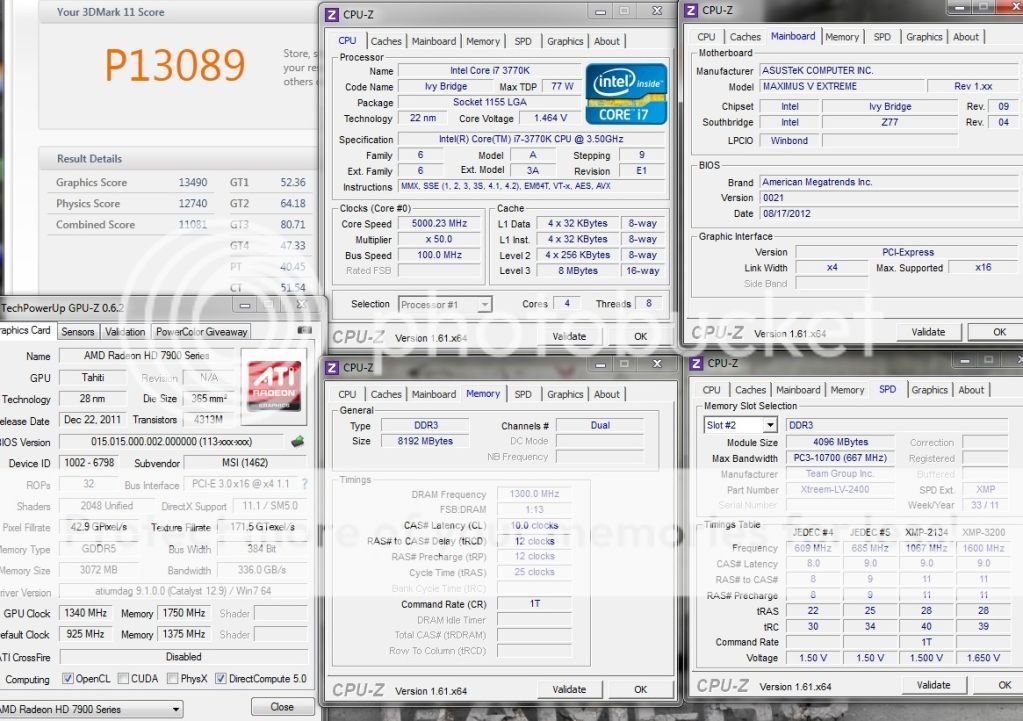
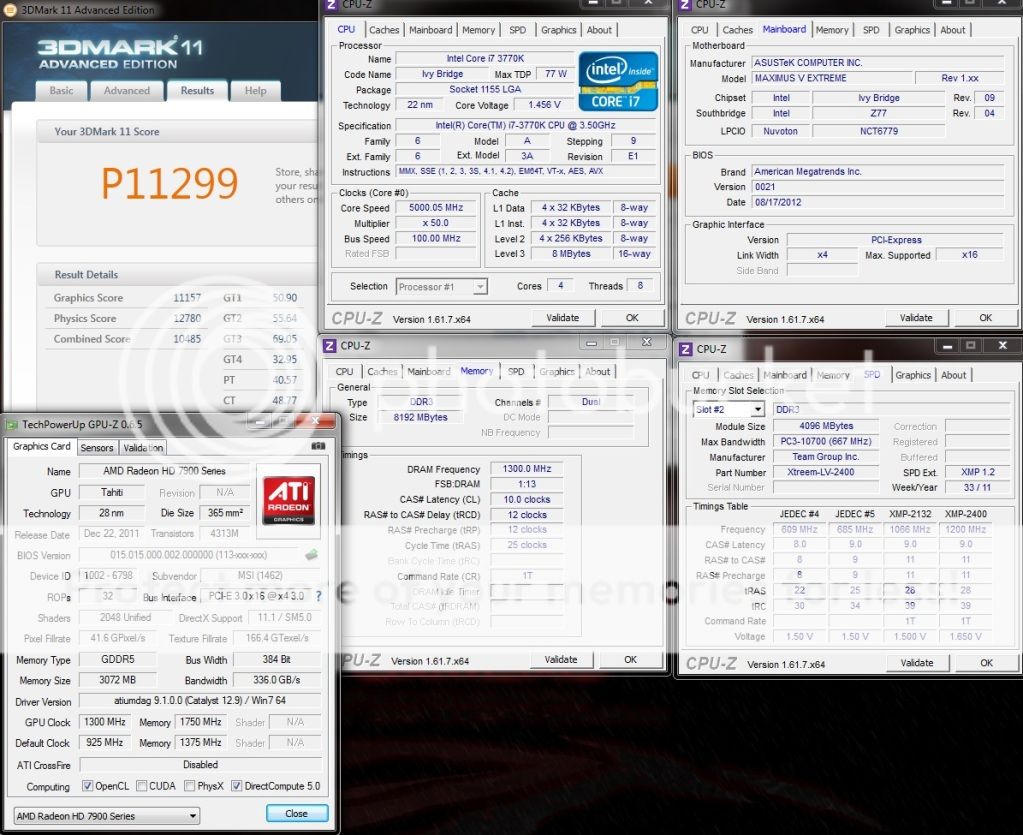
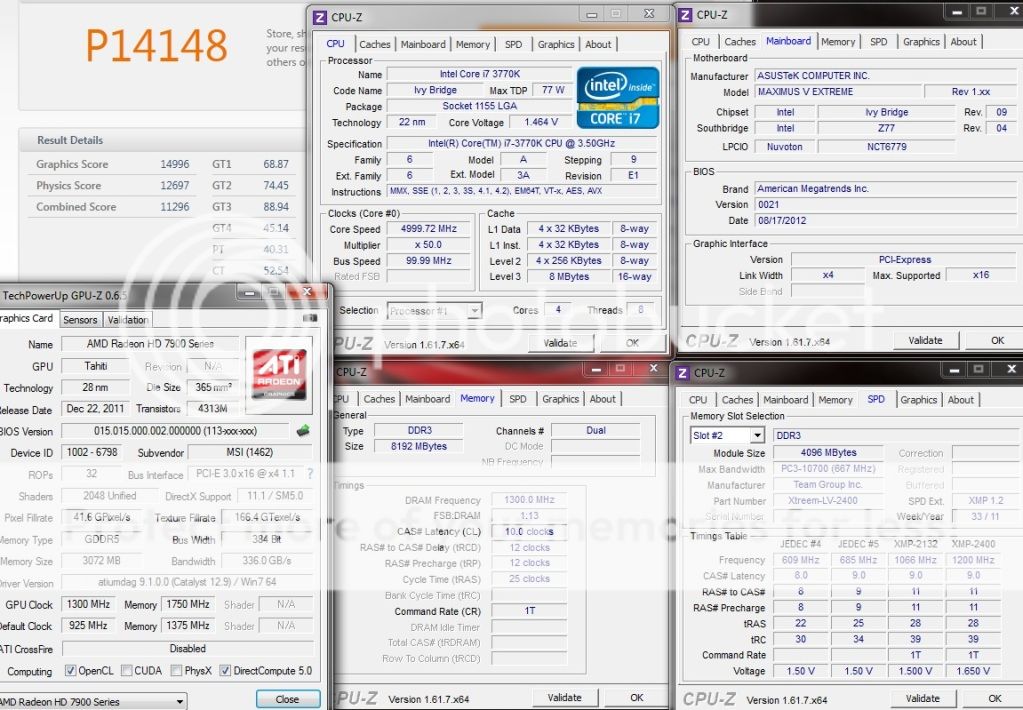
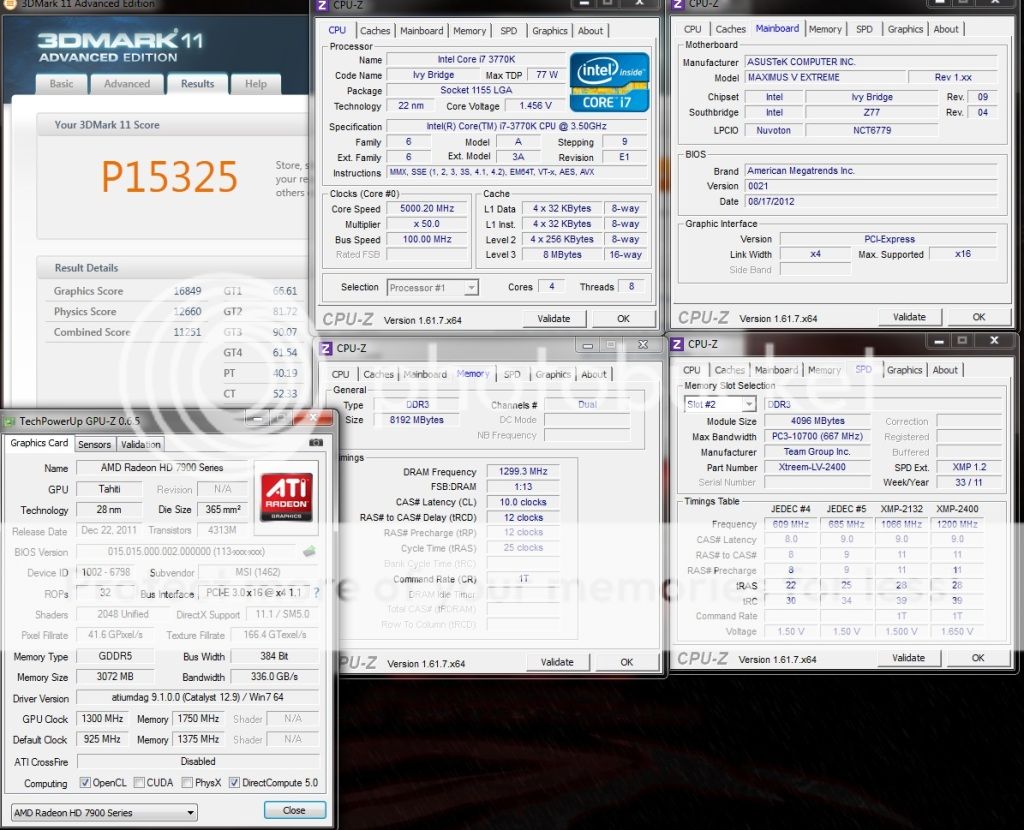
3DMark11:
user posted image

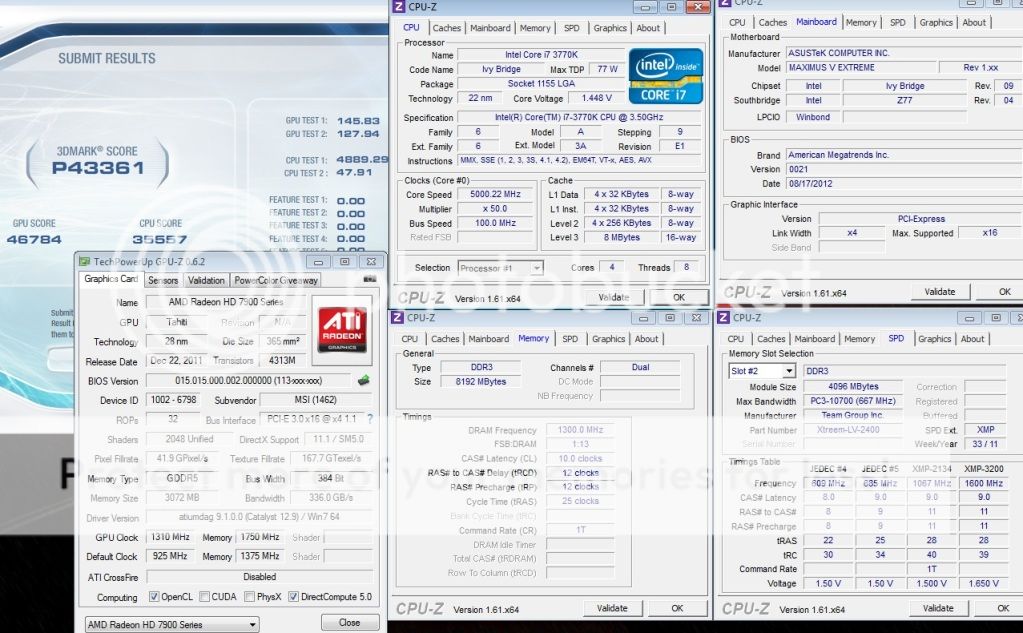
3DMark Vantage:
user posted image

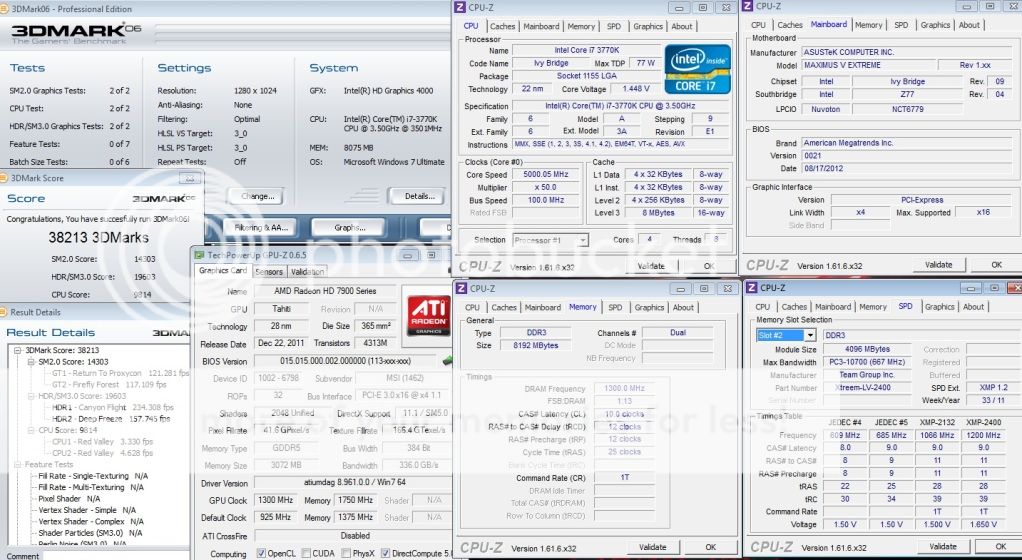
3DMark06:
user posted image

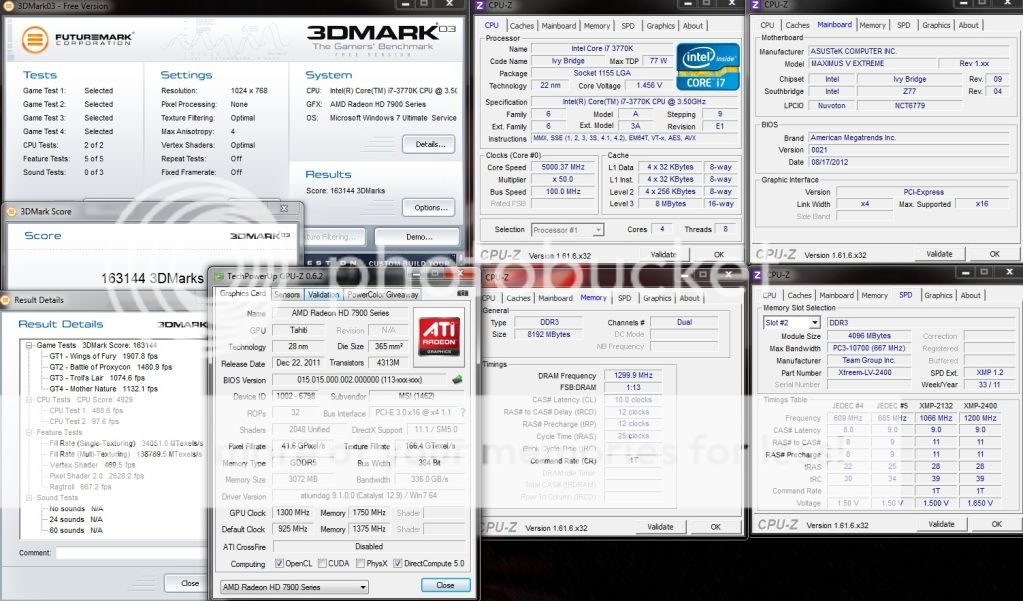
3DMark03:
user posted image

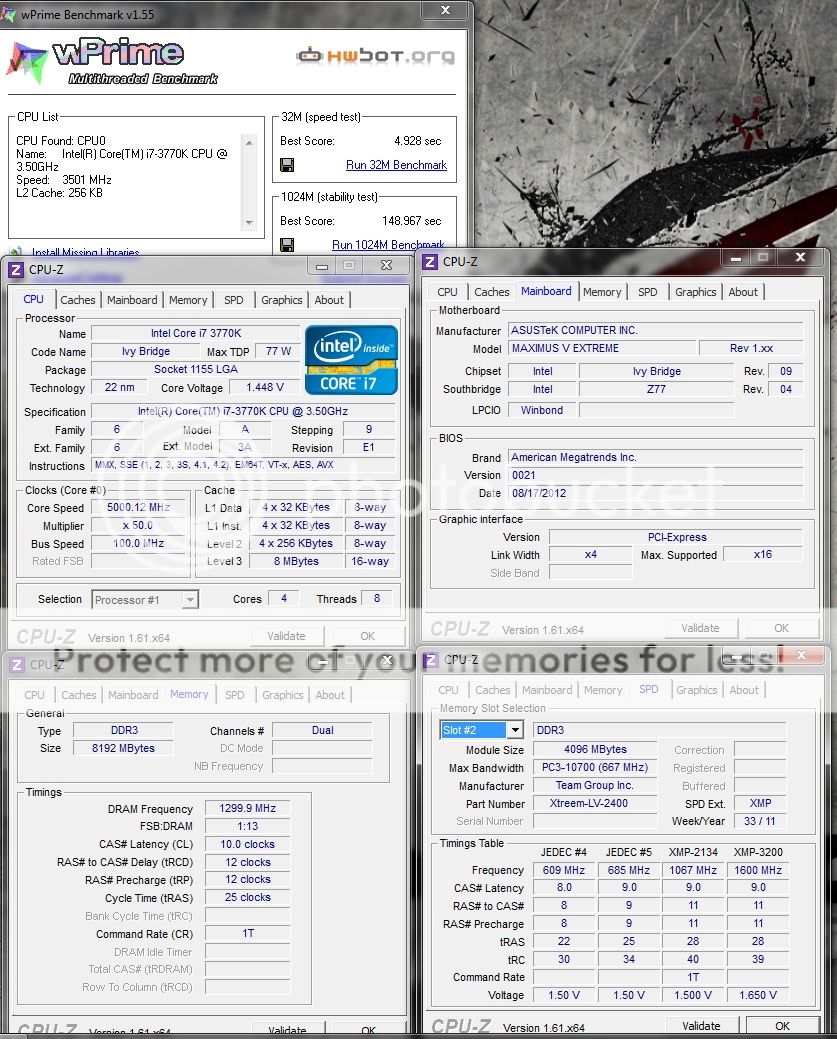
wPrime:
user posted image

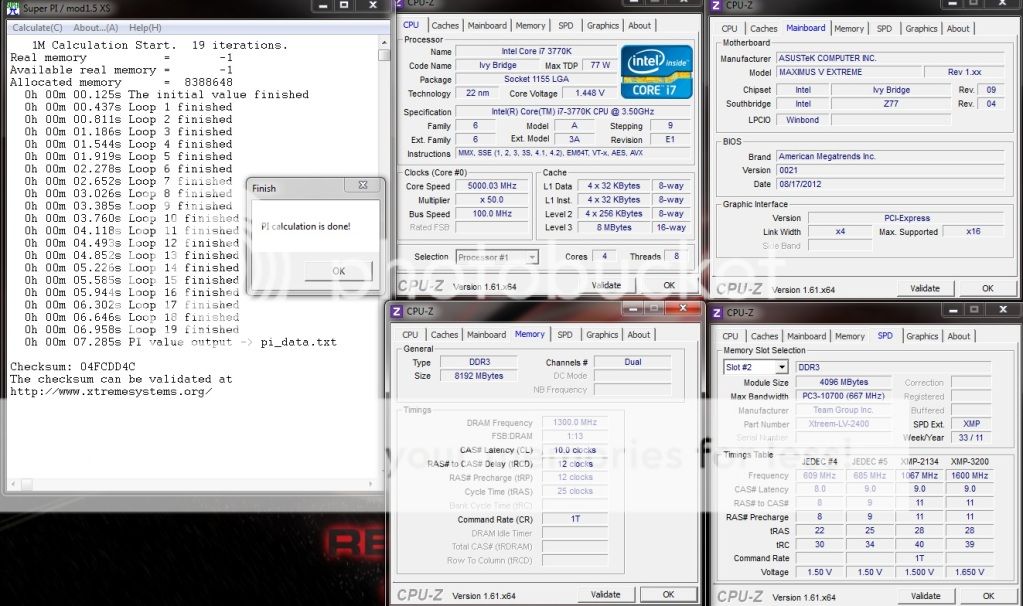
Super Pi 1M:
user posted image

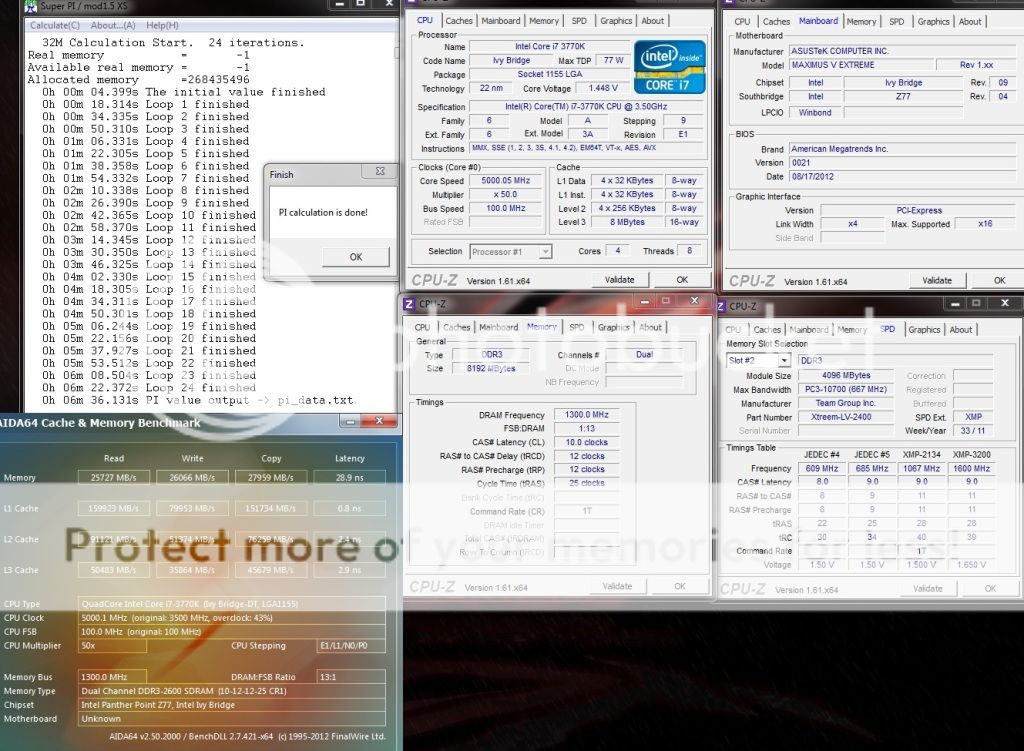
Super Pi 32M:
user posted image

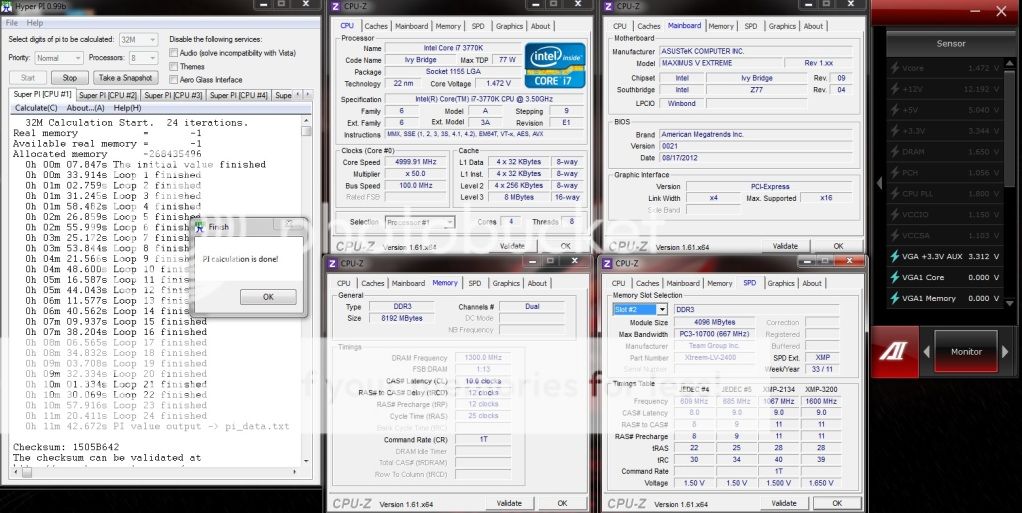
Hyper Pi 32M:
user posted image

Cinebench 11.5:
user posted image

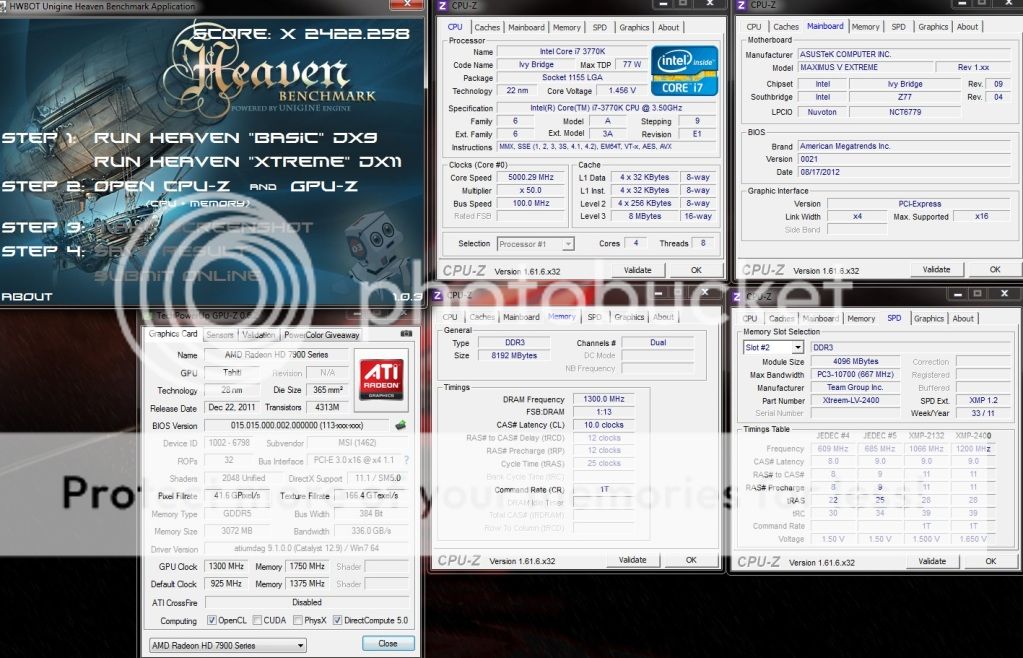
Unigine Heaven XS:
user posted image

This post has been edited by owikh84: Oct 15 2012, 08:38 PM
TSowikh84
post Oct 14 2012, 11:42 PM

i7 Clan
Group Icon
Elite
8,711 posts

Joined: Nov 2007
From: Butterworth, PG / Machang, Kelantan


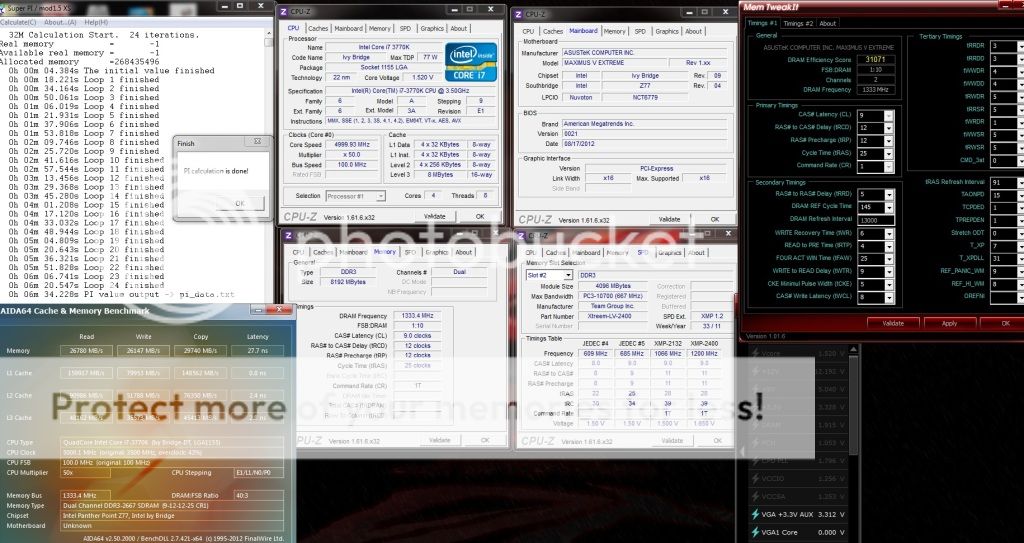
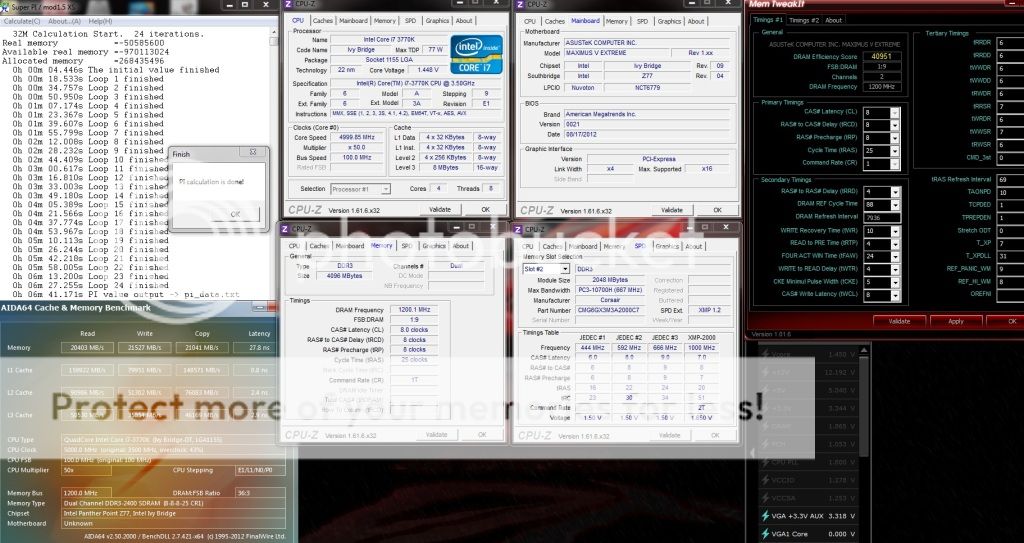
Super Pi 32M Benchamark with Samsung IC RAM:

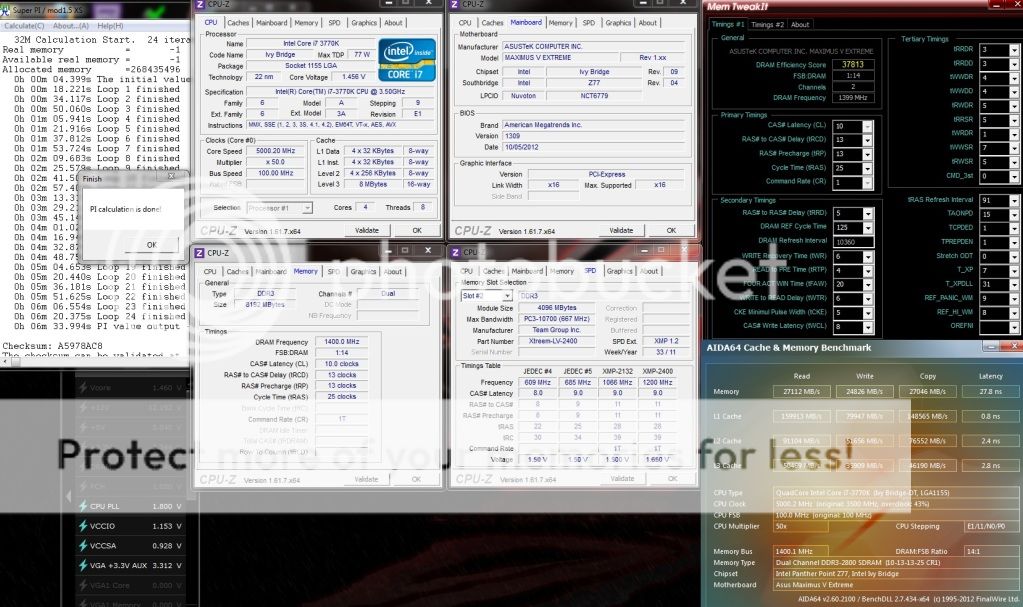
Team Xtreem LV 2600 10-12-12-28 2X4GB @ 2666 9-12-12-25
user posted image

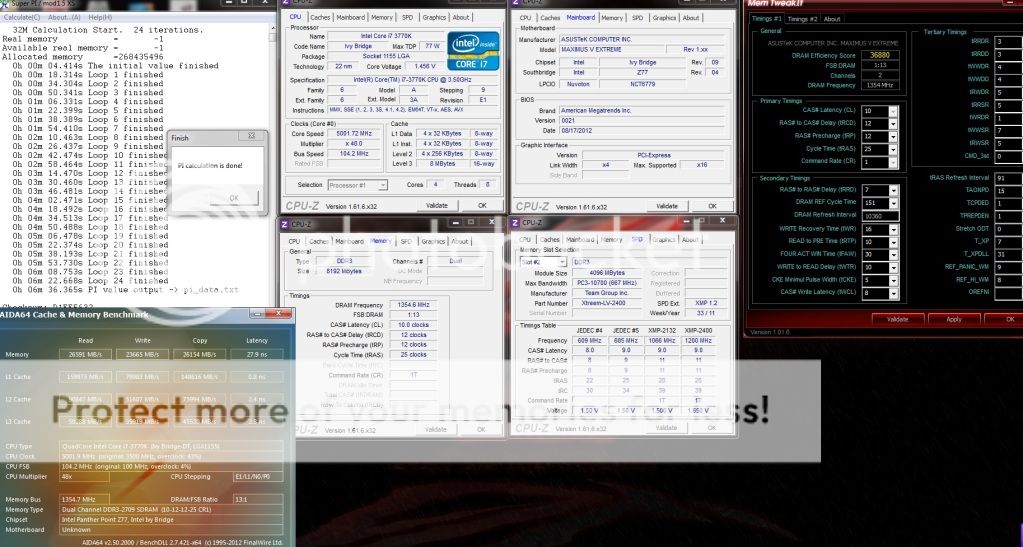
Team Xtreem LV 2600 10-12-12-28 2X4GB @ 2709 10-12-12-25
user posted image

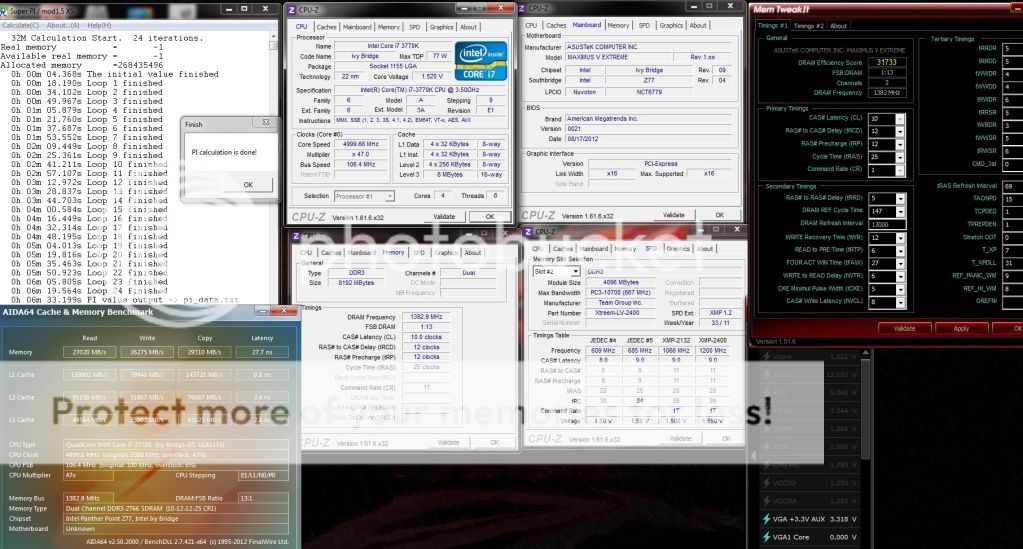
Team Xtreem LV 2600 10-12-12-28 2X4GB @ 2766 10-12-12-25
user posted image

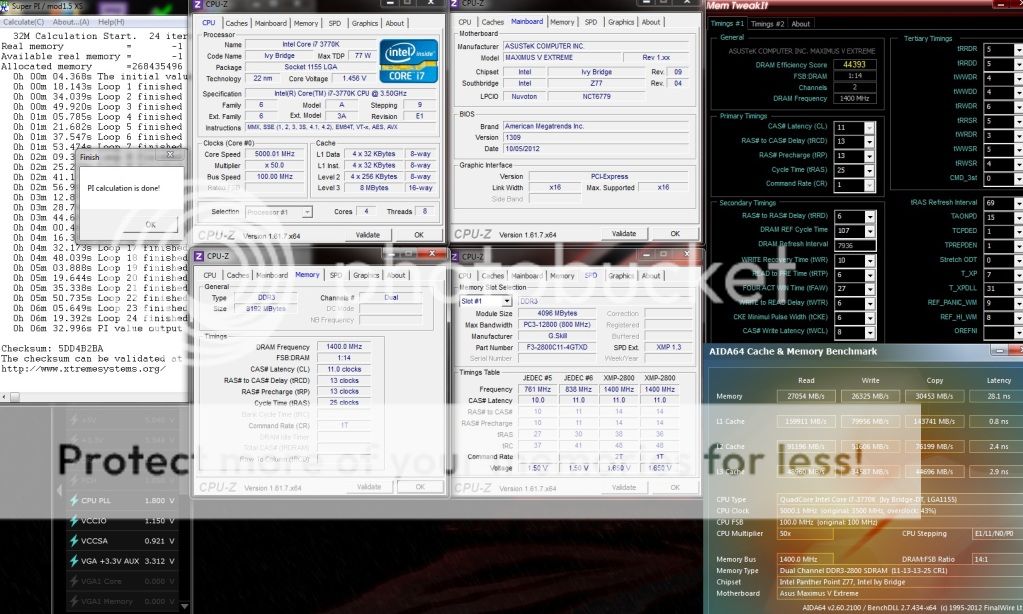
Team Xtreem LV 2600 10-12-12-28 2X4GB @ 2800 10-13-13-25
user posted image

This post has been edited by owikh84: Nov 10 2012, 05:30 PM
TSowikh84
post Oct 15 2012, 12:33 AM

i7 Clan
Group Icon
Elite
8,711 posts

Joined: Nov 2007
From: Butterworth, PG / Machang, Kelantan


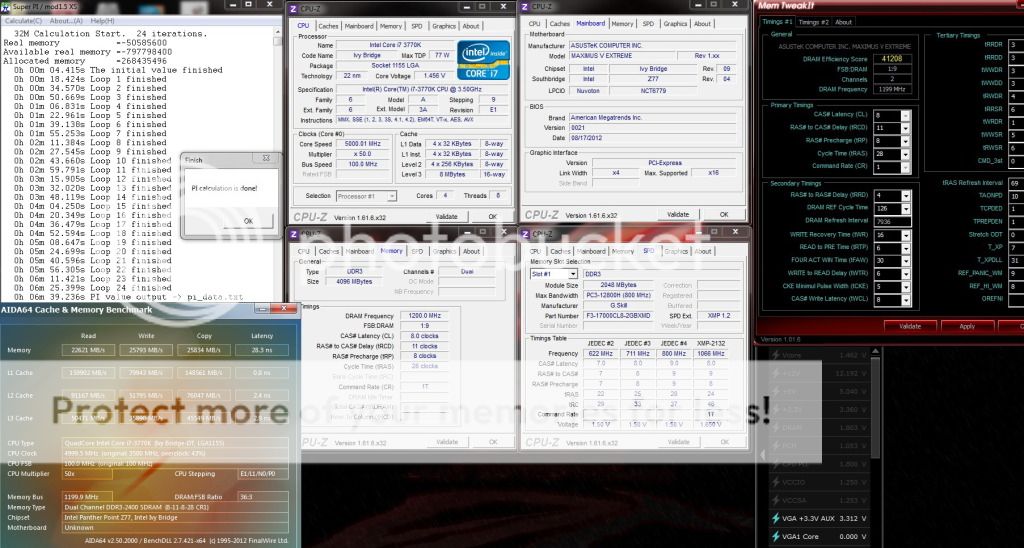
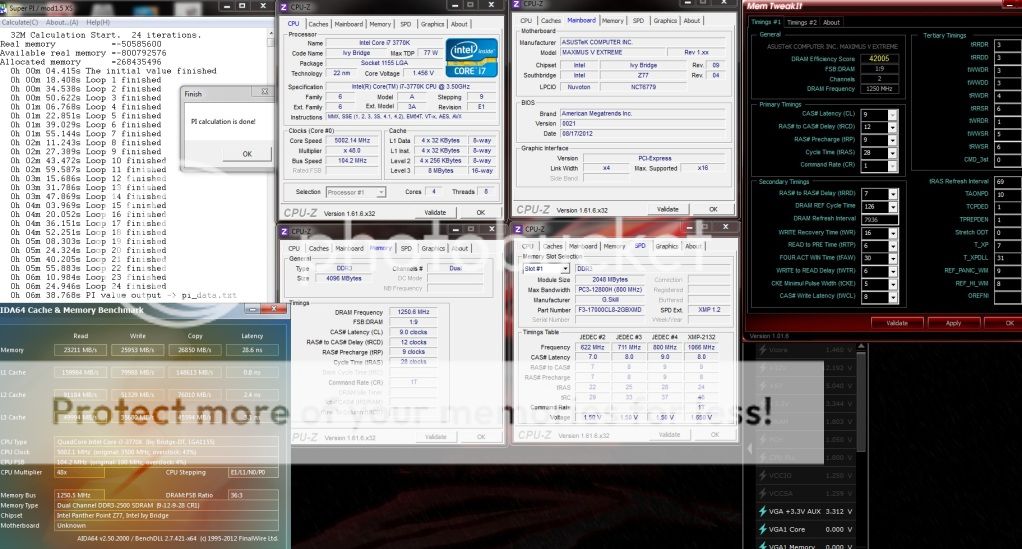
Super Pi 32M Benchamark with Hynix IC RAM:

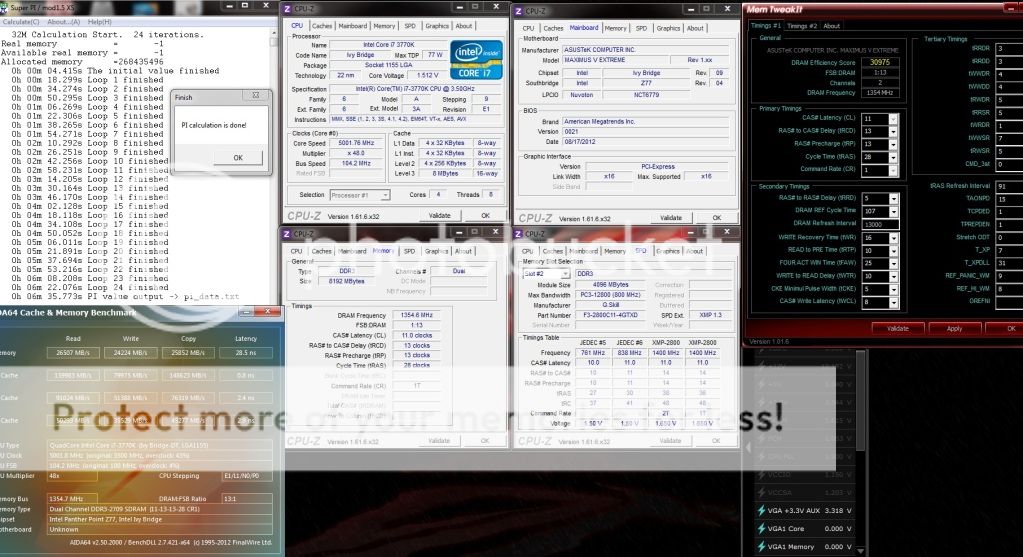
G.Skill TridentX 2800C11 2X4GB @ 2709 11-13-13-28
user posted image

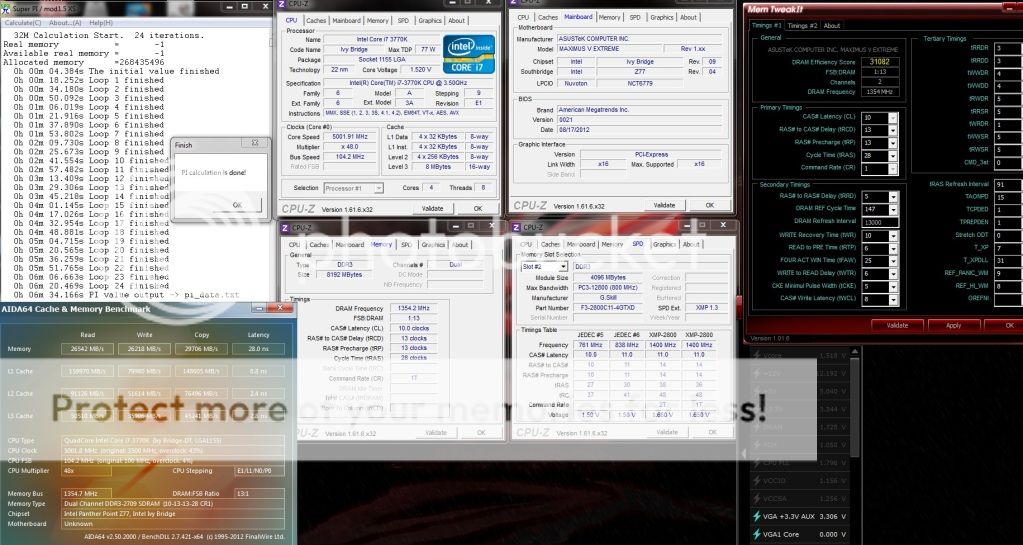
G.Skill TridentX 2800C11 2X4GB @ 2709 10-13-13-28
user posted image

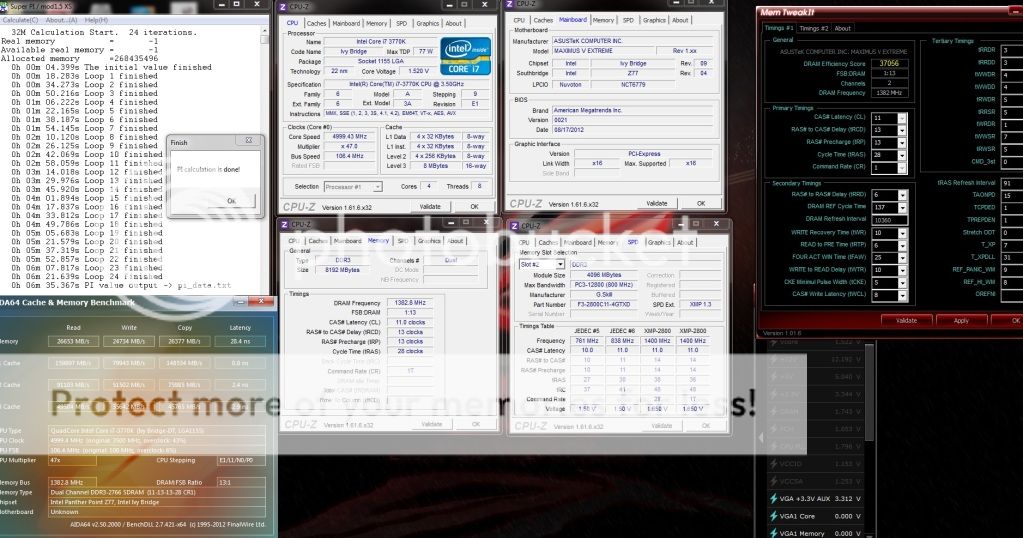
G.Skill TridentX 2800C11 2X4GB @ 2766 11-13-13-28
user posted image

G.Skill TridentX 2800C11 2X4GB @ 2800 11-13-13-25
user posted image

G.Skill TridentX 2800C11 2X4GB @ 2866 11-13-13-25
user posted image

This post has been edited by owikh84: Nov 10 2012, 05:33 PM
TSowikh84
post Oct 15 2012, 12:34 AM

i7 Clan
Group Icon
Elite
8,711 posts

Joined: Nov 2007
From: Butterworth, PG / Machang, Kelantan


Super Pi 32M Benchamark with PSC IC RAM:

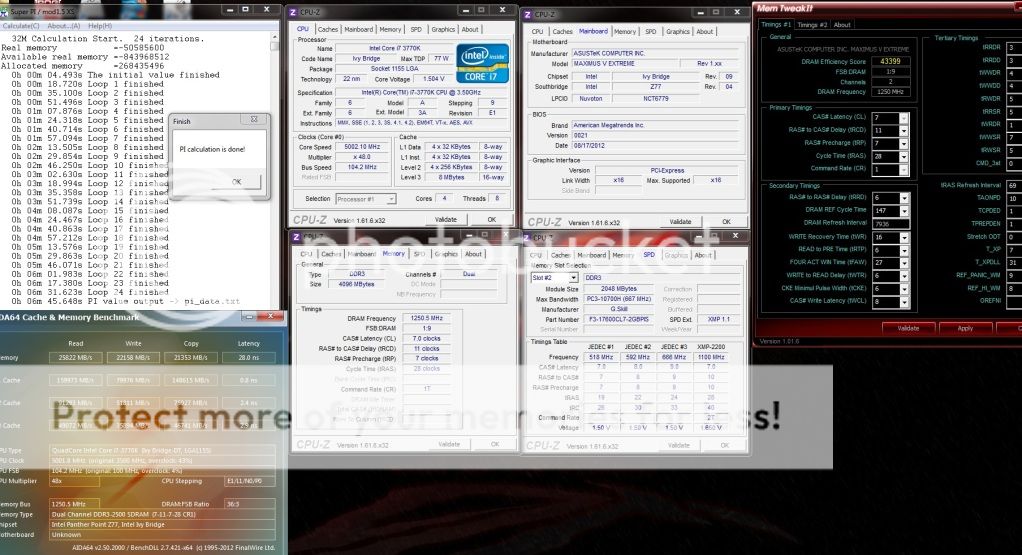
G.Skill Pi 2200C7 2X2GB @ 2500 7-11-7-28
user posted image

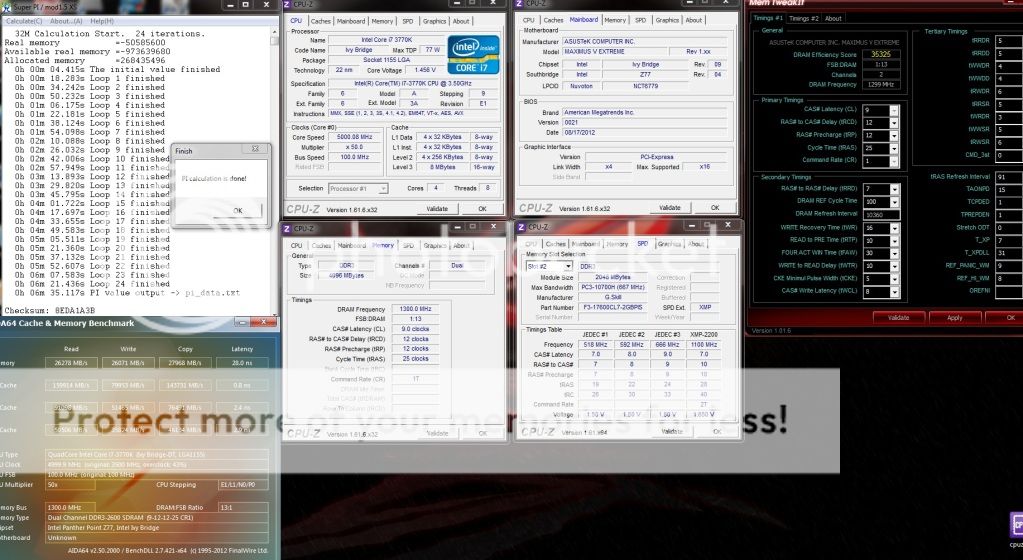
G.Skill Pi 2200C7 2X2GB @ 2600 9-12-12-25
user posted image

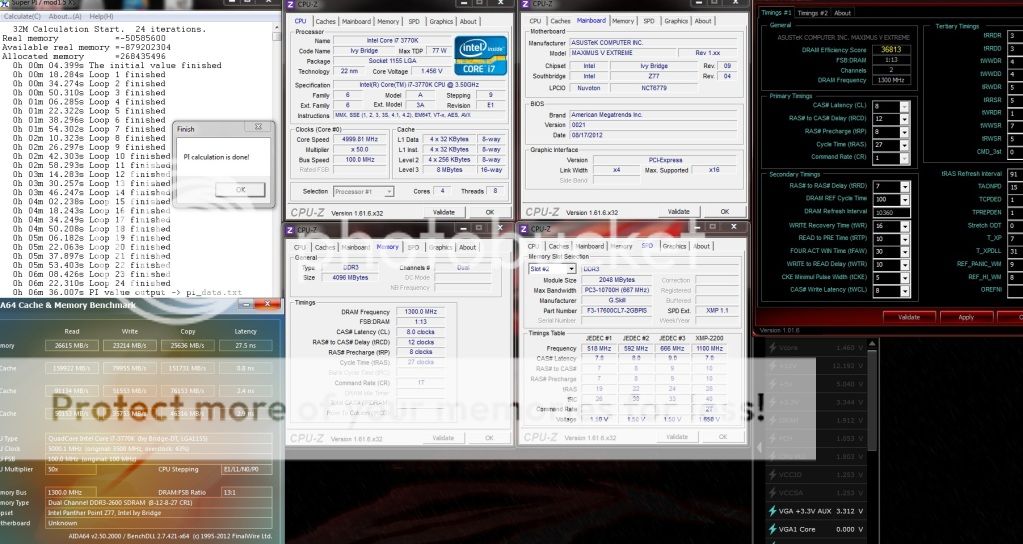
G.Skill Pi 2200C7 2X2GB @ 2600 8-12-8-27
user posted image


This post has been edited by owikh84: Oct 15 2012, 08:36 PM
TSowikh84
post Oct 15 2012, 12:37 AM

i7 Clan
Group Icon
Elite
8,711 posts

Joined: Nov 2007
From: Butterworth, PG / Machang, Kelantan


Super Pi 32M Benchamark with Elpida BBSE & Hyper IC RAM:

Corsair Dominator GT 2000C8 2X2GB @ 2400 8-8-8-24
user posted image

G.Skill RipjawsX 2133C8 2X2GB @ 2400 8-11-8-28
user posted image

G.Skill RipjawsX 2133C8 2X2GB @ 2500 9-12-9-28
user posted image

This post has been edited by owikh84: Oct 16 2012, 12:24 AM
TSowikh84
post Oct 15 2012, 12:41 AM

i7 Clan
Group Icon
Elite
8,711 posts

Joined: Nov 2007
From: Butterworth, PG / Machang, Kelantan


Thoughts & Verdicts:

ASUS Maximus V Extreme, no doubt, is a beast. I've had no problems whatsoever with this board since the first day. The moment I got it all set up, it started without any issues. The best parts are the UEFI bios and the overclockability. It's just marvelous.
The MVE overclocks like crazy! No matter what specifications you got, it will intelligently set your OC values.
The default DRAM settings are superb, blast it with any DRAM kit and the mobo will set it for you smartly.

Performance: 5/5
Materials: 5/5
Specifications: 5/5
Appearance: 5/5
Performance/Price Value: 5/5

This post has been edited by owikh84: Jun 6 2013, 08:56 AM
shepard
post Oct 16 2012, 12:58 PM

We shall overcome
*****
Senior Member
849 posts

Joined: May 2010
From: Penang Island


Nice review Kevin thumbup.gif, Asus ROG Mobo always is the best choice for overclockers...I wish I could lay a hand on this again. Last I use Asus ROG Mobo was RIIE sad.gif

Btw, what is current MYS market price for this mobo? I dont see it in your review.
TSowikh84
post Oct 16 2012, 01:53 PM

i7 Clan
Group Icon
Elite
8,711 posts

Joined: Nov 2007
From: Butterworth, PG / Machang, Kelantan


QUOTE(shepard @ Oct 16 2012, 12:58 PM)
Nice review Kevin thumbup.gif, Asus ROG Mobo always is the best choice for overclockers...I wish I could lay a hand on this again. Last I use Asus ROG Mobo was RIIE sad.gif

Btw, what is current MYS market price for this mobo? I dont see it in your review.
*

ROG mobo is always doing great on overclocking. It is known for voltage accuracy & efficiency, stable BIOS, good default memory settings, constant BIOS update & support. Moreover the BIOS is engineered by the legendary Shamino.
Asus MY will not bring in this model, unfortunately:( that's why i bought my MVE from newegg, for RM1275 shipped.
Dennos
post Oct 17 2012, 08:27 AM

Look at all my stars!!
*******
Senior Member
2,736 posts

Joined: Dec 2006


Any comparisons/comments/Pros/Cons between Formula and Extreme?
ah_khoo
post Oct 17 2012, 12:01 PM

- No Action Talk Only -
Group Icon
Elite
8,103 posts

Joined: Jan 2003
From: Tanah Lot @ Dungun, Terengganu.


nicely done sir... imo asus always excels in mem clocking. 2400 @ 8-8-8 with d hyper + bbse is sweet... thumbup.gif
TSowikh84
post Oct 17 2012, 12:46 PM

i7 Clan
Group Icon
Elite
8,711 posts

Joined: Nov 2007
From: Butterworth, PG / Machang, Kelantan


QUOTE(Dennos @ Oct 17 2012, 08:27 AM)
Any comparisons/comments/Pros/Cons between Formula and Extreme?
*
The only major difference between both mobos the extra PCIEe slot on the MVE which offers 4-way multi-GPU.

3-way multi-GPU lanes are
MVE: x8/x16/x8
MVF: x8/x4/x4
But I believe only benchmarkers will feel the difference.

The extra PCIe power connector on the MVE will help multi-GPU OCing on LN2
Both are ROG and good for OCing on air/water/LN2 etc. Mem OCing wise, they are identical.

Other than that you might wanna go through their specs at:
MVE
MVF

QUOTE(ah_khoo @ Oct 17 2012, 12:01 PM)
nicely done sir... imo asus always excels in mem clocking. 2400 @ 8-8-8 with d hyper + bbse is sweet...  thumbup.gif
*

Thanks boss. Yeah nice to see Hyper doing great clock on Z77 somehow it's not that efficient in scores. sad.gif
As for BBSE, I'm having problem at higher clocks I saw lots of others managed to OC stable @ 2600+ 8-11-7 but mine stuck at 2500 C9 only I think due to my chip's weak IMC. sad.gif
leslie0880
post Oct 17 2012, 04:26 PM

Enthusiast
*****
Senior Member
728 posts

Joined: Feb 2005
From: Johor


finally big boss write a review......
big boss whn u wanna teach me how to OC my E3 1275v2 + M5E ? tongue.gif:

P/S: Got any extra High Mhz RAM for sale? i need 1 pair for OC tongue.gif

This post has been edited by leslie0880: Oct 17 2012, 04:37 PM
TSowikh84
post Oct 17 2012, 10:47 PM

i7 Clan
Group Icon
Elite
8,711 posts

Joined: Nov 2007
From: Butterworth, PG / Machang, Kelantan


QUOTE(leslie0880 @ Oct 17 2012, 04:26 PM)
finally big boss write a review......
big boss whn u wanna teach me how to OC my E3 1275v2 + M5E ?  tongue.gif:

P/S: Got any extra High Mhz RAM for sale? i need 1 pair for OC  tongue.gif
*
Not sure abt E3-1275v2 maybe you should give it a shot. So far I've never seen anyone playing Xeon on MVE yet.
I got some RAM kits for sale perhaps you might wanna check out my sale threads in our garage sales for more details.
The higher the rated clock, the more playability you get. laugh.gif
leslie0880
post Oct 18 2012, 06:12 AM

Enthusiast
*****
Senior Member
728 posts

Joined: Feb 2005
From: Johor


QUOTE(owikh84 @ Oct 17 2012, 10:47 PM)
Not sure abt E3-1275v2 maybe you should give it a shot. So far I've never seen anyone playing Xeon on MVE yet.
I got some RAM kits for sale perhaps you might wanna check out my sale threads in our garage sales for more details.
The higher the rated clock, the more playability you get.  laugh.gif
*
Okok, but got special price? brows.gif


TSowikh84
post Oct 18 2012, 11:12 AM

i7 Clan
Group Icon
Elite
8,711 posts

Joined: Nov 2007
From: Butterworth, PG / Machang, Kelantan


QUOTE(owikh84 @ Oct 14 2012, 11:42 PM)
LinX tested with IHS installed because topless chip will result in debug code 55 so I have no chance to run it nakedly on MVE. It seems that MVE is very sensitive to CPU block mounting pressure. It didn't happen on the Maximus V Formula though.
I managed to push the CPU speed to 5.0GHz on 4 cores/ 8 threads (4C/8T) by just adjusting the CPU ratio, CPU core voltage & memory timings and vdimm. Passing 5 hours of LinX hence can roughly conclude that the system is completely stable, although the maximus core temps are about to touch the TJmax of 105C.
*

Edit: I've figured out how to fix this issue - removed the tiny washers that came with the waterblock.
Debug code 55 disappears so I can run my chip without IHS biggrin.gif

user posted image

This post has been edited by owikh84: Oct 18 2012, 11:18 AM
TSowikh84
post Oct 22 2012, 11:35 PM

i7 Clan
Group Icon
Elite
8,711 posts

Joined: Nov 2007
From: Butterworth, PG / Machang, Kelantan


Decided to use this thread for the sake of comparisons biggrin.gif

7970 @ 1300/1750

MVP OFF tess ON: Catalyst 12.9
» Click to show Spoiler - click again to hide... «


MVP OFF tess OFF: Catalyst 12.9
user posted image

MVP ON tess ON: Catalyst 12.9
» Click to show Spoiler - click again to hide... «


MVP ON tess OFF: Catalyst 12.9
» Click to show Spoiler - click again to hide... «


MVP OFF tess OFF: Catalyst 12.11 thumbup.gif
user posted image


This post has been edited by owikh84: Oct 23 2012, 12:50 AM
J-keyLudacris
post Nov 10 2012, 01:28 PM

Casual
***
Junior Member
420 posts

Joined: Feb 2012

The result is cool

3 Pages  1 2 3 >Top
 

Change to:
| Lo-Fi Version
0.0284sec    0.22    5 queries    GZIP Disabled
Time is now: 7th December 2025 - 08:18 AM