Outline ·
[ Standard ] ·
Linear+
HP Pavillion DV6-6XXX series Owners Lounge V6, >9000 owners. Like a boss.
|
botac_6
|
 Jul 25 2015, 11:31 PM Jul 25 2015, 11:31 PM
|
New Member


|
QUOTE(Acid_RuleZz @ Jul 25 2015, 10:42 PM) 75c is entering the high side.  Maybe your HSF already clogged with dust carpet. huhuhu... for your information, i recently changed the cpu fan with heatsink as the old one didn't perform good enough. and my airflow from cpu fan just not as strong as before. but i changed the cpu fan exactly as the old one. |
|
|
|
|
|
botac_6
|
Aug 10 2015, 07:39 AM
|
New Member
|
QUOTE(Hezegroth @ Aug 8 2015, 01:15 AM) finally fix the black screen issue, i forgot to install the intel driver only amd. yeah overall everything is ok in windows performance. still not playing some games or any other major task. Hezegroth, how did you fix the black screen issue? please give some tips...  |
|
|
|
|
|
botac_6
|
Aug 13 2015, 03:16 PM
|
New Member
|
QUOTE(Hezegroth @ Aug 11 2015, 02:21 PM) I'm using the leshcat 15.7 driver Extract the setup, install intel > restart > install amd then restart I do some display driver cleaning before starting ok. thank you for the tips. will do it first. |
|
|
|
|
|
botac_6
|
Aug 19 2015, 07:24 AM
|
New Member
|
upgrade my dv6 to windows 10 and got stuck with black screen all over again. how to fix this?
|
|
|
|
|
|
botac_6
|
Aug 21 2015, 08:18 AM
|
New Member
|
QUOTE(Acid_RuleZz @ Aug 19 2015, 08:44 PM) You need to enter safemode and remove both intel and amd driver preferably using Display Driver Uninstaller(DDU). remove both drivers but still got black screen after install catalyst driver. is there any steps that i missing? |
|
|
|
|
|
botac_6
|
Aug 21 2015, 12:00 PM
|
New Member
|
QUOTE(Acid_RuleZz @ Aug 21 2015, 10:10 AM) Are you using Leshcat 15.7 driver? yes... and it come back with black screen again and again |
|
|
|
|
|
botac_6
|
Aug 21 2015, 04:00 PM
|
New Member
|
QUOTE(Acid_RuleZz @ Aug 21 2015, 12:51 PM) I'm not sure then. Are u on dynamic switching? I read fixed switching doesn't work properly for in window 10. oh man... didn't think of that before... huhuhu |
|
|
|
|
|
botac_6
|
Aug 25 2015, 09:24 AM
|
New Member
|
still got black screen even using the steps you provided. is it my laptop that got the problem? are you using 15.7 v1.0 or 15,7 ver 1.2?
|
|
|
|
|
|
botac_6
|
Aug 25 2015, 02:19 PM
|
New Member
|
QUOTE(Acid_RuleZz @ Aug 25 2015, 10:15 AM) Not customer accessible though, you need to ask the shop to upgrade it for you. I'm using v1.2 You using 6001tx? i'm using 6c19tx |
|
|
|
|
|
botac_6
|
Nov 13 2015, 03:30 PM
|
New Member
|
need help asap.
still got problem with black screen and blinking typing line, right after install amd catalyst center from leshcatlabs.net.
does anyone suffer from the same things?
i'm using DV6-6C19TX. help are much appreciated.
thank you.
|
|
|
|
|
|
botac_6
|
Nov 16 2015, 04:11 PM
|
New Member
|
when installing amd catalyst center, i got black screen with blinking typing line... same when using windows 3.1 i presume. 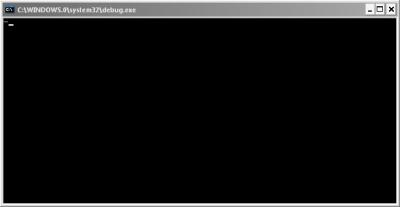
even when switch fixed i got black screen, but on dynamic i got freezed screen of windows logo. still cannot go thru to windows. don't know how to fix this problem  This post has been edited by botac_6: Nov 16 2015, 04:14 PM This post has been edited by botac_6: Nov 16 2015, 04:14 PM |
|
|
|
|
|
botac_6
|
Feb 11 2021, 01:49 AM
|
New Member
|
Hi guys. I'm back again. Hahaha. How many years dont chat in this group. Hope you guys doing ok.
Currently i start back again my dv6-6c19tx laptop after many years. Want to upgrade a few things like ssd and battery, oh and maybe ram.
Can somebody suggest something good?
|
|
|
|
|



 Quote
Quote
 0.0952sec
 0.41
0.41
 7 queries
 GZIP Disabled