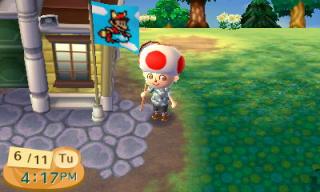
Games Animal Crossing: New Leaf (3DS), All your Bells belongs to Tom Nook
Games Animal Crossing: New Leaf (3DS), All your Bells belongs to Tom Nook
|
|
 Jun 12 2013, 01:11 AM Jun 12 2013, 01:11 AM
|
Junior Member
105 posts Joined: Oct 2005 From: The Great Brittania Empire 
|
all add, add me back for those that not yet add me
|
|
|
|
|
|
Jun 12 2013, 01:18 AM
|

Senior Member
1,669 posts Joined: Apr 2011  
|
Do drop me a pm for those who has added. Pretty confused with all this quote boxes
|
|
|
Jun 12 2013, 02:10 AM
|

Junior Member
280 posts Joined: Jun 2011
|
Added most of you guys. Check your PM. Thanks.
|
|
|
Jun 12 2013, 02:19 AM
|

Junior Member
62 posts Joined: Jul 2012
|
seriusly need a list
|
|
|
Jun 12 2013, 06:59 AM
|

Junior Member
280 posts Joined: Dec 2004 
|
Added everyone! Phew!
Btw anyone in need of a bug net or shovel? I have one extra |
|
|
Jun 12 2013, 07:06 AM
|
Senior Member
1,416 posts Joined: Oct 2006
|
QUOTE(fizyboy @ Jun 12 2013, 06:59 AM) Added everyone! Phew! I need a net....Btw anyone in need of a bug net or shovel? I have one extra  |
|
|
|
|
|
Jun 12 2013, 08:26 AM
|
|
Junior Member
280 posts Joined: Dec 2004
|
Have you done all the Isabelle's advise/tasks?
> Buy either a net & fishing rod from the item shop depending on what is available > if u bought the bug net, make sure you tell Isabelle that you want to try fishing then she will give you the tool to do it if you dont have it already. > similarly, if u bought the fishing rod, make sure you tell Isabelle that you want to try catching bug so she will give a bug net if you screwed up by telling her u want to wanna try fishing even though u have fishing rod already, I can certainly trade you my extra bug net This post has been edited by fizyboy: Jun 12 2013, 08:28 AM |
|
|
Jun 12 2013, 09:42 AM
|

Junior Member
206 posts Joined: Dec 2008
|
for people experiencing Error code 018-0512, try this:
http://www.nintendo.com/consumer/wfc/en_na...3DS&locale=lang QUOTE Error Code: 018-0512 Situation: This error code typically indicates an issue communicating and matchmaking with other players. This is often caused by network firewalls blocking necessary network traffic. This can be caused by your network, or the network of the person you are connecting with. If these steps do not resolve your connection issue, have your friend try them as well. Possible Solutions: Check our network status. Review our Network Status page and ensure there are no service notifications related to Nintendo 3DS matchmaking services. Power cycle your home network. If you have been able to connect with others before, and this issue only recently started, power cycling your network may allow you to connect with others again. To power cycle your network: Unplug the power cable from both the modem and wireless router (if separate from the modem). After 30 seconds, plug the power cable back into your modem and wait for the lights to remain steady. Plug the power cable back into the router and wait for the router lights to remain steady. Manually assign an IP address to your Nintendo 3DS. Assigning an IP address to your Nintendo 3DS is easy! From the Nintendo 3DS settings, select "Internet Settings," then "Connection Settings" and choose the connection file you currently use. Choose "Change Settings." Click the right arrow and select "IP Address," then choose "No" under "Auto-Obtain IP Address." Select "Detailed Setup," tap into IP Address field, and type in the IP address below for your router brand. Skip down to step 5. IP addresses to enter by router brand: Linksys - enter: 192.168.001.140 Netgear - enter: 192.168.001.250 Belkin - enter: 192.168.002.090 D-Link - enter: 192.168.000.190 Apple - enter: 010.000.001.250 2Wire - enter: 192.168.001.250 Actiontec - enter: 192.168.001.250 SMC Networks - enter: 192.168.002.190 Don't see your router brand listed? Click here for help with finding an IP address to enter. Next, for the Subnet Mask, enter 255.255.255.000 and select "OK." Select the "Gateway" button. You will need to enter the default gateway address for your router brand. Look at the brand of your router, and enter the gateway address listed below into the field. Linksys - enter: 192.168.001.001 Netgear - enter: 192.168.001.001 Belkin - enter: 192.168.002.001 D-Link - enter: 192.168.000.001 Apple - enter: 010.000.001.253 2Wire - enter: 192.168.001.254 Actiontec - enter: 192.168.001.001 SMC Networks - enter: 192.168.002.001 Don't see your router brand listed? Click here for help with finding a gateway address to enter. You'll be asked if you want to perform a DNS setup. Select "Set Up." Select "Detailed Setup," then "Primary DNS" and enter: 008.008.008.008 Select "Secondary DNS" and enter: 008.008.004.004 Please note: These are public DNS's provided by Google and are subject to Google's Terms of Service. If you prefer to not use this service, doing an Internet search for "public DNS" will provide you with several other options you can use. Save your settings, then select "Test" to begin a connection test. If the test was successful, then your Nintendo 3DS is now connected online. If you received another error code, please call 1-800-895-1672 so that we may assist you further. Place the Nintendo 3DS into your router's DMZ (demilitarized zone)*. Placing the Nintendo 3DS in your router's DMZ will allow it to bypass your router's firewall and may allow you to connect with others. [How to] *While Nintendo provides this information for our consumers' use, it is up to each consumer to determine what security needs they have for their own networks, and to decide how best to configure their network settings to meet those needs. If you continue to experience problems, please call 1-800-255-3700 for assistance. |
|
|
Jun 12 2013, 12:14 PM
|

Junior Member
153 posts Joined: Mar 2008
|
I'll add everyone here once mod update 1st post. Easier to add you guys later on. =)
|
|
|
Jun 12 2013, 01:14 PM
|

Junior Member
161 posts Joined: Jan 2003 From: earth
|
anybody got good turnip prices?
 |
|
|
Jun 12 2013, 01:34 PM
|
|
Junior Member
280 posts Joined: Jun 2011
|
QUOTE(juwels @ Jun 12 2013, 01:14 PM) anybody got good turnip prices? mine was 148 bells. |
|
|
Jun 12 2013, 01:53 PM
|
|
Junior Member
280 posts Joined: Dec 2004
|
190 here!
|
|
|
Jun 12 2013, 02:17 PM
|
|
Junior Member
161 posts Joined: Jan 2003 From: earth
|
summoning kuroneko0509
|
|
|
|
|
|
Jun 12 2013, 02:18 PM
|
|
Junior Member
62 posts Joined: Jul 2012
|
^ bro, i got a town to handle
|
|
|
Jun 12 2013, 02:20 PM
|
 
VIP
969 posts Joined: Sep 2008 From: Subspace Emissary
|
walao i syok2 enjoy repeating pokemon x/y trailer then suddenly this spammer kacau my nintendo place
 |
|
|
Jun 12 2013, 02:41 PM
|
|
Junior Member
280 posts Joined: Dec 2004
|
Some screenies
 » Click to show Spoiler - click again to hide... « This post has been edited by fizyboy: Jun 12 2013, 03:19 PM |
|
|
Jun 12 2013, 04:16 PM
|

Newbie
0 posts Joined: Feb 2012
|
QUOTE(fizyboy @ Jun 12 2013, 02:41 PM) Made a random friend over the internet, no idea where he got this shark lol Sharks are rare fishes at night.[attachmentid=3483935] |
|
|
Jun 12 2013, 04:23 PM
|
|
Junior Member
280 posts Joined: Dec 2004
|
Thats nice. How much we could sell it for?
|
|
|
Jun 12 2013, 04:25 PM
|
|
Senior Member
1,669 posts Joined: Apr 2011
|
QUOTE(Marudoka @ Jun 12 2013, 04:16 PM) Sharks are rare fishes at night. Oh at night can get sharks? Nice.[attachmentid=3483935] Never got one yet. Got a Saw Shark though. QUOTE(fizyboy @ Jun 12 2013, 04:23 PM) Thats nice. How much we could sell it for? 15k |
|
|
Jun 12 2013, 04:25 PM
|

Junior Member
57 posts Joined: Feb 2006
|
All those rare fishes... donated to museum.
Btw, any spare fish/fossil, we can bring over to donate at a friend's museum right? |
|
Topic ClosedOptions
|
| Change to: |  0.0195sec 0.0195sec
 0.55 0.55
 6 queries 6 queries
 GZIP Disabled GZIP Disabled
Time is now: 4th December 2025 - 10:18 PM |
 Quote
Quote