QUOTE(WyjSwmW @ Sep 15 2012, 11:07 AM)
Lenovo Y580
I have tried this, reformat and did a clean install, a total disaster I must say...
The official Lenovo drivers in their website are totally hopeless, the fundamental drivers all have problems:-
1) Wifi Proset Drivers
2) Intel onboard drivers
3) USB 3.0 drivers
4) Realtek drivers
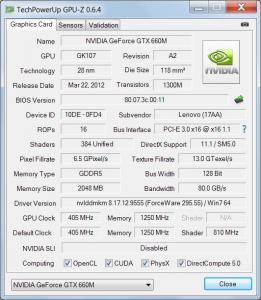
5) Nvidia drivers
6) Bluetooth drivers
So, my advice is please go to the official manufacturer website to obtain your drivers if you want to have a clean install.
Despite this, my usb 3.0 and wifi still have problem. CB, Lenovo!!!
Anyone have the same problem with me?
Anyone bought this laptop came with a CD for drivers?
for wifi ,you download the (Liteon) driver from lenovo site...then install
if encounter "errors" then u restart the laptop and manually click into the extracted driver folder
there will be 2 folders of different manufacturer. just install the driver according to the manufacturer.
It works when i accidentally deleted my WIFI driver (windows can't detect the hardware in device manager)


 Sep 10 2012, 01:28 PM


 Quote
Quote




 0.0282sec
 0.51
0.51
 7 queries
 GZIP Disabled