Welcome Guest ( Log In | Register )

Bump Topic Topic Closed RSS Feed

Outline · [ Standard ] · Linear+

 Ivy Bridge Overclocking V1 | 3770K/3570K | Z77, Torture Your CPU, Post It Here!

views
     
raydenex
post Apr 15 2013, 02:08 AM

"Updated my journal."
****
Senior Member
588 posts

Joined: Jan 2003
From: Penang | Puchong | Malacca


Hi guys, been lurking here in this thread for a bit, and first time poster (be kind ty!). Just recently got an Ivy, i5-3570K on an Asus Sabertooth Z77 and I must say even at stock speeds (3.2ghz~3.8ghz turbo) I'm well pleased with this processor.. Windows felt a lot snappier moving from my previous setup.

Also to note although I was not particularly looking for this, ended up with a Costa Rica i5, batch number 3242C649, if it means anything. I've read around the web in some threads where some people actually prefer these Costa Rican chips compared to the Malaysian ones.

What I'm doing right now is researching and reading up on stuff, trying to digest as much as I can before I start overclocking this baby. So would like to humbly ask the sifus here to take a look at my stock temps and help me confirm if all is in order or if there's anything off about them. Want to make sure nothing is amiss before actually OC-ing. My cooling setup is a CM Seidon 120M with the radiator in the rear of a CM Scout 2 case, radiator fan as intake from the back; 2 x fans on the top of the case, also as intake (blowing downwards), and the 2 x fans at the front of the case as exhaust. Might be odd to some as the airflow is from back towards front, but I actually had it the normal direction before watching the Seidon 120M's installation video on Youtube and the guy mentioned its better to have the radiator fan as intake, pushing cool air from the rear into the case rather than the usual.. so I re-setup my fans accordingly and trying this for now.

I also set the Windows 7 power options for the CPU power states between 10% to 100%, as when I had it on 100%-100% the CPU temp was about constant 37/38*C idle (running 3.8ghz)

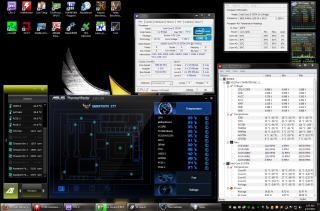
Seidon 120M's water pump is plugged into CPU_FAN header on the mobo, and the radiator's fan is plugged into CHA_FAN3 header; The two fans at the top (intake) is plugged into CHA_FAN1 and CHA_FAN2 headers respectively; All the RPMs are shown in the AI Suite II utility in the screenshot below, Asus Q-fan control is disabled in BIOS, hence all fans at full speed (and pump too). The front 2 fans (exhaust) are plugged to molex direct to PSU.

These are my idle temps; Comments and suggestions are very welcomed.. please teach me thanks smile.gif

This post has been edited by raydenex: Apr 15 2013, 02:19 AM


Attached thumbnail(s)
Attached Image
raydenex
post Apr 24 2013, 11:54 PM

"Updated my journal."
****
Senior Member
588 posts

Joined: Jan 2003
From: Penang | Puchong | Malacca


no harm swapping out a spare PSU and try just to be certain. but if not psu most probably board already, rma.
raydenex
post Apr 25 2013, 10:55 AM

"Updated my journal."
****
Senior Member
588 posts

Joined: Jan 2003
From: Penang | Puchong | Malacca


Consider yourself lucky already, with just a PSU swap your problem isolated and identified. Imagine if swapping PSU did not solve the problem... then you'll be fiddling with your rig still trying to find the culprit hehe.. Apalagi, send it to RMA bro smile.gif

Corsair AX650 is OEM manufactured by who? Seasonic?
raydenex
post Apr 28 2013, 01:26 AM

"Updated my journal."
****
Senior Member
588 posts

Joined: Jan 2003
From: Penang | Puchong | Malacca


@ souq you want help me de-lid mine? upah how much? haha
raydenex
post Apr 29 2013, 03:13 AM

"Updated my journal."
****
Senior Member
588 posts

Joined: Jan 2003
From: Penang | Puchong | Malacca


QUOTE(souq @ Apr 28 2013, 07:41 AM)
mau? i can do it for you, text me then.. hhehe... upah ? err... no lah.. just tolong kawan2 saje...
*
razorblade method ah?
raydenex
post May 2 2013, 04:05 PM

"Updated my journal."
****
Senior Member
588 posts

Joined: Jan 2003
From: Penang | Puchong | Malacca


Just got the 3770k yesterday, and installed today. Didn't even play with the 3570k as much as I had planned to. The i7 is a Malaysian batch but temps appear to be rather good. Just hope it OC's decently.
raydenex
post May 2 2013, 07:06 PM

"Updated my journal."
****
Senior Member
588 posts

Joined: Jan 2003
From: Penang | Puchong | Malacca


QUOTE(mudkipryan94 @ May 2 2013, 04:08 PM)
PSPS, guys... should i change cooler coz casing seems warm like hell doh.gif
so what cooling brand should i take?
*
Might want to evaluate your case airflow first?
raydenex
post May 2 2013, 07:10 PM

"Updated my journal."
****
Senior Member
588 posts

Joined: Jan 2003
From: Penang | Puchong | Malacca


Sounds bad smile.gif
How many fans inside the casing, where are they located (and whether is intake or exhaust) and also what cooler you currently using for the cpu
raydenex
post May 3 2013, 06:49 PM

"Updated my journal."
****
Senior Member
588 posts

Joined: Jan 2003
From: Penang | Puchong | Malacca


QUOTE(souq @ May 3 2013, 04:53 PM)
ouh.. nope.. the idle temp is around 36-40C only.. i launched RealTemp during priming.. huhuhu
tq
*
those are the idle temps with delidded ihs?
raydenex
post May 4 2013, 10:40 AM

"Updated my journal."
****
Senior Member
588 posts

Joined: Jan 2003
From: Penang | Puchong | Malacca


Bro owikh84, is it normal for these Ivy's to have such large differences of temp between the 4 cores? My current 3770k has the first core usually idling at 42*C with the rest of the 3 idling around 35/36*C (non-aircond room). But when under Linx load, all 4 are usually about equal 68/69*C. I've realised even since switching to Intel/Ivy I've been too anal and obsessed about temperatures.
raydenex
post May 18 2013, 03:02 AM

"Updated my journal."
****
Senior Member
588 posts

Joined: Jan 2003
From: Penang | Puchong | Malacca


need some advice/opinion;

I've seen some 3770K @ 4.4ghz/4.5ghz yield more gflops in Linx, do I need to turn off HyperThreading to get such result?
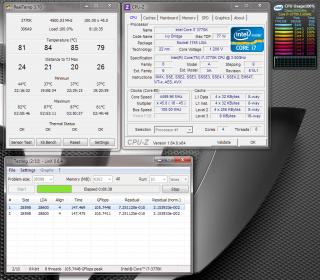
Even I turned off HT in BIOS, appears all 8 core/threads still have activity when fire up Prime95/Linx.. what gives? Sabertooth z77 mobo.
And not liking the temps at all under Linx test. Its sub 80*C on all cores on Prime95 tho.

thanks guys.


Attached thumbnail(s)
Attached Image
raydenex
post May 19 2013, 03:10 AM

"Updated my journal."
****
Senior Member
588 posts

Joined: Jan 2003
From: Penang | Puchong | Malacca


@ owikh84 ya maybe something not right with my BIOS, disabling HT does not give me the same result as you showed me, still showing 4 core/8 thread. May try flash BIOS to the latest one and see if that helps.. also stable at 4.5ghz on 1.185 vcore now.. gonna try lower bit more and see what the lowest I can get.

@ OC4/3 haha bro, should try not to see the temps too much, just paranoid as hell. Prime95 blend test maxes temps at 79/80 degrees, but LinX really killer. Of course that was at 4.5ghz 1.200 vcore, now its a bit cooler once I dial down the vcore to 1.185
raydenex
post May 20 2013, 12:03 AM

"Updated my journal."
****
Senior Member
588 posts

Joined: Jan 2003
From: Penang | Puchong | Malacca


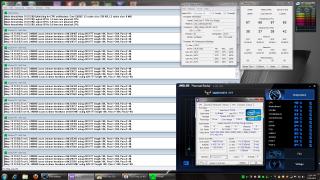
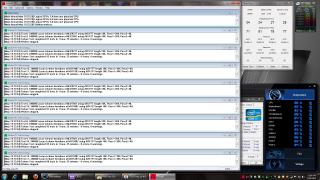
Finally got around to letting Prime95 run longer than a few minutes; 1 hr 25 mins preset Blend test OK. Temperatures look better because I turned on the air-conditioning.

Manual mode (non offset mode) in BIOS setting Vcore to 1.185v but in Windows CPU-Z showing me 1.192v instead, and even weirder when load-testing it goes to 1.200v shown in CPU-Z, any idea why like this?

Image 1 shows right before I stop Prime95;
Image 2 after, and all temps back to Idle temps.


Attached thumbnail(s)
Attached Image Attached Image
raydenex
post May 20 2013, 07:43 AM

"Updated my journal."
****
Senior Member
588 posts

Joined: Jan 2003
From: Penang | Puchong | Malacca


ok got it.. thanks! Also in CoreTemp, the VID value shows 1.1759v ..another value which is far from 1.185v lol

better to use offset mode or manual? trouble is I haven't been able to make much sense of how offset mode works.

thanks in advance.

raydenex
post May 20 2013, 10:25 AM

"Updated my journal."
****
Senior Member
588 posts

Joined: Jan 2003
From: Penang | Puchong | Malacca


Thanks for the explanation, crystal clear now. I suppose I'll stay on manual mode too. Contemplating if its worth pushing forward to 4.6 or stay at 4.5 as a daily 24/7 usage OC.

What I did notice was this 3770k required less vcore to hit 4.5 than my earlier 3570k.
raydenex
post May 22 2013, 11:16 PM

"Updated my journal."
****
Senior Member
588 posts

Joined: Jan 2003
From: Penang | Puchong | Malacca


the max temps in your first attached image rather scary biggrin.gif
raydenex
post Jun 1 2013, 08:24 AM

"Updated my journal."
****
Senior Member
588 posts

Joined: Jan 2003
From: Penang | Puchong | Malacca


eh where to buy Coollaboratory Liquid Ultra?
raydenex
post Jun 1 2013, 08:25 AM

"Updated my journal."
****
Senior Member
588 posts

Joined: Jan 2003
From: Penang | Puchong | Malacca


QUOTE(hanny562 @ Jun 1 2013, 02:39 AM)
Fianlly delid my Intel I5-3570k, there's few scratches on the PCB, the copper in the PCB even exposed abit..

but luckily my proc has strong life to survive after delid ><

Scared me when there's few deep scratches.
[attachmentid=3465611]

Before delid, Xigmatek TIM + Antec Kuhler H2O 920
[attachmentid=3465612]

After delid Coollaboratory Liquid Ultra + Antec Kuhler H2O 920
On-Die TIM : Coollaboratory Liquid Ultra
IHS TIM :  Coollaboratory Liquid Ultra
[attachmentid=3465613]
*
respect! nice temps!
raydenex
post Jul 27 2013, 06:18 AM

"Updated my journal."
****
Senior Member
588 posts

Joined: Jan 2003
From: Penang | Puchong | Malacca


First thing's first, how about go back to stock values from OC, and see if that solves the problem?

Topic ClosedOptions
 

Change to:
| Lo-Fi Version
0.0504sec    0.88    7 queries    GZIP Disabled
Time is now: 4th December 2025 - 12:13 PM