QUOTE
Check list:
1- tab itself:
1-1- Boot up: Ofcoz.. check your prime manage to boot up, mine unable to boot up due to battery flat... i waited in the shop for around 15mins to have it minimum charge and confirm that it boot up fine. Make sure your prime able to receive charge as well.
1-2- Check all button works fine - power button, volume button.
1-3- Check the camera, speaker and mic works fine - launch the camera apps, take some picture/ record a short clips with your prime, play back to confirm.
1-4- Check your prime serial number correct with the box serial number.
1-5- If you have MicroSD or Mini HDMI cable.. can test it as well to confirm the MicroSD slot and MiniHDMI port works fine.
2- Screen:
Screen Bleeding: Easy method to check - set the screen brightness to highest, alternative way, download apps - "backlight bleed test" free apps in market..
3- Dock:
3-1- Check and confirm the prime manage to dock on the docking. First few time of dock / undock you will probably kinda hard, but you will get use to it soon. Make sure the latch is working fine. Lock the prime and the dock.
3-2- Keyboard keys - make sure all the keys works fine, if not working, try dock and undock agian... also test it out on preloaded apps like Polaris Office.
3-3- Charge port- make sure the dock able to receive charge. You will see a amber/orange lights when charging on the dock charge port. It will shows green if full charge.
3-4- Make sure all the port working fine- USB port, SD card slot.
- Most of them available in the market apps:
NVIDIA Tegra ZoneTegra Zone- Shadowgun THD
- Riptide
- Glowball
- Shine Runner
- GTA 3 (Ver 1.3 graphic mod capability)
- Bladeslinger (Releasing soon)
- and so on...
screen shoots of Shodowgun THD :
Post 978GPS Issue: » Click to show Spoiler - click again to hide... «
Official statement from Asus Malaysia Facebook page:
QUOTE
The ASUS Transformer Prime is made from a metallic unibody design, so the material may affect the performance of the GPS when receiving signals from satellites. Please note that this product is not a professional GPS device, and signal performance can be easily influenced by factors including, but not limited to: weather, buildings, and surrounding environments. Please understand there are limitations when using the GPS function. To avoid inconveniencing users who demand a powerful GPS device, we made the decision to remove it from our specification sheet and marketing communications. We apologize for any inconvenience this has caused.
- TL;DR version:
-- Tablet made from metallic unibody design
-- affected GPS performance when receiving signals
-- Not a professional GPS device
-- Asus decide to remove from specification sheet and marketing communications.
-- *note* only remove from specification sheet and marketing communications, the GPS chip/hardware still in the tablet itself.
Just record a short clips on the GPS testing
» Click to show Spoiler - click again to hide... «
Silence update Jan 19th 2012 (Malaysia received the update on 20th Jan)
QUOTE
If you're not quite ready to take up ASUS on its refund offer (or if you simply don't live in the UK), you're probably holding out for additional updates to dry your tears. Fortunately, Asus hasn't forgotten about you and your ilk. Early this morning, the Transformer Prime quietly received an OTA update that not only unroots the tablet, but also kicks the slab's GPS version up to 6.9.13. (current version is 6.8.13) The folks on the XDA developers forums have restored their roots easily enough, and seem to be reaping the benefits of updated GPS drivers, as well. Engadget's own tests lean on the positive side -- lounging indoors, in a spot where GPS reception was previously all-dark, we snagged sight of 12 satellites on a freshly rebooted Prime with WiFi disabled. Although the response seems generally positive on the XDA developers forums, not everybody is seeing our success. Either way, this update certainly didn't make things worse; a step in the right direction to be sure.
Sos:
Engadget» Click to show Spoiler - click again to hide... «
Many people afraid that due to metallic unibody design, wifi reception might get weak/ disconnected:
some testing done by meeninme and 88XAVIERX88 tq very much

:
QUOTE(meeninme @ Jan 14 2012, 07:23 PM)
OK I,ve done the test with speedtest.net
With my notebook connected to the LAN I've got:
Ping: 48 ms DL Speed: 1.01 Mbps UL Speed: 0.42 Mbps
And with the TP wifi connected tested with the app:
Ping: 101 ms DL Speed: 1062kbps UL Speed: 573 kbps
My house is using streamyx 1 Mbps.
The result is A-OK!
QUOTE(88XAVIERX88 @ Jan 15 2012, 11:57 AM)
Staying in hostel with 1mbps speed LAN internet.
My laptop are connected to the LAN internet, use connectify in my laptop as a hotspot, so that my Prime can connect to the internet.
Hostel LAN > Laptop (hotspot) > PrimeTesting speed with
sending files using bluetooth at the same time:
» Click to show Spoiler - click again to hide... «
Testing speed with
bluetooth on but not using it:
» Click to show Spoiler - click again to hide... «
Testing speed with
no bluetooth:
» Click to show Spoiler - click again to hide... «

Testing speed
outside of my room, across a hallway,
in the hall with the door left open (roughly 15m away) 1 wall as obstacles :

Testing speed
outside of my hostel unit, beyond my hall, 2 walls as obstacles :

 DOESNT AFFECT MUCH!!!
Stop whinning.
QUOTE
WIFI Range =
two apps were used to test the wifi range speedtest (same test server) and wifi analyzer. I've only compared the two and not a laptop.. plus my house has about 800watts of electronic interference

12 feet away from base station
evo3d = 15.38 down 4.86 up signal str = -46 dbm
prime = 20.50 down 5.00 up signal str = -43 dbm
two walls, outside, about 85 feet away
evo3d = 02.26 down 0.89 up signal str = -88 dbm
prime = 05.50 down 3.00 up signal str = -75 dbm
by:R. Richelson "solar guy"
Sos» Click to show Spoiler - click again to hide... «
Little light bleed on the right of the tablet:
(still searching for pictures to show.. any one found please PM me the picture thanks)
QUOTE(halow @ Jan 18 2012, 09:08 PM)
[attachmentid=2647604][attachmentid=2647616]
Hi all ,
Got my tf prime today . There is screen bleed at the left bottom corner of the screen .
Update to ICS might solve the problem:
QUOTE(meeninme @ Jan 14 2012, 06:29 PM)
The light bleed is also gone, I think ICS did this.
» Click to show Spoiler - click again to hide... «
QUOTE
ASUS changed the way the TF201+dock handles charging.
The setup will use the tablet battery until it gets down to 70%. Then the dock will charge the tablet battery back to 90%. This will repeat until the dock battery gets to about 5% and then it will use the tablet battery until it is drained.
This is to help the constant cycling of the dock battery only that happens on the TF201 and help both batteries last for more charges (allegedly)
» Click to show Spoiler - click again to hide... «
- "unknown serial number"
» Click to show Spoiler - click again to hide... «
QUOTE
Ice Cream Sandwich for the Transformer Prime was one of the most anticipated updates for one of the most anticipated tablets of recent memory. It was pushed out last week and so everyone's happy -- right? Sadly, some folks are missing out. We've received a number of reports from users who haven't been as successful as we were in updating to Android 4.0, their slates showing an "Unknown" serial number preventing the application of the update. ASUS is looking into the issue and affected users were told to perform a factory reset and, if that doesn't work, try it again and let the slate sit at the desktop for about 15 minutes. Let us know how you're faring in comments, and hit up the xda developers links for more support should you need it.
Sos:
EngadgetSolution: Pending- Constant Reboots after ICS Upgrade
» Click to show Spoiler - click again to hide... «
Some user will experience random reboot/ shutdown/ crush after upgrade to ICS.
One of our fellow member here encounter such issue as well:
QUOTE(cursebreaker @ Jan 20 2012, 11:22 AM)
Anyone experience their TP hang then reboots itself? Mine happen very often. sometimes every 5-10 minutes, sometimes not for a very long time. i read somewhere saying that it might be the ICS coz it happens in Nexus too...
More details:
Click here and
hereSolution: pending» Click to show Spoiler - click again to hide... «
Most of the Gray version Malaysia TP owner receive a dock with UK keyboard layout
The @ and # are at different place unlike US keyboard layout, the enter key is different with gold version as well.
Function still the same.. SHIFT+2 will still get u a "@" symbol .. not too worries about that.
 *thanks to: hseyrann00 and simonltk for picture contribution
please PM me if you wish to remove the picture » Click to show Spoiler - click again to hide... «
When connect the Tab to the PC via USB, is not showing as charging, only debugging mode etc..
Base on the user manual: the tab only able to charge when it is in sleep mode, screen off or power off.. via USB from PC..
» Click to show Spoiler - click again to hide... «
Q: Is the Transformer Prime available now in Malaysia?A: The transformer is officially made available in Malaysia on 18th Jan 2012, first batch should be sold out already.
Second batch availability tentatively by middle of February
sos from Asus Malaysia FB page:
QUOTE
Update: base on LYN fourmmers : Next avalible stock might be around March 1xth ++
Q: Where to buy? A:
Check hereQ: How much is the tablet and the docking station?A: Official price RM2199 with docking station. Still no news on Tab only price.
Q: Can the TP connect to a mobile hotspot?A: YES.
Q: What is new in TP? A: check specification section. TL;DR version:
- 1st Tegra 3 Quad Core processor Tablet
- 8mp back camera
- Super IPS+, you able to view the screen even under brightsunlight (i dont think this is new

)
- stock browser able to save web page for offline reading
- and so on.....
Q: I want to try rooting my TP. Where can I find guides, how-to, ROMS, etc?A: Read and check more in XDA forum -
hereQ: Can I use plug my USB 3G modem into the USB port on the dock so I can get on the internet?A: I don't think so, personally never tested before... any one got reliable source on this please PM me i will update
Q: Heard that Asus will release newer version of Prime a 3G version and TF700 is that true?A: Clarification from Asus Malaysia FB page:
QUOTE
Transformer Prime 3G rumors and Transformer 700 confusions, we wish to clarify the following:
"In the wake of recent reports in the media regarding the development of a Transformer Prime Android tablet with on-board 3G, ASUS would like to take this opportunity to state that these reports are erroneous and no such product exists on our current roadmap.
Furthermore, the Transformer TF700 that was shown for the first time at CES 2012 is a completely new product that will co-exist with the Transformer Prime aiming different market segments. The TF700 features the latest 1920x1200 full HD panel and will be available in the second quarter of 2012.
Q: Where can I buy TP accessories? A: You can try search under garage sales tablet section, or ebay, amazon
Official accessories:
sos from Asus Malaysia FB page:
QUOTE
For Eee Pad Transformer accessories like cable or power adapter, you may purchase from our Service Centre. As for the sleeves, you may refer at your nearest dealers.
Q: Do I need to register my warranty? how?A: Yes please!
QUOTE(stormaker @ Jan 19 2012, 07:08 PM)
Just registered at vip.asus.com ... 1st have to create member acc, answer survey's questions then product registration.
Q: TP comes with ICS? A: No, comes with Honeycom, but available to update to ICS already
Q: Can TP play Full HD1080i/p video? A: Yes, Personally tested with "BS Player"
Q: Facing problem when try transfer file from PC to TP via Bluetooth.A:
QUOTE(hseyrann00 @ Jan 20 2012, 05:14 PM)
Try install
Bluetooth File Transfer to your TP.
Set it's widget to your homescreen (it's quite ugly tho, but useful)
1st connect both your tablet and laptop for the 1st time.
Next time when u want to transfer file to TP, use the widget turn on 1st (bluetooth) and 4th (OPP).
U can directly push any file to your tablet after that, no need keep clicking confirmation.
A: All the owners here checked and confirm is .WW
latest system info page on my unit(20/1/2012) - GPS version update!!
» Click to show Spoiler - click again to hide... «
[attachmentid=2650282]
Q: Why my TP No Face unlock? A: All the files for the face unlock is in system. Some user try to re install, but no go as well. Asus probably disabled it.
more discussion on this can be read in
XDAQ: Does Skype Video call working find in TP? A: Yes, base on user feedback, it works fine.
Q: How to connect my PS3/USB/ BT controller to TP? A: Check the next post under Controller section for full details and video
For PS3 controller Update your Prime to WW .14 build and :
» Click to show Spoiler - click again to hide... «
GOOD NEWS FOR ALL PS3 GAMERS OUT THERE!!!
NO ROOT NEEDED!! NO APPS NEEDED!! (Build WW.14 onwards)
Method:
1- Dock your prime on docking
2- Connect your Controller via USB Cable
3- Turn on your BT in your prime
4- Unplug the USB cable..
5- enjoy your game
Q: Any forums/ website that i can know more about my prime? A: Try visit:
transformerforumsor XDA :
Asus Eee Pad Transformer Prime QUOTE(meeninme @ Jan 15 2012, 10:31 AM)
This is a 100% crop according to
http://photography-on-the.net/forum/showthread.php?t=44363I'm not into DSLR, but I hope this is the one you requested.
The actual picture is an imitation of a fruit basket inside my house (indoor).
» Click to show Spoiler - click again to hide... «
Haven't tested it outside, but the review from other websites should be enough.
From my early experience:
1. Hear a click to assemble the adapter, making sure the bottom of the power plug aligns with the USB charger.
2. Use a paper clip to take the rubber stopper from the tab, push it all the way inside the hole outwards and pull.
3. Cup your right hand to gain full exp of the speaker.
4. Manage to get 2-3 out of 4 bars wifi in my room upstairs. Router is at the stairs as many houses in Malaysia.
We don't have any basements like in the US who are having problems.
Browsing is no problem, but not so smooth when streaming content compared to my notebook.
At the end of the day, it's all about the overall user experience.
I'm not into youtubing, so streaming is not of my concern.
I download music and videos directly from the internet using my notebook.
Then if I want to view it in the tab, I'll transfer it first to the micro SD card.
That's why external storage is an important feature.
Hope you all are still hyped on the TP!

QUOTE(hseyrann00 @ Jan 15 2012, 02:40 PM)
For me,
web browsing ,
reading e-book and doing
words/spreadsheet/slideshow on-the-go is essential.
Addon : I appreciate the ability to
save a whole bloody webpage to read it offline using the default browser is something that i can't do perfectly in my laptop (it always out of alignment). As i dont always have a "good" internet connection, so this is essential for me.
For entertainment purpose, video playing and light/medium gaming did not fail me at all.

(e.g tower defense / strategic game )
Video i played directly from external hdd is silky smooth too.. scrolling the timebar with no lag..
The best thing is the portability of this device!
It almost replace my laptop already.
1st thing 1st, u have to know that what is android and the limitation of it's app.
since Nothing is perfect, for the current affordable technology, this is 1 splendid piece of technology that brings me to a different level standard of living.
Disclaimer : As i don't own any tablet before, and only playing with my roommate's ipad, so my opinion doesn't really apply to those who have owned any tablet in the past. This prime might only indicate a slight upgrade for u guys.
QUOTE(DikkieD @ Jan 16 2012, 12:42 PM)
After having the Prime for almost a week now I thought I'd mention my views on the device:
- I love the design, but find it too bulky at some points. I am not sure if the 7" that is due would be better for me. I mainly use it for video, and will almost always hold it in my hands or on my lap. 10,1" is sometimes a bit to big (near).
- I am still not sure whether I have a device with a less than great wifi. I tested it in my condo, and usually get some score between 60 and 70 db.
- GPS works, but I still need to test whether it works fine. If I launch maps, my location is pinpointed within a few seconds. I will never use the device as GPS alternative, so I guess it's fine with me.
- Video playback is awesome, though I am waiting for an upgrade on the players. BS player for example shows the lower bar which is quite annoying.
- 720p material plays beautiful. Couldn't have asked for a better player. Very nice detail overall. Downside is that when I watch in lowest brightness (with auto-adjust off), the screens starts flickering at some point, usually between 5% and 15% brightness. When in dark (in bed at night) I can't have too much brightness, but also cannot stand the flickering.
- I was worried that volume of the device might be too low. I used the device last week on the bus from Singapore to KL, and I was almost unable to hear the sound over my headphones due to the traffic/outside/engine noise. Luckily others pointed me towards the Volume+ and the Equalizer aps, which have boosted the sound enormous. Glad with that as I will also use it in the airplane quite often, and there is no point if the volume is too low.
- I have a tiny spot of light bleed in the lower left corner. I am not too bothered by that.
- I hate the fact that it tries to sync all photos and video's to my google+ account. It even syncs my videos which shouldn't be there....perhaps I still need to get the ropes more of the OS
My serial btw is in the BCOKAS03xxxx range. I thought I read that this range has WIFI troubles, while Asus Singapore clearly stated that they would only bring in fixed devices. I am not sure though, and so far wifi seems to work ok except for the occasional drop (as in; the wifi dies completely, and then recovers again).
Overall pretty happy. Hope due time those minor issues will be fixed. I do not like the way Asus has treated their customers in this case. All the issues and now the 1920 version...in Europe they did announce a 3G version that is underway.
QUOTE(hanhan @ Jan 22 2012, 12:20 PM)
Here is my review on the Prime after having it for 2 days.
1. Performance
after i unwrap and charge, i straight upgrade it to ICS. experience on the ICS is good. Everything feel so smooth. No problem in playing any current games.
2. Wifi
At first i though i have a wifi issue but after do all the checking, i found out is my home unifi router problem. after call them and they do the upgrade o n the router, now my wifi dont have any issue at all
3. GPS
try to us the gpstest software to do the testing while on the road. able to get few staellite in around 1 min. i think signal not so strong cos is in yellow bar or red bar. i do face one time that the gps drop in a sec and come back again in another sec
4. Others.
- After upgrade ICS, some of the ICS feature is not in such as face recognition.
- i try to run flash games in google+, it can be load but slow and sometime hang. anyone have this problem
So far i'm happy on my Prime
QUOTE(stormlcc @ Mar 12 2012, 04:02 PM)
buying the prime is the best choice u'll ever make
some say the wifi is weak, but i didn't face any issues on this, i tested it with my other 2 android phones, it gets almost the same signal strength as both, so i don't know what are ppl complaining about
for me, the best thing about it is the keyboard dock, seriously, it's the BEST functioning hardware of all, no tablets in the market (except for the yet to launch Chinese brands) has this advantage, because i'm traveling a lot and needs to do remote access to my linux servers (do a lot of command typing), the keyboard dock serves me very well, the tablet is docked 70% of the time, and in heavy usage the battery can last me at least 2 days! and i bought a heavy duty bag (for 10 inch gadgets) which is quite small, but it can put in quite a lot of stuff, it's like a Doreamon magic pouch that has infinity space inside. I got the prime inside, then put in a portable speaker (edifier mp221), portable HDD (WD 1TB), charger, a pendrive, and a bluetooth mouse. When i pull out everything everybody who saw me do it was wao because the size of the bag is less than half of a standard laptop bag!
and the best thing about the prime is it's storage, it's got 32gb already, but i can put in a normal 32gb SD card and a 32gb micro SD card, which means it now has around 120gb of storage capacity. i haven't even plug in my 1TB portable HDD yet. Watching 1080p bluray rip movies is absolutely perfect, i've tested a movie that is 9gb big and it plays smoothly with MX player with software sound decoding.


 Mar 9 2012, 07:46 AM, updated 14y ago


 Quote
Quote


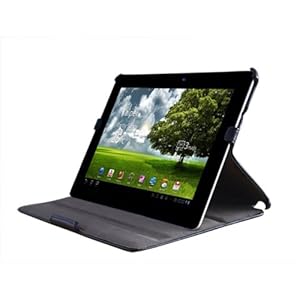


 (can u imagine we hold the prime and talk like holding ngageQD)


 [color=red]





 0.0380sec
 0.41
0.41
 6 queries
 GZIP Disabled