Welcome Guest ( Log In | Register )

Bump Topic Topic Closed RSS Feed

Outline · [ Standard ] · Linear+

Maxis Maxis 3G/HS 3G Thread V3 (Not WBB), Don't Envy at Our Super Fast Speed! :D

views
     
coolstore
post Nov 6 2011, 03:41 PM

Regular
******
Senior Member
1,524 posts

Joined: Apr 2008
QUOTE(ChigurhTroll @ Nov 5 2011, 06:54 PM)
But you'll have to make a crazy dish or abuse your mobile phone to get this speed.

I dont think malaysian average Siti and Ahmad or Ah lian and Ah beng would want the hassle and RISK of doing this.

If they are really tech savvy and nbtd, they could just get an outdoor 3G antenna (roof) and connect it to their own router/switch setup. Guarantee MAX speed available in their area.
*
although average users not really like hassle matter, but some times it is also fun to DIY when one got leisure time instead of lepak kepak at shopping mall right?

do this DIY is better than get conned with fake 3G signal booster (as i bought 1 to test out, although initially think 90% it was fake, but still can resist myself buying 1, end up confirm fake 3G signal booster, a true signal booster would cost hundreds ...)

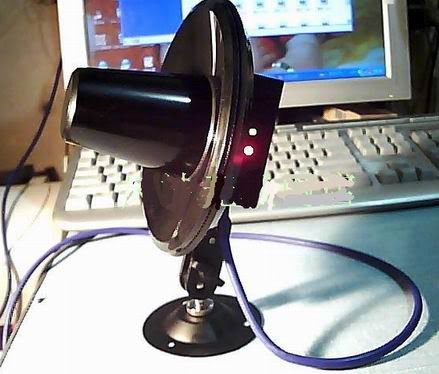
user posted image
coolstore
post Nov 6 2011, 04:14 PM

Regular
******
Senior Member
1,524 posts

Joined: Apr 2008
QUOTE(digilife @ Nov 5 2011, 07:32 PM)
you failed Full Time, i hav this

user posted image

connected outside my hse, the signal is worst than before, why?? dBm loss, meaning the longer the cable the lesser is the signal , u hav to connect it nearer to the modem, and i ripped out the antenna socket too (thus putting my modem into "coma")

if u wan good reception, just camp under the tower , like fruitie's house tat is nearby the tower ( UMTS 900 )
*
hi, i did know you having some difficulties in the usage way that accidentally rip off your huawei modem antenna jack, accident do happens, member 'mxsteven' seems also experienced that before, just solder back as he did as this crc9 are smaller connector, more vulnerable than big brother sma connector. (as you said your friend's E1762 connector also ripped off itself even no applying antenna at it before right?)

btw, apart from that accident, i never heard from you the signal is wosen than before while starting using it?

so far already sold about 10 units++, none of one said negative, all improved results.

3G antenna are proven industrial product, not DIY. telco also using them, no play-play. like chuach79 own disclaimer, every person situation / environment is different, so wanna know how your situation getting you that kind of end result?

longer cable did giving more signal loss, but with original 18dbi gain, minus the signal loss by 2.5m RG58/u cable, still got at least 16dbi ++, far multple times powerful than built-in antenna.

member 'dexeric' did the spot test at the same lrt i cod with you that time, he used ZTE MF60 mifi device. In open no blocking good condition like that, we don't expect much improved 3G results, but right put on testing, he already noticed improvment to -6xdbm and speed go up to 8.x Mbps after targetting a base station around 2-3km away.

member 'miezaidin' is the buyer so far i noticing the user (among 10+ buyers) who gain the most from his maxis line is his kampung in perak. lym who interested to know how much speed he got from the (under-utilised) maxis tower, can pm him, no good to disclose this openly as might trigger maxis 'alarm'. hehe.

latest member 'mynor' buyer feedback show the same way:
QUOTE(mynor @ Nov 2 2011, 11:16 PM)
Yeay !!! Received mine this morning ...

Before

user posted image

After

user posted image

Still looking for the best tower ... hehe

Excellent seller and product ...
*
so wonder how your situation give you 'negative' results? this will be a worth for in-depth analysis case if 3G high gain antenna also cannot solve. more situation details / illustration needed indeed.

This post has been edited by coolstore: Nov 6 2011, 04:20 PM

coolstore
post Nov 7 2011, 12:23 PM

Regular
******
Senior Member
1,524 posts

Joined: Apr 2008
QUOTE(chuahcs79 @ Nov 6 2011, 06:12 PM)
well in my case

i do have a 3G yagi antenna,. it didnt work that well for me in my area compare with the strainer or windsurfer,. and also end up i accidently rip offthe connector in my E1762modem too, ( same like Digilife )

i suspect that usb modem is either can't provide enough power gain to the yagi to perform, or usb modem is just plain dont work in my area due to 3G band 900Mhz ?

and end up i testing with phone,. easier and signal is end up stronger and so strong like most of the time is FULL,. also achieve the highest speed that i wanted and consistency is higher than usb modem i( in my area )..

so now i dont know what to do with my 3G yagi antenna doh.gif  doh.gif
*
chuachcs79, usb 3G modem is equipped with higher transmission power than our normal wifi usb receiver. basically usb 3g modem can have around 200mW / 23dbm TX power, more than enough to run any high gain antenna. (lately P1 going to launch new a home desktop modem with around 500-600mW TX power, this should be a concern issue instead (too powerful), as this power level is normally for outdoor CPE or Bridge device for wifi project for e.g, if put indoor to use with elder folks, small children around is too hassle, don't know if MCMC would pass that device or not). (nor worth sacrify users' health in long term just for good signal for internet surfing purpose and for company profits)

so get rid of 3g usb modem wireless power matter, i think the issue should be lie in the what Maxis 3g band run in your and digilife area based on both feedback much alike (2100MHz + 900MHz or 900MHz alone?)

3G high gain yagi antenna are tuned to provide high gain for 2100MHz only, no dual or multi-bands, no high gain for other frequency.

If Maxis in your area cancelled tradisional 3G 2100MHz and swithced to 900MHz totally instead of running both, then that's the reason why you two experienced poor performance with dedicated 3G antenna for 2100MHz, bcoz no gain for 900MHz. (maxis/celcom do dual band at some major cities in peninsular beginning this year, rural and sabah / sarawak not affected)

and this also explained why digilife using that lower gain 10dbi dual-band panel which support 900MHz ~2100MHz can have higher signal result than dedicated 3G 18dbi yagi for 2100MHz. the mystery solved.

one easy to find out if dual band runs or what band(s) run in your area by maxis, get a 2100MHz supported only 3g modem (don't use dual band 3g modem or dual band phone) test at open space / outdoor, such as using huawei E1550 (borrow from digi users), if using that yield no signal or worst signal, then knowing 2100MHz not functioning there. need not keep changing 3G antenna to test and wonder why, all 2100MHz 3G antenna (omni or directional) will give same result.

** btw, soldering always has risk, no guarantee perfect job done ya. if modem somehow not functioning, can give it a try. if crc9 jack already completely ripped off, i think can try solder the cable to replace the crc9, better don't touch the internal antenna part, let the internal antenna there, once successful, can having back dual antenna system, just crc9 connector gone replaced with a rp-sma connector.

This post has been edited by coolstore: Nov 7 2011, 01:25 PM
coolstore
post Nov 8 2011, 01:16 PM

Regular
******
Senior Member
1,524 posts

Joined: Apr 2008
QUOTE(chuahcs79 @ Nov 7 2011, 08:25 PM)
speedtest with E1762 ( peragin mall starbuck )

user posted image
max speed for download with E1762  thumbup.gif


Added on November 7, 2011, 8:35 pm
yea totally agree,. that is the only reason why my antenna and E270, and all the modem dont work in my area ...

so is time to get rid of the antenna,..
*
Not really, getting the right antenna that support both 900MHz & 2100MHz will do for area if maxis kick out 2100MHz totally. simply say what-frequency there, then use what-frequency supported antenna for any wireless technology.

Actually this 900MHz only situation is not sth ppl welcome, they should run dual band 2100MHz + 900MHz in parallel (the earlier estimated situation when they first announced it, since newer modem can auto switch band). What happens to ppl using old 3g modem which run only in 2100MHz, like huawei E220, ZTE MF600 once bundled with maxis, dump it? forced to buy newer modem?

Ironically, the maxis latest bundled modem changed from Huawei E1762 to to ZTE MF190 which support HSDPA/UMTS 2100MHz only... rclxub.gif (like u said, maxis really giving headache to users now 900/2100?)

Luckily not all telco will do the same 'trick' as maxis / celcom doing. U-mobile and Digi still stick to tradisional 2100MHz 3G band as higher frequency = more data carrier = higher maximum speed. U-mobile now strike for 42mbps in cities area, definitely a justified reason they keep using high frequency. coming LTE which using 2600MHz is even higher band.

lower frequency, as some of my friends said, quite like a trick play by these two telco, since lower frequency having better indoor penetration capabilites than higher frequency (like our tv frequency), so ppl using 3g dongle at home wlll see improved signal level at home/indoor than before, no more complain to mcmc lah ... but in fact higher wireless data speed still belongs to higher frequency like wimax @ 2.3GHz, LTE @ 2.6GHz, wifi latest N @ 5GHz. they should run dual band in parrallel - the ideal situation.
coolstore
post Nov 8 2011, 01:24 PM

Regular
******
Senior Member
1,524 posts

Joined: Apr 2008
QUOTE(KKW @ Nov 8 2011, 03:45 AM)
Oh.. icic..
Just now I tried use longer USB cable to connect my E1762..
The router hang on heavy usage..
Now connected to the short cable which came with E1762. It's fine.
Does this happen to you?
btw, any recommendation tweak should I do?
*
usb cable do nothing with signal loss matter , signal loss are happens start from the antenna socket alongside to the antenna. usb cable responsible for usb electric power for device, and data transferring only.

usb cable for usb 3G modem, same as chuah, up to 3 meter still ok, after 3 meter, i can't even power up huawei modem, let alone stability. 1 meter best.


Added on November 8, 2011, 1:31 pm
QUOTE(chuahcs79 @ Nov 8 2011, 03:11 AM)
is not in fully coma, just only that connector hole cannot use,. oh well, whenever i go out, anywhere the E1762 always work perfectly,. only when i come back my house , then it failed on me,..  sweat.gif


Added on November 8, 2011, 3:12 am

is not in fully coma, just only that connector hole cannot use,. oh well, whenever i go out, anywhere the E1762 always work perfectly,. only when i come back my house , then it failed on me,..  sweat.gif
*
yup, this should be the case if any ext connector ripped off, shouldn't render the machine in coma/malfunction. such as our wifi devices, router/ap/adapter, if rp-sma connector broken, the machine still work, just that broken connector cannot work for any antenna any longer.

so when i get the modem from digilife to check, then only can see how that happens. if experimental success, then not just solder in cable, but a one-of-it-kind rp-sma connector can appear at E1762 body side, then can show-off here, haha...

This post has been edited by coolstore: Nov 8 2011, 01:31 PM
coolstore
post Jan 12 2012, 12:21 PM

Regular
******
Senior Member
1,524 posts

Joined: Apr 2008
QUOTE(MYstombox @ Jan 11 2012, 04:54 PM)
Don't buy that modem from CS, digilife stated that he tested all their UMG1831 and all not working properly.
Get from someone else.
*
maybe it is to do with huawei umg1831 flashed with huawei k4505 28.8Mbps firmware that trigger the problem... basically umg1831, k4505, e182e chipset are same. k4505 firmware was said got a bug which allow it to be installed to other device, so ppl flash it to umg1831. depends on luck and maybe hardware revision, some said ok, some reported troubles. besides, was told the umg1831 imei data will be erased and gone even if one day later flash back to original umg1831 firmware...

so when i got a few umg1831 weeks ago, i tested all units individually viewing if the imei data all still present there.
coolstore
post Feb 13 2012, 11:01 AM

Regular
******
Senior Member
1,524 posts

Joined: Apr 2008
QUOTE(chuahcs79 @ Feb 13 2012, 05:36 AM)
Fellow user,

there is the latest Huawei Mobile partner Dashboard which just launch lately and come with latest huawei modem drivers too, 

if anyone interested to flash update their huawei modem,

can go here :

to flash modem with this dashboard
download here

to just install the dashboard in window without flashing upgrade modem , download
Here or Here
[attachmentid=2682362]
*
nice UI. but looks like got an ad column there at bottom?

Topic ClosedOptions
 

Change to:
| Lo-Fi Version
0.0449sec    0.92    7 queries    GZIP Disabled
Time is now: 17th December 2025 - 03:50 PM