Welcome Guest ( Log In | Register )

Outline · [ Standard ] · Linear+

 BF3 Problems, Launching the game

views
     
TSCherryD
post Oct 26 2011, 04:46 PM, updated 15y ago

Getting Started
**
Junior Member
294 posts

Joined: Sep 2008
From: Petaling Jaya


Would be really grateful if someone could help out here.
After installing BF3, each time when I click on 'Play Game' in Origin, this website comes out 'http://battlelog.battlefield.com/bf3/' and when I click on Launch Campaign, nothing appears.
Anyone know what's the problem? Why I can't launch the game?

*Yes, its original. -.-*
SUSnarong
post Oct 26 2011, 04:52 PM

Getting Started
**
Junior Member
186 posts

Joined: Jun 2006
QUOTE(CherryD @ Oct 26 2011, 04:46 PM)
Would be really grateful if someone could help out here.
After installing BF3, each time when I click on 'Play Game' in Origin, this website comes out 'http://battlelog.battlefield.com/bf3/' and when I click on Launch Campaign, nothing appears.
Anyone know what's the problem? Why I can't launch the game?

*Yes, its original. -.-*
*
Any error ?
TSCherryD
post Oct 26 2011, 04:56 PM

Getting Started
**
Junior Member
294 posts

Joined: Sep 2008
From: Petaling Jaya


QUOTE(narong @ Oct 26 2011, 04:52 PM)
Any error ?
*
No error, its just each time i click on "Play Now" in Origins it directs me to this website http://battlelog.battlefield.com/bf3/ and when i click on Launch Campaign, nothing comes out.
Cheesenium
post Oct 26 2011, 04:58 PM

Vigilo Confido
*******
Senior Member
4,852 posts

Joined: Aug 2006
Did you install the web browser plugin?
TSCherryD
post Oct 26 2011, 05:01 PM

Getting Started
**
Junior Member
294 posts

Joined: Sep 2008
From: Petaling Jaya


QUOTE(Cheesenium @ Oct 26 2011, 04:58 PM)
Did you install the web browser plugin?
*
Oh yeah maybe not cause this is my dad's newly formatted computer. I'll check now hopefully that's the problem. Thanks btw
Cheesenium
post Oct 26 2011, 05:07 PM

Vigilo Confido
*******
Senior Member
4,852 posts

Joined: Aug 2006
QUOTE(CherryD @ Oct 26 2011, 05:01 PM)
Oh yeah maybe not cause this is my dad's newly formatted computer. I'll check now hopefully that's the problem. Thanks btw
*
That could be a problem, cause no plugin, no game.

Try that and report back whether it works or not.
TSCherryD
post Oct 26 2011, 05:14 PM

Getting Started
**
Junior Member
294 posts

Joined: Sep 2008
From: Petaling Jaya


QUOTE(Cheesenium @ Oct 26 2011, 05:07 PM)
That could be a problem, cause no plugin, no game.

Try that and report back whether it works or not.
*
Yeap I didn't download the plugin. Problem #1 solved.

Now Problem #2 : After clicking 'Launch Campaign' the bottom Game Manager says Initializing. Then suddenly an error pops-out, it says :

DirectX device creation error
Failed creating D3D device of at least version 10.0 on adapter "NVIDIA GeForce 9600 GT(Microsoft Corporation -0 WDDM v1.1)" with driver "Unknown" Error is DXGI_ERROR_UNSUPPORTED ("Unsupported.").

This is typically caused by not having the minimum required DirectX support in the GPU.
For NVIDIA GPUs, DirectX 10.0 support is required.
For AMD and GPU's from other vendors, DirectX10.1 support is required.


So i'm guessing my graphic card is not good enuff to support the game? Or is it something else?
Any recommendation/solution to this problem?
Cheesenium
post Oct 26 2011, 05:19 PM

Vigilo Confido
*******
Senior Member
4,852 posts

Joined: Aug 2006
What OS are you using? BF3 only supports Vista and 7. XP do not have DX10.

I dont think its your GPU, cause even my 8600M GT is a DX10 GPU, despite it totally sucks at DX10. So, have you updated your drivers?
TSCherryD
post Oct 26 2011, 05:25 PM

Getting Started
**
Junior Member
294 posts

Joined: Sep 2008
From: Petaling Jaya


QUOTE(Cheesenium @ Oct 26 2011, 05:19 PM)
What OS are you using? BF3 only supports Vista and 7. XP do not have DX10.

I dont think its your GPU, cause even my 8600M GT is a DX10 GPU, despite it totally sucks at DX10. So, have you updated your drivers?
*
Processor : Intel® Core™2 Duo CPU 38400 @ 3.00GHz 3.00 GHz
Installed memory (RAM) 4.00 GB (3.25 GB usable)
System type : 32-Bit Operating System
Card name: NVIDIA GeForce 9600 GT
Operating System: Windows 7 Ultimate 32-bit (6.1, Build 7600) (7600.win7_rtm.090713-1255)

That's pretty much my system.
Can you tell which hardware is not up to par and what would u recommend to upgrade just to meet the minimum requirement for Battlefield 3?
Or it has nothing to do with the hardware? cry.gif

This post has been edited by CherryD: Oct 26 2011, 05:26 PM
Cheesenium
post Oct 26 2011, 05:37 PM

Vigilo Confido
*******
Senior Member
4,852 posts

Joined: Aug 2006
I dont think thats your rig's problem, maybe the specs are a bit low, especially the GPU. At least it should launch the game.

try getting a new GPU, like a 5770 or something. No point getting a 6850 or 560Ti if your CPU gonna bottleneck it.

Better if you can upgrade to a new rig.
MichaelJohn
post Oct 26 2011, 05:41 PM

Pan Paka Pan <3
*******
Senior Member
2,514 posts

Joined: Jun 2010
From: [Confidential]

Probably the Graphics card

This post has been edited by MichaelJohn: Oct 26 2011, 05:42 PM
TSCherryD
post Oct 26 2011, 05:57 PM

Getting Started
**
Junior Member
294 posts

Joined: Sep 2008
From: Petaling Jaya


Okay thanks for the reply guys. Appreciate it.
mekboyz
post Oct 26 2011, 05:59 PM

Casual
***
Junior Member
438 posts

Joined: Apr 2007
From: Petaling Jaya


have you tried updating your graphic card driver yet like what cheese suggested?


sai86
post Oct 26 2011, 06:32 PM

StilL LearninG
*******
Senior Member
4,934 posts

Joined: Sep 2008
From: Setapak


QUOTE(CherryD @ Oct 26 2011, 05:14 PM)
Yeap I didn't download the plugin. Problem #1 solved.

Now Problem #2 : After clicking 'Launch Campaign' the bottom Game Manager says Initializing. Then suddenly an error pops-out, it says :

DirectX device creation error
Failed creating D3D device of at least version 10.0 on adapter "NVIDIA GeForce 9600 GT(Microsoft Corporation -0 WDDM v1.1)" with driver "Unknown" Error is DXGI_ERROR_UNSUPPORTED ("Unsupported.").

This is typically caused by not having the minimum required DirectX support in the GPU.
For NVIDIA GPUs, DirectX 10.0 support is required.
For AMD and GPU's from other vendors, DirectX10.1 support is required. 


So i'm guessing my graphic card is not good enuff to support the game? Or is it something else?
Any recommendation/solution to this problem?
*
Tried update ur graphic driver and DirectX as well. 9600gt should be able to play. BF 3 is not so taxing in low setting bro.
maranello55
post Oct 26 2011, 06:33 PM

Accelera Ayrton!!
*******
Senior Member
3,385 posts

Joined: Aug 2006
From: Sao Paolo, Brazil


my prob is different tho

QUOTE(maranello55 @ Oct 26 2011, 05:24 PM)
still cant play

» Click to show Spoiler - click again to hide... «

*
QUOTE(maranello55 @ Oct 26 2011, 06:09 PM)
white box n stuck on initialising, nothing happens. Hundreds having the same prob.

http://getsatisfaction.com/battlefield3/to...launching-w9on9

wasted enuff of ma time...moving on
*
already tried 11.9 n 11.10....no luck
sai86
post Oct 26 2011, 07:17 PM

StilL LearninG
*******
Senior Member
4,934 posts

Joined: Sep 2008
From: Setapak


QUOTE(maranello55 @ Oct 26 2011, 06:33 PM)
my prob is different tho
already tried 11.9 n 11.10....no luck
*
Did u try to repair the install?
maranello55
post Oct 26 2011, 07:23 PM

Accelera Ayrton!!
*******
Senior Member
3,385 posts

Joined: Aug 2006
From: Sao Paolo, Brazil


QUOTE(sai86 @ Oct 26 2011, 07:17 PM)
Did u try to repair the install?
*
yup....uninstall bf3 n origin n reinstall again...no luck
Kazaff
post Oct 26 2011, 07:38 PM

Casual
***
Junior Member
384 posts

Joined: Jan 2007


QUOTE(maranello55 @ Oct 26 2011, 07:23 PM)
yup....uninstall bf3 n origin n reinstall again...no luck
*
no he means repair install...u right click battlefield 3 on origin got 1 repair install

sai86
post Oct 26 2011, 07:44 PM

StilL LearninG
*******
Senior Member
4,934 posts

Joined: Sep 2008
From: Setapak


QUOTE(maranello55 @ Oct 26 2011, 07:23 PM)
yup....uninstall bf3 n origin n reinstall again...no luck
*
QUOTE(Kazaff @ Oct 26 2011, 07:38 PM)
no he means repair install...u right click battlefield 3 on origin got 1 repair install
*
^, yeap this is what i mean,.
after u install BF 3, right click, it will pop out 1 more option "REpair Install". try n c bro.
TheWhacker
post Oct 26 2011, 07:50 PM

Newbie
Group Icon
VIP
3,914 posts

Joined: Jan 2005


QUOTE(maranello55 @ Oct 26 2011, 07:23 PM)
yup....uninstall bf3 n origin n reinstall again...no luck
*
I got the same problem as you, assuming you're trying to play the single player mode.

This is what i did:
1) Install Origins
2) update origins
3) install BF3 (retail copy) or download BF3 (digital copy)
4) download the 400mb patch
5) after download complete, Origin will something to BF3, don't close
6) once done, remove the internet connection from your PC/Laptop (remove the LAN or turn off WiFi)
7) Click the "Battlefield 3" icon to play.

Hope this works for you. smile.gif
maranello55
post Oct 26 2011, 07:55 PM

Accelera Ayrton!!
*******
Senior Member
3,385 posts

Joined: Aug 2006
From: Sao Paolo, Brazil


Oh...thanks guys smile.gif

I'll try them out
maranello55
post Oct 26 2011, 08:48 PM

Accelera Ayrton!!
*******
Senior Member
3,385 posts

Joined: Aug 2006
From: Sao Paolo, Brazil


QUOTE(TheWhacker @ Oct 26 2011, 07:50 PM)
I got the same problem as you, assuming you're trying to play the single player mode.

This is what i did:
1) Install Origins
2) update origins
3) install BF3 (retail copy) or download BF3 (digital copy)
4) download the 400mb patch
5) after download complete, Origin will something to BF3, don't close
6) once done, remove the internet connection from your PC/Laptop (remove the LAN or turn off WiFi)
7) Click the "Battlefield 3" icon to play.

Hope this works for you.  smile.gif
*
It repairs the game...(downloaded 50mb worth of files) and tried it, it gives me a black screen instead of white lol.


Added on October 26, 2011, 8:50 pmmultiplayer gives me white screens still


Added on October 26, 2011, 9:04 pmoh i restarted my pc, origin said my game needs repair again...and its downloading 50mb....again wtf

This post has been edited by maranello55: Oct 26 2011, 09:04 PM
iZuDeeN
post Oct 26 2011, 09:23 PM

Look at all my stars!!
*******
Senior Member
3,466 posts

Joined: Jan 2003
From: PJ, Malaysia
maranello just get a fresh hdd and try install
Ravenkean
post Oct 26 2011, 09:52 PM

Bernice
****
Senior Member
682 posts

Joined: Sep 2005
From: Puchong Jaya, Selangor
Have a problem... play online... 1st round was ok...
later 2nd round.. playing halfway.. it hang... press everything at keyboard nothing happen... restart pc.. start game again... it hang again... wats wrong?? i'm using GTX 460 and newest driver for BF3
Neo|ofGeo
post Oct 26 2011, 09:54 PM

Stop Complaining and Read
Group Icon
Elite
3,142 posts

Joined: Nov 2010


let me guess
GTX460 765mb?
not enough VRAM would be the first problem
try to lower your graphic
TSCherryD
post Oct 26 2011, 09:54 PM

Getting Started
**
Junior Member
294 posts

Joined: Sep 2008
From: Petaling Jaya


So pissed off. I still can't play my Battlefield 3. mad.gif
Ravenkean
post Oct 26 2011, 09:59 PM

Bernice
****
Senior Member
682 posts

Joined: Sep 2005
From: Puchong Jaya, Selangor
QUOTE(Neo|ofGeo @ Oct 26 2011, 09:54 PM)
let me guess
GTX460 765mb?
not enough VRAM would be the first problem
try to lower your graphic
*
GTX460, 1GB GDDR5 + 256bit, and i already set low graphic...
Everdying
post Oct 26 2011, 10:01 PM

Two is One and One is None.
Group Icon
Staff
30,735 posts

Joined: Jan 2003
wah ravenkean returns.
Ravenkean
post Oct 26 2011, 10:03 PM

Bernice
****
Senior Member
682 posts

Joined: Sep 2005
From: Puchong Jaya, Selangor
QUOTE(Everdying @ Oct 26 2011, 10:01 PM)
wah ravenkean returns.
*
dun say like tat bro everdying... return saje... got problem leh... how??

Everdying
post Oct 26 2011, 10:07 PM

Two is One and One is None.
Group Icon
Staff
30,735 posts

Joined: Jan 2003
oh ur problem...umm...try set everything in the nvidia driver to all low instead of in BF3 menu.
but to me sounds like ur gfx card is over-heating / dying.
try check the temp when its running and see.
Ravenkean
post Oct 26 2011, 10:27 PM

Bernice
****
Senior Member
682 posts

Joined: Sep 2005
From: Puchong Jaya, Selangor
QUOTE(Everdying @ Oct 26 2011, 10:07 PM)
oh ur problem...umm...try set everything in the nvidia driver to all low instead of in BF3 menu.
but to me sounds like ur gfx card is over-heating / dying.
try check the temp when its running and see.
*
bro, da GC is 2 weeks old... n already set to low graphic... non of u all having this issue??

maranello55
post Oct 27 2011, 02:24 AM

Accelera Ayrton!!
*******
Senior Member
3,385 posts

Joined: Aug 2006
From: Sao Paolo, Brazil


http://geekmontage.com/texts/battlefield-3...ch-failure-bf3/
unohoo22
post Oct 27 2011, 08:01 AM

Getting Started
**
Junior Member
63 posts

Joined: Sep 2006
QUOTE(Ravenkean @ Oct 26 2011, 09:59 PM)
GTX460, 1GB GDDR5 + 256bit, and i already set low graphic...
*
That's weird, im using the same card and playing in High specs with at least 40++ fps.. lol

Monitor issue?

Try updating ur driver.
slickz
post Oct 27 2011, 08:05 AM

Exalted Senior Elite Member
*******
Senior Member
2,149 posts

Joined: Jan 2003
From: Behind you! Look!


Just how much RAM you got? Full specs of pc?
Ravenkean
post Oct 27 2011, 08:49 AM

Bernice
****
Senior Member
682 posts

Joined: Sep 2005
From: Puchong Jaya, Selangor
QUOTE(unohoo22 @ Oct 27 2011, 08:01 AM)
That's weird, im using the same card and playing in High specs with at least 40++ fps.. lol

Monitor issue?

Try updating ur driver.
*
huh?? Monitor will give issue?? which driver?? GC driver??

hfi
post Oct 27 2011, 10:52 AM

On my way
****
Senior Member
598 posts

Joined: Aug 2006
I also use 460 1Gb. No problems here, running mix high/ultra with the 285.38 driver. Have you tried playing other games to see if the crashing persists?
zeronova
post Oct 27 2011, 12:06 PM

On my way
****
Junior Member
597 posts

Joined: Jul 2009


when i start game, my screen keeps flashing everytime i'm on Battlefield 3 tab, but if i'm on another tab it works fine
Ravenkean
post Oct 27 2011, 12:06 PM

Bernice
****
Senior Member
682 posts

Joined: Sep 2005
From: Puchong Jaya, Selangor
QUOTE(hfi @ Oct 27 2011, 10:52 AM)
I also use 460 1Gb. No problems here, running mix high/ultra with the 285.38 driver. Have you tried playing other games to see if the crashing persists?
*
hmm... means my GC can support la (2weeks old) ... damn... wats wrong... think gona uninstall every damn thing n install again...

da driver i already updated da newest one frm nvidia which is for BF3... may i know which resolution ru using?
hfi
post Oct 27 2011, 12:38 PM

On my way
****
Senior Member
598 posts

Joined: Aug 2006
I'm using 1680x1050, 1080 starts to take its toll on the card. Otherwise, it runs quite well. Average about 50s in mp, min about 30s but rarely it ever goes that low. Try the 258.38 driver but hard lock normally suggests theres something wrong with your rig. My first 460 was dodgy as hell, couldn't run any games or videos without crashing, had to rma it. I would run few games or 3dmarks just to make sure it isnt the card.
Ravenkean
post Oct 27 2011, 01:05 PM

Bernice
****
Senior Member
682 posts

Joined: Sep 2005
From: Puchong Jaya, Selangor
tonite will un-install all BF3 stuff n try re-install back again with 258.38... see it crash again or not... i'm using 19inch dell... wat resolution should i use?

This post has been edited by Ravenkean: Oct 27 2011, 01:06 PM
Everdying
post Oct 27 2011, 01:09 PM

Two is One and One is None.
Group Icon
Staff
30,735 posts

Joined: Jan 2003
QUOTE(Ravenkean @ Oct 27 2011, 01:05 PM)
tonite will un-install all BF3 stuff n try re-install back again with 258.38... see it crash again or not... i'm using 19inch dell... wat resolution should i use?
*
res depends on ur monitor ratio, unless u want those black bars on the side etc.
of cos start at the decent lowest one like 1366x768.
zeronova
post Oct 27 2011, 01:14 PM

On my way
****
Junior Member
597 posts

Joined: Jul 2009


guys seriously help me out here.

My graphic driver is version catalyst 11.10. is this the latest?
I'm running with ATI Radeon HD 5700 series
DrBlueBox
post Oct 27 2011, 03:40 PM

Enthusiast
*****
Senior Member
789 posts

Joined: Sep 2011


Checked at Ati.com? They will show you your latest driver
QUOTE(zeronova @ Oct 27 2011, 01:14 PM)
guys seriously help me out here.

My graphic driver is version catalyst 11.10. is this the latest?
I'm running with ATI Radeon HD 5700 series
*
» Click to show Spoiler - click again to hide... «
Alfsaw
post Oct 27 2011, 04:52 PM

Regular
******
Senior Member
1,132 posts

Joined: Feb 2011
From: Kuching


im getting black and white screen after pressing launch.
Ravenkean
post Oct 27 2011, 09:28 PM

Bernice
****
Senior Member
682 posts

Joined: Sep 2005
From: Puchong Jaya, Selangor
Processor: Intel i3 3.07GHz
Ram : 4.00 GB
Sys: 64-bit Window 7
GC : GTX 460 SE 1GB GDDR5 256bit

i use GPUZ to check on GC when it crash... temperature is 75c... is this bad??
maranello55
post Oct 28 2011, 08:49 AM

Accelera Ayrton!!
*******
Senior Member
3,385 posts

Joined: Aug 2006
From: Sao Paolo, Brazil


mine solved by going into my BIOS and enable the 'multi-core processing' feature.
the game didnt read my pc as having a dual core...thats the problem.

prior to that, I installed new windows on a new partition, disable UAC, windows defender, windows firewall and make all 3 bf3, origin and my browser to run as admin in properties. Also updated ati driver to 11.10.
Ravenkean
post Oct 28 2011, 08:59 AM

Bernice
****
Senior Member
682 posts

Joined: Sep 2005
From: Puchong Jaya, Selangor
seriously... i duno wat to do.. maybe its power supply problem?
GC heat drops to 60c after i open 1 side of da cover...
hfi
post Oct 28 2011, 12:58 PM

On my way
****
Senior Member
598 posts

Joined: Aug 2006
Your temp looks fine. I run mine upto 75 and no crashes, but yours should be a bit lower if you don't overvolt. Mine runs at 1.125v and max up 75c. But then again your ambient temp may be a lot different than mine and not all cards are built the same way. In any case, the card is said to be heat tolerant upto 90c and you should see artifacts long before the system crash if heat is an issue. You really need to try and isolate the problem. At this stage, it could be a combination of several things. Run few benchmarks and test your cpu, memory, gpu etc. IF you can, try different psu or card to see if you can replicate the problem.

This post has been edited by hfi: Oct 28 2011, 01:02 PM
Ravenkean
post Oct 28 2011, 01:22 PM

Bernice
****
Senior Member
682 posts

Joined: Sep 2005
From: Puchong Jaya, Selangor
btw, i'm using cooler master 450w.. some said thats mininum requirement for GTX 460 and might able to support when play high end game.... true??
hfi
post Oct 28 2011, 01:33 PM

On my way
****
Senior Member
598 posts

Joined: Aug 2006
QUOTE(Ravenkean @ Oct 28 2011, 01:22 PM)
btw, i'm using cooler master 450w.. some said thats mininum requirement for GTX 460 and might able to support when play high end game.... true??
*
That's the minimum requirement is 450w as stated by Nvidia. I personally use a 500w silvertek psu. Which coolermaster are you using ? I seem to recall that several people on lyn saying that some coolermaster psus are somewhat dodgy. Not sure if those claims are accurate as i've never used a coolermaster psu. What is your full rig ? Do you overclock ?
Ravenkean
post Oct 28 2011, 03:02 PM

Bernice
****
Senior Member
682 posts

Joined: Sep 2005
From: Puchong Jaya, Selangor
QUOTE(hfi @ Oct 28 2011, 01:33 PM)
That's the minimum requirement is 450w as stated by Nvidia. I personally use a 500w silvertek psu. Which coolermaster are you using ? I seem to recall that several people on lyn saying that some coolermaster psus are somewhat dodgy. Not sure if those claims are accurate as i've never used a coolermaster psu. What is your full rig ? Do you overclock ?
*
Processor: Intel i3 3.07GHz
Ram : 4.00 GB
Sys: 64-bit Window 7
GC : GTX 460 SE 1GB GDDR5 256bit

nvr overclock... coz i'm noob... smile.gif
Everdying
post Oct 28 2011, 07:43 PM

Two is One and One is None.
Group Icon
Staff
30,735 posts

Joined: Jan 2003
QUOTE(hfi @ Oct 28 2011, 01:33 PM)
That's the minimum requirement is 450w as stated by Nvidia. I personally use a 500w silvertek psu. Which coolermaster are you using ? I seem to recall that several people on lyn saying that some coolermaster psus are somewhat dodgy. Not sure if those claims are accurate as i've never used a coolermaster psu. What is your full rig ? Do you overclock ?
*
i've been using CM silent pro 700w for almost 2yrs now with no issues.

QUOTE(Ravenkean @ Oct 28 2011, 08:59 AM)
seriously... i duno wat to do.. maybe its power supply problem?
GC heat drops to 60c after i open 1 side of da cover...
*
damn thats a big drop after opening the cover.
so now at 60c, does it still crash?


Ravenkean
post Oct 28 2011, 08:32 PM

Bernice
****
Senior Member
682 posts

Joined: Sep 2005
From: Puchong Jaya, Selangor
QUOTE(Everdying @ Oct 28 2011, 07:43 PM)
i've been using CM silent pro 700w for almost 2yrs now with no issues.
damn thats a big drop after opening the cover.
so now at 60c, does it still crash?
*
yup... it still crash... damn F dy... last options is power supply... but scared buy dy... still same shit...
powerangah
post Oct 28 2011, 08:56 PM

Casual
***
Junior Member
387 posts

Joined: Jun 2011
From: Tip of Mainland Asia


Guys might be out of topic, (sorry for hijacking) but for those who are using GTX460, I heard you can run on ultra with 30-40 without AA. Does that need overclocking, also what's the best I can get WITHOUT overclocking?
niko_bellic
post Oct 28 2011, 11:06 PM

Getting Started
**
Junior Member
56 posts

Joined: Feb 2009
for those wit directx error and stuff lidat, did u guys tried using compability mode? set it to windows xp?

i did tat and it worked for me, im using windows 7 btw smile.gif
Ravenkean
post Oct 29 2011, 12:04 AM

Bernice
****
Senior Member
682 posts

Joined: Sep 2005
From: Puchong Jaya, Selangor
QUOTE(niko_bellic @ Oct 28 2011, 11:06 PM)
for those wit directx error and stuff lidat, did u guys tried using compability mode? set it to windows xp?

i did tat and it worked for me, im using windows 7 btw smile.gif
*
like how to set it to window xp?
zhen^wei
post Oct 29 2011, 12:36 AM

Look at all my stars!!
*******
Senior Member
4,057 posts

Joined: Jan 2003
From: Pandan Indah


the game keep crash... wat hapen to the game

GTX570 + Seasonic M2 II 620watt

QUOTE
Problem signature:
  Problem Event Name: APPCRASH
  Application Name: bf3.exe
  Application Version: 1.0.0.0
  Application Timestamp: 4e9d3315
  Fault Module Name: bf3.exe
  Fault Module Version: 1.0.0.0
  Fault Module Timestamp: 4e9d3315
  Exception Code: c0000005
  Exception Offset: 00108160
  OS Version: 6.1.7600.2.0.0.256.1
  Locale ID: 1033
  Additional Information 1: 0a9e
  Additional Information 2: 0a9e372d3b4ad19135b953a78882e789
  Additional Information 3: 0a9e
  Additional Information 4: 0a9e372d3b4ad19135b953a78882e789

Read our privacy statement online:
  http://go.microsoft.com/fwlink/?linkid=104288&clcid=0x0409

If the online privacy statement is not available, please read our privacy statement offline:
  C:\Windows\system32\en-US\erofflps.txt

Ravenkean
post Oct 29 2011, 04:15 PM

Bernice
****
Senior Member
682 posts

Joined: Sep 2005
From: Puchong Jaya, Selangor
Damn... got an CM 750w still da game freeze...!~ wtf is going on...
jaz90
post Oct 29 2011, 05:43 PM

New Member
*
Junior Member
28 posts

Joined: Jun 2009
From: K.L


anyone know how to manually change virtual memory?
Ravenkean
post Oct 29 2011, 06:00 PM

Bernice
****
Senior Member
682 posts

Joined: Sep 2005
From: Puchong Jaya, Selangor
now trying underclock da GPU...
hfi
post Oct 30 2011, 11:35 AM

On my way
****
Senior Member
598 posts

Joined: Aug 2006
QUOTE(powerangah @ Oct 28 2011, 08:56 PM)
Guys might be out of topic, (sorry for hijacking) but for those who are using GTX460, I heard you can run on ultra with 30-40 without AA. Does that need overclocking, also what's the best I can get WITHOUT overclocking?
*
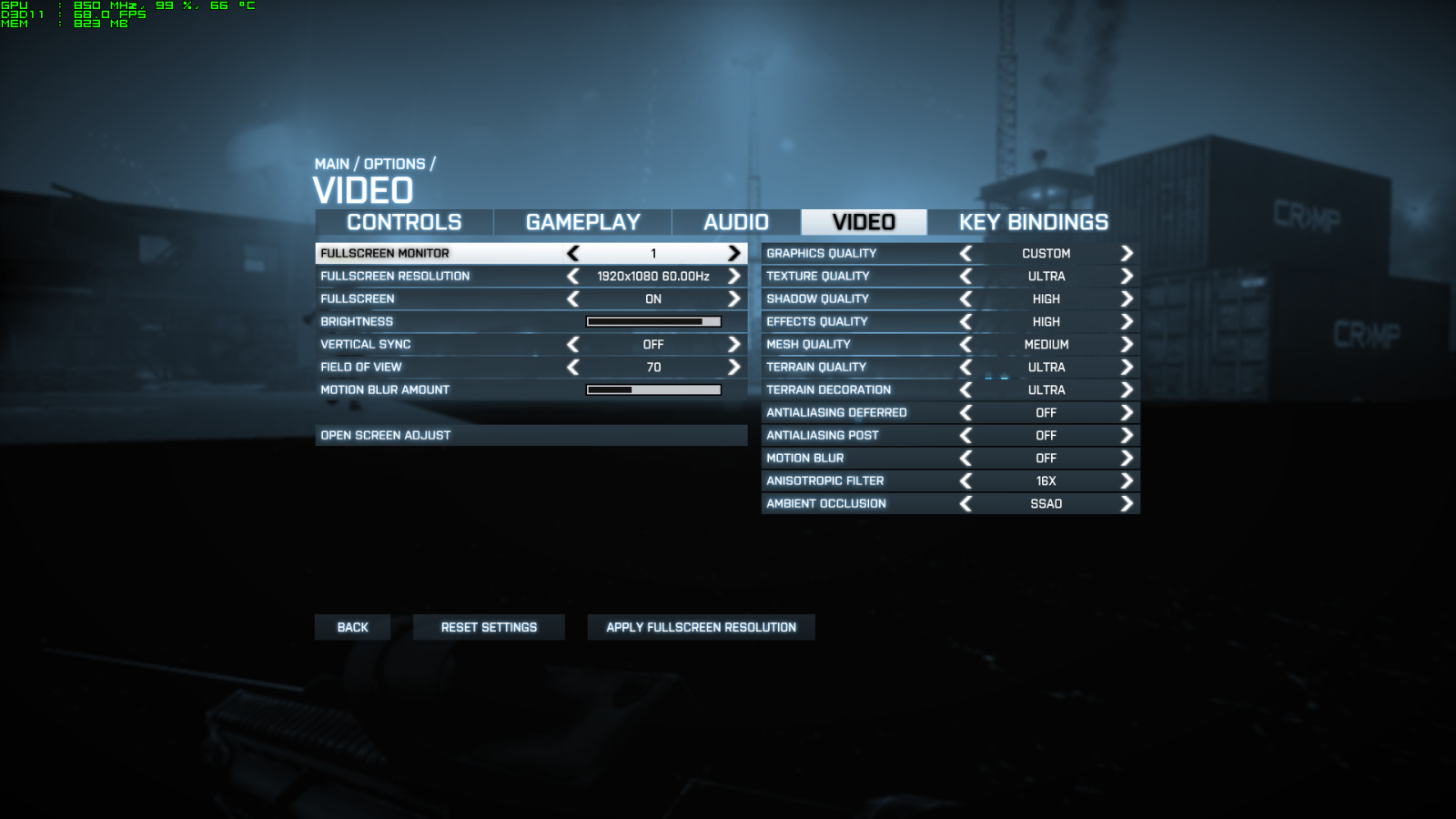
Not sure about running all ultras, but i use the following settings and i get about 50s average when pushing the clock to 850. Running at stock - 715 - i get about high 40s or so. Most if not all 460s can run comfortably at 800 but just watch your temp.
» Click to show Spoiler - click again to hide... «

QUOTE(jaz90 @ Oct 29 2011, 05:43 PM)
anyone know how to manually change virtual memory?
*
cmd prompt then:

bcdedit /set IncreaseUserVA 3072

to restore original:

bcdedit /deletevalue IncreaseUserVa

QUOTE(Ravenkean @ Oct 29 2011, 06:00 PM)
now trying underclock da GPU...
*
Have you fixed it ?
glamour
post Oct 30 2011, 11:37 AM

Under Cover Police
***
Junior Member
425 posts

Joined: Oct 2004
From: Penang


BF3 got 99 Problems.
hfi
post Oct 30 2011, 11:41 AM

On my way
****
Senior Member
598 posts

Joined: Aug 2006
QUOTE(glamour @ Oct 30 2011, 11:37 AM)
BF3 got 99 Problems.
*
I don't know, i have no problems with bf3. Not a single crash since beta - but i do get the occasional disconnection. Imo it's a very well optimized game.
Ravenkean
post Oct 30 2011, 12:37 PM

Bernice
****
Senior Member
682 posts

Joined: Sep 2005
From: Puchong Jaya, Selangor
try almost everything i can figure out n from forums... no luck... i lost hope..
hfi
post Oct 30 2011, 12:42 PM

On my way
****
Senior Member
598 posts

Joined: Aug 2006
Why don't you try the bcdedit above and see if it helps.
Ravenkean
post Oct 30 2011, 01:22 PM

Bernice
****
Senior Member
682 posts

Joined: Sep 2005
From: Puchong Jaya, Selangor
i read in nvidia n battlelog forums... seems lotsa ppl having freeze game issue... with lotsa differents GPU... seems its da games problems after da 1st patch...

ok... will try it now... let u know da result

- Nope doesnt work... still game freeze... -

This post has been edited by Ravenkean: Oct 30 2011, 01:34 PM
ignitez
post Oct 30 2011, 09:05 PM

New Member
*
Junior Member
21 posts

Joined: Sep 2006
My freeze was sound card related somehow, realtek on board sound card seems to be the culprit. Connected USB sound card then disabled on board sound card in bios helped at least for me.
TSCherryD
post Oct 30 2011, 09:13 PM

Getting Started
**
Junior Member
294 posts

Joined: Sep 2008
From: Petaling Jaya


user posted image

Guys here's my error, does anyone know what's the problem?
Is it due to my graphic card being unable to support the game? (I hear a lot of people saying to update it, can someone be kind enuff to guide me on how-to?)
If I need to change the graphic card, which would you guys recommend? Something substantial enuff to play the game, i'm kinda in a tight budget now.
Thanks in advance. blush.gif

This post has been edited by CherryD: Oct 30 2011, 09:13 PM
fipoch
post Oct 30 2011, 10:05 PM

Casual
***
Junior Member
487 posts

Joined: Dec 2004
From: Long Beach, CA


QUOTE(CherryD @ Oct 30 2011, 09:13 PM)
user posted image

Guys here's my error, does anyone know what's the problem?
Is it due to my graphic card being unable to support the game? (I hear a lot of people saying to update it, can someone be kind enuff to guide me on how-to?)
If I need to change the graphic card, which would you guys recommend? Something substantial enuff to play the game, i'm kinda in a tight budget now.
Thanks in advance.  blush.gif
*
What graphics card are you currently using?
TSCherryD
post Oct 30 2011, 10:12 PM

Getting Started
**
Junior Member
294 posts

Joined: Sep 2008
From: Petaling Jaya


QUOTE(fipoch @ Oct 30 2011, 10:05 PM)
What graphics card are you currently using?
*
NVIDIA MSI 9500GT 512S2
guardioo
post Oct 30 2011, 10:46 PM

Casual
***
Junior Member
360 posts

Joined: Jan 2003


i dont think 9500GT possible to play :<

TSCherryD
post Oct 31 2011, 12:43 AM

Getting Started
**
Junior Member
294 posts

Joined: Sep 2008
From: Petaling Jaya


Okay finally I managed to install and played but due to my awesomeness graphic card, its superrrrrrrr laggy even if i put everything to the lowest. So I was wondering if anyone could recommend any good for value graphic card under the budget of RM400?
ask_dino
post Oct 31 2011, 11:25 AM

DS is the name
*****
Senior Member
741 posts

Joined: May 2006
From: The City Of Petaling Jaya


I came across occasional crash when hit the button launch i.e., crash at DICE logo or BF3 logo

using ATI 6870

anybody care to share the idea to solve this and yes already update the driver to the latest version
olen
post Oct 31 2011, 11:46 AM

Getting Started
**
Junior Member
99 posts

Joined: Jan 2010
hi,i want to install bf3 to my second rig,how to install the bf3 using dvd?because right now origin start downloading via internet my bf3 and not like the 1st time i'm installing it 'download' using dvd..

sorry for my bad english and a noob question..

thanks..
Ravenkean
post Oct 31 2011, 12:20 PM

Bernice
****
Senior Member
682 posts

Joined: Sep 2005
From: Puchong Jaya, Selangor
QUOTE(hfi @ Oct 30 2011, 12:42 PM)
Why don't you try the bcdedit above and see if it helps.
*
try it... didnt work... still freeze after 5-10min game sweat.gif
sai86
post Oct 31 2011, 12:26 PM

StilL LearninG
*******
Senior Member
4,934 posts

Joined: Sep 2008
From: Setapak


QUOTE(CherryD @ Oct 31 2011, 12:43 AM)
Okay finally I managed to install and played but due to my awesomeness graphic card, its superrrrrrrr laggy even if i put everything to the lowest. So I was wondering if anyone could recommend any good for value graphic card under the budget of RM400?
*
Try find a 2nd hand 5850 or a new 1. it will do a superb job on BF 3 wink.gif or mayb 6850.
but need to make sure ur psu is not capalang o.

This post has been edited by sai86: Oct 31 2011, 12:27 PM
philip42
post Nov 1 2011, 04:15 PM

Regular
******
Senior Member
1,396 posts

Joined: Mar 2009


any1 know how to fix this?


Attached thumbnail(s)
Attached Image
Justeafy
post Nov 1 2011, 11:03 PM

Getting Started
**
Junior Member
171 posts

Joined: Apr 2008


Hey guys, I cant activate my BF3 through origin. Tried everything, believe me

So, does anyone have the EA support number to call for Malaysia/SE Asia region???
zero_hour
post Nov 2 2011, 11:59 AM

Regular
******
Senior Member
1,776 posts

Joined: Oct 2004


QUOTE(ask_dino @ Oct 31 2011, 11:25 AM)
I came across occasional crash when hit the button launch i.e., crash at DICE logo or BF3 logo

using ATI 6870

anybody care to share the idea to solve this and yes already update the driver to the latest version
*
new one ver. 11.10 ...u ald try?


Added on November 2, 2011, 12:56 pmhttp://battlefieldo.com/nvidia-ati-bf3-drivers-released/

check it smile.gif

This post has been edited by zero_hour: Nov 2 2011, 12:56 PM


Change to:
| Lo-Fi Version
0.0345sec    0.25    6 queries    GZIP Disabled
Time is now: 14th December 2025 - 04:55 PM