Outline ·
[ Standard ] ·
Linear+
HP Pavillion DV6-6XXX series Owners Lounge V4, -162 owners. Y U NO INTEL + AMD CFX!!
|
anson-san
|
 Oct 22 2011, 12:39 AM Oct 22 2011, 12:39 AM
|
New Member


|
Did anyone of you having the problem where laptop will suddenly hang for long time, then after clicked restart, it will "failed" to enter to bios, just remain at black screen?
I checked the event log, under application log there's error for ATI: ATI EEU failed to post message to CCC
Any solution for this? Reinstall the driver for ATI? My driver is the latest one as I just updated it 2 days ago.
T___T second time having this problem already..
|
|
|
|
|
|
TSAcid_RuleZz
|
Oct 22 2011, 01:36 AM
|
|
|
QUOTE(anson-san @ Oct 22 2011, 12:39 AM) Did anyone of you having the problem where laptop will suddenly hang for long time, then after clicked restart, it will "failed" to enter to bios, just remain at black screen? I checked the event log, under application log there's error for ATI: ATI EEU failed to post message to CCC Any solution for this? Reinstall the driver for ATI? My driver is the latest one as I just updated it 2 days ago. T___T second time having this problem already.. I guess driver issue since this guy also had the same problem. Did you enable taskbar autohide? |
|
|
|
|
|
louisfjh
|
Oct 22 2011, 05:12 AM
|
Getting Started
|
QUOTE(Acid_RuleZz @ Oct 21 2011, 04:11 PM) hmm.. both? » Click to show Spoiler - click again to hide... « |
|
|
|
|
|
TSAcid_RuleZz
|
Oct 22 2011, 10:34 AM
|
|
|
^ purge the driver and try install HP latest 8.830.6.3000  |
|
|
|
|
|
louisfjh
|
Oct 22 2011, 03:06 PM
|
Getting Started
|
QUOTE(Acid_RuleZz @ Oct 22 2011, 10:34 AM) ^ purge the driver and try install HP latest 8.830.6.3000 same ask last time how install the radean driver?? or click driver update?? |
|
|
|
|
|
TSAcid_RuleZz
|
Oct 22 2011, 03:10 PM
|
|
|
uninstall everything, wipe the driver with driver cleaner, reinstall hp driver and restart.
|
|
|
|
|
|
louisfjh
|
Oct 22 2011, 04:38 PM
|
Getting Started
|
QUOTE(Acid_RuleZz @ Oct 22 2011, 03:10 PM) uninstall everything, wipe the driver with driver cleaner, reinstall hp driver and restart. can give the link to dl the driver?? do it on intel GC driver rite? & driver cleaner is the driver sweeper?? |
|
|
|
|
|
TSAcid_RuleZz
|
Oct 22 2011, 05:48 PM
|
|
|
QUOTE(louisfjh @ Oct 22 2011, 04:38 PM) can give the link to dl the driver?? do it on intel GC driver rite? & driver cleaner is the driver sweeper?? yeah driversweeper.  1. Download. 2. Uninstall AMD driver, Reboot. 3. Enter safemode and sweep AMD display driver, reboot. 4. Install the new HP driver, reboot. |
|
|
|
|
|
louisfjh
|
Oct 22 2011, 07:46 PM
|
Getting Started
|
QUOTE(Acid_RuleZz @ Oct 22 2011, 05:48 PM) yeah driversweeper. 1. Download. 2. Uninstall AMD driver, Reboot. 3. Enter safemode and sweep AMD display driver, reboot. 4. Install the new HP driver, reboot. so mean do same like this lo http://forum.lowyat.net/topic/1986935/+1080 |
|
|
|
|
|
TSAcid_RuleZz
|
Oct 22 2011, 07:54 PM
|
|
|
yeah right.  |
|
|
|
|
|
louisfjh
|
Oct 22 2011, 08:39 PM
|
Getting Started
|
QUOTE(Acid_RuleZz @ Oct 22 2011, 07:54 PM) yeah right. the download u gave me is onliy driver rite?? so i also ned to install CCC software rite?? er.. make this GC driver so troublesome >< many problem |
|
|
|
|
|
anson-san
|
Oct 22 2011, 09:20 PM
|
New Member
|
QUOTE(Acid_RuleZz @ Oct 22 2011, 01:36 AM) I guess driver issue since this guy also had the same problem. Did you enable taskbar autohide? Nope, I didn't auto hide the task bar... anyway, this only will happen after I run the VMware (32bit version) for let say 1 hour... if normal usage, everything is as cool as James Bond! |
|
|
|
|
|
TSAcid_RuleZz
|
Oct 22 2011, 09:21 PM
|
|
|
QUOTE(louisfjh @ Oct 22 2011, 08:39 PM) the download u gave me is onliy driver rite?? so i also ned to install CCC software rite?? er.. make this GC driver so troublesome >< many problem No. Driver from HP give u px profile, display driver, switchable component & CCC. If u need AVIVO, OpenCL driver, HydraVision & Drag&Drop converting u need to overwrite with driver from AMD. |
|
|
|
|
|
yslceline
|
Oct 23 2011, 12:08 AM
|
New Member
|
QUOTE(Acid_RuleZz @ Oct 22 2011, 12:26 AM) ^ It is recommended to update everything.. what update available for you right now? 1. Realtek Local Area Network (LAN) Driver 2. IDT Audio driver 3. Intel rapid storage Technology Driver 4. Cyberlink YouCam Software <-- Im afraid to update this cuz Im afraid if anything would affect my webcam again, I just sent my laptop for warranty on the webcam, I don't want it to happen again  I really need advice  |
|
|
|
|
|
TSAcid_RuleZz
|
Oct 23 2011, 12:24 AM
|
|
|
^ meh.. maybe u can update the audio driver. others can ignore.
|
|
|
|
|
|
louisfjh
|
Oct 23 2011, 02:51 AM
|
Getting Started
|
QUOTE(Acid_RuleZz @ Oct 22 2011, 09:21 PM) No. Driver from HP give u px profile, display driver, switchable component & CCC. If u need AVIVO, OpenCL driver, HydraVision & Drag&Drop converting u need to overwrite with driver from AMD. oh so now i just ned to install the driver u ask me dl ar... noned install any DNA thingy or any CCC software o.. sry for so many question.. noob wif this driver thing...  |
|
|
|
|
|
TSAcid_RuleZz
|
Oct 23 2011, 11:51 AM
|
|
|
^ Yes. |
|
|
|
|
|
louisfjh
|
Oct 23 2011, 05:22 PM
|
Getting Started
|
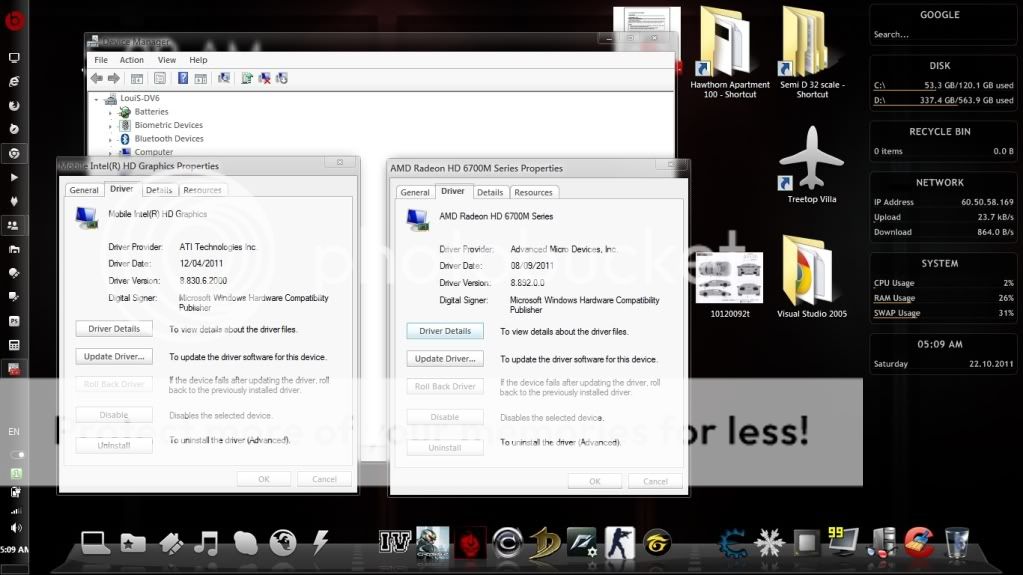
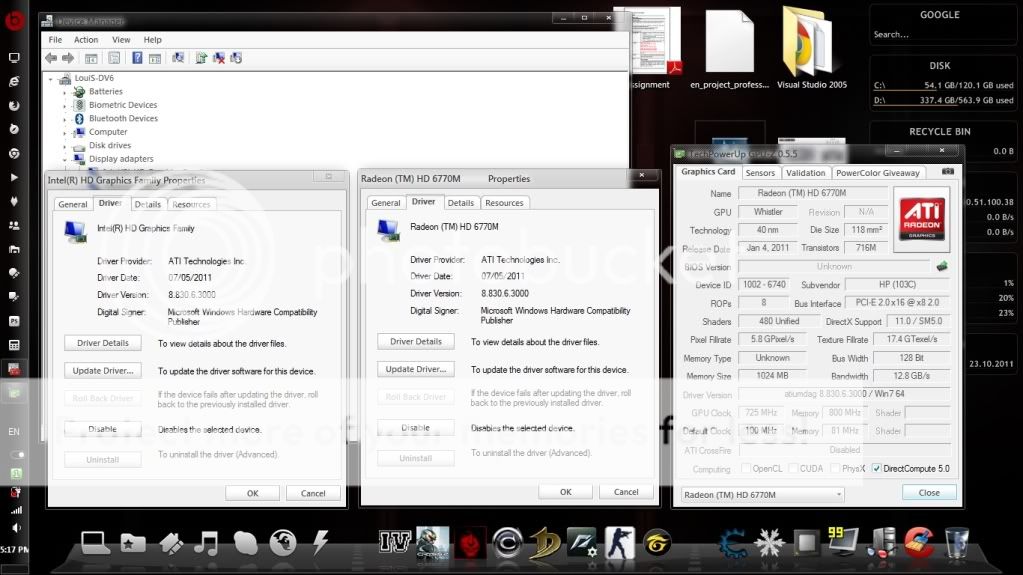
Acid... after remove & install... version back to 8.83 @@ memory type back to unknown... before » Click to show Spoiler - click again to hide... « after » Click to show Spoiler - click again to hide... « |
|
|
|
|
|
overloadedx
|
Oct 23 2011, 09:59 PM
|
New Member
|
Acid, is eboostr really useful? Ive seen it from your desktop screenshot. and btw,which amd driver are u using and which do u think is the best?  |
|
|
|
|
|
TSAcid_RuleZz
|
Oct 23 2011, 09:59 PM
|
|
|
you can ignore Gpu-Z.
Added on October 23, 2011, 10:08 pmQUOTE(overloadedx @ Oct 23 2011, 09:59 PM) Acid, is eboostr really useful? Ive seen it from your desktop screenshot. and btw,which amd driver are u using and which do u think is the best? IMO, eboostr improved my system response.. but i only use ram as cache drive. My cache/disk hit ratio is 60%. You can try any of these drivers... AMD 11.5b, DNA 11.5b, DNA 11.8.3, AMD 11.9. Right now i'm trying leaked AMD driver.. 8.892.x.xxx. This post has been edited by Acid_RuleZz: Oct 23 2011, 10:08 PM |
|
|
|
|



 Quote
Quote




 0.0190sec
 0.28
0.28
 6 queries
 GZIP Disabled