Outline ·
[ Standard ] ·
Linear+
DIY Vidock / egpu, transform ur laptop into gaming machine
|
ssassassa9
|
 Jan 18 2012, 12:15 AM Jan 18 2012, 12:15 AM
|
Getting Started


|
QUOTE(kizwan @ Oct 17 2011, 01:22 PM) PE4H kit = USD91 + USD22 (postage) = RM360 ATiAMD Radeon HD 6570 = RM230 Total = RM590 (excluding power supply) Radeon HD 6570 power requirement 60W (GDDR5) or 44W (DDR3). So, you can use 12V/75W or 12V/80W AC adpater. External monitor requirement is depend on your notebook specification. Please post your notebook model/brand & specification. I have a Toshiba M900, can you help me out please? |
|
|
|
|
|
ssassassa9
|
Jan 18 2012, 07:23 PM
|
Getting Started
|
@kizwan, ah crap I have a nvidea geforce 310M, and I do not have PCIe ports only have an expresscard 54... This means I wont be able to use an eGPU?
|
|
|
|
|
|
ssassassa9
|
Jan 18 2012, 08:04 PM
|
Getting Started
|
mPCIe port is the express card port right, the one tht normally laptops tht have it got some plastic card-like thingy which is inserted into it. If thts the case, I only have one..
|
|
|
|
|
|
ssassassa9
|
Jan 18 2012, 11:31 PM
|
Getting Started
|
QUOTE(kizwan @ Jan 18 2012, 09:10 PM) Please take a picture & post it here. If only one mPCIe port available, then definitely you can't optimized eGPU due to limited bandwidth. Graphic card will perform better with x2 link. FYI, instead graphic card, you also can connect sound card using this method. You know, if you want to connect desktop sound card to your notebook, like this. Here are all the ports I have, on the other side I have a USB, charger and LAN port. Not ports at the front, back and bottom. 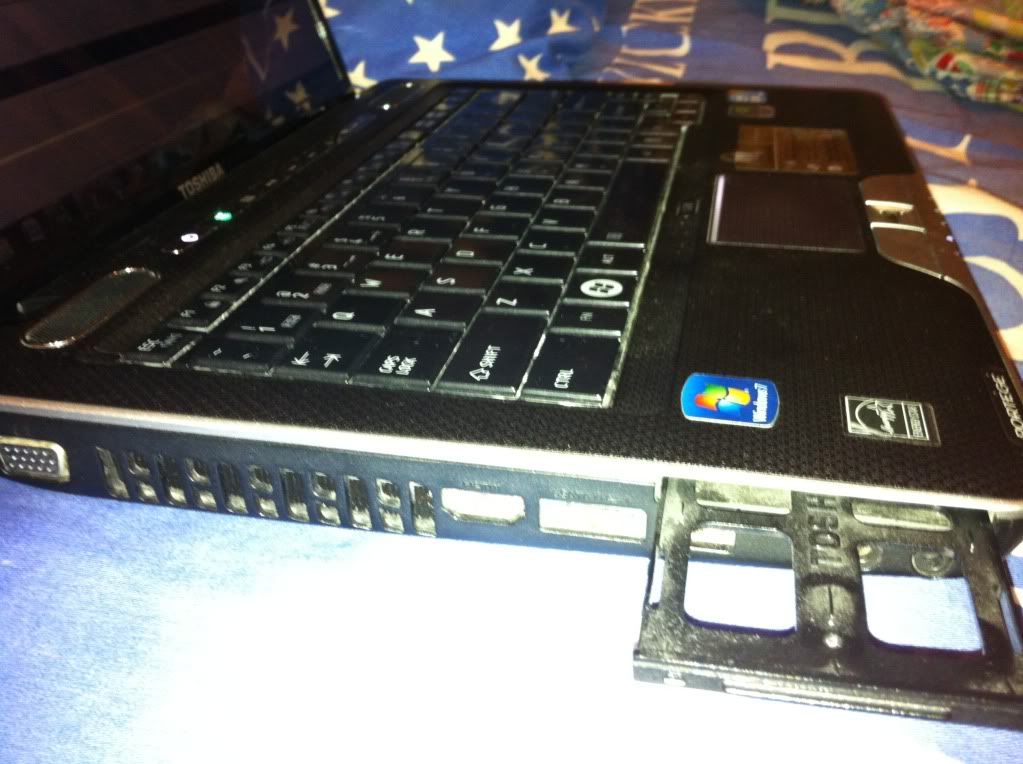 |
|
|
|
|
|
ssassassa9
|
Jan 19 2012, 11:17 AM
|
Getting Started
|
Nah confirmed bottom has no ports at all, and yeah its an expresscard 54 thts why its big... So i guess i wont be able to do it eh
|
|
|
|
|
|
ssassassa9
|
Jan 19 2012, 01:10 PM
|
Getting Started
|
QUOTE Did you open the RAM/HDD compartment? Now we need to find out whether your notebook can do x2 link or not. Oh I didn't, so I have to unscrew the little screw and open up the compartment into the HDD eh, alright will do it right now. EDIT: Oh well no luck, after unscrewing I don't see any ports 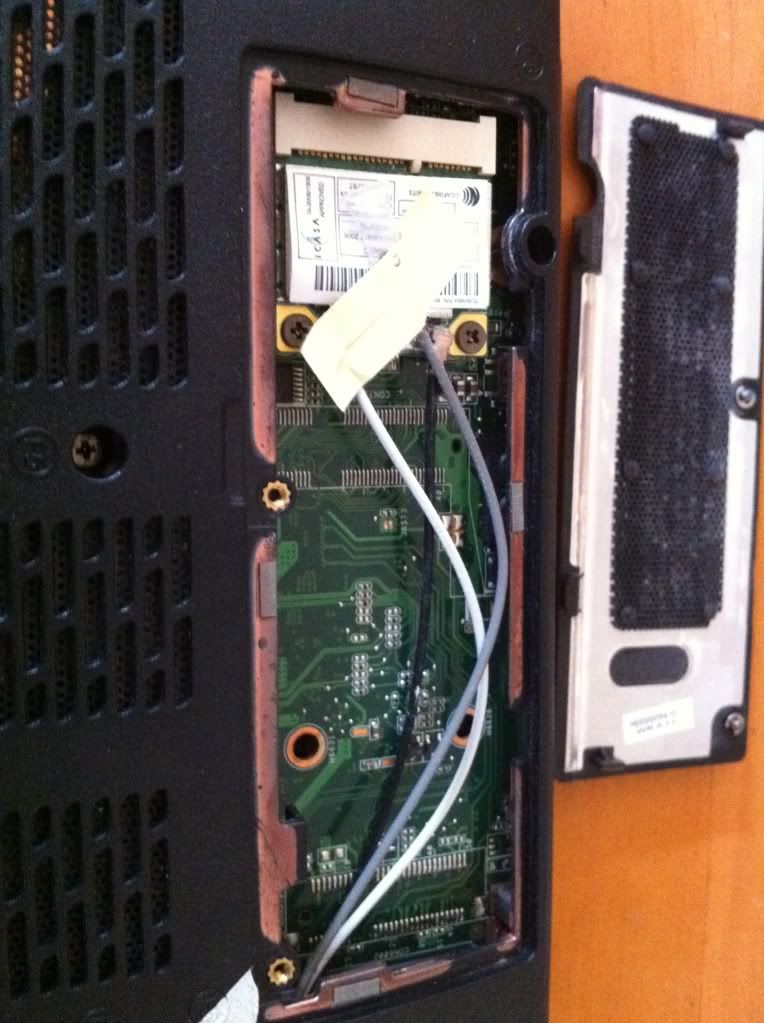 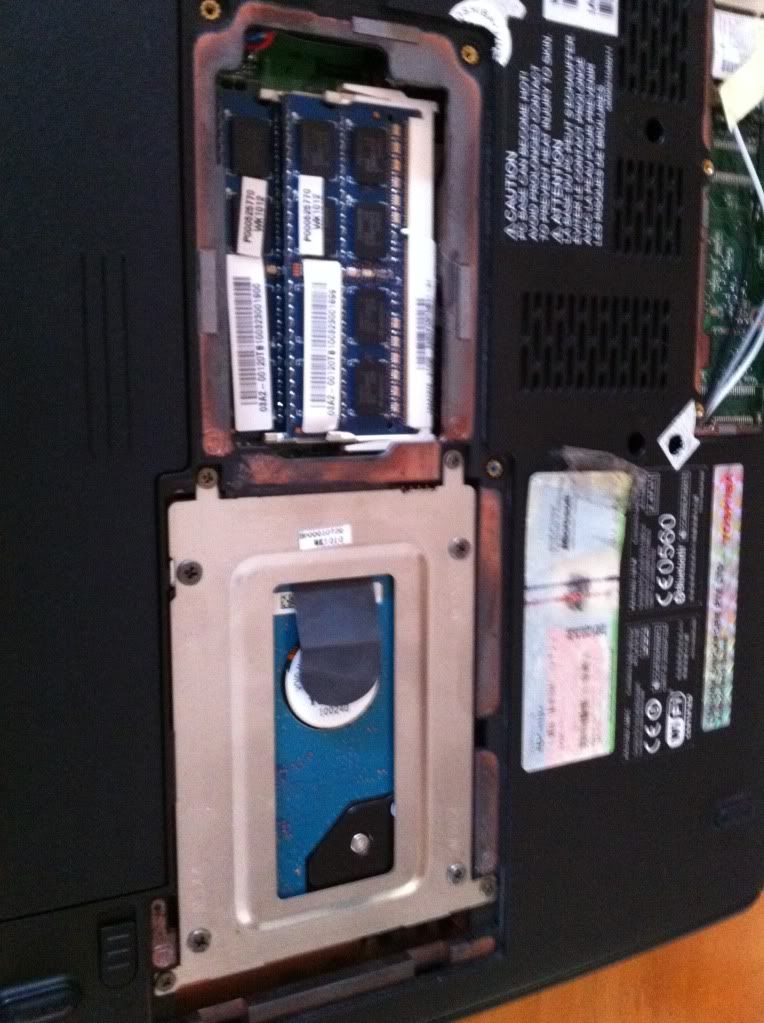 So, I have a expresscard slot, HDMI, eSATA, 2 usb, earphone/mic jack... Would any of these be useful though I doubt they are. This post has been edited by ssassassa9: Jan 19 2012, 01:33 PM |
|
|
|
|
|
ssassassa9
|
Jan 19 2012, 05:25 PM
|
Getting Started
|
Ahh, thr goes all my hope in an eGPU...
EDIT: Why does it have to be in proper numbers tho, eh 1,2 3,4 5,6
This post has been edited by ssassassa9: Jan 19 2012, 08:12 PM
|
|
|
|
|



 Quote
Quote

 0.0182sec
 0.61
0.61
 7 queries
 GZIP Disabled