Welcome Guest ( Log In | Register )

Bump Topic Topic Closed RSS Feed
11 Pages < 1 2 3 4 > » Bottom

Outline · [ Standard ] · Linear+

 HP Pavillion DV6-6XXX series Owners Lounge V3, -130 owners. Refreshed! Aww Yeah!!

views
     
chahupping
post Aug 18 2011, 10:49 PM

Getting Started
**
Junior Member
137 posts

Joined: May 2009
QUOTE(lee_what2004 @ Aug 18 2011, 11:41 PM)
Synaptic don't ever disable it, you will lose your multi touch, scrolling, etc. and if you did disable it, you will need to reinstall the driver for it to work again..

hmm, I don't have rundll32 running...
YouCam, you use webcam ?
*
nt really, so rundll32 can be disabled?

chahupping
post Aug 18 2011, 11:06 PM

Getting Started
**
Junior Member
137 posts

Joined: May 2009
QUOTE(Acid_RuleZz @ Aug 18 2011, 11:55 PM)
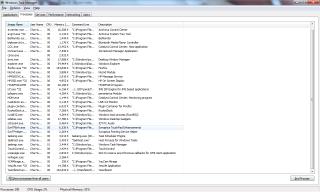
1) you need to check which process is using that rundll32.exe by enabling command line column in task manager and u need to disable that instead. like lee sifu, i don't have any run32dll.exe running either.
2) i disabled anything related to youcam coz i don't use it.


Added on August 18, 2011, 10:56 pmsomething related to run32dll.exe
*
the thing that run under rundll32.exe is windows host process(Rundll 32) and i have no idea what is that program. lol

chahupping
post Aug 18 2011, 11:43 PM

Getting Started
**
Junior Member
137 posts

Joined: May 2009
like this.


Attached thumbnail(s)
Attached Image
chahupping
post Aug 19 2011, 02:17 AM

Getting Started
**
Junior Member
137 posts

Joined: May 2009
here it is.


Attached thumbnail(s)
Attached Image
chahupping
post Aug 19 2011, 11:57 PM

Getting Started
**
Junior Member
137 posts

Joined: May 2009
QUOTE(Efalex @ Aug 20 2011, 12:46 AM)
How about having Acid demonstrate "Dismantling Your DV6" live show.... tongue.gif
*
+1, very agree! definitely will benefit 99ppl! XD
chahupping
post Aug 20 2011, 06:20 PM

Getting Started
**
Junior Member
137 posts

Joined: May 2009
QUOTE(Acid_RuleZz @ Aug 20 2011, 04:19 PM)
i don't know who else from KL.  hmm.gif
Is this thing work with normal mp3 or flac? Currently i'm using Equalizer, Channel Mixer, Dolby Headphone with BeatsAudio turn on.

i just swapped Channel Mixer with Free Surround and i think it's more gooding.
*
im frm kl, mayb we shud hold a small gathering?? can compare with each others if u guys arent shy. smile.gif smile.gif how to do the channel mixer thingy??

This post has been edited by chahupping: Aug 20 2011, 06:27 PM
chahupping
post Aug 21 2011, 07:37 PM

Getting Started
**
Junior Member
137 posts

Joined: May 2009
QUOTE(SRLee @ Aug 21 2011, 07:25 PM)
OK I got a replacement unit a few days ago.

So far, I'm pretty satisfied with my new laptop except that it gets pretty laggy, i.e. sometimes it takes up to 2 seconds for the text that I input to come out, or to switch Firefox tabs through clicking, or scrolling down a webpage after clicking a link, or just opening a blank new tab, etc. It takes a significantly longer time. What could be the problem here?

The AMD driver crash issue with Heroes of Newerth still exists, although it does recover for the 2 times I've encountered it.

The USB 3.0 transfer speeds is still bad, even after I reinstalled the driver (Renesas) from HP. At this moment of writing, I'm transferring 19.6GB of items (videos and documents) at a rate of 9.00MB/s to 9.86MB/s, which is absolutely horrible. I'm beginning to regret that I bought a USB 3.0 external hard drive.

CULPRIT DETECTED! WDSmartWare was backing up whatever I was putting into my laptop, I guess that's why my transfer speed suffered. Now my transfer speeds are slightly better. It fluctuates a lot. I was expecting a consistent >50MB/s of transfer rates with USB 3.0. However, USB 3.0 transfer speed is still more than double than the transfer speed of USB 2.0 (for the same item). I guess that's something good.

For comparison purposes, my USB 2.0 external hard drive is clocking speeds of 20MB/s to 26MB/s from a USB 2.0 port. Seriously. What is going on here? rclxub.gif

As a summary, my problems so far:

1. Laptop lagness.
2. AMD driver crash issue when hitting Windows key in Heroes of Newerth.
3. Extremely slow Slow USB 3.0 speed.

Any solutions?

UPDATE: AMD driver crashed during transferring of various data from external HD to internal HD. Screen blacked out for a second before becoming normal again. What is happening? I'm pretty sure transferring items don't need to use HD6770M. Note: I'm on fixed mode running HD6770m permanently.

*
what happen to ur previous unit?? how do u request for a replace unit??
chahupping
post Aug 22 2011, 04:05 PM

Getting Started
**
Junior Member
137 posts

Joined: May 2009
QUOTE(louisfjh @ Aug 22 2011, 06:46 AM)
last time who ask me try?? i forget.. here the result

play crisis 2 ard 1 n half hour..
coolest mode... U3 cooler
not air cond room...
satisfied  thumbup.gif
user posted image
*
what did u do to ur laptop?? reapply thermal?? or original unit??
chahupping
post Aug 23 2011, 09:19 PM

Getting Started
**
Junior Member
137 posts

Joined: May 2009
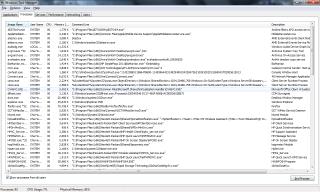
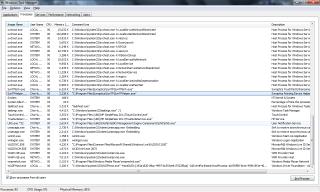
what thermal paste is the best?? if i end wrong process, can i still get it back?? which wan can i end?? if i nt using biomonitor can end??Attached Image Attached Image Attached Image

This post has been edited by chahupping: Aug 23 2011, 09:32 PM
chahupping
post Aug 24 2011, 12:03 AM

Getting Started
**
Junior Member
137 posts

Joined: May 2009
QUOTE(Acid_RuleZz @ Aug 24 2011, 12:54 AM)
Any using the touchpad? I found this nice application that work with the DV6 touchpad. No need to install.. just extract and run it. Great stuff.  thumbup.gif

Link: envyTouchPad

*
huh?? hwo to use?? i dl and run it, like normal only?? wat to play?? btw what bout Arctic MX-4?? saw one of the thread selling for rm30??
chahupping
post Aug 24 2011, 12:18 AM

Getting Started
**
Junior Member
137 posts

Joined: May 2009
QUOTE(Acid_RuleZz @ Aug 24 2011, 01:12 AM)
just run it.. and play with the setting altho the default setting is pretty good for me just that i need to reduce the sensitivity.

try 2 finger scrolling with and without this app. tongue.gif
another thing to mention is 2 fingers tap for right click action and 3 fingers tap for middle click action.

i saw tuniq-tx2 for rm17 at lelong...


Added on August 24, 2011, 12:14 ammake sure u disable 2 fingers scrolling and 3 fingers press in synaptic properties.
*
http://forum.lowyat.net/topic/1619245
so what will be the best performance, IC Diamond 7?? acid, mind checking ur inbox?? ^^
chahupping
post Aug 24 2011, 02:33 AM

Getting Started
**
Junior Member
137 posts

Joined: May 2009
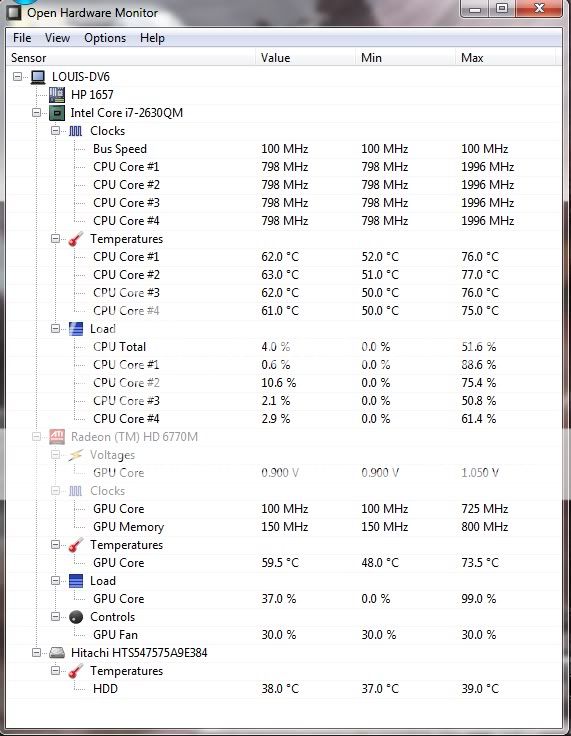
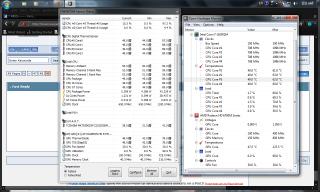
i think there is a bug for openhardwaremonitor, see the gpu temp.


EDITED: dun care bout the cpu temp, i was playing sc2 for>6hours.and in the middle of playing only i open openhardware monitor, so its diff.

This post has been edited by chahupping: Aug 24 2011, 02:35 AM


Attached thumbnail(s)
Attached Image
chahupping
post Aug 24 2011, 02:38 AM

Getting Started
**
Junior Member
137 posts

Joined: May 2009
QUOTE(lee_what2004 @ Aug 24 2011, 03:37 AM)
That's why use that registry laugh.gif
hmm, same problem with ngkhanmein's HD5650..
*
did he fix it?? so its hardware or software?? dun scare me, if 127degree celcious gone la my gpu. cry.gif cry.gif cry.gif
chahupping
post Aug 24 2011, 02:43 AM

Getting Started
**
Junior Member
137 posts

Joined: May 2009
QUOTE(lee_what2004 @ Aug 24 2011, 03:41 AM)
Didn't fix it. Most likely a bug, if your GPU really reach that, its an instant OFF.
Btw, did you resize the screenshot?

*
er.. i din't?? why?? too small??

chahupping
post Aug 24 2011, 02:46 AM

Getting Started
**
Junior Member
137 posts

Joined: May 2009
QUOTE(lee_what2004 @ Aug 24 2011, 03:44 AM)
Because its 1280x768,
shouldn't your screen resolution should be 1366x768 ?
*
how to fix it?? last time i use to get, the screen resolution is not optimized, pls click here for help ballon. LOL. dunno wat i did and the thing din come out anymore.
chahupping
post Aug 24 2011, 02:48 AM

Getting Started
**
Junior Member
137 posts

Joined: May 2009
QUOTE(lee_what2004 @ Aug 24 2011, 03:47 AM)
Right click the desktop, screen resolution, adjust there.
*
WOW!! din knw my laptop was this nice.. LOL~

EDITED: another problem encountered, my taskbar doesnt seem to autohide itself?? i already confrim i untick the lock taskbar box. CONFIRMED!

This post has been edited by chahupping: Aug 24 2011, 02:49 AM
chahupping
post Aug 24 2011, 02:50 AM

Getting Started
**
Junior Member
137 posts

Joined: May 2009
QUOTE(lee_what2004 @ Aug 24 2011, 03:49 AM)
You didn't feel something kinda wrong with the display before?
*
er.. kinda good for me d. cause i wont be looking at the desktop, will be gaming or videos once my laptop is boot. rclxms.gif rclxms.gif

yes, i tick that too. sometimes it autohid, sometimes it doesnt. isit i end something in my process causing it that?


This post has been edited by chahupping: Aug 24 2011, 02:51 AM
chahupping
post Aug 24 2011, 02:54 AM

Getting Started
**
Junior Member
137 posts

Joined: May 2009
QUOTE(lee_what2004 @ Aug 24 2011, 03:52 AM)
Shouldn't be, that's a Windows feature..

Could be something asking for attention/blinking ?
*
er.. i dun think so, cause i only have mozilla running right now.
chahupping
post Aug 24 2011, 02:56 AM

Getting Started
**
Junior Member
137 posts

Joined: May 2009
QUOTE(lee_what2004 @ Aug 24 2011, 03:56 AM)
Like that I'm not sure.
I guess the only way fix it is untick the auto-hide, apply then tick it back..
*
i tried it almost 100 times d. cry.gif cry.gif
chahupping
post Aug 24 2011, 03:06 AM

Getting Started
**
Junior Member
137 posts

Joined: May 2009
QUOTE(lee_what2004 @ Aug 24 2011, 04:00 AM)
or try exit some program on the system tray, maybe that one keep causing the taskbar to appear..
*
http://www.tomshardware.com/forum/35061-45...kbar-doesn-work
i tried his method, lol. suprisingly it works.

11 Pages < 1 2 3 4 > » Top
Topic ClosedOptions
 

Change to:
| Lo-Fi Version
0.0496sec    0.28    7 queries    GZIP Disabled
Time is now: 6th December 2025 - 02:46 AM