Welcome Guest ( Log In | Register )

5 Pages < 1 2 3 4 > » Bottom

Outline · [ Standard ] · Linear+

Hardware Hackintosh Thread V2.0, The Official OSX86 Thread (Hardware)

views
     
wanna be hi-tech
post Jun 10 2014, 03:39 PM

Any self respecting GEEK, certainly owns more than a single rig
******
Senior Member
1,598 posts

Joined: Jan 2010


QUOTE(wiraone @ Jun 10 2014, 01:36 PM)
It seems that your motherboard has only D-sub port (VGA) and Mavericks doesn't support VGA output anymore, so I don't think you could use the internal GPU. Now guess the only way to go forward is to get your 5750 kext to work.
*
Ic..ok. On board vga doesn't matter. As. Long as e 5750 works...I will capture the multibeast settings.... Let's see if you can help with it.... Thx smile.gif

This post has been edited by wanna be hi-tech: Jun 10 2014, 04:06 PM
wanna be hi-tech
post Jun 11 2014, 12:30 AM

Any self respecting GEEK, certainly owns more than a single rig
******
Senior Member
1,598 posts

Joined: Jan 2010


QUOTE(wiraone @ Jun 10 2014, 01:36 PM)
It seems that your motherboard has only D-sub port (VGA) and Mavericks doesn't support VGA output anymore, so I don't think you could use the internal GPU. Now guess the only way to go forward is to get your 5750 kext to work.
*
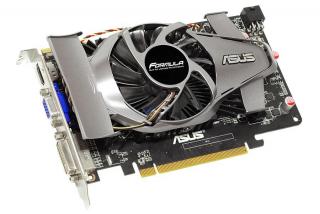
damn.... sweat.gif what a day, the link which u gave me was the same link which i quoted. However that kext would have never worked coz it was for 10.9.2's failure. My Mavericks is already 10.9.3., no wonder it ddnt work.

Re-installed a zillion times, nothing worked. However a detailed scavenging had let me to http://www.osx86.net/files/file/3643-ati-r...0#commentsStart

Attached Image

This guy is a genius... he meddled with both 9.2 & 9.3 in order to perfect it. Just a single install and WOW it WORKED... rclxm9.gif rclxm9.gif All the searching day and night...came to an end.. whistling.gif

Now i have selection for resolution and options for dual monitors rclxm9.gif Will post the captures later. However ive become greedy and tried triple monitors brows.gif , which ddnt work out unsure.gif, but i guess there must be a way around it.

Now the need to add a wifi hardware.. icon_idea.gif

Thanks to you for your prompt replies thumbup.gif
wanna be hi-tech
post Jun 11 2014, 01:04 PM

Any self respecting GEEK, certainly owns more than a single rig
******
Senior Member
1,598 posts

Joined: Jan 2010


QUOTE(wiraone @ Jun 11 2014, 09:58 AM)
Great to know that you got yours working now, just realised the GC has two outputs smile.gif Triple monitors requires you to use the internal GPU I guess since your motherboard has only VGA, this won't be supported. But you could stream to AppleTV if you've one by enabling the internal GPU.

On the WIFI hardware, I'm using the TP-Link which work out of box. Do check the discussion board in tonymacx86, under 10.9 network section.
*
Whn u mentioned....2 outputs, did you mean the Eah5750 ? My 5750 has 3 outputs , which is a norm I guess.
Attached Image

Actually when I connected all 3 monitors, the ones connected to Dvi & hdmi showed the bios kick in, but the apple booting logo appeared on the one connected to the vga output of the Gc, the Dvi & hdmi were blank, however upon login in, the monitor connected to the vga output of the Gc does not work. Not a big issue but will scavenge for results...
Thanks thumbup.gif
wanna be hi-tech
post Jun 11 2014, 01:44 PM

Any self respecting GEEK, certainly owns more than a single rig
******
Senior Member
1,598 posts

Joined: Jan 2010


QUOTE(wiraone @ Jun 11 2014, 09:58 AM)
Great to know that you got yours working now, just realised the GC has two outputs smile.gif Triple monitors requires you to use the internal GPU I guess since your motherboard has only VGA, this won't be supported. But you could stream to AppleTV if you've one by enabling the internal GPU.

On the WIFI hardware, I'm using the TP-Link which work out of box. Do check the discussion board in tonymacx86, under 10.9 network section.
*
This is the outcome...

Attached Image Attached Image Attached Image
Attached Image Attached Image

But, i was surprised to see tool bar in the second screen as well. In mountain lion, there is no tool bar in the second monitor...or is there a setting which can be meddled with. i am sure there is.

This post has been edited by wanna be hi-tech: Jun 11 2014, 01:46 PM
wanna be hi-tech
post Jun 30 2014, 01:25 PM

Any self respecting GEEK, certainly owns more than a single rig
******
Senior Member
1,598 posts

Joined: Jan 2010


Hey Wira,
Which model of tp link adapter are u using ...... Urs is the card or USB adapter ?
wanna be hi-tech
post Jul 1 2014, 10:12 AM

Any self respecting GEEK, certainly owns more than a single rig
******
Senior Member
1,598 posts

Joined: Jan 2010


QUOTE(wiraone @ Jun 30 2014, 07:00 PM)
Mine is the pci card, tl-wdn4800
*
Ic, I am thinking of getting an USB adapter type, for flexibility....since I can use it on other machines as well. Is Prolink ok ? http://download.prolink2u.com/br/br_PAN2001_29.08.2012.pdf any reason I shoudnt get this ?
It is suppose to be Mac compatible.

Any tp-link USB adapters that works wit a Mac ? Thx...

This post has been edited by wanna be hi-tech: Jul 1 2014, 10:14 AM
wanna be hi-tech
post Jul 2 2014, 03:29 PM

Any self respecting GEEK, certainly owns more than a single rig
******
Senior Member
1,598 posts

Joined: Jan 2010


QUOTE(wiraone @ Jun 30 2014, 07:00 PM)
Mine is the pci card, tl-wdn4800
*
Dude, whn u mentioned that, all tp link adapters work out of the box..... Did u mean that tp link driver are incorporated in the multibeast ? Coz evry tp link adapter I check out ... Does not mention it is Mac compatible. So I am sure that there won't be any drivers included for Macs. Even the model u mentioned does not state that it is Mac compatible, so whr did u get the driver for it .... Thx
wanna be hi-tech
post Jul 3 2014, 04:11 PM

Any self respecting GEEK, certainly owns more than a single rig
******
Senior Member
1,598 posts

Joined: Jan 2010


QUOTE(wiraone @ Jul 2 2014, 10:58 PM)
Not all are working out of the box, tplink doesn't provide drivers, most of their products use the same chipset as what Apple use, that is why they're working without third party drivers. You need to search around, I don't think there is a list available. Check tonymacx86 forum, here is the link: http://www.tonymacx86.com/network/ .. and check insanelymac forum http://www.insanelymac.com/forum/forum/152-lan-and-wireless/ ..
*
Well, i am screwed up with installing a prolink usb adapter, installed e softwares. N yet not sucessful.... Shit... Nw hv to break my head over it mad.gif
wanna be hi-tech
post Jul 6 2014, 09:25 PM

Any self respecting GEEK, certainly owns more than a single rig
******
Senior Member
1,598 posts

Joined: Jan 2010


QUOTE(eddmecha @ Jul 3 2014, 07:50 AM)
hi..wanna ask is there anyone here is familiar/good with clover setup?coz i can't get maverick to boot from hdd itself.tried install chameleon/chimera but still cannot...:'(
*
U guys mind telling me what is the advantage of using clover rather than unibeast... smile.gif
wanna be hi-tech
post Jul 7 2014, 12:02 AM

Any self respecting GEEK, certainly owns more than a single rig
******
Senior Member
1,598 posts

Joined: Jan 2010


QUOTE(wiraone @ Jul 6 2014, 10:08 PM)
Supposedly with UEFI BIOS, it will be much easier to install using clover compared to unibeast, but I found it otherwise. Probably I'm very used to unibeast .. but I've tried creating the clover USB boot drive twice, both failed to boot up the installer.
*
so its just about the type of bios, not that installation with clover has an advantage or why so ever...thanks.
wanna be hi-tech
post Jul 18 2014, 01:50 PM

Any self respecting GEEK, certainly owns more than a single rig
******
Senior Member
1,598 posts

Joined: Jan 2010


QUOTE(pristine @ Jul 18 2014, 01:08 PM)
oh? coz I found them on the online store. I have an apple id. any version will do for a fresh install?
*
Why would you want to buy an Osx, whn u can download Mavericks for free...it's a legit download frm App Store...
Further u have an Apple ID .
Once u download it....jus capture the image, and create a stick with it. But u dnt hav a mac ? Is that the case ? I just recently ran the Hack, Wiraone had pointed out a few links.....Whr is ur location? In KL ? If u are in KL., pm me. Might be able to help u.


wanna be hi-tech
post Jul 18 2014, 04:10 PM

Any self respecting GEEK, certainly owns more than a single rig
******
Senior Member
1,598 posts

Joined: Jan 2010


QUOTE(peet @ Jul 18 2014, 02:36 PM)
Anyone can advise how I can get started on a Hackintosh with a budget below rm1,000? It need not be the latest/fastest as I just need it to run Photoshop & Indesign. TQ
*
For 1k.... U can run a decent hack I believe. U should take a look at this....this is the website, the sifus in here pointed me to. http://www.tonymacx86.com/43-simplest-mac-...tion-guide.html

This website more guides...u need to explore. I also found decent help from other Hackintosh sites.... But this site would b a good start.

Wiraone always helps out with the queries here.
wanna be hi-tech
post Jul 19 2014, 09:49 AM

Any self respecting GEEK, certainly owns more than a single rig
******
Senior Member
1,598 posts

Joined: Jan 2010


QUOTE(pristine @ Jul 19 2014, 01:01 AM)
Eh? I thought you needed a previous version of OS X to be able to download maverick?

I don't have a mac but I have an iPhone and iPads. Haha.

I'm in Subang, but will shoot you a PM anyway. Thanks bro.
*
True, but u don't have a Mac. So u need to get hold of someone who has a Mac! Just need to create the installer with the thumb, and you are ready for a clean install.

This post has been edited by wanna be hi-tech: Jul 19 2014, 09:50 AM
wanna be hi-tech
post Jul 19 2014, 09:53 AM

Any self respecting GEEK, certainly owns more than a single rig
******
Senior Member
1,598 posts

Joined: Jan 2010


QUOTE(peet @ Jul 18 2014, 11:17 PM)
Thanks so much. I wonder if there is a one-stop shop at Digimall or Lowyat where I can get all the stuff and put it together for a Hackintosh?
*
Dude....u can pretty much get everything at a single stop at Low Yat.... But be sure to check for compatibility to avoid unwanted hair splitting stress....and sleepless nights....
wanna be hi-tech
post Jul 21 2014, 11:11 PM

Any self respecting GEEK, certainly owns more than a single rig
******
Senior Member
1,598 posts

Joined: Jan 2010


QUOTE(Think_Different @ Jul 21 2014, 06:54 PM)
Guys,

Can i update directly from ML to Mavericks without clean install.(Just double click and install).
*
Yes u can, I have, not in a Hackintosh but in a Macintosh. But i assume there is no difference. If the correct procedure is not followed....u will end up with a clean install... cry.gif cry.gif

To ensure nothing such as that occurs......

# download mavericks from app store
# make sure u are downloading in the Mac which you want to upgrade
# Mavericks will download in ur APPLICATIONS FOLDER
# ensure its in that folder
# upon completion of download, the process will take you through...just follow
# to be extra careful, clone or create an image of ur ML....just in case !
wanna be hi-tech
post Jul 22 2014, 05:09 PM

Any self respecting GEEK, certainly owns more than a single rig
******
Senior Member
1,598 posts

Joined: Jan 2010


QUOTE(onscreen @ Jul 22 2014, 04:33 PM)
Yes you can update directly from ML to Mavericks but you need to prepare a bootable USB stick for Mavericks (with the proper boot loader) in order to do so. Install over an existing OS X and you are done.

Update any drivers you need and everything will be normal again.
*
Why do u need a bootAble disk to install mavericks when it can be installed immediately upon downloading it in ML...
wanna be hi-tech
post Aug 4 2014, 03:28 PM

Any self respecting GEEK, certainly owns more than a single rig
******
Senior Member
1,598 posts

Joined: Jan 2010


QUOTE(azrilyp @ Aug 3 2014, 04:22 PM)
are there any service to setup hackintosh? I really love to get it on my old PC but don't have the time to do so.
*
Look in garage sale.... There threads offering Hackintosh services.
wanna be hi-tech
post Aug 4 2014, 04:22 PM

Any self respecting GEEK, certainly owns more than a single rig
******
Senior Member
1,598 posts

Joined: Jan 2010


QUOTE(wiraone @ Aug 4 2014, 03:34 PM)
Go to terminal, do sudo nano /Extra/org.chameleon.Boot.plist edit and save.

What profile do you use for smbios.plist? I'm using MacPro3,1.
*
U know a lot about hackintoshes! I have a lot to learn!
wanna be hi-tech
post Oct 21 2014, 08:01 PM

Any self respecting GEEK, certainly owns more than a single rig
******
Senior Member
1,598 posts

Joined: Jan 2010


QUOTE(wiraone @ Oct 17 2014, 12:37 PM)
Done![attachmentid=4174372]
*
Wow...u are running it. Did u do a fresh install or just over Mavericks ....
wanna be hi-tech
post Oct 21 2014, 11:31 PM

Any self respecting GEEK, certainly owns more than a single rig
******
Senior Member
1,598 posts

Joined: Jan 2010


QUOTE(mikelanding @ Oct 21 2014, 10:52 PM)
If game a lot with different game. OSX is not suitable for you because most latest game don't support OSX
*
+1 If You want to game.... Then look out the window...

5 Pages < 1 2 3 4 > » Top
 

Change to:
| Lo-Fi Version
0.0331sec    0.50    7 queries    GZIP Disabled
Time is now: 11th December 2025 - 03:19 AM