Welcome Guest ( Log In | Register )

Bump Topic Topic Closed RSS Feed

Outline · [ Standard ] · Linear+

Unifi Official TM UniFi High Speed Broadbrand Thread V9, save RM200 from 16 February - 31 March !

views
     
klseet
post Feb 16 2011, 11:17 AM

Getting Started
**
Junior Member
130 posts

Joined: Mar 2008
RB750/750G users & sifu out there,

Just setup rather basic dummy QoS based on Firewall Mangle & Queue Tree priority:
http://klseet.com/index.php?option=com_con...id=45&Itemid=42

Not sure whether this is the right direction, really need your expert advice/comment to make it better notworthy.gif :
On the Layer7 thing, still not sure, my concern it's too complicated and it does take up while heavy resource on CPU....

On the Firewall part, thanks Riz for your sharing through PM, will need to check whether I have left out or overlook ! nod.gif
Appreciate others can advise/comment further on this section as well, thanks ! smile.gif
klseet
post Feb 20 2011, 11:01 AM

Getting Started
**
Junior Member
130 posts

Joined: Mar 2008
May I know if any Huawei HG655a VDSL user here actually bought a TL-WR841ND V7.x (with beta firmware) ?

I’ve been trying to seek for someone to help collect test data for TP-Link engineer to trouble-shoot, as I don’t have a HG655a with me, I’m still looking for a volunteer to perform this task.

Pre-requisite:
1. Currently using HG655a VDSL (high-rise)
2. Already bought a TL-WR841ND V7.x
3. Require a Ethernet hub and some cat cables
4. Prefer to have a WinXP computer
5. Use WireShark to capture data
6. Once confirmed, I’ll email the detail test scenario

I believe currently this is the only BTU that the beta firmware unable to work well, appreciate if someone out there is kind enough to help to improve the beta firmware and also help the community here, credit will definitely goes to you! nod.gif

Please either PM or email me: klseet@gmail.com

Thanks in advance! smile.gif

klseet
post Feb 20 2011, 07:28 PM

Getting Started
**
Junior Member
130 posts

Joined: Mar 2008
QUOTE(ic3johan @ Feb 20 2011, 04:28 PM)
hey klseet thx a lot for the  guide, priceless internet exprience now
*
QUOTE(contreasjun27 @ Feb 20 2011, 06:07 PM)
hey sifu sifu I just bought the TP-Link TL-WR841N Router...but I dont know how to configure the router...it keep fail? is not step by step meh??? need help...feel so devastating..and my current lousy DLink Router sux to the max!!! only got connection at 1st floor...2nd floor is terrible...
*
Guys, I believe some IT shops out there started to sell TL-WR841ND "pre-loaded" with the beta firmware.

I'm not sure whether those IT shops out there give any warning, please take note again, the beta firmware DOES NOT work properly on Huawei HG655a VDSL ! shakehead.gif

And that's the reason I'm looking for a volunteer to help collect data for further trouble-shooting ! icon_question.gif

If you bought a unit without the beta firmware, you may download it from: http://www.4shared.com/file/QetQoguC/TL-WR841-UniFi.html
and refer setup here: http://klseet.com/index.php?option=com_con...e&id=7&Itemid=6

This post has been edited by klseet: Feb 20 2011, 07:28 PM
klseet
post Feb 21 2011, 01:42 AM

Getting Started
**
Junior Member
130 posts

Joined: Mar 2008
QUOTE(contreasjun27 @ Feb 21 2011, 12:23 AM)
done flashing the firmware and now my TP-Link is working perfect...but right now the problem is with my phone...is keeps showing base 1, and I couldnt call out with my unifi sob sob icon_question.gif  icon_question.gif  icon_question.gif
*
What BTU are you using? Can you use the phone if using DIR-615?

The VOIP vlan.400 is handled by the BTU, that beta firmware on the TL-WR841ND only handle vlan.500 & 600 for internet & IPTV, it should not affect VOIP.

QUOTE(carbonfibre @ Feb 21 2011, 01:08 AM)
Anybody exceeded the 60GB for VIP5 ? And didn't kena throttle for it please tell me , KL Area..
Im worried to let loose my torrents now =_= later hit the roof then throttle..
*
QUOTE(RayKazansky @ Feb 21 2011, 01:12 AM)
I think I am starting to get it. Dwnlds are slower than normal.
*
I've downloaded about 110G through uTorrent since 1Feb, so far never encounter any slow down, everything seem to be ok! nod.gif
user posted image
klseet
post Feb 21 2011, 09:36 AM

Getting Started
**
Junior Member
130 posts

Joined: Mar 2008
Yeah, before they cap, download kuat-kuat now! tongue.gif

I haven't really decide whether to go Biz5 if they start capping as I really want the IPTV, such a dilemma .... sad.gif

The only thing I hope they don't throttle P2P .... nod.gif
klseet
post Feb 21 2011, 10:58 AM

Getting Started
**
Junior Member
130 posts

Joined: Mar 2008
QUOTE(billytong @ Feb 21 2011, 10:10 AM)
...Infact right now I couldnt have time to even finish what I have DLed.....
Same here, been buying HDD to keep those downloaded stuff, really have no time to watch/enjoy it ! sweat.gif

I guess eventually the cap may make me to "behave" a bit ! tongue.gif
klseet
post Feb 24 2011, 11:31 PM

Getting Started
**
Junior Member
130 posts

Joined: Mar 2008
RB750/750G users & sifu:

Does anyone managed to update the latest version v4.16 on your RB base on WinBox method?

I can only upgrade through FTP method which I just posted here:
http://www.klseet.com/index.php?option=com...id=46&Itemid=43

Please comment/suggest further, thanks! smile.gif


QUOTE(bijanto @ Feb 24 2011, 10:07 PM)
...operation suck hard2 begin  tongue.gif
user posted image
drool.gif  drool.gif
kalo forever speed like this kan best...
*
Walua-er, you are so damn lucky man, really can download gao-gao liao la!! flex.gif sweat.gif

Win7 SP1 is out already, better go download the complete pack (32+64) quickly!
klseet
post Feb 25 2011, 08:20 AM

Getting Started
**
Junior Member
130 posts

Joined: Mar 2008
QUOTE(JinXXX @ Feb 25 2011, 12:01 AM)
well i upgraded to latest version using winbox method..
drag and drop and reboot the router smile.gif
*
I'm using Win7 with latest WinBox, it always show "router disconnect" after I drag the file onto the File list, after re-login again, it only show the file with zero size.
I don't know what's wrong, suspecting either the Firewall rules or Services which I disabled ..... unsure.gif

QUOTE(rattan @ Feb 25 2011, 12:19 AM)
How is the latest fw update ? Makes router more stable ?
*
You may check the change log here:
http://www.mikrotik.com/download/CHANGELOG_4

It's recommended to upgrade newer Stable version when become available.
klseet
post Feb 25 2011, 08:41 AM

Getting Started
**
Junior Member
130 posts

Joined: Mar 2008
My WinBox is v2.2.18 on Win7 x32
connect using MAC address method
Are you using similar Firewall rules and did you disable all of those services?

This post has been edited by klseet: Feb 25 2011, 08:42 AM
klseet
post Mar 2 2011, 07:04 PM

Getting Started
**
Junior Member
130 posts

Joined: Mar 2008
QUOTE(IwanAGP @ Mar 2 2011, 06:54 PM)
No issue on amazon.com/foursquare.com/farmville.com/groupsmore.com
all opened up smooth
ip: 110.159.xxx.xxx
*
Same here, no problem accessing sites that I want to visit.
I'm on 110x IP and using OpenDNS 208.67.222.222 & 208.67.220.220 smile.gif
klseet
post Mar 2 2011, 07:39 PM

Getting Started
**
Junior Member
130 posts

Joined: Mar 2008
I think TM screw up routing issue, again doh.gif
Previously when I started to get 175x IP, there are few cases where I'm "located" in Kalimantan ... sweat.gif

That's why I always avoid 175x whenever possible!
klseet
post Mar 9 2011, 05:55 PM

Getting Started
**
Junior Member
130 posts

Joined: Mar 2008
Past few days uTorrent seem to be slow, speed up & down really vary, not sure whether it's the seeds problem or UniFi doing something ..... sweat.gif
Just did some SpeedTest on my 110x IP seem to be ok:

To Washington
user posted image
user posted image

To Melbourne
user posted image
user posted image

To HongKong
user posted image
user posted image


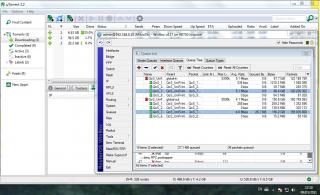
Just get some torrents also seem to be ok even I already exceeded 60GB download this month:
Attached Image

Hope to maintain the same and get the extra 80GB soon tongue.gif
So I think there is no cap, yet, laugh.gif


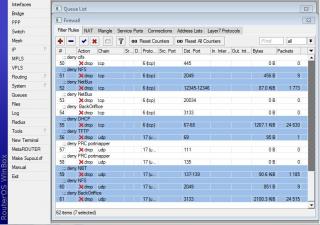
But I noticed the following on my RB750 past few days:
Attached Image
Attached Image

It was all zero since I put-up those firewall rules on my RB750 2 weeks ago, not sure whether it's normal, or it's some kind of attack/hacking going on rclxub.gif
klseet
post Mar 23 2011, 08:29 AM

Getting Started
**
Junior Member
130 posts

Joined: Mar 2008
I'm quite sure the download & upload speed is dedicated nod.gif

Attached Image

This post has been edited by klseet: Mar 23 2011, 08:30 AM
klseet
post Mar 23 2011, 08:39 AM

Getting Started
**
Junior Member
130 posts

Joined: Mar 2008
Could it be your ftp server that limit it?

Try to get a torrent to re-confirm the download/upload speed or run some SpeedTest, it should be dedicated speed.

This post has been edited by klseet: Mar 23 2011, 08:40 AM
klseet
post Mar 31 2011, 10:06 PM

Getting Started
**
Junior Member
130 posts

Joined: Mar 2008
I monitored the UniFi bandwidth this month March 2011, using uTorrent to download mostly movies, TV series, etc.
I just want to re-confirm whether any speed deteriorating situation occur at different hours or any cap impose by TM. cool.gif
http://klseet.com/index.php?option=com_con...id=64&Itemid=60

However, I also noticed some kind of attacks, seem to be getting more & more:
http://klseet.com/index.php?option=com_con...id=65&Itemid=61

Not sure whether it's normal, too much torrents or the firewall need further tuning ... rclxub.gif

klseet
post Mar 31 2011, 10:18 PM

Getting Started
**
Junior Member
130 posts

Joined: Mar 2008
QUOTE(cannavaro @ Mar 31 2011, 07:51 PM)
Haven't visited this thread since quite a while.

You guys notice any difference between 175.xxx and 110.xxx ip range?
Last time I only get 110 range, but nowadays I've been getting 175. I remember some users complaining about slower speed on 175, but that was last year.
I don't see a difference, at least for now.
*
I could be wrong, it seem 175x IP is still not stable & inconsistent, but overall the 175x is considered much better compared few months ago.
Previously when I get 175x I was located at Kalimantan or Brunei, situation seem to improve and now it seem located correctly in KL.

I still prefer 110x, it's more stable & consistent nod.gif
klseet
post Apr 1 2011, 12:19 AM

Getting Started
**
Junior Member
130 posts

Joined: Mar 2008
Strange, why many of you guys have such low speed at night?
I'm sure there is no cap impose, yet!

Could it be the TM's exchange problem (again?!) or equipment?
Has anyone tested on other routers beside the DIR-615?

I just re-boot my router, seem like can only get 175x, but speed still seem ok :
user posted image


Btw, RB750/750G users, RouterOS 5.0 is just available today ! nod.gif
Go download: http://www.mikrotik.com/download.html

klseet
post Apr 1 2011, 12:24 AM

Getting Started
**
Junior Member
130 posts

Joined: Mar 2008
QUOTE(yakumo @ Apr 1 2011, 12:20 AM)
not sure , actually i am having this problem for the past 2 months ....
shocking.gif

Landed or high-rise? Location?

klseet
post Apr 1 2011, 08:27 AM

Getting Started
**
Junior Member
130 posts

Joined: Mar 2008
QUOTE(JinXXX @ Apr 1 2011, 12:37 AM)
i'm on vip5.. speed still going 5mbps.. continuously.. smile.gif no drop very stable...
*
Yes, it's really stable & robust, except for few reboot, I never off it since Oct'10, still going strong after 409GB download in March'11 alone! thumbup.gif

QUOTE(charymsylyn @ Apr 1 2011, 12:52 AM)
klseet, there will be no shortage of script kiddies for the foreseeable future, please don't scare yourself.  biggrin.gif
*
True also, can't catch all the fishes all the time, guess I have to ignore it & enjoy ! tongue.gif

QUOTE(yakumo @ Apr 1 2011, 12:32 AM)
petaling jaya , landed/single story house
*
QUOTE(StanleYz @ Apr 1 2011, 01:13 AM)
only kelana jaya exchange have this slow speed problem?i live SS24/26 and have this problem before the japan earthquake. Slow speed start from 3pm-4am. 4am can get back my 20Mbps speed.
*
hmmmm, sound like PJ area exchanges got problem ?! hmm.gif
You guys are using DIR-615 or others?
klseet
post Apr 1 2011, 02:58 PM

Getting Started
**
Junior Member
130 posts

Joined: Mar 2008
It's barely after 1 year and now with so many users, especially in PJ area, are having slower connection problem at night.
Is it just isolated cases or general norm for PJ users? unsure.gif

I doubt it's due to increase of users, by right the package should be dedicated instead of shared bandwidth, furthermore we are talking SpeedTest locally. So TM's argument on "more users at night" really sound lame excuses, something must be wrong at their back end exchanges on these locations.

If TM still insist "more users at night", then what were they planning? Less than 10 UniFi users on each jalan/apartment/condo??
Sigh, now already like that, what will happen next years & after?? doh.gif

May be those who are affected should start to collect SpeedTest data (also include TM's own useless SpeedTest as they only recognise this) then write to MCMC directly, also to claim rebate. flex.gif


2 Pages  1 2 >Top
Topic ClosedOptions
 

Change to:
| Lo-Fi Version
0.0757sec    0.70    8 queries    GZIP Disabled
Time is now: 9th December 2025 - 09:04 AM