Outline ·
[ Standard ] ·
Linear+
Nokia 5800 XpressMusic a.k.a "TUBE" v.29, V52 is up. Time for another update~
|
arief007
|
 Dec 3 2010, 12:04 AM Dec 3 2010, 12:04 AM
|
Getting Started


|
QUOTE(denon91 @ Dec 3 2010, 12:00 AM) here gt a tutorial on how to flash using JAF, quite completed it teach.here the link: http://forum.dailymobile.se/index.php?topic=17667.0u must cr8 as exactly a new folder in such pathway--> C:\Program Files\Nokia\Pheonix\Products\RM-356\ then,copy all the firmware or cfw into this folder.everything follow the tutorial will make u done!!!  Ookay.....One more thing....How do you know the variants? Mine is RED so is it APAC1 RED MALAYSIA? And there are 2 if I'm not mistaken....are they the same or not? |
|
|
|
|
|
denon91
|
Dec 3 2010, 12:13 AM
|
|
|
QUOTE(arief007 @ Dec 3 2010, 12:04 AM) Ookay.....One more thing....How do you know the variants? Mine is RED so is it APAC1 RED MALAYSIA? And there are 2 if I'm not mistaken....are they the same or not? ya,urs are APAC1 RED MALAYSIA.Actually it is more the same for this two 2 variant,choose either. |
|
|
|
|
|
arief007
|
Dec 3 2010, 12:35 AM
|
Getting Started
|
Downloaded file fail on me....  I'll continue tomorrow....so I'll ask again tomorrow....  |
|
|
|
|
|
skycrawler
|
Dec 3 2010, 12:46 AM
|
|
|
|
|
|
|
|
|
denon91
|
Dec 3 2010, 12:49 AM
|
|
|
QUOTE(skycrawler @ Dec 3 2010, 12:46 AM) ur theme nice,can i hav the installer? |
|
|
|
|
|
skycrawler
|
Dec 3 2010, 12:51 AM
|
|
|
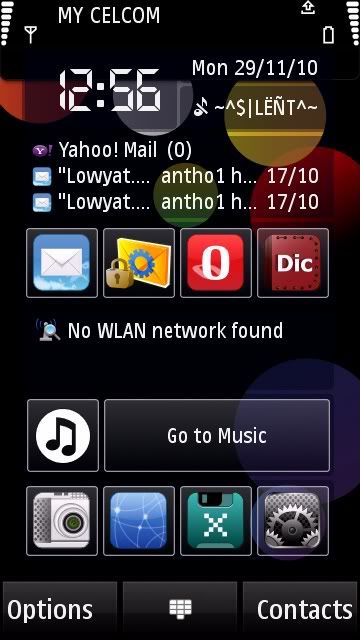
Juz search ivertigo at www.mobile9.com
|
|
|
|
|
|
[D]amour
|
Dec 3 2010, 02:25 AM
|
Getting Started
|
@gogoman
bout ur next v3 cfw...does the tv out function working???
|
|
|
|
|
|
more2teayap
|
Dec 3 2010, 08:43 AM
|
|
|
Guys guys! Just got this news http://pnht.org/?p=428PNHT is going to port something new to 5800, maybe the C6 V20 to 5800 V52?  |
|
|
|
|
|
SUSGreenSamurai
|
Dec 3 2010, 10:25 AM
|
|
|
QUOTE(more2teayap @ Dec 3 2010, 08:43 AM) Guys guys! Just got this news http://pnht.org/?p=428PNHT is going to port something new to 5800, maybe the C6 V20 to 5800 V52? Well whatever is fine as long it's compatible with v52 haha |
|
|
|
|
|
Quantum_thinking
|
Dec 3 2010, 11:39 AM
|
|
|
QUOTE(ne0cz @ Dec 2 2010, 10:41 PM) I think that this might well be the last updates for S60v5 devices...even X6 also got an update...but I think might well be the last for us  As long as there is no major bugs in the latest firmware before Nokia abandon it, it is ok. They should spent more to fix the Nokia N8 firmware. |
|
|
|
|
|
arief007
|
Dec 3 2010, 11:42 AM
|
Getting Started
|
Got this error when clicking USE INI CODE Searching for default location of ini...
Checking path: \Products\RM-356\
Searching for JAF saved location of ini...
Checking path: C:\Program Files\Nokia\Phoenix\Products\RM-356\
No ini files found...
FILES SET FOR FLASHING:
MCU Flash file: NONE
PPM Flash file: NONE
CNT Flash file: NONE
APE Variant file: NONE
any solution?  |
|
|
|
|
|
skycrawler
|
Dec 3 2010, 12:30 PM
|
|
|
QUOTE(arief007 @ Dec 3 2010, 11:42 AM) Got this error when clicking USE INI CODE Searching for default location of ini...
Checking path: \Products\RM-356\
Searching for JAF saved location of ini...
Checking path: C:\Program Files\Nokia\Phoenix\Products\RM-356\
No ini files found...
FILES SET FOR FLASHING:
MCU Flash file: NONE
PPM Flash file: NONE
CNT Flash file: NONE
APE Variant file: NONE
any solution? Please download 3 other core files..  |
|
|
|
|
|
TSForgotten06
|
Dec 3 2010, 12:35 PM
|
|
|
QUOTE(arief007 @ Dec 3 2010, 11:42 AM) Got this error when clicking USE INI CODE Searching for default location of ini...
Checking path: \Products\RM-356\
Searching for JAF saved location of ini...
Checking path: C:\Program Files\Nokia\Phoenix\Products\RM-356\
No ini files found...
FILES SET FOR FLASHING:
MCU Flash file: NONE
PPM Flash file: NONE
CNT Flash file: NONE
APE Variant file: NONE
any solution? Are you sure you placed everything in the files? QUOTE(skycrawler @ Dec 3 2010, 12:30 PM) Please download 3 other core files.. There's not even a ini file in it... |
|
|
|
|
|
arief007
|
Dec 3 2010, 12:42 PM
|
Getting Started
|
QUOTE(skycrawler @ Dec 3 2010, 12:30 PM) Please download 3 other core files.. What do you mean by 3 other core file? I've download from navifirm and Make the pheonix\RM-356 folder @Forgotten06 Which one should I put in the pheonix\RM-356 folder? CFW or the ones I downloaded from navifirm? This post has been edited by arief007: Dec 3 2010, 12:43 PM |
|
|
|
|
|
TSForgotten06
|
Dec 3 2010, 12:50 PM
|
|
|
QUOTE(arief007 @ Dec 3 2010, 12:42 PM) What do you mean by 3 other core file? I've download from navifirm and Make the pheonix\RM-356 folder @Forgotten06 Which one should I put in the pheonix\RM-356 folder? CFW or the ones I downloaded from navifirm? Actually both. But the CFW core files you downloaded must be renamed (depends on the CFW... they should have a renaming guide FAQ at their sharing site) and then you combine with the FW u downloaded from navifirm. |
|
|
|
|
|
arief007
|
Dec 3 2010, 01:57 PM
|
Getting Started
|
QUOTE(Forgotten06 @ Dec 3 2010, 12:50 PM) Actually both. But the CFW core files you downloaded must be renamed (depends on the CFW... they should have a renaming guide FAQ at their sharing site) and then you combine with the FW u downloaded from navifirm. Can you teach me here? I got my CFW from here(gogoman C6 v2 CFW) |
|
|
|
|
|
skycrawler
|
Dec 3 2010, 03:19 PM
|
|
|
QUOTE(arief007 @ Dec 3 2010, 01:57 PM) Can you teach me here? I got my CFW from here(gogoman C6 v2 CFW) Actually if u download from gogoman's link..all 6 files should be in the compressed files..I had download this 'C6v20 CFW Menu 4x5 by Gogoman86 V2'...all 6 files are in the file..should be no problem while flshing.. |
|
|
|
|
|
arief007
|
Dec 3 2010, 04:14 PM
|
Getting Started
|
QUOTE(skycrawler @ Dec 3 2010, 03:19 PM) Actually if u download from gogoman's link..all 6 files should be in the compressed files..I had download this 'C6v20 CFW Menu 4x5 by Gogoman86 V2'...all 6 files are in the file..should be no problem while flshing.. But I still get that error no matter what I do..... » Click to show Spoiler - click again to hide... « CODE JAF version 1.98.62
Detected PKEY: 90009699
Card life counter: 99.99%
P-key nokia module version 01.02
FBUS INTERFACE NOT CONNECTED!!!
USB Cable Driver version: 7.1.23.0
Changing mode...Done!
FILES SET FOR FLASHING:
MCU Flash file: NONE
PPM Flash file: NONE
CNT Flash file: NONE
APE Variant file: NONE
Searching for JAF saved location of ini...
Checking path: C:\Program Files\Nokia\Phoenix\Products\RM-356\
Searching for default location of ini...
Checking path: \Products\RM-356\
Searching for JAF saved location of ini...
Checking path: C:\Program Files\Nokia\Phoenix\Products\RM-356\
No ini files found...
FILES SET FOR FLASHING:
MCU Flash file: NONE
PPM Flash file: NONE
CNT Flash file: NONE
APE Variant file: NONE   |
|
|
|
|
|
skycrawler
|
Dec 3 2010, 05:41 PM
|
|
|
QUOTE(arief007 @ Dec 3 2010, 04:14 PM) But I still get that error no matter what I do..... » Click to show Spoiler - click again to hide... « CODE JAF version 1.98.62
Detected PKEY: 90009699
Card life counter: 99.99%
P-key nokia module version 01.02
FBUS INTERFACE NOT CONNECTED!!!
USB Cable Driver version: 7.1.23.0
Changing mode...Done!
FILES SET FOR FLASHING:
MCU Flash file: NONE
PPM Flash file: NONE
CNT Flash file: NONE
APE Variant file: NONE
Searching for JAF saved location of ini...
Checking path: C:\Program Files\Nokia\Phoenix\Products\RM-356\
Searching for default location of ini...
Checking path: \Products\RM-356\
Searching for JAF saved location of ini...
Checking path: C:\Program Files\Nokia\Phoenix\Products\RM-356\
No ini files found...
FILES SET FOR FLASHING:
MCU Flash file: NONE
PPM Flash file: NONE
CNT Flash file: NONE
APE Variant file: NONE This is de guide to flash ur phone wif gogoman's cfw  ..(can use on all kind of cfw) |
|
|
|
|
|
TSForgotten06
|
Dec 3 2010, 05:58 PM
|
|
|
QUOTE(arief007 @ Dec 3 2010, 04:14 PM) But I still get that error no matter what I do..... » Click to show Spoiler - click again to hide... « CODE JAF version 1.98.62
Detected PKEY: 90009699
Card life counter: 99.99%
P-key nokia module version 01.02
FBUS INTERFACE NOT CONNECTED!!!
USB Cable Driver version: 7.1.23.0
Changing mode...Done!
FILES SET FOR FLASHING:
MCU Flash file: NONE
PPM Flash file: NONE
CNT Flash file: NONE
APE Variant file: NONE
Searching for JAF saved location of ini...
Checking path: C:\Program Files\Nokia\Phoenix\Products\RM-356\
Searching for default location of ini...
Checking path: \Products\RM-356\
Searching for JAF saved location of ini...
Checking path: C:\Program Files\Nokia\Phoenix\Products\RM-356\
No ini files found...
FILES SET FOR FLASHING:
MCU Flash file: NONE
PPM Flash file: NONE
CNT Flash file: NONE
APE Variant file: NONE Did you installed PC suite at the first place? |
|
|
|
|



 Quote
Quote





 0.0334sec
 0.44
0.44
 6 queries
 GZIP Disabled