Outline ·
[ Standard ] ·
Linear+
abit Fatal1ty AN8 for AMD 64bit, Overclocking ability...
|
jarofclay
|
 Jan 15 2006, 02:54 PM Jan 15 2006, 02:54 PM
|
Klipsch Addict


|
Wow, at 345!! What RAM divider you're using? QUOTE(wadieq @ Jan 15 2006, 02:23 PM) mine can do 315 with 9 multiplier... 345 with 8.. never try with lower multiplier.. try to oc more after getting better PSU after this.... *running on icute only .. cheap stuff |
|
|
|
|
|
jarofclay
|
Jan 15 2006, 07:28 PM
|
Klipsch Addict
|
What RAM are you using? Is it 2GB kit? If yes, could you run it at 1T? QUOTE(pcmoddingmy @ Jan 15 2006, 07:24 PM) If the clock speed is the same, it will depend on the memory speed. I was running the RAM at 267MHz... so 4x400 should be faster than the 200x8... and also the HTT (FSB) is running faster. But I can't confirm this until I test it out properly....  |
|
|
|
|
|
jarofclay
|
Jan 16 2006, 01:29 PM
|
Klipsch Addict
|
Yeah, I think it's really a case of variation as I manage to get 1T upto 250Mhz. More than that an I will have to be careful with it as it will run into random crashes especially during heavy load.
|
|
|
|
|
|
jarofclay
|
Jan 19 2006, 09:33 PM
|
Klipsch Addict
|
Didn't see that on my board. Using D43 KVR. QUOTE(Fries @ Jan 19 2006, 04:23 PM) having a lil bit of a problem here. falshed to bios 19, and post screen shows only 1022mb of rams. anyone else having this problem? when flashed back to bios 18, the ram is back to 1024. is it just me or everybody is having the problem? help please. thanks in advance. |
|
|
|
|
|
jarofclay
|
Feb 1 2006, 07:17 AM
|
Klipsch Addict
|
Then use back bios 17. There's no pattern that I can clearly identify other than incompatibility of this ram with bios 19. The reason I say this is because I can run 250htt x 4 using bios 19. Heck, I even managed to have 300htt x 3 with ram multiplier and the pc is very stable. QUOTE(wadieq @ Jan 31 2006, 10:28 PM) My latest OC..using bios 19 210HTT x4 - 3-3-3-7 @ stock vdimm - STABLE 215HTT x4 - 3-3-3-7 @ stock vdimm - STABLE 220HTT x4 - 3-3-3-7 @ stock vdimm - STABLE 223HTT x4 - 3-3-3-7 @ stock vdimm - My computer make BEEP, BEEP and clock, ram timing, HTT reset to default ...wth ? even 2T also same thing... after reflash to bios 17... problem solve ... why arr ??? |
|
|
|
|
|
jarofclay
|
Feb 2 2006, 11:27 AM
|
Klipsch Addict
|
These two are part of the chipset drivers for nforce4. Go to abit and download the nforce4 drivers and the installation would install these as well as updating all the rest to latest versions. QUOTE(emilz @ Feb 2 2006, 06:05 AM) sorry to ask. Where can i download this abit fatal1ty an8 1. NVIDIA nForce4 ADMA Controller or 2. NVIDIA nForce4 Parallel ATA Controller simple say the nvidia latest update search in abit but cannot found it |
|
|
|
|
|
jarofclay
|
Feb 3 2006, 02:01 AM
|
Klipsch Addict
|
Try running your RAM at 2T. Then let me know if it works. QUOTE(emilz @ Feb 3 2006, 01:06 AM) hahaha the hardsk still new i just enter in safe mode and reinstall everything back to original  is it the software not compatible with the mobo or?????? |
|
|
|
|
|
jarofclay
|
Feb 3 2006, 02:53 AM
|
Klipsch Addict
|
Well, this board has some problems with some RAMs running at 1T. QUOTE(emilz @ Feb 3 2006, 02:03 AM) ya now at 2t larrr why after reinstall back to the original driver then it ok now why it hapen like that what cause it problem???????? |
|
|
|
|
|
jarofclay
|
Feb 3 2006, 08:08 AM
|
Klipsch Addict
|
Not sure though as I've never had issues with bios 17, 18 or even 19 except that the machine gives the same sympton as yours when I set the RAM at 2T. So I thought, it's good for you to try if you haven't. If you really have issues only wit 19, then revert back to 17 or even 18 if you don't encounter errors with it. The most important is bios 17 where it resolves an apparent cpu temperature issue. QUOTE(emilz @ Feb 3 2006, 03:24 AM) that know already but when i already set it to 2t but sill the same result got connection ka the nvidia driver with the bios problm????? |
|
|
|
|
|
jarofclay
|
Feb 16 2006, 11:23 AM
|
Klipsch Addict
|
Updated to bios 20, still can't support 2GB modules with 1T timing. My DIMM is UCCC. Are there any success stories from you guys?
|
|
|
|
|
|
jarofclay
|
Mar 8 2006, 08:47 PM
|
Klipsch Addict
|
Try setting the memory to 2T timing. My Fatality SLI doesn't do 1T at HTT above 210-220. QUOTE(hexo @ Mar 8 2006, 12:02 PM) hi.. well, i can set it up to 230mhz with 9x, but it wont be stable and fails super pi 32M. so the highest stable would be 220mhz at x9 multi (that passes super pi 32M, and also 3dmark06. so that's about 1980Mhz |
|
|
|
|
|
jarofclay
|
Mar 9 2006, 01:31 AM
|
Klipsch Addict
|
What's the core voltage you set for CPU and DIMM?
|
|
|
|
|
|
jarofclay
|
Mar 10 2006, 09:07 PM
|
Klipsch Addict
|
Change the mobo like I did. The Fatality has issues with 1T with certain memory. QUOTE(cyberian @ Mar 10 2006, 03:39 PM) yeap  my AN8 Fatality having 1T problem i think i running my RAM at DDR500 250Mhz*10 now, in Sandra Mark i can get 6800+ for 1T 5800+ for 2T but whenever i run with 1T, my comp will automatic shut down after sometimes, but when i run Prime, SuperPI, memtest all is running fine.. just it will randomly shutdown when i set 2T, it work perfectly in every things.. i already on my comp for 5days non-stop, still no problem.. but i cant feel any performance different for 1T and 2T, just the benchmarking hv differences.. |
|
|
|
|
|
jarofclay
|
Apr 2 2006, 02:41 PM
|
Klipsch Addict
|
Actually, running at 1T below 215 to 220HTT is quite okay for the ram. It also depends on what RAM you own. For example, I used the D43 ram with Fatality no issues upto 253HTT on 1:1. However, when I changed to UCCC, the issues cropped up as above. I've tried 19 or even 20 bios, but issue remained. So, it's best to stay off this mobo and get something like DFI or Asus. The Asus A8N32SLI is running my UCCC now at 275HTT @ 1T. I also tried Winchester, Venice and Manchester, all are affected by this issue. QUOTE(satanhead2003 @ Apr 2 2006, 10:03 AM) How sad. I'm hoping opty not affected by this. btw, cyber, have u tried solution suggested in extremesys forum? n what bios u're using; modded 20 or official 20? suggested in extremesys forumset bypass mark to 2x |
|
|
|
|
|
jarofclay
|
Apr 4 2006, 11:46 AM
|
Klipsch Addict
|
Try that with 2GB kits, especially UCCC. Sooner or later, you'd need 2GB. I've never had issues with 1GB kits @ 1T as well. QUOTE(cyberian @ Apr 4 2006, 09:21 AM) haha.. if u want to throw it... haiya... i go ur place n take lar.. i help you to throw it  just tried to run at 1T at 250Mhz 1:1 yesterday, it seems find since yesterday night.. hope it will working fine more n more time  |
|
|
|
|
|
jarofclay
|
Apr 11 2006, 12:54 AM
|
Klipsch Addict
|
Well, that's the first thing I would suspect too if your problem statement wasn't accurate. I would thought that you have problems reaching 250HTT if you didn't lower your LDT as well. How did you write to him in the first place? No point showing how "technical" they are here... just rewrite to them to tell them what was your bios settings and see how they reply to your problem. Anyway, hate to break the news to you, you'd be better off selling this mobo and get another that runs at 1T with your memory. QUOTE(satanhead2003 @ Apr 4 2006, 11:32 PM) Interesting story here. I email Abit regarding the 1T issue. Look what they respond : How technical can that be? hehehehhe |
|
|
|
|
|
jarofclay
|
Apr 11 2006, 12:55 AM
|
Klipsch Addict
|
Assumption is the mother of all "you fill in the blanks". Dun draw fire too soon. QUOTE(shift2 @ Apr 9 2006, 03:35 AM) there is no any single word bout '1T' pun.. lol. . maybe he/she is a front desk staff, not a technician either.. |
|
|
|
|
|
jarofclay
|
Apr 25 2006, 09:48 PM
|
Klipsch Addict
|
System specs? Have you tried setting RAM to 1T? QUOTE(emilz @ Apr 25 2006, 01:51 PM) want to ask u guys lar since i start to OC my mobo keep on reset the oc which i already determine.. currently oc at 2.4 only and volt 1.42~1.45 x4 amd 3200++ winchester what are the problem bios ver 2.0  |
|
|
|
|
|
jarofclay
|
Apr 27 2006, 05:42 PM
|
Klipsch Addict
|
Perhaps you'd like to run the mem settings at 3-4-4-8. See if that helped. Your E6 should be able to run 2.7ghz with ample cooling @ 1.55V. Slowly increase the vcore uptil 1.625V until you hit the jackpot for stability. However, make sure cooling is good enough. QUOTE(kodtm @ Apr 26 2006, 03:59 PM) 290 FSB * 9 = 2610, hypertransport = 3x Amd 939 3000+, E6 Abit KN8 Ultra v 1.7 Winxp sp2 complete updated. Kingston kvr 2 x 1 Gb , CL3 3 3 8 ,hynix tp d43 Bios Ram setting > ddr 266, cl3 3 3 8 Vcore and vdimm > auto, abit EQ Vcore and DDR > 1.42v and 2.66v abit EQ cpu temperature > 47 C (full load) Super Pi ( 1M ) > 34.7 s 300FSB * 9 = 2700, hypertransport = 3x cant load windows, appear blue screen then restart.  |
|
|
|
|
|
jarofclay
|
Apr 27 2006, 06:36 PM
|
Klipsch Addict
|
Check the attachment. QUOTE(emilz @ Apr 27 2006, 06:28 PM) sory asking stupid question where to set 3-4-4-8 i know it was in the ram timming setting but which one because there was to many to set 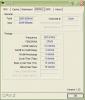
|
|
|
|
|



 Quote
Quote
 0.0334sec
 0.49
0.49
 7 queries
 GZIP Disabled