


Andrew, thx for the Desktop Visualizer tips..



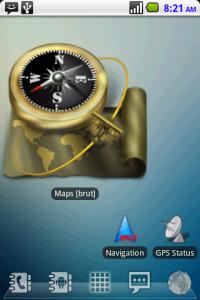

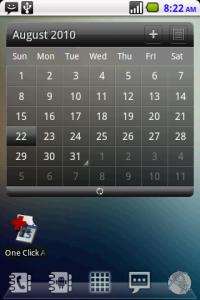
Post your Homescreen, Pimp your Droid
|
|
 Aug 22 2010, 08:28 AM Aug 22 2010, 08:28 AM
|
 
Junior Member
466 posts Joined: Aug 2005 
|
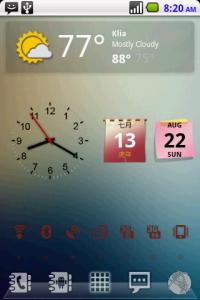
Happy sunday...yeah..Barca 4-0 .. hehe..opps..out of topic..
Andrew, thx for the Desktop Visualizer tips..
|
|
|
|
|
|
Aug 22 2010, 11:47 AM
|

All Stars
29,777 posts Joined: Jan 2009 From: Johor, Malaysia. 
|
QUOTE(bonanno @ Aug 22 2010, 08:28 AM) Happy sunday...yeah..Barca 4-0 .. hehe..opps..out of topic.. Cool! What that two calendar widget? also the clock widget? Andrew, thx for the Desktop Visualizer tips..
 This post has been edited by Andrewtst: Aug 22 2010, 11:49 AM |
|
|
Aug 22 2010, 04:41 PM
|

Senior Member
3,771 posts Joined: Apr 2010 From: Kota Bharu
|
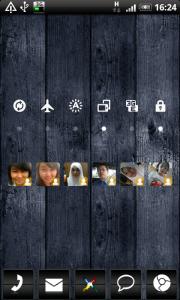
i use 5 homescreens and cant show other 2 cuz got my gf's pic. hehe...
 


|
|
|
Aug 22 2010, 06:24 PM
|

Senior Member
2,061 posts Joined: Jan 2003 From: Jabaronie to Astaka Status: のあ..? 
|
WTA, u guys do the customization using the root right?
|
|
|
Aug 22 2010, 08:04 PM
|
|
Senior Member
3,771 posts Joined: Apr 2010 From: Kota Bharu
|
QUOTE(mdzaboy @ Aug 22 2010, 06:24 PM) WTA, u guys do the customization using the root right? not necessarily~~ but if you want some paid apps for customization, then you need to root to access paid market.i need FolderOrganizer for my customization so i rooted! other stuffs are just free apps. |
|
|
Aug 22 2010, 08:25 PM
|
|
All Stars
29,777 posts Joined: Jan 2009 From: Johor, Malaysia.
|
QUOTE(mdzaboy @ Aug 22 2010, 06:24 PM) WTA, u guys do the customization using the root right? Most customization no need root access, except:
Even though I personally can't stand on the default white notification bar, this is truely ugly for me, ops! This post has been edited by Andrewtst: Aug 22 2010, 08:32 PM |
|
|
|
|
|
Aug 22 2010, 10:01 PM
|
|
Junior Member
7 posts Joined: Aug 2010
|
hi andrew, posts 416 whats the messeging widget and the agenda widget called?
|
|
|
Aug 22 2010, 10:23 PM
|
|
All Stars
29,777 posts Joined: Jan 2009 From: Johor, Malaysia.
|
Just Sunday
          Screen 01
** Screen 10 is third party lockscreen app call LockGo *** All BIG Icons is using Desktop Visualizer as widget. This post has been edited by Andrewtst: Aug 23 2010, 11:44 AM |
|
|
Aug 22 2010, 10:37 PM
|
|
Junior Member
466 posts Joined: Aug 2005
|
QUOTE(Andrewtst @ Aug 22 2010, 11:47 AM) Cool! What that two calendar widget? also the clock widget? -Calendar Widget 2 -modified animated analog clock check your pm. |
|
|
Aug 22 2010, 10:39 PM
|
|
Junior Member
466 posts Joined: Aug 2005
|
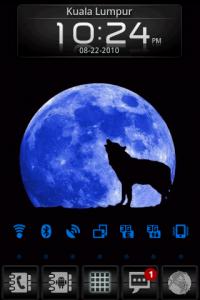
七月十四 screenshot
|
|
|
Aug 22 2010, 10:43 PM
|
|
All Stars
29,777 posts Joined: Jan 2009 From: Johor, Malaysia.
|
QUOTE(ziggy666 @ Aug 22 2010, 10:01 PM) hi andrew, posts 416 whats the messeging widget and the agenda widget called? That is LauncherPro Plus (Plus version only) widgets and MOD by UltraLinx.Added on August 22, 2010, 10:46 pm QUOTE(bonanno @ Aug 22 2010, 10:37 PM) -Calendar Widget 2 Thanks a lot -modified animated analog clock check your pm. I not receiving any PM oh. Edit: Received, screenshot updates, thanks a lot bonanno. This post has been edited by Andrewtst: Aug 23 2010, 01:14 AM |
|
|
Aug 23 2010, 11:43 AM
|
Senior Member
1,161 posts Joined: Sep 2008 From: Malaysia
|
mine is simple but fun :)
Attached thumbnail(s) 
|
|
|
Aug 23 2010, 02:43 PM
|

Senior Member
649 posts Joined: Apr 2007
|
QUOTE(Andrewtst @ Aug 22 2010, 10:23 PM) Just Sunday Hi Andrew, i just want those transparent FB and Twitter widgets, have downloaded the zip file (Modded_Black_Apps.zip) from UltraLinx. May I know how to flash this file? Go into recovery mod and install from SD card? Screen 01
** Screen 10 is third party lockscreen app call LockGo *** All BIG Icons is using Desktop Visualizer as widget.  |
|
|
|
|
|
Aug 23 2010, 04:22 PM
|
|
All Stars
29,777 posts Joined: Jan 2009 From: Johor, Malaysia.
|
QUOTE(bryan_823 @ Aug 23 2010, 02:43 PM) Hi Andrew, i just want those transparent FB and Twitter widgets, have downloaded the zip file (Modded_Black_Apps.zip) from UltraLinx. May I know how to flash this file? Go into recovery mod and install from SD card? Extract the file and copy replace current one either using ADB push or Root Explorer, make sure set permission to rw-r--r-- and restart the phone once done. |
|
|
Aug 24 2010, 03:11 AM
|
Junior Member
200 posts Joined: May 2009 From: Somewhere in SummerTime !
|
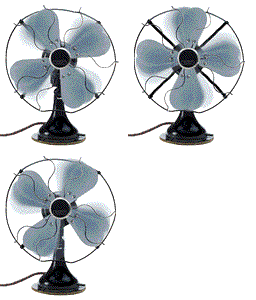
 Using Zeam http://zeam.org/ Some more got integrated Screen Capture Option...No need to root. BTW using HTC Tattoo stock ROM....! Added on August 24, 2010, 3:29 am QUOTE(KannaSai1 @ Jul 13 2010, 09:03 PM) wat is the apps for the screen shot? TQ You may use Zeam....a theme apps...got integrated screen capture without the need to root..http://zeam.org/ This post has been edited by puteh: Aug 24 2010, 03:37 AM |
|
|
Aug 24 2010, 05:48 AM
|
|
Junior Member
466 posts Joined: Aug 2005
|
QUOTE(puteh @ Aug 24 2010, 03:11 AM) Using Zeam http://zeam.org/ Some more got integrated Screen Capture Option...No need to root. BTW using HTC Tattoo stock ROM....! Added on August 24, 2010, 3:29 am You may use Zeam....a theme apps...got integrated screen capture without the need to root.. http://zeam.org/ |
|
|
Aug 24 2010, 04:44 PM
|
|
All Stars
29,777 posts Joined: Jan 2009 From: Johor, Malaysia.
|
New Dockbar
          |
|
|
Aug 24 2010, 07:00 PM
|
Junior Member
469 posts Joined: Jan 2003 From: Ampang
|
Thanks Andrew for the Desktop Visualizer. I have 1 question, is there any screen shot tools other than screenshot, ShootMe, PicMe & drocap2 for non-rooted device? Thanks.
|
|
|
Aug 24 2010, 07:07 PM
|
|
All Stars
29,777 posts Joined: Jan 2009 From: Johor, Malaysia.
|
QUOTE(rad @ Aug 24 2010, 07:00 PM) Thanks Andrew for the Desktop Visualizer. I have 1 question, is there any screen shot tools other than screenshot, ShootMe, PicMe & drocap2 for non-rooted device? Thanks. Using Android SDK under tools and choose ddms.bat |
|
|
Aug 24 2010, 07:43 PM
|
|
Junior Member
200 posts Joined: May 2009 From: Somewhere in SummerTime !
|
QUOTE(bonanno @ Aug 24 2010, 05:48 AM) Nice. What about the wallpaper, from zeam also? Wallpaper from apps. called Flickie from Market |
| Change to: |  0.0320sec 0.0320sec
 0.43 0.43
 6 queries 6 queries
 GZIP Disabled GZIP Disabled
Time is now: 15th December 2025 - 11:51 PM |
 Quote
Quote