Outline ·
[ Standard ] ·
Linear+
Post your Homescreen, Pimp your Droid
|
Andrewtst
|
 Jul 25 2010, 11:55 PM Jul 25 2010, 11:55 PM
|

|
QUOTE(cleave @ Jul 25 2010, 11:27 PM) And the TeslaLED widget too? It doesnt mind being on the lockscreen? It's so handy that way. Okay I'm heading to the Market now. Gonna get myself this WidgetLocker thing.  TeslaLED is the same developer of WidgetLocker. He! He! |
|
|
|
|
|
bonanno
|
Jul 26 2010, 05:56 AM
|
|
|
mine...  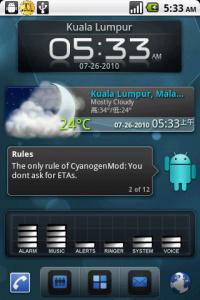
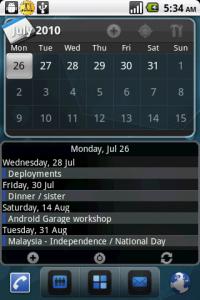

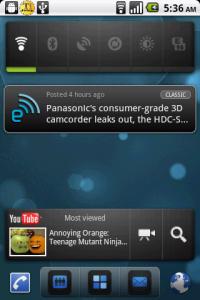

Model :HTC HERO ROM : FroydVillain 2.2 Froyo Launcher : LauncherPro -------------------------------------- @Andrew, whats d name of "WANTED" apps? nice ~  This post has been edited by bonanno: Jul 26 2010, 06:32 AM This post has been edited by bonanno: Jul 26 2010, 06:32 AM |
|
|
|
|
|
cleave
|
 Jul 26 2010, 04:05 PM Jul 26 2010, 04:05 PM
|
|
|
My turn now..  » Click to show Spoiler - click again to hide... « WidgetLocker ftw!!!!!!!  |
|
|
|
|
|
jujx
|
Jul 26 2010, 04:15 PM
|
|
|
how you guys change the Launcher Pro Dock's image and remain in Glass form?
I'm using latest Launcher Pro(free) still can't do that
|
|
|
|
|
|
Andrewtst
|
Jul 26 2010, 05:01 PM
|
|
|
QUOTE(cleave @ Jul 26 2010, 04:05 PM) My turn now.. » Click to show Spoiler - click again to hide... « WidgetLocker ftw!!!!!!! Cool! Nice! Love the dockbar and icons. Between did you notice the slide Camera is not working, it won't save your capture photo. I already contact the developer about this issue, it will be fix in next release. This post has been edited by Andrewtst: Jul 26 2010, 05:03 PM |
|
|
|
|
|
jujx
|
Jul 26 2010, 05:06 PM
|
|
|
QUOTE(Andrewtst @ Jul 25 2010, 10:41 PM) Ha, Ha...... I do don't know about this thread. Thanks for all "hardwork" even by PM me. Ok... some of my current shot  Ha! Ha!          
- Phone: HTC Google Nexus One.
- ROM: LeoFroYo v1.2.0.
- Build: Android 2.2 Froyo FRF91.
- Lockscreen: WidgetLocker.
- Launcher: LauncherPro Plus v0.7.1.0
- Extra Desk: QuickDesk v0.3 Beta.
- Widget: Beautiful Widgets, BatteryLife, LauncherPro Plus Widget, Launch-X Pro, SwitchPro, System Info, Mini Info, Divi Clock, Moto Droid Clock v2, NexTHEME v2 Analog Clock, BattStatt, Tajm, TeslaLED, [Smoked] Widgets MOD by rori~.
how you change the Launcher Pro Dock's image and remain in Glass form? Seems like yours is on a piece of wood I'm using latest Launcher Pro(free) still can't do that |
|
|
|
|
|
TSSlekerz
|
Jul 26 2010, 05:13 PM
|
|
|
|
|
|
|
|
|
mikeeeee
|
Jul 26 2010, 05:32 PM
|
|
|
QUOTE(jujx @ Jul 26 2010, 05:06 PM) how you change the Launcher Pro Dock's image and remain in Glass form? Seems like yours is on a piece of wood I'm using latest Launcher Pro(free) still can't do that simple only lar ... 1) disable dock background 2) find a wall paper that already incorporate the dock u like and set it as your wallpaper hahhaha |
|
|
|
|
|
akachester
|
Jul 26 2010, 05:38 PM
|
|
|
QUOTE(pluginbaby @ Jul 25 2010, 11:42 PM) yes im on froyo sense desire.. not sure bout stock 2.1 desire btw.. n i saw people reporting that its running well on motorola droid.. legends specs arent far behind stock moto droid so perhaps u should try to confirm it.. btw, below is not a screenshot of mine.. belongs to another user at XDA.. just wanna know if anyone knows where to get that wallpaper.. it seems like the owner at XDA dosent want to share it and ignored every request from other users.. lol.. » Click to show Spoiler - click again to hide... « I would be damn happy to get that wallpaper on my phone! Would love to get my hand on the wallpaper as well  |
|
|
|
|
|
Andrewtst
|
Jul 26 2010, 05:43 PM
|
|
|
QUOTE(mikeeeee @ Jul 26 2010, 05:32 PM) simple only lar ... 1) disable dock background 2) find a wall paper that already incorporate the dock u like and set it as your wallpaper hahhaha I not using wallpaper that got dock. The dock is real dock.
Added on July 26, 2010, 5:45 pmQUOTE(jujx @ Jul 26 2010, 05:06 PM) how you change the Launcher Pro Dock's image and remain in Glass form? Seems like yours is on a piece of wood I'm using latest Launcher Pro(free) still can't do that I not quite understand what you mean. Is you mean the indicator still appear even my Dock is not transparent one. If this the case, only LauncherPro v0.7.1.0 support on it. (I am using Plus, not sure it effected non Plus user or not) This post has been edited by Andrewtst: Jul 26 2010, 05:45 PM |
|
|
|
|
|
sanosizo
|
Jul 26 2010, 05:58 PM
|
|
|
the plus already got the bookmark widget? i'm using plus as well but currently does not have it, i saw an update in the market but im not sure if its for plus or pro.
|
|
|
|
|
|
taylorskaki
|
Jul 26 2010, 06:17 PM
|
Getting Started

|
hello sifus.. im jus wondering if there is any wildfire user here who mind sharing some of their customize android??
|
|
|
|
|
|
cleave
|
Jul 26 2010, 06:37 PM
|
|
|
QUOTE(Andrewtst @ Jul 26 2010, 05:01 PM) Cool! Nice! Love the dockbar and icons. Between did you notice the slide Camera is not working, it won't save your capture photo. I already contact the developer about this issue, it will be fix in next release. You're right. There's no option to save.  QUOTE(sanosizo @ Jul 26 2010, 05:58 PM) the plus already got the bookmark widget? i'm using plus as well but currently does not have it, i saw an update in the market but im not sure if its for plus or pro. The update you see on the Market (0.7.1.0) contains the new widget. Fede packed it everything into the free version so that he doesnt have to make two different ones and all users can get updated through the Market. That means that a non-Plus version actually have all the widgets except that you need to unlock it to access them. |
|
|
|
|
|
Andrewtst
|
Jul 27 2010, 11:13 AM
|
|
|
QUOTE(cleave @ Jul 26 2010, 06:37 PM) You're right. There's no option to save. is out - Fixing photo taken not save issue. This post has been edited by Andrewtst: Jul 27 2010, 11:18 AM |
|
|
|
|
|
Raiko
|
Jul 27 2010, 11:32 AM
|
|
|
QUOTE(Slekerz @ Jul 26 2010, 05:13 PM) MY screenshoots for today » Click to show Spoiler - click again to hide... « is this milestone ? teach me ! |
|
|
|
|
|
jujx
|
Jul 27 2010, 11:33 AM
|
|
|
QUOTE(Andrewtst @ Jul 26 2010, 05:43 PM) I not using wallpaper that got dock. The dock is real dock.
Added on July 26, 2010, 5:45 pmI not quite understand what you mean. Is you mean the indicator still appear even my Dock is not transparent one. If this the case, only LauncherPro v0.7.1.0 support on it. (I am using Plus, not sure it effected non Plus user or not) I mean how you change your dock background? Is it under Preference -> Appearance Settings -> Dock Background? But i only can choose, Glass,Froyo, Froyo Wide, Custom and None. Nothing will turn out like yours. |
|
|
|
|
|
sanosizo
|
Jul 27 2010, 11:43 AM
|
|
|
I guess that's the custom dock. You need launcher pro plus for that
|
|
|
|
|
|
TSSlekerz
|
Jul 27 2010, 01:37 PM
|
|
|
You don't need LaucherPro plus to have custom dock, you guys can download custom dock at www.launcherpro.com and put at your gallery, after that go to dock background>custom> and gallery, here my for today  QUOTE is this milestone ? teach me ! That is not milestone, im using ROM: CM 6 Nightly Theme: Galaxy S theme Launcher: Launcherpro |
|
|
|
|
|
cleave
|
Jul 27 2010, 01:43 PM
|
|
|
QUOTE(sanosizo @ Jul 27 2010, 11:43 AM) I guess that's the custom dock. You need launcher pro plus for that yup, it's the Cutom dock. You dont need the Plus version for that. The free one supports it too. Just choose 'Custom' and pick a dock background image from the gallery. Edit:- That's a smart looking screen, Slekerz. Is that a marble floor dock background? This post has been edited by cleave: Jul 27 2010, 01:45 PM |
|
|
|
|
|
Andrewtst
|
Jul 27 2010, 02:49 PM
|
|
|
QUOTE(Slekerz @ Jul 27 2010, 01:37 PM) You don't need LaucherPro plus to have custom dock, you guys can download custom dock at www.launcherpro.com and put at your gallery, after that go to dock background>custom> and gallery, here my for today That is not milestone, im using ROM: CM 6 Nightly Theme: Galaxy S theme Launcher: Launcherpro This is pretty! |
|
|
|
|





 Quote
Quote


 0.0216sec
 0.86
0.86
 6 queries
 GZIP Disabled