

how you guys change the Launcher Pro Dock's image and remain in Glass form?
I'm using latest Launcher Pro(free) still can't do that
Post your Homescreen, Pimp your Droid
Post your Homescreen, Pimp your Droid
|
|
 Jul 26 2010, 04:15 PM Jul 26 2010, 04:15 PM
Return to original view | Post
#1
|
 
Senior Member
1,398 posts Joined: Mar 2007 
|
how you guys change the Launcher Pro Dock's image and remain in Glass form?
I'm using latest Launcher Pro(free) still can't do that |
|
|
|
|
|
Jul 26 2010, 05:06 PM
Return to original view | Post
#2
|
|
Senior Member
1,398 posts Joined: Mar 2007
|
QUOTE(Andrewtst @ Jul 25 2010, 10:41 PM) Ha, Ha...... I do don't know about this thread. how you change the Launcher Pro Dock's image and remain in Glass form? Seems like yours is on a piece of woodThanks for all "hardwork" even by PM me.  Ok... some of my current shot  Ha! Ha! Ha! Ha!         
 I'm using latest Launcher Pro(free) still can't do that |
|
|
Jul 27 2010, 11:33 AM
Return to original view | Post
#3
|
|
Senior Member
1,398 posts Joined: Mar 2007
|
QUOTE(Andrewtst @ Jul 26 2010, 05:43 PM) I not using wallpaper that got dock. The dock is real dock. I mean how you change your dock background? Is it under Preference -> Appearance Settings -> Dock Background? But i only can choose, Glass,Froyo, Froyo Wide, Custom and None. Nothing will turn out like yours.Added on July 26, 2010, 5:45 pm I not quite understand what you mean. Is you mean the indicator still appear even my Dock is not transparent one. If this the case, only LauncherPro v0.7.1.0 support on it. (I am using Plus, not sure it effected non Plus user or not) |
|
|
Jul 27 2010, 03:27 PM
Return to original view | Post
#4
|
|
Senior Member
1,398 posts Joined: Mar 2007
|
QUOTE(Slekerz @ Jul 27 2010, 01:37 PM) You don't need LaucherPro plus to have custom dock, you guys can download custom dock at www.launcherpro.com and put at your gallery, after that go to dock background>custom> and gallery, here my for today share the wallpaper! That is not milestone, im using ROM: CM 6 Nightly Theme: Galaxy S theme Launcher: Launcherpro |
|
|
Jul 27 2010, 03:51 PM
Return to original view | Post
#5
|
|
Senior Member
1,398 posts Joined: Mar 2007
|
andrew loves multiple clocks and battery indicator
|
|
|
Jul 27 2010, 04:17 PM
Return to original view | Post
#6
|
|
Senior Member
1,398 posts Joined: Mar 2007
|
Should be able to. Unless resolution problem
|
|
|
|
|
|
Jul 27 2010, 04:43 PM
Return to original view | Post
#7
|
|
Senior Member
1,398 posts Joined: Mar 2007
|
i think is under settings > Advance
|
|
|
Jul 27 2010, 05:00 PM
Return to original view | Post
#8
|
|
Senior Member
1,398 posts Joined: Mar 2007
|
QUOTE(hihihehe @ Jul 27 2010, 04:47 PM) ok got it but i read from the HELP, it says if you disable the notification, there are chances android system will kill it if needed memory.thx |
|
|
Jul 28 2010, 11:28 AM
Return to original view | Post
#9
|
|
Senior Member
1,398 posts Joined: Mar 2007
|
ADW Launcher gives u side scrolling as well
|
|
|
Jul 28 2010, 11:44 AM
Return to original view | Post
#10
|
|
Senior Member
1,398 posts Joined: Mar 2007
|
where u get those icons? link!
|
|
|
Jul 28 2010, 11:48 AM
Return to original view | Post
#11
|
|
Senior Member
1,398 posts Joined: Mar 2007
|
where? I don't see any link
|
|
|
Jul 28 2010, 11:55 AM
Return to original view | Post
#12
|
|
Senior Member
1,398 posts Joined: Mar 2007
|
QUOTE(KTCY @ Jul 28 2010, 11:49 AM) Can you just read maybe 1-2 pages back ? I don't want those android icons, i wan the doraemon one on his homescreen stop being spoon feeding |
|
|
Jul 29 2010, 07:02 PM
Return to original view | Post
#13
|
|
Senior Member
1,398 posts Joined: Mar 2007
|
QUOTE(Andrewtst @ Jul 29 2010, 06:55 PM) Ha Ha! You won't have any excuse for being late at anything. haha |
|
|
|
|
|
Aug 13 2010, 11:14 AM
Return to original view | Post
#14
|
|
Senior Member
1,398 posts Joined: Mar 2007
|
QUOTE(khalpowers @ Aug 13 2010, 10:58 AM) user friendly...ezy to browse... Woooow, its crazily messy but nice 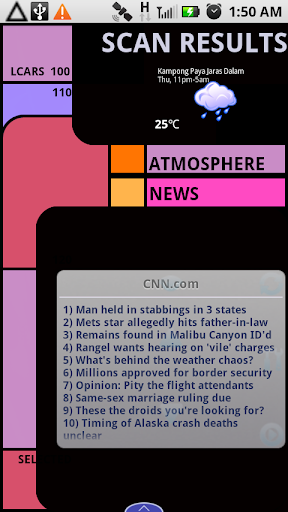 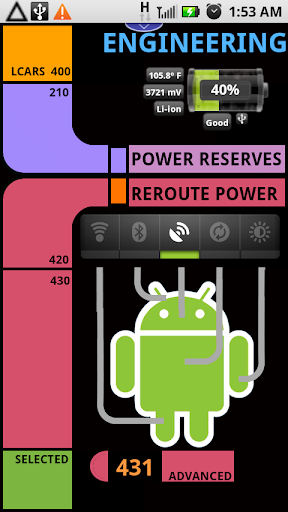 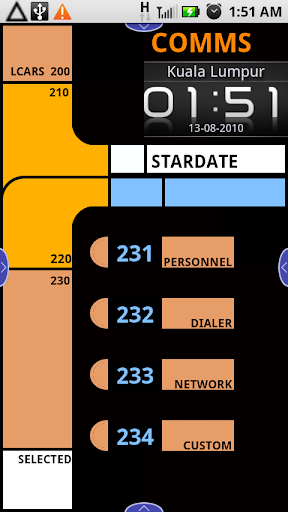 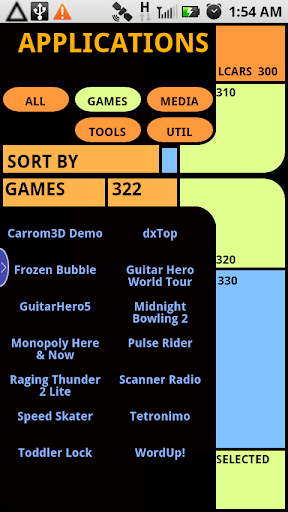 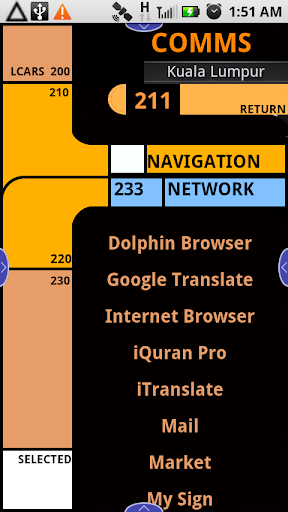 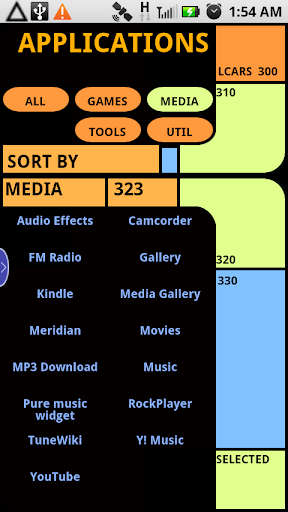   Added on August 13, 2010, 11:01 am using customise theme for sweeter home... |
|
|
Sep 23 2010, 10:01 AM
Return to original view | Post
#15
|
|
Senior Member
1,398 posts Joined: Mar 2007
|
My main home screen
Attached thumbnail(s) 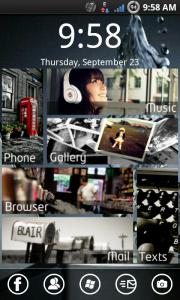
|
|
|
Sep 23 2010, 01:53 PM
Return to original view | Post
#16
|
|
Senior Member
1,398 posts Joined: Mar 2007
|
Here's the guide i found for the home screen i'm using
http://forum.xda-developers.com/showthread.php?t=781455 Those Icons are windows phone 7 Icons |
|
|
Sep 30 2010, 10:46 AM
Return to original view | Post
#17
|
|
Senior Member
1,398 posts Joined: Mar 2007
|
QUOTE(r47z @ Sep 30 2010, 10:25 AM) new screenshots That is a folder right? it looks alot like iOS, how you do that?  |
|
|
Oct 8 2010, 10:44 AM
Return to original view | Post
#18
|
|
Senior Member
1,398 posts Joined: Mar 2007
|
QUOTE(r47z @ Sep 30 2010, 10:55 AM) the latest version of folderorganizer(2.7) allows customization on folders. So I changed the colors for the top bar and main area to the same to make it look seamless What's the value you set for them? |
|
|
Dec 10 2010, 10:59 AM
Return to original view | Post
#19
|
|
Senior Member
1,398 posts Joined: Mar 2007
|
QUOTE(r47z @ Dec 8 2010, 06:22 PM)  |
| Change to: |  0.0223sec 0.0223sec
 0.92 0.92
 7 queries 7 queries
 GZIP Disabled GZIP Disabled
Time is now: 11th December 2025 - 02:09 AM |
 Quote
Quote