Welcome Guest ( Log In | Register )

Bump Topic Topic Closed RSS Feed
6 Pages < 1 2 3 4 > » Bottom

Outline · [ Standard ] · Linear+

 Nexus One LYN Official thread V2, everything abt nexus one -Android

views
     
davidwyl
post May 18 2010, 05:32 PM

Getting Started
**
Junior Member
155 posts

Joined: Feb 2008


thinking of trying out CM 5.0.7,
can i know how u all update it?? using recovery way?

how can i backup all my apps so that it will work on my new CM5.0.7?
im using 5.0.6-n1 now.

really worry all the apps will be gone...

anyone can advise?
davidwyl
post May 18 2010, 05:57 PM

Getting Started
**
Junior Member
155 posts

Joined: Feb 2008


QUOTE(mikelanding @ May 18 2010, 05:42 PM)
Have U enable App2SD yet?
If yes, just move apps that U want to keep to SDcard.
Then boot into recovery, 
nandroid backup,
wipe data/cache,
flash from SDcard,
After finish, reboot,
nandroid restore.
Boot into New CM5.0.7

Yr app should be in tact.
*
thanks for the reply.
i do have app2sd.

basically i just nanroid backup, after that flash to CM5.0.7.

and restore back the nanroid...?????

so i dont need any others backup apps, rite?
davidwyl
post May 19 2010, 01:33 PM

Getting Started
**
Junior Member
155 posts

Joined: Feb 2008


QUOTE(rahuldave @ May 19 2010, 07:49 AM)
Guyz

Just tought, maybe I could share a trick with you guyz.

For those who are having problem to start YXFlash after rooting and instaling CM 5.0.6, just move the app to Internal memory. Then it will never give FC error again.
*
this is working....thanks rclxms.gif
davidwyl
post May 20 2010, 12:45 PM

Getting Started
**
Junior Member
155 posts

Joined: Feb 2008


QUOTE(Andrewtst @ May 20 2010, 10:51 AM)
user posted image user posted image user posted image user posted image

Latest 0.7rc1 working perfectly on Nexus One. No more issue on dot when choosing Samsung Galaxy S style menu.

Thanks for the HDPI implementing biggrin.gif

Love the new features such as:

  • Desktop scrolling speed
  • Desktop overshoot
  • Home button binding

Link: http://www.jbthemes.com/anderweb/adwlauncher.html

Still waiting on Froyo 2.2 biggrin.gif
*
desktop overshoot is that mean i can scroll from the 1st screen to the 7th screen??
7-6-5-4-3-2-1 if i scroll right again it will go to 7-6-5-4-3-2-1
is that what it mean??

i updated it.
but my desktop overshoot doesnt seem to be working..
tried so many values, still no hope.... rclxub.gif

any idea??
davidwyl
post May 20 2010, 01:44 PM

Getting Started
**
Junior Member
155 posts

Joined: Feb 2008


QUOTE(kpchow75 @ May 20 2010, 01:28 PM)
Desktop overshoot mean it allow your desktop to scroll over a bit and then return to it position. You will see this happen when your desktop reach the end of the page and overshoot.
*
yaya.... biggrin.gif
just figure out what it mean....

at 1st i thought it mean it will loop the desktop
davidwyl
post May 20 2010, 08:15 PM

Getting Started
**
Junior Member
155 posts

Joined: Feb 2008


QUOTE(raist86 @ May 20 2010, 02:00 PM)
Just received my Nexus one.. smile.gif finally joined the android family..


Added on May 20, 2010, 3:49 pmwhere can i get a good silicone case for nexus arr? does it come with screen protector?

my bro didn't get the silicone case for me from states... have to go hunt for one here..
*
welcome welcome.
can get in lowyat.
got 1 from the handphone accessories shop, 60++ casing and screen protector.


Added on May 20, 2010, 8:15 pm
QUOTE(Andrewtst @ May 20 2010, 01:46 PM)
I also though like that, but it only means extra scrolling space... hmmm....
*
it will be nice if can loop, just like the Home++

This post has been edited by davidwyl: May 20 2010, 08:15 PM
davidwyl
post May 21 2010, 03:28 PM

Getting Started
**
Junior Member
155 posts

Joined: Feb 2008


QUOTE(mugiwarabai @ May 21 2010, 02:21 PM)
hello everyone~!
new Nexus One owner reporting in  rclxms.gif

Ive been a silent reader for quite some time.
Now Im extremely happy to be one of this community.

restecp!  notworthy.gif
*
smartest decision ever made rclxms.gif
reading almost all the android forum, especially this one for 2 months b4 i got mine also.
smile.gif

cant wait for froyo.... thumbup.gif

davidwyl
post May 21 2010, 07:45 PM

Getting Started
**
Junior Member
155 posts

Joined: Feb 2008


just got papago M6 working.... rclxms.gif
with MFM maps..... icon_rolleyes.gif


but GUI really ugly, and slow.
still prefer garmin mobile in my nokia....

hope garmin will come out a version for android.

anyone know others app that can do navigation on android phone??

davidwyl
post May 22 2010, 12:11 PM

Getting Started
**
Junior Member
155 posts

Joined: Feb 2008


QUOTE(CyberKewl @ May 22 2010, 11:13 AM)
bro can teach the steps on getting it to work with mfm maps? i tried but mine just open and close..
*
steps by steps avaiable in previous thread....
http://forum.lowyat.net/index.php?showtopi...&#entry33088472
http://forum.legendroid.com/applications/p...-nexus-one-143/


download alll the files, and follow step by step....

i spent about 2 hours just to make it wok, not sure y...haha...... rclxub.gif

ask me if u have any problem.... icon_rolleyes.gif
davidwyl
post May 23 2010, 06:19 AM

Getting Started
**
Junior Member
155 posts

Joined: Feb 2008


CM user also can update it to froyo now... thumbup.gif
http://android.modaco.com/content/google-n...ted-update-zip/
http://forum.xda-developers.com/showthread.php?t=686631

never try yet. still reading ...
just make sure i wont lost my data....

still wondering how to keep my apps, since froyo support apps to sd, hot the app2sd and the one in Froyo work??
how can i keep my apps if i wipe the ext partition??
a bit confuse still.... rclxub.gif


all the master maybe/please advise.... icon_question.gif icon_question.gif icon_question.gif

This post has been edited by davidwyl: May 23 2010, 06:21 AM
davidwyl
post May 23 2010, 02:36 PM

Getting Started
**
Junior Member
155 posts

Joined: Feb 2008


im using app2sd now
do i need to wipe away the ext3 partition? (froyo dont need ext3 partition to install apps in sdcard)

can someone advise on how to backup the data and apps?
what should i do to make the apps work in froyo?

davidwyl
post May 23 2010, 03:21 PM

Getting Started
**
Junior Member
155 posts

Joined: Feb 2008


QUOTE(shenmui @ May 23 2010, 02:51 PM)
guys app2sd meaning below ?

user posted image

I lost sd card partition after updgrade to froyo........
*
mind to advise how u backup yr apps b4 flash?
davidwyl
post May 24 2010, 12:09 AM

Getting Started
**
Junior Member
155 posts

Joined: Feb 2008


after apply adb command
- adb remount
- adb shell pm setInstallLocation 2
i restore apps from titanium backup, it install all my apps in sd card automatically.

but the problem is, once i reboot my phone all the apps just disappear.


davidwyl
post May 24 2010, 12:56 PM

Getting Started
**
Junior Member
155 posts

Joined: Feb 2008


facing a lot of problem in restoring my apps from CM 5.0.6 app2sd.
problems i face: rclxub.gif
- once restart all apps disappear. when u check in manage application, no detail show for all the application.
- when this happen, u cant install or uninstall.
==
not sure what goes wrong.
- i wipe factory reset, wipe ccache, wipe sd ext...i wipe everything b4 i flash it.
- after flash, run adb cmd.
- restore apps from titanium backup.

any steps i miss? rclxub.gif

ps: flash back to 5.0.6 yesterday nite.

This post has been edited by davidwyl: May 24 2010, 12:57 PM
davidwyl
post May 24 2010, 04:55 PM

Getting Started
**
Junior Member
155 posts

Joined: Feb 2008


QUOTE(Andrewtst @ May 24 2010, 01:54 PM)
Install back manually, don't use Titanium, I believe Titanium follow your previous setting on CM 5.0.6 where it install back to ext. partition but Froyo not read from external partition.
*
thanks for the reply....u r rite, maybe titanium is the one causing the problem....
but
if i dont use titatium. how can i backup my apps and restore it on my froyo??


davidwyl
post May 24 2010, 06:47 PM

Getting Started
**
Junior Member
155 posts

Joined: Feb 2008


QUOTE(kpchow75 @ May 24 2010, 05:27 PM)
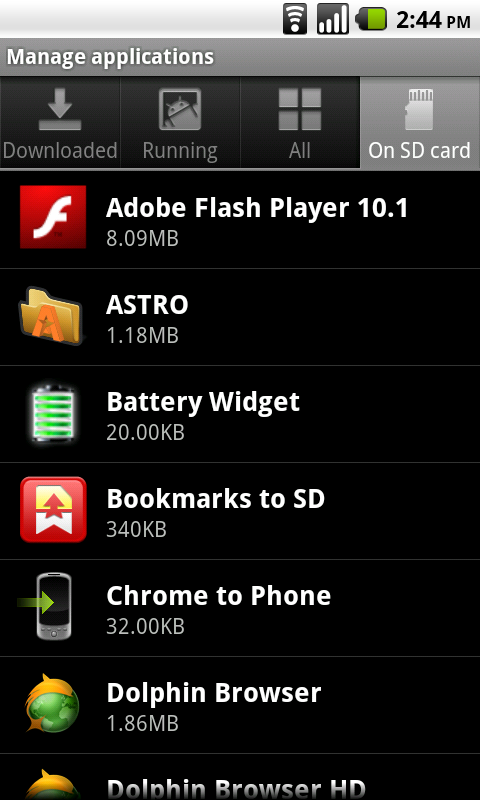
For my case, i use Astro File Manager to browse into sdcard/backups/apps/ to install the app manually.
*
i dont have backups folder in sdcard.. which backup apps u use??
davidwyl
post May 24 2010, 08:50 PM

Getting Started
**
Junior Member
155 posts

Joined: Feb 2008


QUOTE(kpchow75 @ May 24 2010, 07:53 PM)
If you use Astro File Manager to backup all your apps, there will be a backups folder in sdcard.
*
laugh.gif until today only i noticed astro can backup apps...lol.

davidwyl
post May 25 2010, 11:55 PM

Getting Started
**
Junior Member
155 posts

Joined: Feb 2008


QUOTE(m4a1rifle @ May 25 2010, 11:44 PM)
does turn by turn navigation works in malaysia?
*
nop...only in us, i think uk also can now.
the is a way to enable for others country, saw it in xda forum.
but need to downgrade to the google maps to older version.
i don bother to do...


Added on May 26, 2010, 12:22 am
QUOTE(casson @ May 25 2010, 08:43 PM)
thx anyway i found another solution to set simplified manually. tongue.gif
*
look like htc cime got a lot problem o....never tried until today.
im using SCUT gPen for hand writing input....
very nice keyboard. but cannot support pinyin, only support hand writing and english keyboard.

This post has been edited by davidwyl: May 26 2010, 12:22 AM

davidwyl
post May 26 2010, 01:31 AM

Getting Started
**
Junior Member
155 posts

Joined: Feb 2008


QUOTE(PsychoJoe @ May 26 2010, 01:27 AM)
As you will see from the xda link there is no downgrading required, and it works flawlessly now, with voice prompts on time, street names, turn symbols etc.
*
this sound cool rclxms.gif ...anyone tried b4??


update: its work great rclxms.gif thanks...

This post has been edited by davidwyl: May 26 2010, 02:08 AM
davidwyl
post May 26 2010, 01:53 PM

Getting Started
**
Junior Member
155 posts

Joined: Feb 2008


QUOTE(CyberKewl @ May 26 2010, 01:45 PM)
I tried the swype links you gave, nice but it doesnt work in landscape mode, the version posted is not supported by nexus one's resolution. do u have the one supported by N1?
*
i uploaded it here....not sure where i fount it, so i upload it again.
http://www.megaupload.com/?d=MUVRFXYG

this is the version i use, it work great on nexus one.
version 1.25.16.5612.t100


6 Pages < 1 2 3 4 > » Top
Topic ClosedOptions
 

Change to:
| Lo-Fi Version
0.0460sec    0.18    7 queries    GZIP Disabled
Time is now: 8th December 2025 - 11:39 PM