My New Firmware!..
AHPINGKO CFW v2.0ChangeLog:
» Click to show Spoiler - click again to hide... «
- English & Chinese Edition Phone & Input (Symbian Beta EC).
- ROM Patcher Autostart.
- ROM Patcher Patches.
- 20 Capabilities Signing Support.
- Administrator Control Support.
- Application Policy Allowed.
- Optimised All Drive Cache.
- Ahpingko EC Bootscreen & Effects Sound.
- Ahpingko EC Shutdown Screen & Effects Sound.
- Optimised Startup & Shutdown Sound Effect.
- Optimised Super Fast Screen Rotation.
- Fixed Home Screen Stability.
- Optimised Cache Heap Sizing.
- Optimised Startup Sound Volume Gain.
- Java Permissions Allowed.
- Improved Kinetic Scrolling & Stopping.
- Rear Camera Silent Snapshot.
- Rear Camera High Quality Snapshots.
- Home Screen Orientation Fixed.
- Revised & Improved Startup Resource.
- Custom Music Search (E:\Sounds\).
- Pre-Bluetooth Device Name (Ahpingko CFW).
- Bluetooth File Transfer (E:\Received).
- Optimised Native Nokia Browser Cache (E:\Sys\Cache).
- Nokia Chargable Welcome SMS Disabled.
- Nice effect : Rush by Mr.G
- Widget Security Support Disabled.
- Zero Startup Resource.
- Fastest Startup Ever.
- Optimised 3G/GSM Signals.
- Improved Internal Call Recorder.
- Basic, Finger, Navigation, Contacts Bar & Orange Tornado Home Screen.
- Capable Installation Unsigned SIS & SISX Files Without Certificate & Key.
- No vibration during lock/unlock key regardless of profiles
- Shortcut of Themes, Profiles, Connection Manager
- FIXED GPRS ICON BUG in MOST FIRMWARE.
Application PreInstalled:
» Click to show Spoiler - click again to hide... «
- Kill Me.
- Autorama
- X-Plore (Upgradeable).
- ROM Patcher (with auto start)
- ScreenSnap
- Bright Light
- BTSwitch
- Auto Installer (a superb convenient app to install several apps in single click)
- BatUninst
Themes:
» Click to show Spoiler - click again to hide... «
Removed all themes
- iVertigo (as default)
- Desire
Link:
» Click to show Spoiler - click again to hide... «
Guide for Auto Installer:
» Click to show Spoiler - click again to hide... «
Put all your sis/sisx into
E:\ThinkChange\E (for apps which u want to install into memcard)
E:\ThinkChange\C (for apps which u want to install into phone mem)
Credits : Xploit Machine, Mr.G, DsMa, Szakalit, PHNT etc....
This firmware got
no GPRS icon bug...


65mb Free RAM on startup(with screensnap opened)
Some apps icons are arranged but some not...arrange them to your preferences..xD
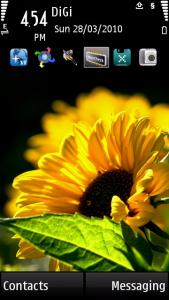
Screenshot:
» Click to show Spoiler - click again to hide... «
Video:
» Click to show Spoiler - click again to hide... «
This post has been edited by ahpingko: Mar 29 2010, 10:50 PM 

 Mar 28 2010, 04:53 PM


 Quote
Quote
 ) and put credit to him (put bigger font so all ppl know him). anyway, hey XM, later go yam cha or organise 1 time to go out everyone. k? cheers




 0.0329sec
 0.32
0.32
 6 queries
 GZIP Disabled