Welcome Guest ( Log In | Register )

Bump Topic Topic Closed RSS Feed
3 Pages  1 2 3 >Bottom

Outline · [ Standard ] · Linear+

 NOKIA N97 V3!, Firmware v21 is available for updates!

views
     
NickyEng
post Jan 20 2010, 10:37 AM

Casual
***
Junior Member
310 posts

Joined: May 2005


Hi everyone.

I just got my n97 yesterday.

I have one question: How to input chinese when i want to sms ?

i open new sms, select options -> input options -> writing language -> 简体中文

I still cannot type PinYin.....even tho the top screen shows 70(1) <-- meaning 70 chinese character allowed...right ? but why i still cannot type ? it just display whatever i key from QWERTY but no chinese word display

Anyone has idea of this ?
NickyEng
post Jan 20 2010, 05:34 PM

Casual
***
Junior Member
310 posts

Joined: May 2005


QUOTE(tplus1 @ Jan 20 2010, 04:46 PM)
Oo.. i got solution about that... i cant taip chinese but got the 简体中文 also...

but after tried a while.... got steps to do d... (duno is it a bug or wht)

1st, change ur language to 简体中文, which u had done..

then, change ur input into numerical input... (the ordinary handphone input with number) then cahnge the input into PinYin...

then open ur keyboard, taaaaa daaa... now u can input chinese via ur QWERTY keyboard

P.S. i done that several times then it just automatically can straight sms with PinYin via keyboard...
*
Thank you Thank you!!!!!!!!

so this is the bug with n97....Hehe.....

must close the keyboard 1st...... rclxub.gif

Here is my steps:

1. close keyboard, go to messaging->new message
2. touch screen in the message content part....the touch-screen of keyboard version appears...
3. touch-screen change the 'abc' to 'pinyin'....
4. then open keyboard QWERTY
5. taaaaa daaa........


Thanks alot tplus1!!!

NickyEng
post Jan 21 2010, 09:29 AM

Casual
***
Junior Member
310 posts

Joined: May 2005


I just bought n97 this week, does it means i get the latest batch ? How to tell if old batch or new batch ?
NickyEng
post Jan 21 2010, 02:36 PM

Casual
***
Junior Member
310 posts

Joined: May 2005


QUOTE(BuFung @ Jan 21 2010, 10:00 AM)
there is another forumer few page back who just bought n97 too have a different stylus with original batch of N97..
that is first indication.. new one.. is round like pen type stylus...

2nd, you can look @ ur lens cover.. see the lens cover have contact wt the lens or not..  new one it doesnt touch the lens.. where the old one is touching the surface...
*
I can't touch the lens of camera...it is hidden under the glass/plastic cover....
NickyEng
post Jan 21 2010, 02:41 PM

Casual
***
Junior Member
310 posts

Joined: May 2005


QUOTE(tplus1 @ Jan 21 2010, 02:10 PM)
Yup, nicky, mine is new batch.. comes with different stylus and the lens wont scratch.. (proven coz been taking lots of photo these days and the lens is still perfect)
*
stylus?

doh.gif I saw it in the n97 box, i tot what the hell is that...and then it is actually a touch-screen-pen ? HAHAHAH

will go home and check tonite.
NickyEng
post Jan 21 2010, 03:22 PM

Casual
***
Junior Member
310 posts

Joined: May 2005


QUOTE(BuFung @ Jan 21 2010, 02:39 PM)
that is normal for all N97.. all is like that..  have a plastic cover it...

ur lens cover.. look from side.. u see maybe a blue material there under the lens cover... does it touching the plastic cover? or have a small gap?
*
I saw blue material, but to determine whether there is a small gap is hard lo...because i think there is small gap but then when i push/press the cover, the gap will be 'no-gap'.....when i dont push/press, there is small gap....

So tell me ..... mine is latest or old ? cry.gif
NickyEng
post Jan 21 2010, 04:30 PM

Casual
***
Junior Member
310 posts

Joined: May 2005


QUOTE(BuFung @ Jan 21 2010, 04:01 PM)
if I remember correctly my old lens cover have no gap at all...  other member pls confirm this..
it is touching the plastic all the time... that's why it make the plastic scratch..
But my new housing have a big gap.. kind of like > 1mm gap.. even push it also will not contact wt the plastic..
*
oh shxt....

I must ask the seller then..... vmad.gif
NickyEng
post Jan 22 2010, 04:21 PM

Casual
***
Junior Member
310 posts

Joined: May 2005


QUOTE(tplus1 @ Jan 21 2010, 08:19 PM)
=.= u guys so enjoice lo.... me suffer... V1.2... i dun want change the product code as it still have warranty from nokia for another 11 months and  28 days....

i want kinetic scrolling! (some apps got... but nt the menu of phn... =.=)
*
tplus...your stylus can be open....

just trust me, pull it harder!!!!! the stylus will become like this : ||||||||| <========||||||||||||||||


icon_rolleyes.gif


NickyEng
post Jan 23 2010, 08:02 PM

Casual
***
Junior Member
310 posts

Joined: May 2005


QUOTE(BuFung @ Jan 23 2010, 11:34 AM)
just notice one thing.. every time Ovi Store install application to our C?  I notice it doesn't prompt me where to install to...  fark up...
*
how to install ovi map to our phone ?

is it free ?

---
I have this case, to download 2 free games from ovi nokia....from ovi website cannot download to pc and then transfer to my phone...so i use the link the sms sent to my phone by ovi nokia website, and to download that 2 games by using my 3g, end up fark up with rm40 phone credit....gosh...my 3g price....


tot of getting free game but end up paying more .hahaha...

so how's this ovi map thing works? i just hope dont ask me to download the map from my phone and must on 3g/internet....can we just like download from pc transfer to my phone ?

shakehead.gif
NickyEng
post Jan 23 2010, 08:04 PM

Casual
***
Junior Member
310 posts

Joined: May 2005


QUOTE(tplus1 @ Jan 23 2010, 07:59 PM)
aspire... seems like nice game... mind gimme the download link? thx...

btw.. lately just play tower block new york... nice game, xD
*
I check already tplus1....mine is Avaxxx something....

oh ya..have you pull hardly the stylus? smile.gif

NickyEng
post Jan 23 2010, 08:23 PM

Casual
***
Junior Member
310 posts

Joined: May 2005


QUOTE(PyOsE @ Jan 23 2010, 08:15 PM)
of course it's free lol you can start here: http://www.nokia.com.my/explore-services/m...ping/map-loader
*
is this the correct link to download nokia map loader?

link : http://www.nokia.com.my/explore-services/nokia-maps/download

but i dont understand why no n97"?


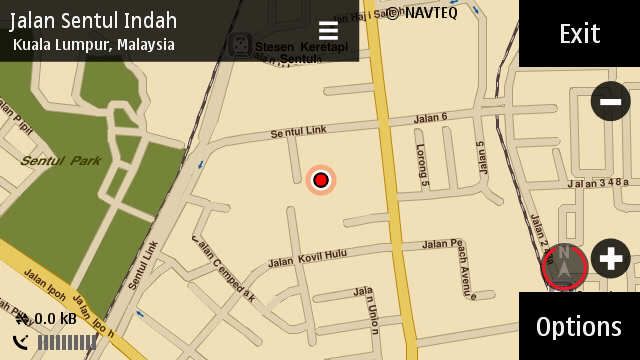
Added on January 23, 2010, 8:34 pmjust now i try few steps, not sure correct way or not....pls guide me if i'm wrong.


just now i go to Maps -> extras -> update

search 'sentul' --->(search offline) --> address(17) --> Jalan Sentul Indah

and it show me the maps there.......

and then i go check my phone credit & it is not deducted.

So i guess this is the nokia map loader?


This post has been edited by NickyEng: Jan 23 2010, 08:34 PM
NickyEng
post Jan 24 2010, 11:50 AM

Casual
***
Junior Member
310 posts

Joined: May 2005


QUOTE(gunslinger @ Jan 24 2010, 12:26 AM)
so much complicated... map loader? ovi map? offline map?>.<""
*
ya...i also feel pening.... rclxub.gif
NickyEng
post Jan 24 2010, 09:07 PM

Casual
***
Junior Member
310 posts

Joined: May 2005


QUOTE(PyOsE @ Jan 24 2010, 05:24 PM)
mine smile.gif

user posted image
*
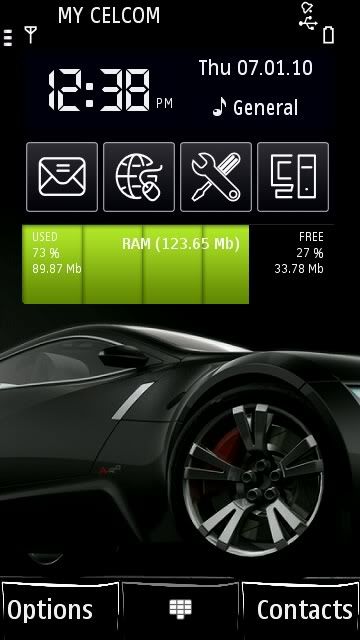
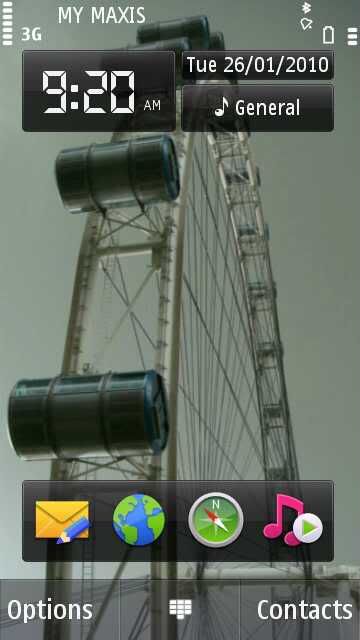
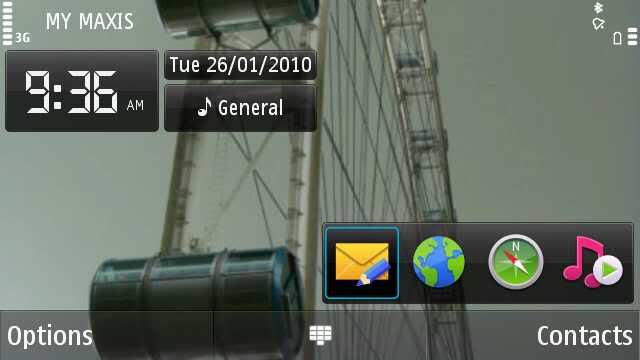
how you guys screen capture ?
NickyEng
post Jan 25 2010, 11:30 AM

Casual
***
Junior Member
310 posts

Joined: May 2005


This is what i get when i at my house.

user posted image

It is offline mode. So does this means my nokia maps works poperly now ?
NickyEng
post Jan 25 2010, 05:07 PM

Casual
***
Junior Member
310 posts

Joined: May 2005


QUOTE(BuFung @ Jan 25 2010, 02:30 PM)
Offline simply mean u don't use data.... 

OviMap doesn't need to be Online to use the navigation...
*
OviMaps? I tot what i have in my phone is OviMaps? no ?

how to check ? rclxub.gif
NickyEng
post Jan 26 2010, 09:00 AM

Casual
***
Junior Member
310 posts

Joined: May 2005


QUOTE(PyOsE @ Jan 24 2010, 10:30 PM)
there's a application called screensnap..try google around  rclxms.gif
*
Thanks alot.
smile.gif
rclxms.gif
user posted imageuser posted image


Added on January 26, 2010, 9:32 amI am wondering how to delete 'downloads' folder from Photo menu without deleting actual pictures...

you see, i received mms, and save pic into my 'frenpic' folder under Mass Storage E:/Images/frenpic

but i can see the mms_pic when i go to Photo menu -> Downloads -> mms_pic

Is there a way to delete the 'Downloads' folder from Photo menu, OR, a way to prevent all bluetooth/mms/screensnap pictures go to 'Downloads' folder ?

This post has been edited by NickyEng: Jan 26 2010, 09:39 AM
NickyEng
post Jan 26 2010, 11:07 AM

Casual
***
Junior Member
310 posts

Joined: May 2005


I just now have problem with install themes i downloaded from internet.

It says 'application not compatible with phone. continue anyway?' ...then i chose 'no'

So from you guys experience downloading free themes from net, if it say not compatible , do you still continue to install anyway ? Will it crash with the OS?
NickyEng
post Jan 26 2010, 03:55 PM

Casual
***
Junior Member
310 posts

Joined: May 2005


QUOTE(tabletennis @ Jan 26 2010, 03:07 PM)
nono,even if captired by n97, after a hard reset all the photos will go to downloads
*
i wonder what if i just move all the pics to E:/MyFolder/
because i notice that 'downloads' pictures are all come from E:/Images/etcFolder

i will try now


Added on January 26, 2010, 4:04 pmdamn....Failed. even tho i move the pic to other folder i created outside E:/Images/, the phone still can search for the pic to be display in 'downloads' folder.

they search for file format maybe ? like .jpeg .avi .wmv .mp3 ?

This post has been edited by NickyEng: Jan 26 2010, 04:04 PM
NickyEng
post Jan 27 2010, 03:10 PM

Casual
***
Junior Member
310 posts

Joined: May 2005


QUOTE(BuFung @ Jan 27 2010, 11:35 AM)
By far I use the OviMap... I have no charge .. or every time 10cent charge if I use the A-GPS...
*
rclxms.gif

How to have OviMap in my n97 then ?


Added on January 27, 2010, 3:17 pm
QUOTE(PyOsE @ Jan 27 2010, 11:02 AM)
check your settings:

A-gps = Assist GPS = pay money to assist I-GPS

I-gps = Integrated GPS = Build in GPS no need pay any money
*
I can't find the setting ? cry.gif

This post has been edited by NickyEng: Jan 27 2010, 03:17 PM
NickyEng
post Jan 27 2010, 03:29 PM

Casual
***
Junior Member
310 posts

Joined: May 2005


QUOTE(BuFung @ Jan 27 2010, 03:20 PM)
user posted image
*
blush.gif blush.gif blush.gif


3 Pages  1 2 3 >Top
Topic ClosedOptions
 

Change to:
| Lo-Fi Version
0.0544sec    0.66    7 queries    GZIP Disabled
Time is now: 1st December 2025 - 08:05 AM