Outline ·
[ Standard ] ·
Linear+
Motorola Milestone [NOW OFFICIAL!], 1st Android 2.1 phone in Malaysia
|
Rubik
|
 Apr 1 2010, 09:57 PM Apr 1 2010, 09:57 PM
|
Getting Started


|
Allright people, time to get you guys excited. Here's how to get Google Navigator onto your Milestone without needing to root and all the fancy stuff. #1 Download the files: http://www.megaupload.com/?d=6IIOGIPW#2 Extract the files into the root of your SDcard #3 Using a file manager/browser, install the following files which you have extracted into your sdcard/Download folder GoogleEarth.apk maps3.3.1...apk The rest of the files, you don't need. You now have 2 program named 'Maps' , the second one is with Navigation. I have tested this and it works. Enjoy  This post has been edited by Rubik: Apr 1 2010, 10:04 PM This post has been edited by Rubik: Apr 1 2010, 10:04 PM |
|
|
|
|
|
Rubik
|
Apr 22 2010, 12:09 PM
|
Getting Started
|
Hi Guys, Guess what came in my mail today ! 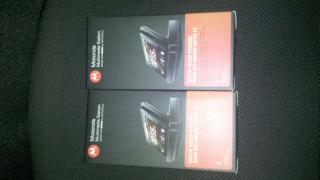
Just ordered and received my Multimedia Docking Station. Will test it tonight. I ordered 2 in case i want to use 1 at home and 1 at the office, but i may only end up using only one. If i do, anyone interested in the second one ? |
|
|
|
|
|
Rubik
|
Apr 22 2010, 12:46 PM
|
Getting Started
|
Bought it online from Amazon.com . Shipping is more expensive than the product itself !
|
|
|
|
|



 Quote
Quote
 0.0660sec
 0.34
0.34
 7 queries
 GZIP Disabled