Welcome Guest ( Log In | Register )

Outline · [ Standard ] · Linear+

 Accelero Xtreme 4870x2, Installation Pics and mini guide/tips

views
     
TSEoma
post Aug 22 2009, 05:59 PM, updated 17y ago

- ,. -
Group Icon
Elite
4,603 posts

Joined: Jan 2003
From: PJ


Hi guys,

After a few weeks of reading and gathering guts, I've finally decided to install my 2 week old Accelero Xtreme 4870x2 cooler.
Here are some pics and bits of wisdom i picked up while installing the cooler earlier today.
Excuse the noob photography yah.


First off, pics of the Stock Asus4870x2 Cooler.
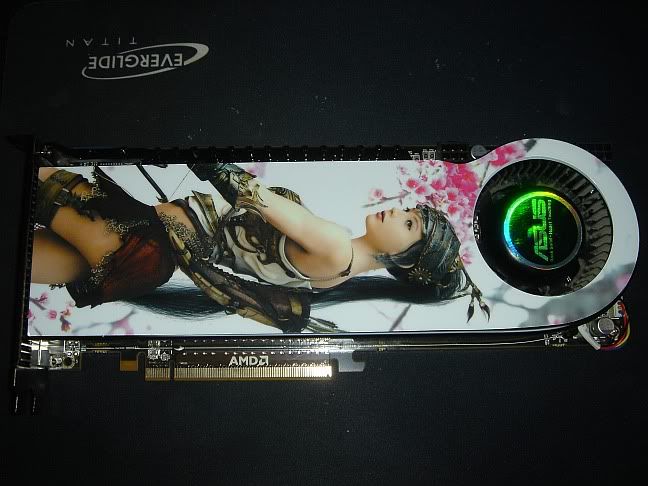
user posted image

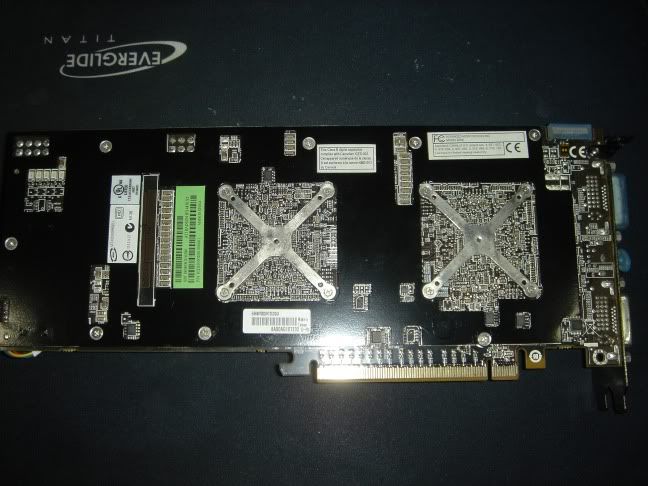
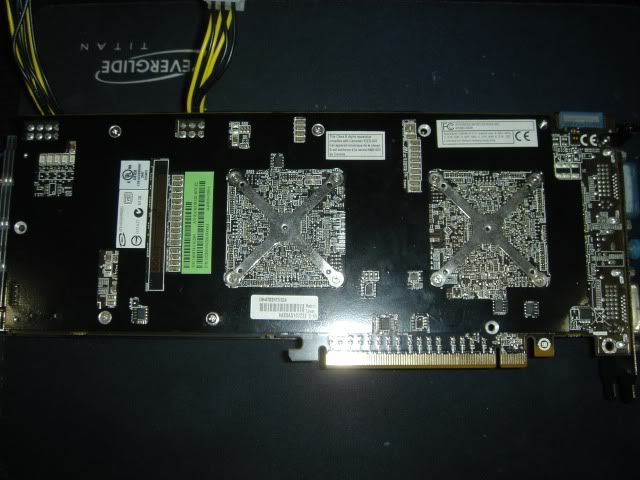
Backplate pic:

user posted image

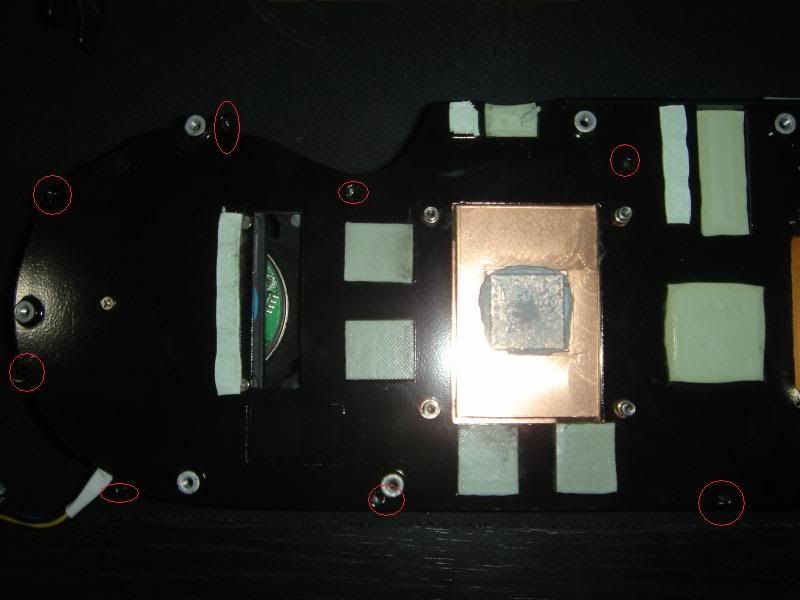
Ok, first things first, we need to get that back and x-plate out. A few screw turns later and we're done.
The screws were tight, but came off easily with a bit of force.

user posted image

Next, turn the board over and remove the original fan shroud for a naked view of the card.
The fan power cable was a b!tch to take out though. Patience, mini tweezers and a flathead screwdriver recommended.
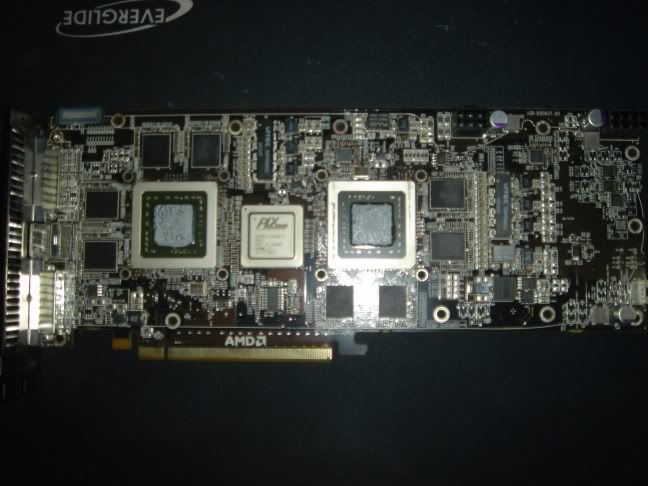
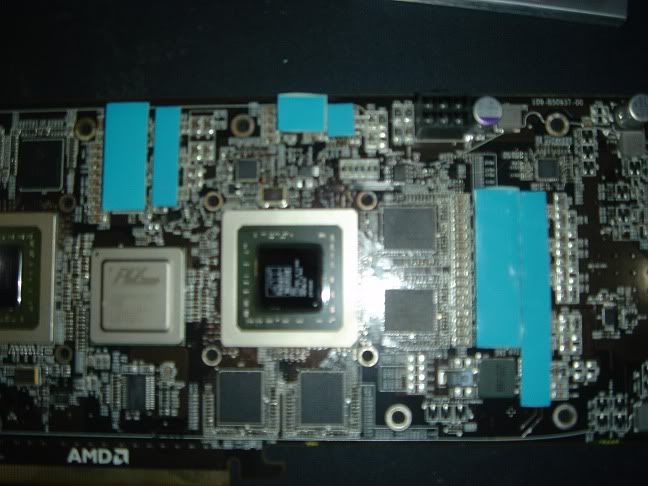
user posted image

Clean all the grease up (alcohol and an eraser) and we get ourselves some nice clear RV770 cores and the PLX PI-E bridge chip.
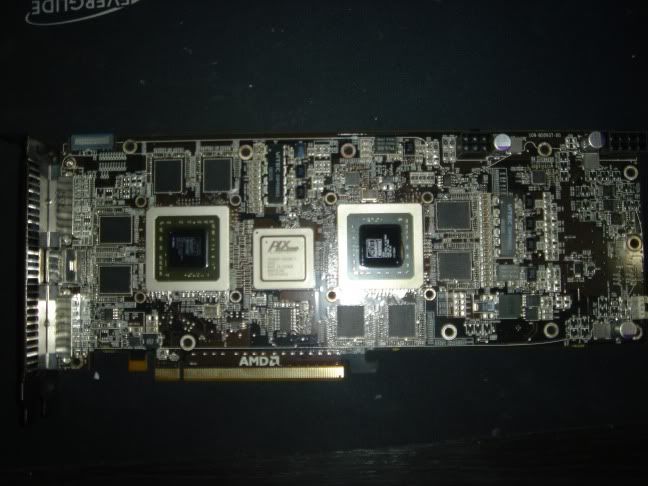
user posted image

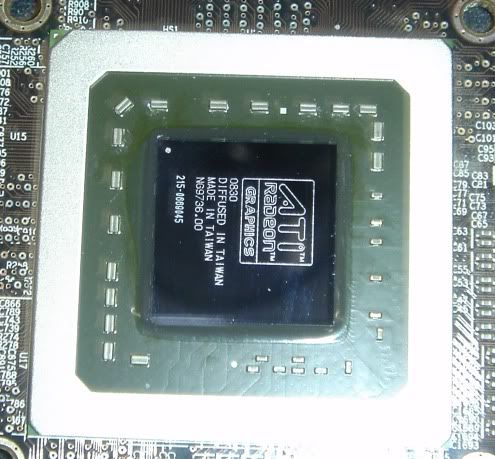
A close-up of the RV770 core

user posted image


This post has been edited by Eoma: Aug 22 2009, 06:01 PM
TSEoma
post Aug 22 2009, 06:02 PM

- ,. -
Group Icon
Elite
4,603 posts

Joined: Jan 2003
From: PJ


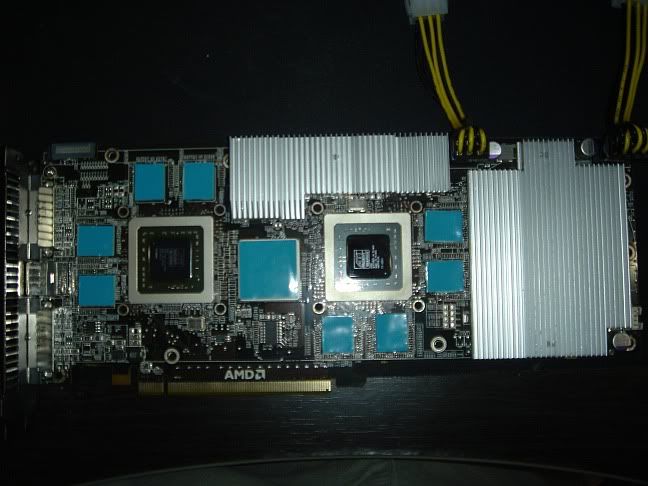
Next, we add the VRM thermal tape. Patience and steady hands fellas.

user posted image

Install the VRM heatsinks and screw them from the back.
This part caused me a bit of trouble - when aligning the screw holes the heatsink slipped twice. Result = some dirty sports on the thermal tape.
Just be patient and line up the heatsink, screw hole and thermal tape before attempting to screw it in. Standing the card/putting it in an upright position may be helpful for some.

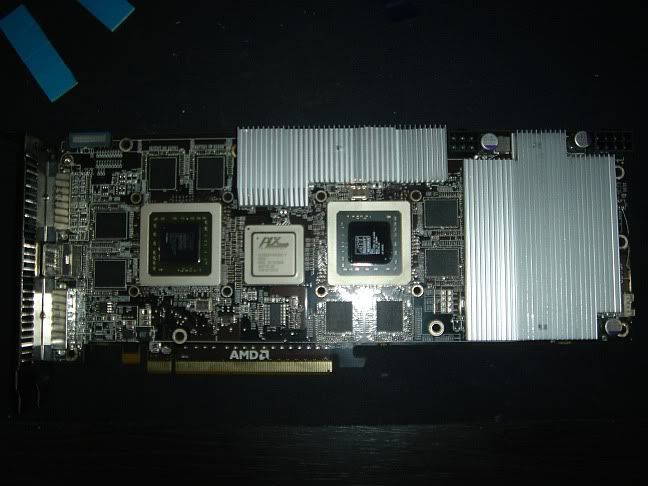
user posted image


Gotta ensure good tight contact between the VRMs, thermal tape and heatsinks.

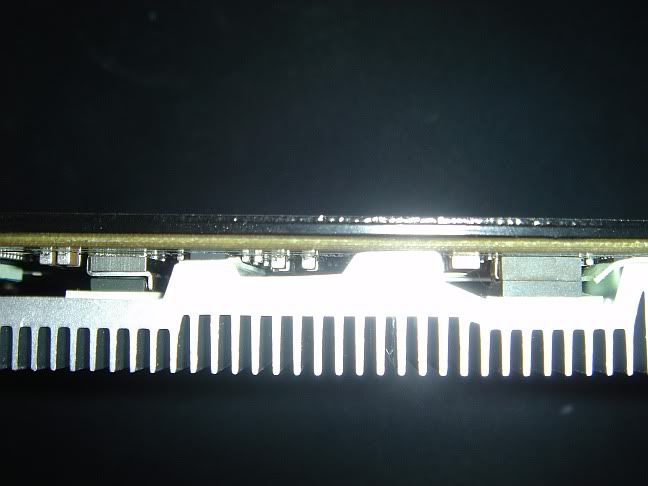
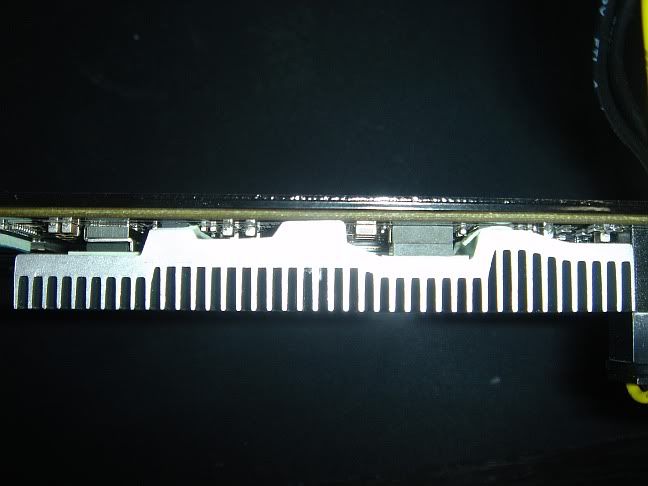
The topmost heatsink:

user posted image
user posted image


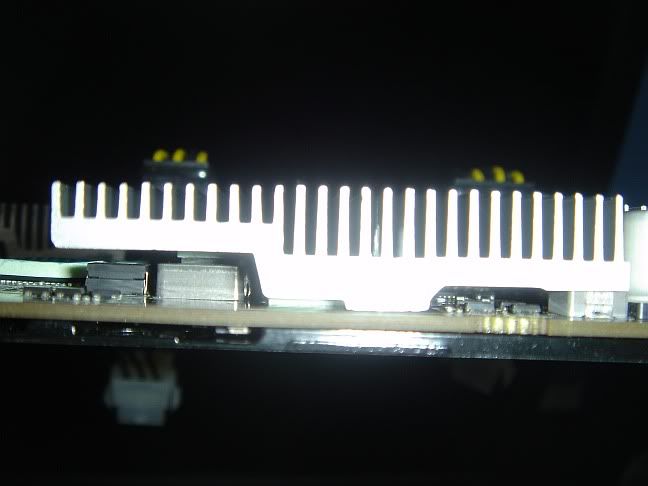
The larger heatsink (bottom view):

user posted image

The RAM & PLX thermal tape comes next.

user posted image

For the 2x PCI-E power extensions, I chose to use the bundled ones. Some folk have also used their original PSU PCI-E headers with no issues.

TSEoma
post Aug 22 2009, 06:03 PM

- ,. -
Group Icon
Elite
4,603 posts

Joined: Jan 2003
From: PJ


Almost done now, just align the cooler with the screw holes and ram chips, ensuring a good fit. Turn the board over and screw in the backplate screws and x-plate.
The original x-plate screws from the stock cooler are apparently not long enough, but no worries though, as you can either:

a. Write an e-mail to AC and they will send you longer screws; or
b. Re-use the original fan shroud screws. They are of the same size and are longer (or long enough) for the x-plates to achieve the desired contact level between the cores and Acelero Xtreme.

The longer screws can be found here:

user posted image

The longer set of screws go in easily and ensures a good tight fit.

user posted image

Installation complete :

user posted image


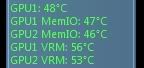
The results ? Pretty much in-line with all the reviews on the 'Net for this cooler @ superb core and mem I/O temperatures, but similar or slightly lower VRM temps as the stock cooler.

Idle temps:

user posted image

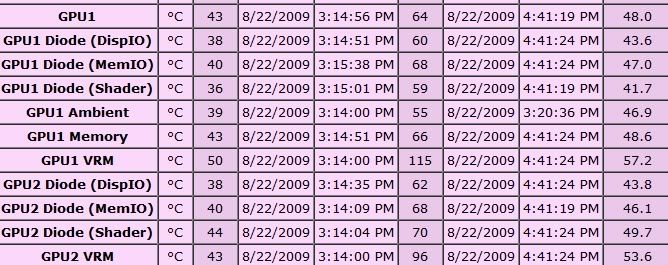
Load temps should reach 70+. A test run on furmark 1920x1200, no MSAA yielded these temps:

user posted image

But these temps are due to furmark and it's known tendency to pull extra power on the 4xxx series of cards (VRM temps of 115c are apparently still in the operating temps of the 4870x2 VRMs).
There are some lovely Enzo copper mosfets I might try to replace the standard heatsinks with once I have verified the dimensions. They should hopefully bring the VRM temps down to the 60-70c range.

I haven't tested on any shader intensive games yet though. Will update this thread when I have the time and if there are any requests.

This post has been edited by Eoma: Aug 22 2009, 06:07 PM
monsh
post Aug 22 2009, 06:16 PM

Let's Change The World !
*******
Senior Member
4,196 posts

Joined: Oct 2007


wah its too many , juz give a conclusion bro >.<"
so d idle could be around 45C and load 70C roughly ?
and is diz furmark load or gaming load ?
if furmark den its superb !!
TSEoma
post Aug 22 2009, 06:20 PM

- ,. -
Group Icon
Elite
4,603 posts

Joined: Jan 2003
From: PJ


QUOTE(monsh @ Aug 22 2009, 06:16 PM)
wah its too many , juz give a conclusion bro >.<"
so d idle could be around 45C and load 70C roughly ?
and is diz furmark load or gaming load ?
if furmark den its superb !!
*
The load temps (the Pink Table) are from furmark.
monsh
post Aug 22 2009, 06:57 PM

Let's Change The World !
*******
Senior Member
4,196 posts

Joined: Oct 2007


omg , dat's too darn sweet weih !
seriously , its worth the buy eh ! hahaha biggrin.gif
joellim
post Sep 5 2009, 01:56 PM

Getting Started
**
Junior Member
188 posts

Joined: Nov 2007
From: Bukit Jambul, Penang (Hometown: Georgetown)


where did you buy the 4870x2 in malaysia? i just got an RMA-ed 4870x2 and I want to change to this cooler but can't find it being sold anywhere.
care to enlighten me?
reiben05
post Sep 6 2009, 03:28 AM

American Muscle
******
Senior Member
1,800 posts

Joined: Dec 2008
From: unknown


i think he ordered it online..
lingloong
post Sep 11 2009, 12:20 PM

# Noob In Trading #
******
Senior Member
1,256 posts

Joined: Aug 2007
From: Ampang TO Sibu


Should be ordered online. Coz AC Msia distributor don't bring in this model, in fact they are inactive sweat.gif
bowerchung
post Oct 12 2009, 05:38 PM

On my way
****
Senior Member
562 posts

Joined: Dec 2008
From: WonderLand :D
QUOTE(reiben05 @ Sep 6 2009, 03:28 AM)
i think he ordered it online..
*
how much is the "monster"???! whistling.gif


Change to:
| Lo-Fi Version
0.0161sec    0.85    5 queries    GZIP Disabled
Time is now: 20th December 2025 - 09:38 PM