Welcome Guest ( Log In | Register )

78 Pages « < 70 71 72 73 74 > » Bottom

Outline · [ Standard ] · Linear+

 :: Post Your Gaming Setup V2 ::, Strictly console gaming only!

views
     
gundamalpha
post Apr 12 2013, 12:21 AM

☆彡TITS☆彡
******
Senior Member
1,450 posts

Joined: Jun 2008
From: KK


QUOTE(Urban @ Apr 11 2013, 10:23 PM)
awesome set up guys... waiting to shift in my house getting inspiration from here:)
*
If there's one single most important thing to plan in a home entertainment set up it would be cablings, make sure you have enough power points and plan for your surround placements.
ameenskywalker
post Apr 12 2013, 05:22 PM

Casual
***
Junior Member
343 posts

Joined: Mar 2005
From: This means more !


QUOTE(gundamalpha @ Apr 9 2013, 03:49 PM)
Ya wor, still settling in biggrin.gif
*
Hehe, this is similar to my rack. The trickiest part is to balance the height of each tier sweat.gif since PS3 & Bluray Disc has a different height compared to 360's DVD...

We have the same chair too... all courtesy of Ikea lol

This post has been edited by ameenskywalker: Apr 12 2013, 05:23 PM
gundamalpha
post Apr 13 2013, 12:42 AM

☆彡TITS☆彡
******
Senior Member
1,450 posts

Joined: Jun 2008
From: KK


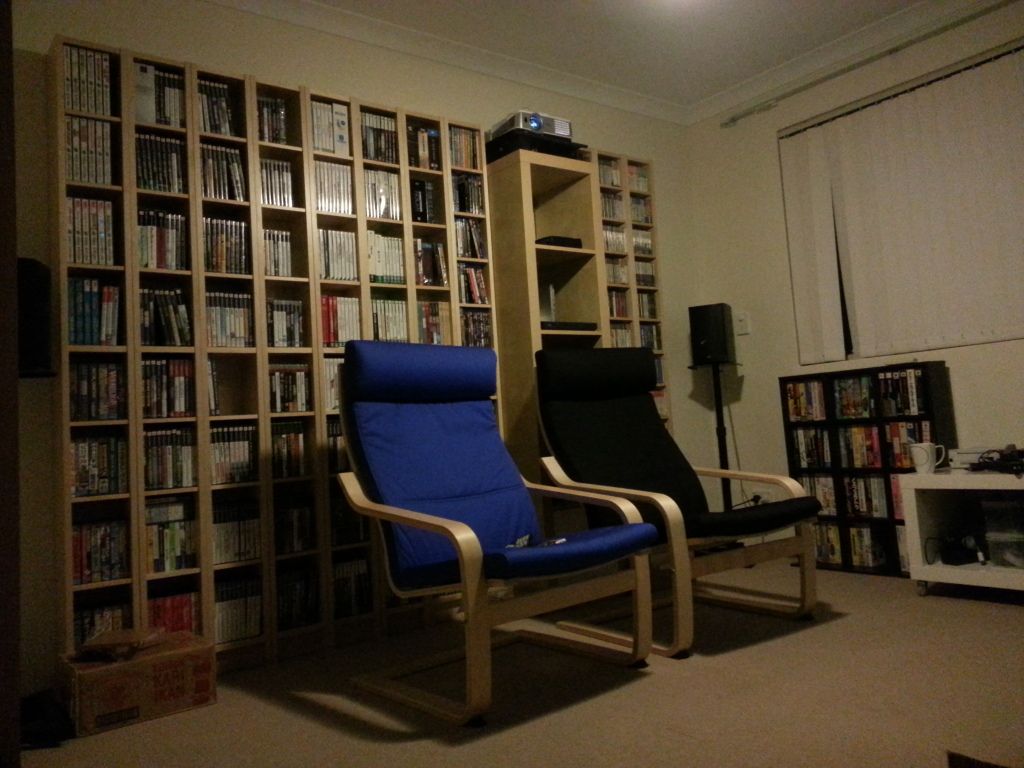
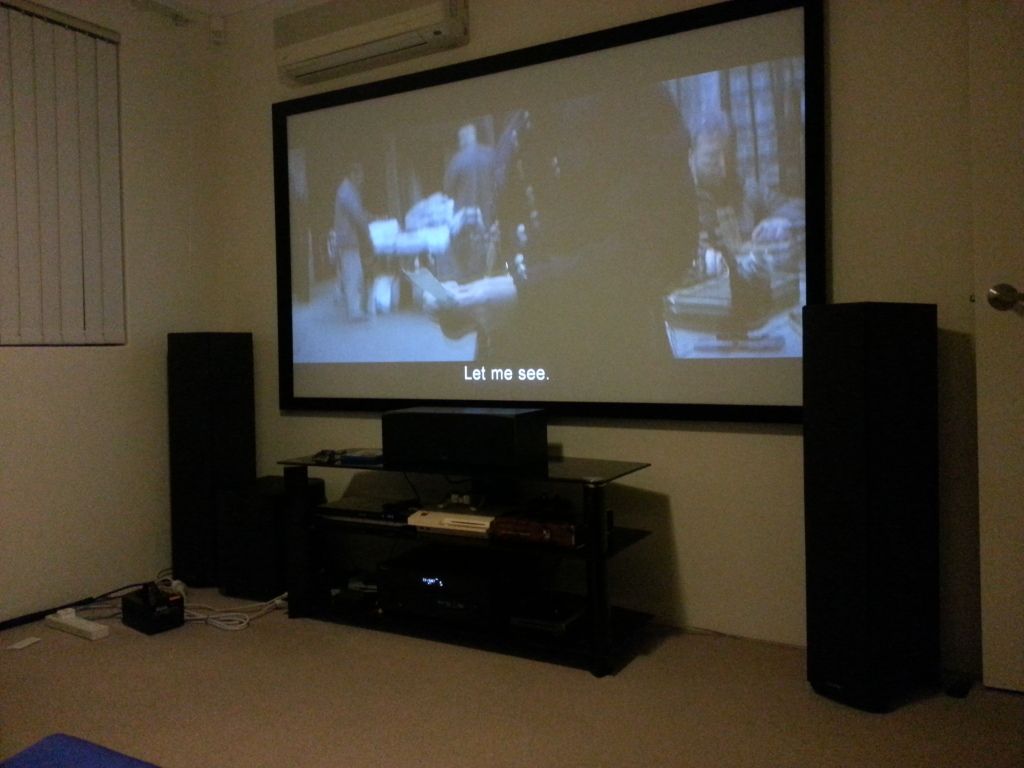
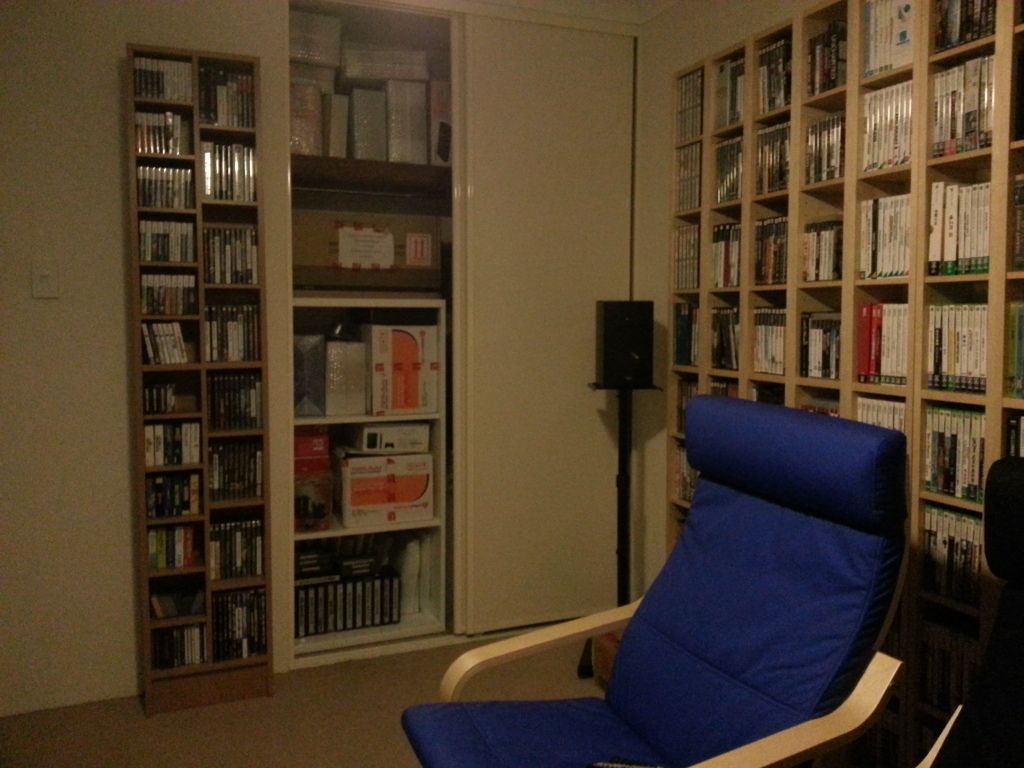
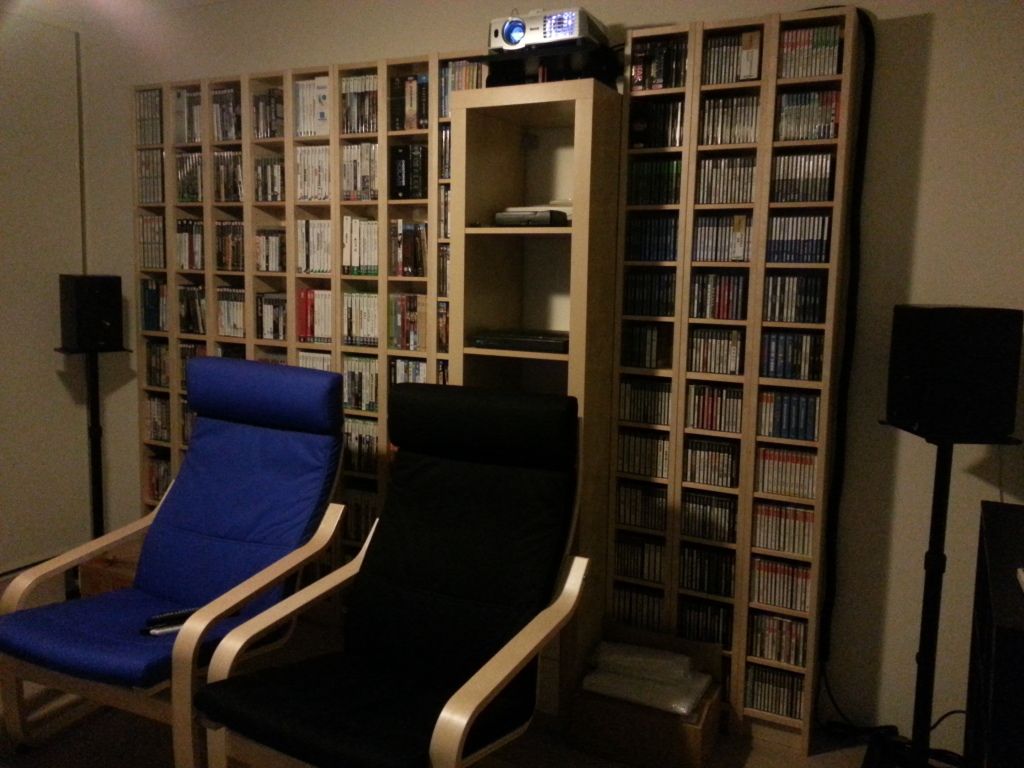
Almost all done, just need to change the blinds as the final touch.

Sitting arrangement.
user posted image

Main screen.
user posted image

Storage room opened.
user posted image

DVD & BD to the left, CD to the right.
user posted image
Trishharas
post Apr 13 2013, 09:10 AM

Getting Started
**
Junior Member
78 posts

Joined: Oct 2007
From: Somewhere among the Homeworld..


QUOTE(Urban @ Apr 11 2013, 10:23 PM)
awesome set up guys... waiting to shift in my house getting inspiration from here:)
*
Thanks. Make sure you you have enough power points for cablings. smile.gif

QUOTE(gundamalpha @ Apr 13 2013, 12:42 AM)
Almost all done, just need to change the blinds as the final touch.

Sitting arrangement.
user posted image

Main screen.
user posted image

Storage room opened.
user posted image

DVD & BD to the left, CD to the right.
user posted image
*
Nice. I think imma fly over and hang around your house..If I'm going there that is..brows.gif
Urban
post Apr 13 2013, 10:12 AM

Casual
***
Junior Member
459 posts

Joined: Mar 2006
From: OUG


QUOTE(gundamalpha @ Apr 13 2013, 12:42 AM)
Almost all done, just need to change the blinds as the final touch.

Sitting arrangement.
user posted image

Main screen.
user posted image

Storage room opened.
user posted image

DVD & BD to the left, CD to the right.
user posted image
*
and darm that is awesome!!!! too bad there is not enough place for cinema sits. thumbup.gif thumbup.gif if there is. I would not even leave that room till I watch all the blueray lol
QUOTE(gundamalpha @ Apr 12 2013, 12:21 AM)
If there's one single most important thing to plan in a home entertainment set up it would be cablings, make sure you have enough power points and plan for your surround placements.

*
QUOTE(Trishharas @ Apr 13 2013, 09:10 AM)
Thanks. Make sure you  you have enough power points for cablings.  smile.gif
Nice. I think imma fly over and hang around your house..If I'm going there that is..brows.gif
user posted image
im thinking of getting two of this. Wonder will it be enough. hmm.gif hmm.gif my only concern is the wire going to the back speaker ATM and should i mount my 46 inch tv....hahah

This post has been edited by Urban: Apr 13 2013, 10:14 AM
Trishharas
post Apr 14 2013, 12:37 AM

Getting Started
**
Junior Member
78 posts

Joined: Oct 2007
From: Somewhere among the Homeworld..


QUOTE(Urban @ Apr 13 2013, 10:12 AM)
user posted image
im thinking of getting two  of this. Wonder will it be enough. hmm.gif  hmm.gif my only concern is the wire going to the back speaker ATM and should i mount my 46 inch tv....hahah
*
That one is awesome. It hides away all the cables. You can tie up the wire going to the back speakers using shoe string or velcro. I did mine that way as it looks so tidy after that. smile.gif
kezman
post Apr 14 2013, 02:31 AM

Enthusiast
*****
Senior Member
992 posts

Joined: Oct 2005
From: Subang Jaya


i jelly with all of the setup... mine only tv and ps3...
Urban
post Apr 14 2013, 02:58 PM

Casual
***
Junior Member
459 posts

Joined: Mar 2006
From: OUG


QUOTE(Trishharas @ Apr 14 2013, 12:37 AM)
That one is awesome. It hides away all the cables. You can tie up the wire going to the back speakers using shoe string or velcro. I did mine that way as it looks so tidy after that. smile.gif
*
Good idea on the shoe string lol....did you custome your own wire? or you just use stock?

Trishharas
post Apr 14 2013, 08:10 PM

Getting Started
**
Junior Member
78 posts

Joined: Oct 2007
From: Somewhere among the Homeworld..


QUOTE(Urban @ Apr 14 2013, 02:58 PM)
Good idea on the shoe string lol....did you custome your own wire? or you just use stock?
*
Meaning? hmm.gif
gundamalpha
post Apr 14 2013, 10:06 PM

☆彡TITS☆彡
******
Senior Member
1,450 posts

Joined: Jun 2008
From: KK


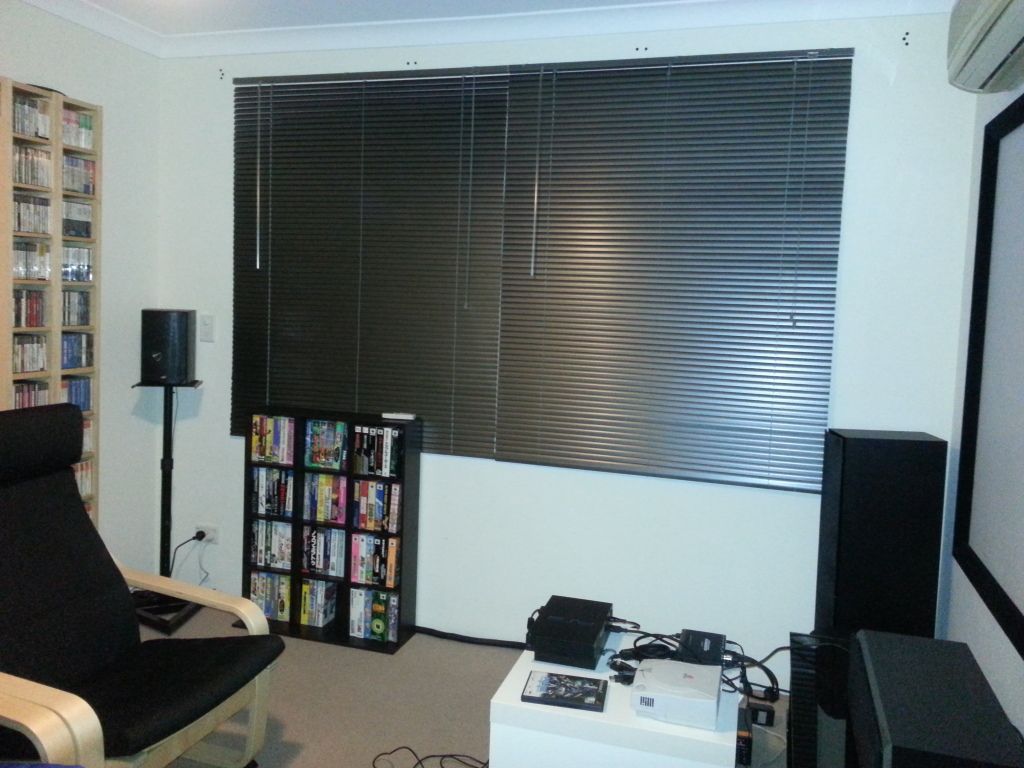
Finally installed new blinds

user posted image

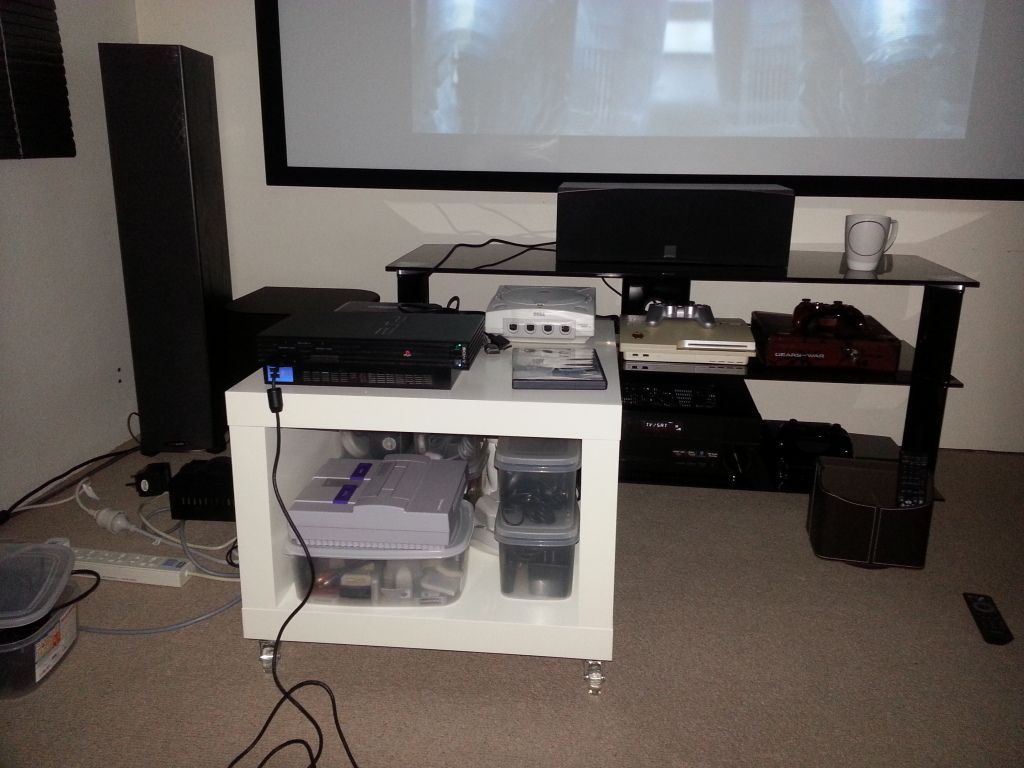
Mobile retro gaming unit, moved aside when not playing them

user posted image

That's all for now, everything DIY so it may not look as good but will settle for it smile.gif
Urban
post Apr 14 2013, 11:09 PM

Casual
***
Junior Member
459 posts

Joined: Mar 2006
From: OUG


QUOTE(Trishharas @ Apr 14 2013, 08:10 PM)
Meaning? hmm.gif
*
did you buy extra wire? cos i dont think the wire that come with your speaker can put all the way back?

QUOTE(gundamalpha @ Apr 14 2013, 10:06 PM)
Finally installed new blinds
user posted image

Mobile retro gaming unit, moved aside when not playing them
user posted image

That's all for now, everything DIY so it may not look as good but will settle for it smile.gif
*
Nice!!! darm how i wish i have so much money for a gaming room cry.gif cry.gif cry.gif work harder i need
Trishharas
post Apr 16 2013, 10:56 AM

Getting Started
**
Junior Member
78 posts

Joined: Oct 2007
From: Somewhere among the Homeworld..


QUOTE(gundamalpha @ Apr 14 2013, 10:06 PM)
Finally installed new blinds

user posted image

Mobile retro gaming unit, moved aside when not playing them

user posted image

That's all for now, everything DIY so it may not look as good but will settle for it smile.gif
*
Nice..I is jelly. This is the massive poison I've ever seen. laugh.gif

QUOTE(Urban @ Apr 14 2013, 11:09 PM)
did you buy extra wire? cos i dont think the wire that come with your speaker can put all the way back?
*
Nope. No extra wire, I use the one that came together with the consoles and stuffs. Besides, I use 2 Belkin extensions. One is for the laptop, monitor, WD ext-hdd 1TB, printer, wireless modem and the 2nd one is for consoles, TV and soundbar. If you look carefully at the picture, the soundbar is just right in front of the tv on the red box and the reason why the wire's were long enough to be put all the way back. smile.gif

You can mount your TV if you want. But better not if in case you want to move it around the house in future.

This post has been edited by Trishharas: Apr 16 2013, 11:05 AM

Urban
post Apr 17 2013, 12:12 PM

Casual
***
Junior Member
459 posts

Joined: Mar 2006
From: OUG


QUOTE(Trishharas @ Apr 16 2013, 10:56 AM)
Nice..I is jelly. This is the massive poison I've ever seen. laugh.gif
Nope. No extra wire, I use the one that came together with the consoles and stuffs. Besides, I use 2 Belkin extensions. One is for the laptop, monitor, WD ext-hdd 1TB, printer, wireless modem and the 2nd one is for consoles, TV and soundbar. If you look carefully at the picture, the soundbar is just right in front of the tv on the red box and the reason why the wire's were long enough to be put all the way back. smile.gif

You can mount your TV if you want. But better not if in case you want to move it around the house in future.
*
yea im planning to mount my TV smile.gif going to make a custom tv cab... I have a full 5.1 surround sound that can hardly be use atm because im renting a room only cry.gif cry.gif finally being able to afford a house. rclxm9.gif

anyways i dont think the cable will be enough for me. I thinking of going wireless receiver adapter(cant find it anywhere unless order online from us) or buy longer cables. Problem is also with the sub woofer. I thinking of putting beside my sofa and tune down the bass and put a mat bellow it so I will can enjoy sound quality but not disturb my neighbour.Dont want to be a mean neighbour XD
Trishharas
post Apr 17 2013, 01:25 PM

Getting Started
**
Junior Member
78 posts

Joined: Oct 2007
From: Somewhere among the Homeworld..


QUOTE(Urban @ Apr 17 2013, 12:12 PM)
yea im planning to mount my TV smile.gif going to make a custom tv cab... I have a full 5.1 surround sound that can hardly be use atm because im renting a room only cry.gif  cry.gif  finally being able to afford a house.  rclxm9.gif

anyways i dont think the cable will be enough for me. I thinking of going wireless receiver adapter(cant find it anywhere unless order online from us) or buy longer cables. Problem is also with the sub woofer. I thinking of putting beside my sofa and tune down the bass and put a mat bellow it so I will can enjoy sound quality but not disturb my neighbour.Dont want to be a mean neighbour XD
*
Ahhaaa..then you need the extras..btw, where do you put your internet modem router? hmm.gif
jax2103
post Apr 17 2013, 02:47 PM

Getting Started
**
Junior Member
110 posts

Joined: Mar 2012
QUOTE(gundamalpha @ Apr 13 2013, 12:42 AM)
Almost all done, just need to change the blinds as the final touch.

Sitting arrangement.
user posted image

Main screen.
user posted image

Storage room opened.
user posted image

DVD & BD to the left, CD to the right.
user posted image
*
this will only be better with cozy couch! maybe if there one, i'll never get out from this room. lol
Urban
post Apr 17 2013, 06:58 PM

Casual
***
Junior Member
459 posts

Joined: Mar 2006
From: OUG


QUOTE(Trishharas @ Apr 17 2013, 01:25 PM)
Ahhaaa..then you need the extras..btw, where do you put your internet modem router? hmm.gif
*
haha using unifi, but i have customice my unifi router so that it only take 1 plug with the wifi router. also i added a 10inch fan on top of the unifi router to cool it off icon_rolleyes.gif most likely will be hidden in one of the tv cab.
gundamalpha
post Apr 17 2013, 10:45 PM

☆彡TITS☆彡
******
Senior Member
1,450 posts

Joined: Jun 2008
From: KK


QUOTE(jax2103 @ Apr 17 2013, 02:47 PM)
this will only be better with cozy couch! maybe if there one, i'll never get out from this room. lol
*
Space is an issue
Trishharas
post Apr 18 2013, 09:23 AM

Getting Started
**
Junior Member
78 posts

Joined: Oct 2007
From: Somewhere among the Homeworld..


QUOTE(Urban @ Apr 17 2013, 06:58 PM)
haha using unifi, but i have customice my unifi router so that it only take 1 plug with the wifi router. also i added a 10inch fan on top of the unifi router to cool it off  icon_rolleyes.gif most likely will be hidden in one of the tv cab.
*
Cool. Then get a long cable to connect to your unifi router to ps3. icon_rolleyes.gif
Urban
post Apr 18 2013, 11:05 AM

Casual
***
Junior Member
459 posts

Joined: Mar 2006
From: OUG


QUOTE(Trishharas @ Apr 18 2013, 09:23 AM)
Cool. Then get a long cable to connect to your unifi router to ps3.  icon_rolleyes.gif
*
haha the only problem i have with my router now is that i dont have enought etr ports. Tv, blueray player, ps3,xbox, hyppTv, rasberry Pi, asus Oplayer cry.gif cry.gif got to buy extender already sad.gif money not well spend cry.gif cry.gif
Maximp
post Apr 18 2013, 11:47 AM

On my way
****
Senior Member
656 posts

Joined: Aug 2006
From: Kuala Lumpur N' Kajang


QUOTE(Urban @ Apr 18 2013, 11:05 AM)
haha the only problem i have with my router now is that i dont have enought etr ports. Tv, blueray player, ps3,xbox, hyppTv, rasberry Pi, asus Oplayer  cry.gif  cry.gif  got to buy extender already sad.gif money not well spend  cry.gif  cry.gif
*
bro u can just buy a router switch
http://www.dlink.com.my/products/?idproduc...&idCategory=214

im using this one for my home system, gives me another 5 ethernet port

78 Pages « < 70 71 72 73 74 > » Top
 

Change to:
| Lo-Fi Version
0.0337sec    0.63    6 queries    GZIP Disabled
Time is now: 12th December 2025 - 10:58 AM