

 Jan 31 2009, 06:39 PM


Try the Microsoft Intelli 3.0. With the right mouse pad, you'd generally get the grip you want on the surface for precision. The weight will keep your hand pretty much steady. The weight is standard however, but its pretty cheap. Very hardy and durable, unlike their OS. Palm Grip.

should be approx RM130 or less.
Logitech G5 would be a step higher than the MS intelli 3.0, simply because it has adjustable weights. If weight is an issue to you, you might want to try it out. Weightier mouses tend to take more time to get used to. The G5 is a laser mouse, so tentatively its good, but doesn't last very long (same goes to any laser mouse). Palm Grip. See also : counter parts Logitech MX518
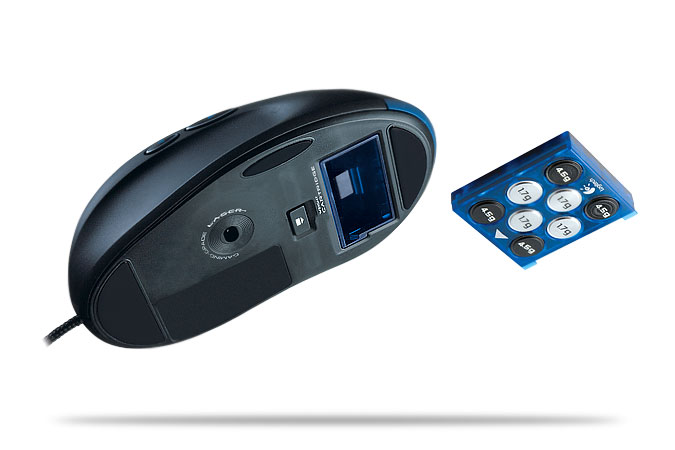
should be approx RM200 or less
Razer Death Adder/Microsoft Razer Habu are pretty much the same, just that that the Death Adder is optical, the habu is laser. From personal experience, i found the habu much better with the DPI changer and the grip being a little more comfortable, but it broke just as fast. The only problem with the Death Adder is that is doesn't have on the fly DPI adjustments like the Habu. (DPI swapping during play). The Habu was a hybrid design from the previous Microsoft Intelli designs matched with the Death Adder designs.

should be approx RM160(DA) or RM 190(Habu) less.
SteelSeries Ikari Optical/Laser both share same designs. The main difference between the two aside from the obvious laser/optical is its lift distance and skipping. See here For more info
The Ikari is a mix between the claw and the grip, leaning more towards the claw design. It may be uncomfortable at first due to its awkward design.
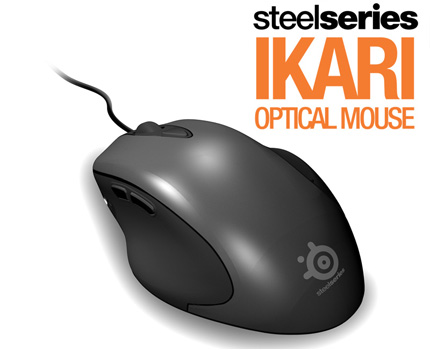
Approx RM150-200 (distributor over retail)
Logitech & Microsoft
These mice were generally made for other purposes other than gaming. Newer designs lean more towards semi-professional to competitive gamers with their dpi's much higher than their older designs. I recommend Microsoft Intelli for its weight, durability and cost over value ratio. its cheap, hardy and very usuble in competitions. (Palm Grip)
SteelSeries & Razer
Both SteelSeries and Razer are gaming brands. Generally, the designs made were meant for gamers and gaming. Most of these mouses lean toward the Claw grip or hybrid (palm + claw). Razer Mice are usually light weight, palm over claw designs where as the Ikari is a claw over palm design. (Meaning leans more towards that particular grip)
Both the Ikari & Razer mice suffer from durability issues, generally in their buttons and lasers, but their functions suit most gamers perfectly.
I've pretty much used all of the above before, currently im stuck with my Razer ProSolutions PRO V1.6 (Krait With WINGS). Approx RM140 - 160 now. Im a hybrid claw + palm grip, since i swap between the two. (uber USP Spam) Generally, its only real problem is the button placement (mouse4 & 5 are on the same button), scrolling mechanism(over used becomes extremely smooth) and no DPI changer. Main reason why i loved the HABU once i got it (Basically the design was superior to the krait/v1.6, but its broken now
 ).
). If you need to know prices for gaming EQ, just let [ESP].Bambino.aXe (Calvin) know, he works for a distributor.
Click here for another article about Mice
This post has been edited by crashtec: Jan 31 2009, 06:48 PM
 Quote
Quote

 0.0166sec
 0.74
0.74
 6 queries
 GZIP Disabled