QUOTE(-Velvet- @ May 17 2009, 11:32 PM)
hi there
any sifu here got idea how 2 change product code for n79??
i hv been try using nemesis to change the product code
but it indicate "ERROR" message....cannot read the product code...
anyone hv try n solve the problem???
currently hv an taiwan set which doesnt hv pinyin...
thinking of change the set into asean set so can get pinyin n more easy 2 update
any help o solution???
thx in advance...
In my opinion, i has the same view with boootes is advised you take it back to the shop where you buy the phone.
Changing the product code is too too risk.
Erm...my brother N82 also have the same situation like you (he update to latest version but then only he know that his product is from taiwan, so can't use pinyin.
Added on May 18, 2009, 7:06 pmQUOTE(kayx @ May 18 2009, 11:09 AM)
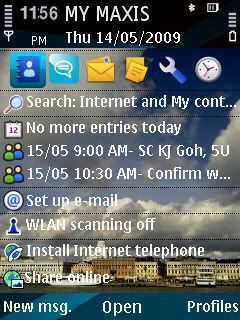
- display my first few SMS or email message on the "Home" screen
anybody got the following problem?
the phone keeps asking me to: connect to "internet" via "DiGinet" - accept and set "use access point" "to automatically" but i am not running any other applications.
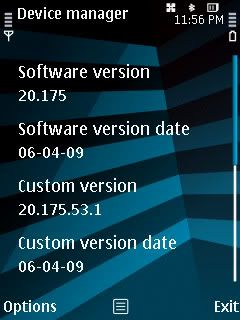
i am already on SW version 20.175.53.1 dated 06-04-09.
so far so good the phone - battery life is good, no hangs or slowness experienced. but i haven't install much software yet.
(display my first few SMS or email message on the "Home" screen) i'm not really understand.

izzit the phone asking u want to connect internet via Diginet and u just saw it whn you unlocked keypad that time?
haha i just got this problem few days ago...

Erm...1st mayb you can try
1)To delete some apps that you had install recently.
2)If still having problem, try to restore to factory setting.
3)Last, try to format your memory card.
Added on May 18, 2009, 7:09 pmqwe65...your info so details...very helpful nia ....thank man.
but i'm not understand what is :
we can count updated Bookmarks that allow users to remove Download link folders, MTP configuration to enable Social Cinema support???
This post has been edited by HEERO: May 18 2009, 07:09 PM 

 May 3 2009, 08:22 PM


 Quote
Quote




 no-camera-sound fix i think will not come true if work without @the phone.
 Thanks man..but the price
 0.1137sec
 0.27
0.27
 7 queries
 GZIP Disabled