

 Jan 15 2009, 06:15 AM, updated 17y ago


This tutorial will guide you on how to create a wifi from your Mac and of course will save you few $$$ from buying wireless router. (I use this setting/method to connect my ipod touch to wifi..)
1- Go to your System Preferences and click Sharing;
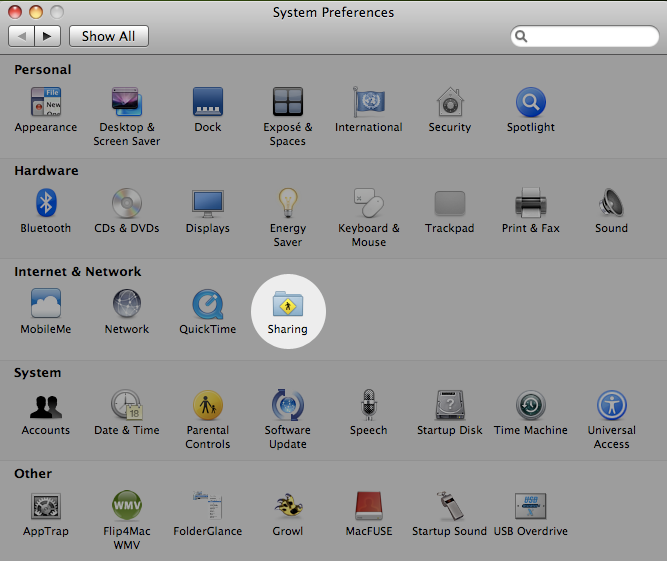
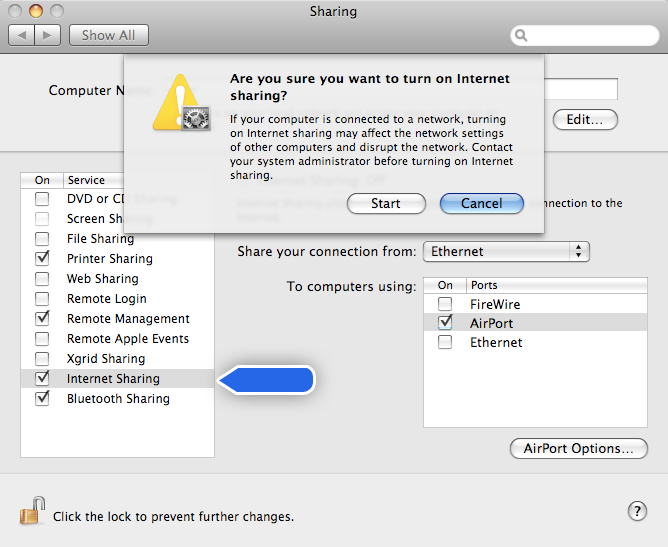
2- Left side of setting options, highlights Internet Sharing. (At this stage, do not tick the small box next to it yet.)
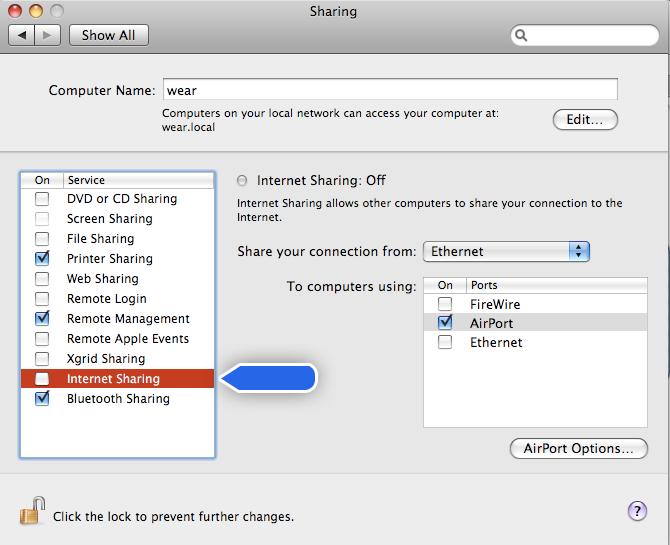
3- Right side of setting options, choose the way you connect your Mac to internet from the menu Share you connection from: Blutooth/Firewire/Airport/Ethernet.
For the To computers using menu below it, do tick Airport.
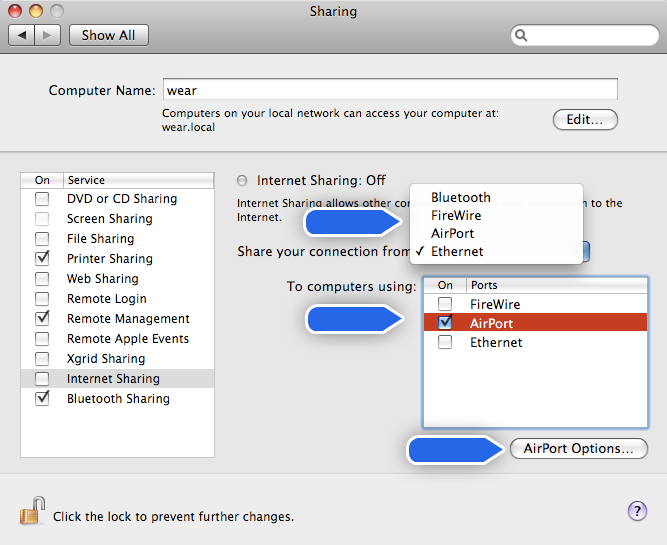
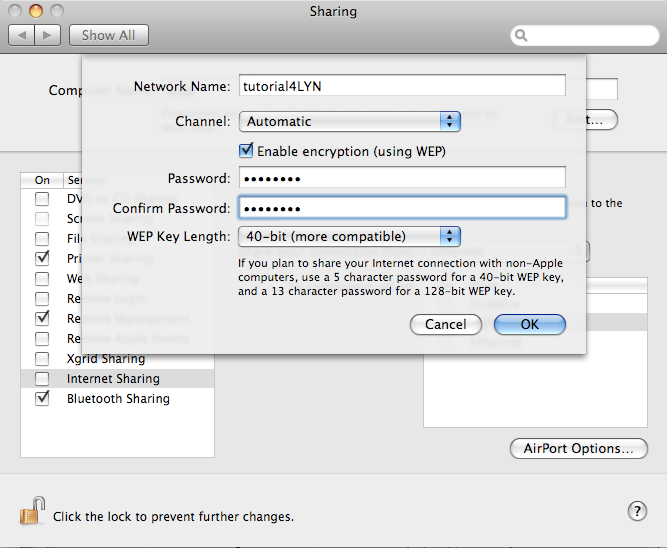
4- (I would say that this number 4 step is optional). In order to secure your soon-to-be-able wifi, click the AirPort Options.. button and the dialog box below will appear..
Named your Network Name as you want, tick the Enable encryption box and key in your password. (For the Channel & WEP Key Length setting, just follow the image below if you don’t know what they are for.)
Click OK button..(It will bring you back to the picture in step no.2 above.)
5- This time, tick the box next to Internet Sharing and confirmation dialog box Are you sure you want to turn on Internet sharing? will appear. Click Start for this..
6-You has successfully done creating your wifi. Congratulation!!
You may notice that your airport status will change from
 to
to  ..
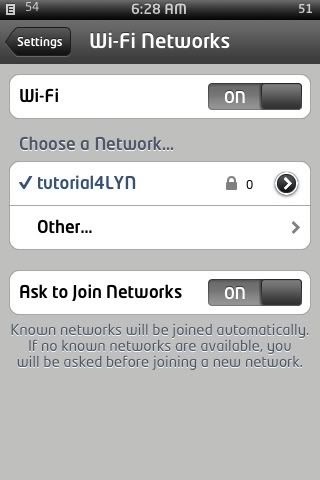
..Here you go, wifi from your Mac:
This post has been edited by wear: Jan 15 2009, 06:20 AM
 Quote
Quote


 0.0139sec
 0.78
0.78
 6 queries
 GZIP Disabled