Welcome Guest ( Log In | Register )

Bump Topic Topic Closed RSS Feed
49 Pages  1 2 3 > » Bottom

Outline · [ Standard ] · Linear+

Notebook Accessories WTS Laptop Skin, Screen protector ,KeyBoard cover, ARMOURONE - Design according model

views
     
TSarmourone
post Jan 11 2009, 10:50 AM, updated 12y ago

Getting Started
**
Junior Member
108 posts

Joined: Oct 2008
From: PJ


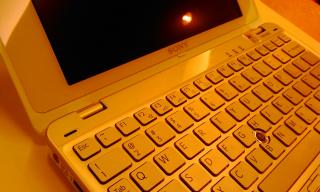
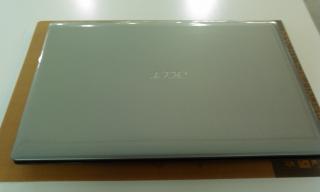
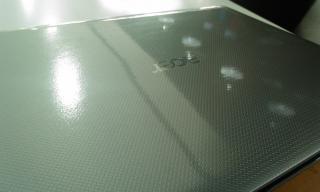
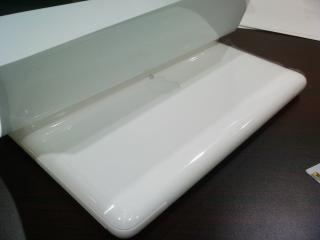
buy laptop computer skin for Acer laptop , apple laptop , asus laptop , hp compaq laptop, toshiba laptop , lenovo laptop , sony vaio notebook , fujitsu laptop , netbook mini laptops ... in Malaysia

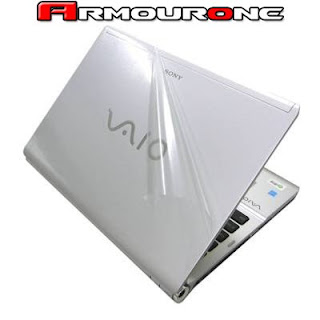
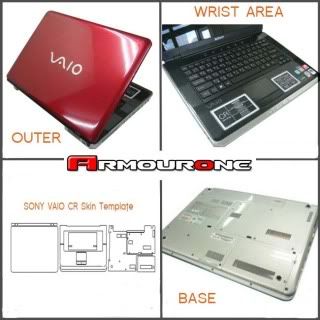
ARMOURONE Pre-cut Laptop Skins is a remarkably transparent film that made from tough and durable material to get your laptop protected from outside elements. The Precision Pre-cut Skin is designed to custom fit each particular device, and with the full body coverage it keeps your beloved laptop always look like new.
With the unique treatment on the adhesive backing, the protective film does not form residue and can be removed and reapplied – this make the installation or removal very easy. You do not need to worry about apply the protective film yourself anymore.
So keep your laptop safe from scratches and stains, while letting the original beauty and design shine through – with ARMOURONE.


*some model only have outer & wrist area

Laptop skin at RM70
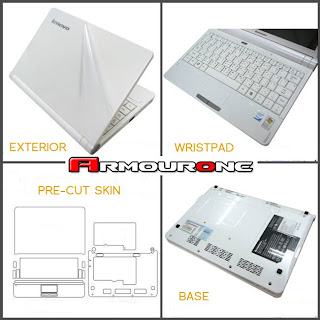
user posted imageuser posted imageuser posted image


Perfectly fit keyboard skin RM40~50(TPU) RM35~RM40(Silicone)
user posted image

TPU nano anti germ
user posted image

Silicone
user posted image


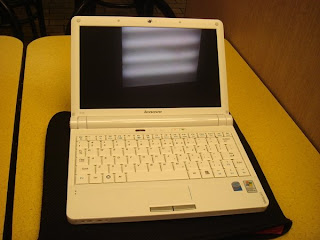
LCD film - every model available!RM45~RM60
7"~10"=RM40
11"~14"=RM50
15"~16"=RM60
custom make = ask
17" above = don't have
user posted image


Some model , item need Pre Order.

Next order date is 28 Jun 2011 or after 20 order collect
***whichever reach first.
Allow cancel order one day before order date without any reason.
will 100% refund deposit in 48hours (MayBank or Public)
other bank will refund in 5 working days.

After order take around 7 working day to get the item from Over sea.
will contact you once we received the item.

Bank In &Payment Procedures:
1.Please contact us before take order, we will inform you our bank account detail.
2.Bank in/Transfer the total amount needed for your orders.
COD: recommend deposit 30% or above
Postage: 30% or above deposit when place order, Paid Full 100% before deliver.
3.Please send PM or email to malaysia@lovelaptop.com to inform us that payment have successfully make
4.Provide Your Name, Address, Contact No, Email, Product, Which bank, Amount, Date and Time of Bank In.
*keep all receipt or any digital copy before the deal is complete.
5.Postage : The courier service personnel will send the products to your door step.
COD : Confirm your product and paid the total amount needed for your orders.


Postage Free, COD is available at Bandar Utama,
Center Point, One-U shopping complex (or other nearest area).

***other place will charge for transport & parking fee.

If need installation service, fee is RM30 ~ 50 charge.
the fee is include our handwork & the risk if spoilt during installation, replace with Free.[/color]


This post has been edited by armourone: Aug 17 2013, 11:41 AM
TSarmourone
post Jan 11 2009, 12:28 PM

Getting Started
**
Junior Member
108 posts

Joined: Oct 2008
From: PJ


Here is some review from our lowyat member

This new item Winkey protector, will give it out to all customer
user posted image

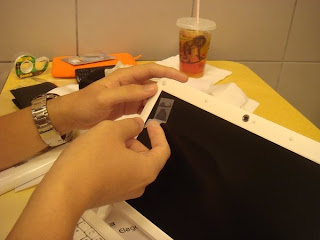
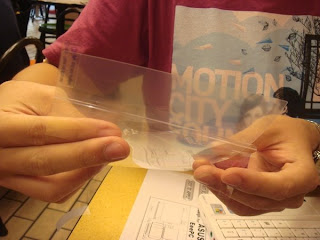
[size=10]Laptop Skin Apply Guide ~

user posted image
Wipe the screen.

user posted image
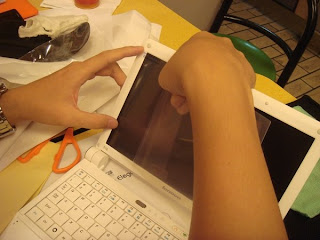
Use the attached 3M scotch tape to stick out dust and hair (dust and hair will cause bubbles!)

user posted image
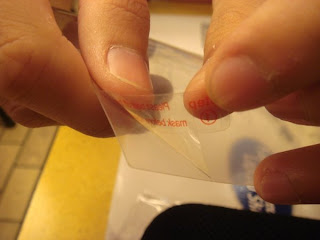
See whether side 1 can be peeled off.

user posted image
See whether side 2 can be peeled off.

user posted image
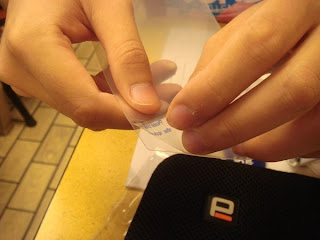
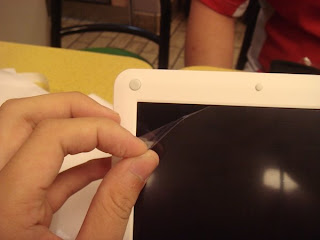
Peel off ~2 inches of side 1.

user posted image
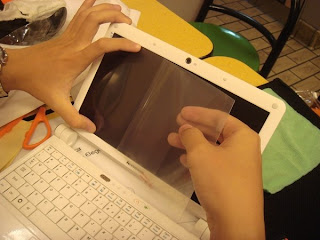
Start apply, align to the corners.

user posted image
Use your fingers to press a bit on the top and bottom of screen protector and roll to the other end.
If found any bubbles just pull back and re-apply.
If found any hair or dust just pull back and use attached 3M scotch tape to stick it out.

user posted image
After the screen protector is fully attached to the screen, pull out side 2.

user posted image
Done smile.gif

This post has been edited by armourone: Mar 20 2012, 01:00 AM
TSarmourone
post Jan 11 2009, 12:28 PM

Getting Started
**
Junior Member
108 posts

Joined: Oct 2008
From: PJ


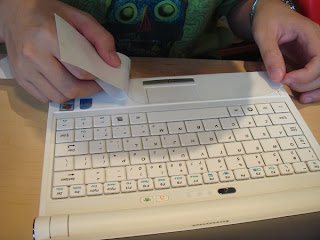
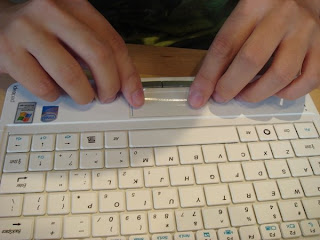
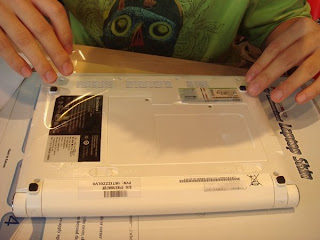
Laptop Skin Apply Guide ~ it's easy!
user posted image
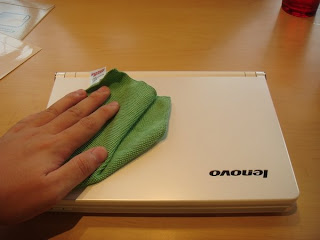
Wipe the laptop and make sure no dust on it.

user posted image
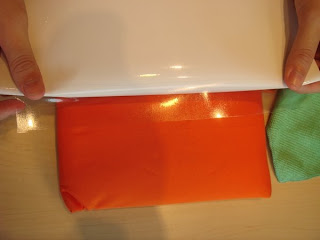
Peel off 1~2 inches of the protective film, start apply from the upper side of the exterior.

user posted image
Align the film to the upper of the laptop.

user posted image
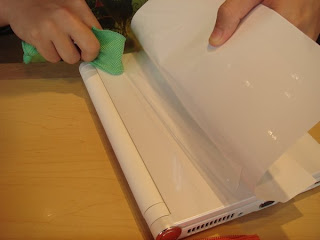
Rotate the laptop, use the cloth (thumb also can) wipe it back and forth.
If any bubble appeared, pull back the film and re-apply.
If any hair or dust found during apply, use the scotch tape to stick it out.

user posted image
Same method apply the wristpad skin, use the mousepad to align.

user posted image
Skin for mousepad.

user posted image
Done!

user posted image
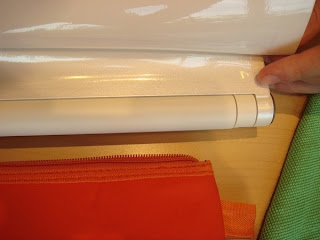
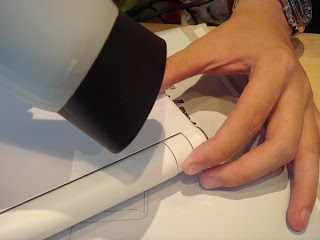
When apply the hinge, press on the film, and use hair dryer to blow until it stick on it.
Same to other part of film which you think doesn't stick firmly.

user posted image
Looks great after apply the skin.

user posted image
Looks good isn't it smile.gif

*Same procedure apply skin to other models. Most of the models do not need the hair dryer to get the film stick on it. Only for rough surface then might need the hair dryer.

This post has been edited by armourone: Jan 11 2009, 01:47 PM
TSarmourone
post Jan 11 2009, 05:58 PM

Getting Started
**
Junior Member
108 posts

Joined: Oct 2008
From: PJ


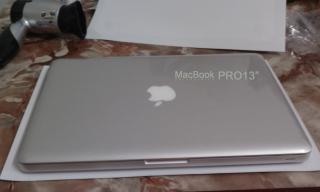
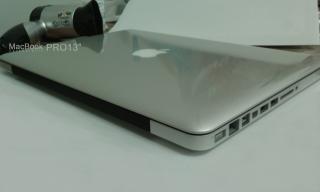
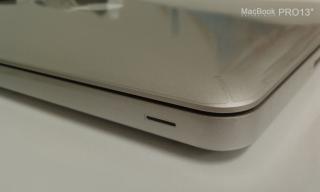
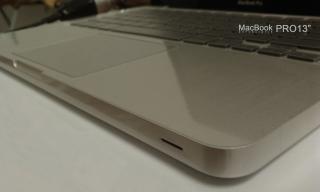
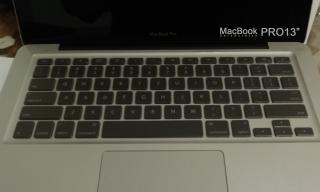
MacPro13"
user posted image
user posted image
user posted image


some picture after apply our skin.

Attached Image Attached Image Attached Image Attached Image Attached Image Attached Image Attached Image

Attached Image Attached Image Attached Image Attached Image Attached Image Attached Image Attached Image Attached Image Attached Image Attached Image Attached Image Attached Image Attached Image

This post has been edited by armourone: Aug 16 2010, 11:40 AM
TSarmourone
post Jan 11 2009, 07:40 PM

Getting Started
**
Junior Member
108 posts

Joined: Oct 2008
From: PJ


thank for calling, yes we have all item for Toshiba M300
TSarmourone
post Jan 12 2009, 01:12 AM

Getting Started
**
Junior Member
108 posts

Joined: Oct 2008
From: PJ


QUOTE(almeizer @ Jan 11 2009, 10:53 PM)
hi, i'm interested. PM me the best price for laptop skin, keyboard skin and LCD film for toshiba A200-HD534 ...
*
yes bro, we got full set for Toshiba A200
Full set include Laptop skin , LCD flim + keyboard protector
and will free winkey protector to u ^^ cheer
TSarmourone
post Jan 12 2009, 03:46 PM

Getting Started
**
Junior Member
108 posts

Joined: Oct 2008
From: PJ


QUOTE(kiang1fong @ Jan 12 2009, 08:41 AM)
how about fullset of acer aspire one??how much?pm thanks
*
hi~ Acer aspire one we have stock now
TSarmourone
post Jan 12 2009, 05:08 PM

Getting Started
**
Junior Member
108 posts

Joined: Oct 2008
From: PJ


O ~ yes , is u thank.
ur macBook is which model ? alu or pro? 13" or 15 " ?
TSarmourone
post Jan 12 2009, 09:26 PM

Getting Started
**
Junior Member
108 posts

Joined: Oct 2008
From: PJ


thank for ur comment kianlun, this is a nice guy, very good buyer
and quite handsome , ladies who want his contact can PM me lolx
TSarmourone
post Jan 12 2009, 10:49 PM

Getting Started
**
Junior Member
108 posts

Joined: Oct 2008
From: PJ


QUOTE(c0t_c0t_c0t @ Jan 12 2009, 09:31 PM)
Bro,

Do you have skin for Fujitsu T4220? May I know the price?
*
sorry for fujitsu T4220 we only have LCD flim for it
price is RM60 include post fee
TSarmourone
post Jan 13 2009, 06:34 PM

Getting Started
**
Junior Member
108 posts

Joined: Oct 2008
From: PJ


QUOTE(maplebibi @ Jan 13 2009, 05:41 PM)
items received. shipped yesterday, arrive today, good seller.
*
thank maplebibi~


Added on January 13, 2009, 6:35 pm
QUOTE(kamiru84 @ Jan 13 2009, 05:48 PM)
armourone>  where is ur location ?
*
my location is PJ near one u or kelana jaya
if u want COD, we can make it at PJ or KL

This post has been edited by armourone: Jan 13 2009, 06:35 PM
TSarmourone
post Jan 13 2009, 10:56 PM

Getting Started
**
Junior Member
108 posts

Joined: Oct 2008
From: PJ


thank bro Cool~ u are so nice notworthy.gif
TSarmourone
post Jan 14 2009, 02:51 PM

Getting Started
**
Junior Member
108 posts

Joined: Oct 2008
From: PJ


QUOTE(mudsabil @ Jan 14 2009, 01:53 PM)
for acer 5920g? got stock or not?
*
for this model now only got stock for Keyboard
LCD need wait until next week
and this model don't have't laptop skin for it sorry
TSarmourone
post Jan 14 2009, 08:03 PM

Getting Started
**
Junior Member
108 posts

Joined: Oct 2008
From: PJ


yeah~ thank for ur comment bro
TSarmourone
post Jan 18 2009, 04:07 AM

Getting Started
**
Junior Member
108 posts

Joined: Oct 2008
From: PJ


that is full set package
included Laptop skin protector, LCD flim, Keyboard protector & winkey protector
TSarmourone
post Jan 18 2009, 01:59 PM

Getting Started
**
Junior Member
108 posts

Joined: Oct 2008
From: PJ


QUOTE(benl40 @ Jan 18 2009, 05:59 AM)
Bro, any keyboard protector for Dell Inspiron 1520? Do PM me. Thanks
*
Yes bro , we have keyboard protector for Dell Inspiron 1520


Added on January 18, 2009, 2:01 pm
QUOTE(X-Free! @ Jan 18 2009, 12:32 PM)
how much of this full set?
may get a S10 soon...
*
yes we have many stock for S10 now


This post has been edited by armourone: Jan 18 2009, 02:01 PM
TSarmourone
post Jan 19 2009, 08:40 PM

Getting Started
**
Junior Member
108 posts

Joined: Oct 2008
From: PJ


QUOTE(Hinika @ Jan 19 2009, 12:44 PM)
got transparent skin, lcd, wrist, keyboard protector  for 13" Macbook White ?
*
yes we have for mac 13" white
TSarmourone
post Jan 20 2009, 12:45 AM

Getting Started
**
Junior Member
108 posts

Joined: Oct 2008
From: PJ


hi bro, ur model is macbook pro or mac alu ?
TSarmourone
post Jan 20 2009, 09:22 AM

Getting Started
**
Junior Member
108 posts

Joined: Oct 2008
From: PJ


for Dell Inspiron 1525 we got LCD and Keyboard protector now
for laptop skin i need to check 1st , reply u soon
thank bro
TSarmourone
post Jan 20 2009, 05:05 PM

Getting Started
**
Junior Member
108 posts

Joined: Oct 2008
From: PJ


QUOTE(gmos @ Jan 20 2009, 09:37 AM)
do you have stock for benQ S41?
*
now only have LCD flim for benQ S41
if laptop skin need to order.
can get after chinese new year


Added on January 20, 2009, 5:23 pm
QUOTE(almeizer @ Jan 18 2009, 08:40 PM)
free bump for u tongue.gif

remember to call me when my skin is here biggrin.gif
*
hey thank bro


Added on January 20, 2009, 5:24 pm
QUOTE(neosan2806 @ Jan 19 2009, 04:04 PM)
May i know do u have full set for Vaio -TX 57?

Wat price?
*
i check for u, reply u soon

This post has been edited by armourone: Jan 20 2009, 05:24 PM

49 Pages  1 2 3 > » Top
Topic ClosedOptions
 

Change to:
| Lo-Fi Version
0.0246sec    0.71    7 queries    GZIP Disabled
Time is now: 5th December 2025 - 12:31 PM