Welcome Guest ( Log In | Register )

Outline · [ Standard ] · Linear+

 [Guide] Firefox Extension FAQ (for newbies), screenshots inside, 56k warning

views
     
TSsamurai1337
post Sep 21 2004, 10:19 AM, updated 22y ago

@_@
Group Icon
VIP
11,594 posts

Joined: Jan 2003
From: Area 51

Q: Where and how to download an extension?

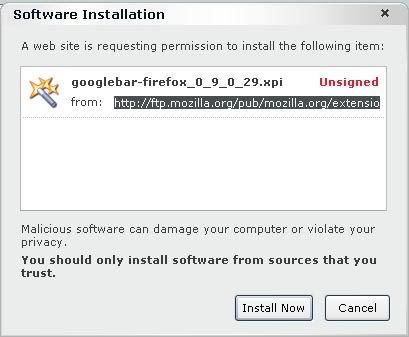
A: Click on "Tools" on menu bar, Select "Extension" and click the link "Get More Extension"...you will be redirected to Mozilla Update: Extension page, select the extension that you want to download and click (Install Now) to install.
You will see a screen like this:
user posted image

Click Install now....usually you need to restart the browser after installation of extension

---------------------------------------------------------------------------------------------------

Q: How can I open a link a link in a new tab instead of new window automatically?

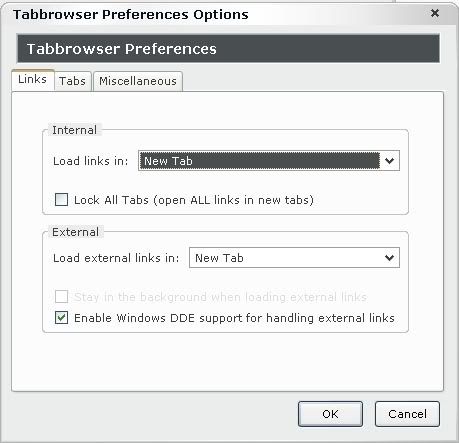
A: Download TabBrowser Preferences extension
Restart your browser, then change the extension setting so that links can be open in a new tab instead of window
user posted image


---------------------------------------------------------------------------------------------------

Q: There are many odd sites that only designed for IE....How can I view the particlar page with IE?

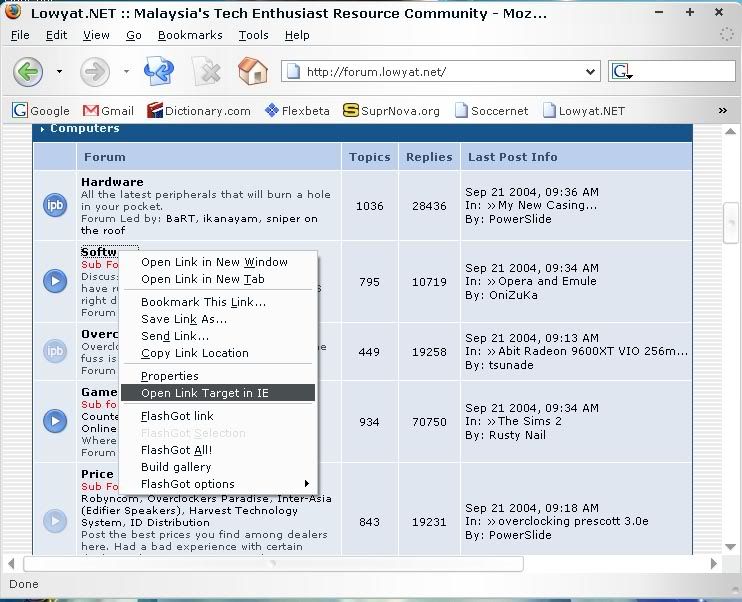
A: Download IE View extension, restart your browser to be effective.

When you want to open a page with IE, right click on the link and click "Open Link Target In IE"
user posted image

---------------------------------------------------------------------------------------------------

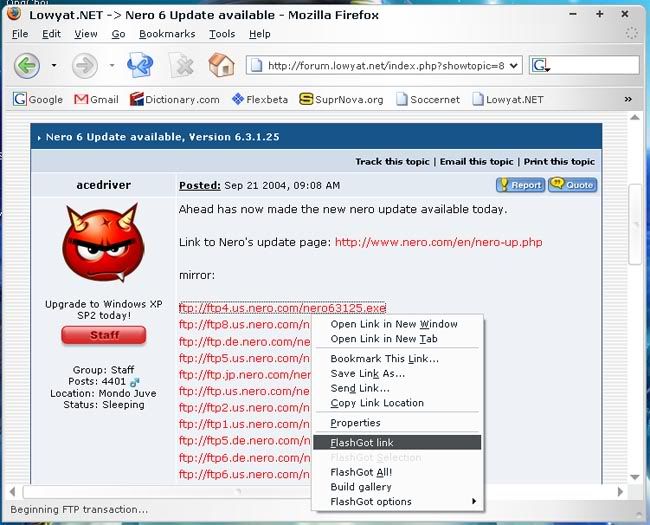
Q: I am a flashget user, how can i download with flashget without having to copy the link and paste it in flashget?

A: Download Flashgot Extension, now you're able to download via flashget by rightclick on the link and click on "Flashgot Link"
user posted image

---------------------------------------------------------------------------------------------------

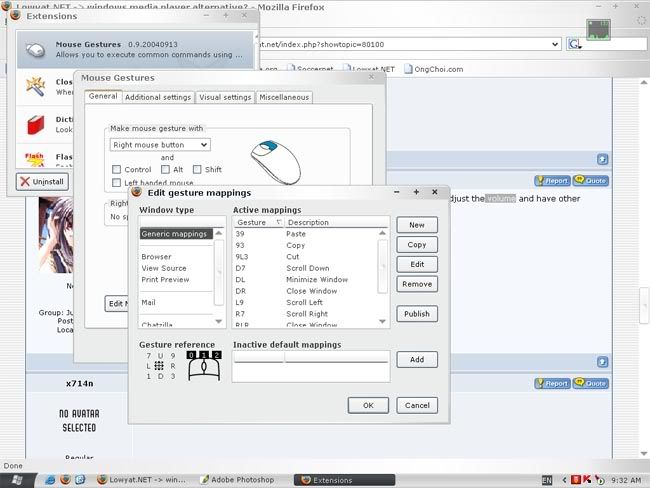
Q: Can I use mouse gesture that is similar to Opera in Mozilla Firefox?

A: Yes, Download Mouse Gesture extension. Mapping can be done in the extension option
user posted image

---------------------------------------------------------------------------------------------------

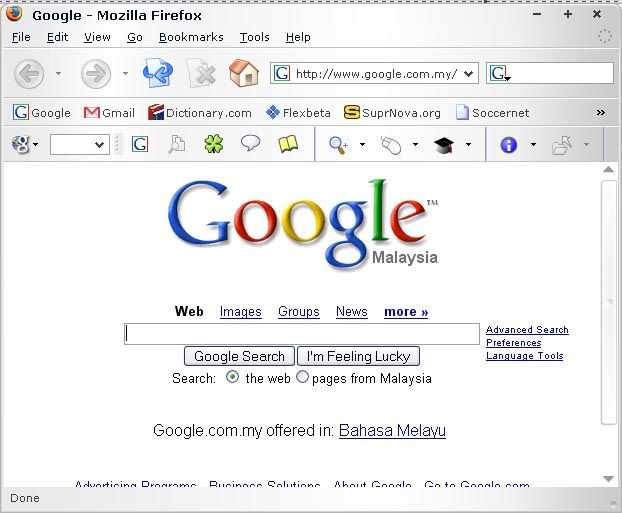
Q: I love google toolbar in IE, can I have one in Firefox?

A: There is an unofficial googlebar, it can be downloaded Here
user posted image

---------------------------------------------------------------------------------------------------

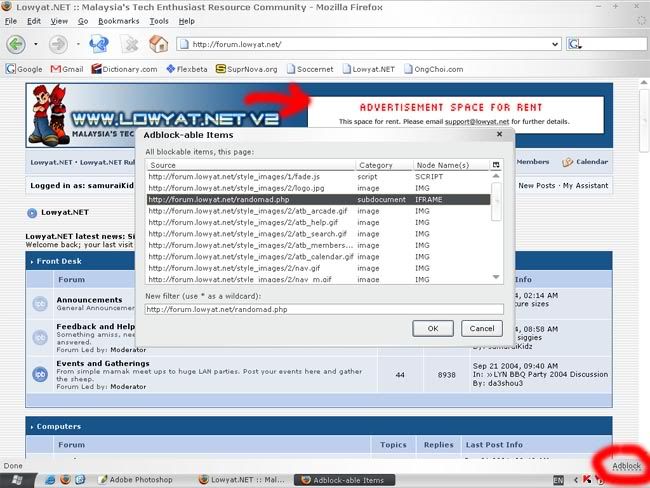
Q: I hate ad...any method to get rid of it?

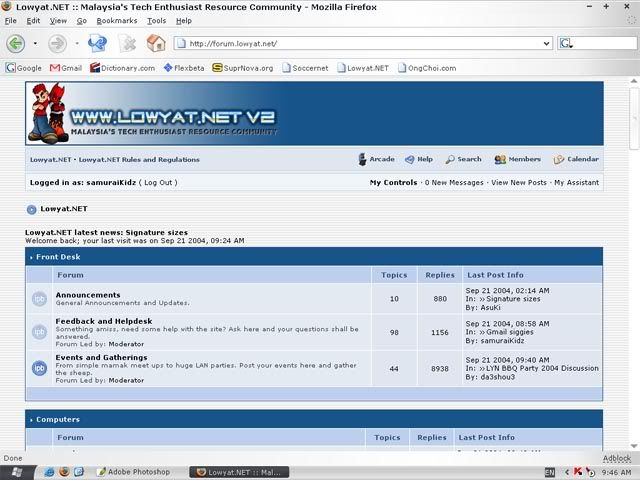
A: Download AdBlock Extension. Whenever you want to block an adbanner, click on the bottom right "Adblock" link and select the item that you want to block
user posted image

user posted image

---------------------------------------------------------------------------------------------------

Q: Any other cool extension can I have?

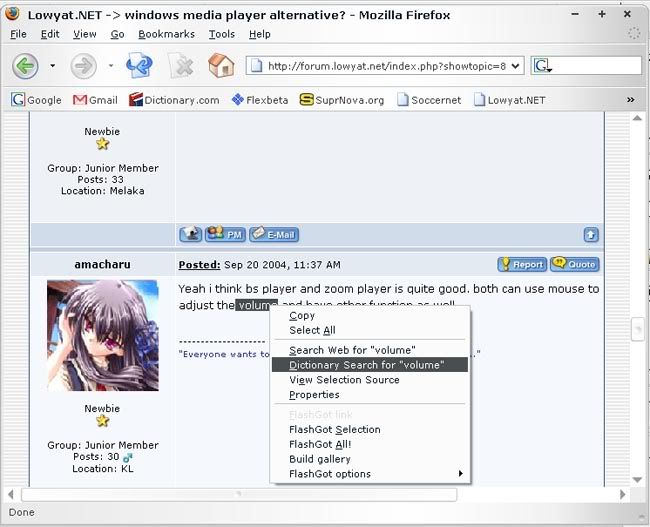
A: Dictionary Search - Looks up selected word in an online dictionary, result will be open in a new tab so that your current activity will not be interrupted
user posted image
---------------------------------------------------------------------------------------------------

The above extensions are my favourite and tested in version 1.0PR...feel free to add in anything that i left out

Happy Surfing!
x714n
post Sep 21 2004, 11:33 AM

On my way
****
Senior Member
694 posts

Joined: Jan 2003


Q: I want the new page opened at the new tab not new window, how can i do that?

A: Single Window Extension
TabBrowser Preferences Extension
fariz
post Sep 21 2004, 02:34 PM

Tan Sri F
Group Icon
VIP
16,825 posts

Joined: Jan 2003
From: Siberia
SuperDragAndGo (similar to MyIE2 drag-and-drop feature)

What is it?

It allows you:
1) Drag a link (e.g. google ), text-link (e.g. http://www.google.com ), text-uri (e.g. abc.com ), image or bookmark quicklink from bookmarks toolbar folder and throw it anywehere on your webpage (content area) to open it on a new tab.

2) Drag a word or phrase and throw it anywhere on your webpage (content area) to search it through whatever search engine installed/selected in your search bar.

3) Drag an image and throw it anywhere to start downloading it.

user posted image

Download
fariz
post Sep 21 2004, 03:05 PM

Tan Sri F
Group Icon
VIP
16,825 posts

Joined: Jan 2003
From: Siberia
BBCode

Adds a context menu for easy access to BBCODE/XHTML/HTML formating in Forums (Firefox/Mozilla Suite/Netscape 7.x)

user posted image

Download Extension
MozillaZine Thread
TSsamurai1337
post Sep 28 2004, 11:49 AM

@_@
Group Icon
VIP
11,594 posts

Joined: Jan 2003
From: Area 51

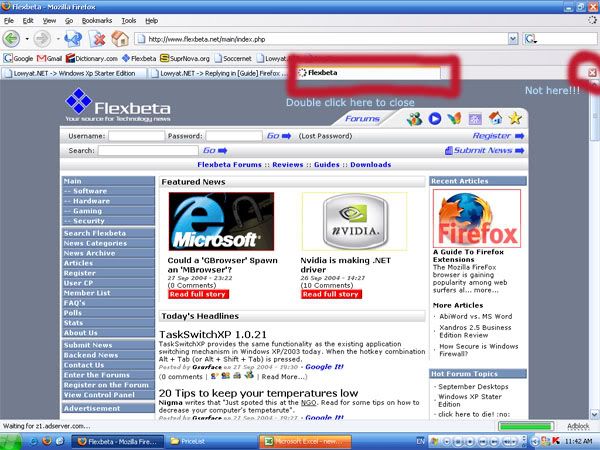
Close Tab on Double Click
Instead of clicking the "X" button on the right of the screen, you can close a particular tab by double clicking it
https://update.mozilla.org/extensions/morei...p?id=18&vid=398

user posted image

offtopic: now most extensions supported by 1.0PR version

This post has been edited by samuraiKidz: Sep 28 2004, 11:50 AM
TSsamurai1337
post Nov 19 2004, 08:17 AM

@_@
Group Icon
VIP
11,594 posts

Joined: Jan 2003
From: Area 51

Since a lot of people said opera can restore previous session but firefox can't, i hereby introduce you this extension

Session Saver 0.2d2 nightly23

Remembers loaded tabs and their history items when Firefox is manually closed, then restores the tabs and history items when next started. The saved session can also be manually restored or updated at any later time via the items in the File menu.
Homepage
Install
yanjinowa
post Feb 8 2005, 11:16 PM

On my way
****
Senior Member
565 posts

Joined: Jan 2003
From: KL,IPOH.
QUOTE(x714n @ Sep 21 2004, 11:33 AM)
Q: I want the new page opened at the new tab not new window, how can i do that?

A: Single Window Extension
    TabBrowser Preferences Extension
*
i cant really make it in single window.
everytime i press ctrl+n it open in a new window instead of a NEW TAB.
ANY SOLUTION?
or jz me?
fariz
post Feb 8 2005, 11:40 PM

Tan Sri F
Group Icon
VIP
16,825 posts

Joined: Jan 2003
From: Siberia
QUOTE(yanjinowa @ Feb 8 2005, 11:16 PM)
i cant really make it in single window.
everytime i press ctrl+n it open in a new window instead of a NEW TAB.
ANY SOLUTION?
or jz me?
*
press CTRL+T
vorchiel
post Mar 15 2005, 02:37 AM

ლ(ಠ_ಠ ლ)
****
Senior Member
666 posts

Joined: Jan 2003
From: Left Hand Society, West London
user posted image

inforss
======

scrolling newsticker for rss feed...


http://inforss.mozdev.org/index.html

edited again: screenshot hosting expired

This post has been edited by vorchiel: May 30 2006, 03:50 AM
bjbjbj
post Mar 15 2005, 09:36 AM

Casual
***
Junior Member
393 posts

Joined: Jan 2003
From: Ampang


new tab = double click on the tab bar
ayiesz
post Mar 15 2005, 06:34 PM

Selamat Hari Raya
*******
Senior Member
2,778 posts

Joined: Jan 2003
From: about:robots
click the link with middle button of ur mouse = new tab also

witchhunter
post Apr 7 2005, 07:33 PM

Getting Started
**
Junior Member
121 posts

Joined: Mar 2005
Is there any extensions to allow browsed pages to be saved and opens those saved pages everytime I start Firefox? I am using Avant Browser and the single reason I did not switch to Firefox is because I love this feature a lot and if it were allowed in Firefox, I definitely would switch!!!
shockw@ve
post Apr 9 2005, 10:53 PM

d[-_-]b
Group Icon
VIP
1,889 posts

Joined: Jan 2003
QUOTE(witchhunter @ Apr 7 2005, 09:33 PM)
Is there any extensions to allow browsed pages to be saved and opens those saved pages everytime I start Firefox? I am using Avant Browser and the single reason I did not switch to Firefox is because I love this feature a lot and if it were allowed in Firefox, I definitely would switch!!!
*
The extension has already been posted by samuraiKidz a few posts up this page. It's called SessionSaver..


Change to:
| Lo-Fi Version
0.0166sec    1.02    5 queries    GZIP Disabled
Time is now: 18th December 2025 - 10:24 PM