Welcome Guest ( Log In | Register )

Bump Topic Topic Closed RSS Feed

Outline · [ Standard ] · Linear+

 Western Digital TV™ HD Media Player, Full HD 1080p Player @MSRP USD129.99

views
     
andyz
post Jan 13 2009, 01:04 PM

On my way
****
Senior Member
503 posts

Joined: Jan 2003
From: P.J.
but reading some reports .. maximum resolution is only 1080i

» Click to show Spoiler - click again to hide... «


Western Digital recently released an HD media player that was designed to leverage the content people were storing on that company's external storage devices. Now Seagate's followed suit with a similar product, the Seagate FreeAgent Theater HD media player, which connects to your TV and plays back video, pictures, and music from external storage devices.
Seagate describes the FreeAgent Theater as an accessory that enables "people to easily enjoy stored digital media on their TV screens rather than their computer monitors." It works like this: you transfer files from your computer to your FreeAgent Go--or another storage device--then dock the device in the FreeAgent Theater via a USB connection. The little black box has the processing power and the codecs onboard to read a wide variety of file formats, including MPEG-1, MPEG-2, MPEG-4, and DIVX files with support for NTSC, PAL, and HD resolutions up to 1080i (there's also support for subtitles). The audio formats supported include 5.1-channel surround sound (if available) and popular digital-audio formats including MP3, WMA, WAV, and OGG. Naturally, there an easy-to-use onscreen interface that makes navigating your files easier. (when we get our review unit, we'll let you know just how user-friendly it truly is, of course).
The Seagate FreeAgent Theater HD Media Player will be available in March and comes in a stand-alone unit ($129.99 MSRP) or a package that ships with a FreeAgent Go portable drive. You can choose between configurations that include a 250GB ($229.99 MSRP) or 500GB (MSRP of $299.99) capacity FreeAgent Go Drive. All configurations include a remote.
Several of these types of products are hitting the market, so Seagate is not alone here, but it will be interesting to compare this model with Western Digital's WD TV Media Player, which also starts at $130, and boasts 1080p output, and Kodak's Theater HD player, which has a tentative list price at $300. Another product in this category is the even more affordable Iomega ScreenPlay TV Link.

QUOTE(daryl.k @ Jan 13 2009, 12:55 PM)
Seagate (no suprise) just announce a new HD Media Player, dubbed the FreeAgent...similalrly price, but the docking station is way too cool...almost paid for a WD...but seeing this on the news

http://www.seagate.com/ww/v/index.jsp?loca...000f5ee0a0aRCRD

now dun hv to worry bout messy cablings dy.....

bad news? only available in March! dunno when will reach our pure shores...
*
This post has been edited by andyz: Jan 13 2009, 01:07 PM
andyz
post Jan 14 2009, 08:13 PM

On my way
****
Senior Member
503 posts

Joined: Jan 2003
From: P.J.
First off before I start I am sorry I cannot compare picture quality of the wd with other machines. I didn’t realize the wd did not have component connections when I went to set it up at a friends place. But I did test on normal video out.

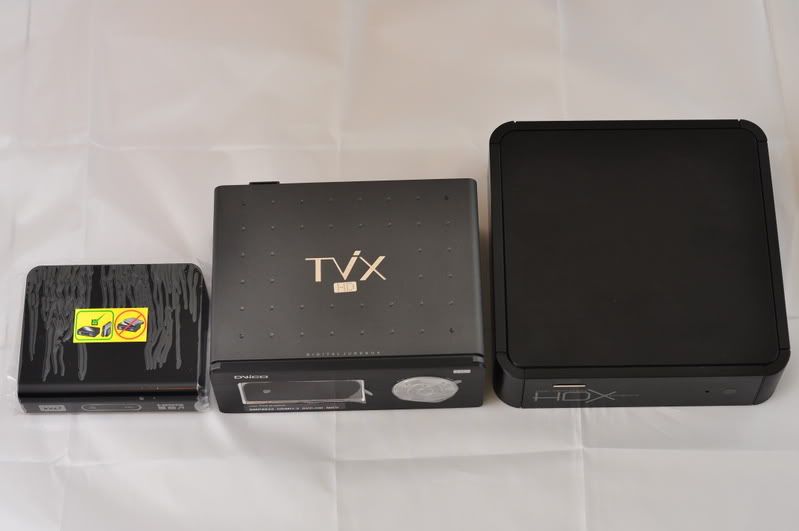
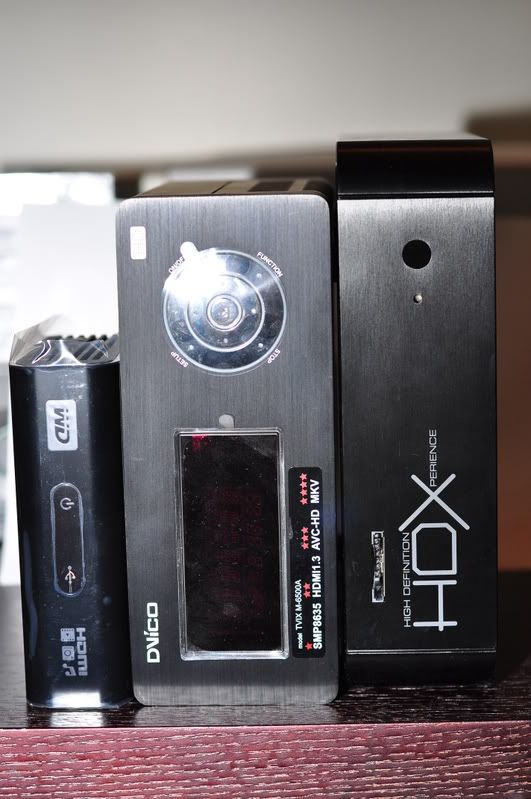
Ok now lets begin the first thing that strike me about this wd machine is how god damn small it is. So small that is so cute.
Updated the machine with the latest firmware using the usb key. Fast detect of the usb key and installation was straight forward lasting less than 5 minutes.

Went through the menu systems.. quick access using the tiny remote.

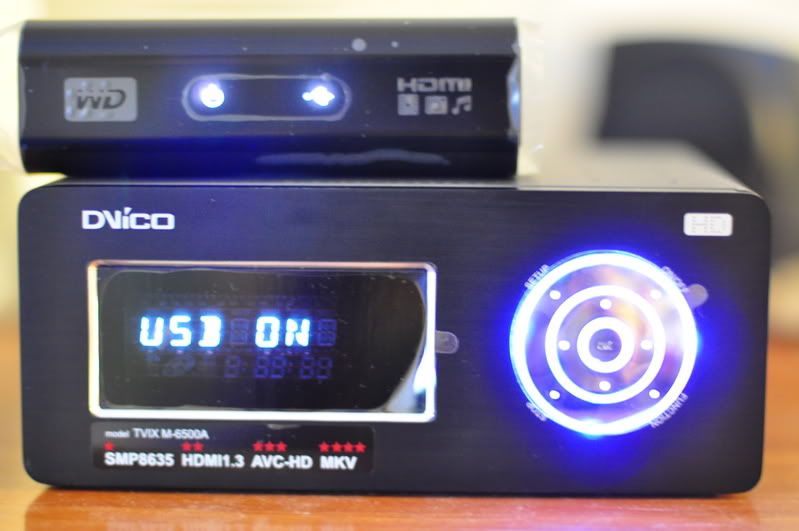
Ok I brought along my trusty dvico 6500a as the hard drive machine.. Plug it in to the usb port of the wd machine.. WD took like 10minutes to detect it , could it be because of the one terabyte worth of media files in my dvico?? Will test it on a passport drive when I get it later for him.

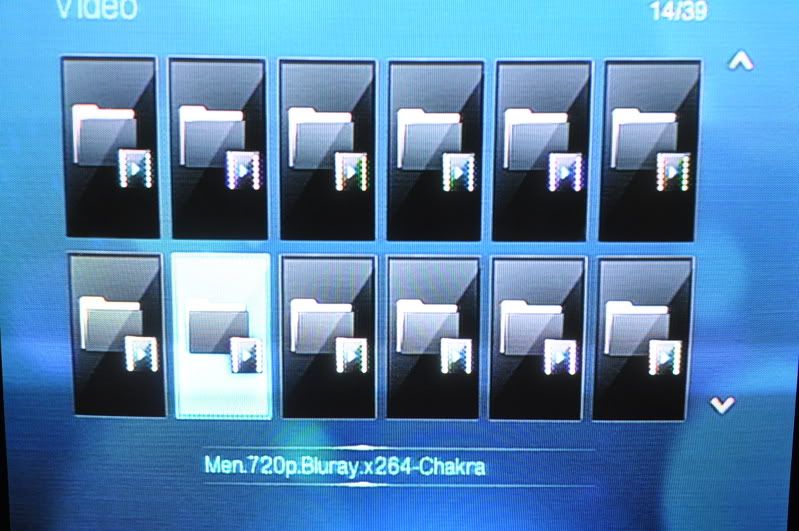
After detection went through the menu system again to look for files to play. OK this is what I don’t like of the wd machine.. the files selection is totally fugly . irritating by itself. If your movies folder have more than 300 files , god speed with you to find the files u want to watch.. don’t know what wd was thinking when designing this. U have a maximum of 12 huge icons per page(I guess u can put pictures for each files, but I don’t know how, and if u have 1000 files it will be crazy just to put a photo for each files) scrolling each icon will show u the name of the file.. u want more just keep on scrolling up or down .. and a new page will appear.. trust me its very irritating..but lukily its fast not like the hdx1000 which has a delay (but hdx1000 files system show names which is nice)

I don’t know whether its me (didn’t read manual) or just wd plain stupidity. The greatest peeve I have on this machine is the search function. Its non existence, WTF man … I click the search button on the remote to find my favourite scenes (like battlestar galactic season 3 episode exodus part 2, the scene where galactica jump into the skies above) and the bloody thing doesn’t do anything. Just a bloody stop sign appears. Don’t tell me I need to fast forward 16x to find a scene thats 1 hour ahead. Could it be I need to use a wd external drive??

Picture quality test from normal video out. I will try to do PQ on hdmi next time, but for now this little wd machine has quite outstanding PQ. I couldn’t test "v for vendetta" as the wd machine cannot play any 1080p vc1 files. But the rest of the 1080p play with without a hitch so far. Again because of the stupid wd search function not working I cannot test more into the film or critical intense scenes for stuttering. Only the start of each movie. Only one tp files had problem playing.

(will try to update with more info the next time)

So to sum it up WD hd media player is highly recommended machine for the price range. Of course u get what u paid for, like missing convenience and missing extra functions like the big boys. But i am sure most people can live without those. Now for the biggy, actually i did mention that if i had the choice between the hdx1000 or this wd machine i will definitely choose the latter. But now I can honestly say that I prefer the WD HD media player more than the HDX1000/popcorn (until hdx1000 fix their dts downmix which they have been promising for what seem years) because it just works…


Like
Small casing
Cheap cheap cheap
PQ up to par with the big boys (normal video out review)

Dislike
File menu listing
No dts downmix
No search function
No bookmark

Update 1:

ok file menu listing got better thanks to input from members at lyn (lance, jayz75)...
according to them there a few steps to improve search and listing functions
u can actually go into the settings menu and change big folder listing to filename listing.. way cool!!!
for fast forward, when fast forwarding, press NEXT, it will jump by 10min interval.(exact quote)
excellent tips..

Update 2:

the wd cannot play flac??
Queen live in Montreal 1080p using flac for sound ..
AUDiO..........: English 2.0, FLAC from 24 bits 48khz PCM
English 5.1, 1536 kbit/s DTS core from 24 bits 96khz DTS HD
English 2.0, 128 kbit/s AC3 commentary with Brian May and Roger Taylor
works for video but no sound comes out . (dvico played this file without problem)..
MKV chapter selection for video playback for MKV with chapter support was on this file(hit the chapter icon.. and the list of song will come out to choose from) .... rclxms.gif and that feature the dvico 6500a doesn't have ...
Detection of external hard drive 1tb as mention before has greatly decrease ... less than 5 minutes... its fast that its not distraction or a factor in the enjoyment of the wd player...

Update 3

Tested with hdmi already and i can say the colors and contrast is pretty good on par with the dvico 6500a, most of the 1080p (except vc-1 which was unplayable) played beautifully without any problems.
WD HD media player is not able to play flac even with optical out.
After much testing and setting up of the machine i am quite impress with its ease of use and quickness, its so much better than the hdx1000 players i experience before.
But i did notice that the Western digital external hardrive passport series, when you off the machine, the hard drive does not turn itself off. I am sure WD it will be fix in the next firmware upgrade.

Update 4

It seems u do not need the optical to pass through dts or dd. The HDMI cable is also able to do it if you have the right avr.

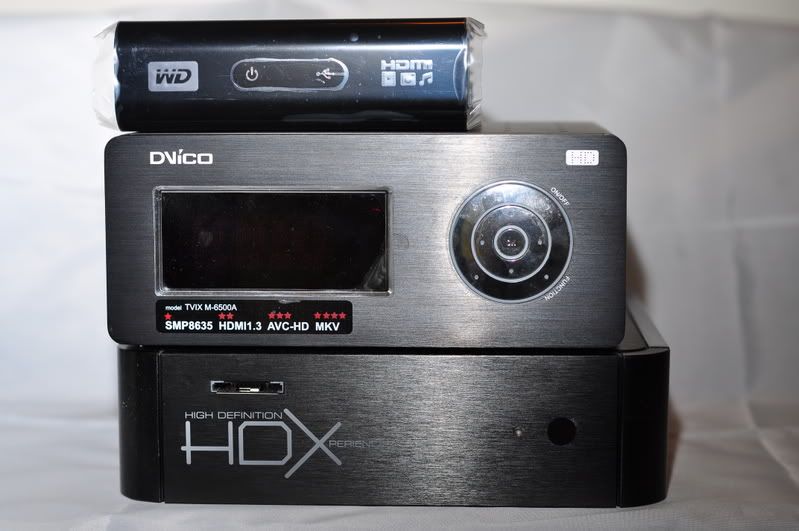
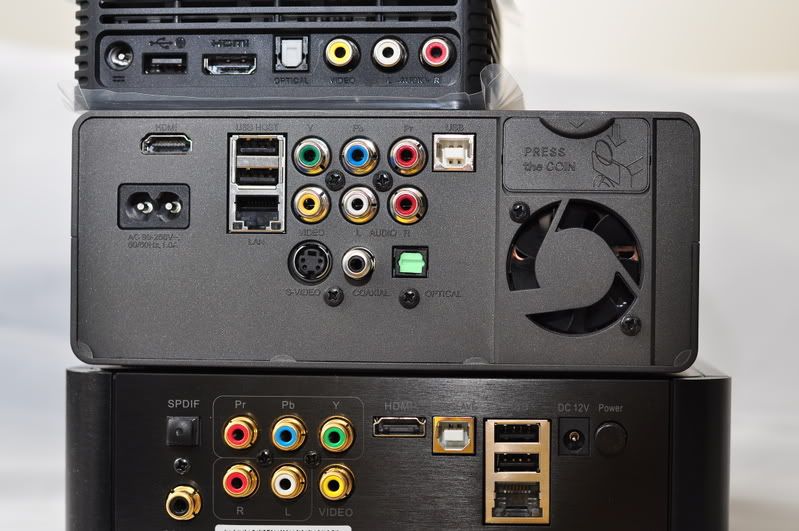
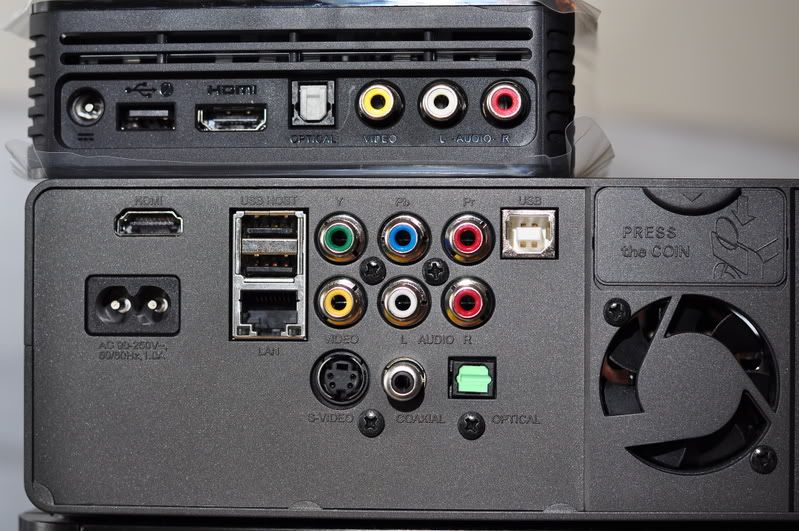
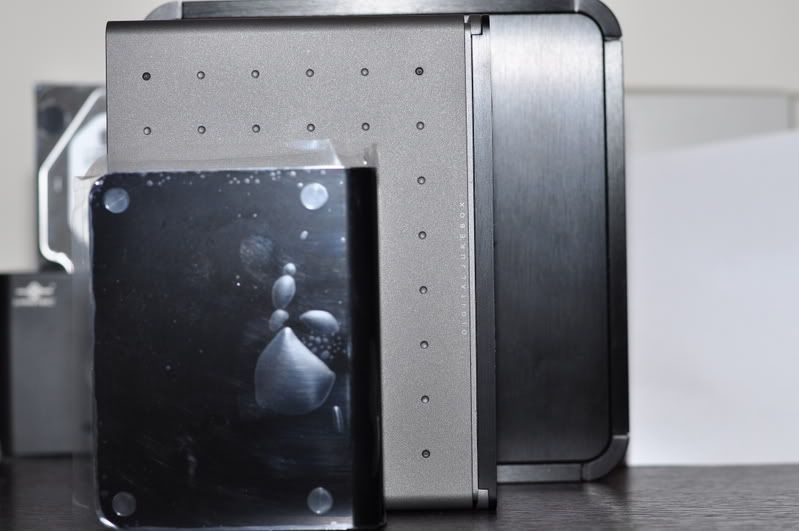
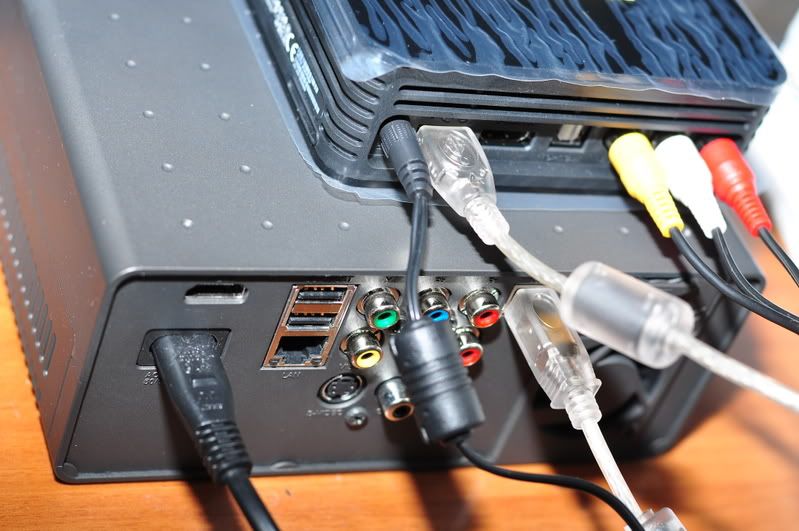
click for pictures:
» Click to show Spoiler - click again to hide... «

andyz
post Jan 15 2009, 09:59 AM

On my way
****
Senior Member
503 posts

Joined: Jan 2003
From: P.J.
thanks thats a life saver...client complaining rclxms.gif

that's for not reading the manual.... whistling.gif

QUOTE(lance @ Jan 15 2009, 09:44 AM)
"...If your movies folder have more than 300 files , god speed with you to find the files u want to watch.. don’t know what wd was thinking when designing this. U have a maximum of 12 huge icons per page(I guess u can put pictures for each files, but I don’t know how, and if u have 1000 files it will be crazy just to put a photo for each files) scrolling each icon will show u the name of the file.. u want more just keep on scrolling up or down .. and a new page will appear.."
LANCE> Yeah, it's pretty bad at default. Try 2 things.
1. Use the SEARCH function - it's pretty good, will reduce from 300 to maybe 10+ (for series) or just 1 (for movie)
2. Change ur browsing to non-thumbnail, will show up a longer list instead
QUOTE(JayC75 @ Jan 15 2009, 09:05 AM)
U can go into the setting page to change it to listing menu to list the fiename instead of big folder, so u can browse ur file faster.
Yup, 1TB take at least 5min to get detected, but i not sure whether is everythime need to take so long or not....
for fast forward, when fast forwarding, press NEXT, it will jump by 10min interval.
*
This post has been edited by andyz: Jan 15 2009, 10:06 AM
andyz
post Jan 16 2009, 10:16 AM

On my way
****
Senior Member
503 posts

Joined: Jan 2003
From: P.J.
you can play those mkv files with dts but there will be no sound coming out unless u are using optical out to a amp that has dts...

U need to use a program to convert from dts to normal ac3...

or u could always buy a dvico 4100 (rm1000) or the ultimate 6500a which practically plays everything ...

here a tip from adamw who mention to me about conversion when i review the hdx1000

"Meanwhile if you need to playback MKV with DTS, all you need is to convert the audio track to AC3 using audioconverter. You have an option to keep or delete the DTS as well. It's quite fast on a C2D, about 15mins for a 8Gb+ file."


QUOTE(azbro @ Jan 16 2009, 10:03 AM)
Ok....I've tried to PM a few members...but no reply yet...

My hand are itchy to get one of these WDTV...

Trouble is, my Philips HTS (which can decodes DD and DTS) only equip with RCA inputs and a Coaxial Digital in.
Regarding the Coaxial in....I'm not going to spend on Toslink cable, Coaxial Cable and a converter...that alone will cost me half the price of the WDTV...

So those nasty RCA inputs is my only choice.

Question is: Since I'll be using RCA audio in, what will be my limitation? Will I unable to play MKV files with DTS.....or it is as simple as 'Don't download MKV files with DTS, only download those with AC3'?

Hope you experts can help me out...please...

thanks in advance
*
This post has been edited by andyz: Jan 16 2009, 10:20 AM
andyz
post Jan 16 2009, 11:41 AM

On my way
****
Senior Member
503 posts

Joined: Jan 2003
From: P.J.
i don't know whether mod will allow this .. but here goes..

The.Bourne.Identity.2002.1080p.HDDVD.x264-BLiND AUDiO..............: English, AC3 5.1, will play stereo on rca jack


Goodfellas.1990.BluRay.1080p.AC3.x264.dxva-EuReKA Audio Codec.........: AC3 will play stereo on rca jack


The.Hunt.For.Red.October.1990.1080p.HDDVD.DTS.x264-CtrlHD Audio: English DTS 5.1 - 1536 KB/s No sound

The.Dark.Knight.2008.BluRay.1080p.DTS.dxva-EuReKA Audio Codec.........: DTS no sound

Queen.Rock.Montreal.1080p.BluRay.x264-TRiM
AUDiO..........: English 2.0, FLAC from 24 bits 48khz PCM No sound (not even optical will play this for wd hd media player)
English 5.1, 1536 kbit/s DTS core from 24 bits 96khz DTS HD No sound
English 2.0, 128 kbit/s AC3 commentary with Brian May and Roger Taylor Will play stereo on rca jack

for queen u can actually click on the audio to choose which audio u want...

so when u go downloading u see dts as codec .. u know cannot play unless u have optical out with dts amp..(this same goes for the hdx1000 and popcorn)

but again dvico 6500a . semua boleh step down to stereo...normal rca jack... drool.gif

This post has been edited by andyz: Jan 17 2009, 05:45 PM
andyz
post Jan 16 2009, 02:03 PM

On my way
****
Senior Member
503 posts

Joined: Jan 2003
From: P.J.
yes step down means output dts to stereo internally

bro did u read what i wrote ... hdx1000 cannot do it too... only dvico 4100 and 6500a...

hdx1000 will be able to do it when they update the firmware with the function, which they have promise since september (at least they have letter from dts for prove) but till now zippo naada nothing....

QUOTE(beebee @ Jan 16 2009, 01:56 PM)
what does the step down mean? output DTS to stereo internally? headache now, dont know wanna get a HTIB or HT system to be able to play the DTS files, dont feel like using so much money to be able to play the DTS files, maybe just get a Dvico or HDX instead tongue.gif
*
This post has been edited by andyz: Jan 16 2009, 02:06 PM
andyz
post Feb 25 2009, 02:27 PM

On my way
****
Senior Member
503 posts

Joined: Jan 2003
From: P.J.
if your external disk is fat32 .. u need to convert it to ntfs .. than boleh

QUOTE(yemi @ Feb 24 2009, 12:39 AM)
guys...help me...how i can move mkv file(4.37Gig) from pc to my external hardisk??? i cannot simply "Cut and Paste" it on my external hardisk....

really need ur help...plzzzz sad.gif
*
andyz
post Mar 3 2009, 07:54 PM

On my way
****
Senior Member
503 posts

Joined: Jan 2003
From: P.J.
1tb i estimate at least 9 hours.. full 1tb to 1tb
but u can cut the time if you plug both drives to sata connection...
usb is the pits...

QUOTE(zwanvedder @ Mar 3 2009, 07:42 PM)
are u sure bro..my 1TB take around 24 hrs to finish the transfer activities...  hmm.gif
*
andyz
post Mar 4 2009, 10:53 AM

On my way
****
Senior Member
503 posts

Joined: Jan 2003
From: P.J.
adults movies usually 720p .... average 4gigs ++ per files .. if i am right
unless he found a place to download 1080p

QUOTE(HornyAngMoh @ Mar 4 2009, 10:48 AM)
Wow! All in 1080P!!!??? shocking.gif
*
This post has been edited by andyz: Mar 4 2009, 10:57 AM
andyz
post May 20 2009, 03:27 PM

On my way
****
Senior Member
503 posts

Joined: Jan 2003
From: P.J.
u can purchase this ...

user posted image

Data Robotics 4-Bay Drobo Robotic Storage Array Enclosure


QUOTE(nextstream @ May 20 2009, 03:19 PM)
im consider to buy My Book Mirror Edition 2TB
is there any other option available? 4 bay? 8 bay? without Network
i dont mind not to have Network port
*
andyz
post May 24 2009, 04:58 PM

On my way
****
Senior Member
503 posts

Joined: Jan 2003
From: P.J.
Low yat plaza highest floor.. and like he said tons of units there at rm370.00

QUOTE(ask_dino @ May 24 2009, 04:57 PM)
where is thundermatch...still got the same price?
*
andyz
post May 24 2009, 08:34 PM

On my way
****
Senior Member
503 posts

Joined: Jan 2003
From: P.J.
i am blind .. sorry .. not!!!!!!
when did you visit low yat plaza anyway...
i was there on friday .. and thundermatch superstore is on the highest floor..
their smaller branch is on the allit floor...or is it 2nd floor..

their superstore has tons of wdtv...

Thundermatch


QUOTE(Skylinestar @ May 24 2009, 08:05 PM)
it's not highest floor. edifier is at highest floor.
it's the same floor with AllIT. when you're in lowyat, you'll notice there's a level for handphone. the level above the handphones is the pc level, with shops like atom, pczone, czone, viewnet. one more level above is where thundermatch and allIT is.
*
This post has been edited by andyz: May 24 2009, 08:41 PM
andyz
post Jun 6 2009, 09:35 PM

On my way
****
Senior Member
503 posts

Joined: Jan 2003
From: P.J.
lotr has not been released yet.. on bluray
even when that trilogy box set is officially release (on amazon), its still not the extended edition .. its the normal version(the one we saw in the cinema)

Amazon - Lord of the ring trilogy


QUOTE(mikapoh @ Jun 6 2009, 02:12 PM)
Bro,
Who says all these movies are not released in BluRay?? Search amazon for bluray titles.......for LOTR trilogy BD boxset is selling at $69.99!
I am pretty sure you can buy the rest from amazon too.

You can DL from the net too. They clearly say the source is from BluRay. If not, buy the 1:1 ripped version for average RM15 per movie,..... tongue.gif
*
This post has been edited by andyz: Jun 6 2009, 09:37 PM

Topic ClosedOptions
 

Change to:
| Lo-Fi Version
0.0462sec    1.25    7 queries    GZIP Disabled
Time is now: 19th December 2025 - 04:22 AM