

ramblie: It's slightly overexposed.
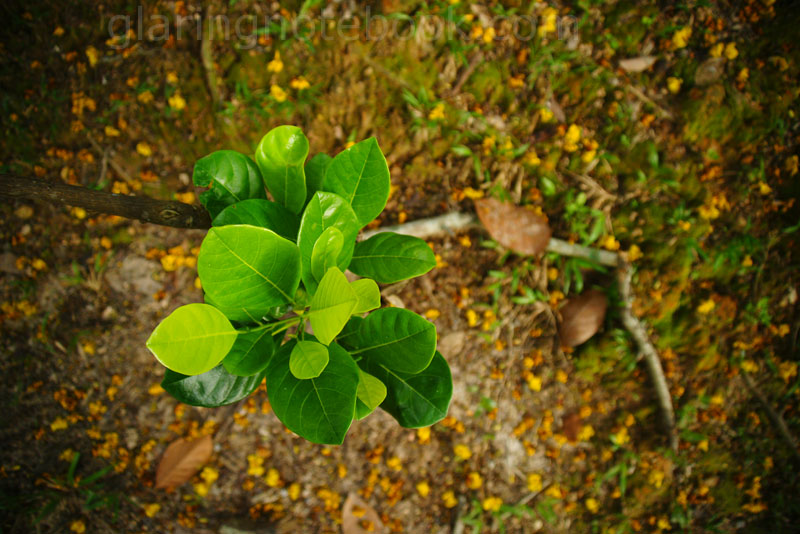
Minolta 24-105mm F3.5-4.5 at 24mm F3.5 on a900. Vignetting is au naturalle, which can be such a nice surprise!
Bokeh-ness (Warning: enter at risk), Come and get poisond
|
|
 Nov 5 2008, 04:06 PM Nov 5 2008, 04:06 PM
|
 
Elite
4,956 posts Joined: Jan 2003 From: KL  
|
psp_BOY: Sweeet!
ramblie: It's slightly overexposed. Minolta 24-105mm F3.5-4.5 at 24mm F3.5 on a900. Vignetting is au naturalle, which can be such a nice surprise! |
|
|
|
|
|
Nov 5 2008, 04:14 PM
|
 
Senior Member
1,930 posts Joined: Nov 2006 From: The Grid 
|
QUOTE(albnok @ Nov 5 2008, 04:06 PM) psp_BOY: Sweeet! wah, nice one..! ramblie: It's slightly overexposed. Minolta 24-105mm F3.5-4.5 at 24mm F3.5 on a900. Vignetting is au naturalle, which can be such a nice surprise!   |
|
|
Nov 5 2008, 04:29 PM
|

Senior Member
952 posts Joined: Apr 2007 From: Sandakan 
|
QUOTE(albnok @ Nov 5 2008, 04:06 PM) psp_BOY: Sweeet! Ya la... Exposure Compensation +0.7 stepsramblie: It's slightly overexposed. Minolta 24-105mm F3.5-4.5 at 24mm F3.5 on a900. Vignetting is au naturalle, which can be such a nice surprise! and I do some brightness  Er...how do you put some almost visible watermark on your picture here? I'm not familiar using PP la  |
|
|
Nov 5 2008, 04:34 PM
|

Senior Member
7,214 posts Joined: Oct 2006 From: Kamino
|
albnok...
any PP? The green...is very....nice! |
|
|
Nov 5 2008, 04:38 PM
|
|
Elite
4,956 posts Joined: Jan 2003 From: KL
|
xandman: No PP but I used Daylight WB... that brings out greens everytime!
ramblie: In Photoshop, use the Text tool and type your watermark over it. Then click on Layers and adjust the opacity to somewhere between 5-20%. |
|
|
Nov 5 2008, 04:44 PM
|

Senior Member
1,978 posts Joined: Mar 2005 From: winter brings the spring again
|
I hope you use that a900 a lot, it's an awesome cam. Went out for a troll, it just finished raining, took around 15 pictures, all at ƒ1.4. Will put up tomorrow. For Now,
 Camera: Nikon D3 Exposure: 1/5000 sec Aperture: f/1.4 Focal Length: 50 mm ISO Speed: 200 Don't believe I've put this one up. |
|
|
|
|
|
Nov 5 2008, 04:48 PM
|
|
Senior Member
952 posts Joined: Apr 2007 From: Sandakan
|
QUOTE(albnok @ Nov 5 2008, 04:38 PM) xandman: No PP but I used Daylight WB... that brings out greens everytime! I see... ramblie: In Photoshop, use the Text tool and type your watermark over it. Then click on Layers and adjust the opacity to somewhere between 5-20%.  Thanks for your teaching here today buddy Thanks for your teaching here today buddy  Added on November 5, 2008, 4:50 pm QUOTE(psp _BOY @ Nov 5 2008, 04:44 PM) I hope you use that a900 a lot, it's an awesome cam. Went out for a troll, it just finished raining, took around 15 pictures, all at ƒ1.4. Will put up tomorrow. For Now, And for this eyes capturing pic, can I know how you do it? Sorry for asking noob question » Click to show Spoiler - click again to hide... « Camera: Nikon D3 Exposure: 1/5000 sec Aperture: f/1.4 Focal Length: 50 mm ISO Speed: 200 Don't believe I've put this one up.  This post has been edited by ramblie: Nov 5 2008, 04:50 PM |
|
|
Nov 5 2008, 04:51 PM
|
|
Senior Member
7,214 posts Joined: Oct 2006 From: Kamino
|
albnok...
thx for the tips!  and yeah it does make the green scream! |
|
|
Nov 5 2008, 04:54 PM
|
|
Elite
4,956 posts Joined: Jan 2003 From: KL
|
psp_BOY: It travels wherever I go (the LRT shot obviously, and the plant was shot just outside my office. No car so I end up walking a lot.)
I feel bad posting without a picture in this thread, so here's another: 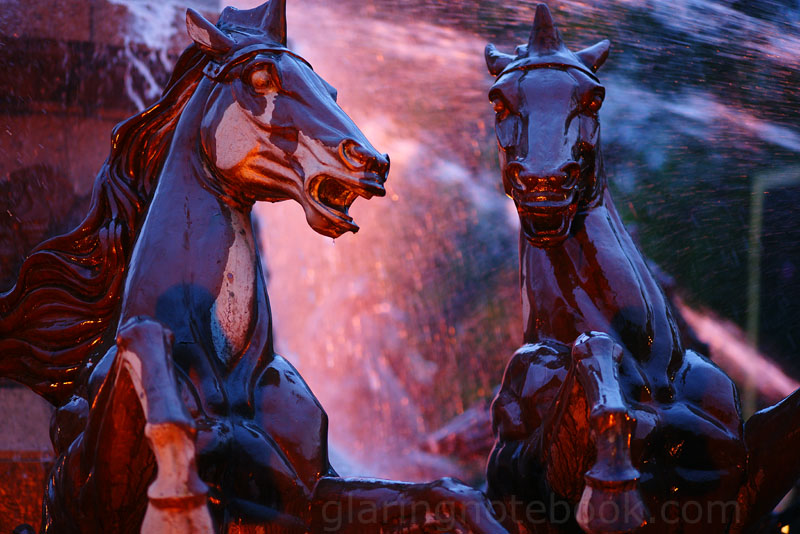 Sony Carl Zeiss Sonnar T* 135mm F1.8 ZA at 135mm F1.8 on a900. Not my lens.  I wish it was. I wish it was.xandman: No problem. Zeiss represent, above! This post has been edited by albnok: Nov 5 2008, 04:55 PM |
|
|
Nov 5 2008, 05:16 PM
|
|
Senior Member
1,978 posts Joined: Mar 2005 From: winter brings the spring again
|
QUOTE(ramblie @ Nov 5 2008, 04:48 PM) I see... First, go buy Nikon D3 Thanks for your teaching here today buddy Added on November 5, 2008, 4:50 pm And for this eyes capturing pic, can I know how you do it? Sorry for asking noob question Joking, first of, I use Lightroom 2 and I shoot RAW, I have not used CS3 for a long while, only for merging photos and to do 'extended' post processing. This was fairly simple, I adjusted the exposure slightly higher, added more blacks at +15, recovery at+83, Adjusted white balance from 5350K to 5936, clarity +21. Highlights at +21, shadows at -13, dark +11, light +2, Although at this part it's not for all pictures. Sharpness at 45 rdius 1.0, detail 32, again not for all pictures. No noise reduction for luminance, just for colour since it was shot at a very low base iso. Lots of vignetting was added, using the lens correction and post crop and I adjusted the camera calibration, with ACR4.4, shadow tint at -6, Again this part is not for all pictures as it might come out differently. This was the original picture 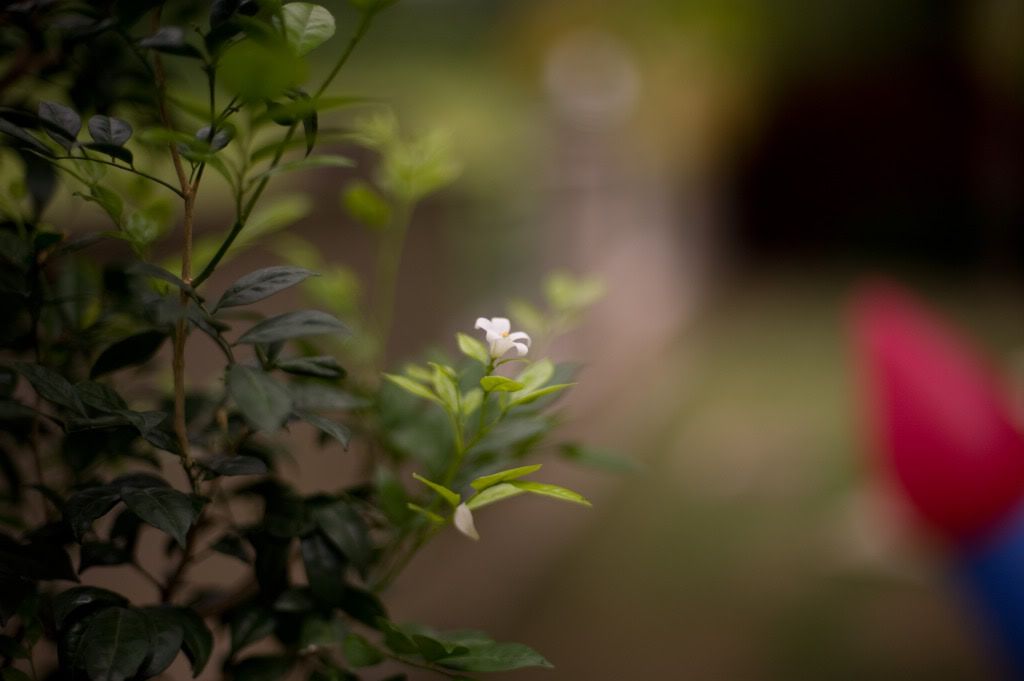 and here it is after pp... Again these settings will make other pictures turn out differently. |
|
|
Nov 5 2008, 05:31 PM
|
|
Senior Member
952 posts Joined: Apr 2007 From: Sandakan
|
QUOTE(psp _BOY @ Nov 5 2008, 05:16 PM) First, go buy Nikon D3 Astaga... Joking, first of, I use Lightroom 2 and I shoot RAW, I have not used CS3 for a long while, only for merging photos and to do 'extended' post processing. This was fairly simple, I adjusted the exposure slightly higher, added more blacks at +15, recovery at+83, Adjusted white balance from 5350K to 5936, clarity +21. Highlights at +21, shadows at -13, dark +11, light +2, Although at this part it's not for all pictures. Sharpness at 45 rdius 1.0, detail 32, again not for all pictures. No noise reduction for luminance, just for colour since it was shot at a very low base iso. Lots of vignetting was added, using the lens correction and post crop and I adjusted the camera calibration, with ACR4.4, shadow tint at -6, Again this part is not for all pictures as it might come out differently. This was the original picture » Click to show Spoiler - click again to hide... « and here it is after pp... » Click to show Spoiler - click again to hide... « Again these settings will make other pictures turn out differently.  Kebulur aku 3 bulan Kebulur aku 3 bulan  Anyway, thanks for sharing you valuable knowledge here my friend So, you just do the adjustment in one picture without do some layering or merger the copy? Since I saw the flower quite bright rather than surrounding... |
|
|
Nov 5 2008, 05:40 PM
|
|
Senior Member
1,978 posts Joined: Mar 2005 From: winter brings the spring again
|
QUOTE(ramblie @ Nov 5 2008, 05:31 PM) Astaga... Naw, there is a history palette where I can go back to previous actions but I'm verry careful with the work. There are no layers in Lightroom, I've got to go use CS3 for that, but I rarely need to layer for dodge or burn a photo since lightroom ahs the ability to upp or lower the contrast and highlights. Plus with Lightroom 2 there is a brush tool where can apply a mask to adjust exposure, clarity, brightness, and can delete individual masks if you want. Kebulur aku 3 bulan Anyway, thanks for sharing you valuable knowledge here my friend So, you just do the adjustment in one picture without do some layering or merger the copy? Since I saw the flower quite bright rather than surrounding... |
|
|
Nov 5 2008, 05:46 PM
|
|
Elite
4,956 posts Joined: Jan 2003 From: KL
|
Wah damn shy la I am totally n00b at RAW. (I use JPG) Is there a thread to RAW processing here?
As for vignetting, how do you obtain vignetting out of the lens without PP? I shoot wide open all the time to try to get the vignetting, but I only get it sometimes and I don't know how to replicate it. 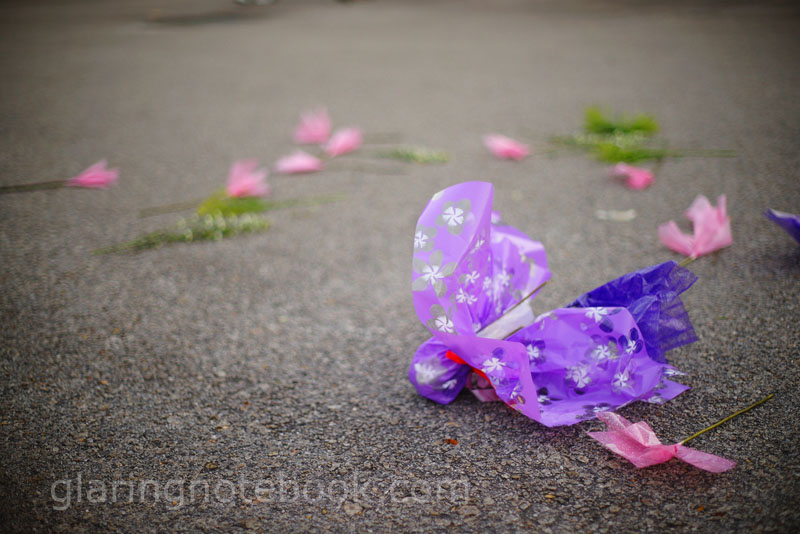 Minolta 50mm F1.4 at F1.4 on a900. I didn't set up this shot, I found it while walking past a car park. Ouch to the flower buyer! |
|
|
|
|
|
Nov 5 2008, 05:53 PM
|
|
Senior Member
1,978 posts Joined: Mar 2005 From: winter brings the spring again
|
QUOTE(albnok @ Nov 5 2008, 05:46 PM) Wah damn shy la I am totally n00b at RAW. (I use JPG) Is there a thread to RAW processing here? Photoshop or Lightroom can do vignetting easily, as for me doing ƒ1.4 with my 50mm on my D3 gives a heck of a lot of vignetting, and I love it!As for vignetting, how do you obtain vignetting out of the lens without PP? I shoot wide open all the time to try to get the vignetting, but I only get it sometimes and I don't know how to replicate it. Minolta 50mm F1.4 at F1.4 on a900. I didn't set up this shot, I found it while walking past a car park. Ouch to the flower buyer!  Camera: Nikon D3 Exposure: 1/4000 sec Aperture: f/1.4 Focal Length: 50 mm ISO Speed: 200 |
|
|
Nov 5 2008, 09:25 PM
|

Junior Member
12 posts Joined: May 2008
|
» Click to show Spoiler - click again to hide... « Newbie here. Please welcome me. Camera - Olympus E-510 Aperture - f/5.6 Shutter Speed - 1/250 ISO - 100 |
|
|
Nov 5 2008, 09:34 PM
|
|
Junior Member
62 posts Joined: Jan 2003 From: Serdang, Selangor
|
 Camera Model - Canon EOS 400D Lens - Tamron 17-50mm Aperture - F2.8 Shutter Speed - 1/125 ISO - 800 My first post here. Appreciate your C&C. |
|
|
Nov 5 2008, 09:41 PM
|
|
Senior Member
1,394 posts Joined: Apr 2007
|
 Camera Model - Canon EOS 1000D Lens - Tamron 70-300 Aperture - F8.0 Shutter Speed - 1/125 ISO - 200 EV +1 |
|
|
Nov 5 2008, 10:10 PM
|

All Stars
14,242 posts Joined: Jul 2007 From: JAVABUS
|
albnok , perhaps a little vignetting is an art, to me
very nice |
|
|
Nov 6 2008, 03:05 AM
|

Junior Member
24 posts Joined: May 2008 From: Kuala Lumpur
|
 Camera Model - Canon EOS 400D Aperture - F2.5 Shutter Speed - 1/125 ISO - 100 first attempt |
|
|
Nov 6 2008, 03:06 AM
|
|
Elite
4,956 posts Joined: Jan 2003 From: KL
|
psp_BOY: Ooo, Lightroom 2's brush tool sounds neat! I always had the impression that RAW processors were just a bunch of sliders. Scary, to me. I only really dodge and burn in Photoshop 7 LOL.
I think I'm seeing a pattern here... it could be that close-focusing brings out the vignetting. Gotta try tomorrow! 0168257061: Thanks! 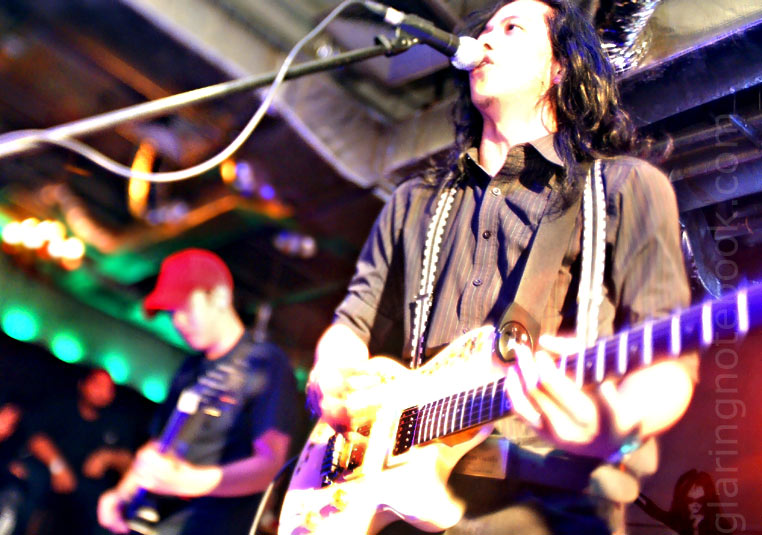 Vivitar 24mm F2.0 DIY tilt-shift at 24mm F2.0 on a700, dodged, burned and sponged |
| Change to: |  0.0232sec 0.0232sec
 0.40 0.40
 6 queries 6 queries
 GZIP Disabled GZIP Disabled
Time is now: 6th December 2025 - 06:37 PM |
 Quote
Quote
