

Version 1 - you can find it here.
Version 2 - you can find it here.
Thanks and regards.

Home Theatre LCD and Plasma TV Discussion Thread | V3, Which is right for you?
|
|
  Sep 4 2008, 12:14 PM, updated 18y ago Sep 4 2008, 12:14 PM, updated 18y ago
Show posts by this member only | Post
#1
|
 
Senior Member
2,220 posts Joined: May 2007  
|
This topic receiving great response from the members over the years, and now we are moving into new era - version 3. Please continue to discuss (feature, specification, price) about our daily home entertainment - LCD/Plasma TV or the coming OLED TV.
Version 1 - you can find it here. Version 2 - you can find it here. Thanks and regards. |
|
|
|
|
|
Sep 4 2008, 12:44 PM
Show posts by this member only | Post
#2
|

Junior Member
380 posts Joined: Oct 2004 From: Vekta 
|
whoa already at V3
LCD/Plasma really move fast in term of technology n quality @cIngu - is there a possibility for an update for pricing like the one u made on V2 cheers This post has been edited by Scavengers: Sep 4 2008, 12:49 PM |
|
|
Sep 4 2008, 01:30 PM
Show posts by this member only | Post
#3
|

Senior Member
2,585 posts Joined: Mar 2008 From: Sibu, Sarawak 
|
LCD nowadays is getting cheaper and cheaper
|
|
|
Sep 4 2008, 01:33 PM
Show posts by this member only | Post
#4
|

Senior Member
4,865 posts Joined: Mar 2008
|
A few years back my friend bought 32" Sharp LCD at 8k
 Now you can get better tech 32" at less than 2k  |
|
|
Sep 4 2008, 02:11 PM
Show posts by this member only | Post
#5
|

Junior Member
130 posts Joined: Jul 2008
|
ya lor... now hunting for 42" LCD for my new home.....
|
|
|
Sep 4 2008, 02:15 PM
Show posts by this member only | Post
#6
|
|
Junior Member
380 posts Joined: Oct 2004 From: Vekta
|
QUOTE ya lor... now hunting for 42" LCD for my new home..... heheh really? i'm hunting 32" for my room  hope i didnt rush buying this one already narrowed down to A53  This post has been edited by Scavengers: Sep 4 2008, 04:40 PM |
|
|
|
|
|
Sep 4 2008, 02:30 PM
Show posts by this member only | Post
#7
|

Senior Member
1,048 posts Joined: Aug 2008
|
anyone has experience with backlight leaking on their LCD? This post has been edited by rthj: Sep 4 2008, 02:31 PM |
|
|
Sep 4 2008, 10:42 PM
Show posts by this member only | Post
#8
|

Junior Member
221 posts Joined: Jan 2003
|
Any comment on Panny TH-50PV80H? I'm thinking of getting this.
Anyone know the price difference between TH-50PY800H and TH-50PV80H? |
|
|
Sep 4 2008, 10:53 PM
Show posts by this member only | Post
#9
|

Senior Member
1,219 posts Joined: Jan 2003
|
Yep, from what I've been reading, LCDs at 40" or higher are susceptible to clouding. The only way to "solve" it to turn the brightness down or turn the "Power saving" to Low or Med..
Does u'rs have this problem? What size and brand? QUOTE(rthj @ Sep 4 2008, 02:30 PM) anyone has experience with backlight leaking on their LCD?  |
|
|
Sep 4 2008, 10:58 PM
|
|
Senior Member
1,048 posts Joined: Aug 2008
|
the unevenness is when the screen is dark...dont really notice it at any other color. the corners seems to be somewhat brighter than the rest.
yes, i also read that this is countered by turning the brightness down. am wondering if this will get worse or not. come to think of it...i dont really notice this on the 32".... its on my almost 2 years old Philips 42" |
|
|
Sep 4 2008, 11:02 PM
|
|
Junior Member
110 posts Joined: Sep 2007
|
i'm hunting for 42in HD ready 720p LCDTV ..........no need full hd
how much? |
|
|
Sep 4 2008, 11:04 PM
|

Senior Member
3,239 posts Joined: Oct 2006 From: Sydney, NSW
|
Panasonic 42PV8H/80H. around RM3.8K for PV8H and RM4.2K for 80H.
|
|
|
Sep 4 2008, 11:19 PM
|
|
Senior Member
1,219 posts Joined: Jan 2003
|
Yep, no choice man. No wonder everyone is buying Plasmas these days. Hopefully I'll get a fat bonus at year end and I'll move my Sony W400 into the living room and replace it with a Panny PY800. LCDs can go fly kites for all I care.
QUOTE(rthj @ Sep 4 2008, 10:58 PM) the unevenness is when the screen is dark...dont really notice it at any other color. the corners seems to be somewhat brighter than the rest. yes, i also read that this is countered by turning the brightness down. am wondering if this will get worse or not. come to think of it...i dont really notice this on the 32".... its on my almost 2 years old Philips 42" |
|
|
|
|
|
Sep 4 2008, 11:38 PM
|
|
Senior Member
1,048 posts Joined: Aug 2008
|
dont think i'll be bothered with plasma.....i cant stand the glossy reflective surface....hehe
plasma can also be a hot little bugger... This post has been edited by rthj: Sep 4 2008, 11:40 PM |
|
|
Sep 4 2008, 11:50 PM
|

Senior Member
3,603 posts Joined: Feb 2007
|
for those plasma user, did you see phosphors lag....??
I keep seeing those especially fast moving action...  |
|
|
Sep 5 2008, 12:07 AM
|
|
Senior Member
1,219 posts Joined: Jan 2003
|
^ The only complain that I have of Plasmas are the screen "flickers". If u compare a LCD and Plasma side by side showing the same content, you'll notice that Plasmas have a slight screen flicker. I don't know if "flicker" is the right word..the best analogy that I can think of is this.. On a CRT monitor, set the refresh rate to 60Hz and compared it to a refresh rate of 85Hz.
Some of my friends don't notice it but I definitely do. The worst I've seen are Hitachi Plasmas. Samsung's seems to flicker the least. |
|
|
Sep 5 2008, 12:12 AM
|

Senior Member
2,006 posts Joined: Mar 2005 From: Truly Malaise
|
QUOTE(rthj @ Sep 4 2008, 11:38 PM) dont think i'll be bothered with plasma.....i cant stand the glossy reflective surface....hehe lol, how many years have you stood for the CRT glossy reflective surface?? plasma can also be a hot little bugger...  Added on September 5, 2008, 12:18 am QUOTE(welwitchia @ Sep 5 2008, 12:07 AM) ^ The only complain that I have of Plasmas are the screen "flickers". If u compare a LCD and Plasma side by side showing the same content, you'll notice that Plasmas have a slight screen flicker. I don't know if "flicker" is the right word..the best analogy that I can think of is this.. On a CRT monitor, set the refresh rate to 60Hz and compared it to a refresh rate of 85Hz. yes, you are true, Some of my friends don't notice it but I definitely do. The worst I've seen are Hitachi Plasmas. Samsung's seems to flicker the least. hitachi plasma has a serious flickering problem when u see among different plasma tv brands. the plasma panel seems to flicker due to the gas in the cell (in the glass panel) charge and discharge to emit the light. however, besides hitachi plasma tv, the rest of the plasma tv brands are ok with the problem. This post has been edited by iamsobloodysick: Sep 5 2008, 12:18 AM |
|
|
Sep 5 2008, 12:53 AM
|
|
Senior Member
1,048 posts Joined: Aug 2008
|
well...back then....there wasnt a choice.....then again...i never bought a CRT
and CRT's glossy reflective surface is a much smaller surface area (how big a CRT can one get anyway?)...compared to a plasma's |
|
|
 Sep 5 2008, 01:26 AM Sep 5 2008, 01:26 AM
|

Senior Member
4,017 posts Joined: Jun 2006 From: Georgetown, Penang 
|
QUOTE(iamsobloodysick @ Sep 5 2008, 12:12 AM) lol, how many years have you stood for the CRT glossy reflective surface?? Is it b'coz that Hitachi is using the Alis technology which causes the flicker?Added on September 5, 2008, 12:18 am yes, you are true, hitachi plasma has a serious flickering problem when u see among different plasma tv brands. the plasma panel seems to flicker due to the gas in the cell (in the glass panel) charge and discharge to emit the light. however, besides hitachi plasma tv, the rest of the plasma tv brands are ok with the problem. |
|
|
Sep 5 2008, 01:36 AM
|

Junior Member
229 posts Joined: Nov 2004
|
woohoo ver 3
for me plasma or LCD is up to the room... kalau bilik cerah go for lcd, kalau gelap dan memang nak buat bilik home threatre go for plasma... also what u plan to use it for, gaming , movies, astro, tv etc more tv + movie / less game - plasma more game + computer / less astro - lcd still waiting for my hall to be fully renovated then decide lcd or plasma... |
|
|
Sep 5 2008, 08:33 AM
|
|
Senior Member
2,006 posts Joined: Mar 2005 From: Truly Malaise
|
QUOTE(obiwankedah @ Sep 5 2008, 01:36 AM) woohoo ver 3 plasma tv is also comfortable dengan game.for me plasma or LCD is up to the room... kalau bilik cerah go for lcd, kalau gelap dan memang nak buat bilik home threatre go for plasma... also what u plan to use it for, gaming , movies, astro, tv etc more tv + movie / less game - plasma more game + computer / less astro - lcd LCD tv is just too bright (*which as a fact many people feel that this is so good/so sharp/so clear) |
|
|
Sep 5 2008, 09:30 AM
|
|
Senior Member
4,865 posts Joined: Mar 2008
|
QUOTE(iamsobloodysick @ Sep 5 2008, 08:33 AM) LCD tv is just too bright Hmm....then I wonder why they provide the function of backlight, brightness, contrast, gamma, black level and white level adjustment  |
|
|
Sep 5 2008, 09:46 AM
|
|
Junior Member
251 posts Joined: May 2008 From: Puchong
|
QUOTE(rthj @ Sep 4 2008, 10:58 PM) the unevenness is when the screen is dark...dont really notice it at any other color. the corners seems to be somewhat brighter than the rest. My 2-year old Philips 32" bleeds from all four corners, plus clouding all over the screen. yes, i also read that this is countered by turning the brightness down. am wondering if this will get worse or not. come to think of it...i dont really notice this on the 32".... its on my almost 2 years old Philips 42"  |
|
|
Sep 5 2008, 09:50 AM
|
|
Senior Member
1,219 posts Joined: Jan 2003
|
^ That sucks.. I have two 32" and they don't bleed. I do have a Dell 24" that does bleed though but not serious
 |
|
|
Sep 5 2008, 10:38 AM
|
|
Junior Member
38 posts Joined: Aug 2008
|
QUOTE(rthj @ Sep 4 2008, 02:30 PM) anyone has experience with backlight leaking on their LCD? i've also experience this problem, yes it would disappeared if i decrease the contrast n brightness. but sifus here tell me that is not the right way to calibrate lcd. so i browse thru the internet n i found out that fluorescent lamp is not good if it is near the lcd. so i plug off the lamp that i put near the lcd. then after that the problem actually solved. i increase the contrast to 100 also no more bleeding. yeayy!! n thanks to everyone that have gave me advise. hope this problem is really fix. i just want to enjoy my lcd.  |
|
|
Sep 5 2008, 11:33 AM
|
|
Senior Member
4,017 posts Joined: Jun 2006 From: Georgetown, Penang
|
QUOTE(99below0 @ Sep 5 2008, 09:46 AM) My 2-year old Philips 32" bleeds from all four corners, plus clouding all over the screen. Your brightness, backlight or contrast might be too high. Try adjusting them. |
|
|
Sep 5 2008, 11:40 AM
|
|
Junior Member
38 posts Joined: Aug 2008
|
QUOTE(sunauto @ Sep 5 2008, 11:33 AM) Your brightness, backlight or contrast might be too high. Try adjusting them. sunauto, can u teach me how to adjust the backlight? i dont find anywhere in the menu. im using 37lx800mk. or mine dont have that function?? sorry for this noob question, 1st time buying lcd tv. |
|
|
Sep 5 2008, 12:54 PM
|
|
Senior Member
4,865 posts Joined: Mar 2008
|
The best lighting is using 6500k bulb and position it slightly behind your LCD so it won't glare the screen and you got optimal lighting as meant by movie director. Don't stare directly to the bulb though. It kinda hurt your eyes.
|
|
|
Sep 5 2008, 12:57 PM
|
|
Senior Member
1,219 posts Joined: Jan 2003
|
Hmm.. I don't know about a fluorescent lamp causing the LCD to cloud but I doubt so. As far as I'm concern, there's no fix clouding. Its basically a "defect"
The bad part is, its something that's impossible to check during purchase unless they let u turn the LCD on in a dark room As for maxing out the contrast, I think it'll enchance all the edges in your picture.. might be good for animes and cartoon but defintely not good for regular movies. QUOTE(Kornfield @ Sep 5 2008, 10:38 AM) i've also experience this problem, yes it would disappeared if i decrease the contrast n brightness. but sifus here tell me that is not the right way to calibrate lcd. so i browse thru the internet n i found out that fluorescent lamp is not good if it is near the lcd. so i plug off the lamp that i put near the lcd. then after that the problem actually solved. i increase the contrast to 100 also no more bleeding. yeayy!! n thanks to everyone that have gave me advise. hope this problem is really fix. i just want to enjoy my lcd. |
|
|
Sep 5 2008, 12:58 PM
|
|
Senior Member
4,865 posts Joined: Mar 2008
|
I only use 4 for backlight with my Sony (max 10). Maximum backlight not ony will tire your eyes but also shorten the lifespan. Not to mention your electric bill
|
|
|
Sep 5 2008, 01:04 PM
|
|
Senior Member
1,219 posts Joined: Jan 2003
|
^ I only use Brightness 2 (Movie/Standard Mode) and Power Saving set to Min on my Sony.. but I watch my movie in a pretty dark room with a backlight behind the LCD.
Very minimal clouding but I would have preferred to have none. Sighh..why did Panny released the PY800 so late!!! Arghhh.... |
|
|
Sep 5 2008, 01:28 PM
|

Senior Member
798 posts Joined: May 2005
|
QUOTE(iamsobloodysick @ Sep 5 2008, 08:33 AM) plasma tv is also comfortable dengan game. the ones with the auto moving/shake feature is ok for games, if the plasma dont have that feature, then dont use it for gamingLCD tv is just too bright (*which as a fact many people feel that this is so good/so sharp/so clear) eeee adjust the brightness/backlight la, no need stick to the presets.. QUOTE(arremie @ Sep 5 2008, 12:54 PM) The best lighting is using 6500k bulb and position it slightly behind your LCD so it won't glare the screen and you got optimal lighting as meant by movie director. Don't stare directly to the bulb though. It kinda hurt your eyes. also set ur color to the warmest option available.. make sure the 'white' u see is not 'blue' heheQUOTE(arremie @ Sep 5 2008, 12:58 PM) I only use 4 for backlight with my Sony (max 10). Maximum backlight not ony will tire your eyes but also shorten the lifespan. Not to mention your electric bill haha reduce the lifespan by a verrryyy tiny fraction only, by the time its half life i think u edi got a new tv or maybe.. PJ!QUOTE(welwitchia @ Sep 5 2008, 01:04 PM) ^ I only use Brightness 2 (Movie/Standard Mode) and Power Saving set to Min on my Sony.. but I watch my movie in a pretty dark room with a backlight behind the LCD. my brightness is at 52, backlight 7, and powersaving max for games/pc/cartoons. movies i put my backlight down to 5. my sony lucky la no clouding / smearing / ghosting Very minimal clouding but I would have preferred to have none. Sighh..why did Panny released the PY800 so late!!! Arghhh.... hehehe T2 panel FTWalso i prefer lcd to plasma as i use mainly for games, and putting my face right on plasma screen, i see ugly dots here and there.. but on lcd.. Sooooo Sharp~~  |
|
|
Sep 5 2008, 01:41 PM
|
|
Senior Member
1,048 posts Joined: Aug 2008
|
QUOTE(arremie @ Sep 5 2008, 06:54 AM) The best lighting is using 6500k bulb and position it slightly behind your LCD so it won't glare the screen and you got optimal lighting as meant by movie director. Don't stare directly to the bulb though. It kinda hurt your eyes. sounds like philips ambilight series of TV |
|
|
Sep 5 2008, 02:02 PM
|
|
Senior Member
4,865 posts Joined: Mar 2008
|
QUOTE(callmevil @ Sep 5 2008, 01:28 PM) haha reduce the lifespan by a verrryyy tiny fraction only, by the time its half life i think u edi got a new tv or maybe.. PJ! That's is very true indeed  QUOTE(rthj @ Sep 5 2008, 01:41 PM) sounds like philips ambilight series of TV Kinda cool. The color change according to your movie scene background. Too bad its not a Sony |
|
|
Sep 5 2008, 02:27 PM
|
|
Senior Member
2,006 posts Joined: Mar 2005 From: Truly Malaise
|
QUOTE(Kornfield @ Sep 5 2008, 11:40 AM) sunauto, can u teach me how to adjust the backlight? i dont find anywhere in the menu. im using 37lx800mk. or mine dont have that function?? sorry for this noob question, 1st time buying lcd tv. panny LX800 and LX80 have backlight control aka automatic backlight control function.so, u generally cannot find the backlight control setting in the menu. |
|
|
Sep 5 2008, 04:38 PM
|
|
Senior Member
1,219 posts Joined: Jan 2003
|
Here's my little DIY ambilight
 And here's how they look like from behind. Please ignore the dirty wall  QUOTE(rthj @ Sep 5 2008, 01:41 PM) sounds like philips ambilight series of TV |
|
|
Sep 5 2008, 05:04 PM
|
|
Junior Member
229 posts Joined: Nov 2004
|
fuh
cool...kena tiru nih.. |
|
|
Sep 5 2008, 05:37 PM
|
|
Senior Member
4,865 posts Joined: Mar 2008
|
Are those cold cathode tubes like the one use by PC modders or fast n furious heads?
|
|
|
Sep 5 2008, 05:43 PM
|
|
Senior Member
798 posts Joined: May 2005
|
QUOTE(arremie @ Sep 5 2008, 02:02 PM) That's is very true indeed how i love that statement Kinda cool. The color change according to your movie scene background. Too bad its not a Sony QUOTE(welwitchia @ Sep 5 2008, 04:38 PM) » Click to show Spoiler - click again to hide... « |
|
|
Sep 5 2008, 05:46 PM
|
|
Senior Member
1,219 posts Joined: Jan 2003
|
^ nope.. got them from IKEA.
 |
|
|
Sep 5 2008, 05:47 PM
|

Senior Member
1,521 posts Joined: Jan 2003 From: Kuala Lumpur
|
IKEA has sales now?
|
|
|
Sep 5 2008, 05:48 PM
|
|
Senior Member
1,219 posts Joined: Jan 2003
|
Err.. no idea. I got them about 3 months ago
|
|
|
Sep 5 2008, 05:50 PM
|
|
Senior Member
4,865 posts Joined: Mar 2008
|
QUOTE(callmevil @ Sep 5 2008, 05:43 PM) how i love that statement High five dude QUOTE(welwitchia @ Sep 5 2008, 05:46 PM) ^ nope.. got them from IKEA. IKEA...who would have thought that should take a little trip there tomoro  Anyway, u manually switch them on or u made it to be automatically switch on when tv does. |
|
|
Sep 5 2008, 05:52 PM
|
|
Senior Member
1,219 posts Joined: Jan 2003
|
^ I wish it automatically switches on when I turn the TV on.. heheh
|
|
|
Sep 5 2008, 05:55 PM
|
|
Senior Member
1,048 posts Joined: Aug 2008
|
bastards in IT just filtered these photo sites...now i cant see a single picture posted here
This post has been edited by rthj: Sep 5 2008, 05:56 PM |
|
|
Sep 5 2008, 06:16 PM
|
|
Senior Member
798 posts Joined: May 2005
|
QUOTE(welwitchia @ Sep 5 2008, 05:46 PM) ^ nope.. got them from IKEA. 299 eh.. i think the one for cpu casing can get cheaperAdded on September 5, 2008, 6:19 pm QUOTE(rthj @ Sep 5 2008, 05:55 PM) bastards in IT just filtered these photo sites...now i cant see a single picture posted here right click the foto link then just tunnel itThis post has been edited by callmevil: Sep 5 2008, 06:19 PM |
|
|
Sep 5 2008, 06:21 PM
|
|
Senior Member
4,865 posts Joined: Mar 2008
|
QUOTE(callmevil @ Sep 5 2008, 06:16 PM) 299 eh.. i think the one for cpu casing can get cheaper Much cheaper....I just don't want to say it earlier |
|
|
Sep 5 2008, 06:26 PM
|
|
Senior Member
1,048 posts Joined: Aug 2008
|
no idea how to do that....the tunneling.....that's for another topic elsewhere....
really frustrating This post has been edited by rthj: Sep 5 2008, 06:36 PM |
|
|
Sep 5 2008, 06:32 PM
|

All Stars
10,475 posts Joined: Jan 2003 From: Sarawak
|
QUOTE(rthj @ Sep 5 2008, 06:26 PM) no idea how to do that.. get a power adaptor of 12V output (the one use to power up external hdd, can get from ngbh). connect CCFL to it. plug in the adaptor to wall power socket. turn on, and watch the glow of CCFL. |
|
|
Sep 5 2008, 06:37 PM
|
|
Junior Member
65 posts Joined: Nov 2007
|
Samsung is having promotion now, their 46" a650 model is selling at rm 6000!! This is the best time to buy lcd.
What the hell, compared to 1 week earlier the price drop rm 3000.. If I knew this I would have waited for 1 more week and get this 46inch!  |
|
|
Sep 5 2008, 06:48 PM
|
|
Senior Member
4,865 posts Joined: Mar 2008
|
Deja vu
|
|
|
Sep 5 2008, 06:57 PM
|
|
Senior Member
798 posts Joined: May 2005
|
QUOTE(kuokhong @ Sep 5 2008, 06:37 PM) Samsung is having promotion now, their 46" a650 model is selling at rm 6000!! This is the best time to buy lcd. thats so cheap i cant belive it.. that is such a ridiculous price for the a650!!!!What the hell, compared to 1 week earlier the price drop rm 3000.. If I knew this I would have waited for 1 more week and get this 46inch! |
|
|
Sep 5 2008, 07:01 PM
|
|
Junior Member
65 posts Joined: Nov 2007
|
QUOTE(callmevil @ Sep 5 2008, 06:57 PM) thats so cheap i cant belive it.. that is such a ridiculous price for the a650!!!! Ridiculous right? Everywhere selling at this price, more or less. Damm man I wanna sell my 9 days old LA40A650 now and add a bit more to get this 46". |
|
|
Sep 5 2008, 07:48 PM
|
|
Senior Member
4,017 posts Joined: Jun 2006 From: Georgetown, Penang
|
QUOTE(callmevil @ Sep 5 2008, 06:57 PM) thats so cheap i cant belive it.. that is such a ridiculous price for the a650!!!! Could it be a sign that the new model is coming? |
|
|
Sep 5 2008, 08:01 PM
|
|
Senior Member
1,048 posts Joined: Aug 2008
|
there are plenty of new models announced at CEDIA
|
|
|
Sep 5 2008, 08:37 PM
|

Junior Member
115 posts Joined: Jan 2003
|
Is 50/60 PY850H coming or launching soon?
 Coz if you flip thru' today Star Newspaper near the Global news section, where u will notice pana ads shows the free gift for their Plasma... some thing like PV8 & PV80 free camera (diff model for each plasma), then PY800 & PY850 just get free HDMI & S-Video cables...... Coz if you flip thru' today Star Newspaper near the Global news section, where u will notice pana ads shows the free gift for their Plasma... some thing like PV8 & PV80 free camera (diff model for each plasma), then PY800 & PY850 just get free HDMI & S-Video cables...... |
|
|
Sep 5 2008, 09:15 PM
|
|
Junior Member
229 posts Joined: Nov 2004
|
QUOTE(kuokhong @ Sep 5 2008, 06:37 PM) Samsung is having promotion now, their 46" a650 model is selling at rm 6000!! This is the best time to buy lcd. where u see the promotion dude?What the hell, compared to 1 week earlier the price drop rm 3000.. If I knew this I would have waited for 1 more week and get this 46inch!  |
|
|
Sep 5 2008, 10:08 PM
|
|
Junior Member
65 posts Joined: Nov 2007
|
QUOTE(obiwankedah @ Sep 5 2008, 09:15 PM) where u see the promotion dude? hari Raya promotion, can see it in basically every electric shop, there are even some forumers selling at this priceAdded on September 5, 2008, 10:09 pm QUOTE(obiwankedah @ Sep 5 2008, 09:15 PM) where u see the promotion dude? hari Raya promotion, can see it in basically every electric shop, there are even some forumers selling at this priceThis post has been edited by kuokhong: Sep 5 2008, 10:09 PM |
|
|
Sep 5 2008, 10:21 PM
|

Senior Member
14,193 posts Joined: May 2005 From: Sbn / KL 
|
Yes, Hari Raya Season Promotion from Samsung. Now, full HD is at very affordable range.
|
|
|
Sep 5 2008, 10:47 PM
|
|
Junior Member
229 posts Joined: Nov 2004
|
any good package for lcd/plasma tv + dvd home theatre for about RM5000-RM6000 range ?
thanks |
|
|
Sep 5 2008, 11:29 PM
|
|
Senior Member
1,219 posts Joined: Jan 2003
|
Yeah RM299 is kinda steep but when I bought mine, it was actually retailing at RM185. I believe the RM 299 one has an attenuator.
QUOTE(arremie @ Sep 5 2008, 06:21 PM) Much cheaper....I just don't want to say it earlier |
|
|
Sep 6 2008, 12:12 AM
|

Senior Member
919 posts Joined: Aug 2007
|
QUOTE(kuokhong @ Sep 5 2008, 06:37 PM) Samsung is having promotion now, their 46" a650 model is selling at rm 6000!! This is the best time to buy lcd. Huh???Is that real? I found that 40" full HD already RM4999? Is that 46" also full HD? But they free HDMI DVD player for that 40"(not much use since cant play full HD blu-ray disks or HD DVD). Can you provide some links?What the hell, compared to 1 week earlier the price drop rm 3000.. If I knew this I would have waited for 1 more week and get this 46inch! Added on September 6, 2008, 12:16 amOh ya, is there any LED LCD TV because my laptop one is LED and its quite brighter than ordinary LCD display. Is that expensive? anyone know some model?(prefer sony or samsung) This post has been edited by 5564321: Sep 6 2008, 12:16 AM |
|
|
Sep 6 2008, 01:11 AM
|
|
Senior Member
4,865 posts Joined: Mar 2008
|
QUOTE(5564321 @ Sep 6 2008, 12:12 AM) Oh ya, is there any LED LCD TV because my laptop one is LED and its quite brighter than ordinary LCD display. Is that expensive? anyone know some model?(prefer sony or samsung) You mean OLED? 21" will cost you 12k Forgot the brand. |
|
|
Sep 6 2008, 02:01 AM
|
|
Junior Member
211 posts Joined: Aug 2007
|
hye guys...
i'm a newbie in this section... usually in PDA's or console couch section.... just wanna ask your guys opinion... since there are few sifus over here.... well...im decided to buy a new plasma TV for the purpose of gaming... as i am planning to buy an xbox 360 soon... plus i want to change my old bulky CRT TV.... after months of surveying, i have come with 2 of my own choice... yeah..as my budget does not exceed rm4000.... i narrow down my scope to 2 plasma TV's... LG 42" PG20 series and Panasonic 42PV8H... between these two, which one is the best for me...? in terms of gaming and beautiful TV resolution (astro).... or you guys want to suggest other models or brands(<rm4000)? i do appreciate your guys feedback.... |
|
|
Sep 6 2008, 02:42 AM
|
|
Senior Member
919 posts Joined: Aug 2007
|
QUOTE(arremie @ Sep 6 2008, 01:11 AM) You mean OLED? 21" will cost you 12k Not OLED, its LED differen...instead of CCFL backlightning, which is ordinary one that commonly used on LCD TV, LED LCD uses few tiny white LED provides light to the screen, that one still quite new in TV but I remember Sony already got one of it and it is super slim but not as slim as OLED. So I wonder is there any available model in Malaysia since it is still new to us...compare to CCFL backlightning, LED is much lighter and thin and also brighter. Sony one is uses four white LED on four corner of the screen and light up the screen but my laptop one is 32 small pieces(don't know why so many and the viewing angle quite good). Forgot the brand. Which shop selling Samsung A650? Its full HD and 46" and only RM6000  I would connect it using a pc and play HD movie on it haha. I would connect it using a pc and play HD movie on it haha.Thinking to get one but anyone please provide me some info about it. |
|
|
Sep 6 2008, 03:13 AM
|
|
Senior Member
4,865 posts Joined: Mar 2008
|
What model this Sony LED? Available here?
|
|
|
Sep 6 2008, 10:37 AM
|

Senior Member
837 posts Joined: Apr 2008 From: Penang
|
QUOTE(tenable @ Sep 6 2008, 02:01 AM) hye guys... u may refer to my last thread at v2 which i had compare between these 2 plasma tv,LG pg20r and Pana pv80h.for Pana pv80 and pv8h are almost same thus pv80 hav additional sd card,3hdmi CAT.i'm a newbie in this section... usually in PDA's or console couch section.... just wanna ask your guys opinion... since there are few sifus over here.... well...im decided to buy a new plasma TV for the purpose of gaming... as i am planning to buy an xbox 360 soon... plus i want to change my old bulky CRT TV.... after months of surveying, i have come with 2 of my own choice... yeah..as my budget does not exceed rm4000.... i narrow down my scope to 2 plasma TV's... LG 42" PG20 series and Panasonic 42PV8H... between these two, which one is the best for me...? in terms of gaming and beautiful TV resolution (astro).... or you guys want to suggest other models or brands(<rm4000)? i do appreciate your guys feedback.... PQ wise to compare LG and Pana,i set both at std configuration setting while playback BD Ice Age2.for LG are more details you can see in dark scene,colour more natural as spec for LG also impress. u may go to the shop to compare both side by side as wat i did,set both at same configuration setting while playback BD with animation.eventhough prices are also cheaper than Pana. if you are wanna to watch astro,dvd,BD,tv,game then plasma are suitable and if you are gonna to play game,dvd and computer then lcd are suitable.as i can says that it is depend on individual personal liking. for myself,i had oredi bought 37" lcd which use to play games,my eyes are getting tired due to long hrs game play(4~6hrs).watch dvd may not so good espcially at dark scene where i can"t see the details. |
|
|
Sep 6 2008, 04:08 PM
|
|
Junior Member
77 posts Joined: Jan 2006
|
guys... those of u interested in pv80, yes is pv80. eMart at Jln Pudu having raya promotion is selling at rm3788 with free bracket. that's the lowest i've seen so far.
|
|
|
Sep 6 2008, 04:19 PM
|
|
Senior Member
3,603 posts Joined: Feb 2007
|
If you can afford...get the Pioneer plasma
 I've compared the Pioneer 508XG (HDready only) vs Panny PY800 vs LG PG60UR... Price 15k vs 9k (FullHD) vs 14k (60") together with my wife who is not tech savvy and not really demanding on PQ....she can see clearly the differences in PQ, the Pioneer are better than the FullHD Panny and she ask me to forget about the LG even though it's a 60" as the PQ really sucks! even compared to out 3 years old Sony LCD V-series. |
|
|
Sep 6 2008, 04:53 PM
|
|
Senior Member
14,193 posts Joined: May 2005 From: Sbn / KL
|
so ended up buying which, Taukeh BD?
|
|
|
Sep 6 2008, 09:25 PM
|
|
Junior Member
211 posts Joined: Aug 2007
|
Thanks guys...
for your input... well i might be considering LG42" PG20 seires as according to sifu choontoy..it offers better specs and clearer image compared to Panasonic PV8H...plus the PV8H does not have gaming mode which the LG has....and how bout the HDMI version?i saw LG is 1.3 version but i don't know bout Panasonic PV8..does this make significant impact on the pictures...? and pluas what is the difference between LG 42' PG20 and PG10 series?as the latter is cheaper a bit... |
|
|
Sep 6 2008, 10:10 PM
|
|
Senior Member
4,631 posts Joined: Oct 2005
|
Sony 40' W series really makes me drools, saw at senQ and Harvey Norman also at ard 7.5k, anyone knw where can get cheaper?
|
|
|
Sep 6 2008, 10:37 PM
|
|
Senior Member
1,263 posts Joined: Aug 2008 From: Kuching, Sarawak.
|
Hey sifus,
I just now went past Panny Plasma Fair & I am surprised that Panny HD ready PV-8 model displayed such a high detailed PQ. When I asked the salesman what source he feeded the tv, he says it uses panny bluray player. To all the sifus, does this HD ready tv support 1080p signal ?? Its picture quality is much improved compare to normal dvd play. During this promotion, they are selling the panny BD player at RM2499 which I taught is a best buy at the moment. What is your expert's opinion? |
|
|
Sep 6 2008, 11:25 PM
|
|
Senior Member
4,865 posts Joined: Mar 2008
|
QUOTE(samlee860407 @ Sep 6 2008, 10:10 PM) Sony 40' W series really makes me drools, saw at senQ and Harvey Norman also at ard 7.5k, anyone knw where can get cheaper? Dude if you want RM500 cheaper, go for older version 300 (KLV-40W300A) at RM6999. The latest one is version 400 (KLV-40W400A). W series the PQ is really good. I would go for this one last year but at the time version 300 is RM9999 |
|
|
Sep 7 2008, 02:25 AM
|
|
Junior Member
229 posts Joined: Nov 2004
|
**All with free bracket**
-LG 42LG53FR - RM3988 -Samsung LA40A330 - RM3388 -Samsung LA46S81B - RM4288 -Pana TX-32LE8MK - RM1788 -Sony KLV32S400 - RM1988 raya sales promotion at Emart, pudu.... go go ago go & best is all comes with free wall bracket ----------------------------------------------------- Im interested in the LG 42LG53FR - RM3988 is this 42" Full HD? how is the price wise? how about the Samsung LA46S81B for RM4288 ? its a whopping 46 inch! the Pana TX-32LE8MK - RM1788 is also mot bad with that price tag... (join me , plan to go there tomorrow) ------------------------------------------------------ and i bought the BENQ 32 inch for RM4599 2 years ago.. huhhh Added on September 7, 2008, 2:31 am QUOTE(mikapoh @ Sep 6 2008, 10:37 PM) Hey sifus, best BD player - PS3 I just now went past Panny Plasma Fair & I am surprised that Panny HD ready PV-8 model displayed such a high detailed PQ. When I asked the salesman what source he feeded the tv, he says it uses panny bluray player. To all the sifus, does this HD ready tv support 1080p signal ?? Its picture quality is much improved compare to normal dvd play. During this promotion, they are selling the panny BD player at RM2499 which I taught is a best buy at the moment. What is your expert's opinion? price also about RM1300 - RM1400 last time i check laaa.. since we are talking about BD player. how to make the PS3 with 5.1 surround sound? plan to get one soon also... This post has been edited by obiwankedah: Sep 7 2008, 02:31 AM |
|
|
Sep 7 2008, 08:47 AM
|
|
All Stars
10,475 posts Joined: Jan 2003 From: Sarawak
|
QUOTE(obiwankedah @ Sep 7 2008, 02:25 AM) Im interested in the LG 42LG53FR - RM3988 that lg is fullhd.is this 42" Full HD? how is the price wise? how about the Samsung LA46S81B for RM4288 ? its a whopping 46 inch! since we are talking about BD player. how to make the PS3 with 5.1 surround sound? samsung is hd only. for surround sound on ps3, connect it to an AVR. This post has been edited by Skylinestar: Sep 7 2008, 08:48 AM |
|
|
Sep 7 2008, 09:32 AM
|
|
Senior Member
798 posts Joined: May 2005
|
QUOTE(arremie @ Sep 6 2008, 11:25 PM) Dude if you want RM500 cheaper, go for older version 300 (KLV-40W300A) at RM6999. The latest one is version 400 (KLV-40W400A). W series the PQ is really good. I would go for this one last year but at the time version 300 is RM9999 hmm i would suggest going for W400 rather than W300 (even though W300 has better enclosure) as the W400 is basically the X series minus the motionflow.. ok now my advice on the W400, if ure content will be mainly Blurays and other HD contents, then knock urself off with the Wseries... however, if ur content wont just be limited to HD contents, then plz do urself a favor and wait for the new X series.. u wont regret (or u can get the one now but id suggest u to wait)if lcd/plasma dont make a diff for u then, look at the Kuros.. get them now as the new kuros wont make any screen <50" anymore.. (aha i love this cockyness) Added on September 7, 2008, 9:34 am QUOTE(obiwankedah @ Sep 7 2008, 02:25 AM) since we are talking about BD player. how to make the PS3 with 5.1 surround sound? either audio out via optical or hdmi plan to get one soon also... This post has been edited by callmevil: Sep 7 2008, 09:34 AM |
|
|
Sep 7 2008, 09:54 AM
|
|
Senior Member
4,631 posts Joined: Oct 2005
|
QUOTE(callmevil @ Sep 7 2008, 09:32 AM) hmm i would suggest going for W400 rather than W300 (even though W300 has better enclosure) as the W400 is basically the X series minus the motionflow.. ok now my advice on the W400, if ure content will be mainly Blurays and other HD contents, then knock urself off with the Wseries... however, if ur content wont just be limited to HD contents, then plz do urself a favor and wait for the new X series.. u wont regret oi oi bro...got budget le....itu X-series rm10k le... (or u can get the one now but id suggest u to wait)if lcd/plasma dont make a diff for u then, look at the Kuros.. get them now as the new kuros wont make any screen <50" anymore.. (aha i love this cockyness) Added on September 7, 2008, 9:34 am either audio out via optical or hdmi manyak mahal le...if new one sure lagi mahal lo.... kuros is nice...saw at harvey, price also nice =.=' |
|
|
Sep 7 2008, 11:26 AM
|
|
Junior Member
518 posts Joined: May 2006
|
hello all,
Those who wants to buy Pioneer Kuros, be it 428XG or 508XG, can head to MFF TODAY!! Big offer they are giving over there with 428XG being offered below RM7k. Depending on nego skill, it can still go down! Those looking for LG 42PG60UR also got discount, now selling at RM3700 and still can nego and cheaper still if cash n carry. Samsung LA-46A650 is also damn attractively priced as one forummer has mentioned. Regards. |
|
|
Sep 7 2008, 12:16 PM
|
|
Senior Member
4,631 posts Joined: Oct 2005
|
what is MFF>?
|
|
|
Sep 7 2008, 01:33 PM
|
|
Senior Member
1,081 posts Joined: Jan 2003
|
furniture fair?
|
|
|
Sep 7 2008, 01:50 PM
|
|
Junior Member
211 posts Joined: Aug 2007
|
hye...
can sumone tell me any shop with best deal for LG plasma TV PG20 series? and also the pana PV80V and PV8V plasma TV.... PM me or just tell in the forum.. that would be fine.. appreciate your help guys ..... |
|
|
Sep 7 2008, 01:53 PM
|
|
Senior Member
837 posts Joined: Apr 2008 From: Penang
|
QUOTE(tenable @ Sep 6 2008, 09:25 PM) Thanks guys... Tenable,for your input... well i might be considering LG42" PG20 seires as according to sifu choontoy..it offers better specs and clearer image compared to Panasonic PV8H...plus the PV8H does not have gaming mode which the LG has....and how bout the HDMI version?i saw LG is 1.3 version but i don't know bout Panasonic PV8..does this make significant impact on the pictures...? and pluas what is the difference between LG 42' PG20 and PG10 series?as the latter is cheaper a bit... TQ for compliment but i'm not sifu lah as just cari makan only. Yes,HDMI v1.3 are more vivid color or natural compare to older version.Pana HDMI are older version at PV8H and PV80H but PY800H are version 1.3.LG PG20 spec are better than PG10,correct me if i'm mistaken. As i had Sharp 37" LCD(100Hz) in just couples mths ago thus i love to view more on Plasma tv.And i would say that i regret earlier which did not compare with Plasma.Put side by side to compare will known the results but not 100% as both Plasma internal configuration setting are different unless you have to enter service mode code to tune the color setting. |
|
|
Sep 7 2008, 02:16 PM
|
|
Senior Member
819 posts Joined: Jan 2003 From: Puchong
|
QUOTE(choontoy @ Sep 7 2008, 01:53 PM) Tenable, Are you sure that Pana PV80H is not HDMI 1.3, i read somewhere that it is already 1.3 as 1.3 with Deep Color ws released in June 2006. Review of the LG PG20 series http://reviews.cnet.com/flat-panel-tvs/lg-...7-32863632.htmlTQ for compliment but i'm not sifu lah as just cari makan only. Yes,HDMI v1.3 are more vivid color or natural compare to older version.Pana HDMI are older version at PV8H and PV80H but PY800H are version 1.3.LG PG20 spec are better than PG10,correct me if i'm mistaken. As i had Sharp 37" LCD(100Hz) in just couples mths ago thus i love to view more on Plasma tv.And i would say that i regret earlier which did not compare with Plasma.Put side by side to compare will known the results but not 100% as both Plasma internal configuration setting are different unless you have to enter service mode code to tune the color setting. HDMI 1.3 Released June 22, 2006.[12][13][76] Increases single-link bandwidth to 340 MHz (10.2 Gbit/s) Optionally supports Deep Color with 30-bit, 36-bit, and 48-bit xvYCC, sRGB, or YCbCr compared to 24-bit sRGB or YCbCr in previous HDMI versions. Incorporates automatic audio syncing (Audio video sync) capability. Optionally supports output of Dolby TrueHD and DTS-HD Master Audio streams for external decoding by AV receivers.[77] TrueHD and DTS-HD are lossless audio codec formats used on Blu-ray Discs and HD DVDs. If the disc player can decode these streams into uncompressed audio, then HDMI 1.3 is not necessary, as all versions of HDMI can transport uncompressed audio. Cable Categories 1 and 2 defined. Category 1 cable is tested up to 74.25 MHz while Category 2 cable is tested up to 340 MHz. Availability of a new Type C mini-connector for portable devices.[39][78] This post has been edited by gsdev: Sep 7 2008, 02:31 PM |
|
|
Sep 8 2008, 10:34 AM
|
|
Senior Member
837 posts Joined: Apr 2008 From: Penang
|
QUOTE(gsdev @ Sep 7 2008, 02:16 PM) Are you sure that Pana PV80H is not HDMI 1.3, i read somewhere that it is already 1.3 as 1.3 with Deep Color ws released in June 2006. Review of the LG PG20 series http://reviews.cnet.com/flat-panel-tvs/lg-...7-32863632.html Err... Bro Gsdev.You may double confirm whether Pana PV80H are HDMI v1.3 or not.Corrrect me if my mistake.If confirm that Pana PV80H are HDMI v1.3 then it will be better for those.Cheers for those will get Pana.HDMI 1.3 Released June 22, 2006.[12][13][76] Increases single-link bandwidth to 340 MHz (10.2 Gbit/s) Optionally supports Deep Color with 30-bit, 36-bit, and 48-bit xvYCC, sRGB, or YCbCr compared to 24-bit sRGB or YCbCr in previous HDMI versions. Incorporates automatic audio syncing (Audio video sync) capability. Optionally supports output of Dolby TrueHD and DTS-HD Master Audio streams for external decoding by AV receivers.[77] TrueHD and DTS-HD are lossless audio codec formats used on Blu-ray Discs and HD DVDs. If the disc player can decode these streams into uncompressed audio, then HDMI 1.3 is not necessary, as all versions of HDMI can transport uncompressed audio. Cable Categories 1 and 2 defined. Category 1 cable is tested up to 74.25 MHz while Category 2 cable is tested up to 340 MHz. Availability of a new Type C mini-connector for portable devices.[39][78] |
|
|
Sep 8 2008, 10:56 AM
|
|
Senior Member
1,182 posts Joined: Jan 2003
|
|
|
|
Sep 8 2008, 11:22 AM
|

Senior Member
3,945 posts Joined: Jan 2003
|
got a quote from SS2
PV8 at RM3630 PG20 at RM3500 here most recommended PV8, but yet some recommend PG20..sigh..can't make decision, and there is rumors that Astro will be transmitting fullHD next year...so should i play the waiting game? |
|
|
Sep 8 2008, 11:31 AM
|
|
Senior Member
819 posts Joined: Jan 2003 From: Puchong
|
QUOTE(choontoy @ Sep 8 2008, 10:34 AM) Err... Bro Gsdev.You may double confirm whether Pana PV80H are HDMI v1.3 or not.Corrrect me if my mistake.If confirm that Pana PV80H are HDMI v1.3 then it will be better for those.Cheers for those will get Pana. I did read somewhere that it is HDMI 1.3, I think htkaki also confirmed this some time back. Anyways to fully use the 1.3 the source has to be able to support it too, which i think all new ones do. Added on September 8, 2008, 11:33 am QUOTE(lonewolf @ Sep 8 2008, 11:22 AM) got a quote from SS2 This must be Legend. I have not compared the LG PG20 series but the price point between the PV80 is not that much. How about warranty of 5 years from Panasonic, what about warranty from LG ? that has to count for something.PV8 at RM3630 PG20 at RM3500 here most recommended PV8, but yet some recommend PG20..sigh..can't make decision, and there is rumors that Astro will be transmitting fullHD next year...so should i play the waiting game? Added on September 8, 2008, 11:35 am QUOTE(underworld @ Sep 8 2008, 10:56 AM) so series 5 and 6 should have their prices dropping soon ?This post has been edited by gsdev: Sep 8 2008, 11:35 AM |
|
|
Sep 8 2008, 11:49 AM
|
|
Senior Member
14,193 posts Joined: May 2005 From: Sbn / KL
|
gsdev, it has already dropped. By quite a lot too. 40" Full HD is now slightly above RM4.1K mark. 46" even more tempting.
The Samsung Raya promo ends on 19.10.2008 |
|
|
Sep 8 2008, 11:56 AM
|
|
Senior Member
3,945 posts Joined: Jan 2003
|
QUOTE(gsdev @ Sep 8 2008, 11:31 AM) This must be Legend. I have not compared the LG PG20 series but the price point between the PV80 is not that much. How about warranty of 5 years from Panasonic, what about warranty from LG ? that has to count for something. PV8 = suppost to be 5 years, but from the forum ..seems they are not the authorize seller..so the 5 years kinda skeptical |
|
|
Sep 8 2008, 12:44 PM
|

Junior Member
21 posts Joined: Aug 2008
|
yeah ! congratulation now already v3 |
|
|
Sep 8 2008, 12:54 PM
|

Senior Member
2,247 posts Joined: Feb 2005
|
QUOTE(lonewolf @ Sep 8 2008, 11:22 AM) .... there is rumors that Astro will be transmitting fullHD next year...so should i play the waiting game? ya,one of astro senoir staff also told me Astro 'll be on HD coming soon (duuno how soon cos they actually discuss this HD thingy since early this yr) but dunno it's FullHD or 720p.According to him,Astro HQ oledi install the "machine" which can provide HD format program,should be very soon .... |
|
|
Sep 8 2008, 01:11 PM
|
|
Senior Member
1,048 posts Joined: Aug 2008
|
think the standard of HDTV broadcast around the world is still 720p.........highly doubt Astro gonna skip the 720p and go directly into 1080p....
|
|
|
Sep 8 2008, 01:19 PM
|
|
Senior Member
819 posts Joined: Jan 2003 From: Puchong
|
QUOTE(lonewolf @ Sep 8 2008, 11:56 AM) PG20 = 2 years I read somewhere in Low Yat forums that some one bought from Legend did not have the warraty card but panasonic mailed it to the buyer. It looks like it does not matter where you get it from. The 5 years comes with it.PV8 = suppost to be 5 years, but from the forum ..seems they are not the authorize seller..so the 5 years kinda skeptical |
|
|
Sep 8 2008, 01:20 PM
|
|
Junior Member
156 posts Joined: May 2005
|
Just to share interesting articles esp on plasma tv power consumption
http://apcmag.com/hdtv http://apcmag.com/6986/how_lcd_and_plasmas...the_pixel_level http://apcmag.com/6983/the_case_for_plasma_hdtvs http://apcmag.com/6984/the_case_for_lcd_hdtvs http://apcmag.com/7001/the_verdict_from_wheels |
|
|
Sep 8 2008, 01:20 PM
|
|
Senior Member
819 posts Joined: Jan 2003 From: Puchong
|
QUOTE(htkaki @ Sep 8 2008, 11:49 AM) gsdev, it has already dropped. By quite a lot too. 40" Full HD is now slightly above RM4.1K mark. 46" even more tempting. Wow must be really tempting for thoose looking for LCD TV's...The Samsung Raya promo ends on 19.10.2008 Added on September 8, 2008, 1:22 pm QUOTE(rthj @ Sep 8 2008, 01:11 PM) think the standard of HDTV broadcast around the world is still 720p.........highly doubt Astro gonna skip the 720p and go directly into 1080p.... I too think it will be 720P...This post has been edited by gsdev: Sep 8 2008, 01:22 PM |
|
|
Sep 8 2008, 01:26 PM
|
|
Senior Member
3,913 posts Joined: Nov 2004
|
QUOTE(rthj @ Sep 8 2008, 01:11 PM) think the standard of HDTV broadcast around the world is still 720p.........highly doubt Astro gonna skip the 720p and go directly into 1080p.... hahaha...dun expect it..coz we kno who is astro...dun think of 720p le...now wanna make it clear lik crt tv oso hv problem  |
|
|
Sep 8 2008, 02:25 PM
|
|
Junior Member
518 posts Joined: May 2006
|
QUOTE(lonewolf @ Sep 8 2008, 11:56 AM) PG20 = 2 years Not sure if PG20 got this thing or not, but if you buy PG60 from Desa HT, you will get 4 years total. 2years from LG and extra 2 years from Desa's insurance (with 1st year being All-risk warranty). meaningPV8 = suppost to be 5 years, but from the forum ..seems they are not the authorize seller..so the 5 years kinda skeptical 1st year --> LG (plus Desa All-risk warranty) 2nd year -->LG 3rd year --->Desa 4th year --->Desa Just got 42PG60UR from them and both my wifey and I are very happy with the PQ eventhough its only through components. Will try HDMI input next. aiz1j, Will be posting some pics soon once I got time to take them. Just watched Corpse Bride last night, PQ and blackness was very good although can't match Kuros. At half the price of a Kuros, I ain't complaining. Regards. |
|
|
Sep 8 2008, 02:29 PM
|
|
Senior Member
3,945 posts Joined: Jan 2003
|
QUOTE(adrian0229 @ Sep 8 2008, 01:26 PM) hahaha...dun expect it..coz we kno who is astro...dun think of 720p le...now wanna make it clear lik crt tv oso hv problem so what do you think?..IMHO i think astro should be going for 720p rather than 1080p. |
|
|
Sep 8 2008, 02:59 PM
|
|
Senior Member
14,193 posts Joined: May 2005 From: Sbn / KL
|
I only hope that it goes to 480p. If Astro goes 720p, expect to pay exorbitant fees for it.
|
|
|
Sep 8 2008, 03:08 PM
|
|
Junior Member
251 posts Joined: May 2008 From: Puchong
|
I'd be happy if Astro can deliver a low-compression 16:9 480i signal, nevermind about the HD. Right now they can't even deliver a DVD-quality picture. No use having a 720p/1080i signal if it's compressed like hell.
|
|
|
Sep 8 2008, 04:23 PM
|

Junior Member
516 posts Joined: Sep 2005
|
with the current KU band astro.... what 4 la.. everytime rain our tv will go into screen saver mode hahahahha
|
|
|
Sep 8 2008, 04:34 PM
|
|
Senior Member
819 posts Joined: Jan 2003 From: Puchong
|
Guys for your Plasma's and LCD's what surge protection devices do you have in place, belkin etc...where is the best place to get
This post has been edited by gsdev: Sep 8 2008, 04:35 PM |
|
|
Sep 8 2008, 05:14 PM
|
|
Senior Member
1,219 posts Joined: Jan 2003
|
I use an APC UPS for my LCD and Receiver.
|
|
|
Sep 8 2008, 05:16 PM
|
|
Senior Member
1,263 posts Joined: Aug 2008 From: Kuching, Sarawak.
|
QUOTE(99below0 @ Sep 8 2008, 03:08 PM) I'd be happy if Astro can deliver a low-compression 16:9 480i signal, nevermind about the HD. Right now they can't even deliver a DVD-quality picture. No use having a 720p/1080i signal if it's compressed like hell. Then what is the current Astro picture resolution rite now ??But it looks quite clear in panny plasma. How about the"Big" satelite disc that we use to watch China HK movies so on. I think they are in digital format. I havent tried but wish to try to see the difference in my panny screen.... |
|
|
Sep 8 2008, 05:23 PM
|
|
Senior Member
1,048 posts Joined: Aug 2008
|
why do you think astro's broadcast is not 480i? or 576i? those are standard definition. 480 for NTSC, 576 for PAL.
|
|
|
Sep 8 2008, 08:13 PM
|
|
Junior Member
38 posts Joined: Aug 2008
|
QUOTE(gsdev @ Sep 8 2008, 04:34 PM) Guys for your Plasma's and LCD's what surge protection devices do you have in place, belkin etc...where is the best place to get im using belkin gold, i bought at IT Hypermart at lowyat, sri computer also got. |
|
|
Sep 8 2008, 08:22 PM
|
|
Junior Member
65 posts Joined: Nov 2007
|
QUOTE(Kornfield @ Sep 8 2008, 08:13 PM) im using belkin gold, i bought at IT Hypermart at lowyat, sri computer also got. Oh.. Im using belkin gold too. Bought at ALL IT HYPERMART. Price slightly higher than Sri Com, but I would prefer ALL IT anyday for their service. I had many bad experiences at Sri Com. |
|
|
Sep 8 2008, 08:25 PM
|
|
Senior Member
4,865 posts Joined: Mar 2008
|
QUOTE(pspfan @ Sep 8 2008, 04:23 PM) with the current KU band astro.... what 4 la.. everytime rain our tv will go into screen saver mode hahahahha good one bro |
|
|
Sep 8 2008, 11:43 PM
|
|
Senior Member
819 posts Joined: Jan 2003 From: Puchong
|
QUOTE(rthj @ Sep 8 2008, 05:23 PM) why do you think astro's broadcast is not 480i? or 576i? those are standard definition. 480 for NTSC, 576 for PAL. Correct me if i am wrong but i beleive astro is already brodcasting in 576i...maybe their re-compression sucks...Added on September 8, 2008, 11:45 pm QUOTE(welwitchia @ Sep 8 2008, 05:14 PM) I use an APC UPS for my LCD and Receiver. How many watts?...what happens during power failiure can the UPS hold the sets...This post has been edited by gsdev: Sep 8 2008, 11:49 PM |
|
|
Sep 8 2008, 11:50 PM
|
|
Senior Member
1,048 posts Joined: Aug 2008
|
QUOTE(gsdev @ Sep 8 2008, 05:43 PM) Correct me if i am wrong but i beleive astro is already brodcasting in 576i... that's what i thought....how much lower can they get to? think its either 480i or 576i. |
|
|
Sep 9 2008, 10:03 AM
|
|
Junior Member
251 posts Joined: May 2008 From: Puchong
|
I know it's 576i, I'm emphasizing on the "low-compression" part.
I'm just saying that it's no point paying a premium for 720p/1080i Astro if it's just going to be heavily-compressed like now. About the surge protector, I'm using Belkin Gold, bought from Tesco at 219.00. I liked it's RM25,000 equipment warranty, plus free replacement when the surge protector burns out (at least that's what it says on the warranty sheet). |
|
|
Sep 9 2008, 10:11 AM
|
|
Senior Member
819 posts Joined: Jan 2003 From: Puchong
|
Wah so many using belkin gold, looks like will need to get one very soon. Does it have protection for the Astro Dish cable coming in to the decoder...or its not necesarry?
Added on September 9, 2008, 10:20 am QUOTE(99below0 @ Sep 9 2008, 10:03 AM) I know it's 576i, I'm emphasizing on the "low-compression" part. Is that the 7 socket or 8 socket one?I'm just saying that it's no point paying a premium for 720p/1080i Astro if it's just going to be heavily-compressed like now. About the surge protector, I'm using Belkin Gold, bought from Tesco at 219.00. I liked it's RM25,000 equipment warranty, plus free replacement when the surge protector burns out (at least that's what it says on the warranty sheet). This post has been edited by gsdev: Sep 9 2008, 10:20 AM |
|
|
Sep 9 2008, 11:02 AM
|
|
Senior Member
1,219 posts Joined: Jan 2003
|
If I remember correctly, 1000.. during a power blackout, the units still hold but I just turn everything off immediately.
In my area (Bangsar), i don't usually get blackouts but I do get occasional brownouts..so I guess a UPS is perfect for my situation. QUOTE(gsdev @ Sep 8 2008, 11:43 PM) How many watts?...what happens during power failiure can the UPS hold the sets... |
|
|
Sep 9 2008, 01:53 PM
|

Junior Member
168 posts Joined: Aug 2005
|
QUOTE(pspfan @ Sep 8 2008, 04:23 PM) with the current KU band astro.... what 4 la.. everytime rain our tv will go into screen saver mode hahahahha r u suggesting that ASTRO to go with C-Band ? Then u must willing to pay extra for :1. Bigger dish 2. High power satellite transmission 3. High installation fee and last but not least, u must have enough and proper place to put the 1.8m antenna dish (check out the size of C-Band dish at any Gas station) btw, I'm not an ASS-tro supporter...but I understand their limitation on Ku vs C-Band This post has been edited by abahwafi: Sep 9 2008, 02:12 PM |
|
|
Sep 9 2008, 04:40 PM
|

All Stars
14,242 posts Joined: Jul 2007 From: JAVABUS
|
Bro and sis , i wanna ask some noob question here.
currently looking for a 40inchi lcd tv. my main question is go 720 or 1080p ? because my family always watch astro ja , if get 1080 would be a little waste , no ? but at another side , 1080p image quality definitely is when watching blu-ray movie. another question is , will 1080p tv give blur/bad image when playing 720p movie ? do you guys think astro will upgrade to HD channel ? |
|
|
Sep 9 2008, 05:13 PM
|
|
Junior Member
156 posts Joined: May 2005
|
Significance of getting 720 or 1080 depends on your viewing distance? How far is your TV from your sofa? If it is more than 5 ft, not much difference can be seen. For astro, better get plasma. 1080p tv will not blur with 720p movie. But if you really want to get a 1080p, get a bigger size >42inch
QUOTE(168257061 @ Sep 9 2008, 04:40 PM) Bro and sis , i wanna ask some noob question here. currently looking for a 40inchi lcd tv. my main question is go 720 or 1080p ? because my family always watch astro ja , if get 1080 would be a little waste , no ? but at another side , 1080p image quality definitely is when watching blu-ray movie. another question is , will 1080p tv give blur/bad image when playing 720p movie ? do you guys think astro will upgrade to HD channel ? |
|
|
Sep 9 2008, 05:56 PM
|
|
All Stars
14,242 posts Joined: Jul 2007 From: JAVABUS
|
QUOTE(aiz1j @ Sep 9 2008, 06:13 PM) Significance of getting 720 or 1080 depends on your viewing distance? How far is your TV from your sofa? If it is more than 5 ft, not much difference can be seen. For astro, better get plasma. 1080p tv will not blur with 720p movie. But if you really want to get a 1080p, get a bigger size >42inch viewing distance err around 6-7m why you suggest to get > 42inch if going 1080p ? |
|
|
Sep 9 2008, 06:06 PM
|
|
Junior Member
251 posts Joined: May 2008 From: Puchong
|
QUOTE(gsdev @ Sep 9 2008, 10:11 AM) Wah so many using belkin gold, looks like will need to get one very soon. Does it have protection for the Astro Dish cable coming in to the decoder...or its not necesarry? 8 sockets, 2 of which are rotatable, plus ports for phone line and TV antenna. Doesn't look like the antenna port will fit the Astro antenna though (although I could be wrong since I'm not a cable expert.).Added on September 9, 2008, 10:20 am Is that the 7 socket or 8 socket one? Supposedly, there is a RM25,000 warranty on connected equipment based on prevailing market value of your stuff (less depreciation). And free replacement of your surge protector if a power surge knocks it out. At least that's what it says on its warranty sheet. All claims have to be made though their Singapore office. |
|
|
Sep 9 2008, 07:27 PM
|
|
Senior Member
1,182 posts Joined: Jan 2003
|
i see newspapers panasonic having raya bundles wif their lcd and plasmas
|
|
|
Sep 9 2008, 08:15 PM
|
|
Junior Member
69 posts Joined: Mar 2008
|
Someone in garage selling this :
PANASONIC LCD & PLASMA TV 1) PANASONIC 32" Lcd TX-32LE8 = RM 1599 1) PANASONIC 32" Lcd TX-32LX80 = RM 1699 1) PANASONIC 42" Plasma TH-42PV8 = RM 3390 1) PANASONIC 42" Plasma TH-42PV80 = RM 3790 1) PANASONIC 50" Plasma TH-50PV80 = RM 6690 Sounds pretty good deal to me. But too bad I got my LCD already......This post has been edited by ezee123: Sep 9 2008, 08:16 PM |
|
|
Sep 9 2008, 08:41 PM
|
|
Senior Member
3,945 posts Joined: Jan 2003
|
QUOTE(ezee123 @ Sep 9 2008, 08:15 PM) Someone in garage selling this : sorry, can't find the link..where issitPANASONIC LCD & PLASMA TV 1) PANASONIC 32" Lcd TX-32LE8 = RM 1599 1) PANASONIC 32" Lcd TX-32LX80 = RM 1699 1) PANASONIC 42" Plasma TH-42PV8 = RM 3390 1) PANASONIC 42" Plasma TH-42PV80 = RM 3790 1) PANASONIC 50" Plasma TH-50PV80 = RM 6690 Sounds pretty good deal to me. But too bad I got my LCD already...... |
|
|
Sep 9 2008, 08:44 PM
|
|
Senior Member
837 posts Joined: Apr 2008 From: Penang
|
QUOTE(ezee123 @ Sep 9 2008, 08:15 PM) Someone in garage selling this : Wow ! 50PV80 RM6690.Wat about PY800 ? I came to understand that PY800 approx RM6999,correct me if i'm mistaken.I wanted PY800 but can"t efford lol.PANASONIC LCD & PLASMA TV 1) PANASONIC 32" Lcd TX-32LE8 = RM 1599 1) PANASONIC 32" Lcd TX-32LX80 = RM 1699 1) PANASONIC 42" Plasma TH-42PV8 = RM 3390 1) PANASONIC 42" Plasma TH-42PV80 = RM 3790 1) PANASONIC 50" Plasma TH-50PV80 = RM 6690 Sounds pretty good deal to me. But too bad I got my LCD already...... |
|
|
Sep 9 2008, 08:51 PM
|
|
Junior Member
156 posts Joined: May 2005
|
I think you mean 6-7 feet not 6-7 m. At 6-7m, you need projector
OK if 6-7 ft and you want 1080p, go for 50inch. why I say that.. cos you can hardly see the difference between 40in 1080p and 40in 720p at 6-7feet. If you don't believe me, see for yourself at the shops. Remember to stand 6-7ft from the screen otherwise you'll say I'm wrong.QUOTE(168257061 @ Sep 9 2008, 05:56 PM) viewing distance err around 6-7m why you suggest to get > 42inch if going 1080p ? |
|
|
Sep 9 2008, 09:07 PM
|
|
Senior Member
1,048 posts Joined: Aug 2008
|
1080i and 1080p doesnt seem much different from each other at 1ft on a 50"
|
|
|
Sep 9 2008, 09:19 PM
|
|
Junior Member
69 posts Joined: Mar 2008
|
QUOTE(lonewolf @ Sep 9 2008, 08:41 PM) sorry, can't find the link..where issit Here's the link http://forum.lowyat.net/index.php?showtopic=787451&hl=LCD |
|
|
Sep 9 2008, 09:36 PM
|
|
Senior Member
837 posts Joined: Apr 2008 From: Penang
|
QUOTE(rthj @ Sep 9 2008, 09:07 PM) 1080i and 1080p doesnt seem much different from each other at 1ft on a 50" Yep,there are different between 1080i and 1080p panel.You may see again closely the panel,look at background details. |
|
|
Sep 9 2008, 09:44 PM
|

Senior Member
3,569 posts Joined: Apr 2007
|
QUOTE(choontoy @ Sep 9 2008, 08:44 PM) Wow ! 50PV80 RM6690.Wat about PY800 ? I came to understand that PY800 approx RM6999,correct me if i'm mistaken.I wanted PY800 but can"t efford lol. My last known best price on PY800 is 6499 It was quite some time ago |
|
|
Sep 9 2008, 09:45 PM
|
|
Senior Member
798 posts Joined: May 2005
|
sitting 8ft away, i can see difference between 720 and 1080,,,
|
|
|
Sep 9 2008, 10:14 PM
|
|
Senior Member
819 posts Joined: Jan 2003 From: Puchong
|
QUOTE(99below0 @ Sep 9 2008, 06:06 PM) 8 sockets, 2 of which are rotatable, plus ports for phone line and TV antenna. Doesn't look like the antenna port will fit the Astro antenna though (although I could be wrong since I'm not a cable expert.). Got one today also 8 port gold series, same as yours. It has toll free number and a K.L. 03 number on it for claims Supposedly, there is a RM25,000 warranty on connected equipment based on prevailing market value of your stuff (less depreciation). And free replacement of your surge protector if a power surge knocks it out. At least that's what it says on its warranty sheet. All claims have to be made though their Singapore office. Got it from forumer here.Added on September 9, 2008, 10:15 pm QUOTE(underworld @ Sep 9 2008, 07:27 PM) i see newspapers panasonic having raya bundles wif their lcd and plasmas What was the bundled stuff and what was the price...This post has been edited by gsdev: Sep 9 2008, 10:15 PM |
|
|
Sep 9 2008, 10:17 PM
|
|
Senior Member
1,182 posts Joined: Jan 2003
|
QUOTE(ezee123 @ Sep 9 2008, 08:15 PM) Someone in garage selling this : seller in penang ler... kl can get tis price?PANASONIC LCD & PLASMA TV 1) PANASONIC 32" Lcd TX-32LE8 = RM 1599 1) PANASONIC 32" Lcd TX-32LX80 = RM 1699 1) PANASONIC 42" Plasma TH-42PV8 = RM 3390 1) PANASONIC 42" Plasma TH-42PV80 = RM 3790 1) PANASONIC 50" Plasma TH-50PV80 = RM 6690 Sounds pretty good deal to me. But too bad I got my LCD already...... |
|
|
Sep 9 2008, 10:20 PM
|
|
Senior Member
819 posts Joined: Jan 2003 From: Puchong
|
QUOTE(underworld @ Sep 9 2008, 10:17 PM) seller in penang ler... kl can get tis price? Can, contact forumers selling here, cant say anymore |
|
|
Sep 9 2008, 11:01 PM
|
|
Senior Member
14,193 posts Joined: May 2005 From: Sbn / KL
|
Yeah, very cheap indeed from this PG seller.
If viewing distance is 6-7m, better opt for HD pj for WOW effect. Seriously, nothing cld beat the big screen effect (provided that you have ample space and suitable environment) |
|
|
Sep 10 2008, 02:06 AM
|
|
Junior Member
229 posts Joined: Nov 2004
|
|
|
|
Sep 10 2008, 03:50 AM
|
|
Senior Member
4,865 posts Joined: Mar 2008
|
QUOTE(obiwankedah @ Sep 10 2008, 02:06 AM) Not FoundSorry, but you are looking for something that isn't here. Weh...itu raya tahun lepas punya promo kot |
|
|
Sep 10 2008, 04:49 AM
|
|
All Stars
14,242 posts Joined: Jul 2007 From: JAVABUS
|
QUOTE(aiz1j @ Sep 9 2008, 09:51 PM) I think you mean 6-7 feet not 6-7 m. At 6-7m, you need projector I got compare before , even stand at 2m away its hardly to see the differences. OK if 6-7 ft and you want 1080p, go for 50inch. why I say that.. cos you can hardly see the difference between 40in 1080p and 40in 720p at 6-7feet. If you don't believe me, see for yourself at the shops. Remember to stand 6-7ft from the screen otherwise you'll say I'm wrong.but if I get 720p , will I miss playing blu-ray movie ? because its 1080p . and I heard from somewhere , 720p cant play 1080p movie right. |
|
|
Sep 10 2008, 06:16 AM
|
|
Junior Member
229 posts Joined: Nov 2004
|
aik not found ka?
was working fine ok try here http://www.offernutz.com/item/panasonic-th...celebration.htm but small la pulak |
|
|
Sep 10 2008, 07:42 AM
|

Senior Member
2,316 posts Joined: Jul 2007
|
Here we go again.
 ***Cabuts!!! |
|
|
Sep 10 2008, 10:12 AM
|
|
Senior Member
1,263 posts Joined: Aug 2008 From: Kuching, Sarawak.
|
QUOTE(168257061 @ Sep 10 2008, 04:49 AM) I got compare before , even stand at 2m away its hardly to see the differences. I think you can still watch movie in 1080p if your tv is only in 720p resolution.but if I get 720p , will I miss playing blu-ray movie ? because its 1080p . and I heard from somewhere , 720p cant play 1080p movie right. I have once saw the panny pv-8 displayed superb picture quality when feeded with blu ray disc in one of the panny promotion fair recently. Its PQ is much better compared to normal dvd play. Again, if viewing distance is within 6 feet I guess. If too far apart, eveything you see is about the same. Be it a FULL hd, HALF hd, SEMI hd or whatever D.....all will look just a square picture projected from a square frame. However, this is when you really get into the movie not just everytime do the "audition" instead of watching movie. So, conclusion is if you have longer viewing distance or wanna to benefit from a good story movie, dont bother investing your hardcore money into Full hd tv. Better invest into sound system coz no matter how far you sit, you can still enjoy DD5.1, DTS, DTS-HD, DSP etc etc......provided you have a good receiver. The digital surround can still shooting around behind you with crystal clear effect.  |
|
|
Sep 10 2008, 10:27 AM
|
|
Senior Member
819 posts Joined: Jan 2003 From: Puchong
|
QUOTE(mikapoh @ Sep 10 2008, 10:12 AM) I think you can still watch movie in 1080p if your tv is only in 720p resolution. This one I have to admit i am still not very certain. I have a PV80H which is only HD 720P panel not Full HD 1080P but it can receive 1080P input into the set. In fact if the input is 1080P the picture is better. So i beleive the Panny down scales the 1080P to 720P. Correct me if i am wrong. I have once saw the panny pv-8 displayed superb picture quality when feeded with blu ray disc in one of the panny promotion fair recently. Its PQ is much better compared to normal dvd play. Again, if viewing distance is within 6 feet I guess. If too far apart, eveything you see is about the same. Be it a FULL hd, HALF hd, SEMI hd or whatever D.....all will look just a square picture projected from a square frame. However, this is when you really get into the movie not just everytime do the "audition" instead of watching movie. So, conclusion is if you have longer viewing distance or wanna to benefit from a good story movie, dont bother investing your hardcore money into Full hd tv. Better invest into sound system coz no matter how far you sit, you can still enjoy DD5.1, DTS, DTS-HD, DSP etc etc......provided you have a good receiver. The digital surround can still shooting around behind you with crystal clear effect. Did not plan out for a Full HD as i am not planning to go with Blu-Ray yet...only when prices are down to earth including the media. |
|
|
Sep 10 2008, 10:59 AM
|
|
Senior Member
2,316 posts Joined: Jul 2007
|
QUOTE(gsdev @ Sep 10 2008, 10:27 AM) This one I have to admit i am still not very certain. I have a PV80H which is only HD 720P panel not Full HD 1080P but it can receive 1080P input into the set. In fact if the input is 1080P the picture is better. So i beleive the Panny down scales the 1080P to 720P. Correct me if i am wrong. There should be a display/info button where you can see the resolution. Did not plan out for a Full HD as i am not planning to go with Blu-Ray yet...only when prices are down to earth including the media. 1080p feeds will be downscaled to 720p or interlaced as 1080i for non full HD displays. |
|
|
Sep 10 2008, 11:06 AM
|
|
Junior Member
251 posts Joined: May 2008 From: Puchong
|
The PV80 upscales everything to 1080p before rescaling to fit the screen (768p + 2.5% overscan). So the best feed to give it IS 1080p to avoid the set having to rescale twice.
If you feed it 720p, it will still be upscaled to 1080p before downscaling to 768. That's just the way Panasonic has designed this TV. I got that off some technical discussions on the PX80/PV80 on AVS and AVForums. My own testing, 1080p is more detailed than 720p. In fact a 720p feed from the Panny S54 is softer than just feeding it 480i (TV does all the scaling). But 1080p is better than 480i. |
|
|
Sep 10 2008, 11:12 AM
|
|
Senior Member
819 posts Joined: Jan 2003 From: Puchong
|
QUOTE(99below0 @ Sep 10 2008, 11:06 AM) The PV80 upscales everything to 1080p before rescaling to fit the screen (768p + 2.5% overscan). So the best feed to give it IS 1080p to avoid the set having to rescale twice. Ok thanks for the info. Agreed the picture is much better with 1080P input. Thats whay i got my self an Upscaling HDMI DVDP for my DVD's and have to say for the price point the PQ is very good...If you feed it 720p, it will still be upscaled to 1080p before downscaling to 768. That's just the way Panasonic has designed this TV. I got that off some technical discussions on the PX80/PV80 on AVS and AVForums. My own testing, 1080p is more detailed than 720p. In fact a 720p feed from the Panny S54 is softer than just feeding it 480i (TV does all the scaling). But 1080p is better than 480i. Added on September 10, 2008, 11:14 am QUOTE(aiman04 @ Sep 10 2008, 10:59 AM) There should be a display/info button where you can see the resolution. Initially when the HDMI input is selected it shows the input 480P or 1080P1080p feeds will be downscaled to 720p or interlaced as 1080i for non full HD displays. This post has been edited by gsdev: Sep 10 2008, 11:14 AM |
|
|
Sep 10 2008, 11:23 AM
|
|
Senior Member
2,316 posts Joined: Jul 2007
|
If the DVDP already upscale to 1080p, then the TV rescale to fit the screen, that means rescaling still happens twice. First at the DVDP then the TV.
Why bother to have an upscaling DVDP in the first place? Time to move to BD, 1080p source all the way. |
|
|
Sep 10 2008, 12:05 PM
|
|
Senior Member
819 posts Joined: Jan 2003 From: Puchong
|
QUOTE(aiman04 @ Sep 10 2008, 11:23 AM) If the DVDP already upscale to 1080p, then the TV rescale to fit the screen, that means rescaling still happens twice. First at the DVDP then the TV. Err, because the DVDP Upscaller is tad better Why bother to have an upscaling DVDP in the first place? BD's are not an option for me...too $$$ This post has been edited by gsdev: Sep 10 2008, 12:06 PM |
|
|
Sep 10 2008, 12:27 PM
|
|
Junior Member
156 posts Joined: May 2005
|
QUOTE(mikapoh @ Sep 10 2008, 10:12 AM) I think you can still watch movie in 1080p if your tv is only in 720p resolution. Yup.. I absolutely agree... put more money into the sound system..I have once saw the panny pv-8 displayed superb picture quality when feeded with blu ray disc in one of the panny promotion fair recently. Its PQ is much better compared to normal dvd play. Again, if viewing distance is within 6 feet I guess. If too far apart, eveything you see is about the same. Be it a FULL hd, HALF hd, SEMI hd or whatever D.....all will look just a square picture projected from a square frame. However, this is when you really get into the movie not just everytime do the "audition" instead of watching movie. So, conclusion is if you have longer viewing distance or wanna to benefit from a good story movie, dont bother investing your hardcore money into Full hd tv. Better invest into sound system coz no matter how far you sit, you can still enjoy DD5.1, DTS, DTS-HD, DSP etc etc......provided you have a good receiver. The digital surround can still shooting around behind you with crystal clear effect. Added on September 10, 2008, 12:34 pm QUOTE(gsdev @ Sep 10 2008, 12:05 PM) Err, because the DVDP Upscaller is tad better Yup $$$ seems the only limiting factor for BD... and also we can find some ehem DVD claimed as transferred from BD at much cheaper price. I do find it to be superior from DVD9 but I don't know whether it is BD-transfer. I don't have BD player nor BD to confirm. BD's are not an option for me...too $$$  This post has been edited by aiz1j: Sep 10 2008, 12:34 PM |
|
|
Sep 10 2008, 01:49 PM
|
|
Junior Member
251 posts Joined: May 2008 From: Puchong
|
QUOTE(aiz1j @ Sep 10 2008, 12:27 PM) Yup.. I absolutely agree... put more money into the sound system.. Our *ahem* BDs are just dual-layer rips from actual BDs. I have a few copies of the same movie on both DVD9 and the BD rips, and I find the DVD9 pic cleaner. DVD9s are direct copies from the real deal, while the BD rips are, well, rips. You'll always lose something during rips.Added on September 10, 2008, 12:34 pm Yup $$$ seems the only limiting factor for BD... and also we can find some ehem DVD claimed as transferred from BD at much cheaper price. I do find it to be superior from DVD9 but I don't know whether it is BD-transfer. I don't have BD player nor BD to confirm. This post has been edited by 99below0: Sep 10 2008, 01:50 PM |
|
|
Sep 10 2008, 03:00 PM
|
|
Senior Member
819 posts Joined: Jan 2003 From: Puchong
|
QUOTE(99below0 @ Sep 10 2008, 01:49 PM) Our *ahem* BDs are just dual-layer rips from actual BDs. I have a few copies of the same movie on both DVD9 and the BD rips, and I find the DVD9 pic cleaner. DVD9s are direct copies from the real deal, while the BD rips are, well, rips. You'll always lose something during rips. I guess they will have to compress the video to lower resolution to fit in a DVD 9. So in summary better to just get the DVD9 unless you go for the actual BD's $$$ |
|
|
Sep 10 2008, 04:25 PM
|
|
All Stars
14,242 posts Joined: Jul 2007 From: JAVABUS
|
QUOTE(mikapoh @ Sep 10 2008, 11:12 AM) I think you can still watch movie in 1080p if your tv is only in 720p resolution. thanks for your explain.I have once saw the panny pv-8 displayed superb picture quality when feeded with blu ray disc in one of the panny promotion fair recently. Its PQ is much better compared to normal dvd play. Again, if viewing distance is within 6 feet I guess. If too far apart, eveything you see is about the same. Be it a FULL hd, HALF hd, SEMI hd or whatever D.....all will look just a square picture projected from a square frame. However, this is when you really get into the movie not just everytime do the "audition" instead of watching movie. So, conclusion is if you have longer viewing distance or wanna to benefit from a good story movie, dont bother investing your hardcore money into Full hd tv. Better invest into sound system coz no matter how far you sit, you can still enjoy DD5.1, DTS, DTS-HD, DSP etc etc......provided you have a good receiver. The digital surround can still shooting around behind you with crystal clear effect. currently using a 29" 480p TV @ 550cm viewing distance. So i guess 40" wont be enough for the screen right ( according to the chart) ? but the budget cant get 50" TV . around 4.5k-5k. 40" would be enough for my family IMO.. for the viewing distance above , a HD and a Full HD dont give big different right. if so , i think grab HD is just enough... what brand you guys recommended ? Samsung L4 series any good ? |
|
|
Sep 10 2008, 04:49 PM
|
|
Junior Member
251 posts Joined: May 2008 From: Puchong
|
QUOTE(gsdev @ Sep 10 2008, 03:00 PM) I guess they will have to compress the video to lower resolution to fit in a DVD 9. So in summary better to just get the DVD9 unless you go for the actual BD's $$$ The resolution is there, just that the compression blocks are a bit rougher. Original DVD9 are professionally mastered and BD rips are just hack jobs on some young hacker's PC, and dependent on whatever commercial ripping program they are using. Surely cannot beat a multi-million dollar hollywood studio... |
|
|
Sep 10 2008, 04:57 PM
|
|
Senior Member
2,316 posts Joined: Jul 2007
|
Whatever the resolution the source is, 1080p, 720p, when they converted to DVD format, they will be downgraded to 480p.
Unless they copy it directly as 1080p DiVX/WMV file (but I doubt any DVD player can read DiVX HD/WMV HD file, or MKV for that matter). |
|
|
Sep 10 2008, 04:58 PM
|
|
Senior Member
974 posts Joined: Aug 2005 From: Petaling Jaya
|
I tried before converting my 720p movie file to DVD format. The picture is far better than normal dvd purchase from store. I think it will make a difference.
|
|
|
Sep 10 2008, 05:25 PM
|
|
Senior Member
2,316 posts Joined: Jul 2007
|
QUOTE(DigitalTech @ Sep 10 2008, 04:58 PM) I tried before converting my 720p movie file to DVD format. The picture is far better than normal dvd purchase from store. I think it will make a difference. Yeah, it will probably look better for the vivid colors, cleaned image done during the transfer process from film to digital by the studio. But the details will definitely be lost because it will still be 480p. |
|
|
Sep 10 2008, 05:52 PM
|
|
Senior Member
3,603 posts Joined: Feb 2007
|
those D9 "blu-ray" does comes with better audio....the 1.5mbps track, so it does sound better too....
|
|
|
Sep 10 2008, 06:36 PM
|
|
All Stars
14,242 posts Joined: Jul 2007 From: JAVABUS
|
bro , any good 40" HDTV recommend ?
budget Rm4.5k-5k around |
|
|
Sep 10 2008, 09:59 PM
|
|
Senior Member
14,193 posts Joined: May 2005 From: Sbn / KL
|
How abt Samsung LA40A550 Full HD LCD TV at abt RM4,150?
D9 has larger space compared to the conventional DVD (4.7GB). It can store more data in it. Hence, less compressed, which translates to better AQ and most probably PQ. |
|
|
Sep 10 2008, 10:20 PM
|
|
Junior Member
211 posts Joined: Aug 2007
|
Bro Htkaki..
im newbie here.. you sell HDTVs rite?i can see from the iklan at ur post... so may i know ur shop? so that i can visit... btw do u have price on the new samsung plasma TV 42' A450P1.. i think thats the latest model of plasma TV for 42' rite? |
|
|
Sep 10 2008, 10:39 PM
|
|
Senior Member
14,193 posts Joined: May 2005 From: Sbn / KL
|
We better discuss via PM, bro
|
|
|
Sep 11 2008, 06:15 AM
|

Junior Member
102 posts Joined: Sep 2006 From: Colombo->Manila->Beijing
|
Hi, can anyone tell me where to buy plasma tv wall mount bracket in KL? The tv is 42". If can I want to buy like this --> TV mount bracket <-- or anyone has any suggestions I would greatly appreciate it
 |
|
|
Sep 11 2008, 07:05 AM
|
|
Senior Member
2,316 posts Joined: Jul 2007
|
QUOTE(Eyern @ Sep 11 2008, 06:15 AM) Hi, can anyone tell me where to buy plasma tv wall mount bracket in KL? The tv is 42". If can I want to buy like this --> TV mount bracket <-- or anyone has any suggestions I would greatly appreciate it Harvey Norman - IkanoSenQ - IOI Mall |
|
|
Sep 11 2008, 09:14 AM
|
|
Junior Member
156 posts Joined: May 2005
|
Bro, are U sure the distance is 550cm? 550cm is about 18 feet. That is way too far. The most common viewing distance for a living hall is around 10 feet or less (for Malaysian terrace house and semi-D). You must have a big bungalow!! If I were you, in this case my priority is size rather than resolution! If you are really into home theater, a HD projector is more suitable and cheaper
Otherwise, you gotta stretch you budget a bit for a 50" plasma which is cheaper than 50" LCD. I saw 50" plasma LG PG20 and older 50" Panasonic PV70 at less than 6k. Shop around. QUOTE(168257061 @ Sep 10 2008, 04:25 PM) thanks for your explain. This post has been edited by aiz1j: Sep 11 2008, 09:29 AMcurrently using a 29" 480p TV @ 550cm viewing distance. So i guess 40" wont be enough for the screen right ( according to the chart) ? but the budget cant get 50" TV . around 4.5k-5k. 40" would be enough for my family IMO.. for the viewing distance above , a HD and a Full HD dont give big different right. if so , i think grab HD is just enough... what brand you guys recommended ? Samsung L4 series any good ? |
|
|
Sep 11 2008, 09:31 AM
|

Junior Member
101 posts Joined: Jul 2008 From: Kajang
|
QUOTE(aiman04 @ Sep 11 2008, 08:05 AM) Harvey Norman - Ikano SenQ Mines Seri KembanganSenQ - IOI Mall |
|
|
Sep 11 2008, 09:57 AM
|
|
Junior Member
156 posts Joined: May 2005
|
If you don't mind buying from lelong.com.my you can find a few there.
QUOTE(Eyern @ Sep 11 2008, 06:15 AM) Hi, can anyone tell me where to buy plasma tv wall mount bracket in KL? The tv is 42". If can I want to buy like this --> TV mount bracket <-- or anyone has any suggestions I would greatly appreciate it |
|
|
Sep 11 2008, 10:08 AM
|
|
Senior Member
1,263 posts Joined: Aug 2008 From: Kuching, Sarawak.
|
QUOTE(99below0 @ Sep 10 2008, 04:49 PM) The resolution is there, just that the compression blocks are a bit rougher. Original DVD9 are professionally mastered and BD rips are just hack jobs on some young hacker's PC, and dependent on whatever commercial ripping program they are using. Surely cannot beat a multi-million dollar hollywood studio... I think we guys should start a new thread for ahem dvd disc discussion as more and more posts are related to this issue.Ok, compare DVD9 to BD ripped (is this the correct word to describe?), I must say I agreed with 99below0 that DVD9 disc looks a little superior in PQ. My damn old LG Home box receiver although sounds pretty good but tend to freeze on certain track along the movie played in BD ripped. However, it will have this problem when feed it with dvd9 disc. Again, this may prove the above points raised by 99below0 that these BD are ripped by some crap programs in the PCs or writing machine that resulted a slight poorer quality. Another thing is these BD ahem discs are selling in bulks suggesting using higher burning speed that seems compromise its quality. Look at ripped BD source, they arent as many available in the market if you compare the two. The above difference in PQ may be thin but with a pretty good tv & cabling, we can notice it quite handsomely. Oh, just ring me a bell, this also proves my 42inch panny plasma worth every sens as I am able to differentiate. On the audio part, I think both are on par. The BD ripped sounds sharp and the dvd 9 sounds louder. Not much to comemnt. Then again, this also indicates my crap old LG box are far from audiophile level.  Maybe u guys with Yahama or Onkyo Blokbuster receiver can comment on the audio part........hehehe, then I will re-consider investing in one of those, preferably YAHMAHA !!! Maybe u guys with Yahama or Onkyo Blokbuster receiver can comment on the audio part........hehehe, then I will re-consider investing in one of those, preferably YAHMAHA !!!Added on September 11, 2008, 10:13 am QUOTE(mikapoh @ Sep 11 2008, 10:08 AM) I think we guys should start a new thread for ahem dvd disc discussion as more and more posts are related to this issue. SORRY GUYS SOME TYPO ERROR ADMENDED BELOW in BIG CAPITAL:Ok, compare DVD9 to BD ripped (is this the correct word to describe?), I must say I agreed with 99below0 that DVD9 disc looks a little superior in PQ. My damn old LG Home box receiver although sounds pretty good but tend to freeze on certain track along the movie played in BD ripped. However, it will have this problem when feed it with dvd9 disc. Again, this may prove the above points raised by 99below0 that these BD are ripped by some crap programs in the PCs or writing machine that resulted a slight poorer quality. Another thing is these BD ahem discs are selling in bulks suggesting using higher burning speed that seems compromise its quality. Look at ripped BD source, they arent as many available in the market if you compare the two. The above difference in PQ may be thin but with a pretty good tv & cabling, we can notice it quite handsomely. Oh, just ring me a bell, this also proves my 42inch panny plasma worth every sens as I am able to differentiate. On the audio part, I think both are on par. The BD ripped sounds sharp and the dvd 9 sounds louder. Not much to comemnt. Then again, this also indicates my crap old LG box are far from audiophile level. Maybe u guys with Yahama or Onkyo Blokbuster receiver can comment on the audio part........hehehe, then I will re-consider investing in one of those, preferably YAHMAHA !!!think we guys should start a new thread for ahem dvd disc discussion as more and more posts are related to this issue. Ok, compare DVD9 to BD ripped (is this the correct word to describe?), I must say I agreed with 99below0 that DVD9 disc looks a little superior in PQ. My damn old LG Home box receiver although sounds pretty good but tend to freeze on certain track along the movie played in BD ripped. However, it will NOT have this problem when feed it with dvd9 disc. Again, this may prove the above points raised by 99below0 that these BD are ripped by some crap programs in the PCs or writing machine that resulted a slight poorer quality. Another thing is these BD ahem discs are selling in bulks suggesting using higher burning speed that seems compromise its quality. Look at DVD9 source, they arent as many available in the market if you compare the two. The above difference in PQ may be thin but with a pretty good tv & cabling, we can notice it quite handsomely. Oh, just ring me a bell, this also proves my 42inch panny plasma worth every sens as I am able to differentiate. On the audio part, I think both are on par. The BD ripped sounds sharp and the dvd 9 sounds louder. Not much to comemnt. Then again, this also indicates my crap old LG box are far from audiophile level. Maybe u guys with Yahama or Onkyo Blokbuster receiver can comment on the audio part........hehehe, then I will re-consider investing in one of those, preferably YAHMAHA !!!This post has been edited by mikapoh: Sep 11 2008, 10:13 AM |
|
|
Sep 11 2008, 11:01 AM
|
|
Junior Member
251 posts Joined: May 2008 From: Puchong
|
Ahem BDs or any other ahem DVDs for that matter, are not burnt, they are pressed on a production line, like the real deal.
|
|
|
Sep 11 2008, 11:25 AM
|
|
Senior Member
819 posts Joined: Jan 2003 From: Puchong
|
QUOTE(mikapoh @ Sep 11 2008, 10:08 AM) |
|
|
Sep 11 2008, 12:28 PM
|
|
All Stars
14,242 posts Joined: Jul 2007 From: JAVABUS
|
QUOTE(aiz1j @ Sep 11 2008, 10:14 AM) Bro, are U sure the distance is 550cm? 550cm is about 18 feet. That is way too far. The most common viewing distance for a living hall is around 10 feet or less (for Malaysian terrace house and semi-D). You must have a big bungalow!! If I were you, in this case my priority is size rather than resolution! If you are really into home theater, a HD projector is more suitable and cheaper yup , im really sure is 18ft , 550cm.... i can snap you photo if you want Otherwise, you gotta stretch you budget a bit for a 50" plasma which is cheaper than 50" LCD. I saw 50" plasma LG PG20 and older 50" Panasonic PV70 at less than 6k. Shop around.using 29" 480p for 10years HD projector ? Im still new to home theater .... do you think projector suitable for living room with bright light ? I will go and try to compare again for the 40" and 50".... |
|
|
Sep 11 2008, 12:35 PM
|
|
Junior Member
251 posts Joined: May 2008 From: Puchong
|
QUOTE(168257061 @ Sep 11 2008, 12:28 PM) yup , im really sure is 18ft , 550cm.... i can snap you photo if you want Holy crap... that's like back row at the mamak... 50" plasma also too small leh... You need a projector and a 100" screen. using 29" 480p for 10years HD projector ? Im still new to home theater .... do you think projector suitable for living room with bright light ? I will go and try to compare again for the 40" and 50".... |
|
|
Sep 11 2008, 01:24 PM
|
|
All Stars
11,308 posts Joined: Feb 2008
|
asking all experts in this, i noticed that some 42in Full HD LCD are around 4k. Are these sub-standard displays and worth buying or should I spend my 4k in a better but HD Ready set?
Please recommend which model and brand - thank you |
|
|
Sep 11 2008, 01:25 PM
|
|
Senior Member
1,048 posts Joined: Aug 2008
|
maybe icute is placing the TV and watching it 'lengthwise' in the living room. that might explains the 5.5m
if you're gonna get a projector...make sure its a bright one with high lumens rating (the higher the brighter...think brightest rating so far is the 2000 lumens on a Panasonic)....though that too, sometimes is not the best indication of the brightness. how abt the 70" LCD from samsung or sony? hehe This post has been edited by rthj: Sep 11 2008, 01:27 PM |
|
|
Sep 11 2008, 02:52 PM
|
|
Junior Member
251 posts Joined: May 2008 From: Puchong
|
I think the cheapest and most effective method is probably to rearrange your living room and carve out a nice TV corner for viewing, not more than 8-10ft away from the screen. You will have a very immersive effect with a 42" plasma and some decent speakers, almost like having your own cinema.
This post has been edited by 99below0: Sep 11 2008, 02:53 PM |
|
|
Sep 11 2008, 03:20 PM
|

Senior Member
2,207 posts Joined: Jan 2003 From: stankonia
|
QUOTE(idoblu @ Sep 11 2008, 02:24 PM) asking all experts in this, i noticed that some 42in Full HD LCD are around 4k. Are these sub-standard displays and worth buying or should I spend my 4k in a better but HD Ready set? would like to know this as well.. any experts can comment? |
|
|
Sep 11 2008, 06:52 PM
|
|
Junior Member
156 posts Joined: May 2005
|
I agree. Need to rearrange. At 18ft even with 50" TV, U will be 4-6 ft too far than recommended. But it's much better than ur previous 29"
. QUOTE(99below0 @ Sep 11 2008, 02:52 PM) I think the cheapest and most effective method is probably to rearrange your living room and carve out a nice TV corner for viewing, not more than 8-10ft away from the screen. You will have a very immersive effect with a 42" plasma and some decent speakers, almost like having your own cinema. |
|
|
Sep 11 2008, 06:56 PM
|
|
All Stars
14,242 posts Joined: Jul 2007 From: JAVABUS
|
QUOTE(99below0 @ Sep 11 2008, 03:52 PM) I think the cheapest and most effective method is probably to rearrange your living room and carve out a nice TV corner for viewing, not more than 8-10ft away from the screen. You will have a very immersive effect with a 42" plasma and some decent speakers, almost like having your own cinema. QUOTE(aiz1j @ Sep 11 2008, 07:52 PM) I agree. Need to rearrange. At 18ft even with 50" TV, U will be 4-6 ft too far than recommended. But it's much better than ur previous 29" yup , I would like to suggest my parents to rearrange the sitting ... maybe close up to 4m ? . 4m~4.5m for 40/50incher ? |
|
|
Sep 11 2008, 07:15 PM
|

Senior Member
1,268 posts Joined: Jan 2003
|
Anyone bought the Toshiba X series recently? Did Toshiba ppl call you up and say they need to come to your house to check some settings?
|
|
|
Sep 11 2008, 07:38 PM
|
|
Senior Member
1,048 posts Joined: Aug 2008
|
i am watching my 42" LCD from abt 4m away.....and i think its too small....
|
|
|
Sep 11 2008, 08:31 PM
|
|
Junior Member
156 posts Joined: May 2005
|
42" best for less than 9ft,
50" best for less than 12ft, 4m = about 12ft. So get 50" QUOTE(168257061 @ Sep 11 2008, 06:56 PM) yup , I would like to suggest my parents to rearrange the sitting ... maybe close up to 4m ? 4m~4.5m for 40/50incher ? |
|
|
Sep 11 2008, 10:06 PM
|
|
Senior Member
2,585 posts Joined: Mar 2008 From: Sibu, Sarawak
|
QUOTE(aiman04 @ Sep 11 2008, 08:05 AM) Harvey Norman - Ikano i also saw it b4 at senq ioi mallSenQ - IOI Mall garage sales also got ppl selling wat |
|
|
Sep 11 2008, 10:15 PM
|
|
All Stars
14,242 posts Joined: Jul 2007 From: JAVABUS
|
QUOTE(aiz1j @ Sep 11 2008, 09:31 PM) 42" best for less than 9ft, wokeh.... will try to check it out... 50" best for less than 12ft, 4m = about 12ft. So get 50" thanks every "braders" for the info |
|
|
Sep 11 2008, 11:11 PM
|
|
Senior Member
14,193 posts Joined: May 2005 From: Sbn / KL
|
QUOTE(99below0 @ Sep 11 2008, 12:35 PM) Holy crap... that's like back row at the mamak... 50" plasma also too small leh... You need a projector and a 100" screen. I am sitting at abt 14' from the screen. Screen size is 92" Even it is only 720p, the WOW effect is You are right. 50" looks puny at this distance. I bet rx330 would definitely agrees. His 42" plasma has been downgraded as secondary display |
|
|
Sep 13 2008, 11:07 AM
|
|
Junior Member
221 posts Joined: Jan 2003
|
Buy TH-50PY800H or TH-50PV80H? Sellers please PM best price...
This post has been edited by jodi: Sep 13 2008, 11:14 AM |
|
|
Sep 13 2008, 04:47 PM
|
|
All Stars
11,308 posts Joined: Feb 2008
|
guys i have narrow my search down to these two -
Toshiba 42x3500e vs Sharp LC42A63M (btw anyone knows the response time for this Sharp?) both around the same price.....experts please comment - thanks This post has been edited by idoblu: Sep 13 2008, 04:59 PM |
|
|
Sep 13 2008, 04:55 PM
|
|
Senior Member
14,193 posts Joined: May 2005 From: Sbn / KL
|
Sharp 42A63M has better PQ and very nice color. Tosh a bit pixelated when being fed with poor source or SD source.
|
|
|
Sep 13 2008, 05:00 PM
|
|
All Stars
11,308 posts Joined: Feb 2008
|
htkaki, best price for the Sharp how much now?
btw what is the LC42A63M response time? cant find it anywhere |
|
|
Sep 13 2008, 05:21 PM
|
|
Senior Member
14,193 posts Joined: May 2005 From: Sbn / KL
|
It's 4ms for the response time.
Check your PM, bro. |
|
|
Sep 13 2008, 05:24 PM
|
|
All Stars
11,809 posts Joined: Jun 2006
|
wat the? i kena implicate lagi?
anywya, i cant remember wen was the last time i switch on my panny 42 incher liao really wasted money on tat one |
|
|
Sep 13 2008, 06:04 PM
|

Senior Member
3,963 posts Joined: Nov 2006
|
Plasma/lcd tvs are still good for astro viewing and ps3 gaming...no doubt cannot get the WOW factor for movies..
Upgrading plasma tv are my future plan. Not sure how many of u using projector for astro? |
|
|
Sep 13 2008, 08:49 PM
|

Junior Member
349 posts Joined: Mar 2008 From: Subang
|
QUOTE(htkaki @ Sep 11 2008, 11:11 PM) I am sitting at abt 14' from the screen. Screen size is 92" Waaa....92'..... Even it is only 720p, the WOW effect is You are right. 50" looks puny at this distance. I bet rx330 would definitely agrees. His 42" plasma has been downgraded as secondary display like mini cinema already.....me just 50' TV, already good enough for my living hall....I am already proud enough....compare those only 29' or 32' friend..... don't harap more......QUOTE(piscesguy @ Sep 13 2008, 06:04 PM) Plasma/lcd tvs are still good for astro viewing and ps3 gaming...no doubt cannot get the WOW factor for movies.. Unless you like htKaki la....wanna projector....Upgrading plasma tv are my future plan. Not sure how many of u using projector for astro? htkaki has special room.....can can la......like me...no extra large room for this purpose.... projector in the living hall, never think of this....later my house really become home threater... my HM will , and kill me...... |
|
|
Sep 13 2008, 08:53 PM
|
|
All Stars
11,809 posts Joined: Jun 2006
|
projector in the living hall
|
|
|
Sep 13 2008, 09:36 PM
|
|
Senior Member
2,585 posts Joined: Mar 2008 From: Sibu, Sarawak
|
QUOTE(rx330 @ Sep 13 2008, 09:53 PM) projector in the living hall outdated dude |
|
|
Sep 13 2008, 10:39 PM
|
|
Senior Member
1,048 posts Joined: Aug 2008
|
i use my 42" TV more than the 106" screen...and i am still sitting abt 4 m away
|
|
|
Sep 13 2008, 11:53 PM
|
|
Junior Member
190 posts Joined: Sep 2008 From: Kepong,PJ, KL
|
I plan to get some LCD TVs from USA because Asia's version of the same model is under-spec. Also if converts the USD to RM also far cheaper than LCD in Malaysia. warranty not really problem as I can send back the TV to them for warranty. Anyone which shop do shipment to malaysia? If the lcd reach malaysia, need tax? anyone buy from oversea before? someone pls guide me how to buy from oversea tq
|
|
|
Sep 14 2008, 02:54 AM
|
|
Senior Member
1,182 posts Joined: Jan 2003
|
QUOTE(Jcvendetta @ Sep 13 2008, 11:53 PM) I plan to get some LCD TVs from USA because Asia's version of the same model is under-spec. Also if converts the USD to RM also far cheaper than LCD in Malaysia. warranty not really problem as I can send back the TV to them for warranty. Anyone which shop do shipment to malaysia? If the lcd reach malaysia, need tax? anyone buy from oversea before? someone pls guide me how to buy from oversea tq if u buy from the USA , u will need to know the voltage is different for their electrial appliances (110V) . I dont think its a good idea to get from US , shipment itself will cost u quite a substantial amount...with tat money better put into a Pioneer Kuro |
|
|
Sep 14 2008, 07:43 AM
|
|
Junior Member
156 posts Joined: May 2005
|
QUOTE(Jcvendetta @ Sep 13 2008, 11:53 PM) I plan to get some LCD TVs from USA because Asia's version of the same model is under-spec. Also if converts the USD to RM also far cheaper than LCD in Malaysia. warranty not really problem as I can send back the TV to them for warranty. Anyone which shop do shipment to malaysia? If the lcd reach malaysia, need tax? anyone buy from oversea before? someone pls guide me how to buy from oversea tq Apart from the 110-120V (you can use transformer available at Jalan Pasar) , have you checked the shipping cost? It will cost you around RM1200+/- unless you have "ways". For the warranty, you have to send back to US and again the shipping cost will be born by the purchaser. So if anything happen, RM1200 x 2 (return) = RM2400. |
|
|
Sep 14 2008, 12:02 PM
|
|
Senior Member
1,263 posts Joined: Aug 2008 From: Kuching, Sarawak.
|
I know projector is best suitable for big room. However, I find it not practical when comes to living room. You have to sit in a darker room for hours if not total darkness. So, it will cause some eyes strain & impractical especially living room in as many households should be bright enough, not to mention there are guests coming in.
I still find a special room should be more appropriate to watch the projection movie...... |
|
|
Sep 14 2008, 01:48 PM
|
|
Junior Member
31 posts Joined: Jun 2005
|
hi guys..
i just bought panasonic TX 37LX800MK. awesome lcd tv i had. i wanna ask, if any forummers bought this model, the manual stated that the model number is.. TX37LX800M only And the box also stated TX37LX800M. so i wondering, where is MK? What is K? or i bought the wrong set? please advice. thanks. |
|
|
Sep 14 2008, 04:04 PM
|
|
Senior Member
14,193 posts Joined: May 2005 From: Sbn / KL
|
The manual is a general manual for most of the region. You get the correct set. I think the K might denotes the region.
Jcvendetta, it will be tax. Not sure abt the exact %. I guess nothing less than 30%. |
|
|
Sep 14 2008, 04:53 PM
|
|
Junior Member
190 posts Joined: Sep 2008 From: Kepong,PJ, KL
|
QUOTE(htkaki @ Sep 14 2008, 04:04 PM) The manual is a general manual for most of the region. You get the correct set. I think the K might denotes the region. if 30% also still cheaper . But i worry about the shipping cost because if anything happens to the tv i need to ship back to USA. Actually the model I'm looking for is the Sony XBR9 which Malaysia still dont have. The X-series in Malaysia currently still more expensive than the X-series in USA includin the 30% tax. Is there anywhere nearer where I can get this XBR9?Jcvendetta, it will be tax. Not sure abt the exact %. I guess nothing less than 30%. |
|
|
Sep 14 2008, 05:58 PM
|
|
Senior Member
798 posts Joined: May 2005
|
QUOTE(Jcvendetta @ Sep 14 2008, 04:53 PM) if 30% also still cheaper . But i worry about the shipping cost because if anything happens to the tv i need to ship back to USA. Actually the model I'm looking for is the Sony XBR9 which Malaysia still dont have. The X-series in Malaysia currently still more expensive than the X-series in USA includin the 30% tax. Is there anywhere nearer where I can get this XBR9? XBR? sony? for sony the Japan build one is the best. get those over the US ones. |
|
|
Sep 14 2008, 08:17 PM
|

Senior Member
1,360 posts Joined: Jan 2003
|
QUOTE(htkaki @ Sep 11 2008, 11:11 PM) Panasonic DMP-BD30 Blur-ray Player - RM1,750. bro htkaki,what is Blur-Ray player? |
|
|
Sep 14 2008, 09:13 PM
|

Junior Member
102 posts Joined: Nov 2004
|
htkaki where is ur shop
|
|
|
Sep 14 2008, 09:53 PM
|
|
Senior Member
4,865 posts Joined: Mar 2008
|
dude what's with ur sig?
|
|
|
Sep 14 2008, 10:44 PM
|
|
Senior Member
14,193 posts Joined: May 2005 From: Sbn / KL
|
QUOTE(DigitalKL @ Sep 14 2008, 08:17 PM) bro htkaki, what is Blur-Ray player? Typo.... paiseh. Blu-ray player. pulling my leg eh?c QUOTE htkaki where is ur shop Seremban, bro. Coming down? |
|
|
Sep 14 2008, 11:23 PM
|
|
Senior Member
2,006 posts Joined: Mar 2005 From: Truly Malaise
|
QUOTE(serenum @ Sep 14 2008, 01:48 PM) hi guys.. TX-37LX800M or TX-37800MK or TX-37LX800 = same things.i just bought panasonic TX 37LX800MK. awesome lcd tv i had. i wanna ask, if any forummers bought this model, the manual stated that the model number is.. TX37LX800M only And the box also stated TX37LX800M. so i wondering, where is MK? What is K? or i bought the wrong set? please advice. thanks. no need so concern about the MK or M or whatever. panasonic LCD TVs are made in malaysia. MK or M is only the packaging code. |
|
|
Sep 15 2008, 12:26 AM
|
|
Newbie
3 posts Joined: Sep 2008
|
Lowyat Sifus,
Just passed by Jaya Jusco today, they sell PV80 (without SD card) at Rm4199 with 10% discount, + dvd player, + Rm100 JJ voucher. And another series Pv80 (with SD card slot ) , selling at Rm4699 with 10% discount + a Panasonic 8.1 megapixel camera (worth around Rm500)+ Rm120 JJ voucher + HDMI cable Both are new sets, with 5 years warranty. May i know which one is more worth to buy? The SD card slot so useful? Need sifus comments . Thanks in advance. |
|
|
Sep 15 2008, 12:31 AM
|
|
Junior Member
349 posts Joined: Mar 2008 From: Subang
|
QUOTE(htkaki @ Sep 14 2008, 10:44 PM) Typo.... paiseh. Blu-ray player. pulling my leg eh?c Seremban, bro. Coming down? I am going down to Seremban soon...next two week soon......My cousin is getting married there....Might be dropby your shop if time permitted...... |
|
|
Sep 15 2008, 10:00 AM
|
|
Senior Member
819 posts Joined: Jan 2003 From: Puchong
|
QUOTE(johncarpenter @ Sep 15 2008, 12:26 AM) Lowyat Sifus, I'd go for the PV80 as it has additional C.A.T.S. system and 3 x HDMIJust passed by Jaya Jusco today, they sell PV80 (without SD card) at Rm4199 with 10% discount, + dvd player, + Rm100 JJ voucher. And another series Pv80 (with SD card slot ) , selling at Rm4699 with 10% discount + a Panasonic 8.1 megapixel camera (worth around Rm500)+ Rm120 JJ voucher + HDMI cable Both are new sets, with 5 years warranty. May i know which one is more worth to buy? The SD card slot so useful? Need sifus comments . Thanks in advance. |
|
|
Sep 15 2008, 10:11 AM
|
|
All Stars
11,809 posts Joined: Jun 2006
|
QUOTE(yuktsi14 @ Sep 13 2008, 09:36 PM) outdated dude outdate apa? |
|
|
Sep 15 2008, 01:47 PM
|
|
Junior Member
31 posts Joined: Jun 2005
|
ok.. thanks for clarify.
am now happy with my tv. although astro a bit sucks, but still tolerable. now i enjoy watching movies and play PS3 especially Gran Turismo Prologue. very nice i can say. i bought the tv at jusco. Price is RM3599. Got 5% discount, RM100 Jusco voucher, free HDMI and S Video Cable both are compliments from Panasonic. and also a dvd player. damn i want the HD-DVD player. Harvey norman selling same price with jusco.. but no 5% discound and voucher and also the cables. enjoy HD world. |
|
|
Sep 15 2008, 01:58 PM
|
|
Junior Member
115 posts Joined: Jan 2003
|
New products coming........
Panasonic TH-65PY850D TH-65PY850H TH-50PY850D TH-50PY850H Added on September 15, 2008, 1:59 pmsony as well............ Sony KLV-55X450A KLV-46X450A KLV-40X450A KLV-32T400A KLV-26T400G KLV-26T400A KLV-19T400G KLV-19T400A Added on September 15, 2008, 2:00 pmMore...... LG Plasma 60PG70 60PG60UR-TA 60PG70FR 50PG70FR LCD 52LG70FR 42LG70FR 42LG80FR-TA 32LG80UR-TA Added on September 15, 2008, 2:01 pm Check it all from here http://www.st.gov.my Added on September 15, 2008, 2:02 pmSamsung LCD LA52A750R1R LA46A750R1R LA40A750R1R LA52A900G1RXXM LA46A900G1RXXM Plasma PS50A650T1R Added on September 15, 2008, 2:03 pmSad though.... Pioneer with old model (but with Digital tuner) Pioneer PDP-508XDA PDP-428XDA seems like all new TV will come with Digital tuner... This post has been edited by ambg: Sep 15 2008, 02:03 PM |
|
|
Sep 15 2008, 02:04 PM
|
|
Senior Member
2,006 posts Joined: Mar 2005 From: Truly Malaise
|
QUOTE(serenum @ Sep 15 2008, 01:47 PM) ok.. thanks for clarify. am now happy with my tv. although astro a bit sucks, but still tolerable. now i enjoy watching movies and play PS3 especially Gran Turismo Prologue. very nice i can say. i bought the tv at jusco. Price is RM3599. Got 5% discount, RM100 Jusco voucher, free HDMI and S Video Cable both are compliments from Panasonic. and also a dvd player. damn i want the HD-DVD player. Harvey norman selling same price with jusco.. but no 5% discound and voucher and also the cables. enjoy HD world.  you can save a few hundreds ringgit more if you buy from forumers here plus more freebies. |
|
|
Sep 15 2008, 02:52 PM
|
|
Senior Member
4,865 posts Joined: Mar 2008
|
New Sony X series...
can't afford |
|
|
Sep 15 2008, 03:14 PM
|
|
Junior Member
31 posts Joined: Jun 2005
|
oo.. thats bad for me.
nvm. nest time have to search in lowyat.net if wanna buy something. cool |
|
|
Sep 15 2008, 03:24 PM
|
|
Senior Member
798 posts Joined: May 2005
|
QUOTE(arremie @ Sep 15 2008, 02:52 PM) New Sony X series... haha u got X too? if u do then, my advice our next purchase should be a clear upgrade.. not a mere sidegrade.. so. whats above x? PJ! hehe can't afford Added on September 15, 2008, 3:34 pmhttp://www.hdtvlounge.net/sony/x4500/ This post has been edited by callmevil: Sep 15 2008, 03:34 PM |
|
|
Sep 15 2008, 04:16 PM
|

Junior Member
6 posts Joined: Jul 2007 From: Kuala Lumpur
|
Hi tukang2 expert,
Saya sekarang ni dilema pasai what lcd the best untuk gaming ps3? Pls recommended for me. Saya ada buat beberapa survey sharp aquos the best lcd...betui ka? |
|
|
Sep 15 2008, 04:40 PM
|
|
Newbie
4 posts Joined: Aug 2008
|
Looking for 37' LCD TV, Forumers Please PM me your best price, warranty period, and freebies
Tks |
|
|
Sep 15 2008, 05:11 PM
|
|
Senior Member
2,006 posts Joined: Mar 2005 From: Truly Malaise
|
QUOTE(BelalangKunyit @ Sep 15 2008, 04:16 PM) Hi tukang2 expert, TX-37LZ800 or sony X-series Saya sekarang ni dilema pasai what lcd the best untuk gaming ps3? Pls recommended for me. Saya ada buat beberapa survey sharp aquos the best lcd...betui ka? This post has been edited by iamsobloodysick: Sep 15 2008, 05:13 PM |
|
|
Sep 15 2008, 05:16 PM
|
|
Senior Member
798 posts Joined: May 2005
|
QUOTE(BelalangKunyit @ Sep 15 2008, 04:16 PM) Hi tukang2 expert, if for PS3, then please get an X-series.. either u can get the current one now, or wait a bit for the new gen ones.. u will NOT look back Saya sekarang ni dilema pasai what lcd the best untuk gaming ps3? Pls recommended for me. Saya ada buat beberapa survey sharp aquos the best lcd...betui ka? |
|
|
Sep 15 2008, 08:24 PM
|
|
Junior Member
6 posts Joined: Jul 2007 From: Kuala Lumpur
|
aiyaaa...itu byk mahai wooo...bajek below 4k lohhh...kalau dapat FULL HD lagik cantekk....
|
|
|
Sep 15 2008, 08:45 PM
|

Senior Member
2,525 posts Joined: Jan 2003 From: maranello>sentul
|
Hi guys,
looking for a LCD TV 32 inch..... below RN1600 (since I saw some thead got some penang guy selling the Panasonic TX-32LE8)usage : astro/dvd/ .......BR? nope....cant effort yet gaming? sorry, but can I didnt know that our TV LCD can connect to my PC if can, then I would love to play my Flight Simulator with my TV please advice.....  Regards, pilotHans |
|
|
Sep 16 2008, 12:00 AM
|
|
Newbie
3 posts Joined: Sep 2008
|
QUOTE(serenum @ Sep 15 2008, 01:47 PM) ok.. thanks for clarify. Tai Kor,am now happy with my tv. although astro a bit sucks, but still tolerable. now i enjoy watching movies and play PS3 especially Gran Turismo Prologue. very nice i can say. i bought the tv at jusco. Price is RM3599. Got 5% discount, RM100 Jusco voucher, free HDMI and S Video Cable both are compliments from Panasonic. and also a dvd player. damn i want the HD-DVD player. Harvey norman selling same price with jusco.. but no 5% discound and voucher and also the cables. enjoy HD world. Your Rm3599 is after 5 % discount or havent discount? Which JJ u buy from ? Thanks. |
|
|
Sep 16 2008, 12:23 AM
|
|
Junior Member
229 posts Joined: Nov 2004
|
QUOTE(johncarpenter @ Sep 15 2008, 12:26 AM) Lowyat Sifus, aik 10% diakaun? Just passed by Jaya Jusco today, they sell PV80 (without SD card) at Rm4199 with 10% discount, + dvd player, + Rm100 JJ voucher. And another series Pv80 (with SD card slot ) , selling at Rm4699 with 10% discount + a Panasonic 8.1 megapixel camera (worth around Rm500)+ Rm120 JJ voucher + HDMI cable Both are new sets, with 5 years warranty. May i know which one is more worth to buy? The SD card slot so useful? Need sifus comments . Thanks in advance. ingat 5% only... u sure kah? |
|
|
Sep 16 2008, 12:39 AM
|
|
Senior Member
4,865 posts Joined: Mar 2008
|
QUOTE(callmevil @ Sep 15 2008, 03:24 PM) haha u got X too? if u do then, my advice our next purchase should be a clear upgrade.. not a mere sidegrade.. so. whats above x? PJ! hehe No la dude...I said I want X series but currently can't afford la. Its RM15k here Added on September 15, 2008, 3:34 pmhttp://www.hdtvlounge.net/sony/x4500/ Peasant only mah |
|
|
Sep 16 2008, 09:01 AM
|

Senior Member
557 posts Joined: Apr 2006
|
Hi,
Am a noob wanting to get a 32" - 37" LCD TV. Been looking at the Samsung Series 5 A550 and the Panasonic LX800. Primary use will be for watching movie files from my laptop via HDMI, and the occassional gaming and ASTRO. Viewing distance is about 5 - 6ft only. Words of advice? Have seen both models and although I like the detail of the Samsung I find the colour very unnatural. If any seller here has the above models could you PM me the best price? Am staying in Setapak, KL. Thanks. |
|
|
Sep 16 2008, 09:21 AM
|
|
Senior Member
819 posts Joined: Jan 2003 From: Puchong
|
Panny PV80HM users WARNING, screen burn (image retention issue). I have encountered a problem not major but in my view not minor either. This issue maybe limited to my set only but i doubt it.
I've had the Panny for a few weeks now but it was not used so often. In total i have watched around max 5-6 movies with no Astro on it. On Saturday evening moved the Panny to the main hall and Astro was hooked up. Settings on the Panny is Contrast 46, Color 46, Bright 53, Sharpness, 44, color set to standard and most important of all Side Panel set to HIGH as recomended to deter image retensions. In total Astro was running for 2 days, each viewing max 4-5 hours, in total not over 20 hours of Astro. I dont see any image retention on the program logos but there seems to be image retention of the channel BOX. When you turn to a different channel you initially will get the channel info on the top of the screen surrounded with the white box. Example when you turn to 401, you will see 401 on the screen and HBO displayed with a square white box surrounding the channel information. I have noticed a BLACK LINE / Box shape when i turn the Astro off or set to a different AV channel on the Panny which gives me a blank screen but not entirely black. I can see the outline of the horizontal lines of the Astro channel box. This is visible if the room lights are turned down or off. Only the Dark horizontal lines of the Astro white box is visible (not the vertical part that forms the box) . In actual fact the Channel info box is white but to get white all the 3 colors have to be turned on and due to this i beleive the phosphor has aged more that the rest of the screen, giving the box outline. I am very surprised regarding this because the channel box only appears for like max 2 seconds but when you turn channels alot it is accumilative i guess. This does not show on white backgrounds but rather shows up as a darker outline when the screen is blank. For Panny PV80HM users you can test this by setting the AV to the astro channel (AV3 if you are using S-Video cable) and turn the Astro decodor off (put to stand by). After 1-2 minutes you will get a grey blank screen without snowy dots. Here you will notice the outline of the Astro channel box. I have set to TV mode which gives a snowy image and let it show the snowy noise for more that 30 minutes this normally washes away any other retained image but i cant get the black outlines out. Look to me some image retention has occured. Can some other Panny PV80HM users check this out and let me know if you get the same issue. |
|
|
Sep 16 2008, 09:24 AM
|
|
Senior Member
3,603 posts Joined: Feb 2007
|
very surprise indeed
|
|
|
Sep 16 2008, 10:07 AM
|
|
Senior Member
819 posts Joined: Jan 2003 From: Puchong
|
QUOTE(mpyw @ Sep 16 2008, 09:24 AM) very surprise indeed Yes me too as specially when it was hyped that the new generation Plasma have non or very minimum screen burn issues. I had talked to a Panny guy before and he stated that to get image retention the image had to be there for like 4-5 days before screen burn actually becomes permanent. I have turned the Astro channel info to OFF in the astro menu. I will observe if things change but i really doubt it. In normal viewing the lines dont show up only when the screen is blank and the lights are very dim. Well lets see, other Panny 42V80HM users please check on your sets. |
|
|
Sep 16 2008, 10:24 AM
|
|
Junior Member
518 posts Joined: May 2006
|
Did you turn on the anti-IR setting in your set? My LG set has this and I believe all plasmas have it too. Maybe other Pana users can help more. I am using orbiter mode to prevent IR. Before turning this mode on, I use to have some very mild IR with those logo and graphics during news time in OTA channels. Regards. |
|
|
Sep 16 2008, 10:34 AM
|
|
All Stars
11,809 posts Joined: Jun 2006
|
ur panny not yet burn in is it?
|
|
|
Sep 16 2008, 10:44 AM
|
|
Senior Member
819 posts Joined: Jan 2003 From: Puchong
|
QUOTE(speedy3210 @ Sep 16 2008, 10:24 AM) Did you turn on the anti-IR setting in your set? My LG set has this and I believe all plasmas have it too. Maybe other Pana users can help more. I am using orbiter mode to prevent IR. Before turning this mode on, I use to have some very mild IR with those logo and graphics during news time in OTA channels. For Panny the setting is known as "Side Panel" which i have set to High as recomended by the manual. No other settings available except the image will automatic dim if left ideal for like 2-3 minutes...Regards. |
|
|
Sep 16 2008, 10:49 AM
|

Junior Member
410 posts Joined: Apr 2008 From: Klang Valley
|
hello all sifus, i just recieived my panasonic 42" PV8HM yesterday night from best denki. actually it's a display unit at the megamall road show just ended on sunday. i bought it for rm3399 with hdmi and s-video cable. the unit also come with 5 years warranty.
|
|
|
Sep 16 2008, 10:53 AM
|
|
Senior Member
819 posts Joined: Jan 2003 From: Puchong
|
QUOTE(rx330 @ Sep 16 2008, 10:34 AM) ur panny not yet burn in is it? I would have had around 30 hours off other movie viewing before i hooked up Astro. The puzzling issue is i would have the Astro channel logos on for longer periods that just the outlined channel Box, there are no image retention issues with the Astro logos but just for that channel box and that only the horizontal lines. If i am to burn in against this i would need to run a complete white picture for hours.  I am just hoping with turning the stupid Astro channel box off it will eventually fade away. I am just hoping with turning the stupid Astro channel box off it will eventually fade away. |
|
|
Sep 16 2008, 10:54 AM
|
|
All Stars
11,809 posts Joined: Jun 2006
|
wow, tats cheap
|
|
|
Sep 16 2008, 10:55 AM
|
|
Senior Member
3,913 posts Joined: Nov 2004
|
claim warranty le..
|
|
|
Sep 16 2008, 10:57 AM
|
|
Senior Member
1,360 posts Joined: Jan 2003
|
QUOTE(rx330 @ Sep 16 2008, 10:54 AM) wow, tats cheap what is cheap? RM3399 for a used PV8?imho not cheap at all. brand new PV80 (yes PV80) can be had for less than 4k with free 8 mega pixel camera Added on September 16, 2008, 10:59 am QUOTE(gsdev @ Sep 16 2008, 09:21 AM) Panny PV80HM users WARNING, screen burn (image retention issue). I have encountered a problem not major but in my view not minor either. This issue maybe limited to my set only but i doubt it. Maybe you got brightness and contrast set too high. Try going back to default setting.I've had the Panny for a few weeks now but it was not used so often. In total i have watched around max 5-6 movies with no Astro on it. On Saturday evening moved the Panny to the main hall and Astro was hooked up. Settings on the Panny is Contrast 46, Color 46, Bright 53, Sharpness, 44, color set to standard and most important of all Side Panel set to HIGH as recomended to deter image retensions. This post has been edited by DigitalKL: Sep 16 2008, 10:59 AM |
|
|
Sep 16 2008, 11:03 AM
|
|
Senior Member
3,913 posts Joined: Nov 2004
|
consider ok jor le fren...wat u expect o?foc r?
hahaha |
|
|
Sep 16 2008, 11:06 AM
|
|
Senior Member
819 posts Joined: Jan 2003 From: Puchong
|
[quote=adrian0229,Sep 16 2008, 10:55 AM]claim warranty le..
[/quote] Image retention no warranty lah. Added on September 16, 2008, 11:07 am Added on September 16, 2008, 10:59 am Maybe you got brightness and contrast set too high. Try going back to default setting. [/quote] Nope my settings are lower than standard, Contrast set to 46, Color 46, Brightness 53... Added on September 16, 2008, 11:09 am[quote=kfthoo,Sep 16 2008, 10:49 AM] hello all sifus, i just recieived my panasonic 42" PV8HM yesterday night from best denki. actually it's a display unit at the megamall road show just ended on sunday. i bought it for rm3399 with hdmi and s-video cable. the unit also come with 5 years warranty. [/quote] I dont think thats cheap, its about the price with no free camera. Maybe can get lower here brand new. This post has been edited by gsdev: Sep 16 2008, 11:09 AM |
|
|
Sep 16 2008, 11:09 AM
|
|
Junior Member
410 posts Joined: Apr 2008 From: Klang Valley
|
actually this is my first attempt buying a display unit....had many doubts but since the unit was displayed for 5 days only at the road show and i decided to go for it...check thoroughly during the delivery time...everyting looks ok...especially the display which i moct concerned.
|
|
|
Sep 16 2008, 11:15 AM
|
|
Senior Member
819 posts Joined: Jan 2003 From: Puchong
|
QUOTE(kfthoo @ Sep 16 2008, 11:09 AM) actually this is my first attempt buying a display unit....had many doubts but since the unit was displayed for 5 days only at the road show and i decided to go for it...check thoroughly during the delivery time...everyting looks ok...especially the display which i moct concerned. Dont worry about it, my advise is just enjoy yr set. The price is okay and above all the set has been tested for 5 days with no problems. Also some burn in was done which is good. Just enjoy our new panny. |
|
|
Sep 16 2008, 11:35 AM
|

Junior Member
110 posts Joined: Oct 2005
|
QUOTE(gsdev @ Sep 16 2008, 10:44 AM) For Panny the setting is known as "Side Panel" which i have set to High as recomended by the manual. No other settings available except the image will automatic dim if left ideal for like 2-3 minutes... The side panel function for this model is for SD 4:3 content whereby you'll have grey bars on the left and right side of your display for astro. This just means that the panel illuminates the phosphor at this areas coz astro is in 4:3 and u might get burn-in at the sides. I would try to use the zoom mode to fill up the screen for the first 200hrs of plasma usage to properly run it in. |
|
|
Sep 16 2008, 11:47 AM
|
|
Senior Member
2,006 posts Joined: Mar 2005 From: Truly Malaise
|
QUOTE(kfthoo @ Sep 16 2008, 11:09 AM) actually this is my first attempt buying a display unit....had many doubts but since the unit was displayed for 5 days only at the road show and i decided to go for it...check thoroughly during the delivery time...everyting looks ok...especially the display which i moct concerned. the unit was displayed for 5 days only at the road show but it doesnt mean that not being displayed before in the outlet. |
|
|
Sep 16 2008, 11:58 AM
|
|
Junior Member
410 posts Joined: Apr 2008 From: Klang Valley
|
QUOTE(iamsobloodysick @ Sep 16 2008, 11:47 AM) the unit was displayed for 5 days only at the road show but it doesnt mean that not being displayed before in the outlet. well, that's what they told me during the purchase. he explained that panasonic always open up new unit for any road show and then clear the unit at discounted price...they won't allow any display unit from the best denki outlet to be displayed at panasonic road show...so i trusted him.... |
|
|
Sep 16 2008, 12:02 PM
|
|
Junior Member
229 posts Joined: Nov 2004
|
QUOTE(DigitalKL @ Sep 16 2008, 10:57 AM) what is cheap? RM3399 for a used PV8? where got PV80 les than 4K + free 8 mega pixel camera ?imho not cheap at all. brand new PV80 (yes PV80) can be had for less than 4k with free 8 mega pixel camera Added on September 16, 2008, 10:59 am Maybe you got brightness and contrast set too high. Try going back to default setting. if less than 4K i dont think we will get the free gift... pls advise |
|
|
Sep 16 2008, 12:35 PM
|
|
Senior Member
919 posts Joined: May 2005
|
QUOTE(obiwankedah @ Sep 16 2008, 12:02 PM) where got PV80 les than 4K + free 8 mega pixel camera ? Desa selling at RM3899 (PV80) come with 5 years Warranty, but..... no free camera / no hdmi cable / no S-video if less than 4K i dont think we will get the free gift... pls advise |
|
|
Sep 16 2008, 01:13 PM
|
|
Senior Member
819 posts Joined: Jan 2003 From: Puchong
|
QUOTE(manchild @ Sep 16 2008, 11:35 AM) The side panel function for this model is for SD 4:3 content whereby you'll have grey bars on the left and right side of your display for astro. This just means that the panel illuminates the phosphor at this areas coz astro is in 4:3 and u might get burn-in at the sides. I would try to use the zoom mode to fill up the screen for the first 200hrs of plasma usage to properly run it in. Yes you are correct, but i was already using zoom all the way. Gonna try something different now.Added on September 16, 2008, 1:15 pmWill try to run the burn in taken from http://www.eaprogramming.com/downloads/download_main.htm I would recommend all Plasma users to run it for the first 100 hours... This post has been edited by gsdev: Sep 16 2008, 01:15 PM |
|
|
Sep 16 2008, 02:26 PM
|
|
Junior Member
410 posts Joined: Apr 2008 From: Klang Valley
|
now i have two slim tv in my house, the panny 42" pv8 in my living room with panny home theater and a Samsung S8 37" lcd in my master bedroom.
and i notice that the panny is clearly have better PQ than the Samsung s8. even my wife don't want to watch astro with the Samsung... |
|
|
Sep 16 2008, 02:30 PM
|
|
Senior Member
2,006 posts Joined: Mar 2005 From: Truly Malaise
|
QUOTE(kfthoo @ Sep 16 2008, 02:26 PM) now i have two slim tv in my house, the panny 42" pv8 in my living room with panny home theater and a Samsung S8 37" lcd in my master bedroom. and i notice that the panny is clearly have better PQ than the Samsung s8. even my wife don't want to watch astro with the Samsung... good to hear that~ |
|
|
Sep 16 2008, 02:34 PM
|
|
Senior Member
4,865 posts Joined: Mar 2008
|
Wife...
|
|
|
Sep 16 2008, 02:41 PM
|
|
Senior Member
819 posts Joined: Jan 2003 From: Puchong
|
QUOTE(kfthoo @ Sep 16 2008, 02:26 PM) now i have two slim tv in my house, the panny 42" pv8 in my living room with panny home theater and a Samsung S8 37" lcd in my master bedroom. Thats what i kept on telling people too. The Panny PV8/80 series have a good PQ compared to even certain new LCD models. For the price of less than 4k with 5years warranty very good buy and i notice that the panny is clearly have better PQ than the Samsung s8. even my wife don't want to watch astro with the Samsung... |
|
|
Sep 16 2008, 03:41 PM
|

Junior Member
8 posts Joined: Oct 2006
|
Halo... Want to ask something here. Other than Sony LCD what is the next best brand for LCD?
|
|
|
Sep 16 2008, 03:44 PM
|
|
Senior Member
837 posts Joined: Apr 2008 From: Penang
|
I got a Donkey fren condammed that Pana are lousy Plasma as he prefer LCD tv to watch dvd and astro or tv programe.While i purposely ask him that which player in this market are the best selling for high end plasma and he don't know
Aslo i ask him whether did he ever heard about Pioneer Plasma then he said "Pioneer got plasma meh"? What a dongkey fellow. |
|
|
Sep 16 2008, 03:51 PM
|
|
Senior Member
1,048 posts Joined: Aug 2008
|
philips ambilight 9000series?
eg 42PFL9900 |
|
|
Sep 16 2008, 04:09 PM
|
|
Junior Member
251 posts Joined: May 2008 From: Puchong
|
QUOTE(choontoy @ Sep 16 2008, 03:44 PM) I got a Donkey fren condammed that Pana are lousy Plasma as he prefer LCD tv to watch dvd and astro or tv programe.While i purposely ask him that which player in this market are the best selling for high end plasma and he don't know Let me guess... your friend owns a Sony Bravia? Aslo i ask him whether did he ever heard about Pioneer Plasma then he said "Pioneer got plasma meh"? What a dongkey fellow. |
|
|
Sep 16 2008, 04:18 PM
|
|
Senior Member
2,006 posts Joined: Mar 2005 From: Truly Malaise
|
QUOTE(choontoy @ Sep 16 2008, 03:44 PM) I got a Donkey fren condammed that Pana are lousy Plasma as he prefer LCD tv to watch dvd and astro or tv programe.While i purposely ask him that which player in this market are the best selling for high end plasma and he don't know hahahha...this is so funny, donkey Aslo i ask him whether did he ever heard about Pioneer Plasma then he said "Pioneer got plasma meh"? What a dongkey fellow. |
|
|
Sep 16 2008, 06:45 PM
|
|
Junior Member
31 posts Joined: Jun 2005
|
QUOTE(johncarpenter @ Sep 16 2008, 12:00 AM) Tai Kor, before discount my friend.Your Rm3599 is after 5 % discount or havent discount? Which JJ u buy from ? Thanks. after discount, the price is RM3419.05. U save RM179.95. i bought at JJ Wangsa Maju Alpha Angle. happy hunting. |
|
|
Sep 16 2008, 07:02 PM
|
|
Senior Member
837 posts Joined: Apr 2008 From: Penang
|
QUOTE(99below0 @ Sep 16 2008, 04:09 PM) Let me guess... your friend owns a Sony Bravia? just came to understand that he just own Samsung 40" LCD tv,hence he bought this model R81 which had a promotion offer at RM2,899.as i could say veri attractive offer otherwise he won't buy.no comment with this donkey fellow as wrong setup his HT even used cheap lousy cable and said wah pics so good leh,according from his fren.Added on September 16, 2008, 7:04 pm QUOTE(gsdev @ Sep 16 2008, 02:41 PM) Thats what i kept on telling people too. The Panny PV8/80 series have a good PQ compared to even certain new LCD models. For the price of less than 4k with 5years warranty very good buy Yep,that's right and depends on the budget if someone wants higher ranges than go for Pioneer.This post has been edited by choontoy: Sep 16 2008, 07:04 PM |
|
|
Sep 17 2008, 03:27 AM
|

Senior Member
2,782 posts Joined: Feb 2006 From: BANGSARian
|
wah 42PV8H went up price or what
i just asked the person i bought from, price went up i got S-video and HDMI cables at least for freebies S video = Astro HDMI = Xbox excellent This post has been edited by Jcsy: Sep 17 2008, 03:28 AM |
|
|
Sep 17 2008, 09:34 AM
|
|
Junior Member
28 posts Joined: Apr 2008
|
juz bought 37LX800 from iamsobloodysick. so far better than sharp in terms of PQ for astro....really worth the money
Hope astro will ugrade their service soon |
|
|
Sep 17 2008, 11:32 AM
|
|
Senior Member
2,782 posts Joined: Feb 2006 From: BANGSARian
|
u also bought from him?
hehe how much was the 37lx800? |
|
|
Sep 17 2008, 01:39 PM
|

Senior Member
1,994 posts Joined: Jan 2007
|
QUOTE(utellme @ Sep 16 2008, 12:35 PM) Desa selling at RM3899 (PV80) come with 5 years Warranty, but..... no free camera / no hdmi cable / no S-video Hi, which Desa that you referring to selling that price? Please share as i am interested to know. Thanks. |
|
|
Sep 17 2008, 11:56 PM
|
|
Senior Member
919 posts Joined: May 2005
|
QUOTE(jootat @ Sep 17 2008, 01:39 PM) Hi, which Desa that you referring to selling that price? Please share as i am interested to know. Thanks. Desa HT at lowyat and Kepong. do check JJ at midV as well. RM4050 after 10% discount , come with 5yrs warantty, free 8 Mb Lumix camera, HDMI and S.video cable. |
|
|
Sep 18 2008, 01:07 AM
|
|
Junior Member
211 posts Joined: Aug 2007
|
[QUOTE]Desa HT at lowyat and Kepong. do check JJ at midV as well. RM4050 after 10% discount , come with 5yrs warantty, free 8 Mb Lumix camera, HDMI and S.video cable
Is it?Thats a good deal...I went to JJ One utama but didn't see any romotions as stated above.... |
|
|
Sep 18 2008, 01:15 AM
|
|
Junior Member
229 posts Joined: Nov 2004
|
ya JJ wangsa maju also less 5% only... from RM4699
also, i heard that all SONY BRAVIA LCD from SONY SHOPS only now got 5 Years warranty... true? |
|
|
Sep 18 2008, 10:26 AM
|
|
Senior Member
819 posts Joined: Jan 2003 From: Puchong
|
QUOTE(gsdev @ Sep 16 2008, 01:13 PM) Yes you are correct, but i was already using zoom all the way. Gonna try something different now. Okay some update after running the burn in DVD for maybe 10-12 hours the black horizontal line has vanished. Added on September 16, 2008, 1:15 pmWill try to run the burn in taken from http://www.eaprogramming.com/downloads/download_main.htm I would recommend all Plasma users to run it for the first 100 hours... Looks like the image retention was a temporary issue. Will countinue the burn in DVD when ever possible for the next two weeks. This post has been edited by gsdev: Sep 18 2008, 10:27 AM |
|
|
Sep 18 2008, 07:03 PM
|

Senior Member
2,654 posts Joined: Dec 2007
|
guys i want to ask something. im currently using samsung 32" lcd tv older ones. when i watch astro it will be stretched. is there anyway to adjust it to normal resolution? i dun wan to use the 'zoom' or '4:3'. thanks for the help
and also im using dvd player to watch movies with my hd ready lcd tv. when it comes to dark scene the lights will automatically deemed by itself which mean i cannot see the scene. is it normal or something i can set it off? This post has been edited by law1777: Sep 18 2008, 07:14 PM |
|
|
Sep 18 2008, 09:37 PM
|
|
Senior Member
1,263 posts Joined: Aug 2008 From: Kuching, Sarawak.
|
Hey sifus,
Do u guys know what is the most ideal picture settings for Panny Plasma PV8?? Well, my settings are: Menu = Standard Contrast = 55 Brightness = 52 Colour = 55 Sharpness = 60 Picture temperature = Standard Are these settings good enough, if not, what's your recommendation. I also use these settings to watch dvd. Another question, Sony recommends to set its dvd player to Cinema 1 but I found it a little brighter so I set to standard in Sony DVP-708. Please discuss, thanks. |
|
|
Sep 18 2008, 10:01 PM
|
|
Junior Member
349 posts Joined: Mar 2008 From: Subang
|
QUOTE(mikapoh @ Sep 18 2008, 09:37 PM) Hey sifus, Get a Display or TV calibration disc -either DVD or BLu-ray....then only can tell you good or not laDo u guys know what is the most ideal picture settings for Panny Plasma PV8?? Well, my settings are: Menu = Standard Contrast = 55 Brightness = 52 Colour = 55 Sharpness = 60 Picture temperature = Standard Are these settings good enough, if not, what's your recommendation. I also use these settings to watch dvd. Another question, Sony recommends to set its dvd player to Cinema 1 but I found it a little brighter so I set to standard in Sony DVP-708. Please discuss, thanks. http://forum.lowyat.net/index.php?showtopi...&hl=calibration |
|
|
Sep 19 2008, 11:36 AM
|
|
Junior Member
38 posts Joined: Aug 2008
|
my lx800 taken to panasonic service centre already, backlight bleeding.
( |
|
|
Sep 19 2008, 12:31 PM
|
|
All Stars
11,809 posts Joined: Jun 2006
|
law, for u to watch astro in its original look, u must use 4:3
cant watch dark scenes? i guess tat must be the cons of LCD tv, blacks not blacks enuff, avthing looks greyish, previous sammys mostly like tat |
|
|
Sep 19 2008, 01:26 PM
|
|
Senior Member
2,654 posts Joined: Dec 2007
|
thats the only way ar? then very bad coz 4:3 is super duper small. forget bout it then. 40" 42" or 46" also will be stretched alot like 32"? any experimented?
|
|
|
Sep 19 2008, 01:36 PM
|
|
All Stars
11,809 posts Joined: Jun 2006
|
no matter wat size, as long the ratio is 16:9 it would be stretch accordingly
4:3 is the actual ratio for astro, even if u set the configurations in astro to widescreen, its still the same tats is why ppl have the misconception of 32" tv is actually bigger than 29" standard crt, based on the figures |
|
|
Sep 19 2008, 02:09 PM
|
|
Senior Member
2,654 posts Joined: Dec 2007
|
ooo.. so it cant be helped lo. no nid to care d and no nid to buy what cable to make astro looks better. haha save money for my living room. but invest money for my room. my room now currently no tv/speaker/dvd player
|
|
|
Sep 19 2008, 02:24 PM
|
|
Junior Member
156 posts Joined: May 2005
|
QUOTE(law1777 @ Sep 19 2008, 01:26 PM) thats the only way ar? then very bad coz 4:3 is super duper small. forget bout it then. 40" 42" or 46" also will be stretched alot like 32"? any experimented? That's why before buying LCD/Plasma, use TVcalculator.com to find the right widescreen TV sizefor 4:3 feed (astro, RTM, TV3 etc) the picture size on --- 32" widescreen TV (eg LCD/Plasma) slightly bigger than 25" normal TV --- 37" widescreen TV (eg LCD/Plasma) slightly bigger than 29" normal TV --- 42" widescreen TV (eg LCD/Plasma) comparable to 34" normal TV |
|
|
Sep 19 2008, 02:44 PM
|
|
Senior Member
2,654 posts Joined: Dec 2007
|
thanks for the info aiz man! now i dun care bout astro already la let it be like that nothing so important to make astro look so good. im going to buy lcd for my own room for movies and ps3
|
|
|
Sep 19 2008, 03:39 PM
|
|
Senior Member
819 posts Joined: Jan 2003 From: Puchong
|
QUOTE(Kornfield @ Sep 19 2008, 11:36 AM) my lx800 taken to panasonic service centre already, backlight bleeding. Will they replace a new screen? Update what happens next.( |
|
|
Sep 19 2008, 03:45 PM
|
|
Senior Member
2,654 posts Joined: Dec 2007
|
how does the backlight work? for what? why so many bleeding problem one
|
|
|
Sep 19 2008, 04:25 PM
|
|
Senior Member
14,193 posts Joined: May 2005 From: Sbn / KL
|
QUOTE(Kornfield @ Sep 19 2008, 11:36 AM) my lx800 taken to panasonic service centre already, backlight bleeding. ( I guess it is isolated case. Bad luck. Hope they rectify it asap. Pls updates on this issue. TIA |
|
|
Sep 19 2008, 11:01 PM
|
|
Senior Member
1,219 posts Joined: Jan 2003
|
Hi guys,
if tomorrow goes well, I should be able to sell my Sony W400 away and I'll go get myself a Panny PY800. Now before I do that, my main concern is the PY800 ability to do a pixel 1 to 1 mapping when connected to a HTPC. So to any PY800 owners out there, have u tried connecting it with a PC (using HDMI) and get 1 to 1 mapping. I don't care if the fonts look bad or anything like that because I'm not gonna use it for browsing.. I only use it for watching mkv files. So how? Any sifus? Thanks in advance! |
|
|
Sep 19 2008, 11:07 PM
|

Senior Member
8,186 posts Joined: May 2005 From: Beaumont, Baile Ath Cliath, EIRE.
|
Guys,
Two days ago, I was in Carrefour SJ when I noticed that an LG PLASMA, 32" was on offer for RM2199. A plasma in 32", any good? Size to size will it be any better than equivalent LCD? Anyway the offer ends the same day... 17th.. |
|
|
Sep 19 2008, 11:24 PM
|
|
Senior Member
4,865 posts Joined: Mar 2008
|
LG got 32" plasma? What's the resolution?
|
|
|
Sep 19 2008, 11:30 PM
|
|
Senior Member
8,186 posts Joined: May 2005 From: Beaumont, Baile Ath Cliath, EIRE.
|
arremie,
I have no idea.. I thought I saw it wrong but that was what printed outside the box. None were on display.. otherwise I might ask the shop assistance for details.. I just could not believe a plasma in that 'small' size of 32"... QUOTE(arremie @ Sep 19 2008, 11:24 PM) LG got 32" plasma? What's the resolution? |
|
|
Sep 19 2008, 11:43 PM
|
|
Senior Member
4,865 posts Joined: Mar 2008
|
That's why la. So far I know only Haier got 32" plasma but the resolution is like 8xx time 4xx only. Might be good with Astro but super crap for PC. If I can find 32" plasma with resolution 13xx time 7xx and with 1:1 pixel mapping, I sure get one. Now looks like I have to settle with 32" LCD only. Might be so so with Astro but at least PC will look good with text and all.
|
|
|
Sep 19 2008, 11:46 PM
|
|
Senior Member
8,186 posts Joined: May 2005 From: Beaumont, Baile Ath Cliath, EIRE.
|
That is why I ended up with a 32" LCD too
|
|
|
Sep 20 2008, 12:09 AM
|
|
Senior Member
4,865 posts Joined: Mar 2008
|
I got offer from Ambank for Sharp 32" designer LCD for RM2399 with RM100 Speedy voucher. Sure cheap but delivery takes 4-6 weeks...duh
Just now I saw in paper offer from Harvey Norman. Same model, same price but with 3 years warranty. 1st year all risk. So I think I'll buy at HN la. |
|
|
Sep 20 2008, 12:12 AM
|
|
Senior Member
8,186 posts Joined: May 2005 From: Beaumont, Baile Ath Cliath, EIRE.
|
Yes. I saw that Sharp's 32" designer LCd. Good looking model. I like the 'red' model. Errr is this the one with a built-in 'sub-woofer'? Can't remember, checked out too many LCD TV last week..
|
|
|
Sep 20 2008, 12:26 AM
|
|
Senior Member
4,865 posts Joined: Mar 2008
|
Yep that's the one. Built in so called "subwoofer"
I like the red color too. Something different. |
|
|
Sep 20 2008, 01:12 AM
|
|
Senior Member
8,186 posts Joined: May 2005 From: Beaumont, Baile Ath Cliath, EIRE.
|
Well if that is what you've decide, I think it's a good buy..
I would have bought it too if I had not bought my VIERA earlier.. |
|
|
Sep 20 2008, 01:20 AM
|
|
Senior Member
4,865 posts Joined: Mar 2008
|
Ok la. Good enuf for my bedroom with Astro and PC. I already have Sony 40" for living room. Plus my wife sure like the red color to go with our pink bedroom hehe
|
|
|
Sep 20 2008, 01:26 AM
|
|
Senior Member
8,186 posts Joined: May 2005 From: Beaumont, Baile Ath Cliath, EIRE.
|
U sure know how to please the mrs. and at the same time got what you wanted!
|
|
|
Sep 20 2008, 05:48 AM
|
|
Junior Member
38 posts Joined: Aug 2008
|
QUOTE(jazzy939 @ Sep 19 2008, 11:30 PM) arremie, if im not mistaken the lg 32 inci plasma is pc1r model.I have no idea.. I thought I saw it wrong but that was what printed outside the box. None were on display.. otherwise I might ask the shop assistance for details.. I just could not believe a plasma in that 'small' size of 32"... |
|
|
Sep 20 2008, 08:29 AM
|
|
Junior Member
114 posts Joined: Sep 2008
|
QUOTE(arremie @ Sep 19 2008, 11:43 PM) That's why la. So far I know only Haier got 32" plasma but the resolution is like 8xx time 4xx only. Might be good with Astro but super crap for PC. If I can find 32" plasma with resolution 13xx time 7xx and with 1:1 pixel mapping, I sure get one. Now looks like I have to settle with 32" LCD only. Might be so so with Astro but at least PC will look good with text and all. LG has 32' plasma in the Asean market including Malaysia too, and has been around for almost a year already. The model is 32PC5RV. It uses 480p panel. RM 2199 seems like a fair price but I do not know if it is the cheapest. The PQ looks ok when playing standard DVD the last time I saw it in BD midvalley.There is a new LG 32" HD ready plasma model. It is available in the european countries for almost 2 months now but don't know if Malaysia is going to get it at all. I was told by my friend working in the UK that this model is selling like hot cakes as it performed well in palying the TV program there. The model is 32PG6000. Looks exactly the same as the PG60 in local market only that it is smaller. Personally, I am looking for this set to replace my LCD. I have both LCD and plasma panels .... IMHO, I think the PQ in my plasma is better than the LCD. Of course, the LCD that I owned is not the high end models like the SONY that you've always supported. BTW, any LG guy in this forum that could share the possiblity of getting this panel in Malaysia? This post has been edited by slk5538: Sep 20 2008, 08:33 AM |
|
|
Sep 20 2008, 10:36 AM
|
|
All Stars
11,809 posts Joined: Jun 2006
|
welwit, wats the resolution for the PY800?
|
|
|
Sep 20 2008, 10:55 AM
|
|
Senior Member
3,913 posts Joined: Nov 2004
|
py800 is full HD..so i think u shd kno wat is the reso le..
|
|
|
Sep 20 2008, 11:51 AM
|
|
Senior Member
1,219 posts Joined: Jan 2003
|
^ I'm bringing my notebook (with HDMI out) to HSL to test it out the PY800.. hopefully, they'll lemme try.
|
|
|
Sep 20 2008, 12:25 PM
|
|
Senior Member
4,865 posts Joined: Mar 2008
|
QUOTE(slk5538 @ Sep 20 2008, 08:29 AM) LG has 32' plasma in the Asean market including Malaysia too, and has been around for almost a year already. The model is 32PC5RV. It uses 480p panel. RM 2199 seems like a fair price but I do not know if it is the cheapest. The PQ looks ok when playing standard DVD the last time I saw it in BD midvalley. Thanks for the info dude. No doubt the PQ is good but 480p panel or the new 720p panel still very useless for PC connection. I don't know what's the point of giving PC connector with this panel There is a new LG 32" HD ready plasma model. It is available in the european countries for almost 2 months now but don't know if Malaysia is going to get it at all. I was told by my friend working in the UK that this model is selling like hot cakes as it performed well in palying the TV program there. The model is 32PG6000. Looks exactly the same as the PG60 in local market only that it is smaller. Personally, I am looking for this set to replace my LCD. I have both LCD and plasma panels .... IMHO, I think the PQ in my plasma is better than the LCD. Of course, the LCD that I owned is not the high end models like the SONY that you've always supported. BTW, any LG guy in this forum that could share the possiblity of getting this panel in Malaysia? . Kinda mooo point. Looks like I stick with LCD for small screen this time around.Added on September 20, 2008, 12:28 pm QUOTE(welwitchia @ Sep 20 2008, 11:51 AM) ^ I'm bringing my notebook (with HDMI out) to HSL to test it out the PY800.. hopefully, they'll lemme try. Later update us la what's the max resolution you can get with D-Sub connection (not HDMI). Don't forget to bring VGA cable male-male This post has been edited by arremie: Sep 20 2008, 12:28 PM |
|
|
Sep 20 2008, 12:55 PM
|
|
Senior Member
1,219 posts Joined: Jan 2003
|
Too late..only brought HDMI there. Results.. and I'm quite surprised too. The PY800 can display the desktop fonts better than my Sony W400 which is shocking considering its a Plasma. When I turned "Overscan" to off, I get perfect pixel to pixel mapping..Now I can only hope the buyer buy my Sony today.
QUOTE(arremie @ Sep 20 2008, 12:25 PM) Added on September 20, 2008, 12:28 pm Later update us la what's the max resolution you can get with D-Sub connection (not HDMI). Don't forget to bring VGA cable male-male |
|
|
Sep 20 2008, 02:09 PM
|
|
Senior Member
2,654 posts Joined: Dec 2007
|
so how muhc $$ does this py800 cost??
|
|
|
Sep 20 2008, 03:01 PM
|
|
Junior Member
82 posts Joined: Nov 2005
|
QUOTE(law1777 @ Sep 20 2008, 02:09 PM) so how muhc $$ does this py800 cost?? Got mine from a Panasonic shop in Sungai Besi for RM9600 but can get from forumers here for a bit cheaper I think. |
|
|
Sep 20 2008, 03:30 PM
|
|
Senior Member
2,654 posts Joined: Dec 2007
|
wah so expensive o. haha
|
|
|
Sep 20 2008, 03:41 PM
|
|
Junior Member
9 posts Joined: Nov 2006
|
just asking all the sifus here. right now i'm torn between two tvs. Samsung 32A650 and Panny tx37lx80mk.
Just wondering which one is better.. Will use it for Astro and ps3. the Samsung is Full Hd but one year warranty while the Panny is Hd ready but is 37 inch and 5 year warranty.Both almost the the same price.relly torn. Can also recommend me other brand or model as long below 3000. Thanks. |
|
|
Sep 20 2008, 04:24 PM
|
|
Senior Member
2,006 posts Joined: Mar 2005 From: Truly Malaise
|
QUOTE(arsenal82 @ Sep 20 2008, 03:41 PM) just asking all the sifus here. right now i'm torn between two tvs. Samsung 32A650 and Panny tx37lx80mk. panny LCD TV is only 1 year warranty.Just wondering which one is better.. Will use it for Astro and ps3. the Samsung is Full Hd but one year warranty while the Panny is Hd ready but is 37 inch and 5 year warranty.Both almost the the same price.relly torn. Can also recommend me other brand or model as long below 3000. Thanks. i would suggest you to consider 37LX800 than 37LX80 which the former model has 100Hz panel. |
|
|
Sep 20 2008, 04:55 PM
|
|
Junior Member
82 posts Joined: Nov 2005
|
|
|
|
Sep 20 2008, 05:51 PM
|
|
Junior Member
9 posts Joined: Nov 2006
|
how much is the 37LX800?
From from the panny roadshow that I went to, you can add ur warranty to 5 years by adding extra around 200. |
|
|
Sep 20 2008, 08:45 PM
|
|
Senior Member
2,654 posts Joined: Dec 2007
|
bashir3..
whats the conclusion for that artical?? i did not get it.. i only know good things are never nid to refill plasma gas and pic burn-in no more.. eh?? its a 2006 article.. lolz these 2years could have alot of changes zzzz This post has been edited by law1777: Sep 20 2008, 08:47 PM |
|
|
Sep 21 2008, 01:37 AM
|
|
Senior Member
4,631 posts Joined: Oct 2005
|
guys....which LCD will you all choose ar?
Samsung 6 series, Sony W series, and Sharp... all 40" and Full HD version...which one will you guys choose? btw, is there any shop that i can bring my own Blu Ray disc go, then ask them to put all 3 TV together , showing the same movie, and let me choose properly which one i want? i not sure can i do that anot >.< |
|
|
Sep 21 2008, 10:51 AM
|
|
Senior Member
2,654 posts Joined: Dec 2007
|
thats the better way by going and look at it yourself which one u like most. sony might cost more than samsung and sharp i guess? but if its worth your penny and your eyes u can just take it. and also list down the features u wanna have and compare them..
|
|
|
Sep 21 2008, 11:18 AM
|
|
Senior Member
4,631 posts Joined: Oct 2005
|
yea...thats why need to find a friendly shop to go let me slowly test...haha
samsung 6 series the contrast seems way alot more then sony W series...hm, |
|
|
Sep 21 2008, 11:36 AM
|
|
Senior Member
2,654 posts Joined: Dec 2007
|
yeah.. especially with the iDTV ones. it must WORTH every single cent
|
|
|
Sep 21 2008, 04:50 PM
|

Senior Member
1,217 posts Joined: Jan 2006 From: Kuching<-->KL/PJ
|
hi, i'm looking for a 32" LCD panel, need some suggestions from all the gurus here
i went to the electronic store in 1U and i saw a few units that is within my budget (rm2.5k) sony S Series 32" LG scarlet 32" sharp D30 32" panasonic 32" (can't remember the model number) I'll be using it for gaming and some light tv session. need some advise |
|
|
Sep 21 2008, 05:32 PM
|
|
Senior Member
798 posts Joined: May 2005
|
QUOTE(samlee860407 @ Sep 21 2008, 01:37 AM) guys....which LCD will you all choose ar? sharp aquous..Samsung 6 series, Sony W series, and Sharp... all 40" and Full HD version...which one will you guys choose? btw, is there any shop that i can bring my own Blu Ray disc go, then ask them to put all 3 TV together , showing the same movie, and let me choose properly which one i want? i not sure can i do that anot >.< Added on September 21, 2008, 5:32 pm QUOTE(asura_86 @ Sep 21 2008, 04:50 PM) hi, i'm looking for a 32" LCD panel, need some suggestions from all the gurus here LG scarlet 32i went to the electronic store in 1U and i saw a few units that is within my budget (rm2.5k) sony S Series 32" LG scarlet 32" sharp D30 32" panasonic 32" (can't remember the model number) I'll be using it for gaming and some light tv session. need some advise This post has been edited by callmevil: Sep 21 2008, 05:32 PM |
|
|
Sep 21 2008, 10:39 PM
|
|
Senior Member
557 posts Joined: Apr 2006
|
Bought the Pana 37LX800 from iamsobloodysick on Saturday, great TV, good price and great service. Works well with my laptop too. Thanks to iamsobloodysick.
|
|
|
Sep 21 2008, 10:51 PM
|
|
Junior Member
369 posts Joined: Jun 2008
|
My Panasonic plasma TV suddenly has no picture at all. I put it into standby and then went out to shop with missus. When I came back and press the On button the remote, nothing happen. It doesn't seems to be due to power supply since I can switch the TV on/off. When I push the on button, the power indicator turn green and then it just flashes red a few times and nothing come on. Pressing the On button on the remote many time also has no effect. Looks like my unit has gone kaput.
Called the seller and he is kind enough to help to report this on my behalf to the service center. Now has to go back to my old faithful 21-inch TV. Wonder if anyone Panasonic plasma TV owner has encountered the same symptom before? |
|
|
Sep 21 2008, 10:56 PM
|
|
All Stars
11,809 posts Joined: Jun 2006
|
smoehting similar happen to my sammy slim tv today as well
|
|
|
Sep 21 2008, 11:41 PM
|
|
Senior Member
14,193 posts Joined: May 2005 From: Sbn / KL
|
Burned IC? or could be the processor. Very rare for Panny plasma
|
|
|
Sep 22 2008, 12:25 AM
|
|
Junior Member
369 posts Joined: Jun 2008
|
QUOTE(htkaki @ Sep 21 2008, 11:41 PM) Burned IC? or could be the processor. Very rare for Panny plasma Let see what's the service rep has to said when he come over to my house. |
|
|
Sep 22 2008, 05:05 AM
|
|
Senior Member
4,865 posts Joined: Mar 2008
|
QUOTE(zackloy @ Sep 21 2008, 10:39 PM) Bought the Pana 37LX800 from iamsobloodysick on Saturday, great TV, good price and great service. Works well with my laptop too. Thanks to iamsobloodysick. Bro...what's the maximum resolution you can set when connected to your laptop? Is it 1366 x 768 or only 1024 x 768? Thanks. |
|
|
Sep 22 2008, 09:23 AM
|
|
Senior Member
557 posts Joined: Apr 2006
|
The Pana 37LX800 can handle 1920 x 1080 resolution. Although typically for PC connectivity, it's better to use the Pana's native resolution of 1366 x 768.
|
|
|
Sep 22 2008, 12:10 PM
|
|
Senior Member
932 posts Joined: Nov 2004
|
I just detected a small vertical green line (abt 1-2mm width) on my LG plasma last week. Reported to Best Denki, n the LG technician came over to my place n took back my plasma. Now i am reverting back to my old faithful 29".
On the bright side, they are sending me a new unit this weekend |
|
|
Sep 22 2008, 12:13 PM
|

Senior Member
2,353 posts Joined: Jun 2008 From: D'Pearl of d'Orient
|
aiyo... so many problems with new LCD/Plasma displays ker?? I'm leaning towards PY800 now.. is this a reliable choice?
|
|
|
Sep 22 2008, 02:13 PM
|
|
Senior Member
837 posts Joined: Apr 2008 From: Penang
|
QUOTE(arsenal82 @ Sep 20 2008, 03:41 PM) just asking all the sifus here. right now i'm torn between two tvs. Samsung 32A650 and Panny tx37lx80mk. you may ask them to put side by side to compare,adjust both setting configuration must be same.example like brightness : 50,contrast : 50,color:50 and etc.you will see both side by side the different for your own eye judgement.Just wondering which one is better.. Will use it for Astro and ps3. the Samsung is Full Hd but one year warranty while the Panny is Hd ready but is 37 inch and 5 year warranty.Both almost the the same price.relly torn. Can also recommend me other brand or model as long below 3000. Thanks. pls do take note that although those configuration setting are at 50(neutral) but for internal setting which we do not know unless you can go inside the service mode. |
|
|
Sep 22 2008, 02:58 PM
|
|
Junior Member
518 posts Joined: May 2006
|
QUOTE(AskDS @ Sep 21 2008, 10:51 PM) My Panasonic plasma TV suddenly has no picture at all. I put it into standby and then went out to shop with missus. When I came back and press the On button the remote, nothing happen. It doesn't seems to be due to power supply since I can switch the TV on/off. When I push the on button, the power indicator turn green and then it just flashes red a few times and nothing come on. Pressing the On button on the remote many time also has no effect. Looks like my unit has gone kaput. Pana plasmas can display fault codes through the power LED. You have to watch carefully how it blinks. It has long and short blink and in sequence.Called the seller and he is kind enough to help to report this on my behalf to the service center. Now has to go back to my old faithful 21-inch TV. Wonder if anyone Panasonic plasma TV owner has encountered the same symptom before? As per my experience with gen4 and gen5 Pana panels, two long blinks means faulty power supply section. Video processor board error gives 5 short blinks or something, but can't remember that well. But since your unit is under warranty, no need to sweat over that. Let the Pana tech people handle it. Regards. |
|
|
Sep 22 2008, 04:27 PM
|
|
Junior Member
369 posts Joined: Jun 2008
|
QUOTE(speedy3210 @ Sep 22 2008, 02:58 PM) Pana plasmas can display fault codes through the power LED. You have to watch carefully how it blinks. It has long and short blink and in sequence. Thanx speedy3210, I searched through the manual and couldn't find anything on the troubleshooting page on the fault code. I can see it blinks a few time but don't know what it mean so I call the supplier instead. Do you know if there is a link that give the describe the fault code?As per my experience with gen4 and gen5 Pana panels, two long blinks means faulty power supply section. Video processor board error gives 5 short blinks or something, but can't remember that well. But since your unit is under warranty, no need to sweat over that. Let the Pana tech people handle it. Regards. |
|
|
Sep 22 2008, 05:22 PM
|
|
Senior Member
1,219 posts Joined: Jan 2003
|
Hi guys, seems like the buyer is gonna buy my 40" Sony W400
So now the question is.. what is the "normal/market" price for the Panny PY800? I went to HSL on Saturday and they are asking for RM7500.. I think its a bit on the high side right? Thx! |
|
|
Sep 22 2008, 05:25 PM
|
|
Senior Member
2,654 posts Joined: Dec 2007
|
http://forum.lowyat.net/topic/504436 <-- u can try to ask at here. his/her price is very cheap
|
|
|
Sep 22 2008, 05:32 PM
|
|
Senior Member
1,219 posts Joined: Jan 2003
|
^ Err.. I think that guy is in Penang la.
|
|
|
Sep 22 2008, 05:54 PM
|
|
Senior Member
849 posts Joined: Apr 2006
|
QUOTE(welwitchia @ Sep 22 2008, 05:32 PM) ^ Err.. I think that guy is in Penang la. U means 42PY800, someone quoted me RM6400 before. |
|
|
Sep 22 2008, 06:08 PM
|
|
Senior Member
2,654 posts Joined: Dec 2007
|
aiyo.. just tell him where u were to get that price mah...
|
|
|
Sep 22 2008, 06:16 PM
|
|
Senior Member
1,219 posts Joined: Jan 2003
|
Yeah.. the 42" one.. I can't afford the 50" one and I can't possibly put a 50" in my room when my living room only has a 32"..LOL, my dad will strangle me.
|
|
|
Sep 22 2008, 06:17 PM
|
|
Junior Member
518 posts Joined: May 2006
|
QUOTE(AskDS @ Sep 22 2008, 04:27 PM) Thanx speedy3210, I searched through the manual and couldn't find anything on the troubleshooting page on the fault code. I can see it blinks a few time but don't know what it mean so I call the supplier instead. Do you know if there is a link that give the describe the fault code? That was throught my experience dealing with the panels. But upon searching through Google, got the link below and jump to page 38.Panasonic Plasma TV Troubleshooting Manual |
|
|
Sep 22 2008, 06:50 PM
|
|
Senior Member
837 posts Joined: Apr 2008 From: Penang
|
QUOTE(welwitchia @ Sep 22 2008, 05:22 PM) Hi guys, seems like the buyer is gonna buy my 40" Sony W400 Correct me if i'm mistake.Prices for Pana PY800 at 6,999.00RM during last Merdeka promotion. So now the question is.. what is the "normal/market" price for the Panny PY800? I went to HSL on Saturday and they are asking for RM7500.. I think its a bit on the high side right? Thx! |
|
|
Sep 22 2008, 08:45 PM
|
|
Junior Member
369 posts Joined: Jun 2008
|
QUOTE(speedy3210 @ Sep 22 2008, 06:17 PM) That was throught my experience dealing with the panels. But upon searching through Google, got the link below and jump to page 38. Thank you so much.Panasonic Plasma TV Troubleshooting Manual The blinking time is twice and repeat itself. According to the manual, the faulty area is either the SC, SS, C-board. Still waiting for the service center personnel to come over to have a look at this problem. |
|
|
Sep 23 2008, 02:05 AM
|
|
Junior Member
229 posts Joined: Nov 2004
|
how come so many problem with new lcd and plasma tv now?
aiyakk |
|
|
Sep 23 2008, 08:48 AM
|

Senior Member
769 posts Joined: Sep 2006 From: Hotel California
|
QUOTE(htkaki @ Sep 19 2008, 04:25 PM) I guess it is isolated case. Bad luck. Hope they rectify it asap. Pls updates on this issue. TIA You got PM, Thanks |
|
|
Sep 23 2008, 09:00 AM
|
|
Senior Member
1,263 posts Joined: Aug 2008 From: Kuching, Sarawak.
|
I guess mass production due to affordable flat tvs are compromising the the quality control.
Therefore, check the years of warranty offered is the most important thing in choosing tv, not only PQ alone. Beware of cheaper models being on sale as they are most likely to succumb to defects after 1 or 2 yrs. You can notice not all models in branded name tvs are on 5 yrs warranty. There are bound to be some lower budgets tvs just to attract the market share with of course cheap scale electronics inside. Added on September 23, 2008, 9:08 am QUOTE(mikapoh @ Sep 23 2008, 09:00 AM) I guess mass production due to affordable flat tvs are compromising the the quality control. For eg, some S series in 32" of some branded name offered very very cheap price just to attract buyers. Whereas W series in same size offered much higher with only some cosmestic features. This is just one example. It could applied to others too just for marketing strategies perspective.Therefore, check the years of warranty offered is the most important thing in choosing tv, not only PQ alone. Beware of cheaper models being on sale as they are most likely to succumb to defects after 1 or 2 yrs. You can notice not all models in branded name tvs are on 5 yrs warranty. There are bound to be some lower budgets tvs just to attract the market share with of course cheap scale electronics inside. This post has been edited by mikapoh: Sep 23 2008, 09:08 AM |
|
|
Sep 23 2008, 11:42 AM
|
|
Senior Member
4,865 posts Joined: Mar 2008
|
Are you saying there are fake Sony, Panasonic, Samsung, etc LCD TV out there?
|
|
|
Sep 23 2008, 11:54 AM
|
|
Junior Member
251 posts Joined: May 2008 From: Puchong
|
Obviously he's saying that you get what you pay for.
You buy the low-end stuff, you will get low-end components and panels, no matter if it's name is Sony or Philips or Samsung in front. Low-end components = shorter life span / higher failure rate. |
|
|
Sep 23 2008, 11:57 AM
|
|
Senior Member
4,865 posts Joined: Mar 2008
|
aaahh...ic. Kinda worry there for a while
|
|
|
Sep 23 2008, 12:40 PM
|
|
Senior Member
2,654 posts Joined: Dec 2007
|
there are fake lcd tvssssss out there?? OMG
go seng heng buy bcoz their products are properly chosen one |
|
|
Sep 23 2008, 12:44 PM
|
|
Junior Member
369 posts Joined: Jun 2008
|
I bought the PY800H because I was told that it is imported from Japan and not from across the causeway. Just didn't expect the SC/SS/C-board to fail so early.
Service centre personnel called today and will come over later. Hope it can be fixed on the spot or else request for replacement. |
|
|
Sep 23 2008, 12:45 PM
|
|
Junior Member
156 posts Joined: May 2005
|
Based on common practise, in order to reach economy of scale and maximize profit, normally manufacturer tend to share as many common parts as possible among the products rather than producing parts with different grades for different models. The higher-end models will have more advance unique parts (not sharing with lower end models) and therefore less economy to produce and hence the higher price.
|
|
|
Sep 23 2008, 01:06 PM
|
|
Senior Member
4,865 posts Joined: Mar 2008
|
Is it just me or did someone else notice the most reported problem in this thread belong to Panasonic
|
|
|
Sep 23 2008, 01:41 PM
|
|
Junior Member
251 posts Joined: May 2008 From: Puchong
|
QUOTE(law1777 @ Sep 23 2008, 12:40 PM) there are fake lcd tvssssss out there?? OMG go seng heng buy bcoz their products are properly chosen one I can just see the headlines tomorrow... "Fake TV scam uncovered by LowYat.net members"... |
|
|
Sep 23 2008, 02:02 PM
|
|
Senior Member
2,654 posts Joined: Dec 2007
|
QUOTE(AskDS @ Sep 23 2008, 12:44 PM) I bought the PY800H because I was told that it is imported from Japan and not from across the causeway. Just didn't expect the SC/SS/C-board to fail so early. since it is under warranty.. just ask them to replace a new one!! i dun wan something that failed me b4!!Service centre personnel called today and will come over later. Hope it can be fixed on the spot or else request for replacement. |
|
|
Sep 23 2008, 05:11 PM
|
|
Junior Member
369 posts Joined: Jun 2008
|
QUOTE(law1777 @ Sep 23 2008, 02:02 PM) since it is under warranty.. just ask them to replace a new one!! i dun wan something that failed me b4!! Well since it is under warranty, it is more important to understand and appreciate what the warranty offer!!I guess we need to give Panasonic the benefit of doubts in this case. Anyway it was a pleasant experience with this service from their personnel. They called to made an appointment for the repair and they came on time. I explained to them earlier the symptom and they bought along the replacement part. All in it took them about 20 minutes to replace the part, reset the unit and the plasma TV is up and running again. According to them this is the first incident for this kind of fault. However, I am a happy camper now. Here are a few snapshot of the service: The back cover opened to replace the board 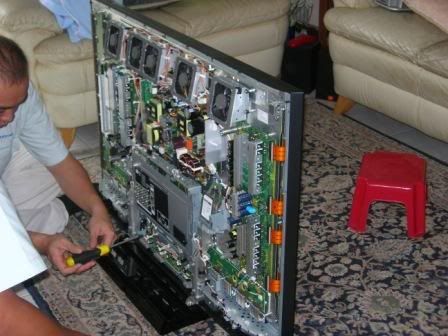 The new board before replacement 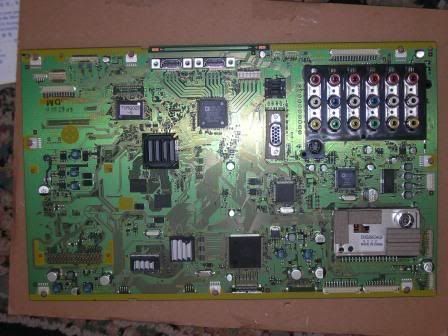 Look at the number of fans they provide for this model! 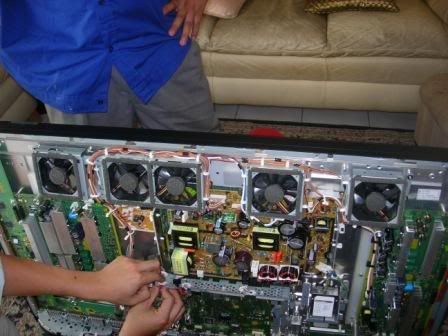 Cheers |
|
|
Sep 23 2008, 05:14 PM
|
|
Senior Member
1,048 posts Joined: Aug 2008
|
i wonder how long would those fans last.
|
|
|
Sep 23 2008, 05:37 PM
|
|
Senior Member
798 posts Joined: May 2005
|
QUOTE(rthj @ Sep 23 2008, 05:14 PM) i wonder how long would those fans last. wow wat a good question.. should we diy wd40 it? |
|
|
Sep 23 2008, 05:44 PM
|
|
Senior Member
1,048 posts Joined: Aug 2008
|
actually...not a good idea to use WD40....lubricant for sewing machine is better.....
hopefully those fans are good quality fans.......with good ball bearings....not some cheap sleeve bearing. This post has been edited by rthj: Sep 23 2008, 05:45 PM |
|
|
Sep 23 2008, 05:46 PM
|
|
Junior Member
518 posts Joined: May 2006
|
AskDS,
Pana's support is quite responsive. Don't be too happy to see how many fans in your plasma. As being a electro-mechanical thing, they have a lifespan, and in my situation they lasted about 3.5years in dusty outdoor with periodic maintenance. Guess/hopefully they should last longer in your less dusty indoor environment. And pls don't try to lubricate them with WD40. Regards. |
|
|
Sep 23 2008, 05:48 PM
|
|
Senior Member
1,048 posts Joined: Aug 2008
|
if i remember correctly, LCD TV doesnt have fans.... one of the reason why i didnt go down the plasma path
|
|
|
Sep 23 2008, 05:58 PM
|
|
Junior Member
251 posts Joined: May 2008 From: Puchong
|
I guess the next question will be... how the heck are we going to clean those fans without voiding the warranty?
|
|
|
Sep 23 2008, 06:06 PM
|
|
Senior Member
2,654 posts Joined: Dec 2007
|
yeah.. how to clean? with 5years warranty!! once opened up for cleaning its voided. lolzzzz.. and of course they tell u its the first case!! who whould tell their customer this kind of case had happen alot
|
|
|
Sep 23 2008, 06:49 PM
|
|
Junior Member
369 posts Joined: Jun 2008
|
Well some people tend to be negative when it come to warranty.
I am happy that they fix my problem. I have my TV back and have the confident that if it is faulty again, I have the backing of Panasonic 5 year warranty. I have no intention to clean the fans myself. Panasonic must have some procedure to clean those fans so I am not worry about them. If they failed they are easy to identify because they are at the top of the TV and you can see through the grill. |
|
|
Sep 23 2008, 06:54 PM
|
|
Senior Member
798 posts Joined: May 2005
|
QUOTE(law1777 @ Sep 23 2008, 06:06 PM) yeah.. how to clean? with 5years warranty!! once opened up for cleaning its voided. lolzzzz.. and of course they tell u its the first case!! who whould tell their customer this kind of case had happen alot i just bring back to the shop i got it from and ask them to clean it i guess... |
|
|
Sep 23 2008, 07:00 PM
|
|
Senior Member
2,654 posts Joined: Dec 2007
|
yeah i know at least they repaired it for u in a short time. responsibility comes 1st and be sure they place their customer at the 1st place
|
|
|
Sep 23 2008, 08:38 PM
|
|
Junior Member
410 posts Joined: Apr 2008 From: Klang Valley
|
Checked with my Panny 42PY8, guess what, no fan was installed compared to AskDS' Panny. One less problem to worry about..hehe..
|
|
|
Sep 23 2008, 09:04 PM
|
|
Senior Member
798 posts Joined: May 2005
|
i prefer fan :s
|
|
|
Sep 23 2008, 09:14 PM
|
|
Junior Member
410 posts Joined: Apr 2008 From: Klang Valley
|
Full HD model => more pixels => consume more power => produce more heat => fans installed. Betul kah?
This post has been edited by kfthoo: Sep 23 2008, 09:15 PM |
|
|
Sep 23 2008, 09:24 PM
|
|
Junior Member
369 posts Joined: Jun 2008
|
The service personnel did mentioned that only the full HD model has fans. Why so many, he also doesn't know. Maybe the heat generated on this model is higher than those with HD ready only.
|
|
|
Sep 23 2008, 10:11 PM
|
|
Senior Member
837 posts Joined: Apr 2008 From: Penang
|
Anyone encountered ghost image while play ps3 with plasma tv ?
|
|
|
Sep 23 2008, 10:14 PM
|
|
Senior Member
2,654 posts Joined: Dec 2007
|
QUOTE(AskDS @ Sep 23 2008, 09:24 PM) The service personnel did mentioned that only the full HD model has fans. Why so many, he also doesn't know. Maybe the heat generated on this model is higher than those with HD ready only. then be sure u do not switch it on for too long. many generates alot of heat |
|
|
Sep 23 2008, 10:41 PM
|
|
Junior Member
369 posts Joined: Jun 2008
|
Why be conservative with the usage. You buy it to enjoy.
I switch it on at least 6 hours a day. Otherwise it wouldn't justify the 100,000 hours panel life time claim Also I think the fans are there to do it job. |
|
|
Sep 23 2008, 10:45 PM
|
|
Senior Member
2,654 posts Joined: Dec 2007
|
haha.. only for me claim meh =.=
|
|
|
Sep 23 2008, 11:03 PM
|
|
Senior Member
1,263 posts Joined: Aug 2008 From: Kuching, Sarawak.
|
Are you guys pretty sure that 42PV8H does not equip with fans??
I prefer no fans installed for 2 resons: 1) It shows ur tv is not generating enough heat hence less power consumption. 2) Fans have much shorter life span. |
|
|
Sep 23 2008, 11:07 PM
|
|
Junior Member
410 posts Joined: Apr 2008 From: Klang Valley
|
QUOTE(AskDS @ Sep 23 2008, 10:41 PM) Why be conservative with the usage. You buy it to enjoy. I agree with you, must use it kao kao....especially under warranty period, if anything goes wrong, can repair without any cost ma....after 5 years, there is a good possibility of changing to a better plasma tv...hehe I switch it on at least 6 hours a day. Otherwise it wouldn't justify the 100,000 hours panel life time claim Also I think the fans are there to do it job. |
|
|
Sep 23 2008, 11:10 PM
|
|
Senior Member
1,308 posts Joined: Oct 2004 From: Penang & Ipoh
|
Just got my 50PY800H. Compare to my 42PV60H, it's huge difference. Even color is better on the PY800H. And the best part is I can get 1:1 pixel scan at 1080p. I do a quick check using i1Pro and Cinema settings with warm color is the closest to D65 but the gamma curve is out at around 1.9. Best part is you can access the service menu in the PY800H (I can't do it on the old PV60H) to adjust the color temp to perfection. Didn't see any option to adjust gamma yet. If you are using 1080p, turn down the sharpness to 0. Anything more than that will generate artifacts on your screen. When I first received the unit, it's set at standard and normal color temperature and it hurts my eye to even look at the screen for more than 5 mins. With tune in color temp, it's more pleasing. No regrets getting this unit. Everything is so sharp.
For those who want to know how to access the service menu: PLEASE DO NOT enter service menu if you don't know what you are doing. You can screw up your display. Luckily there should be an option in the menu to reset back to factory default. 1. Hold the channel down button on your TV (NOT remote). 2. Press the "Recall" button on your remote 3 times. 3. Release the channel down button. 4. Quickly switch to the HDMI input before the service menu show. 5. Press 1 or 2 to go through the service menu. On of the option is WB-ADJ (White Balance Adjustment). Use 3,4 for sub menu option. You can choose RGB cut/gain in this option. Usie vol up/down to change the value. Press OK to save the settings. Please note that you need to have a colorimeter or spectrometer to do White balance adjustment. If anyone know how to tune the gamma curve, do let me know. This post has been edited by pierreye: Sep 23 2008, 11:16 PM |
|
|
Sep 23 2008, 11:11 PM
|
|
Junior Member
410 posts Joined: Apr 2008 From: Klang Valley
|
QUOTE(mikapoh @ Sep 23 2008, 11:03 PM) Are you guys pretty sure that 42PV8H does not equip with fans?? Yup, no fan in my panny. But can feel the heat when you stay near to it.I prefer no fans installed for 2 resons: 1) It shows ur tv is not generating enough heat hence less power consumption. 2) Fans have much shorter life span. |
|
|
Sep 23 2008, 11:17 PM
|
|
Senior Member
2,654 posts Joined: Dec 2007
|
pierreye.. is py800 good for gaming? let us know if u did try some games with it and how do u feel compare to lcd tv
|
|
|
Sep 23 2008, 11:18 PM
|
|
Senior Member
1,263 posts Joined: Aug 2008 From: Kuching, Sarawak.
|
Goody at least we dont have to worry about the faulty fans from time to time, overheating or something like that.
At the meantime, just enjoy the great picture it displays for u. Cheers. |
|
|
Sep 23 2008, 11:22 PM
|
|
Senior Member
1,308 posts Joined: Oct 2004 From: Penang & Ipoh
|
QUOTE(law1777 @ Sep 23 2008, 11:17 PM) pierreye.. is py800 good for gaming? let us know if u did try some games with it and how do u feel compare to lcd tv I think plasma had no issue with gaming. Maybe even better as LCD is known to have problem on timing issue (due to internal processing which cause it to lag unless the unit come with gaming mode which will bypass the internal processing). Good choice for FPS or any game that need good timing. I don't have LCD TV but have a 24" DELL LCD monitor 2405. Color wise, I feel it's more vibrant than my 24" LCD. My old LCD monitor is 20ms response time so it's not a fair comparison. |
|
|
Sep 23 2008, 11:25 PM
|
|
Senior Member
2,654 posts Joined: Dec 2007
|
wowwwwwwwww 20ms. lol yes u cant compare totally!! so plasma has how many ms? as low as 2ms? 24fps and over 100mhz rite??
|
|
|
Sep 23 2008, 11:29 PM
|
|
Senior Member
1,308 posts Joined: Oct 2004 From: Penang & Ipoh
|
QUOTE(law1777 @ Sep 23 2008, 11:25 PM) wowwwwwwwww 20ms. lol yes u cant compare totally!! so plasma has how many ms? as low as 2ms? 24fps and over 100mhz rite?? Not sure cause nobody actually bother to measure response time for plasma. Should be as fast as CRT gua. Another plus for plasma is black level and native contrast better than LCD. |
|
|
Sep 23 2008, 11:32 PM
|
|
Senior Member
2,654 posts Joined: Dec 2007
|
100 Hz Double Scan n/a
|
|
|
Sep 23 2008, 11:34 PM
|
|
Junior Member
369 posts Joined: Jun 2008
|
QUOTE(pierreye @ Sep 23 2008, 11:10 PM) Just got my 50PY800H. Compare to my 42PV60H, it's huge difference. Even color is better on the PY800H. And the best part is I can get 1:1 pixel scan at 1080p. I do a quick check using i1Pro and Cinema settings with warm color is the closest to D65 but the gamma curve is out at around 1.9. Best part is you can access the service menu in the PY800H (I can't do it on the old PV60H) to adjust the color temp to perfection. Didn't see any option to adjust gamma yet. If you are using 1080p, turn down the sharpness to 0. Anything more than that will generate artifacts on your screen. When I first received the unit, it's set at standard and normal color temperature and it hurts my eye to even look at the screen for more than 5 mins. With tune in color temp, it's more pleasing. No regrets getting this unit. Everything is so sharp. Hi pierreye,For those who want to know how to access the service menu: PLEASE DO NOT enter service menu if you don't know what you are doing. You can screw up your display. Luckily there should be an option in the menu to reset back to factory default. 1. Hold the channel down button on your TV (NOT remote). 2. Press the "Recall" button on your remote 3 times. 3. Release the channel down button. 4. Quickly switch to the HDMI input before the service menu show. 5. Press 1 or 2 to go through the service menu. On of the option is WB-ADJ (White Balance Adjustment). Use 3,4 for sub menu option. You can choose RGB cut/gain in this option. Usie vol up/down to change the value. Press OK to save the settings. Please note that you need to have a colorimeter or spectrometer to do White balance adjustment. If anyone know how to tune the gamma curve, do let me know. Would you mind to PM me the settings for your 50PY800H? I would like to set my 42PY800H to something better than the default. Yes I am aware of the risk of "screwing up". At least I saw the service personnel doing the "reset" on my unit today so I am pretty sure I can handle this. Thanx |
|
|
Sep 23 2008, 11:47 PM
|
|
Senior Member
1,308 posts Joined: Oct 2004 From: Penang & Ipoh
|
QUOTE(AskDS @ Sep 23 2008, 11:34 PM) Hi pierreye, I'm not sure if you should copy my setting. Normally from tv to tv, there should be some differences even for the same model. I would advice you set to cinema picture mode and warm color temp first.Would you mind to PM me the settings for your 50PY800H? I would like to set my 42PY800H to something better than the default. Yes I am aware of the risk of "screwing up". At least I saw the service personnel doing the "reset" on my unit today so I am pretty sure I can handle this. Thanx Anyway, here's my setting: Press 9 to change WB-ADJ to cinema Press 7 to change color temp to warm R cut - 7A G cut - 79 B cut - 81 R drive - FF G drive - F9 B drive - 8C For PC levels 0-255 use Contrast 55 Brightness 60 For Video levels 16-235 Contrast 50 Brightness 52 Make sure you set aspect ratio to 16:9 so that you have an option in Setup menu to set overscan off (to get 1:1 pixel for 1080p). Sharpness at 0 Good luck. This post has been edited by pierreye: Sep 23 2008, 11:50 PM |
|
|
Sep 23 2008, 11:47 PM
|
|
Senior Member
2,654 posts Joined: Dec 2007
|
is that called the calibration??
|
|
|
Sep 23 2008, 11:48 PM
|
|
Senior Member
1,308 posts Joined: Oct 2004 From: Penang & Ipoh
|
QUOTE(law1777 @ Sep 23 2008, 11:47 PM) is that called the calibration?? yep. That's what ISF tuning do. |
|
|
Sep 23 2008, 11:54 PM
|
|
Senior Member
2,654 posts Joined: Dec 2007
|
ooo.. so we no nid to ask a calibration prof and have to pay them money summore. so so appreciate that u tell how to do it at here.
|
|
|
Sep 24 2008, 12:01 AM
|
|
Senior Member
1,308 posts Joined: Oct 2004 From: Penang & Ipoh
|
QUOTE(law1777 @ Sep 23 2008, 11:54 PM) ooo.. so we no nid to ask a calibration prof and have to pay them money summore. so so appreciate that u tell how to do it at here. I take the pain 3 years ago to learn how to do proper adjustment to TV and projector cause I don't know anyone who is competent in Malaysia that can really do good tuning. Most of the thing I learn here is from avsforum. A lot of ISF certified calibrator sifu there. |
|
|
Sep 24 2008, 12:04 AM
|
|
Senior Member
2,654 posts Joined: Dec 2007
|
wahh.. they are so nice to share hor.. like dun nid to make money with it one. anyone thru this we can see how kind and generous a human can be. great thing to the world
|
|
|
Sep 24 2008, 12:19 AM
|
|
Senior Member
1,308 posts Joined: Oct 2004 From: Penang & Ipoh
|
One more thing, if you play game or watch cinema movie, you might want to turn off Intelligent Frame Creation. This option actually increase the lag and also make 24fps movie looks like video. Try out with it on and off to see which you prefer. I just try out casino royale and my first feeling is the motion is very smooth like watching 30fps video.
|
|
|
Sep 24 2008, 12:45 AM
|
|
Junior Member
25 posts Joined: Aug 2008
|
got viera 37" LX800
. Anyone want share calibrate setting for this model ........... |
|
|
Sep 24 2008, 01:09 AM
|
|
Junior Member
369 posts Joined: Jun 2008
|
QUOTE(pierreye @ Sep 23 2008, 11:47 PM) I'm not sure if you should copy my setting. Normally from tv to tv, there should be some differences even for the same model. I would advice you set to cinema picture mode and warm color temp first. hi pierreye.Anyway, here's my setting: Press 9 to change WB-ADJ to cinema Press 7 to change color temp to warm R cut - 7A G cut - 79 B cut - 81 R drive - FF G drive - F9 B drive - 8C For PC levels 0-255 use Contrast 55 Brightness 60 For Video levels 16-235 Contrast 50 Brightness 52 Make sure you set aspect ratio to 16:9 so that you have an option in Setup menu to set overscan off (to get 1:1 pixel for 1080p). Sharpness at 0 Good luck. Thanks for sharing the settings. Even with cinema picture mode and warm colour temperature, it is more pleasing that the default settings. My wife doesn't complaint of the TV being too bright anymore. I'll try out the other settings tomorrow. Once again thanks for the information. Regards |
|
|
Sep 24 2008, 08:33 AM
|
|
Senior Member
837 posts Joined: Apr 2008 From: Penang
|
QUOTE(law1777 @ Sep 23 2008, 11:17 PM) pierreye.. is py800 good for gaming? let us know if u did try some games with it and how do u feel compare to lcd tv i did try out that encountered there are Ghost Image(Green) whereby u play with ps3 gaming at plasma tv. |
|
|
Sep 24 2008, 08:55 AM
|
|
Senior Member
2,654 posts Joined: Dec 2007
|
har?? thats very bad. plasma has green ghosting with ps3!!!
|
|
|
Sep 24 2008, 09:16 AM
|
|
Senior Member
2,018 posts Joined: Oct 2004 From: www.amry.org
|
Yesterday while jalan jalan at Harvey Norman Ikea, saw this
 Got some review at CNET http://asia.cnet.com/reviews/home_av/tvs/0...3419219p,00.htm The summary. QUOTE Taking everything into consideration, the Panasonic TH-50PY850 is mostly on par or even better than our reference Pioneer LX Kuro in motion reproduction and features. At almost half the price of the latter and with limited comparable 2008 entries plus a proven anti-judder engine, this Viera is probably one of the best options for a full-HD plasma TV. Alternatively, there's the Samsung Series 6 at a similar S$6,999 (US$4,894.41) pricing, but until we've scrutinized its 100Hz processing, we would suggest you stick with this Editors' Choice winner--making it twice in a roll for Panasonic. |
|
|
Sep 24 2008, 09:28 AM
|
|
Senior Member
2,654 posts Joined: Dec 2007
|
CNET's review and some other user's review are different!! makes me more confused!!
|
|
|
Sep 24 2008, 09:35 AM
|
|
Senior Member
1,360 posts Joined: Jan 2003
|
WOI !!!! Enough la you Panasonic Fanboys all ....
let me also have a chance to wear my fanboy cap............  Panasonic introduces Next-Generation Plasma Displays with Double Efficiency Technology Revolutionary Plasma Technologies Boast Dramatic Energy Efficiency, Less Than One-inch (24.7mm) Super-thin Profile and 150-inch (3.81m) Ultra-large Screen Berlin, Germany (August 28, 2008) – Panasonic, the leading brand by which Matsushita Electric Industrial Co., Ltd. is known, today announced that the company will display at the IFA 2008 Consumer Electronics Show five prototype plasma display panels (PDPs) using ground-breaking technologies. The prototypes include a 42-inch panel with double efficiency technology that halves energy consumption while maintaining the same brightness*, a less than one-inch super-thin 50-inch PDP and for the first time ever a one-inch super-thin 58-inch and 65-inch PDP. Panasonic will also be displaying the world’s largest 150-inch advanced high definition (HD) PDP. The five prototypes will be on display at IFA 2008 that starts on August 29 in Berlin. At the core of these cutting edge PDP's lies the double efficiency technology used in the 42-inch prototype. After thoroughly reviewing its existing IC technology and panel structures, Panasonic developed new phosphors and cell design technology for improved discharge and new circuit and drive technology to significantly reduce power loss. As a result, the 42-inch prototype has twice the luminance efficiency and provides the same brightness as the existing 42-inch 1080p full HD PDP, while cutting the power consumption by half.The double-efficiency technology forms the base for next-generation PDPs, enabling even thinner profiles, larger screens, brighter images, higher definition and lower power consumption. The revolutionary technology promises to open up new possibilities for PDPs. Higher density HD PDP’s that can be used as master monitors for movie studios will become possible through this innovative technology. The 24.7mm** (less than one inch) super-thin 50-inch, 58-inch and 65-inch Plasma televisions, for example, is about one-fourth as thin as previous plasma TVs* thanks to the new circuit and drive technology. The 50-inch, 58-inch and 65-inch are also 1/2 the weight of conventional models*. This thinner profile and lighter weight give users more setup flexibility in the living room, while also making the unit an elegant addition to the room décor. Furthermore, using the wireless transmission system that Panasonic developed recently based on “Wireless HD” standard, it will allow users to enjoy HD contents on the TV with more flexible layout and no wire installation. It can be hung on the wall or suspended from the ceiling according to user’s viewing preference. As a leader in large-screen PDPs, Panasonic took a huge leap in making them even larger. The 150-inch PDP delivers dynamic, overwhelming image quality with an 8.84 million pixel resolution (2,160 x 4,096) - more than four times the 1080p HD specification (1,080 x 1,920). The prototype has a screen size equivalent to nine 50-inch PDPs with an effective viewing area of 11 ft (3.31 m) (W) x 6 1/4 ft (1.87 m) (H). With the enhanced PDP technologies Panasonic accumulated in the development of its 103-inch PDP, the 150-inch PDP provides stable and uniform images across the vast expanse of the screen and the same brightness as the 103-inch PDP. Featuring true-to-life color reproduction capability and quick response to moving images, the ultra-large PDP renders clear, crisp, spectacular images unrivaled by any other. As the 103-inch PDP has been welcomed by industry for use in commercial and public facilities and consumers for family entertainment, the 150-inch plasma is expected to generate new demand from various fields. These innovations may prove to be only the tip of the iceberg of Plasma’s potential. PDP is a relatively young technology as it has only been about ten years since the Plasma TV appeared on the market. In tandem with the market’s growth, the Plasma TV has steadily improved in quality, gained popularity and become a leader in the global market for high-quality, large-screen TVs. Over the course of their development PDPs have established their reputation as displays that excel in high-contrast, color reproduction, moving picture resolution and wide viewing angles. However room for improvement remains as the PDP’s full potential is still yet to be realized. In the future, high definition will become the norm in broadcasting and video recording such as Blu-ray Disc recorder/players. There will be progress in wireless and other peripheral technologies and more convergence is expected to take place between TV and communications technologies. Along with these developments, demand for larger and higher-definition flat-panel TVs will be accelerated. At the same time, industrial applications of PDPs will be expanded further in such areas as the medical, educational and public fields. Panasonic continues to explore new technologies to open up a new area for Plasma TVs as the company responds to customer demands across the world. While seeking to raise the quality bar in products, the company continues to pursue greener products. When it comes to TVs, Panasonic has become the first company to completely eliminate lead from PDPs and its panels have a long life of up to 100,000 hours. This post has been edited by DigitalKL: Sep 24 2008, 09:53 AM |
|
|
Sep 24 2008, 09:41 AM
|
|
Senior Member
2,018 posts Joined: Oct 2004 From: www.amry.org
|
Me no fanboy lah, its just that they said this new TV can match the Kuro but at a much reduced pricing.
Hehe |
|
|
Sep 24 2008, 09:42 AM
|
|
Senior Member
1,308 posts Joined: Oct 2004 From: Penang & Ipoh
|
QUOTE(choontoy @ Sep 24 2008, 08:33 AM) i did try out that encountered there are Ghost Image(Green) whereby u play with ps3 gaming at plasma tv. Some people are sensitive to phosphor decay. Try turn off Intelligent Frame Creation to reduce the lag. Another possible issue is your contrast is too high which cause the green phosphor do not have enough time to decay.http://www.hdtvtest.co.uk/news/plasma-phos...-2007040133.htm This post has been edited by pierreye: Sep 24 2008, 10:04 AM |
|
|
Sep 24 2008, 09:44 AM
|
|
Senior Member
14,193 posts Joined: May 2005 From: Sbn / KL
|
Panasonic soon becomes Plasma TV King with the speed of their development. Btw, long time didnt hear from u, ddkl. How's life? Hope all are well, bro.
|
|
|
Sep 24 2008, 09:47 AM
|
|
Senior Member
2,654 posts Joined: Dec 2007
|
digital suppose to have a pic? why so big blank? is that 850?
|
|
|
Sep 24 2008, 09:52 AM
|
|
Senior Member
1,360 posts Joined: Jan 2003
|
htkaki, hello there! i thot pana already king? yes pioneer may still look the best for now but how long more will they be around and how long more before panasonic catch up with them?
law1777- the big space..............kinda hard to explain....no pictures there, suppose to be a joke |
|
|
Sep 24 2008, 09:53 AM
|
|
Senior Member
1,308 posts Joined: Oct 2004 From: Penang & Ipoh
|
QUOTE(htkaki @ Sep 24 2008, 09:44 AM) Panasonic soon becomes Plasma TV King with the speed of their development. Btw, long time didnt hear from u, ddkl. How's life? Hope all are well, bro. Pioneer and Hitachi had confirm dropping the plasma development so Panasonic would be the last panel manufacturer. In actual fact, Pioneer sell the Kuro technology to Panasonic and Panasonic will sell the manufactured panel back to Pioneer. This is cost cutting measurement. |
|
|
Sep 24 2008, 10:06 AM
|
|
Junior Member
410 posts Joined: Apr 2008 From: Klang Valley
|
This thread will soon become Panasonic Plasma TV Owners Discussion Thread.
|
|
|
Sep 24 2008, 10:09 AM
|
|
Senior Member
1,308 posts Joined: Oct 2004 From: Penang & Ipoh
|
QUOTE(kfthoo @ Sep 24 2008, 10:06 AM) This thread will soon become Panasonic Plasma TV Owners Discussion Thread. Panasonic supporter. Don't shoot me.I have Panasonic Inverter Fridge, Panasonic Microwave Oven, Panasonic Bayu Fan, Panasonic Plasma TV, Panasonic Inverter Air Con... |
|
|
Sep 24 2008, 10:19 AM
|
|
Senior Member
1,360 posts Joined: Jan 2003
|
but whatever you buy, dont buy their latest vacuum cleaners! dem lousy design
|
|
|
Sep 24 2008, 10:28 AM
|
|
Junior Member
410 posts Joined: Apr 2008 From: Klang Valley
|
Recently, I shifting my brand selection from Panasonic to Philips...I bought Philips rice cooker...Philips juice extractor...even considering to buy the Philips Sound Bar....Philips Universal Remote Control...
|
|
|
Sep 24 2008, 10:34 AM
|
|
Senior Member
1,308 posts Joined: Oct 2004 From: Penang & Ipoh
|
QUOTE(kfthoo @ Sep 24 2008, 10:28 AM) Recently, I shifting my brand selection from Panasonic to Philips...I bought Philips rice cooker...Philips juice extractor...even considering to buy the Philips Sound Bar....Philips Universal Remote Control... Sound bar - buy Yamaha Universal Remote - buy Logitech Harmony |
|
|
Sep 24 2008, 10:40 AM
|
|
Junior Member
410 posts Joined: Apr 2008 From: Klang Valley
|
aghhh...what am I thinking??
|
|
|
Sep 24 2008, 11:09 AM
|
|
Junior Member
369 posts Joined: Jun 2008
|
QUOTE(pierreye @ Sep 24 2008, 09:42 AM) Some people are sensitive to phosphor decay. Try turn off Intelligent Frame Creation to reduce the lag. Another possible issue is your contrast is too high which cause the green phosphor do not have enough time to decay. One more thing.http://www.hdtvtest.co.uk/news/plasma-phos...-2007040133.htm Last night while I was playing around with the settings, I noticed when I turn off the Picture Overscan, there is a green line at the bottom of the screen when I play DVD movie. Not sure if this green line (less than 1 cm width) is what you guy described here. If I turn it on again, the green line disappeared. |
|
|
Sep 24 2008, 11:09 AM
|
|
Senior Member
2,353 posts Joined: Jun 2008 From: D'Pearl of d'Orient
|
QUOTE(pierreye @ Sep 24 2008, 10:34 AM) Sound bar - buy Yamaha hi guys.. actually i wanna buy 1xHarmony & 1xYamaha soundbar. Questions :Universal Remote - buy Logitech Harmony 1) Price & where do they sell these? 2) For Yamaha Soundbar, what's the max LCD/Plasma panel that they support (so they look like one piece thanks dudes.. |
|
|
Sep 24 2008, 11:40 AM
|
|
Senior Member
4,865 posts Joined: Mar 2008
|
QUOTE(AskDS @ Sep 24 2008, 11:09 AM) One more thing. I notice that too. Viewing astro with overscan off will reveal a single white line at the top of screean. Overscan turn on remove that. Mine is lcd not plasma. Also with overscan turn off, the picture did not stretch full screen which kinda not nice to look at.Last night while I was playing around with the settings, I noticed when I turn off the Picture Overscan, there is a green line at the bottom of the screen when I play DVD movie. Not sure if this green line (less than 1 cm width) is what you guy described here. If I turn it on again, the green line disappeared. |
|
|
Sep 24 2008, 11:50 AM
|
|
Senior Member
2,654 posts Joined: Dec 2007
|
wtf... on will lag the game turn off will have the line.. wtffffff lolzzz
|
|
|
Sep 24 2008, 12:08 PM
|
|
Senior Member
837 posts Joined: Apr 2008 From: Penang
|
[quote=pierreye,Sep 23 2008, 11:47 PM]
I'm not sure if you should copy my setting. Normally from tv to tv, there should be some differences even for the same model. I would advice you set to cinema picture mode and warm color temp first. Anyway, here's my setting: Press 9 to change WB-ADJ to cinema Press 7 to change color temp to warm R cut - 7A G cut - 79 B cut - 81 R drive - FF G drive - F9 B drive - 8C For PC levels 0-255 use Contrast 55 Brightness 60 For Video levels 16-235 Contrast 50 Brightness 52 Make sure you set aspect ratio to 16:9 so that you have an option in Setup menu to set overscan off (to get 1:1 pixel for 1080p). Sharpness at 0 Good luck. Pierreye, just wanna reconfirm that R cut is 7A or 74 ? Tq in advance. |
|
|
Sep 24 2008, 12:21 PM
|
|
Senior Member
1,308 posts Joined: Oct 2004 From: Penang & Ipoh
|
[quote=choontoy,Sep 24 2008, 12:08 PM]
[quote=pierreye,Sep 23 2008, 11:47 PM] I'm not sure if you should copy my setting. Normally from tv to tv, there should be some differences even for the same model. I would advice you set to cinema picture mode and warm color temp first. Anyway, here's my setting: Press 9 to change WB-ADJ to cinema Press 7 to change color temp to warm R cut - 7A G cut - 79 B cut - 81 R drive - FF G drive - F9 B drive - 8C For PC levels 0-255 use Contrast 55 Brightness 60 For Video levels 16-235 Contrast 50 Brightness 52 Make sure you set aspect ratio to 16:9 so that you have an option in Setup menu to set overscan off (to get 1:1 pixel for 1080p). Sharpness at 0 Good luck. Pierreye, just wanna reconfirm that R cut is 7A or 74 ? Tq in advance. [/quote] 7A. I think all those green line and white line is due to edge noise. Overscan off is only when you have very clean source such as Blu-ray and PC. |
|
|
Sep 24 2008, 12:34 PM
|
|
Senior Member
2,654 posts Joined: Dec 2007
|
only clean source wont produce green or white lines u mean?
|
|
|
Sep 24 2008, 01:44 PM
|
|
Senior Member
837 posts Joined: Apr 2008 From: Penang
|
QUOTE(pierreye @ Sep 24 2008, 12:21 PM) 7A. I think all those green line and white line is due to edge noise. Overscan off is only when you have very clean source such as Blu-ray and PC. Thanks Pierreye.May i know how to sw off the overscan ? TQ |
|
|
Sep 24 2008, 02:31 PM
|
|
Senior Member
1,308 posts Joined: Oct 2004 From: Penang & Ipoh
|
QUOTE(choontoy @ Sep 24 2008, 01:44 PM) Thanks Pierreye.May i know how to sw off the overscan ? TQ Make sure you set the aspect ratio to 16:9. Goto menu --> setup. Then look for overscan and choose off. |
|
|
Sep 24 2008, 03:57 PM
|
|
Senior Member
2,654 posts Joined: Dec 2007
|
i think panny is the best for plasma for now right?? with its 5years warranty giving me so so much confident on its product
This post has been edited by law1777: Sep 24 2008, 04:04 PM |
|
|
Sep 24 2008, 04:00 PM
|
|
All Stars
11,809 posts Joined: Jun 2006
|
best bang for the buck
|
|
|
Sep 24 2008, 04:06 PM
|
|
Senior Member
798 posts Joined: May 2005
|
QUOTE(law1777 @ Sep 24 2008, 03:57 PM) i think panny is the best for plasma for now right?? with its 5years warranty giving me so so much confident on its product yep im with rx.. best bang for buck.. if u want best plasma then nigga please.. KURO !!!!! hahaha check out the elite series.. |
|
|
Sep 24 2008, 04:07 PM
|
|
Senior Member
819 posts Joined: Jan 2003 From: Puchong
|
Yep, that is what bringing in the sales, the 5 years warranty. They have a good marketing strategy here and its working. I also bought the PV80HM because of the waranty
|
|
|
Sep 24 2008, 04:09 PM
|
|
Senior Member
2,654 posts Joined: Dec 2007
|
KUROsaki ichigo is toooo elite. sorry
Added on September 24, 2008, 4:09 pm QUOTE(gsdev @ Sep 24 2008, 04:07 PM) Yep, that is what bringing in the sales, the 5 years warranty. They have a good marketing strategy here and its working. I also bought the PV80HM because of the waranty bcoz of the warranty only meh? what about the performance and quality?This post has been edited by law1777: Sep 24 2008, 04:09 PM |
|
|
Sep 24 2008, 04:10 PM
|
|
Senior Member
798 posts Joined: May 2005
|
QUOTE(law1777 @ Sep 24 2008, 04:09 PM) KUROsaki ichigo is toooo elite. sorry lol u said best marr~Added on September 24, 2008, 4:09 pm bcoz of the warranty only meh? what about the performance and quality? |
|
|
Sep 24 2008, 04:34 PM
|
|
Senior Member
2,654 posts Joined: Dec 2007
|
eh?? kuro elite all HDTV leh not FULL.HD one...
|
|
|
Sep 24 2008, 05:03 PM
|
|
Senior Member
1,219 posts Joined: Jan 2003
|
If all goes well, I'll have my 42" PY800 this Saturday.. *Keeps finger crossed*
|
|
|
Sep 24 2008, 05:09 PM
|
|
Senior Member
2,654 posts Joined: Dec 2007
|
wow!! congrats to u 1st bro wish u best luck. im gonna get myself a piece for my own room. wuuhuuu
from my pillow (which where i will be seating, and my head is also there) to the wall of my room is about 8-10feet. would 42inch be ok for viewing?? This post has been edited by law1777: Sep 24 2008, 05:34 PM |
|
|
Sep 24 2008, 06:25 PM
|
|
Senior Member
1,308 posts Joined: Oct 2004 From: Penang & Ipoh
|
QUOTE(ronnt88 @ Sep 24 2008, 11:09 AM) hi guys.. actually i wanna buy 1xHarmony & 1xYamaha soundbar. Questions : Yamaha Sound bar for YST-4000 size is just nice for 42". 50" plasma would be longer than the sound bar. I get my YST4000 from AVE Sales and Services in Chai Ling park. Best price at RM 4500 + free one yamaha sub.1) Price & where do they sell these? 2) For Yamaha Soundbar, what's the max LCD/Plasma panel that they support (so they look like one piece thanks dudes.. |
|
|
Sep 24 2008, 07:32 PM
|
|
Senior Member
837 posts Joined: Apr 2008 From: Penang
|
QUOTE(pierreye @ Sep 24 2008, 02:31 PM) Make sure you set the aspect ratio to 16:9. Goto menu --> setup. Then look for overscan and choose off. TQAdded on September 24, 2008, 7:35 pm QUOTE(pierreye @ Sep 24 2008, 06:25 PM) Yamaha Sound bar for YST-4000 size is just nice for 42". 50" plasma would be longer than the sound bar. I get my YST4000 from AVE Sales and Services in Chai Ling park. Best price at RM 4500 + free one yamaha sub. Pierreye,R u from Penang ? Me too from Pg,perhaps we can meet up for chat. This post has been edited by choontoy: Sep 24 2008, 07:35 PM |
|
|
Sep 24 2008, 08:39 PM
|
|
Senior Member
1,308 posts Joined: Oct 2004 From: Penang & Ipoh
|
QUOTE(choontoy @ Sep 24 2008, 07:32 PM) TQ Yep. Stay in Penang island. If got time, can "chui shui" on AV stuff.Added on September 24, 2008, 7:35 pm Pierreye, R u from Penang ? Me too from Pg,perhaps we can meet up for chat. |
|
|
Sep 24 2008, 09:17 PM
|
|
Senior Member
837 posts Joined: Apr 2008 From: Penang
|
QUOTE(pierreye @ Sep 24 2008, 08:39 PM) Yep. Stay in Penang island. If got time, can "chui shui" on AV stuff. oredi PM u liao. |
|
|
Sep 24 2008, 09:40 PM
|
|
Senior Member
2,353 posts Joined: Jun 2008 From: D'Pearl of d'Orient
|
QUOTE(pierreye @ Sep 24 2008, 06:25 PM) Yamaha Sound bar for YST-4000 size is just nice for 42". 50" plasma would be longer than the sound bar. I get my YST4000 from AVE Sales and Services in Chai Ling park. Best price at RM 4500 + free one yamaha sub. ooh... thanx my brother penangkia. sounds like it's a good fit for 42" display in future master bedroom... free sub some more AVE sales & services?? must keep an eye out next time i'm there... only know 'soundjoy' there |
|
|
Sep 24 2008, 09:59 PM
|
|
Senior Member
2,654 posts Joined: Dec 2007
|
sound bar vs 5.1/7.1?? anyone??
my viewing distance is about 10ft and my future tv will be 42".. is it small or big enough?? |
|
|
Sep 24 2008, 10:26 PM
|
|
Senior Member
2,353 posts Joined: Jun 2008 From: D'Pearl of d'Orient
|
QUOTE(law1777 @ Sep 24 2008, 09:59 PM) sound bar vs 5.1/7.1?? anyone?? my 2 cents, yamaha soundbar isn't half bad provided u have a good sub to pair with it.... my viewing distance is about 10ft and my future tv will be 42".. is it small or big enough?? A good 5.1 system (equivalent std to the yamaha soundbar) is great for std sized room or living room.... gives better surround sound effect. 7.1 is required when u have a longer room to provide ideal surround sound. if room too small, going to be noisy... |
|
|
Sep 25 2008, 12:27 AM
|
|
Senior Member
4,865 posts Joined: Mar 2008
|
Yammy soundbar works best in a close room where the sound wave can reflect properly. I've tested one in HN and I have some respect for the SQ and sound effect generated. The drawback is the price
which you can get a good amp plus speakers instead. No offense to users but Philip soundbar on the other hand is like a terribly failed copycat The surround effect is no where to be heard. |
|
|
Sep 25 2008, 01:09 AM
|
|
Junior Member
82 posts Joined: Nov 2005
|
QUOTE(law1777 @ Sep 24 2008, 09:59 PM) sound bar vs 5.1/7.1?? anyone?? I'm sitting 9ft from my 50" Plasma and for me its perfect for dvd viewing...a little bit closer and the dvd picture quality becomes a little soft. I would suggest you to get a 50" to avoid any regrets. Just my opinion.my viewing distance is about 10ft and my future tv will be 42".. is it small or big enough?? p/s: Can't wait to jump into blue-ray and hopefully can sit more closer..perhaps between 6-7 feet when watching HD content. |
|
|
Sep 25 2008, 01:57 AM
|
|
Junior Member
49 posts Joined: Sep 2008 From: JB ~ Spore
|
hi guys,
i've just bought a bravia 32S400 over the weekend. just to check with you, what are the differences between composite, S-video & HDMI cable? i'm currently connecting the Astro thru S-video cable, but sometime i still find the image is not sharp enough. is it due to the cable i use or the setting? any one using the same model? care to advise which is the best setting for viewing of Astro or TV programmes? thanks so such as i'm really dumb in IT related stuff |
|
|
Sep 25 2008, 03:47 AM
|
|
Senior Member
1,048 posts Joined: Aug 2008
|
hmmm...didnt know this is anything IT-related as well.
|
|
|
Sep 25 2008, 05:38 AM
|
|
Senior Member
4,865 posts Joined: Mar 2008
|
QUOTE(agrace @ Sep 25 2008, 01:57 AM) hi guys, Sis this is not IT stuff la. We call it AV stuff i've just bought a bravia 32S400 over the weekend. just to check with you, what are the differences between composite, S-video & HDMI cable? i'm currently connecting the Astro thru S-video cable, but sometime i still find the image is not sharp enough. is it due to the cable i use or the setting? any one using the same model? care to advise which is the best setting for viewing of Astro or TV programmes? thanks so such as i'm really dumb in IT related stuff . Astro never looks good with LCD panel even with the so called "optimized for Astro" by Sony. It looks the best only with the old CRT TV.Anyway some improvement can be done by using s-video cable to connect Astro to TV. In term of picture quality, HDMI > s-video > composite but Astro doesn't has any HDMI port so s-video is the best to use. Get a proper branded name cable instead of your "free with TV" cable. You can also adjust the sharpness from your TV menu but too much and the picture will become noisy. |
|
|
Sep 25 2008, 09:03 AM
|
|
Senior Member
2,654 posts Joined: Dec 2007
|
QUOTE(bashir3 @ Sep 25 2008, 01:09 AM) I'm sitting 9ft from my 50" Plasma and for me its perfect for dvd viewing...a little bit closer and the dvd picture quality becomes a little soft. I would suggest you to get a 50" to avoid any regrets. Just my opinion. hey bro.. my living room using 32' due to small spaces and my parents using CRT in their master room. and i have to buy a 50' for my own room? panny 50' cost rm10k leh.. cannot buy eh p/s: Can't wait to jump into blue-ray and hopefully can sit more closer..perhaps between 6-7 feet when watching HD content. |
|
|
Sep 25 2008, 09:54 AM
|
|
Senior Member
1,263 posts Joined: Aug 2008 From: Kuching, Sarawak.
|
QUOTE(ronnt88 @ Sep 24 2008, 10:26 PM) my 2 cents, yamaha soundbar isn't half bad provided u have a good sub to pair with it.... IF we have BD player and HD support receiver, then not using 7.1 set up will be a waste since not fully utilised right ?? All this HD kits are supposed to play through 7.1 speakers true? But then, not so practical is the standard living room like most of us have. Please comment.A good 5.1 system (equivalent std to the yamaha soundbar) is great for std sized room or living room.... gives better surround sound effect. 7.1 is required when u have a longer room to provide ideal surround sound. if room too small, going to be noisy... |
|
|
Sep 25 2008, 10:13 AM
|
|
Senior Member
2,353 posts Joined: Jun 2008 From: D'Pearl of d'Orient
|
QUOTE(mikapoh @ Sep 25 2008, 09:54 AM) IF we have BD player and HD support receiver, then not using 7.1 set up will be a waste since not fully utilised right ?? All this HD kits are supposed to play through 7.1 speakers true? But then, not so practical is the standard living room like most of us have. Please comment. First of all, BD & True HD doesn't mean 7.1Most BDs today only support 5.1 7.1 is designed for longer/deeper dedicated room, not practical in std square type living room. |
|
|
Sep 25 2008, 10:56 AM
|
|
Junior Member
49 posts Joined: Sep 2008 From: JB ~ Spore
|
QUOTE(rthj @ Sep 25 2008, 03:47 AM) hmmm...didnt know this is anything IT-related as well. waha.. information technology = technology related stuff? HDTV is part of technology, aint it? actually i wanted to type electronic related stuff (which i did in the Astro thread), but being too lazy, i typed as IT related stuffthks for ur input but would definitely appreciate some constructive comments though, hmmm |
|
|
Sep 25 2008, 10:58 AM
|
|
Senior Member
2,654 posts Joined: Dec 2007
|
QUOTE(law1777 @ Sep 25 2008, 09:03 AM) hey bro.. my living room using 32' due to small spaces and my parents using CRT in their master room. and i have to buy a 50' for my own room? panny 50' cost rm10k leh.. cannot buy eh oh ya.. i forgot i can pay with the 0% interest installment. wahahahha |
|
|
Sep 25 2008, 11:15 AM
|
|
Junior Member
49 posts Joined: Sep 2008 From: JB ~ Spore
|
QUOTE(arremie @ Sep 25 2008, 05:38 AM) Sis this is not IT stuff la. We call it AV stuff hi arremie, thks for ur reply.. haiyo.. my bad for typing "IT" in my previous post . Astro never looks good with LCD panel even with the so called "optimized for Astro" by Sony. It looks the best only with the old CRT TV.Anyway some improvement can be done by using s-video cable to connect Astro to TV. In term of picture quality, HDMI > s-video > composite but Astro doesn't has any HDMI port so s-video is the best to use. Get a proper branded name cable instead of your "free with TV" cable. You can also adjust the sharpness from your TV menu but too much and the picture will become noisy. just wanted to thank in advance & explain a little that i'm dumb in hmmm.. 'these kinda stuff''. didnt know that u guys are so sensitive to these 2 letters word  btw, when bravia said its optimized for Astro, how does it work? mean they have built in some enhancement in the TV so that we can watch Astro with better quality? yup. i noticed Astro decoder doesnt have HDMI port too. hmm i shall monitor for a while before deciding whether to get the highly rave Monster S video cable, waha thks again for ur help |
|
|
Sep 25 2008, 11:21 AM
|
|
Junior Member
251 posts Joined: May 2008 From: Puchong
|
Think the general consensus here is Plasma for Astro, if you want a flat-screen TV. Plasma hides Astro's artifacts reasonably well, while LCDs show it in all it's "glory". "Astro enhancement mode" just means lowered contrast, max noise reduction settings. Basically the picture will be much softer than you're used to seeing on your old CRT.
|
|
|
Sep 25 2008, 11:25 AM
|
|
Senior Member
1,308 posts Joined: Oct 2004 From: Penang & Ipoh
|
QUOTE(agrace @ Sep 25 2008, 01:57 AM) hi guys, At least she can differentiate among composite, svideo and HDMI. Most of my female friends just give me a i've just bought a bravia 32S400 over the weekend. just to check with you, what are the differences between composite, S-video & HDMI cable? i'm currently connecting the Astro thru S-video cable, but sometime i still find the image is not sharp enough. is it due to the cable i use or the setting? any one using the same model? care to advise which is the best setting for viewing of Astro or TV programmes? thanks so such as i'm really dumb in IT related stuff S-video is the best you can get. Astro sucks on big tv. No Astro for me. I download HDTV stuff from the NET. Mostly US HDTV broadcast and some HK series (now with HD version). Even 720p version look nice and sharp in 1080p unit. This post has been edited by pierreye: Sep 25 2008, 11:28 AM |
|
|
Sep 25 2008, 11:37 AM
|
|
Senior Member
4,865 posts Joined: Mar 2008
|
QUOTE(agrace @ Sep 25 2008, 11:15 AM) hi arremie, thks for ur reply.. haiyo.. my bad for typing "IT" in my previous post haha nothing sensitive la about that 2 letters word...just pointing you to the right direction. Yes get yourself familiar with the current cable then only later upgrade. That way you will notice the difference. All the best just wanted to thank in advance & explain a little that i'm dumb in hmmm.. 'these kinda stuff''. didnt know that u guys are so sensitive to these 2 letters word btw, when bravia said its optimized for Astro, how does it work? mean they have built in some enhancement in the TV so that we can watch Astro with better quality? yup. i noticed Astro decoder doesnt have HDMI port too. hmm i shall monitor for a while before deciding whether to get the highly rave Monster S video cable, waha thks again for ur help |
|
|
Sep 25 2008, 11:59 AM
|
|
Junior Member
49 posts Joined: Sep 2008 From: JB ~ Spore
|
QUOTE(pierreye @ Sep 25 2008, 11:25 AM) At least she can differentiate among composite, svideo and HDMI. Most of my female friends just give me a hmm i saw some TV can view ESPN very clearly, so it doesnt affect ESPN? S-video is the best you can get. Astro sucks on big tv. No Astro for me. I download HDTV stuff from the NET. Mostly US HDTV broadcast and some HK series (now with HD version). Even 720p version look nice and sharp in 1080p unit. |
|
|
Sep 25 2008, 12:28 PM
|

Junior Member
247 posts Joined: Nov 2005 From: Somewhere~
|
hi guys..i'm planning to get a 32inch LCD for my xbox 360..my budget is below rm2k..which model is the best i should buy? thx
|
|
|
Sep 25 2008, 12:32 PM
|
|
Senior Member
4,865 posts Joined: Mar 2008
|
Add a bit more and get Panasonic TX-32LX800MK. 100Hz good for gaming
|
|
|
Sep 25 2008, 12:46 PM
|
|
Junior Member
75 posts Joined: Jan 2006 From: Kuala Lumpur
|
QUOTE(arremie @ Sep 25 2008, 12:32 PM) Add a bit more and get Panasonic TX-32LX800MK. 100Hz good for gaming Hi guys, im trying to get a native 1080p LCD screen, budget is max RM4200, for a room. No more no less... Min 37" Is this somehow possible ?As in it must be 1920x1080... Any brand will suffice... Appreciate all you sifu's feedback Thanks in advance |
|
|
Sep 25 2008, 12:57 PM
|
|
Junior Member
247 posts Joined: Nov 2005 From: Somewhere~
|
QUOTE(arremie @ Sep 25 2008, 12:32 PM) Add a bit more and get Panasonic TX-32LX800MK. 100Hz good for gaming ok..thx..guess i'll need to save more money then . This post has been edited by steventanz: Sep 25 2008, 12:57 PM |
|
|
Sep 25 2008, 12:58 PM
|
|
Senior Member
4,865 posts Joined: Mar 2008
|
QUOTE(mAzTT @ Sep 25 2008, 12:46 PM) Hi guys, im trying to get a native 1080p LCD screen, budget is max RM4200, for a room. No more no less... Min 37" Is this somehow possible ? Get this one from htkaki....Samsung LA40A550 (Full HD) - RM4,150 cash and carryAs in it must be 1920x1080... Any brand will suffice... Appreciate all you sifu's feedback Thanks in advance |
|
|
Sep 25 2008, 01:30 PM
|
|
Junior Member
75 posts Joined: Jan 2006 From: Kuala Lumpur
|
QUOTE(arremie @ Sep 25 2008, 12:58 PM) Get this one from htkaki....Samsung LA40A550 (Full HD) - RM4,150 cash and carry Thanks for the recommendations, and the PM's guys, you guys are very helpful compared to other sub-forums.. Anyways, a member has PMed me saying the price for that screen is actually 4050. Can anyone here provide taht price ? Its cash price really. Gonna snag one this weekend for SURE. Will be able to pick it up myself... |
|
|
Sep 25 2008, 01:45 PM
|
|
Senior Member
4,865 posts Joined: Mar 2008
|
QUOTE(mAzTT @ Sep 25 2008, 01:30 PM) Thanks for the recommendations, and the PM's guys, you guys are very helpful compared to other sub-forums.. Somehow I can guess who that person is Anyways, a member has PMed me saying the price for that screen is actually 4050. Can anyone here provide taht price ? Its cash price really. Gonna snag one this weekend for SURE. Will be able to pick it up myself... |
|
|
Sep 25 2008, 01:57 PM
|
|
Junior Member
75 posts Joined: Jan 2006 From: Kuala Lumpur
|
QUOTE(arremie @ Sep 25 2008, 01:45 PM) Somehow I can guess who that person is Haha well i wouldnt be surprised if you do, i guess its a rather closed loop of friends around here, but at least you guys are VERY approachable, props to you guys This post has been edited by mAzTT: Sep 25 2008, 02:05 PM |
|
|
Sep 25 2008, 02:21 PM
|
|
Senior Member
2,654 posts Joined: Dec 2007
|
who?? care to share who selling so cheap??
|
|
|
Sep 25 2008, 02:38 PM
|
|
Senior Member
4,865 posts Joined: Mar 2008
|
QUOTE(law1777 @ Sep 25 2008, 02:21 PM) who?? care to share who selling so cheap?? U got PM bro |
|
|
Sep 25 2008, 02:48 PM
|
|
Junior Member
75 posts Joined: Jan 2006 From: Kuala Lumpur
|
QUOTE(arremie @ Sep 25 2008, 02:38 PM) U got PM bro LOL I reckon he/she got two. |
|
|
Sep 25 2008, 03:47 PM
|
|
Junior Member
164 posts Joined: Jan 2003
|
QUOTE(99below0 @ Sep 25 2008, 11:21 AM) Think the general consensus here is Plasma for Astro, if you want a flat-screen TV. Plasma hides Astro's artifacts reasonably well, while LCDs show it in all it's "glory". "Astro enhancement mode" just means lowered contrast, max noise reduction settings. Basically the picture will be much softer than you're used to seeing on your old CRT. Actually, Plasma does not hide Astro's artifacts. Most Plasma TV have better engine to scale-up 480i signal into the Panel's Native Resolution.LCD's engine so bad that it create lots of artifacts, in conjunction with the Motion Blur effect, it looks worst. Tranditional CRT TV looks fine just because it display 480i exactly what it get from Astro. So, technically, a very good up-scaling device will make Astro PQ better but not much because Astro give you high compression data already which is so bad. (G-I-G-O) |
|
|
Sep 25 2008, 04:57 PM
|
|
Senior Member
2,654 posts Joined: Dec 2007
|
im currently look for 50py800 with 0% installment.. where can i find?
|
|
|
Sep 25 2008, 05:00 PM
|
|
Senior Member
4,865 posts Joined: Mar 2008
|
Harvey Norman, Best Denki, htkaki
|
|
|
Sep 25 2008, 05:21 PM
|
|
Senior Member
14,193 posts Joined: May 2005 From: Sbn / KL
|
and iambloodysick too
|
|
|
Sep 25 2008, 05:32 PM
|
|
Senior Member
2,654 posts Joined: Dec 2007
|
but bro im from sarawak miri.. how to do transcation @@
htkaki bro whats ur price... This post has been edited by law1777: Sep 25 2008, 05:33 PM |
|
|
Sep 25 2008, 05:47 PM
|
|
Junior Member
251 posts Joined: May 2008 From: Puchong
|
QUOTE(YiQi @ Sep 25 2008, 03:47 PM) Actually, Plasma does not hide Astro's artifacts. Most Plasma TV have better engine to scale-up 480i signal into the Panel's Native Resolution. Actually, that's not entirely true. Most Plasmas have an inferior engine compared to some LCDs (notably Philips and Sony). It is very obvious when you are viewing HD content through both.LCD's engine so bad that it create lots of artifacts, in conjunction with the Motion Blur effect, it looks worst. Tranditional CRT TV looks fine just because it display 480i exactly what it get from Astro. So, technically, a very good up-scaling device will make Astro PQ better but not much because Astro give you high compression data already which is so bad. (G-I-G-O) However, Plasma's superior blacks coupled with the pixel structure design produces somewhat softer picture with deeper color. This 'softness' is what hides the artifacts. It's there, just not so obvious. If you switch up to a Monster Cable, you will see it more obviously, especially if you also upscale to 1080p. LCDs, on the other hand, are just bleedingly sharp with high contrast, and because you don't have a screen-door effect like plasma, artifact-ridden areas tend to get all mushy into each other. To over-ride this, most LCDs will have a more powerful noise reduction system, so it will look smoother, but you lose detail. Mainly, it's all in the pixel design of the 2 competing technologies. |
|
|
Sep 25 2008, 06:12 PM
|
|
Senior Member
2,654 posts Joined: Dec 2007
|
thats mean if u want superb viewing using blu-ray players they work better on plasmas right? and cables do help alot in enchancing. where as other thing which are below 1080p u can choose to use lcd..
|
|
|
Sep 25 2008, 06:36 PM
|
 
VIP
12,925 posts Joined: Mar 2005 From: Kuala Lumpur
|
QUOTE(steventanz @ Sep 25 2008, 12:28 PM) hi guys..i'm planning to get a 32inch LCD for my xbox 360..my budget is below rm2k..which model is the best i should buy? thx I recommend Panasonic TX-32LX800me myself , I'm using a Panasonic TX-37LX800 as well ! |
|
|
Sep 25 2008, 07:36 PM
|
|
Junior Member
164 posts Joined: Jan 2003
|
QUOTE(99below0 @ Sep 25 2008, 05:47 PM) However, Plasma's superior blacks coupled with the pixel structure design produces somewhat softer picture with deeper color. This 'softness' is what hides the artifacts. It's there, just not so obvious. If you switch up to a Monster Cable, you will see it more obviously, especially if you also upscale to 1080p. Oh! Right, you are correct.LCDs, on the other hand, are just bleedingly sharp with high contrast, and because you don't have a screen-door effect like plasma, artifact-ridden areas tend to get all mushy into each other. To over-ride this, most LCDs will have a more powerful noise reduction system, so it will look smoother, but you lose detail. Almost forget that Plasma has better color/black level, which show smooth color/black tone where LCD not able to reach this level. Maybe can explain in this way: Plasma almost able to reproduce all the colour whatever the source is, but LCD's 8bit/10bit panel that had very limited color/black level range. In order to display the whole picture which had too much colour, it will try to round up/down some of the color pixel to the nearest one, which make the color looks obvious. Some more LCD always use dynamic contrast to sharpen the picture which make it 'WOW' in some case but make it worst if the source is so bad. BTW, peoples keep saying that LCD is not fast enough that's why has Motion Blur effect. But what I heard is, it is not the problem of the speed, it is because LCD do not have screen-door effect, which keep the whole picture on at every moment. So, the problem is human's eye. When the picture light stay too long in your eyes, you will have some kind of image memory effect in your brain, that's when the picture frame change to next, you have both frame in your mind which cause the blur effect. Is is true ? And that's why lot of LCD now start implement 100Hz, which is either insert a 'calculated' image or a black image to shorthen the time of each frame on the screen to prevent memory effect. |
|
|
Sep 25 2008, 07:49 PM
|
|
Senior Member
2,654 posts Joined: Dec 2007
|
what about plasma superb motion vs lcd 100Hz??
|
|
|
Sep 25 2008, 08:02 PM
|
|
Junior Member
117 posts Joined: Aug 2008
|
Anyone has comment on Philips LCD 42PFL7403? 3ms which is the fastest with Full HD capability..
|
|
|
Sep 25 2008, 08:08 PM
|
|
Senior Member
1,048 posts Joined: Aug 2008
|
i can give thumbs up for Philips TV in general. though havent seen that model you mentioned. those PF9XXX series should be very good.
i had a mind set to get a sony V series TV when i was shopping for it 2 years ago....till i saw the Philips sitting beside it with better picture quality. |
|
|
Sep 25 2008, 09:51 PM
|
|
Senior Member
2,654 posts Joined: Dec 2007
|
QUOTE(law1777 @ Sep 25 2008, 07:49 PM) what about plasma superb motion vs lcd 100Hz?? any comment?Added on September 25, 2008, 9:58 pm QUOTE(rthj @ Sep 25 2008, 08:08 PM) i can give thumbs up for Philips TV in general. though havent seen that model you mentioned. those PF9XXX series should be very good. PFL9xxx series has 100hz and 2msi had a mind set to get a sony V series TV when i was shopping for it 2 years ago....till i saw the Philips sitting beside it with better picture quality. This post has been edited by law1777: Sep 25 2008, 09:58 PM |
|
|
Sep 25 2008, 10:53 PM
|
|
Senior Member
4,865 posts Joined: Mar 2008
|
QUOTE(prasys @ Sep 25 2008, 06:36 PM) I recommend Panasonic TX-32LX800 Bro steventanz....another dude recommend you LX800. I saw the PQ getting better today (after 3 days). The astro or dvd color no longer wash out. Skin tone getting better. Growing impatient waiting for monster s-video cable. Would get myself 37" also if I don't already have another 40" lcd.me myself , I'm using a Panasonic TX-37LX800 as well ! |
|
|
Sep 26 2008, 02:03 AM
|
|
Junior Member
229 posts Joined: Nov 2004
|
for 32 inch 100hertz by panasonic.. is it only this model?
Panasonic TX-32LX800 price range? thanks |
|
|
Sep 26 2008, 05:02 AM
|
|
Senior Member
4,865 posts Joined: Mar 2008
|
There's another cheaper non 100Hz version LX80 should be able to get less than 2k. LX800 the price outside is 2599. I got mine at 2.2k
|
|
|
Sep 26 2008, 10:23 AM
|
|
Senior Member
1,308 posts Joined: Oct 2004 From: Penang & Ipoh
|
QUOTE(YiQi @ Sep 25 2008, 07:36 PM) Oh! Right, you are correct. I turn off the Intelligent Frame Creation in the panasonic plasma and now my movie looks like movie. To me, 100hz is not a plus. How can you interpolate in between frame? You can't create something out from vacumn. That's why we are so particular on 1080p/24hz support. If it is 24 frame per second, then I want my tv to show it at 24 frame per second. Not 100 frame per second based on 100hz technology.Almost forget that Plasma has better color/black level, which show smooth color/black tone where LCD not able to reach this level. Maybe can explain in this way: Plasma almost able to reproduce all the colour whatever the source is, but LCD's 8bit/10bit panel that had very limited color/black level range. In order to display the whole picture which had too much colour, it will try to round up/down some of the color pixel to the nearest one, which make the color looks obvious. Some more LCD always use dynamic contrast to sharpen the picture which make it 'WOW' in some case but make it worst if the source is so bad. BTW, peoples keep saying that LCD is not fast enough that's why has Motion Blur effect. But what I heard is, it is not the problem of the speed, it is because LCD do not have screen-door effect, which keep the whole picture on at every moment. So, the problem is human's eye. When the picture light stay too long in your eyes, you will have some kind of image memory effect in your brain, that's when the picture frame change to next, you have both frame in your mind which cause the blur effect. Is is true ? And that's why lot of LCD now start implement 100Hz, which is either insert a 'calculated' image or a black image to shorthen the time of each frame on the screen to prevent memory effect. Note: Panasonic IFC = Samsung AMP = 100hz intermediate frame interporlation = bad... You can check out avsforum and a lot of pro turn off this offending technology. They also turn off automatic color management and dynamic contrast as it sometime make the movie worst. Native contrast would be the best. This post has been edited by pierreye: Sep 26 2008, 10:25 AM |
|
|
Sep 26 2008, 10:30 AM
|
|
Senior Member
2,654 posts Joined: Dec 2007
|
sometimes automatic just dont suit our eyes.. my old samsung hdready has game mode i switched it on while playing games but i just dun like it the contrast/color/brightness/sharpness. lol funny
so plasmas are still winners out there.. |
|
|
Sep 26 2008, 10:35 AM
|
|
Senior Member
1,308 posts Joined: Oct 2004 From: Penang & Ipoh
|
QUOTE(law1777 @ Sep 26 2008, 10:30 AM) sometimes automatic just dont suit our eyes.. my old samsung hdready has game mode i switched it on while playing games but i just dun like it the contrast/color/brightness/sharpness. lol funny I think game mode they jack up the contrast/brightness and the gamma curve is out of whack. That's why it looks eye catching at first but after a while, you will feel that the color is not natural and the contrast is out.so plasmas are still winners out there.. |
|
|
Sep 26 2008, 10:41 AM
|
|
Senior Member
4,865 posts Joined: Mar 2008
|
QUOTE(pierreye @ Sep 26 2008, 10:23 AM) I turn off the Intelligent Frame Creation in the panasonic plasma and now my movie looks like movie. To me, 100hz is not a plus. How can you interpolate in between frame? You can't create something out from vacumn. That's why we are so particular on 1080p/24hz support. If it is 24 frame per second, then I want my tv to show it at 24 frame per second. Not 100 frame per second based on 100hz technology. Just because the pro turn it off does not mean you have to follow them. I for once see (not think) that I like the color better with automatic color management so I leave it on. So basically its up to you and its better to have the option but not use it rather than want to use it but not having it.Note: Panasonic IFC = Samsung AMP = 100hz intermediate frame interporlation = bad... You can check out avsforum and a lot of pro turn off this offending technology. They also turn off automatic color management and dynamic contrast as it sometime make the movie worst. Native contrast would be the best. |
|
|
Sep 26 2008, 10:48 AM
|
|
Senior Member
2,654 posts Joined: Dec 2007
|
plasmaaaaaaaaaaaaaaaaaaaaaaaaa forever!! no nid switch this and that on off on off like lcd tv veryyy confusing..
|
|
|
Sep 26 2008, 11:18 AM
|
|
Junior Member
491 posts Joined: Jun 2007 From: Cheras, KL
|
Thinking of buying a new LCD TV. (Sony KLV40S400) RM4999.
Want to ask when we buy a LCD TV, What specification we should looking for? (HD? resolution? ,etc...) |
|
|
Sep 26 2008, 12:09 PM
|
|
Junior Member
251 posts Joined: May 2008 From: Puchong
|
QUOTE(ChinJB7623 @ Sep 26 2008, 11:18 AM) Thinking of buying a new LCD TV. (Sony KLV40S400) RM4999. Assuming you are buying for watching movies, Picture Quality (PQ) is by far the most important. All the tech terms in the world does not matter if the picture doesn't look good. Don't buy on brand. Use your eyes and audition every set carefully with multiple sources. Get the set with the most pleasing PQ to your eyes. Take your time and go to many shops. It will get fun after a while when you start noticing how different TVs look different.Want to ask when we buy a LCD TV, What specification we should looking for? (HD? resolution? ,etc...) FullHD is only useful if you are watching Blu-Ray sources, playing PS3 or using as a large monitor. If watching DVDs or Astro, HD-Ready sets frequently look better because you don't have to upscale so much from the base resolution. |
|
|
Sep 26 2008, 12:27 PM
|
|
Senior Member
2,654 posts Joined: Dec 2007
|
QUOTE(99below0 @ Sep 26 2008, 12:09 PM) Assuming you are buying for watching movies, Picture Quality (PQ) is by far the most important. All the tech terms in the world does not matter if the picture doesn't look good. Don't buy on brand. Use your eyes and audition every set carefully with multiple sources. Get the set with the most pleasing PQ to your eyes. Take your time and go to many shops. It will get fun after a while when you start noticing how different TVs look different. good one!! look at what u r using for. astro/dvd/vcd use hdready enuf. bd/bdgames fullhd. and audition them with ur eyesFullHD is only useful if you are watching Blu-Ray sources, playing PS3 or using as a large monitor. If watching DVDs or Astro, HD-Ready sets frequently look better because you don't have to upscale so much from the base resolution. |
|
|
Sep 26 2008, 01:17 PM
|
|
Senior Member
819 posts Joined: Jan 2003 From: Puchong
|
QUOTE(arremie @ Sep 26 2008, 10:41 AM) Just because the pro turn it off does not mean you have to follow them. I for once see (not think) that I like the color better with automatic color management so I leave it on. So basically its up to you and its better to have the option but not use it rather than want to use it but not having it. I too have color management ON. I too feel it looks better... |
|
|
Sep 26 2008, 01:20 PM
|
|
Junior Member
205 posts Joined: Jun 2007
|
Guys,
Is the JJusco promotion for Panny PV8/80 still on now? Which JJusco is the best? I read that JJusco in Wangsa Maju give only 5% while JJusco in 1-U give 10%. Please advice. Thanks... |
|
|
Sep 26 2008, 02:03 PM
|
|
Senior Member
1,308 posts Joined: Oct 2004 From: Penang & Ipoh
|
QUOTE(gsdev @ Sep 26 2008, 01:17 PM) I too have color management ON. I too feel it looks better... Because pro are complete anal about getting the most color accurate as intended by director. There's no right or wrong. If you like it, keep it. |
|
|
Sep 26 2008, 05:09 PM
|
|
Senior Member
4,865 posts Joined: Mar 2008
|
QUOTE(pierreye @ Sep 26 2008, 02:03 PM) Because pro are complete anal about getting the most color accurate as intended by director. There's no right or wrong. If you like it, keep it. ....could not agree more |
|
|
Sep 26 2008, 05:42 PM
|

Senior Member
1,162 posts Joined: Sep 2008 From: PJ
|
Can I ask sifu here, in terms of picture quality, whats the Major difference betw these panny plasma u mentioned? Among PV8/80/800.
I am now sort of choosing betw a plasma and a samsung series 550 LCD. Mainly for movies, Astro, & hopefully BD in future. |
|
|
Sep 26 2008, 06:11 PM
|
|
Junior Member
251 posts Joined: May 2008 From: Puchong
|
If you're not a gamer, skip the LCDs and buy the best Plasma you can afford.
PY800 = FullHD+everything PV8 = HD-Ready PV80 = PV8+contrast detection system+card slot+swivel stand |
|
|
Sep 26 2008, 06:16 PM
|
|
Senior Member
2,654 posts Joined: Dec 2007
|
QUOTE(99below0 @ Sep 26 2008, 06:11 PM) If you're not a gamer, skip the LCDs and buy the best Plasma you can afford. im a gamer/movie freak.. plasma or lcd?PY800 = FullHD+everything PV8 = HD-Ready PV80 = PV8+contrast detection system+card slot+swivel stand |
|
|
Sep 26 2008, 06:21 PM
|
|
Senior Member
4,631 posts Joined: Oct 2005
|
at 1st i also want to buy LCD coz i am a gamer, and might use the screen for everyday use also, so plasma is out due to burn in
but now seems plasma is better, i might as well use my small LCD for gaming, and plasma just for movie will go for hunting soon :D |
|
|
Sep 26 2008, 07:49 PM
|

Senior Member
2,730 posts Joined: Dec 2005 From: Hell
|
my dad just bought viera tx-32le8m yesterday..does anyone have any experience with this tv?
|
|
|
Sep 27 2008, 12:33 AM
|
|
Senior Member
4,865 posts Joined: Mar 2008
|
If you want to connect your PC, go for LCD. They have better and higher resolution than plasma. Even better with full HD 1920x1080.
Playing strategy games at that resolution with a 40" panel really a thrill |
|
|
Sep 27 2008, 09:23 AM
|
|
Junior Member
25 posts Joined: Aug 2008
|
So far i'm satisfied with my 37LX800
|
|
|
Sep 27 2008, 12:09 PM
|
|
Senior Member
2,654 posts Joined: Dec 2007
|
QUOTE(arremie @ Sep 27 2008, 12:33 AM) If you want to connect your PC, go for LCD. They have better and higher resolution than plasma. Even better with full HD 1920x1080. thats not possible to me to play my pc games with 40' panel not even 32'. my mouse and keyboard couldnt move so far away from my laptop. lolz...Playing strategy games at that resolution with a 40" panel really a thrill This post has been edited by law1777: Sep 27 2008, 12:10 PM |
|
|
Sep 27 2008, 01:36 PM
|
|
Junior Member
115 posts Joined: Jan 2003
|
juz buy 2.4GHz wireless mouse/keyboard set will do.
|
|
|
Sep 27 2008, 01:42 PM
|

Senior Member
2,221 posts Joined: Feb 2006
|
How much is the cheapest cordless desktop set?Plan to get for my home theater system.Perhaps can use as my pc liao,chat and play infront of my Aquos.
|
|
|
Sep 27 2008, 02:30 PM
|
|
Senior Member
1,219 posts Joined: Jan 2003
|
Hello Vierra, goodbye Bravia.
My Sony W400A is history. I just got my PY800 from iambloodysick. First impression..how should I say, its too bright. Had to turn it down.. intelligent frame creation is stupid..actually makes the movie more jerky. I guess the only think I don't like about this set is the screen flicker which is very noticable compared to my Sony. Other than that, the colors are very nice. The best thing is the viewing angle. No matter how u look at it, the blacks are still black. To be fair, initial impression is that its not "superior" to my W400. Oh well, maybe it'll grow on me. Cheers! Oh yeah before I forget..many thanks to iambloodysick for accommodating me.. I told u I'm a very picky user. If more of such users buy from u, u'll suffer from chronic migraine. |
|
|
Sep 27 2008, 02:37 PM
|
|
Junior Member
115 posts Joined: Jan 2003
|
if lazy go lowyat then can check fr here http://www.hardwarezone.com.my/priceguide/
|
|
|
Sep 27 2008, 03:01 PM
|
|
Senior Member
2,006 posts Joined: Mar 2005 From: Truly Malaise
|
QUOTE(welwitchia @ Sep 27 2008, 02:30 PM) Hello Vierra, goodbye Bravia. take it easy bro. My Sony W400A is history. I just got my PY800 from iambloodysick. First impression..how should I say, its too bright. Had to turn it down.. intelligent frame creation is stupid..actually makes the movie more jerky. I guess the only think I don't like about this set is the screen flicker which is very noticable compared to my Sony. Other than that, the colors are very nice. The best thing is the viewing angle. No matter how u look at it, the blacks are still black. To be fair, initial impression is that its not "superior" to my W400. Oh well, maybe it'll grow on me. Cheers! Oh yeah before I forget..many thanks to iambloodysick for accommodating me.. I told u I'm a very picky user. If more of such users buy from u, u'll suffer from chronic migraine. as long as you are getting what you want or what you expected, it is my opportunity to serve you better. thanks |
|
|
Sep 27 2008, 03:38 PM
|
|
Senior Member
1,219 posts Joined: Jan 2003
|
This panel is growing on me. The colors are exquisite and the better black levels definitely helps a lot. No regrets getting rid of my Bravia.
|
|
|
Sep 27 2008, 04:00 PM
|
|
Senior Member
2,654 posts Joined: Dec 2007
|
QUOTE(welwitchia @ Sep 27 2008, 03:38 PM) This panel is growing on me. The colors are exquisite and the better black levels definitely helps a lot. No regrets getting rid of my Bravia. wow.. a very good review from you bro! might have to wait for 850 to compare both of them but 850 is abit pricey =) |
|
|
Sep 27 2008, 05:25 PM
|
|
Senior Member
4,865 posts Joined: Mar 2008
|
QUOTE(law1777 @ Sep 27 2008, 12:09 PM) thats not possible to me to play my pc games with 40' panel not even 32'. my mouse and keyboard couldnt move so far away from my laptop. lolz... Buy wireless keboard n mouse la bro. I got myself logitech wireless set for less than rm100. Nothing beat playing strategy games lying down on the couch QUOTE(welwitchia @ Sep 27 2008, 03:38 PM) This panel is growing on me. The colors are exquisite and the better black levels definitely helps a lot. No regrets getting rid of my Bravia. What about the flicker problem? How obvious it is. |
|
|
Sep 27 2008, 05:28 PM
|
|
Senior Member
1,219 posts Joined: Jan 2003
|
^ Hmm.. I guess u'r eyes can adjust to the flickers?
Dunno, after watching it for about an hour or so, it gets better. Then again, the flicker happens in all Plasmas. |
|
|
Sep 27 2008, 05:31 PM
|
|
Senior Member
2,654 posts Joined: Dec 2007
|
QUOTE(welwitchia @ Sep 27 2008, 05:28 PM) ^ Hmm.. I guess u'r eyes can adjust to the flickers? they do flicker but the problem is how obvious it is? if its very very minimal then its really fine Dunno, after watching it for about an hour or so, it gets better. Then again, the flicker happens in all Plasmas. |
|
|
Sep 27 2008, 05:35 PM
|
|
Senior Member
1,219 posts Joined: Jan 2003
|
^ Don't worry, its minimal. As long as u don't get a Hitachi Plasma, its ok. The Hitachi plasmas really flicker like mad.
I guess the best analogy would be watching CRTs. If u stare at the CRT, I'm sure u'll notice a slight flicker. This is similar to what I'm trying to describe. Oh yeah, if u're in a bright environment, skip the Panny PY800. Screen reflections is gonna be an issue. This post has been edited by welwitchia: Sep 27 2008, 05:37 PM |
|
|
Sep 27 2008, 06:28 PM
|
|
VIP
12,925 posts Joined: Mar 2005 From: Kuala Lumpur
|
QUOTE(solid82 @ Sep 27 2008, 09:23 AM) So far i'm satisfied with my 37LX800 Same here as well. I am pretty satisfied with my Panny 37LX800. The image is amazing , everything looks so cool. I am typing this from my HTPC. I'll post the pictures later so that you guys can take a look at it QUOTE(minghao @ Sep 27 2008, 01:42 PM) How much is the cheapest cordless desktop set?Plan to get for my home theater system.Perhaps can use as my pc liao,chat and play infront of my Aquos. RM 99. I bought the Microsoft Cordless Desktop Combo 700 from Sri Computer. It comes with a Cordless Mouse and a keyboard. Its fairly cheap and does a very good job. Comes with handy volume keys and handy buttons such as Back/Front , Play Pause which I find it easy for web navigation ! |
|
|
Sep 27 2008, 06:38 PM
|

Senior Member
1,821 posts Joined: Jan 2003 From: On ThE rOaD tO a MiLLiOn HfMeA & ZeRo CeRtAinTiEs
|
im thinking of getting a samsung 5 series 32 inch (since its pretty affordable and full hd ma)..besides im intending to get a blue ray player end of year. any comments?...or perhaps a better option. Not that ive not mad any comparison. the 5 series are pretty sharp and the colors are pretty bright. Well im kinda guilty cos i like the LG scarlet too..but a pity it aint full HD
. Appreciate you sifus comments out there.Im a movie freak. And ok that maybe occasional fifa on console gaming (oh no, i hear the ps3 calling....come come buy me! )This post has been edited by HaszAhmad: Sep 27 2008, 06:39 PM |
|
|
Sep 27 2008, 06:47 PM
|
|
Senior Member
1,219 posts Joined: Jan 2003
|
^ If u're a movie freak, I suggest u get a 40 or a 42" incher. No matter HD or Full HD, a bigger screen will offer a much better viewing experience when u watch a movie compared to a ...say a 32" Full HD display.
|
|
Topic ClosedOptions
|
| Change to: |  0.1217sec 0.1217sec
 0.66 0.66
 6 queries 6 queries
 GZIP Disabled GZIP Disabled
Time is now: 9th December 2025 - 12:22 PM |
 Quote
Quote