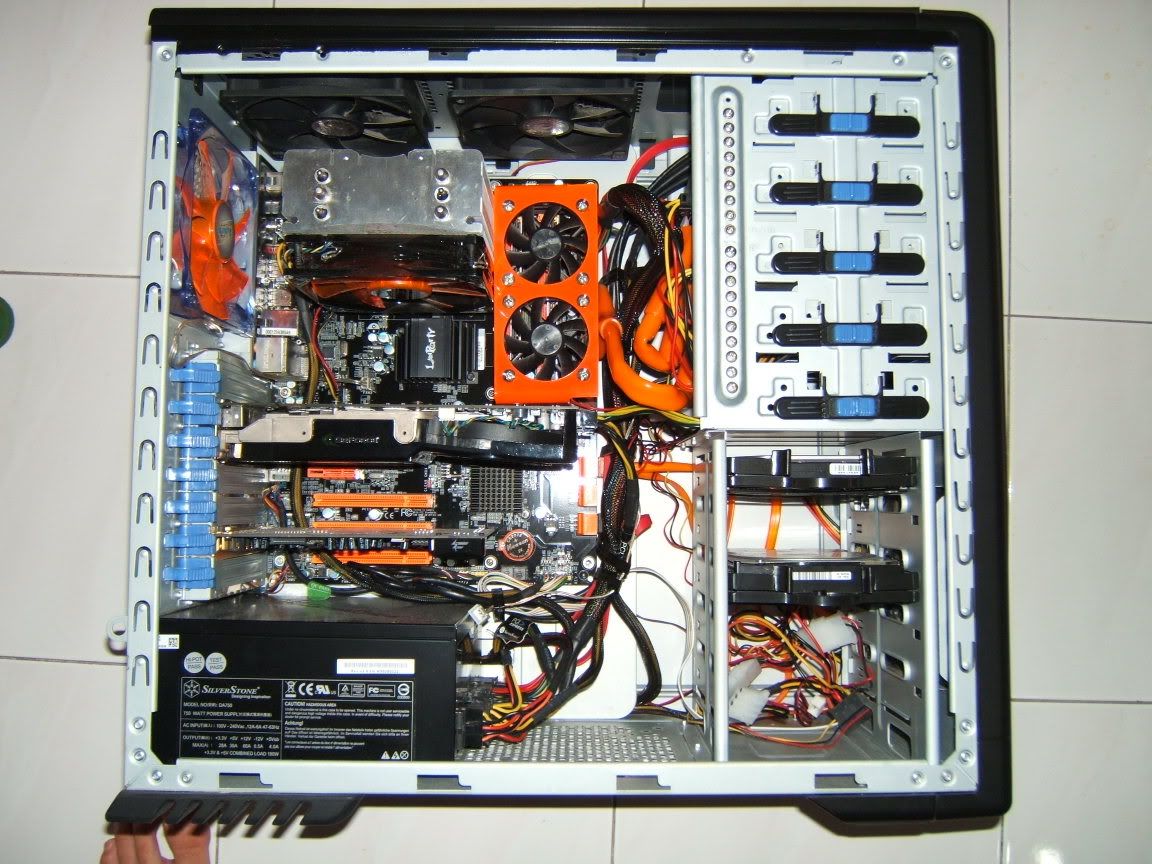
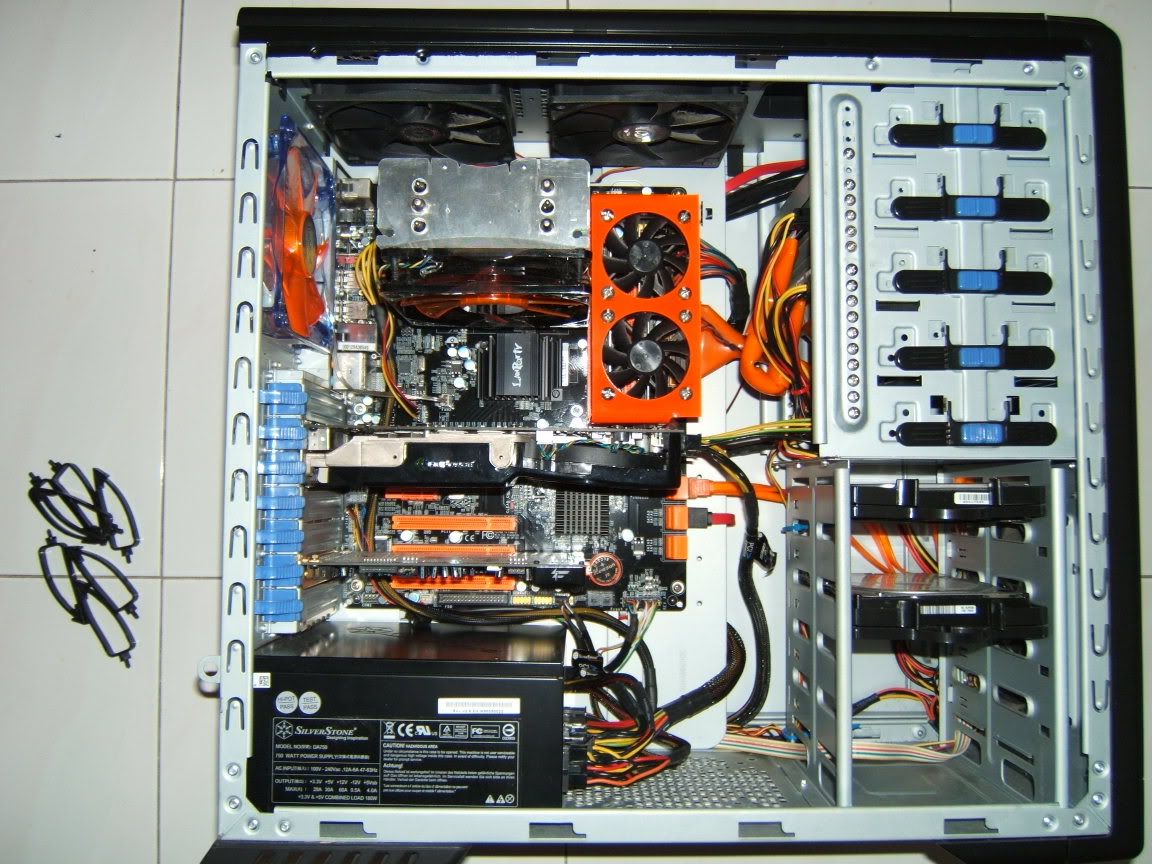
» Click to show Spoiler - click again to hide... «
Cable management thread, Share your cable management here
|
|
 Aug 16 2008, 02:30 AM Aug 16 2008, 02:30 AM
Return to original view | Post
#1
|
 
Elite
4,746 posts Joined: Dec 2007 From: Speed rule  
|
Here is mine
» Click to show Spoiler - click again to hide... « |
|
|
|
|
|
Aug 24 2008, 03:47 AM
Return to original view | Post
#2
|
|
Elite
4,746 posts Joined: Dec 2007 From: Speed rule
|
QUOTE(tkh_1001 @ Aug 23 2008, 02:02 AM) finally got some real bad cable mangement pic here Don't know who say don't show rig when over certain age before » Click to show Spoiler - click again to hide... « after » Click to show Spoiler - click again to hide... « in a nutshell, ada manage tapi macam takde manage langsung   will get some time to try better when my exam is done la haiz... @chyu89 OFF TOPIC: why so serious?   |
|
|
Aug 24 2008, 09:14 PM
Return to original view | Post
#3
|
|
Elite
4,746 posts Joined: Dec 2007 From: Speed rule
|
QUOTE(tkh_1001 @ Aug 24 2008, 11:37 AM) i mean as in msn avatar la Time to put your rig on msn avantar lah uncle time to put  |
|
|
Mar 31 2009, 05:20 PM
Return to original view | Post
#4
|
|
Elite
4,746 posts Joined: Dec 2007 From: Speed rule
|
QUOTE(zerohunter @ Mar 31 2009, 05:17 PM) hi, thx for the guides from u guys. it makes my cable management looks better now. I would go with exhaust on top and exhaust on the side panel fan @E-J@1 i'm considering to put the vga fan as intake but i worry the result will make my rig get more dust. actually i'll get a new transparent side panel wif vga pci-e vent when the stock arrive at ATE on 20th april. tat's wat i heard from the staff there. beside, wat u guys think about the air flow of the whole rig? i hv 1 intake from the front which 1 is on the right of the hdd and i myself added 1 more fan at the left side of the hdd. for exhaust i hv 1 at the back panel and 1 at vga card there. i also planning to add 1 80mm fan at the top panel but i'm not sure to make it intake or exhaust. any advice?  |
|
|
May 18 2009, 01:51 PM
Return to original view | Post
#5
|
|
Elite
4,746 posts Joined: Dec 2007 From: Speed rule
|
QUOTE(nidzamputra @ May 18 2009, 01:22 PM) wow..what is that???? Murdermod Sleeving   The most beautiful sleeving in the world  |
|
|
Jun 1 2009, 02:18 AM
Return to original view | Post
#6
|
|
Elite
4,746 posts Joined: Dec 2007 From: Speed rule
|
QUOTE(Doom @ May 31 2009, 02:47 PM) @yuktsi14 Copy it for lacus hehe, as much as I like your setup, I also like your avatar photo .. I've got quite a number of her artistic production. Gonna be lyn /k/ epicness guarantee |
|
|
Jul 2 2009, 04:32 PM
Return to original view | Post
#7
|
|
Elite
4,746 posts Joined: Dec 2007 From: Speed rule
|
QUOTE(x-1o8-x @ Jul 2 2009, 05:54 AM) something i found out after doing hands on approach experiment But after cable management,the look is much more pleasing lor  System Specification: Processor: Intel Q9650 @ 3.6GHz, 1.1750v Motherboard: ASUS P5Q3 Graphic Card: PowerColor HD4670 Casing: Cooler Master HAF 932 CPU Cooler: ThermalRight IFX-14 Fans: Sanyo Denki San Ace 103cfm (3x on IFX-14, 2x on Top Exhaust, 1x on Front Intake, Cooler Master MegaFlow Casing Fan (1x on Side Intake) Stress Software: Prime95, 3DMark Vantage Monitoring Software: SpeedFan 4.37 Ambient room temperature is @ 28c, non air conditioned room . The motherboard is left intact with all the components installed. The PC is turned on and left for 20 minutes to get the idle temperature, and then stressed via 3DMark Vantage and Prime95 at the same time for 20 minutes to get the load temperatureNo Cable Management  Idle System: 43c Core 1: 39c Core 2: 35c Core 3: 33c Core 4: 34c GC: 40c Load System: 44c Core 1: 59c Core 2: 55c Core 3: 54c Core 4: 52c GC: 58 With Cable Management  Idle System: 43c Core 1: 37c Core 2: 35c Core 3: 33c Core 4: 33c GC: 40 Load System: 44c Core 1: 59c Core 2: 53c Core 3: 53c Core 4: 51c GC: 56c to my surprise, there's almost no difference in overall system temperature... my guess is that as long the fan can suck air, it would be more than enough |
|
Topic ClosedOptions
|
| Change to: |  0.0353sec 0.0353sec
 0.45 0.45
 7 queries 7 queries
 GZIP Disabled GZIP Disabled
Time is now: 11th December 2025 - 12:53 PM |
 Quote
Quote