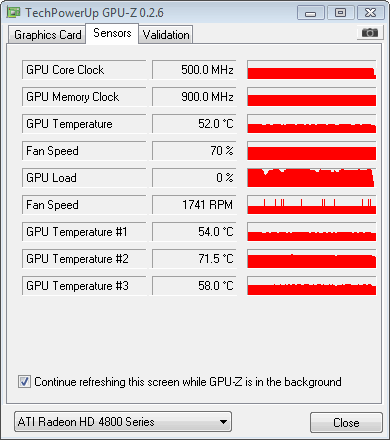
it will reset back to default core/memory every time i open this software.
This post has been edited by Volt: Jul 20 2008, 01:13 AM
AMD/ATi HD 4000 Series Discussion V3, Thread stays on V3 till October.Read 1st
|
|
 Jul 20 2008, 01:09 AM Jul 20 2008, 01:09 AM
Return to original view | Post
#1
|
 
Senior Member
671 posts Joined: Jul 2007 
|
hey guyz, is this normal or the software got problem?
it will reset back to default core/memory every time i open this software. This post has been edited by Volt: Jul 20 2008, 01:13 AM |
|
|
|
|
|
Jul 20 2008, 07:21 AM
Return to original view | Post
#2
|
|
Senior Member
671 posts Joined: Jul 2007
|
QUOTE(AMDAthlon @ Jul 20 2008, 01:32 AM) Its the software problems.The software still not FULLY support the HD 4800 Series Card.  QUOTE(pikacu @ Jul 20 2008, 01:42 AM) W1zzard no more update ATItool .... (since HD2900XT series) so how u guyz check for any artifacts? |
|
|
Jul 22 2008, 11:12 PM
Return to original view | Post
#3
|
|
Senior Member
671 posts Joined: Jul 2007
|
QUOTE(juine @ Jul 22 2008, 10:35 PM) If you guys having problem with the heat, I really suggest you get Thermaltake HR03-GT as what I can recommend coz personally I used it and I think it is good for the 4870. bro, can u post ur temperature using gpu-z? want to use it as a reference I'm getting like 57-59 idle. I use artic silver 5 on it. A Zalman fan on top of the cooler. Non air-con room. I tried to run the stock cooler for the first time to check whether it can start.. wow.. I'm shock by the noise it make. I still haven't do the profile thing you people mention. Even the sales guy and a fren also said alot people are changing to stock cooler as it is very hot. Most people are buying Thermaltake Duo Orb for it.  |
|
|
Jul 22 2008, 11:28 PM
Return to original view | Post
#4
|
|
Senior Member
671 posts Joined: Jul 2007
|
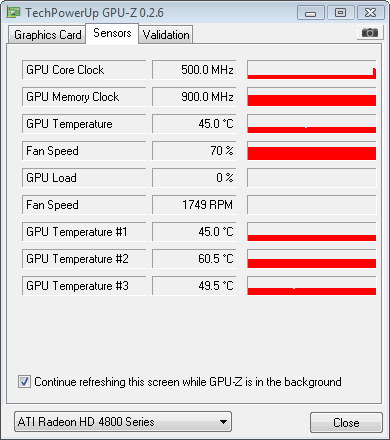
Im kinda confuse right now, im using gpu-z to monitor the temperature but i notice the software got 3 different temperature reading at the below. Can anyone tell want those 3 temperature for?
|
|
|
Jul 26 2008, 10:30 PM
Return to original view | Post
#5
|
|
Senior Member
671 posts Joined: Jul 2007
|
the second temperature really worries me
 , can anyone give me a suggestion how cool down that one? , can anyone give me a suggestion how cool down that one?  |
|
|
Jul 26 2008, 11:30 PM
Return to original view | Post
#6
|
|
Senior Member
671 posts Joined: Jul 2007
|
QUOTE(wen9x88 @ Jul 26 2008, 10:57 PM) in aircon room? nope...Im running in a non aircon room45 pretty good. here is mine ><"...52'c wait ur GPU temp # 3 very high. 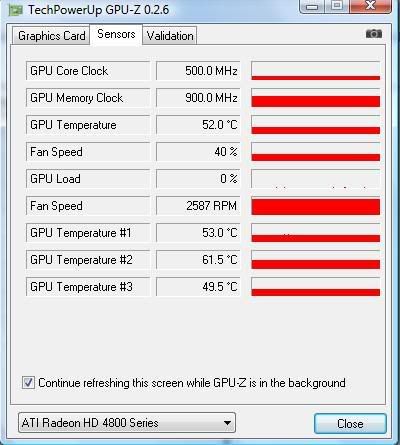 im not so worried about GPU temp 3 since the temp is kinda acceptable but GPU 2 is really getting me worried why so hot??? QUOTE(LExus65 @ Jul 26 2008, 11:04 PM) volt u running it with fan ? u might need some fan directly blowing the pcb as well....... yup, already place 2 fan blowing direct to the card  QUOTE(owikh84 @ Jul 26 2008, 11:11 PM) I saw u're using a 3rd party cooler. Make sure your yea i know, but im kinda worry my card might suddenly die due to over heat  |
|
|
|
|
|
Jul 27 2008, 04:31 PM
Return to original view | Post
#7
|
|
Senior Member
671 posts Joined: Jul 2007
|
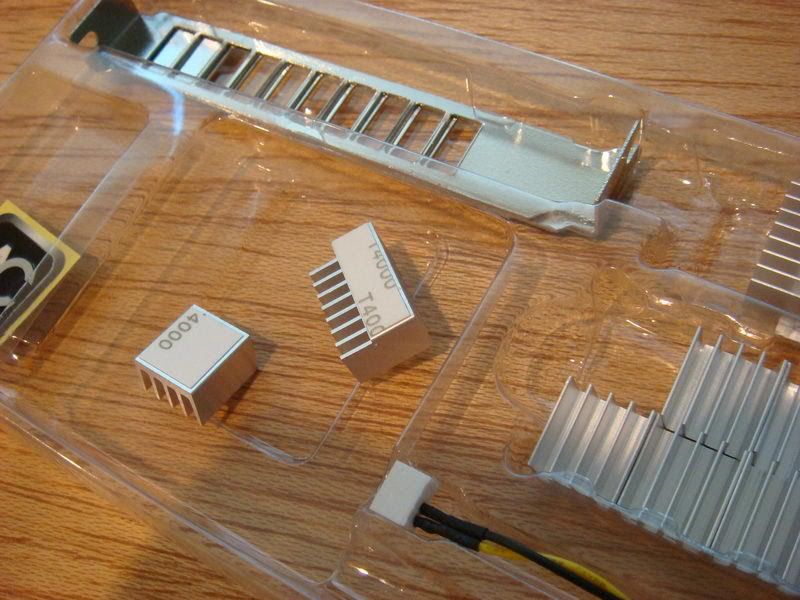
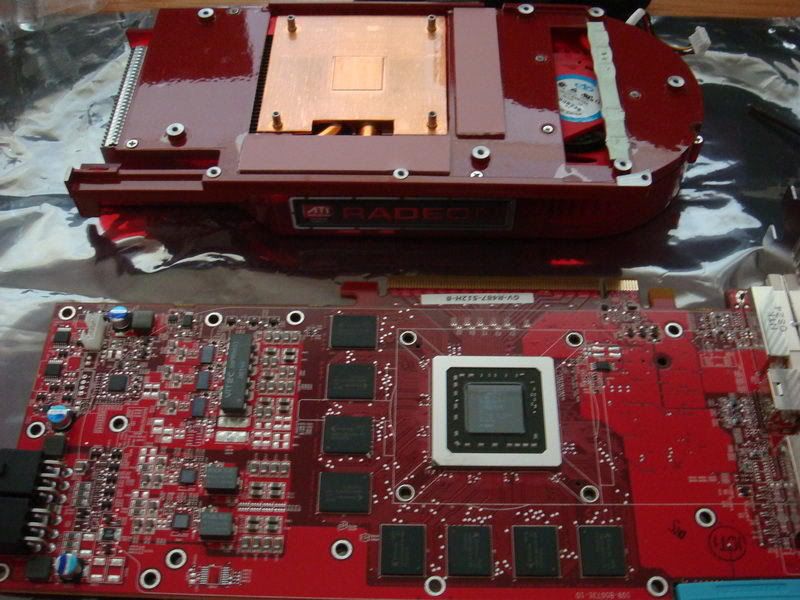
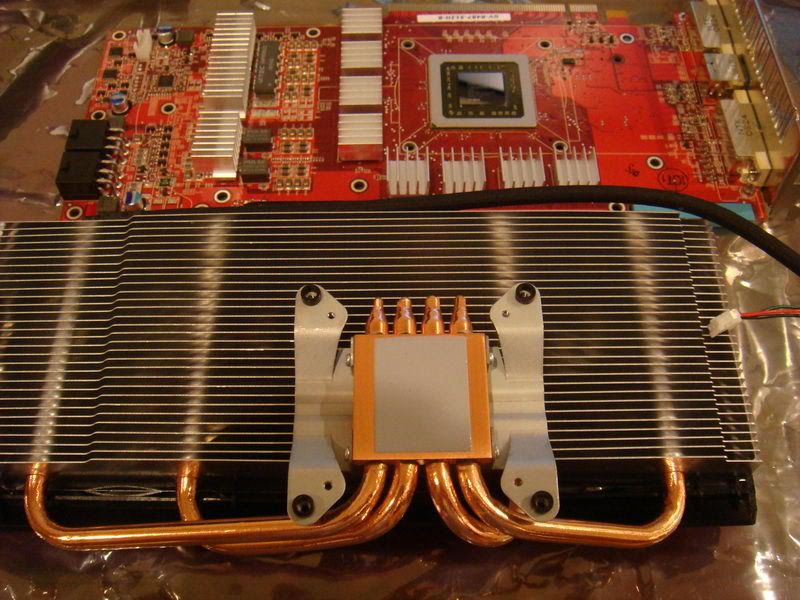
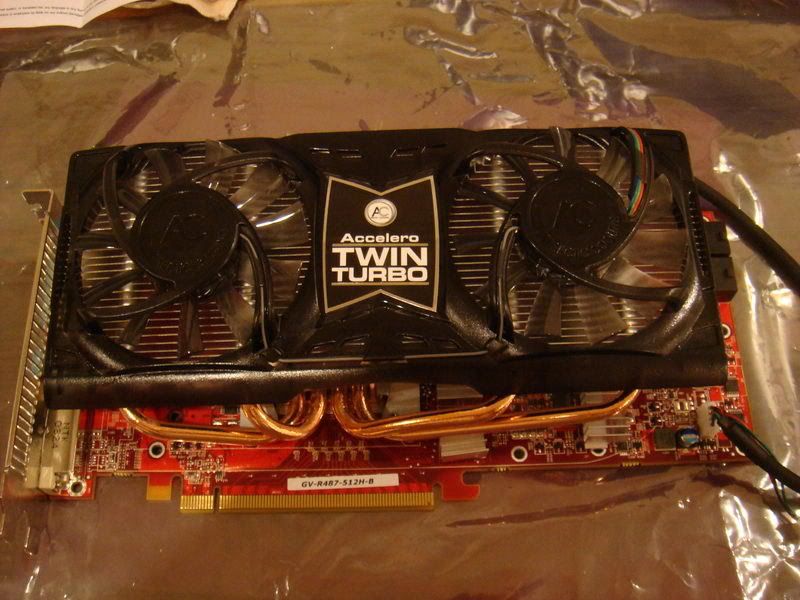
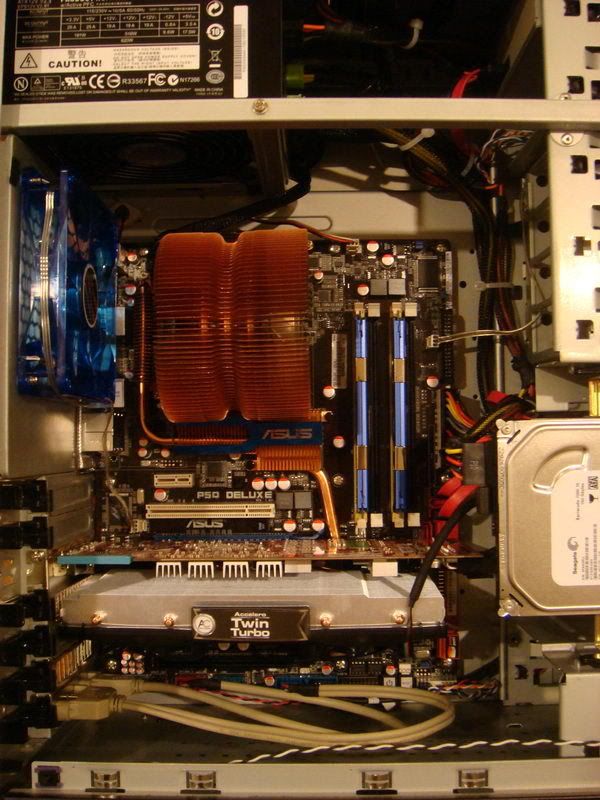
After some thinking decided to use back the stock cooler lol
Stock cooler  AC accelero S1 Rev2 |
|
|
Jul 27 2008, 05:01 PM
Return to original view | Post
#8
|
|
Senior Member
671 posts Joined: Jul 2007
|
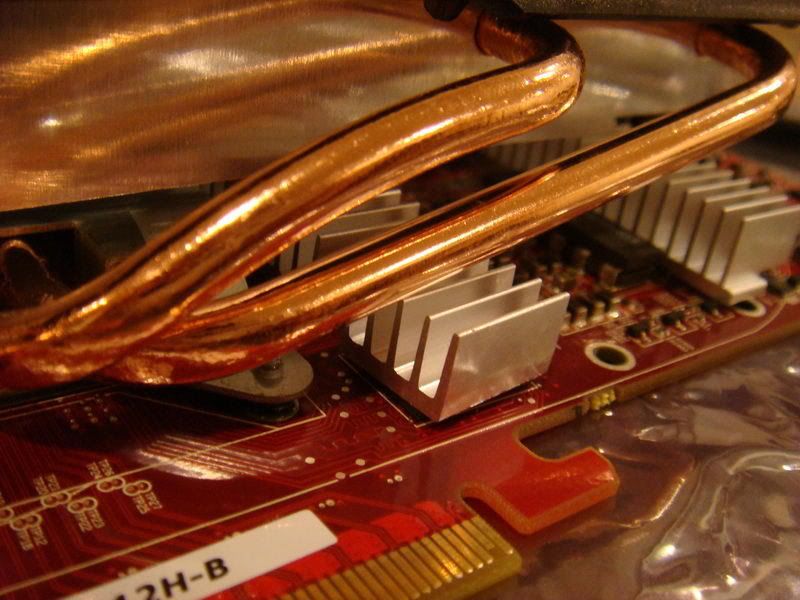
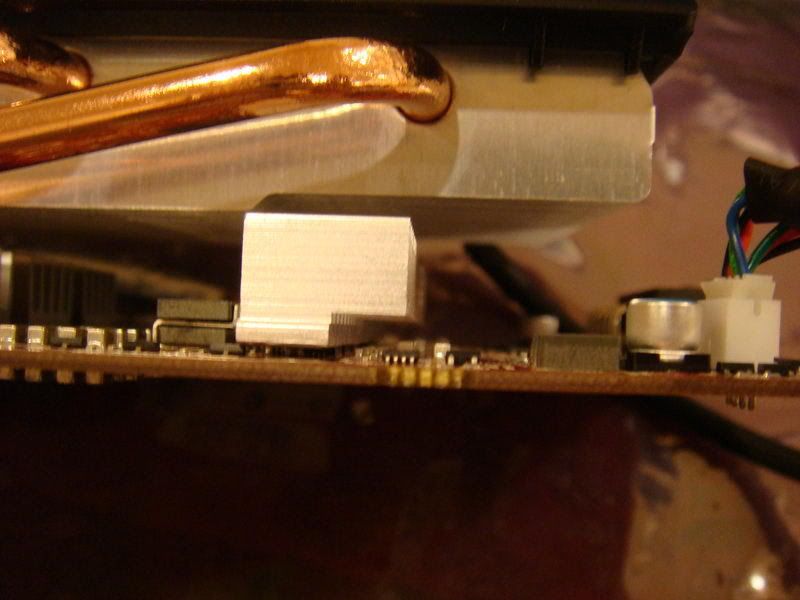
already place a ram heatsink plus using 2 blowing fan but the temperature is still high.
|
|
|
Jul 27 2008, 05:13 PM
Return to original view | Post
#9
|
|
Senior Member
671 posts Joined: Jul 2007
|
50% is a bit noisy to me. Cant enjoy my sleeping if i set it at 50%, that why i use accelero S1 at the 1st place.
|
|
|
Jul 29 2008, 11:44 AM
Return to original view | Post
#10
|
|
Senior Member
671 posts Joined: Jul 2007
|
bro, can u take a snapshot of ur card? want to see where u place ur ramsink. Going to use ur picture as a reference.
|
|
|
Jul 29 2008, 06:43 PM
Return to original view | Post
#11
|
|
Senior Member
671 posts Joined: Jul 2007
|
QUOTE(Roland San @ Jul 29 2008, 04:39 PM) Have gotten an Arctic Cooling Accelero Twin Turbo from moderno for the 4870. nice temperature bro Previous stock cooler temperatures (GPU #1) were mid-50'C at idle, and reaching the high-70'C under reasonable load on an non-oc'd card with fan speed at automatic. With a 40% fan speed, temperatures were closer to mid-40'C at idle and around 60'C under load. I wish I took some GPU-Z screenies of this but I forgot. Anyways, the Twin Turbo: » Click to show Spoiler - click again to hide... « Wasn't too comfortable with the catalyst profile set to 'automatic', at the fan would stop and I'd start worrying. So I used a 70% fan speed manual profile. At idle: » Click to show Spoiler - click again to hide... « and with a reasonable amount of load: » Click to show Spoiler - click again to hide... « At 70%, the fan is still very, very quiet, and as this cooler does not evacuate hot air out of the card's rear exhaust, the heat dissipates within the case, but the internal ambient temperature only went up a couple of degrees as there was a sufficient cross-flow of air through the system. Overall, under load, there's a clear reduction of temperature from a worrying high-70'C to a mid-50'C with the fan at 70%. There is hardly any increase in noise with the fan at 100% and probably a more significant decrease in temperatures, but I felt comfortable with the temperature levels at this setting. Ultimately, that's what any aftermarket cooler provides, the security of being able to run whatever you want to run without having to be concerned about temperature levels and such. Edit: Just looked at the last page and saw that post about the Twin Turbo idling at 32'C with a 100% fan speed. Will go play around later and see what kind of temperatures I can get out of this with a higher fan speed.  way better then my temp  do u think that fan can be dis attaches? want to change to a bigger fan This post has been edited by Volt: Jul 29 2008, 06:44 PM |
|
|
Sep 2 2008, 01:57 PM
Return to original view | Post
#12
|
|
Senior Member
671 posts Joined: Jul 2007
|
hey guys, can the new rivatuner 2.10 change the fan speed?
This post has been edited by Volt: Sep 2 2008, 01:58 PM |
|
|
Sep 2 2008, 02:20 PM
Return to original view | Post
#13
|
|
Senior Member
671 posts Joined: Jul 2007
|
QUOTE "Rivatuner has been updated towards version 2.10 In this release we have included a huge number of new stuff to keep you busy, obviously GeForce 9x00 support has been added as well as ForceWare GeForce drivers up-to 177.92 and AMD ATI Catalyst 8.8 support. With this release comes support for ATI Radeon 4800 class graphics adapters and better GeForce GTX series 200 support as well" Source: http://downloads.guru3d.com/RivaTuner-v2.1...3.html#download @tech3910 im asking nicely, no need to answer with bold letter This post has been edited by Volt: Sep 2 2008, 04:12 PM |
|
|
Sep 2 2008, 04:06 PM
Return to original view | Post
#14
|
|
Senior Member
671 posts Joined: Jul 2007
|
its turnout u can use rivatuner to change the fan setting, no need to edit the profile. plus.. can overclock with it summore...nice..
|
|
|
Sep 2 2008, 08:01 PM
Return to original view | Post
#15
|
|
Senior Member
671 posts Joined: Jul 2007
|
QUOTE(Dickong @ Sep 2 2008, 04:40 PM) I manage to oc my to 855/1175 stable but some jerk on 3d vantage when running. Bro, i tot 4870 can go beyond 900/1200 |
|
Topic ClosedOptions
|
| Change to: |  0.0229sec 0.0229sec
 0.50 0.50
 7 queries 7 queries
 GZIP Disabled GZIP Disabled
Time is now: 18th December 2025 - 12:36 AM |
 Quote
Quote