Welcome Guest ( Log In | Register )

Outline · [ Standard ] · Linear+

 Learning Hobbies Photography v1, Learn the ways from the Pro's~!

views
     
TSWolf516
post Jun 27 2008, 04:27 PM, updated 17y ago

On my way
****
Senior Member
589 posts

Joined: Jul 2007
From: The Reality Known As Hell


Hie Guyz, I made this thread so that everyone could learn how to take better photo's of our hobbies , pvc , figures, dolls, RC , Gundams , Revoltechs, and everything else that you guyz collected~!! thumbup.gif

This is so that we didn't run off topic in other threads tongue.gif


Experienced photographers are welcome to give their advices on how to take better photo's notworthy.gif

So far I found these sites very useful, you guyz may try it~! smile.gif


How to make decent lighting for your figures!
http://www.happysoda.com/archives/88#more-88

DIY mini studio~!
http://strobist.blogspot.com/2006/07/how-t...oto-studio.html

icon_rolleyes.gif Anyone who have questions about photographing their collectibles are welcome to post their question here and discuss laugh.gif

This post has been edited by Wolf516: Jul 9 2008, 02:04 PM
goldfries
post Jun 27 2008, 04:32 PM

40K Club
Group Icon
Forum Admin
44,415 posts

Joined: Jan 2003


smile.gif sifu : forummer Valho

user posted image

user posted image

OUTPUT?

user posted image

user posted image

user posted image

user posted image

user posted image

user posted image
Exiled_Gundam
post Jun 27 2008, 04:50 PM

On my way
****
Senior Member
550 posts

Joined: Jan 2007


QUOTE(VincC454 @ Jun 27 2008, 04:42 PM)
me use CLS gao dim whistling.gif
*
Waht's CLS?
zio
post Jun 27 2008, 04:52 PM

RAWRR!
*******
Senior Member
4,889 posts

Joined: Jan 2005
From: Kelana Jaya


QUOTE(Exiled_Gundam @ Jun 27 2008, 04:50 PM)
Waht's CLS?
*
Creative Light System. Basically it means placing your flash somewhere else and trigger it optically or wirelessly.

Allows you to have more creative use of your flash. Nikon brands it as CLS.
valho
post Jun 27 2008, 04:57 PM

Look at all my stars!!
*******
Senior Member
4,967 posts

Joined: Jan 2003
From: somewhere, far far away


output 3 and 4 is using wireless flash, cheapo trigger with 580exII
when I am free, next shoot will be using flash to light up under a glass hehe
TSWolf516
post Jun 27 2008, 05:17 PM

On my way
****
Senior Member
589 posts

Joined: Jul 2007
From: The Reality Known As Hell


rclxms.gif so many sifu come here already~

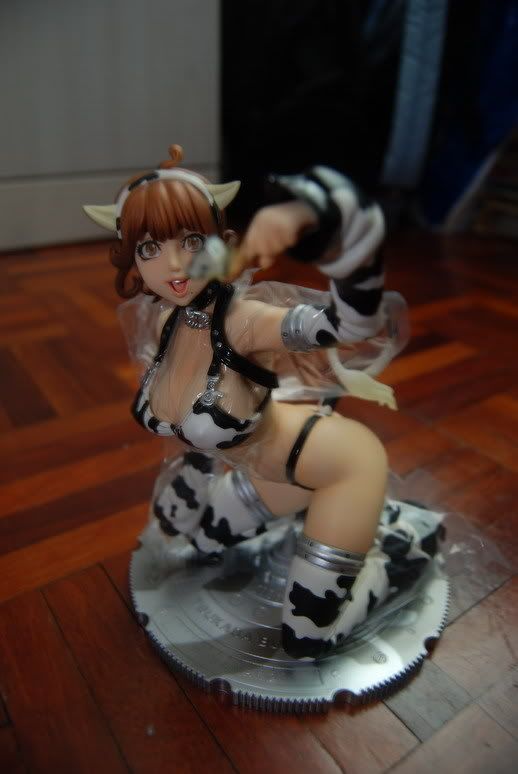
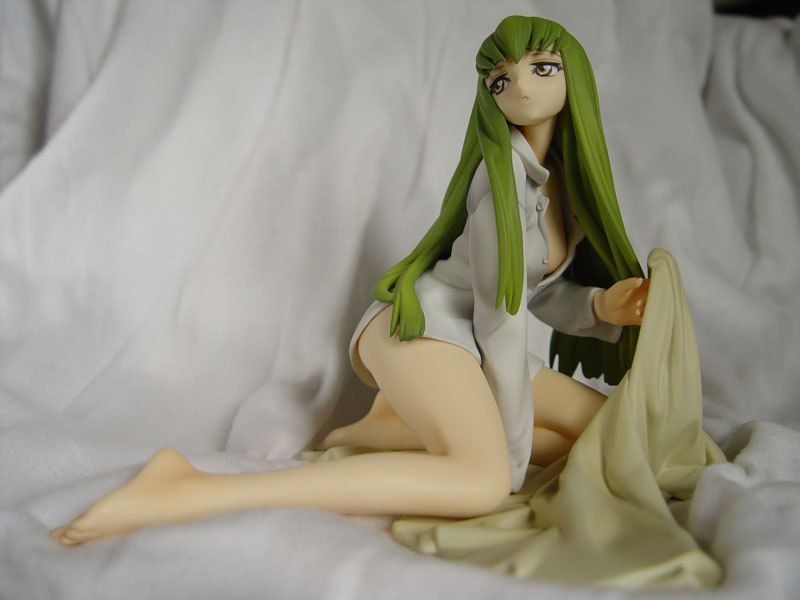
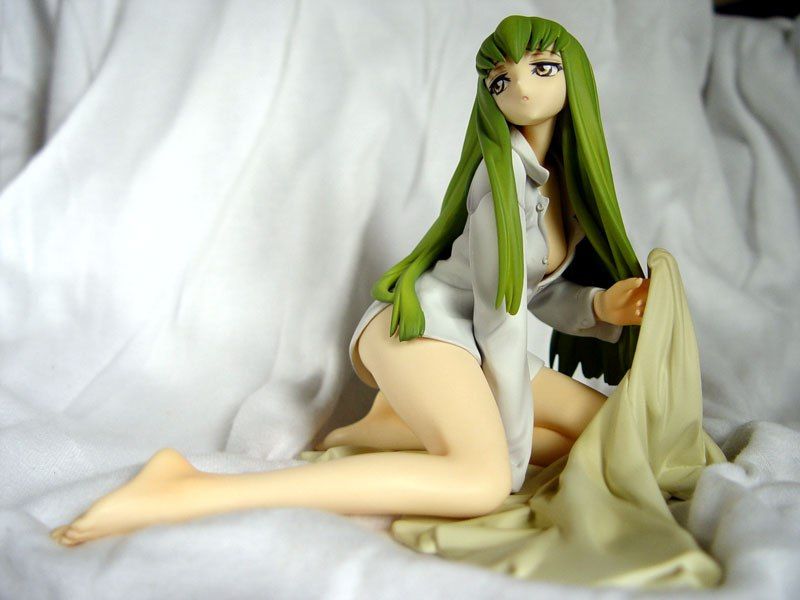
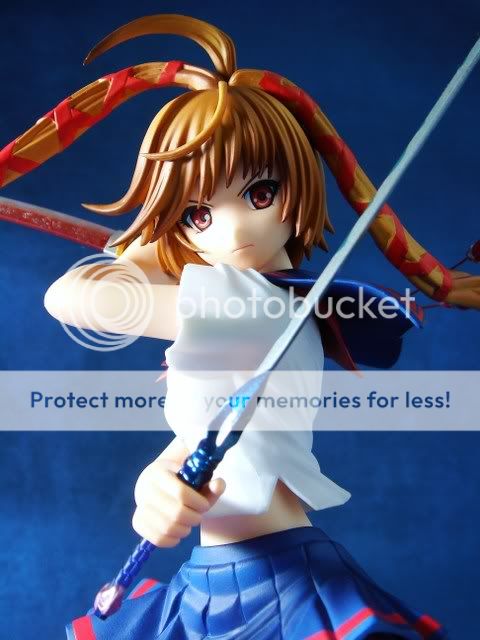
I wanted to ask, which picture is better here... rclxub.gif I find it hard to decide


Attached thumbnail(s)
Attached Image Attached Image Attached Image
valho
post Jun 27 2008, 05:21 PM

Look at all my stars!!
*******
Senior Member
4,967 posts

Joined: Jan 2003
From: somewhere, far far away


QUOTE(Wolf516 @ Jun 27 2008, 05:17 PM)
rclxms.gif  so many sifu come here already~

I wanted to ask, which picture is better here...  rclxub.gif  I find it hard to decide
*
the first one, 2 and 3 the right hand is too bright.
VincC454
post Jun 27 2008, 05:25 PM

...i'm a dreamer
Group Icon
VIP
4,077 posts

Joined: Jan 2003
From: 한국
QUOTE(Wolf516 @ Jun 27 2008, 05:17 PM)
rclxms.gif  so many sifu come here already~

I wanted to ask, which picture is better here...  rclxub.gif  I find it hard to decide
*
composition wise...all cannot use

chop the board...chot the fingers...especially no3
2015315
post Jun 27 2008, 05:26 PM

Getting Started
**
Junior Member
50 posts

Joined: Jan 2003
From: Somewhere
Valho, you using wat type of white paper? Normal A4 paper? blush.gif
valho
post Jun 27 2008, 05:28 PM

Look at all my stars!!
*******
Senior Member
4,967 posts

Joined: Jan 2003
From: somewhere, far far away


QUOTE(2015315 @ Jun 27 2008, 05:26 PM)
Valho, you using wat type of white paper? Normal A4 paper? blush.gif
*
ah nope, not sure what's the paper I use is call but it's bigger than A4, around A3 size, can get at artshop
goldfries
post Jun 27 2008, 05:29 PM

40K Club
Group Icon
Forum Admin
44,415 posts

Joined: Jan 2003


Wolf - i prefer the 3rd one, the model looks nice close up - just need to fix the composition. biggrin.gif

choose a better background la. one that does not blend into her skin.


Added on June 27, 2008, 5:30 pm
QUOTE(2015315 @ Jun 27 2008, 05:26 PM)
Valho, you using wat type of white paper? Normal A4 paper? blush.gif


you can experiment with paper types.

like say mahjong paper. smile.gif i use white cloth as well.


This post has been edited by goldfries: Jun 27 2008, 05:30 PM
valho
post Jun 27 2008, 05:32 PM

Look at all my stars!!
*******
Senior Member
4,967 posts

Joined: Jan 2003
From: somewhere, far far away


for background any paper will do, I have used wrapping paper, construction paper, those textured paper found at D'Nata KLCC. Even mahjong paper and those brown type of paper also works
chriswoo
post Jun 27 2008, 05:37 PM

Getting Started
**
Junior Member
98 posts

Joined: Oct 2006


oo just different type of paper makes different type of result. no wonder my skill snaping very char due to i always use my bed sheet as background biggrin.gif
goldfries
post Jun 27 2008, 05:38 PM

40K Club
Group Icon
Forum Admin
44,415 posts

Joined: Jan 2003


if you want, you can use other things as well, say brick walls and use natural lighting.
2015315
post Jun 27 2008, 05:44 PM

Getting Started
**
Junior Member
50 posts

Joined: Jan 2003
From: Somewhere
QUOTE(chriswoo @ Jun 27 2008, 05:37 PM)
oo just different type of paper makes different type of result. no wonder my skill snaping very char due to i always use my bed sheet as background biggrin.gif
*
Your nemo already very famous. Use how many month didn't wash ppl also know.

QUOTE(goldfries @ Jun 27 2008, 05:38 PM)
if you want, you can use other things as well, say brick walls and use natural lighting.
*
How about the light punya white paper?
valho
post Jun 27 2008, 05:50 PM

Look at all my stars!!
*******
Senior Member
4,967 posts

Joined: Jan 2003
From: somewhere, far far away


with natural light and surrounding you can get this
user posted image

other things you can use to make your shots more interesting are props, such as the shots below
» Click to show Spoiler - click again to hide... «


Added on June 27, 2008, 5:51 pm
QUOTE(2015315 @ Jun 27 2008, 05:44 PM)
Your nemo already very famous. Use how many month didn't wash ppl also know.
How about the light punya white paper?
*
you mean the diffuser, I use tracing paper

This post has been edited by valho: Jun 27 2008, 05:51 PM
TSWolf516
post Jun 27 2008, 05:56 PM

On my way
****
Senior Member
589 posts

Joined: Jul 2007
From: The Reality Known As Hell


QUOTE(goldfries @ Jun 27 2008, 05:29 PM)
Wolf - i prefer the 3rd one, the model looks nice close up - just need to fix the composition. biggrin.gif

choose a better background la. one that does not blend into her skin.


Added on June 27, 2008, 5:30 pm

you can experiment with paper types.

like say mahjong paper. smile.gif i use white cloth as well.
*
How about this? rolleyes.gif


Attached thumbnail(s)
Attached Image
goldfries
post Jun 27 2008, 06:28 PM

40K Club
Group Icon
Forum Admin
44,415 posts

Joined: Jan 2003


QUOTE(Wolf516 @ Jun 27 2008, 05:56 PM)
How about this?  rolleyes.gif
*
1. color looks off like that. what WB were you using?
2. background background background.

your background matching her skin and hair leh, it does not BRING OUT the character.
goldfries
post Jun 27 2008, 06:42 PM

40K Club
Group Icon
Forum Admin
44,415 posts

Joined: Jan 2003


user posted image

hehe. here's my LUAN LUAN snap pic. smile.gif it's not my best shot but I'm going to use it to illustrate a point

notice how the background color can bring out the character?
TSWolf516
post Jun 27 2008, 06:59 PM

On my way
****
Senior Member
589 posts

Joined: Jul 2007
From: The Reality Known As Hell


QUOTE(goldfries @ Jun 27 2008, 06:42 PM)
user posted image

hehe. here's my LUAN LUAN snap pic. smile.gif it's not my best shot but I'm going to use it to illustrate a point

notice how the background color can bring out the character?
*
hmm.gif im using daylight WB.... what you recommend for the WB ?
2015315
post Jun 27 2008, 07:00 PM

Getting Started
**
Junior Member
50 posts

Joined: Jan 2003
From: Somewhere
This one? unsure.gif
user posted image
ShinAsakura
post Jun 27 2008, 08:41 PM

티파니씨 를 좋아해요
*******
Senior Member
2,134 posts

Joined: Jun 2006


omg valho, i like the karren's shot.

and we can use 1-2sheets of tracing papers bond together right?
valho
post Jun 27 2008, 08:52 PM

Look at all my stars!!
*******
Senior Member
4,967 posts

Joined: Jan 2003
From: somewhere, far far away


QUOTE(ShinAsakura @ Jun 27 2008, 08:41 PM)
omg valho, i like the karren's shot.

and we can use 1-2sheets of tracing papers bond together right?
*
haha thanks,
yeah but do bear in mind that each layer of tracing paper will reduce the light a bit, so I usually just use 1 layer for the main light, and 2 for the secondary light. Beside diffusing the light, the tracing paper also helps spread the light smile.gif
zio
post Jun 27 2008, 09:40 PM

RAWRR!
*******
Senior Member
4,889 posts

Joined: Jan 2005
From: Kelana Jaya


QUOTE(2015315 @ Jun 27 2008, 07:00 PM)
This one? unsure.gif
» Click to show Spoiler - click again to hide... «

*
Try to make it a clean background. Must invest a bit more effort into it. Don't just put on the floor la, then can see the walls, the cabinet, the bed etc

I am not too happy with the background but it is relatively clean. A piece of paper would be better so that the line isn't there. I used two pieces of board for this.

user posted image
ahtiven
post Jun 27 2008, 09:55 PM

New Member
******
Senior Member
1,185 posts

Joined: Aug 2005


nice thread! this is what i have been looking for.

i am a total newbie btw.

any comment on photo below? courtesy of mechanical_wunder of zoidspoison.com

user posted image


valho
post Jun 28 2008, 02:22 AM

Look at all my stars!!
*******
Senior Member
4,967 posts

Joined: Jan 2003
From: somewhere, far far away


QUOTE(hayashi86 @ Jun 27 2008, 10:19 PM)
wat pro camera should i start with ?
CANON ?

price range about ?
*
PnS also can, I started using Canon Ixus 850IS, but other brand should work just as well

QUOTE(Wolf516 @ Jun 28 2008, 01:01 AM)
Rei saying good night to you all  wub.gif
*
this is nice smile.gif

latest shoot, Shuraki Box 05 Rize (Rizfis Luttiva Mente)
user posted image
FirezZ
post Jun 28 2008, 06:13 AM

Naise kukUpi
******
Senior Member
1,993 posts

Joined: Sep 2007
From: ~ /firezz/ island ~


goldfries, how u make the blur vision for the back ground ?

valho : i am using 850is too tongue.gif err can make the impact like goldfries did for the photo ...

user posted image


Anyway, just post the photo after reedited by photoshop (learnt in 3 hours for the effect tongue.gif)


user posted image
VincC454
post Jun 28 2008, 10:09 AM

...i'm a dreamer
Group Icon
VIP
4,077 posts

Joined: Jan 2003
From: 한국
i think wanna ask for recommendation better go to photo thread...

lets keep here just on toys photography skills and tech
and also a sample on how to shoot your toys pictures and not till run out from the topic till become another show off you toys in here
TSWolf516
post Jun 28 2008, 10:13 AM

On my way
****
Senior Member
589 posts

Joined: Jul 2007
From: The Reality Known As Hell


QUOTE(valho @ Jun 28 2008, 02:22 AM)
PnS also can, I started using Canon Ixus 850IS, but other brand should work just as well
this is nice smile.gif

latest shoot, Shuraki Box 05 Rize (Rizfis Luttiva Mente)
user posted image
*
rclxms.gif this is really something, the lighting's are beautiful and it feels like Rize is alive,

how you made that effect? smile.gif
ahtiven
post Jun 28 2008, 01:04 PM

New Member
******
Senior Member
1,185 posts

Joined: Aug 2005


QUOTE(VincC454 @ Jun 28 2008, 10:09 AM)
i think wanna ask for recommendation better go to photo thread...

lets keep here just on toys photography skills and tech
and also a sample on how to shoot your toys pictures and not till run out from the topic till become another show off you toys in here
*
i dont know, i kinda feel insulted in the way you posted above, vince.

but i come in peace, you were wrong.

i did not intend to show off my toys or anything, and i posted a pic that i like, waiting for your guys opinion regarding the pic so that i could snap a shot like that in future? but people thought i was showing off.. what if the pic object was cute ikki tousen figure, will you guys give comments?

anyway, i thought those people who use compact cams for toys pictures would be able to provide more details. or are they the same thing that need to be considered even if you have different things as objects? on the second thought, i think they are the same.

i think you are right, i should ask recommendation from photo threads..

the one thing i disagree with you is that, showing your pics in forums like this, is indeed showing off. but when there is giving there is receiving, when someone showing off his photo skills along with toys, it is showing off and of course, they are people who enjoy looking at the pictures as well.

be calm, showing off without being arrogant is the way it supposed to be, just like most of you here.


TSWolf516
post Jun 28 2008, 02:03 PM

On my way
****
Senior Member
589 posts

Joined: Jul 2007
From: The Reality Known As Hell


smile.gif Come on now..... there isn't any need to show off or anything , just post any picture of your figures and we give comments about the photo
not only the figure itself~!

And asking for how to take better photo's isn't shameful at all, we humans enjoy learning things and it is pointless to fight for something that we all enjoy collecting.......
VincC454
post Jun 28 2008, 02:18 PM

...i'm a dreamer
Group Icon
VIP
4,077 posts

Joined: Jan 2003
From: 한국
QUOTE(ahtiven @ Jun 28 2008, 01:04 PM)
i dont know, i kinda feel insulted in the way you posted above, vince.

but i come in peace, you were wrong.

i did not intend to show off my toys or anything, and i posted a pic that i like, waiting for your guys opinion regarding the pic so that i could snap a shot like that in future? but people thought i was showing off.. what if the pic object was cute ikki tousen figure, will you guys give comments?

anyway, i thought those people who use compact cams for toys pictures would be able to provide more details. or are they the same thing that need to be considered even if you have different things as objects? on the second thought, i think they are the same.

i think you are right, i should ask recommendation from photo threads..

the one thing i disagree with you is that, showing your pics in forums like this, is indeed showing off. but when there is giving there is receiving, when someone showing off his photo skills along with toys, it is showing off and of course, they are people who enjoy looking at the pictures as well.

be calm, showing off without being arrogant is the way it supposed to be, just like most of you here.
*
what insulted?
there s already showing off toys thread somewhere in here...thats why i said dont run out from the topic of discussing other things about toys photo shooting tech doh.gif
we dont want another redundance thread
show off thread

why get misunderstood what im saying...why so sensitive...
everybody here in this hobby section like to showoff/lansi their stuff what(including me)..i didnt say anything that you are showing off also doh.gif
did i mention you showing off to others? no right as i can think of

i just said that go to photo thread for recommendation..and not do it here

This post has been edited by VincC454: Jun 28 2008, 02:33 PM
chriswoo
post Jun 28 2008, 03:21 PM

Getting Started
**
Junior Member
98 posts

Joined: Oct 2006


ahtiven or vince or everyone in this thread

I not sure what is difference between showoff and learning taking picture on that thread. If for me want to learn something i post a picture + the explaination how i take the shot then how i done then only people take comment what phase i must improve or add in. not something like posting a picture with 3 words like " is this good ?" or " how it this like?" expected comment like this is macam show off jor.

This post has been edited by chriswoo: Jun 28 2008, 03:23 PM
ahtiven
post Jun 28 2008, 03:52 PM

New Member
******
Senior Member
1,185 posts

Joined: Aug 2005


QUOTE(VincC454 @ Jun 28 2008, 02:18 PM)
we dont want another redundance thread
show off thread

*
all right, i certainly did not notice the existence of the above thread, therefore when you said you dont want this thread to become a show off thread right under my post, i got misunderstood. doh.gif

btw, i agree with your suggestion to ask from compact cam threads though.

QUOTE(chriswoo @ Jun 28 2008, 03:21 PM)
ahtiven or vince or everyone in this thread

I not sure what is difference between showoff and learning taking picture on that thread. If for me want to learn something i post a picture + the explaination how i take the shot then how i done then only people take comment what phase i must improve or add in. not something like posting a picture with 3 words like " is this good ?" or " how it this like?" expected comment like this is macam show off jor.
*
guess this is the difference between show off thread and this learning thread.

get the pictures in guys, and more comments and how-to's, setup etc! sharing is caring biggrin.gif
TSWolf516
post Jun 28 2008, 04:03 PM

On my way
****
Senior Member
589 posts

Joined: Jul 2007
From: The Reality Known As Hell


nod.gif nod.gif We would be very grateful if the pro's show us how they take their pictures

etc , what equipments they used? what camera settings? what background suits the characters?

These are the question that are supposed to be ask in this thread......

Remember, we are all here to learn something~! and that is the essence of this thread

For now let me state out my equipments for taking photographs

2x Ikea table lamps (flexibility is important)
2 piece of cardboards stick together as a light reflector
Few color backgrounds ( you can get them from any gift shops such as S&J)
Camera I used Sony T-10 (no money get dslr tongue.gif)
For the bulbs I used Daylight Bulbs which can be identified with 6500k or 860 bulbs
chriswoo
post Jun 28 2008, 04:06 PM

Getting Started
**
Junior Member
98 posts

Joined: Oct 2006


cool if can please list down the about round price and where you bought the equipment as well it could really help the buget people to plan ahead and buy those thing.
chriswoo
post Jun 28 2008, 04:12 PM

Getting Started
**
Junior Member
98 posts

Joined: Oct 2006


Wolf516 - nice really helpful

now i feel more like this thead biggrin.gif but hmm speaking of snaping good photo does this thread also allow teaching a basic editing software to enhance the photosnap ? Vince any advice? yes or no ?
VincC454
post Jun 28 2008, 04:23 PM

...i'm a dreamer
Group Icon
VIP
4,077 posts

Joined: Jan 2003
From: 한국
editing pictures question should be no problem

0300078
post Jun 28 2008, 07:02 PM

Regular
******
Senior Member
1,447 posts

Joined: Mar 2006


wow nice! I been out for 2 days come back got tis thread liao!
I need some advice on where to search for those 6500k light bulb......cant seem to find them in normal shopping center or shops! Any advice?
HenryLow
post Jun 28 2008, 07:03 PM

liddat oso can, you win liao lor.
Group Icon
VIP
4,336 posts

Joined: Jan 2003
From: BOLEHLand
QUOTE(300078 @ Jun 28 2008, 07:02 PM)
wow nice! I been out for 2 days come back got tis thread liao!
I need some advice on where to search for those 6500k light bulb......cant seem to find them in normal shopping center or shops! Any advice?
*
that type of bulb need go kedai lampu only can get...
trust me, shopping center takde one...
TSWolf516
post Jun 28 2008, 07:09 PM

On my way
****
Senior Member
589 posts

Joined: Jul 2007
From: The Reality Known As Hell


QUOTE(300078 @ Jun 28 2008, 07:02 PM)
wow nice! I been out for 2 days come back got tis thread liao!
I need some advice on where to search for those 6500k light bulb......cant seem to find them in normal shopping center or shops! Any advice?
*
I get mine from parkson smile.gif

@chriswoo - Usually I used paint or photoshop software to enchance the picture... but try to post the picture you snap here without any modification so we know how to improve the source itself brows.gif
Exiled_Gundam
post Jun 28 2008, 10:07 PM

On my way
****
Senior Member
550 posts

Joined: Jan 2007


QUOTE(chriswoo @ Jun 28 2008, 04:12 PM)
Wolf516  - nice really helpful

now i feel more like this thead biggrin.gif but hmm speaking of snaping good photo does this thread also allow teaching a basic editing software to enhance the photosnap ?  Vince any advice? yes or no ?
*
QUOTE(Wolf516 @ Jun 28 2008, 07:09 PM)
I get mine from parkson  smile.gif

@chriswoo - Usually I used paint or photoshop software to enchance the picture... but try to post the picture you snap here without any modification so we know how to improve the source itself  brows.gif
*
Then, let me begin.
All of my photo I posted here in LYN usually go through (in Photoshop):
- Auto Levels, followed by, if necessary
- Adjust the brightness and contrast accordingly, to suit your desired end result
Original pics (resized)
» Click to show Spoiler - click again to hide... «

Pic above are taken using Sony Cybershot DSC F717 camera(auto setting, macro mode), with sunlight as light source
After going through above steps
» Click to show Spoiler - click again to hide... «

However, you might want to adjust color balance, or use Auto Color if you find that your photo looks too blueish, greenish etc. For Auto Levels, if you find out that the original photo has already nice color, you may skip to adjust brightness and contrast step
valho
post Jun 28 2008, 11:31 PM

Look at all my stars!!
*******
Senior Member
4,967 posts

Joined: Jan 2003
From: somewhere, far far away


QUOTE(FirezZ @ Jun 28 2008, 06:13 AM)
goldfries, how u make the blur vision for the back ground ?

valho : i am using 850is too tongue.gif err can make the impact like goldfries did for the photo ...

user posted image
Anyway, just post the photo after reedited by photoshop (learnt in 3 hours for the effect  tongue.gif)
user posted image
*
PnS doesn't won't be able to create the background blur like a dslr due to the small sensor.
You can try shooting in macro mode and go as close as possible, to create an impact that's close to that

QUOTE(Wolf516 @ Jun 28 2008, 10:13 AM)
rclxms.gif  this is really something, the lighting's are beautiful and it feels like Rize is alive,

how you made that effect?  smile.gif
*
thanks, posted it right after I took the pic, so didn't post the settings I use.

The setup:
1. A piece of glass on top of the blue background paper and below it is thsoe foam that comes with LCD with a big hole cut in the middle.
2. Flash is place below the glass with the flash head tilted upwards, additional books are place under the foam to raise it and to prevent the flash from spilling out too much.
3. The usual main light and top light are use.
4. Flash is triggered using wireless trigger, and manual settings was use on the camera. White balance set to Auto.
5. Aperture varied from f/2.8 to f/16, shutter speed varied as well since I do tethered shooting (meaning the output are directly shown on my laptop), so I'll take a shot and make any adjustment necessary.
6. Shots done using Canon 400D with EF 100mm f/2.8 Macro USM and EF 50mm f/1.4 USM lens, and the flash is Speedlite 580exII.

Ok so how to do this with a PnS, well I think it's possible, but you'll probably need a PnS/Prosumer camera that allow adjustment to shutter speed and aperture. For the flash i place under the glass, u can replace it with a normal light, the light should be brighter than the other two light though. Well this is all in theory, so you can give it a try and see if it works smile.gif

goldfries
post Jun 29 2008, 02:56 AM

40K Club
Group Icon
Forum Admin
44,415 posts

Joined: Jan 2003


QUOTE(valho @ Jun 28 2008, 11:31 PM)
PnS doesn't won't be able to create the background blur like a dslr due to the small sensor.
You can try shooting in macro mode and go as close as possible, to create an impact that's close to that
thanks, posted it right after I took the pic, so didn't post the settings I use.


ehh. theoretically possible la.

some PnS have macro mode. so when the AF goes into the nearby object, hold it there and move around for the composition.

now if only i can find my C2-Zoom to prove it. LOL. my Fuji S7000 surely can do bokeh.
chriswoo
post Jun 29 2008, 03:36 AM

Getting Started
**
Junior Member
98 posts

Joined: Oct 2006


Wolf516 - oo thanks for the info

well noob at photosnaping but will learn in time so right now basicaly when i snap shot i just use an macro mode which gives more details but slidely blur due to i notice when i put stand it give more stable then my hand snap. and my room is quite small and lack of light maybe i go buy those lamp and some few cardboard to get clearer picture of it.

here 1 of the snap shot i have recently

user posted image

well currenty no setup nothing just pure snap hand shot.

so any comment to improve this without using any equipment ? rite now i too busy to buy it but for temp solution got any expert advice?
goldfries
post Jun 29 2008, 03:59 AM

40K Club
Group Icon
Forum Admin
44,415 posts

Joined: Jan 2003


aihh. time to introduce Gorillapod to you guys. biggrin.gif

anyway, try using plain background.

here's a VERY simple setup.

1 semi-transparent tray
1 standing light
1 toy

user posted image

well not the best pose or setup, but this picture is to illustrate how a simple lighting setup with a little post-processing can CREATE effects. smile.gif


Added on June 29, 2008, 4:00 am
QUOTE(chriswoo @ Jun 29 2008, 03:36 AM)
so any comment to improve this without using any equipment ? rite now i too busy to buy it but for temp solution got any expert advice?


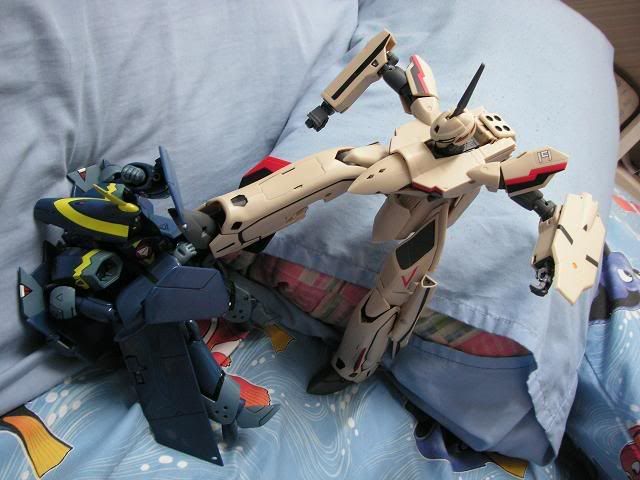
putting them on pillows look like fighting in toy land la.

if you want, try rocks instead. biggrin.gif they look better. then of course try lightings and areas that look more realistic if you want.


This post has been edited by goldfries: Jun 29 2008, 04:00 AM
TSWolf516
post Jun 29 2008, 11:01 AM

On my way
****
Senior Member
589 posts

Joined: Jul 2007
From: The Reality Known As Hell


QUOTE(chriswoo @ Jun 29 2008, 03:36 AM)
Wolf516 - oo thanks for the info

well noob at photosnaping but will learn in time so right now basicaly when i snap shot i just use an macro mode which gives more details but slidely blur due to i notice when i put stand it give more stable then my hand snap. and my room is quite small and lack of light maybe i go buy those lamp and some few cardboard to get clearer picture of it.

here 1 of the snap shot i have recently

user posted image

well currenty no setup nothing just pure snap hand shot.

so any comment to improve this without using any equipment ? rite now i too busy to buy it but for temp solution got any expert advice?
*
rolleyes.gif there are many things than you can use in your toys photograph , instead of making them look more toy-ish, giving them a realistic feel is also another way of shooting them, etc real world's background such as houses or rocks like what goldfries says


user posted image
user posted image

see how this small DIY house makes the eva looks real?
goldfries
post Jun 30 2008, 12:35 AM

40K Club
Group Icon
Forum Admin
44,415 posts

Joined: Jan 2003


hehe. just make sure Evangelion fans don't point out the size of the mecha and house are not in correct proportion! biggrin.gif
temptation1314
post Jun 30 2008, 12:39 AM

Specials : 1,000,000 Spam Post Attack
*******
Senior Member
2,287 posts

Joined: Jun 2007
From: Anno Domini Time Ultra: 1,000,000 Trans Am Attack!
haven't get my lightning set yet.. sad.gif Unable to go IKEA because the damn rain... doh.gif

goldfries
post Jun 30 2008, 12:44 PM

40K Club
Group Icon
Forum Admin
44,415 posts

Joined: Jan 2003


use sunlight cannot meh?
valho
post Jun 30 2008, 01:25 PM

Look at all my stars!!
*******
Senior Member
4,967 posts

Joined: Jan 2003
From: somewhere, far far away


if dun have lighting set yet find a window with sunlight coming in, nothing beats natura light smile.gif
goldfries
post Jun 30 2008, 01:34 PM

40K Club
Group Icon
Forum Admin
44,415 posts

Joined: Jan 2003


can use umbrella as reflector also. smile.gif don't have white color umbrella? use white shirt la? a bunch of underwear also can.

seriously. photography involves creativity in the setup too.
0300078
post Jun 30 2008, 01:36 PM

Regular
******
Senior Member
1,447 posts

Joined: Mar 2006


QUOTE(goldfries @ Jun 30 2008, 12:44 PM)
use sunlight cannot meh?
*
lol tat dude when got time also already deep night liao! All the other time he spent on spamming joh


Added on June 30, 2008, 7:31 pmdeng surfing the net and saw something like this! Temp if u kaya raya buy this lah
http://www.1999.co.jp/eng/10065301

This post has been edited by 300078: Jun 30 2008, 07:31 PM
Doomsday
post Jun 30 2008, 08:12 PM

keluarpattern dupe slayer
*******
Senior Member
2,491 posts

Joined: Dec 2004
From: initrd


Here is my Amazon Danboard Revoltech with Carbine M4

user posted image
user posted image
user posted image


Nothing much special setting, just some basic composition + macro shot. wink.gif
edwardgsk
post Jul 4 2008, 05:19 PM

I believe I can fly
*******
Senior Member
2,966 posts

Joined: Apr 2008
From: Macross Galaxy


hehe shot these with Sony DSC-T200. picture is taken with auto adjustment at outdoor.... any comments are welcome laugh.gif

user posted image

user posted image

the background i use an old polystrene board lol got a hell lot of scars haha tongue.gif (just try to ignore them)... planned to 'cure' them with photoshop but main pc spoiled so cant edit doh.gif (uploaded using laptop)...

This post has been edited by edwardgsk: Jul 4 2008, 05:20 PM
Doomsday
post Jul 5 2008, 01:47 AM

keluarpattern dupe slayer
*******
Senior Member
2,491 posts

Joined: Dec 2004
From: initrd


^ It just looks normal portrait.. try snap using "rules of third" composition to make ur Freedom Gundam look more attractive.

source : http://photoinf.com/General/KODAK/guidelin..._of_thirds.html
kurz
post Jul 5 2008, 02:16 AM

Getting Started
**
Junior Member
176 posts

Joined: Sep 2006
From: KL


QUOTE(Wolf516 @ Jun 29 2008, 11:01 AM)
rolleyes.gif  there are many things than you can use in your toys photograph , instead of making them look more toy-ish, giving them a realistic feel is also another way of shooting them, etc real world's background such as houses or rocks like what goldfries says
*
like this? biggrin.gif

user posted image

This post has been edited by kurz: Jul 11 2008, 05:42 PM
valho
post Jul 9 2008, 11:54 AM

Look at all my stars!!
*******
Senior Member
4,967 posts

Joined: Jan 2003
From: somewhere, far far away


Interesting use of the barn door effect for figure shoot. Barn door effect are actually use in normal photography as well where you control the amount of light that hit your subject

Figure On Cheap Lighting II: Blocking Light
TSWolf516
post Jul 9 2008, 03:32 PM

On my way
****
Senior Member
589 posts

Joined: Jul 2007
From: The Reality Known As Hell


QUOTE(valho @ Jul 9 2008, 11:54 AM)
Interesting use of the barn door effect for figure shoot. Barn door effect are actually use in normal photography as well where you control the amount of light that hit your subject

Figure On Cheap Lighting II: Blocking Light
*
hmm.gif I've been wanting to ask you something

has anyone tried to shoot figurines during night?

It might be nice as some figures blends well in night view
raptor_cZn
post Jul 11 2008, 12:02 AM

Regular
******
Senior Member
1,404 posts

Joined: Feb 2006
From: KL


QUOTE(Wolf516 @ Jun 29 2008, 11:01 AM)
rolleyes.gif  there are many things than you can use in your toys photograph , instead of making them look more toy-ish, giving them a realistic feel is also another way of shooting them, etc real world's background such as houses or rocks like what goldfries says
user posted image
user posted image

see how this small DIY house makes the eva looks real?
*
How did you set up those props? You really DIYed all that and what parts or stuff can you use to do that?
valho
post Jul 11 2008, 01:17 AM

Look at all my stars!!
*******
Senior Member
4,967 posts

Joined: Jan 2003
From: somewhere, far far away


QUOTE(Wolf516 @ Jul 9 2008, 03:32 PM)
hmm.gif  I've been wanting to ask you something

has anyone tried to shoot figurines during night?

It might be nice as some figures blends well in night view
*
well I haven't try before but a fellow collector in France have done it before, you can see it here

QUOTE(raptor_cZn @ Jul 11 2008, 12:02 AM)
How did you set up those props? You really DIYed all that and what parts or stuff can you use to do that?
*
you can actually buy bricks, roof, etc to build a house and stuff, unfortunately I haven't seen it being sold here. I got mine from a friend in Canada haha.
TSWolf516
post Jul 11 2008, 01:56 AM

On my way
****
Senior Member
589 posts

Joined: Jul 2007
From: The Reality Known As Hell


QUOTE(raptor_cZn @ Jul 11 2008, 12:02 AM)
How did you set up those props? You really DIYed all that and what parts or stuff can you use to do that?
*
laugh.gif im not that skillful, its one of my brother's works

you can buy alot of gadgets around japan to use in ur photoshooting.... they even have the background ready for you drool.gif

QUOTE(valho @ Jul 11 2008, 01:17 AM)
well I haven't try before but a fellow collector in France have done it before, you can see it here
you can actually buy bricks, roof, etc to build a house and stuff, unfortunately I haven't seen it being sold here. I got mine from a friend in Canada haha.
*
laugh.gif woa~ thanks, maybe I should try some, but my camera sucks at night mode doh.gif
raptor_cZn
post Jul 11 2008, 05:23 PM

Regular
******
Senior Member
1,404 posts

Joined: Feb 2006
From: KL


QUOTE(valho @ Jul 11 2008, 01:17 AM)
well I haven't try before but a fellow collector in France have done it before, you can see it here
you can actually buy bricks, roof, etc to build a house and stuff, unfortunately I haven't seen it being sold here. I got mine from a friend in Canada haha.
*
Buy bricks? o.O laugh.gif
valho
post Jul 11 2008, 05:28 PM

Look at all my stars!!
*******
Senior Member
4,967 posts

Joined: Jan 2003
From: somewhere, far far away


QUOTE(raptor_cZn @ Jul 11 2008, 05:23 PM)
Buy bricks? o.O  laugh.gif
*
yup bricks, see it in the shots below hehe

user posted image

user posted image
raptor_cZn
post Jul 11 2008, 05:48 PM

Regular
******
Senior Member
1,404 posts

Joined: Feb 2006
From: KL


Oh that kind of bricks... lol. Was thinking about the life-sized ones. Where did you get those?
valho
post Jul 11 2008, 05:51 PM

Look at all my stars!!
*******
Senior Member
4,967 posts

Joined: Jan 2003
From: somewhere, far far away


QUOTE(raptor_cZn @ Jul 11 2008, 05:48 PM)
Oh that kind of bricks... lol. Was thinking about the life-sized ones. Where did you get those?
*
A friend of mine in Canada help me buy them, and ship it over haha, haven't been able to find it here
raptor_cZn
post Jul 12 2008, 01:04 AM

Regular
******
Senior Member
1,404 posts

Joined: Feb 2006
From: KL


What is the best metering mode for exposure when taking pictures with 2 light sources (mini studio)? Is it better to go with spot or center weighted average?


Added on July 12, 2008, 1:10 amAlso what is the colour temp of Fluorescent H in the WB settings? My camera doesnt state it but I'm guessing its quite near to daylight

This post has been edited by raptor_cZn: Jul 12 2008, 01:10 AM
valho
post Jul 12 2008, 02:13 AM

Look at all my stars!!
*******
Senior Member
4,967 posts

Joined: Jan 2003
From: somewhere, far far away


QUOTE(raptor_cZn @ Jul 12 2008, 01:04 AM)
What is the best metering mode for exposure when taking pictures with 2 light sources (mini studio)? Is it better to go with spot or center weighted average?


Added on July 12, 2008, 1:10 amAlso what is the colour temp of Fluorescent H in the WB settings? My camera doesnt state it but I'm guessing its quite near to daylight
*
Use spot, that should give you the most accurate color for the figure itself smile.gif

Fluorescent temperature should be lower than daylight 3-4k i think
Color Temperature
loon1031
post Jul 12 2008, 10:31 AM

Photography, ICE, Die Cast & Gundam Crazy
******
Senior Member
1,105 posts

Joined: Jan 2005
From: Chapalang & Hampalang Land


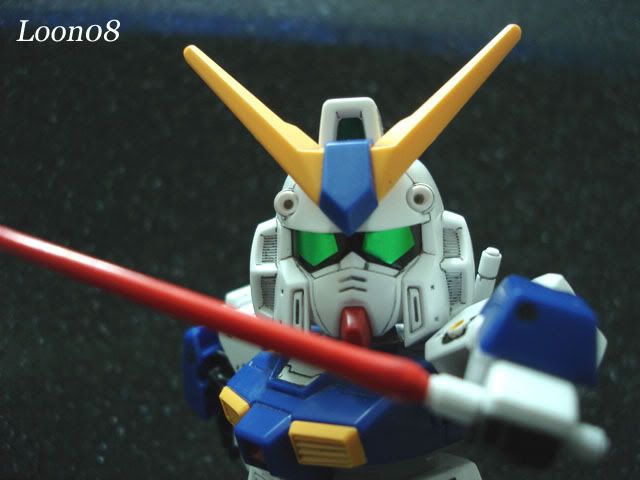
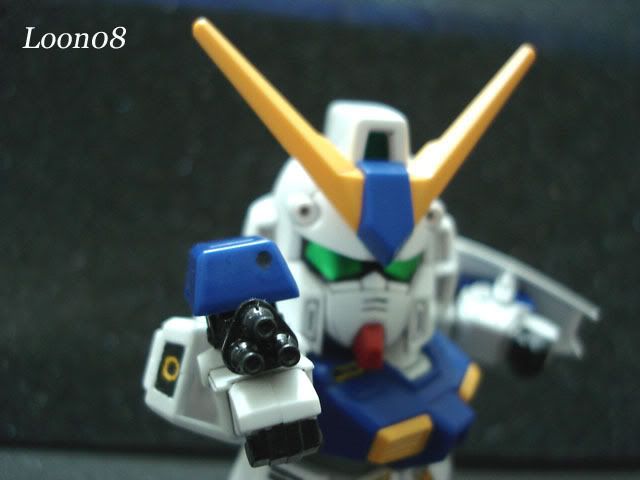
My SD Gundam RX-78NT-1
user posted image

user posted image
raptor_cZn
post Jul 12 2008, 11:02 AM

Regular
******
Senior Member
1,404 posts

Joined: Feb 2006
From: KL


QUOTE(valho @ Jul 12 2008, 02:13 AM)
Use spot, that should give you the most accurate color for the figure itself smile.gif

Fluorescent temperature should be lower than daylight 3-4k i think
Color Temperature
*
Oh, I see smile.gif

But my camera has 2 fluorescent settings. One is the normal fluorescent like you mentioned which should be warmer and will apply a cooling filter since the pictures appear more bluish with my daylight bulbs where else the other one on my camera is Fluorescent H. It is abit warmer than daylight .
TSWolf516
post Jul 21 2008, 05:18 PM

On my way
****
Senior Member
589 posts

Joined: Jul 2007
From: The Reality Known As Hell


There is a technique that involves photoshop where they merge together 2 pictures into one,

this technique is used when you want a focus look on the figure and the background

rclxub.gif but I don't have any idea on how to do it.... since I sucks alot at photoshop laugh.gif
zio
post Jul 21 2008, 06:31 PM

RAWRR!
*******
Senior Member
4,889 posts

Joined: Jan 2005
From: Kelana Jaya


take a shot of the figurine with blank background, another shot of ur background of choice.

Magnetic lasso the figurine, then cut, paste into background.. tada! tongue.gif

Magnectic lasso = best thing since sliced bread tongue.gif

This post has been edited by zio: Jul 21 2008, 06:32 PM
raptor_cZn
post Jul 21 2008, 07:52 PM

Regular
******
Senior Member
1,404 posts

Joined: Feb 2006
From: KL


QUOTE(Wolf516 @ Jul 21 2008, 05:18 PM)
There is a technique that involves photoshop where they merge together 2 pictures into one,

this technique is used when you want a focus look on the figure and the background

rclxub.gif but I don't have any idea on how to do it.... since I sucks alot at photoshop laugh.gif
*
You mean something like this?
http://www.cambridgeincolour.com/technique...th-of-field.htm

QUOTE(zio @ Jul 21 2008, 06:31 PM)
take a shot of the figurine with blank background, another shot of ur background of choice.

Magnetic lasso the figurine, then cut, paste into background.. tada! tongue.gif

Magnectic lasso = best thing since sliced bread tongue.gif
*
Magic wand? It can be in accurate at times if your figures have white shades on it against a white background.
Would be very tedious and troublesome to lasso the thing slowly though. You either have to have a steady hand to use a mouse or a digital stylus.
TSWolf516
post Jul 21 2008, 08:20 PM

On my way
****
Senior Member
589 posts

Joined: Jul 2007
From: The Reality Known As Hell


Guyz!

http://www.lowyat.net/v2/latest/canon-eos-...-consumers.html

what do you think of this rm650 entry-level dslr ?
valho
post Jul 21 2008, 08:26 PM

Look at all my stars!!
*******
Senior Member
4,967 posts

Joined: Jan 2003
From: somewhere, far far away


QUOTE(Wolf516 @ Jul 21 2008, 08:20 PM)
Guyz!

http://www.lowyat.net/v2/latest/canon-eos-...-consumers.html

what do you think of this rm650 entry-level dslr ?
*
the camera RM2400 la, the lens itself is RM650 biggrin.gif
TSWolf516
post Jul 21 2008, 08:52 PM

On my way
****
Senior Member
589 posts

Joined: Jul 2007
From: The Reality Known As Hell


QUOTE(valho @ Jul 21 2008, 08:26 PM)
the camera RM2400 la, the lens itself is RM650 biggrin.gif
*
*vomits blood
Jasonist
post Jul 21 2008, 09:13 PM

Oldfag
******
Senior Member
1,176 posts

Joined: May 2006
From: Memesia


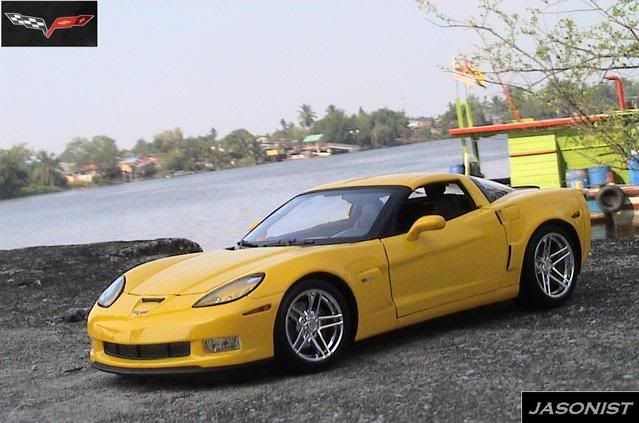
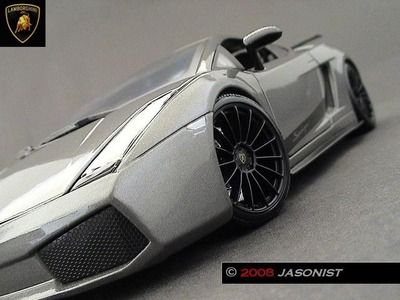
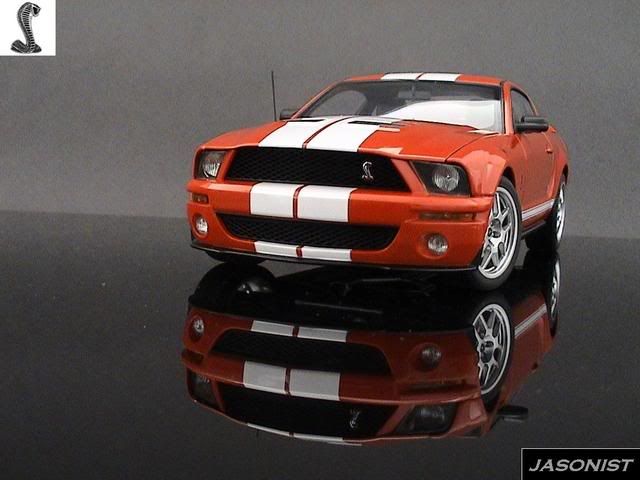
juz found out this thread... seems kinda interesting... i love photoshoot too... on cars... sweat.gif some of my attempts, indoors and outdoors... still practicing from pros out there... smile.gif wat i have gain on knowledge on photoshooting these miniature models are the right focus, lighting (sunlight) and zooming (to avoid reflection of the photographer)... biggrin.gif
user posted image

user posted image

user posted image

user posted image
TSWolf516
post Jul 21 2008, 09:34 PM

On my way
****
Senior Member
589 posts

Joined: Jul 2007
From: The Reality Known As Hell


QUOTE(Jasonist @ Jul 21 2008, 09:13 PM)
juz found out this thread... seems kinda interesting... i love photoshoot too... on cars... sweat.gif some of my attempts, indoors and outdoors... still practicing from pros out there... smile.gif wat i have gain on knowledge on photoshooting these miniature models are the right focus, lighting (sunlight) and zooming (to avoid reflection of the photographer)... biggrin.gif
user posted image

user posted image

user posted image

user posted image
*
For a sec I thought those were real cars........ laugh.gif
raptor_cZn
post Jul 21 2008, 10:20 PM

Regular
******
Senior Member
1,404 posts

Joined: Feb 2006
From: KL


QUOTE(Wolf516 @ Jul 21 2008, 08:52 PM)
*vomits blood
*
Well... don't expect them to come cheap. Entry level DSLRs will at least cost RM 2k. The Sony a200 costs around RM 1.7k if you know where to look but still, that is a lot of money tongue.gif
I would be darn happy to find a DSLR at RM650 ^^
TSWolf516
post Jul 21 2008, 11:16 PM

On my way
****
Senior Member
589 posts

Joined: Jul 2007
From: The Reality Known As Hell


QUOTE(raptor_cZn @ Jul 21 2008, 10:20 PM)
Well... don't expect them to come cheap. Entry level DSLRs will at least cost RM 2k. The Sony a200 costs around RM 1.7k if you know where to look but still, that is a lot of money tongue.gif
I would be darn happy to find a DSLR at RM650 ^^
*
laugh.gif I guess I have to stick around with my crappy camera for awhile~
Last Action Hero
post Jul 26 2008, 09:25 PM

Casual
***
Junior Member
469 posts

Joined: Jan 2003
From: Kuala Lumpur


this is my revoltech saber, take with my friend's nikon camera icon_rolleyes.gif

user posted image
KyoLee
post Jul 28 2008, 06:11 PM

Getting Started
**
Junior Member
117 posts

Joined: Jun 2005
From: My Mom


wakao..nice man..so nice!!! drool.gif
mzshanat
post Jul 29 2008, 07:55 PM

Getting Started
**
Junior Member
65 posts

Joined: Dec 2007
From: Kuching, Sarawak


nice one...

how bout this.. i called it "the making of zeta"

user posted image
user posted image
user posted image
user posted image


This post has been edited by mzshanat: Jul 29 2008, 08:15 PM
edan1979
post Jul 29 2008, 08:09 PM

*GruMpy_MoDe*
*******
Senior Member
5,513 posts

Joined: Jun 2006
From: On Earth.


this show off post shoudl be put in this thread instead...

http://forum.lowyat.net/topic/412850
TSWolf516
post Jul 30 2008, 04:17 PM

On my way
****
Senior Member
589 posts

Joined: Jul 2007
From: The Reality Known As Hell


QUOTE(Last Action Hero @ Jul 26 2008, 09:25 PM)
this is my revoltech saber, take with my friend's nikon camera icon_rolleyes.gif

user posted image
*
hmm.gif did you use photoshop to make the background more blurry?
Doomsday
post Jul 30 2008, 06:07 PM

keluarpattern dupe slayer
*******
Senior Member
2,491 posts

Joined: Dec 2004
From: initrd


QUOTE(Wolf516 @ Jul 21 2008, 11:16 PM)
laugh.gif  I guess I have to stick around with my crappy camera for awhile~
*
Doh, never underestimated crappy camera... skills of photo shooting is 1st, camera comes 2nd
raptor_cZn
post Jul 30 2008, 11:04 PM

Regular
******
Senior Member
1,404 posts

Joined: Feb 2006
From: KL


Looks photoshop-ish for that blur effect surrounding her.
Doomsday
post Jul 30 2008, 11:07 PM

keluarpattern dupe slayer
*******
Senior Member
2,491 posts

Joined: Dec 2004
From: initrd


maybe because he uses 50mm lens? blush.gif
But really looks like photoshop'ed especially the head part brows.gif

This post has been edited by Doomsday: Jul 30 2008, 11:10 PM
Last Action Hero
post Jul 31 2008, 11:12 AM

Casual
***
Junior Member
469 posts

Joined: Jan 2003
From: Kuala Lumpur


QUOTE(Doomsday @ Jul 30 2008, 11:07 PM)
maybe because he uses 50mm lens?  blush.gif
But really looks like photoshop'ed especially the head part  brows.gif
*
ya, 50MM F1.8... laugh.gif
raptor_cZn
post Jul 31 2008, 02:09 PM

Regular
******
Senior Member
1,404 posts

Joined: Feb 2006
From: KL


QUOTE(Doomsday @ Jul 30 2008, 11:07 PM)
maybe because he uses 50mm lens?  blush.gif
But really looks like photoshop'ed especially the head part  brows.gif
*
Yeah, you can see the faint outline there.
Doomsday
post Jul 31 2008, 10:14 PM

keluarpattern dupe slayer
*******
Senior Member
2,491 posts

Joined: Dec 2004
From: initrd


My 1st NECA figure tongue.gif
user posted image

Candid shot tongue.gif
user posted image

Nothing special setting, just EV +2 blush.gif

This post has been edited by Doomsday: Jul 31 2008, 10:16 PM
TSWolf516
post Aug 15 2008, 04:41 PM

On my way
****
Senior Member
589 posts

Joined: Jul 2007
From: The Reality Known As Hell


smile.gif I hope this post will help you guyz enjoy your collection abit more~!

How to make your figures look like artworks

Forgive my crappy skills but I just want to share this with you all smile.gif

1.Open the picture that you take with photoshop to tweak something with it

2.Go to Filter--->Artistic--->Poster Edges

3.Set Edge Thickness and Posterization to max and Edge Intensity 1 will be enough

4.You can set the Edge Thickness to whatever number you want to suit your needs smile.gif

5.After the filter has been done , you will see some vast changes to your pictures

6.For the final touch just use the blur tool to smoothen out the places that you want which in my case is the face and skin parts smile.gif

And here is some example using Akatsuki Mishiro icon_rolleyes.gif

Example 1

user posted image -transformed- user posted image


Example 2

user posted image -transformed- user posted image

z3r0717
post Aug 15 2008, 04:44 PM

Gundam needs to pee too
*******
Senior Member
2,239 posts

Joined: Jun 2006
From: K.L


WOW! that's really nice!
a bit like drawing d.. thumbup.gif
thanks for the tips
MechaHerc
post Aug 16 2008, 11:01 AM

アルファ ソニ
******
Senior Member
1,967 posts

Joined: Jan 2007
From: Side 3


my not so calling props. hehe
just using my room light, some black paper for background, PP just for resize n add my logo only..

user posted image

result..
user posted image

C&C are welcome.. biggrin.gif
humaizyharmy
post Aug 18 2008, 08:54 PM

Getting Started
**
Junior Member
92 posts

Joined: Mar 2007


QUOTE(Wolf516 @ Aug 15 2008, 04:41 PM)
smile.gif  I hope this post will help you guyz enjoy your collection abit more~!

How to make your figures look like artworks

Forgive my crappy skills but I just want to share this with you all  smile.gif

» Click to show Spoiler - click again to hide... «
this is good info for me, bro....
thanx a lot..!!!!
2015315
post Aug 22 2008, 03:00 PM

Getting Started
**
Junior Member
50 posts

Joined: Jan 2003
From: Somewhere
Info Sharing:

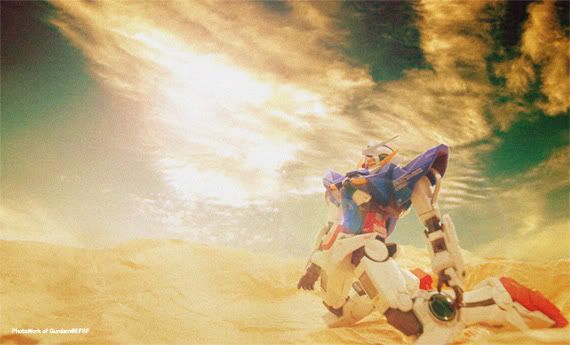
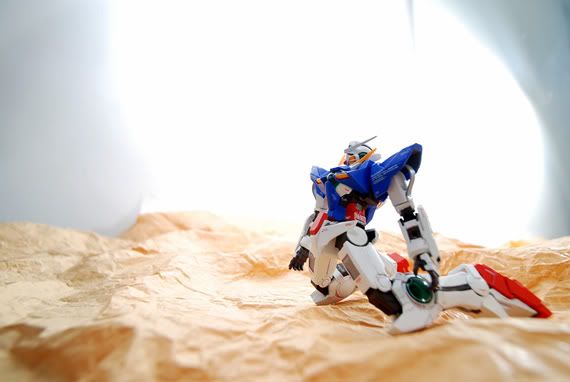
user posted image

user posted image

http://hk.myblog.yahoo.com/gundam_efsf/article?mid=409
iman_210
post Aug 22 2008, 03:25 PM

1.0 bar @ 221WHP
*******
Senior Member
2,684 posts

Joined: Mar 2005
From: Central Region


want add mine...

nikon 50mm f1.8

Attached Image

This post has been edited by iman_210: Aug 22 2008, 03:27 PM
TSWolf516
post Aug 22 2008, 08:51 PM

On my way
****
Senior Member
589 posts

Joined: Jul 2007
From: The Reality Known As Hell


QUOTE(2015315 @ Aug 22 2008, 03:00 PM)
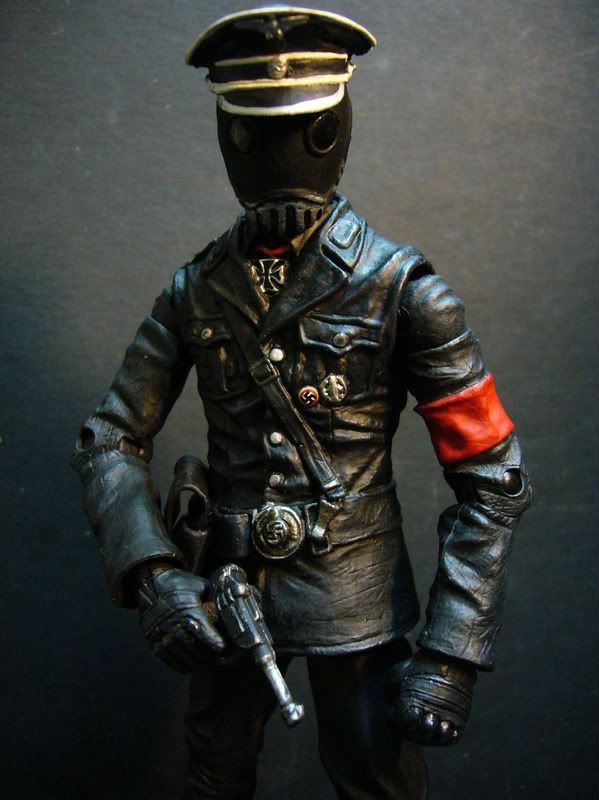
shocking.gif wow~!! this is really very cool.......... using simple objects to make real life backgrounds
UNDICI
post Aug 22 2008, 09:46 PM

New Member
*
Newbie
2 posts

Joined: Mar 2007


@wolf516

thnks a lot for d tip! now i wanna try out lol

some of my recent shots

Panasonic Lumix 6 MP

user posted image
user posted image
user posted image
user posted image
user posted image
user posted image
user posted image
user posted image
user posted image
user posted image

This post has been edited by UNDICI: Aug 22 2008, 09:56 PM
TSWolf516
post Aug 22 2008, 10:05 PM

On my way
****
Senior Member
589 posts

Joined: Jul 2007
From: The Reality Known As Hell


QUOTE(UNDICI @ Aug 22 2008, 09:46 PM)
@wolf516

thnks a lot for d tip! now i wanna try out lol

some of my recent shots

Panasonic Lumix 6 MP

» Click to show Spoiler - click again to hide... «

*
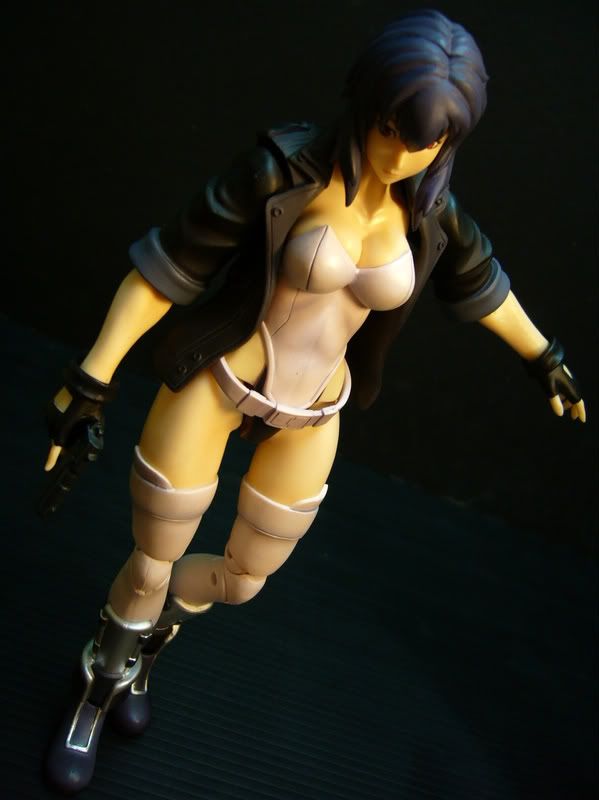
rclxms.gif rclxms.gif very awesome lighting effects... looks real good with those figures

Im amazed at how much detail the gun has despite it being an accessory for the figures laugh.gif

I love ghost in the shell also wub.gif
Helldiver
post Aug 22 2008, 10:38 PM

Casual
***
Junior Member
460 posts

Joined: Aug 2008


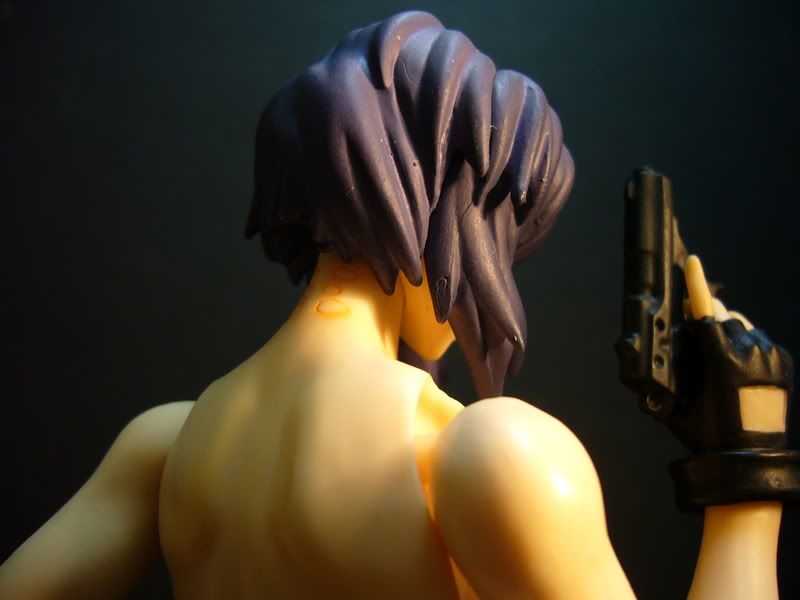
How you guys just focus on the subject only and not the background ? Using DLSR?

I using a Cannon Digital IXUS 55. Is it a good camera?


Also want to ask, how to prevent 'noise' from appearing from the photos? I use my camera take photos, then when I view it at full size, I can see alot of noise. Its not fine. How??? Can camera damage cause this??

Still very new to the photography world. blush.gif
TSWolf516
post Aug 22 2008, 11:28 PM

On my way
****
Senior Member
589 posts

Joined: Jul 2007
From: The Reality Known As Hell


QUOTE(Helldiver @ Aug 22 2008, 10:38 PM)
How you guys just focus on the subject only and not the background ? Using DLSR?

I using a Cannon Digital IXUS 55. Is it a good camera?
Also want to ask, how to prevent 'noise' from appearing from the photos? I use my camera take photos, then when I view it at full size, I can see alot of noise. Its not fine. How??? Can camera damage cause this??

Still very new to the photography world.  blush.gif
*
smile.gif you don't have to use a dslr to take good pictures.... a normal camera would sufficient with the right settings

use macro for shooting , adjust your ISO (the lower the better) depends on the lighting condition to reduce noise
UNDICI
post Aug 22 2008, 11:55 PM

New Member
*
Newbie
2 posts

Joined: Mar 2007


extra2!. yea.. i'm an addict lol

user posted image
user posted image
user posted image
user posted image
user posted image
user posted image
user posted image
user posted image

valho
post Aug 23 2008, 12:07 AM

Look at all my stars!!
*******
Senior Member
4,967 posts

Joined: Jan 2003
From: somewhere, far far away


QUOTE(Helldiver @ Aug 22 2008, 10:38 PM)
How you guys just focus on the subject only and not the background ? Using DLSR?

I using a Cannon Digital IXUS 55. Is it a good camera?
Also want to ask, how to prevent 'noise' from appearing from the photos? I use my camera take photos, then when I view it at full size, I can see alot of noise. Its not fine. How??? Can camera damage cause this??

Still very new to the photography world.  blush.gif
*
for DSLR I use manual focus, which means I adjust the focus manually from the lens

for Point and shoot camera you have no choice but to rely on the auto focus, remember to set it to macro though.
to reduce noise, make sure you have a good amount of light, use low ISO, and also make sure your shutter speed is not too long (long exposure increase noise as well). Point and Shoot camera works well when the lighting is good, so make sure you have that
iman_210
post Aug 23 2008, 12:16 AM

1.0 bar @ 221WHP
*******
Senior Member
2,684 posts

Joined: Mar 2005
From: Central Region


some of my work...

my son's CARS collection...

user posted image

This post has been edited by iman_210: Aug 23 2008, 12:18 AM
raptor_cZn
post Aug 23 2008, 12:20 AM

Regular
******
Senior Member
1,404 posts

Joined: Feb 2006
From: KL


QUOTE(2015315 @ Aug 22 2008, 03:00 PM)
Nice composed picture.

QUOTE(Helldiver @ Aug 22 2008, 10:38 PM)
How you guys just focus on the subject only and not the background ? Using DLSR?

I using a Cannon Digital IXUS 55. Is it a good camera?
Also want to ask, how to prevent 'noise' from appearing from the photos? I use my camera take photos, then when I view it at full size, I can see alot of noise. Its not fine. How??? Can camera damage cause this??

Still very new to the photography world.  blush.gif
*
You can use noise-reducing software to get rid the noise to a certain extent. Though it still costs some $$ for the software (around 20USD) unless you get the *ahem... tongue.gif
Helldiver
post Aug 23 2008, 12:22 AM

Casual
***
Junior Member
460 posts

Joined: Aug 2008


Thanks all for the help, but may I ask how do I adjust the shutter speed?


A great clap to wolf and valho for giving me information. rclxms.gif
iman_210
post Aug 23 2008, 12:28 AM

1.0 bar @ 221WHP
*******
Senior Member
2,684 posts

Joined: Mar 2005
From: Central Region


another 1...

user posted image
raptor_cZn
post Aug 23 2008, 12:38 AM

Regular
******
Senior Member
1,404 posts

Joined: Feb 2006
From: KL


QUOTE(Helldiver @ Aug 23 2008, 12:22 AM)
Thanks all for the help, but may I ask how do I adjust the shutter speed?
A great clap to wolf and valho for giving me information.  rclxms.gif
*
You should be able to adjust it under Tv or M mode.
Tv is shutter priority where you can adjust the shutter speed and the camera will pick the right aperture value for you.
As for manual, you pretty much adjust everything there yourself.
Lower end PnS normally do not have such features.
iman_210
post Aug 23 2008, 12:39 AM

1.0 bar @ 221WHP
*******
Senior Member
2,684 posts

Joined: Mar 2005
From: Central Region


another 1 as well...

user posted image
valho
post Aug 23 2008, 12:48 AM

Look at all my stars!!
*******
Senior Member
4,967 posts

Joined: Jan 2003
From: somewhere, far far away


QUOTE(Helldiver @ Aug 23 2008, 12:22 AM)
Thanks all for the help, but may I ask how do I adjust the shutter speed?
A great clap to wolf and valho for giving me information.  rclxms.gif
*
that will depends on your camera, Canon powershot series allow manual adjustment of shutter speed IINM
the Ixus series I not sure, since the Ixus 850IS that I owned last time doesn't allow shutter speed adjustment
TSWolf516
post Aug 23 2008, 12:38 PM

On my way
****
Senior Member
589 posts

Joined: Jul 2007
From: The Reality Known As Hell


doh.gif I notice that some of you just randomly posting your collection pictures

please refrain yourself from doing that as it will make others think that this is just another show off thread

Please post something informative such as what lighting condition you using, camera settings and etc
Just by posting the picture we wouldn't learn anything from it
Helldiver
post Aug 23 2008, 01:38 PM

Casual
***
Junior Member
460 posts

Joined: Aug 2008


Thanks for the help again!

Yeah, I don't think my IXUS 55 has a shutter speed option.

Thanks again rclxms.gif .

Will try to get some good pictures. rclxms.gif
TSWolf516
post Aug 23 2008, 05:26 PM

On my way
****
Senior Member
589 posts

Joined: Jul 2007
From: The Reality Known As Hell


Camera: Sony T-10

settings , 1 big white manila paper, 2 table lamps , and 1 big mirror for deflection

I've set this one for EV +2 so that it can capture most of the light smile.gif

user posted image
Exiled_Gundam
post Aug 23 2008, 05:34 PM

On my way
****
Senior Member
550 posts

Joined: Jan 2007


Hmm I want to ask how to get "all sharp" close-up pics (meaning nothing get blurred regardless of the distance with the camera)?

This post has been edited by Exiled_Gundam: Aug 23 2008, 05:35 PM
TSWolf516
post Aug 23 2008, 05:36 PM

On my way
****
Senior Member
589 posts

Joined: Jul 2007
From: The Reality Known As Hell


QUOTE(Exiled_Gundam @ Aug 23 2008, 05:34 PM)
Hmm  I want to ask how to get "all sharp" close-up pics (meaning nothing get blurred regardless of the distance with the camera)?
*
blink.gif if you wan to get all sharp photo's ur camera will have to focus basically everything in macro mode laugh.gif which is quite hard to do
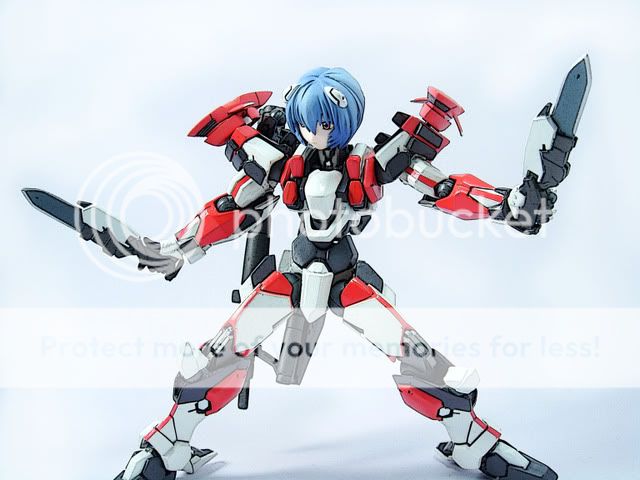

Added on August 23, 2008, 6:38 pm brows.gif another new picture with the artwork transformation

user posted image

This post has been edited by Wolf516: Aug 23 2008, 06:38 PM
raptor_cZn
post Aug 23 2008, 06:56 PM

Regular
******
Senior Member
1,404 posts

Joined: Feb 2006
From: KL


QUOTE(Exiled_Gundam @ Aug 23 2008, 05:34 PM)
Hmm  I want to ask how to get "all sharp" close-up pics (meaning nothing get blurred regardless of the distance with the camera)?
*
All sharp as in the background and the foreground?
To do that you have to increase the aperture value to reduce the 'bokeh' effect (blurring when the area is not in focus)
Set it to something around f5.6 or higher.

This post has been edited by raptor_cZn: Aug 23 2008, 06:57 PM
iman_210
post Aug 23 2008, 08:52 PM

1.0 bar @ 221WHP
*******
Senior Member
2,684 posts

Joined: Mar 2005
From: Central Region


QUOTE(Wolf516 @ Aug 23 2008, 12:38 PM)
doh.gif I notice that some of you just randomly posting your collection pictures

please refrain yourself from doing that as it will make others think that this is just another show off thread

Please post something informative such as what lighting condition you using, camera settings and etc
Just by posting the picture we wouldn't learn anything from it
*
u can check the pics exif from right clicking on it. lighting are usually non existant for most of my shots.
Helldiver
post Aug 25 2008, 05:21 PM

Casual
***
Junior Member
460 posts

Joined: Aug 2008


How do you get results like this? http://www.geocities.jp/hetare_d_max/galle...IC_39_G3G4.html


He has the infinity sweep look and the light don't reflect off the paper... I tried a bit, the only thing I cant get the is the infinity sweep look lol.
valho
post Aug 25 2008, 05:55 PM

Look at all my stars!!
*******
Senior Member
4,967 posts

Joined: Jan 2003
From: somewhere, far far away


QUOTE(Exiled_Gundam @ Aug 23 2008, 05:34 PM)
Hmm  I want to ask how to get "all sharp" close-up pics (meaning nothing get blurred regardless of the distance with the camera)?
*
use smaller aperture, but it'll depends on the type of camera you are using how small you need to go, DSLR probably need to go as much as f/16, a PnS probably f/8 is enough

QUOTE(Helldiver @ Aug 25 2008, 05:21 PM)
How do you get results like this? http://www.geocities.jp/hetare_d_max/galle...IC_39_G3G4.html
He has the infinity sweep look and the light don't reflect off the paper... I tried a bit, the only thing I cant get the is the infinity sweep look lol.
*
uh dun get what you mean, which pic are you refering to ?
pussylover
post Aug 25 2008, 06:55 PM

On my way
****
Senior Member
618 posts

Joined: Jan 2003
From: Sri Damansara


my yet to finish corefighter.... cc is welcomed
user posted image

lens : 50mm at F3.2
ISO : 800
using CS3 to crop the picture
Lighting :using house lighting without flash
temptation1314
post Aug 25 2008, 09:03 PM

Specials : 1,000,000 Spam Post Attack
*******
Senior Member
2,287 posts

Joined: Jun 2007
From: Anno Domini Time Ultra: 1,000,000 Trans Am Attack!
QUOTE(pussylover @ Aug 25 2008, 06:55 PM)
my yet to finish corefighter.... cc is welcomed
user posted image

lens : 50mm at F3.2
ISO : 800
using CS3 to crop the picture
Lighting :using house lighting without flash
*
ISO800??

NOISYYYYYYY at most also use ISO400...
pussylover
post Aug 25 2008, 09:50 PM

On my way
****
Senior Member
618 posts

Joined: Jan 2003
From: Sri Damansara


QUOTE(temptation1314 @ Aug 25 2008, 09:03 PM)
ISO800??

NOISYYYYYYY at most also use ISO400...
*
wut to do... lighting inside the apt is gloomy..
raptor_cZn
post Aug 25 2008, 09:57 PM

Regular
******
Senior Member
1,404 posts

Joined: Feb 2006
From: KL


QUOTE(pussylover @ Aug 25 2008, 09:50 PM)
wut to do... lighting inside the apt is gloomy..
*
Buy some table lamps? laugh.gif
zio
post Aug 25 2008, 11:58 PM

RAWRR!
*******
Senior Member
4,889 posts

Joined: Jan 2005
From: Kelana Jaya


Behold the mighty dwarf warrior, Thargas Anvilmar!!!!!

» Click to show Spoiler - click again to hide... «


These shots were done with a combination of things: the Nikon D40, the Nikkor 105mm VR and the Nikon R1C1 kit.

Shots were taken at ISO200, shutter speed of 1/200 and aperture of f/4.

The flashes were fired from the right-hand side of Encik Anvilmar and also top-left of Encik Anvilmar. One of the shots unfortunately, forgot to put backdrop tongue.gif
temptation1314
post Aug 26 2008, 12:22 AM

Specials : 1,000,000 Spam Post Attack
*******
Senior Member
2,287 posts

Joined: Jun 2007
From: Anno Domini Time Ultra: 1,000,000 Trans Am Attack!
My one no flash, low light somemore

user posted image

Forget shutter speed. F8 and ISO400 if not wrong..

ISO800 is just too noisy.. sweat.gif

Don bother the composition. I just use it as the test of blurred background.

This post has been edited by temptation1314: Aug 26 2008, 12:23 AM
VincC454
post Aug 26 2008, 12:24 AM

...i'm a dreamer
Group Icon
VIP
4,077 posts

Joined: Jan 2003
From: 한국
QUOTE(zio @ Aug 25 2008, 11:58 PM)
Behold the mighty dwarf warrior, Thargas Anvilmar!!!!!

» Click to show Spoiler - click again to hide... «


These shots were done with a combination of things: the Nikon D40, the Nikkor 105mm VR and the Nikon R1C1 kit.

Shots were taken at ISO200, shutter speed of 1/200 and aperture of f/4.

The flashes were fired from the right-hand side of Encik Anvilmar and also top-left of Encik Anvilmar. One of the shots unfortunately, forgot to put backdrop tongue.gif
*
subject already dark color...so next time try to use lighter background...
this one i can only see gold lining and dunno what is that thing also

QUOTE(temptation1314 @ Aug 26 2008, 12:22 AM)
My one no flash, low light somemore

user posted image

Don bother the composition. I just use it as the test of blurred background.
*
background very distracting and also that char almost the same color with that enact
try plain background next time and also the light on the wall seem like something wrong
Helldiver
post Aug 26 2008, 02:32 PM

Casual
***
Junior Member
460 posts

Joined: Aug 2008


Er what I mean is, you see his background (referring to his whole gallery), you can't tell whether the wall is near to you or not, its like an empty space at the back.

aih.. dunno how to explain tongue.gif
valho
post Aug 26 2008, 02:38 PM

Look at all my stars!!
*******
Senior Member
4,967 posts

Joined: Jan 2003
From: somewhere, far far away


QUOTE(Helldiver @ Aug 26 2008, 02:32 PM)
Er what I mean is, you see his background (referring to his whole gallery), you can't tell whether the wall is near to you or not, its like an empty space at the back.

aih.. dunno how to explain  tongue.gif
*
the out of focus background izzit, use bigger aperture to make the background more blurry
to see whether the paper or wall is close, just look at the shadow smile.gif
zio
post Aug 26 2008, 02:58 PM

RAWRR!
*******
Senior Member
4,889 posts

Joined: Jan 2005
From: Kelana Jaya


QUOTE(VincC454 @ Aug 26 2008, 12:24 AM)
subject already dark color...so next time try to use lighter background...
this one i can only see gold lining and dunno what is that thing also
*
Hrmm too dark eh. Was trying to simulate the dark warrior kinda feel. Oh well, back to the drawing board.
temptation1314
post Aug 26 2008, 03:06 PM

Specials : 1,000,000 Spam Post Attack
*******
Senior Member
2,287 posts

Joined: Jun 2007
From: Anno Domini Time Ultra: 1,000,000 Trans Am Attack!
zio... try put green theme as your background and re-shoot. tongue.gif
MechaHerc
post Aug 26 2008, 03:09 PM

アルファ ソニ
******
Senior Member
1,967 posts

Joined: Jan 2007
From: Side 3


QUOTE(zio @ Aug 26 2008, 02:58 PM)
Hrmm too dark eh. Was trying to simulate the dark warrior kinda feel. Oh well, back to the drawing board.
*
i think ur pic is ok, like dark warrior feel.. well u know, batman have a dark costume also but i (i dunno how about u'all tongue.gif) never see his picture with brighter background..
temptation1314
post Aug 26 2008, 03:21 PM

Specials : 1,000,000 Spam Post Attack
*******
Senior Member
2,287 posts

Joined: Jun 2007
From: Anno Domini Time Ultra: 1,000,000 Trans Am Attack!
QUOTE(MechaHerc @ Aug 26 2008, 03:09 PM)
i think ur pic is ok, like dark warrior feel.. well u know, batman have a dark costume also but i (i dunno how about u'all tongue.gif) never see his picture with brighter background..
*
Well, i agree with Vince because the object overblend with the background already...

EDIT : Same like my case lar... Red with red...(Well that pics actually for testing bokeh.. not for anything also.. tongue.gif)

This post has been edited by temptation1314: Aug 26 2008, 03:22 PM
valho
post Aug 26 2008, 03:29 PM

Look at all my stars!!
*******
Senior Member
4,967 posts

Joined: Jan 2003
From: somewhere, far far away


QUOTE(zio @ Aug 26 2008, 02:58 PM)
Hrmm too dark eh. Was trying to simulate the dark warrior kinda feel. Oh well, back to the drawing board.
*
for me just the second pic too dark, his armor blends too much to the bakground, maybe back lit him a bit
third one is ok smile.gif
zio
post Aug 26 2008, 03:45 PM

RAWRR!
*******
Senior Member
4,889 posts

Joined: Jan 2005
From: Kelana Jaya


yeh the second shot is too dark. i agree also. Oh well, maybe try a different background. Never mind, today I try a different model first tongue.gif
TSWolf516
post Aug 26 2008, 05:35 PM

On my way
****
Senior Member
589 posts

Joined: Jul 2007
From: The Reality Known As Hell


Using props in photographing

Well for this 2 pictures I included 2 very simple prop to it to make the figures more lively

props 1 : 1 small food toy
props 2 : brows.gif tissue paper


Props 1
user posted image

Props 2
user posted image

brows.gif using your own creative way of decorating with tissue papers you can create an impact together with the figures

settings: As usual im using macro , EV 1.8 , vivid , sharpness + , daylight , contrast normal , some backdrops bought from gift shops

This post has been edited by Wolf516: Aug 26 2008, 11:02 PM
zio
post Aug 26 2008, 09:38 PM

RAWRR!
*******
Senior Member
4,889 posts

Joined: Jan 2005
From: Kelana Jaya


I am back....TMNT!

» Click to show Spoiler - click again to hide... «


I do notice that Raphael is not as sharp in the group shots. Maybe I should have gone with an aperture higher than f4. What do you think?

@tempt haven't tried the green background with the dwarf yet. Didn't find a green foam mat yet to serve as my backdrop biggrin.gif
valho
post Aug 26 2008, 11:06 PM

Look at all my stars!!
*******
Senior Member
4,967 posts

Joined: Jan 2003
From: somewhere, far far away


macro and micro are both correct terms actually, Nikon call their macro lens as micro lens, Canon uses macro instead smile.gif
temptation1314
post Aug 26 2008, 11:07 PM

Specials : 1,000,000 Spam Post Attack
*******
Senior Member
2,287 posts

Joined: Jun 2007
From: Anno Domini Time Ultra: 1,000,000 Trans Am Attack!
QUOTE(zio @ Aug 26 2008, 09:38 PM)
I am back....TMNT!

» Click to show Spoiler - click again to hide... «


I do notice that Raphael is not as sharp in the group shots. Maybe I should have gone with an aperture higher than f4. What do you think?

@tempt haven't tried the green background with the dwarf yet. Didn't find a green foam mat yet to serve as my backdrop biggrin.gif
*
tongue.gif i suggest green coz ur dwarf is black.
Something like dwarf in the forest theme lor.. tongue.gif I think will blend well gwa...
VincC454
post Aug 26 2008, 11:26 PM

...i'm a dreamer
Group Icon
VIP
4,077 posts

Joined: Jan 2003
From: 한국
zio
you ninja turtle pic

1. is under
2. flash to harsh but composition is nice..cause you include everything inside and no chop
3. lamp post and stand chop again
4.this one nice...but it will be better if you compose it abit higher...cause u leave space alot on the head
zio
post Aug 27 2008, 04:41 PM

RAWRR!
*******
Senior Member
4,889 posts

Joined: Jan 2005
From: Kelana Jaya


QUOTE(VincC454 @ Aug 26 2008, 11:26 PM)
zio
you ninja turtle pic

1. is under
2. flash to harsh but composition is nice..cause you include everything inside and no chop
3. lamp post and stand chop again
4.this one nice...but it will be better if you compose it abit higher...cause u leave space alot on the head
*
Alright boss! Shall experiment more! smile.gif Maybe tonight go shoot Yotsuba.
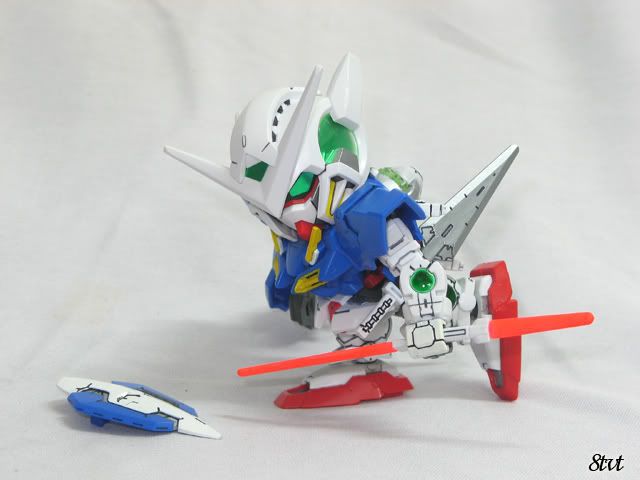
8tvt
post Aug 30 2008, 12:17 AM

Peace Lover
*******
Senior Member
8,753 posts

Joined: Jan 2003
is this ok? it's PnS..

Camera : Canon A700
F-stop : f/4.5
Exposure time : 1/2 sec.
ISO : 100
Focal Length : 12mm
Aperture : 3.625

user posted image

how to make the background blur?
valho
post Aug 30 2008, 12:19 AM

Look at all my stars!!
*******
Senior Member
4,967 posts

Joined: Jan 2003
From: somewhere, far far away


QUOTE(8tvt @ Aug 30 2008, 12:17 AM)
is this ok? it's PnS..

Camera : Canon A700
F-stop : f/4.5
Exposure time : 1/2 sec.
ISO : 100
Focal Length : 12mm
Aperture : 3.625

user posted image

how to make the background blur?
*
it's hard to make bg blur with PnS due to the small sensor size, you either have to shoot very close, or the bg is further away
8tvt
post Aug 30 2008, 12:24 AM

Peace Lover
*******
Senior Member
8,753 posts

Joined: Jan 2003
if too close cannot focus all..
how far should place the bg?

i only took the pic with the help of ceiling pendaflour, macro mode n a little flash..
edwardgsk
post Dec 9 2008, 11:01 PM

I believe I can fly
*******
Senior Member
2,966 posts

Joined: Apr 2008
From: Macross Galaxy


A photograph taken with my K800i... Still can't fully get a clear picture.
Always got noise problem.

user posted image

Anyone has idea how to overcome it?
temptation1314
post Dec 9 2008, 11:04 PM

Specials : 1,000,000 Spam Post Attack
*******
Senior Member
2,287 posts

Joined: Jun 2007
From: Anno Domini Time Ultra: 1,000,000 Trans Am Attack!
K800i?

Macro function?? Lights??
edwardgsk
post Dec 9 2008, 11:06 PM

I believe I can fly
*******
Senior Member
2,966 posts

Joined: Apr 2008
From: Macross Galaxy


Twilight portrait mode.. no macro... light source from fluoresence lamp...
temptation1314
post Dec 9 2008, 11:09 PM

Specials : 1,000,000 Spam Post Attack
*******
Senior Member
2,287 posts

Joined: Jun 2007
From: Anno Domini Time Ultra: 1,000,000 Trans Am Attack!
try use auto mode

then use macro mode

and compare them. Never ever use flash. It's better to have another source of lights from the front. (60-degree)

And it's not really noise problem.. ur picture just blur...
edwardgsk
post Dec 9 2008, 11:10 PM

I believe I can fly
*******
Senior Member
2,966 posts

Joined: Apr 2008
From: Macross Galaxy


Wait for a few minutes, I retry again... brb

Back with 3 more pictures...

As tempt you said, Auto mode, Macro mode + light source from front....
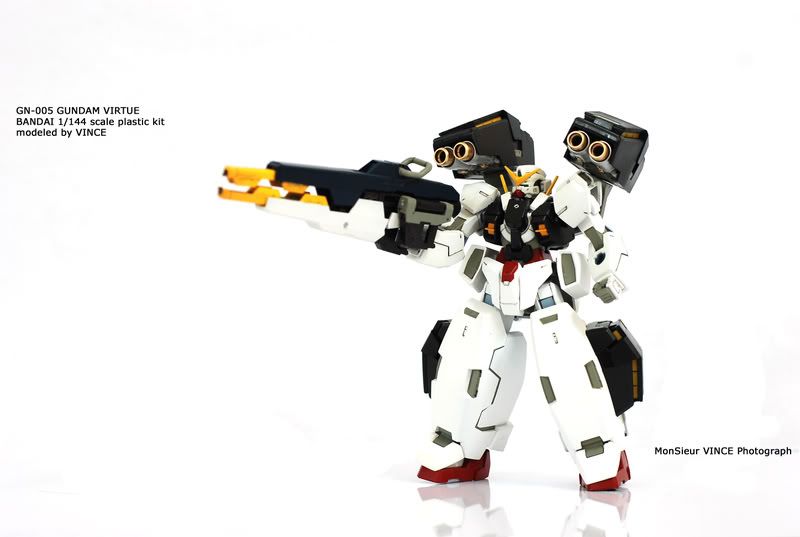
Light exposure + 0.7 (little overbright)
user posted image

Light exposure + 0.3 (blur)
user posted image

Light exposure + 0.0 (most satisfied so far)
user posted image


Added on December 9, 2008, 11:37 pmStill can see noise in the picture doh.gif

This post has been edited by edwardgsk: Dec 9 2008, 11:37 PM
VincC454
post Dec 9 2008, 11:52 PM

...i'm a dreamer
Group Icon
VIP
4,077 posts

Joined: Jan 2003
From: 한국
go get decent point and shoot la

k800i you do what also still noisy one la..its past 2 years old punya phone generation doh.gif
temptation1314
post Dec 10 2008, 12:07 AM

Specials : 1,000,000 Spam Post Attack
*******
Senior Member
2,287 posts

Joined: Jun 2007
From: Anno Domini Time Ultra: 1,000,000 Trans Am Attack!
DSLR Rulez... tongue.gif

user posted image
edwardgsk
post Dec 10 2008, 01:13 AM

I believe I can fly
*******
Senior Member
2,966 posts

Joined: Apr 2008
From: Macross Galaxy


Competitor coming up!! K800i! tongue.gif

user posted image
VincC454
post Dec 10 2008, 08:45 AM

...i'm a dreamer
Group Icon
VIP
4,077 posts

Joined: Jan 2003
From: 한국
^ still can improve

lose those line at the back
and dont chop the mic stand la

if want to use mirror as a base...then dont use the figure stand anymore...your reflection will be half like the one in your picture doh.gif
Nightstalker1993
post Dec 10 2008, 11:40 AM

M� �R�|�
*******
Senior Member
8,930 posts

Joined: Nov 2005
From: Subang Jaya


went to Penang a couple of weeks ago and visited the Toy Museum...

some of the *better* pics that i shot lol...

used a very, very old PNS, Nikon Coolpix 3700 sweat.gif

user posted image
user posted image
user posted image

don't own any figures so go to toy museum and use those instead laugh.gif

note again that these photos are taken behind a transparent plastic window which is damn annoying as it causes glare doh.gif

and these images are edited if i remembered correctly lol...

played around with the sharpness filter and also exposure and colour balance hehe...

camera getting somewhat sucky lol...

This post has been edited by Nightstalker1993: Dec 10 2008, 11:42 AM
Seaedge
post Dec 10 2008, 07:03 PM

Safe Trader since 2005.
*******
Senior Member
5,172 posts

Joined: Jan 2003
From: Equine Park


user posted image

user posted image

how abt mine? CnC appreciated..
edwardgsk
post Dec 10 2008, 07:08 PM

I believe I can fly
*******
Senior Member
2,966 posts

Joined: Apr 2008
From: Macross Galaxy


1st picture ok tongue.gif ... 2nd picture blur already sad.gif
Seaedge
post Dec 10 2008, 07:12 PM

Safe Trader since 2005.
*******
Senior Member
5,172 posts

Joined: Jan 2003
From: Equine Park


2nd pictar play with PS too much.. lol!
SUSadvocado
post Dec 10 2008, 07:47 PM

Look at all my stars!!
*******
Senior Member
2,948 posts

Joined: Jun 2007
Guys please share some tips in making professional like backdrops.

How to shoot pictures like those Bandai Chogokin shots? Possible to have reflection on the floor?
edwardgsk
post Dec 11 2008, 12:37 AM

I believe I can fly
*******
Senior Member
2,966 posts

Joined: Apr 2008
From: Macross Galaxy


New picture taken...

K800i again...

user posted image
VincC454
post Dec 11 2008, 02:57 PM

...i'm a dreamer
Group Icon
VIP
4,077 posts

Joined: Jan 2003
From: 한국
QUOTE(advocado @ Dec 10 2008, 07:47 PM)
Guys please share some tips in making professional like backdrops.

How to shoot pictures like those Bandai Chogokin shots? Possible to have reflection on the floor?
*
if want to get this kind of reflect...just use those writing whiteboard
user posted image
SUSadvocado
post Dec 11 2008, 08:08 PM

Look at all my stars!!
*******
Senior Member
2,948 posts

Joined: Jun 2007
QUOTE(VincC454 @ Dec 11 2008, 02:57 PM)
if want to get this kind of reflect...just use those writing whiteboard
user posted image
*
Really nice! How did you manage to do the backdrop to make the line between bottom and behind disappear?

Also if want Black bottom reflection (like Bandai Chogokin shots) or the blurry reflection edward did few shots back how?

Some figures need dark background some look better in light ones. The blurry reflection gives abit of "rainy" effects.


Also what camera you used for the shot?

This post has been edited by advocado: Dec 11 2008, 08:09 PM
TSWolf516
post Jan 4 2009, 10:25 PM

On my way
****
Senior Member
589 posts

Joined: Jul 2007
From: The Reality Known As Hell


smile.gif a picture of my newly acquired shiki... thumbup.gif one of the coolest pvc so far in my collection wub.gif

I find she suits very well with this blood background that I made.... and I give it a shot~

Camera:PnS sony T-10
Props : The bg , 2 table lights , white cardboard
settings : 7m , Macro on , no flash , daylight white balance , iso 80 ,etc etc...

user posted image
faizzaki
post Mar 15 2009, 05:34 PM

New Member
*
Junior Member
39 posts

Joined: Mar 2009
From: Kuala Lumpur


hello guys,

this is my 1st attempt on product shot using strobe set.

the settings
user posted image

the output
user posted image

Camera: Canon EOS 400D Digital
Exposure: 0.006 sec (1/160)
Aperture: f/18.0
Focal Length: 205 mm
ISO Speed: 100

please comment.


Change to:
| Lo-Fi Version
0.0735sec    1.19    6 queries    GZIP Disabled
Time is now: 16th December 2025 - 11:09 AM