Already placed in the order, awaiting them to ship the "Fella" to me.. hahaha...
Your calibration so high tech, I don't have such device to perform this

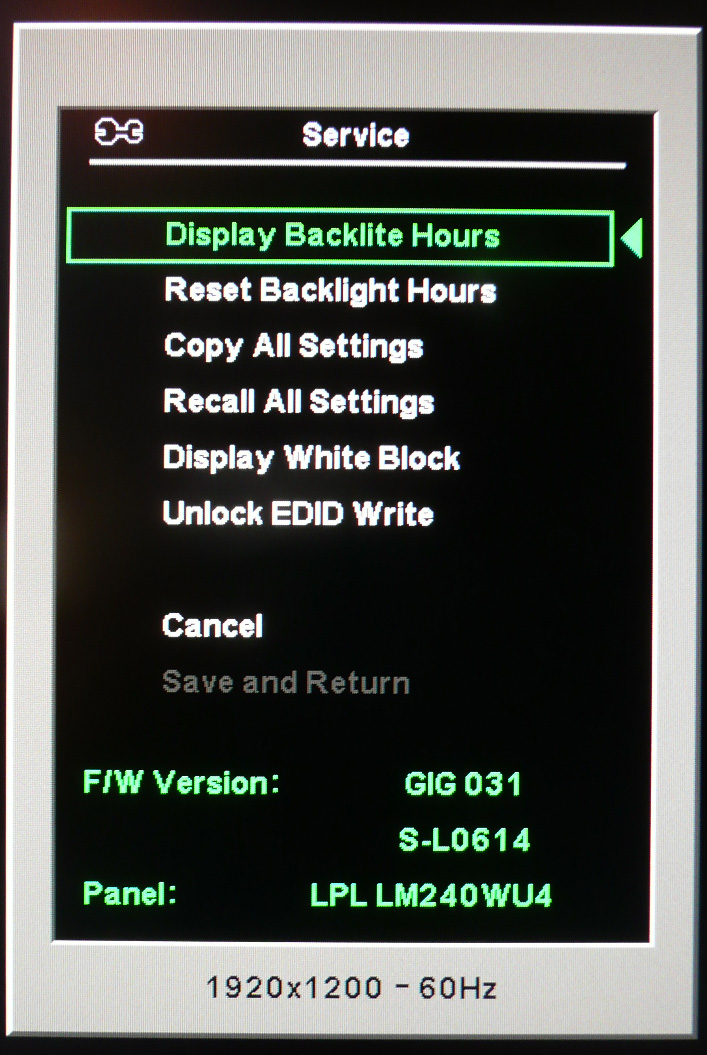
When you get your monitor, press and hold the menu button and then press to turn on the monitor, when your screen displays let go of menu button. You now have access to the service option. Post what your firmware is.
Well i helped someone and they copied my RGB and brightness. They said it improved their color so it's better than nothing
This is my profile i had uploaded to rapidshare followed by the rgb and brightness setting i had put for it.
ITS HERE I GOT IT !!! SETTING IT UP NOW

WILL POST PICTURES SOON!
My first views.
Opening package its all neat inside and surprisingly lots of cables all well protected
HDMI to HDMI, DVI to DVI, DVI to Analog, Display port to Display port cable

Besides that there is the monitor, the stand and the installation disc.
Popping the monitor onto the stand was easy. It clicked into place. Removing it is easy also, you just flip the switch at the back and you can take it out :] My Dell 2405FPW has no such thing, which makes me appreciate this more especially if i want to install onto a vesa mounting later on
My impressions of the stand compared to the Dell 2405FPW was that it wasn't as big as i had thought it would be. Compared to my Dell 2405 yes the base takes more space but nothing serious.
To adjust height you push down on the monitor from above lightly, then press the button at the front of the base to lift it up. It's very easy to do
no issues there.
Plugged in dvi to dvi cable, and the monitor fired up and auto detected the inputs :cool:
I noticed the colors looked more colorful instantly :eek: It is bright but to me not eye burning bright, but i may need to calibrate it in 30 minutes anyway
Will update soon once i play with it more

*testing in Counter Strike 1.6
*update:
Ok playing this in counter strike has no ghosting or lag issues. Who said you needed a Tn panel only for gaming
I got the best of both worlds.
*calibration
Waited 30 minutes then used x-rite Eye One Display 2 to calibrate with Eye Match software. I didn't use the provided hp assistant calibration tool since i have no idea what to do with it unless someone want to give some tips
target:
D65
2.2 gamma
120
So anyway reset to factory. Then checked contrast, it was ok by default, next was RGB.
R = 242
G =221
B = 255
Brightness = 2
I used basIIColor to verify the final result as shown in the screenshot. Contrast isn't the full 1000, i wonder if it can be improved any thoughts ? :confused:

Hm i don't see any grain by the way, someone asked this earlier :cool:
reviewing 1080P movie Ultra Violet encoded using H264 MKV.
According to phil, it didn't give an exact calibration which was as expected but it did improve some parts for him.
Unfortunately not, our ambient light conditions must be very different, but thank you very much for posting it, the RGB values alone tone down the reds and greens to an acceptable level.
This however has made me speed up my purchase of an Eye One Display, will probably order sometime next week (when my supplier of choice should have them back in stock).


 Sep 6 2008, 12:57 AM


 Quote
Quote




 0.0726sec
 0.85
0.85
 7 queries
 GZIP Disabled