

 Jul 24 2008, 02:38 PM


some say longer HDMI cable will affect the PQ...... i think should be better if using good quality 1.5m v1.3 HDMI cable,place the dvd player/amplifier not too far from ur pj. I myself place the pj above the dvd player and a longer 7m coxial cable from dvd player to amplifier as my old Denon dun support HDMI input.
For me,to take the screen shoot,placing the camera on a tripod is a must.Use timer mode if u dun hv a remote to trigger it.ISO set to smaller better,less noise,mine is 100.Set the camera to "manual" or "AV" mode.Aperture F5.6-8 should be fine.Pause the movie (this is critical cos if not,the slow speed will get blur pic if there's movement on screen).Adjust the EV to 1/3 or 2/3 lower to avoid over exposed.Snap a pic and preview it to see if it's over exposed,prefer to view from camera's histogram.
Above setting is just for reference,below pic is what i get last night,actually just to post some pics of the pj with RPTV on the side in another thread,could be better if do more test. On the right is amplifier,pj place behind and about 3 ft above the sofa.DVD title is "Meet The Robinson",durian D9 copy @720p.
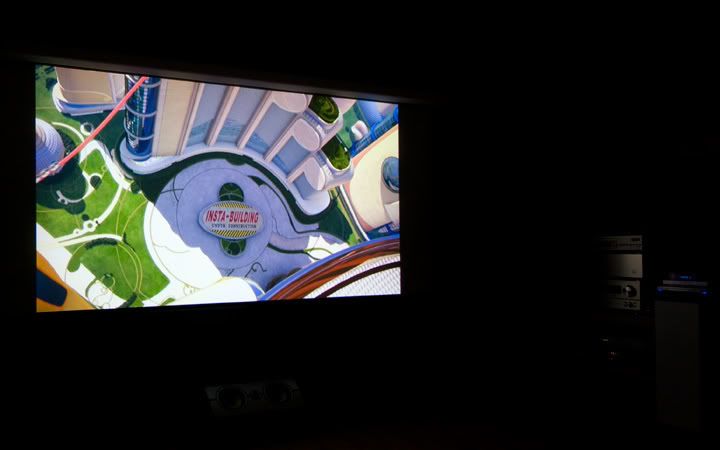
may try some proper "square" pics if u guys are interested.

This post has been edited by myqd: Jul 24 2008, 05:30 PM
 Quote
Quote




 0.0326sec
 0.66
0.66
 7 queries
 GZIP Disabled