

add me..but what are we going to talk in here?
Home Theatre Optoma HD65 Kakis, technical, tweaking, screenshot.........
Home Theatre Optoma HD65 Kakis, technical, tweaking, screenshot.........
|
|
 Jun 5 2008, 03:23 PM Jun 5 2008, 03:23 PM
Return to original view | Post
#1
|
 
Senior Member
4,256 posts Joined: Jan 2005 
|
add me..but what are we going to talk in here?
|
|
|
|
|
|
Jun 6 2008, 09:53 AM
Return to original view | Post
#2
|
|
Senior Member
4,256 posts Joined: Jan 2005
|
great, hope to see different setting.
|
|
|
Jun 26 2008, 11:34 AM
Return to original view | Post
#3
|
|
Senior Member
4,256 posts Joined: Jan 2005
|
wow! we have the first female owning hd65? welcome to the group. hope to see more picture of your setup.
|
|
|
Jun 26 2008, 11:37 AM
Return to original view | Post
#4
|
|
Senior Member
4,256 posts Joined: Jan 2005
|
QUOTE(mys_terious @ Jun 25 2008, 08:38 AM) i am using avia disc with 78h.. adjusting the sharpness to max or min doesnt change the test pattern at all.. strange i use the DVE (Digital Video Essential) i face the same problem too. it does not change. HTKaki. is this true? |
|
|
Jun 27 2008, 12:21 PM
Return to original view | Post
#5
|
|
Senior Member
4,256 posts Joined: Jan 2005
|
QUOTE(megatron007 @ Jun 26 2008, 12:01 PM) DVE via PS3?? yup! im using the blu ray. any problem? |
|
|
Jun 28 2008, 09:08 PM
Return to original view | Post
#6
|
|
Senior Member
4,256 posts Joined: Jan 2005
|
bro, i like to visit your place..
like to test your sound system. the sunlight on top is a turn off. can u block it with something. i think i have a solution for u. by the way, i have this trouble calibrating for the right colour and contrast. Due to the DVD and PS3 im using. i kept going forward and backward adjusting the colour , brightness and contrast. My question is whether i should use the DVD remote control to calibrate or use the projector remote control? or both? if use projector remote to calibrate the,colour and contrast , the dvd picture quality may have to calibrate again. Is there a Saving for different customization in the PRojector> This post has been edited by hackwire: Jun 28 2008, 09:12 PM |
|
|
|
|
|
Jun 28 2008, 11:30 PM
Return to original view | Post
#7
|
|
Senior Member
4,256 posts Joined: Jan 2005
|
QUOTE(htkaki @ Jun 28 2008, 10:17 PM) Hehe.... yeah... as funny as ever. Thanks bro. The default setting is quite good. Wat is the THX calibration u mentioned about earlier? The rez is 640 x 352. I didnt expect it to look that 'decent' on my HD65  Bro, cant seal it off due to HM issue  Have to live with it. Have to live with it.I use the DVDP and PS3 to adjust now as there is only 1 user setting in HD65. Then again, the default setting of HD65 is quite good. Only thing is you need to adjust the brightness according to your ambient light. Just back from dinner. Not going to take screenshots tonight. Maybe tomorrow. By the way, the Superwide function is not meant for 16:9 screen right. so its no point to use it , right? |
|
|
Jun 30 2008, 10:45 AM
Return to original view | Post
#8
|
|
Senior Member
4,256 posts Joined: Jan 2005
|
those pics were blu ray right?
|
|
|
Jun 30 2008, 11:24 PM
Return to original view | Post
#9
|
|
Senior Member
4,256 posts Joined: Jan 2005
|
QUOTE(htkaki @ Jun 30 2008, 10:33 PM) I do hope to see more shots on your HD65 setting. Pls also elaborate briefly on your room environment too. is there an accurate setting for camera aperture and speed that im suppose to shoot for a darker room. its pointless to take photo that cannot create the actual scene colour .i thought i read somewhere in AVS b4, need to find first. i think different ambient light have different camera setting. |
|
|
Jul 2 2008, 06:35 PM
Return to original view | Post
#10
|
|
Senior Member
4,256 posts Joined: Jan 2005
|
too bad, should have known this before buying the screen for superwide. mine is only 16:9
by the way, someone did mentioned that HD65 can save different profiles for the different sources. where the hell is this found in the Menu , i can't find it. Do u guys see any different in Image AI. I dont think the accuracy of the photo can be similar to the projection video colour. A lot depend on which camera also. try using Lomo camera , hehe... hybrid colour some more. Good camera and perfect setting make good production than a few hundred dollars compact camera. i guess not waste time comparing it . last time people were saying fuji is greener than kodak. I guess there must be a discussion on different camera brand as well . What we can do is make arrangement with ourselves and have a tour to compare the exact projection colour. This post has been edited by hackwire: Jul 2 2008, 06:41 PM |
|
|
Jul 4 2008, 10:48 PM
Return to original view | Post
#11
|
|
Senior Member
4,256 posts Joined: Jan 2005
|
QUOTE(rx330 @ Jul 3 2008, 11:51 AM) i dun see difference in AI on i think its a slight difference only.I have adjusted the PS3 HDMI Video setting to 720p due to too much noise in the 1080p. What do u guys saw? |
|
|
Jul 6 2008, 06:07 PM
Return to original view | Post
#12
|
|
Senior Member
4,256 posts Joined: Jan 2005
|
u can try The Host.
HD65 supports either 720p or 1080I , our projector is not FullHD 1080p but Full HD 1080I - Interlaced. So thats why i set to 720p much more smoother. If u set to 1080p, more grains will be noticeable . This post has been edited by hackwire: Jul 6 2008, 06:07 PM |
|
|
Jul 7 2008, 11:53 PM
Return to original view | Post
#13
|
|
Senior Member
4,256 posts Joined: Jan 2005
|
QUOTE(megatron007 @ Jul 6 2008, 11:15 PM) Bro hackwire .. Are you sure Optoma does the downscaling job?wat movie u compared?? I rather let PS3 send the native 1080p24 to HD65 n let HD65 does the downscaling job Added on July 6, 2008, 11:16 pm glad to hear tat man  so got ur FOC replacement liao? so got ur FOC replacement liao?I noticed the HDMI still read the same 1080p on the blue display. I think it failed to downscale. It would have been either 1080i to be accurate. That's the reason i go for 720p for the Native Precision. Just watched Celine Dion, it was awesome. Planning to get Mariah Carey. This post has been edited by hackwire: Jul 7 2008, 11:54 PM |
|
|
|
|
|
Jul 9 2008, 09:42 AM
Return to original view | Post
#14
|
|
Senior Member
4,256 posts Joined: Jan 2005
|
QUOTE(htkaki @ Jul 8 2008, 10:50 PM) Some shot taken using IS080 on tripod. Cheapo digicam Ixus80IS. Manual setting with timer. Not very nice. Maybe need to use DSLR that's wat i mentioned before. Different camera has different reproduction. We cannot judge the quality of the pic with cameras. It looks like recording for pirated movies..haha.!!Black Hawk Down 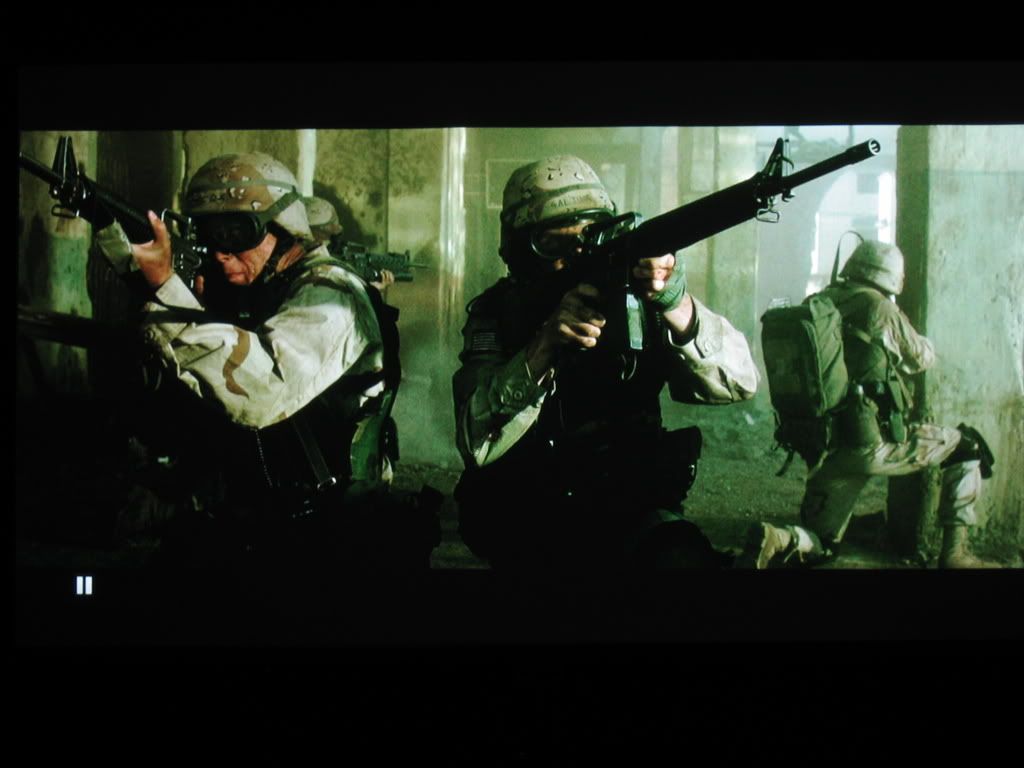 300 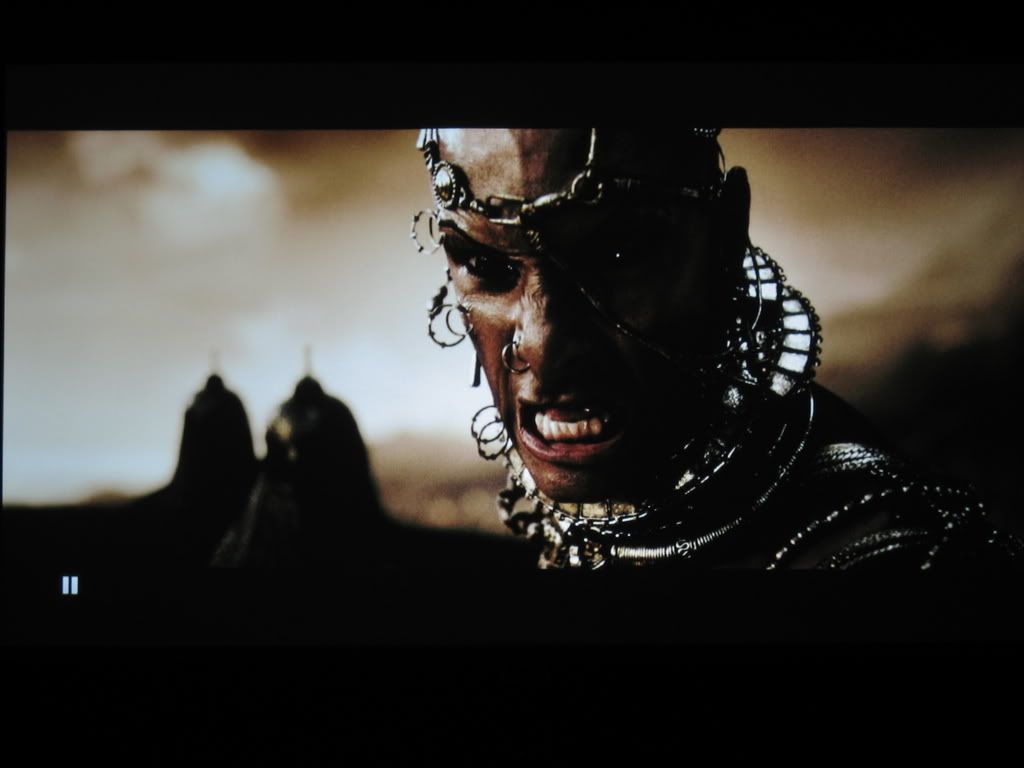 Room : Darkened (Night time) |
|
|
Jul 23 2008, 05:20 PM
Return to original view | Post
#15
|
|
Senior Member
4,256 posts Joined: Jan 2005
|
rx3, can i pijak something!
i think the wire thru the carpet really something but it does save cost for the hdmi cable. nice colour u combined. great work for how much everything? This post has been edited by hackwire: Jul 23 2008, 05:20 PM |
|
|
Feb 11 2009, 07:19 PM
Return to original view | Post
#16
|
|
Senior Member
4,256 posts Joined: Jan 2005
|
long time never check this thread. what's the latest discovery.
Added on February 11, 2009, 7:23 pmwho has the best projector setup? want to compare the difference abit. This post has been edited by hackwire: Feb 11 2009, 07:23 PM |
|
|
Feb 12 2009, 12:09 AM
Return to original view | Post
#17
|
|
Senior Member
4,256 posts Joined: Jan 2005
|
wat u found?
|
|
|
Feb 12 2009, 05:37 PM
Return to original view | Post
#18
|
|
Senior Member
4,256 posts Joined: Jan 2005
|
and dLP chip some more. usually DLP projector all cost above RM 7k above when i still daydreaming of this.
|
|
|
Apr 13 2009, 11:22 AM
Return to original view | Post
#19
|
|
Senior Member
4,256 posts Joined: Jan 2005
|
i manage to get some good picture quality last night using my naked eye on optoma.
but different screen will have different setting. so it's impossible to share what i have did on the setting right? anyway, what i did to mine was really shifted the bar for Red colour to -ve for both since Red is so dominant .. most of the skin colour was so red Also moved the contrast down as somehow i feel the optoma contrast is very strong. next, i making sure that my White Colour Balance is still white not blue or red by using my HD definition Blu Ray disc to figure out. U be amaze that the colour is undertone now but due to lower contrast , the brightness is dead. How to check this? I use the Transformer Blu Ray and fast forward to the Scorpion attack at the DEssert. U willl see most of this guys in silhouette due to the sun behind them. this is where i brighten up the screen as much as i can , these guys pop up and the screen looks brighter too. Not finish yet.. the icing has yet to come. All these settings is to get the right colours out and brighten things up. In the end, the best part is to increase this accurate colours hue to look more cinematic and nice by increasing the bar all the way for VIVID and BRILLIANT COLOUR in Optoma. Also us Image AI . U be surprise how good it look after that. This is temporarily , if you have calibration tool, by all means go for it. otherwise use your judgement. Will post the image soon. This post has been edited by hackwire: Apr 13 2009, 11:26 AM |
|
|
Apr 13 2009, 07:15 PM
Return to original view | Post
#20
|
|
Senior Member
4,256 posts Joined: Jan 2005
|
the 2nd spoiler is the indication of too much red in the skin tone.. that's what i hightlighted b4.. that part really need to tone down for correct skin tone. the face has that red magenta which i emphasize earlier.
magenta and red colour is a different hue.. so u want red colour to be red in colour and not magenta which have some purplish colour in the red. Added on April 13, 2009, 9:24 pmOk i think my camera cannot take an accurate pic or i don't know the right method to do it. it look greenish in the photo. Picture 1- The picture in 1080p , the picture is not processed like other film did so u physically connect with right skin tone. Picture 1 is a photography failure, it shouldn't look so green. anyway, i just show u guys this photo mistake.  Picture2 -  Picture 3- zoom in to check the detail  Picture 4 All the soldiers should be noticeable. Over Contrast will push their detail with shades and shadow. We want to add brightness to it .  This is just an amateur assumption but let's see after anfield makes my day soon with his calibration tool. This post has been edited by hackwire: Apr 13 2009, 09:26 PM |
| Change to: |  0.0427sec 0.0427sec
 0.82 0.82
 7 queries 7 queries
 GZIP Disabled GZIP Disabled
Time is now: 5th December 2025 - 12:17 PM |
 Quote
Quote