Welcome Guest ( Log In | Register )

Outline · [ Standard ] · Linear+

 [Review and Detailed Testing] Auras Fridge, Results is up!!!!

views
     
TSsup3rfly
post May 25 2008, 12:22 PM, updated 18y ago

Techno Slave
******
Senior Member
1,561 posts

Joined: Jan 2003
From: 秋葉原電気街


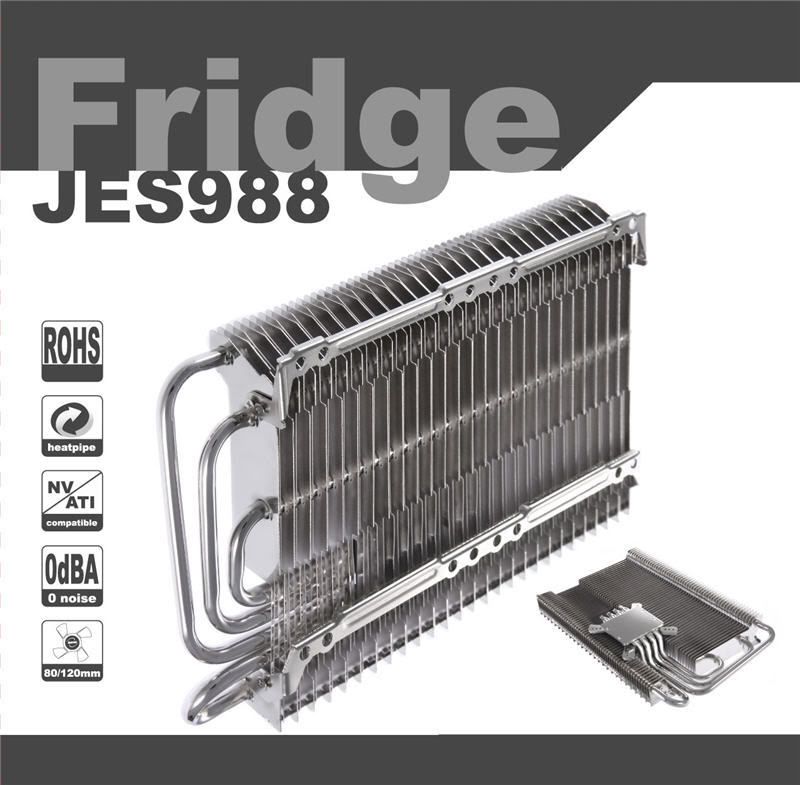
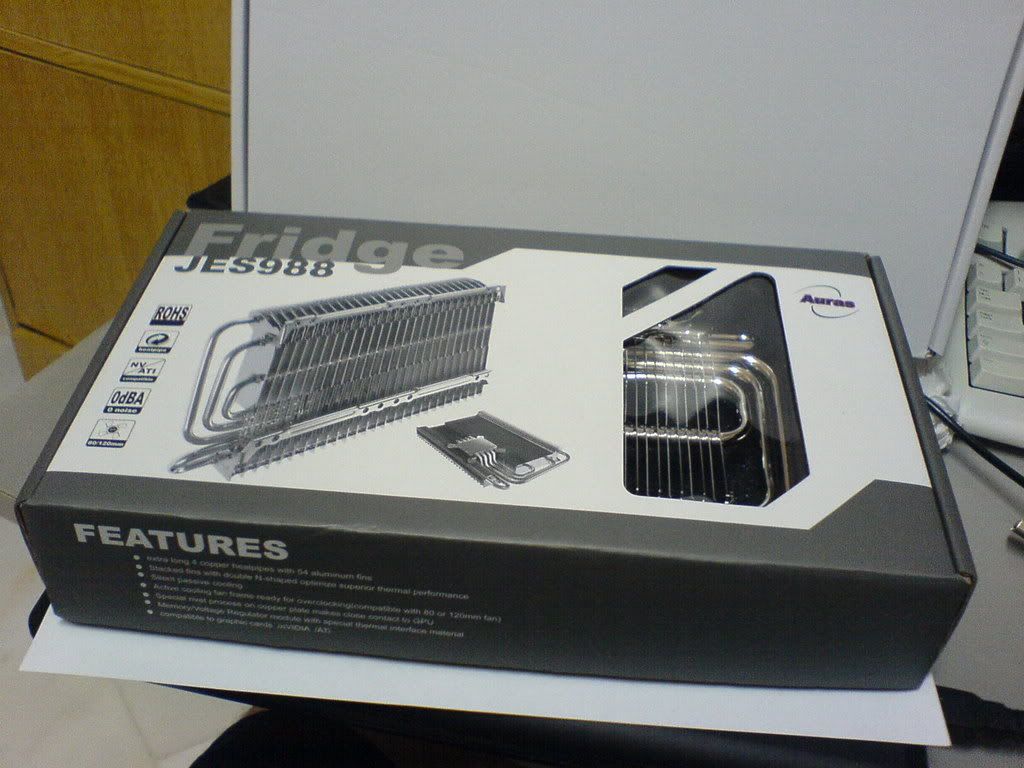
***Auras Fridge JES-988***

user posted image

Introductions
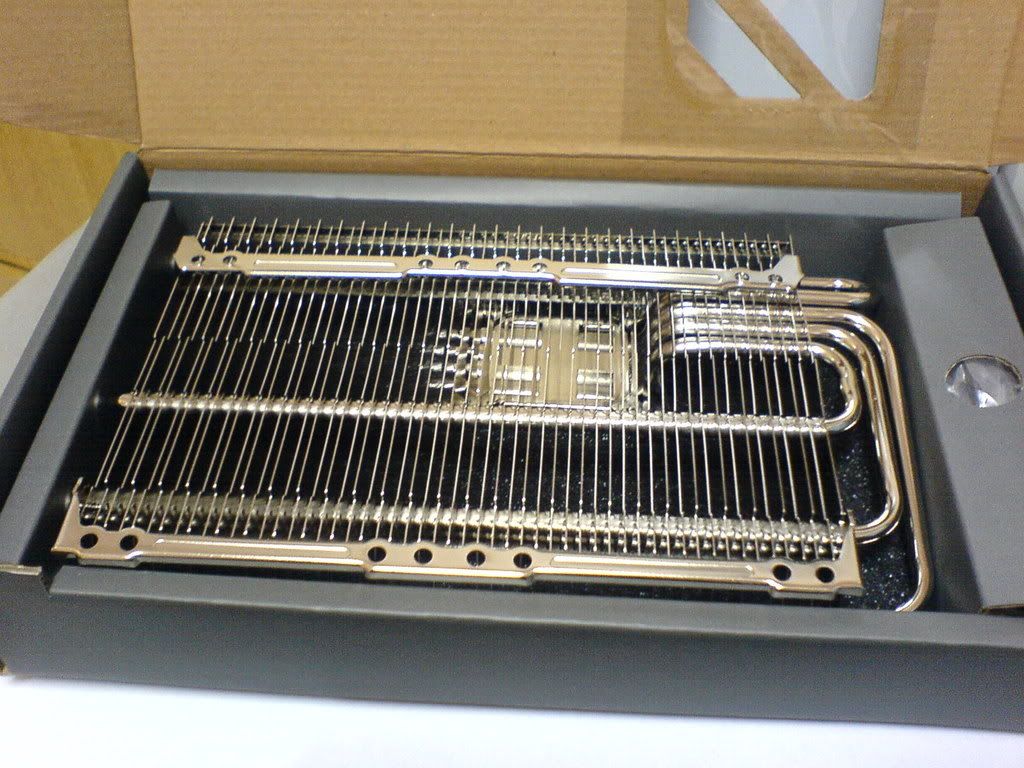
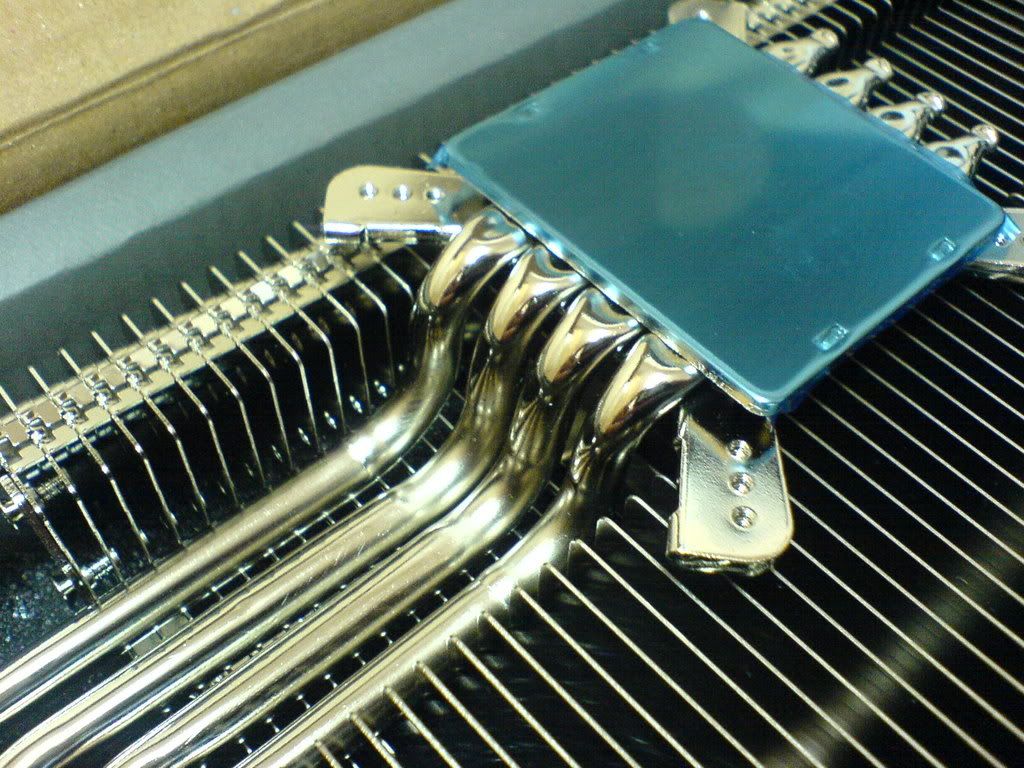
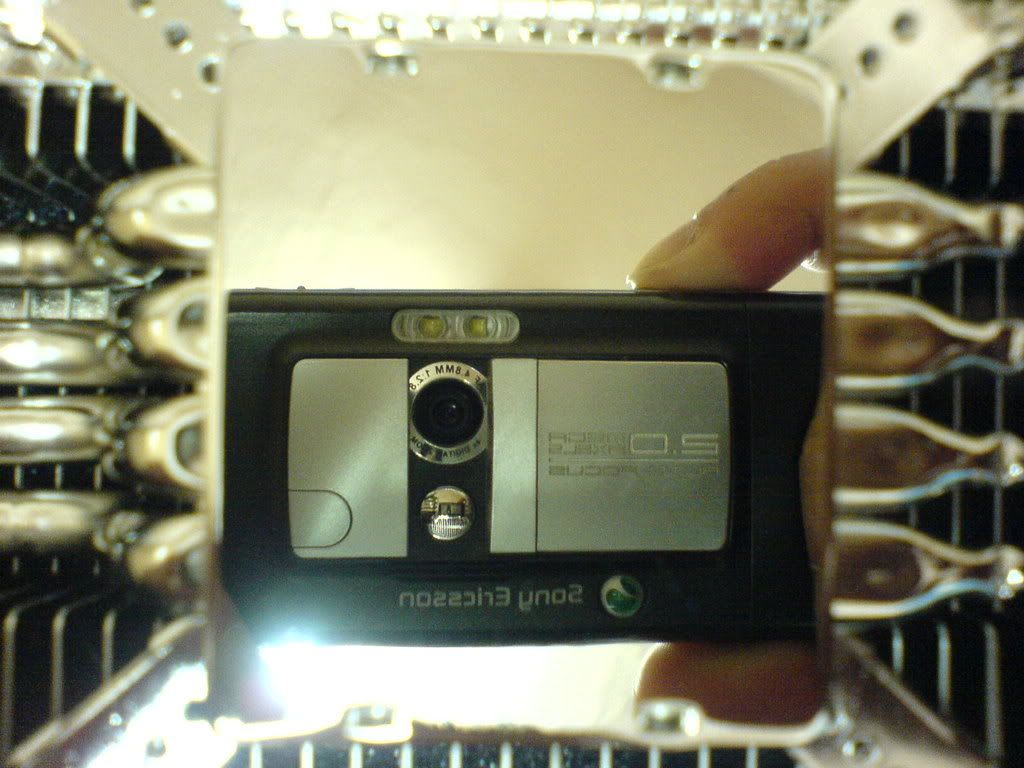
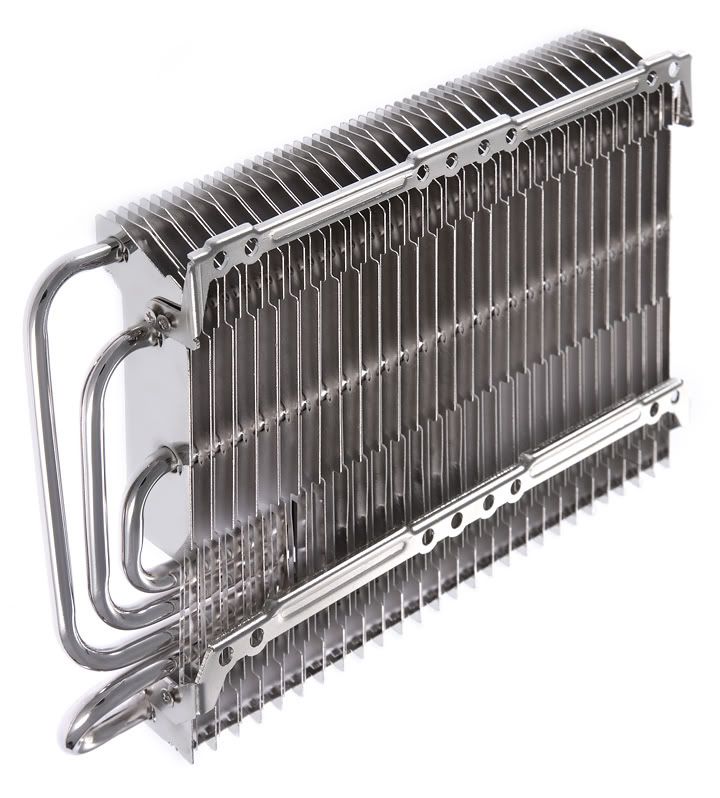
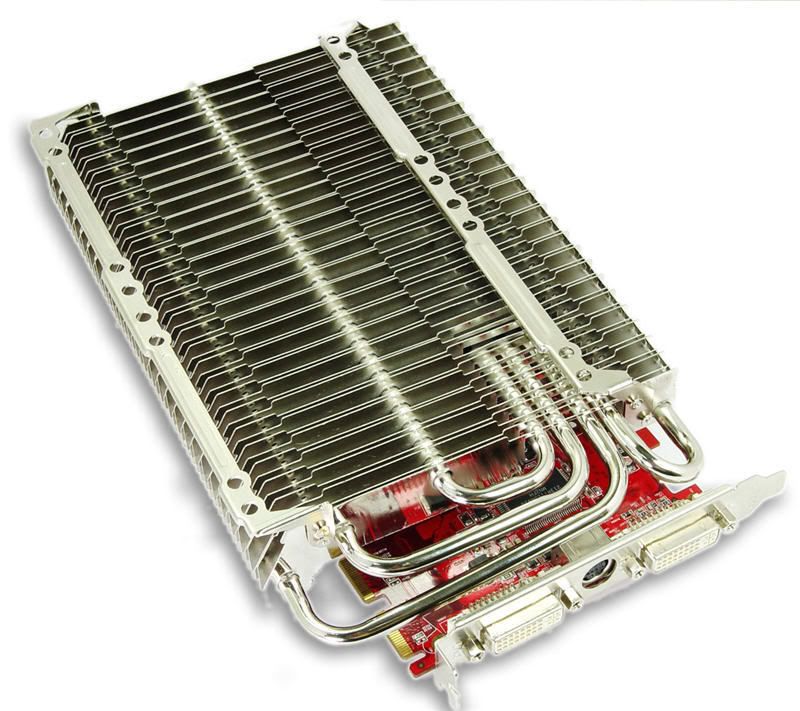
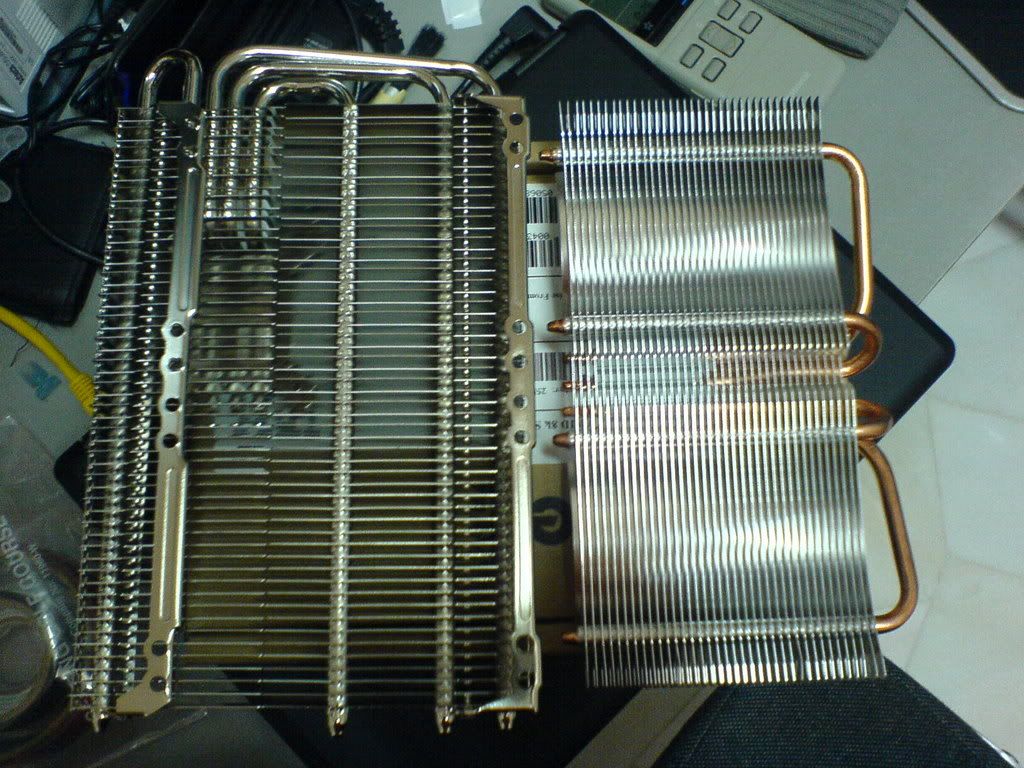
Fridge, the graphic card cooler from Auras Technology. Upon opening the box, I got very impressed with the finishing of the cooler as it looks so neat and shiny. The base is mirror finish that I can see myself on from the base. Well lets stop all this craps and lets get into the more details of it.

Features
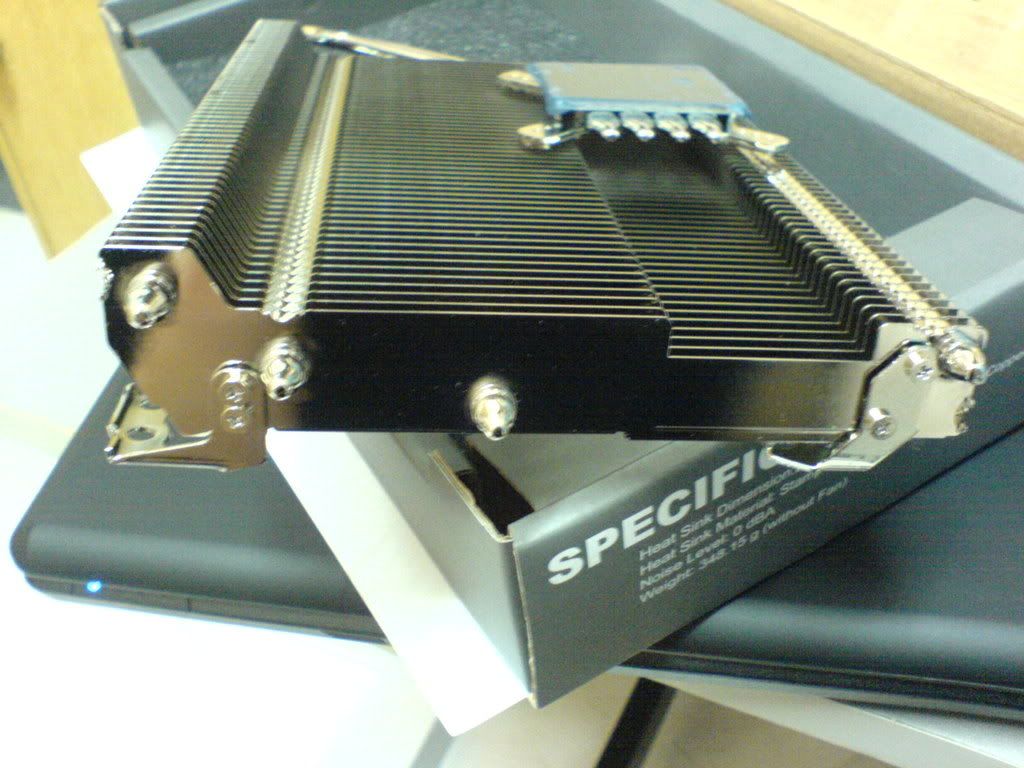
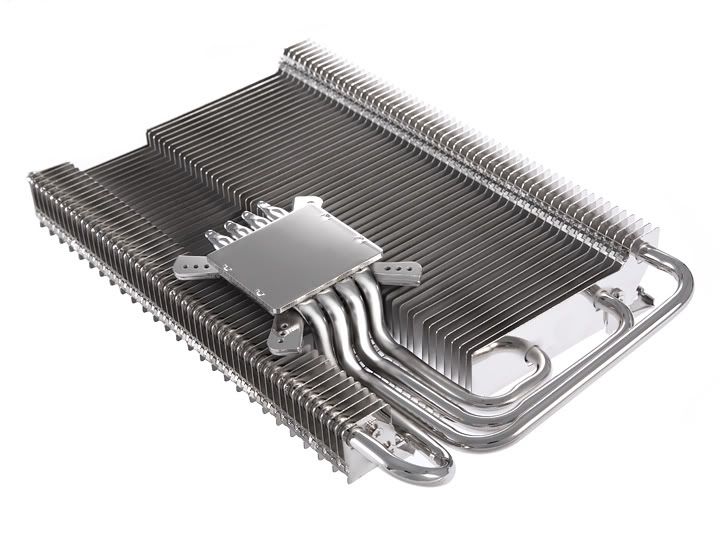
- Extra long 4 copper heatpipes with 54 aluminum fins.
- Stacked fins with double N-shaped optimize superior thermal performance.
- Silent passive cooling / Compatible to graphic cards (nVIDIA / ATI).
- Active cooling fan frame ready for overclocking (Capable with 80 or 120 mm fan).
- Special rivet process on copper plate makes close contact to GPU.
- Memory / Voltage Regulator module with special thermal interface material.

Specifications
- Heat Sink Dimension: L227.2 x W134.4 x H34 mm
- Heat Sink Material: Stamped Micro-Fin / Heat pipes / Copper base plate
- Fan Dimension: Fanless
- Noise Level: 0 dBA
- Weight: 348.15 g (without fan)
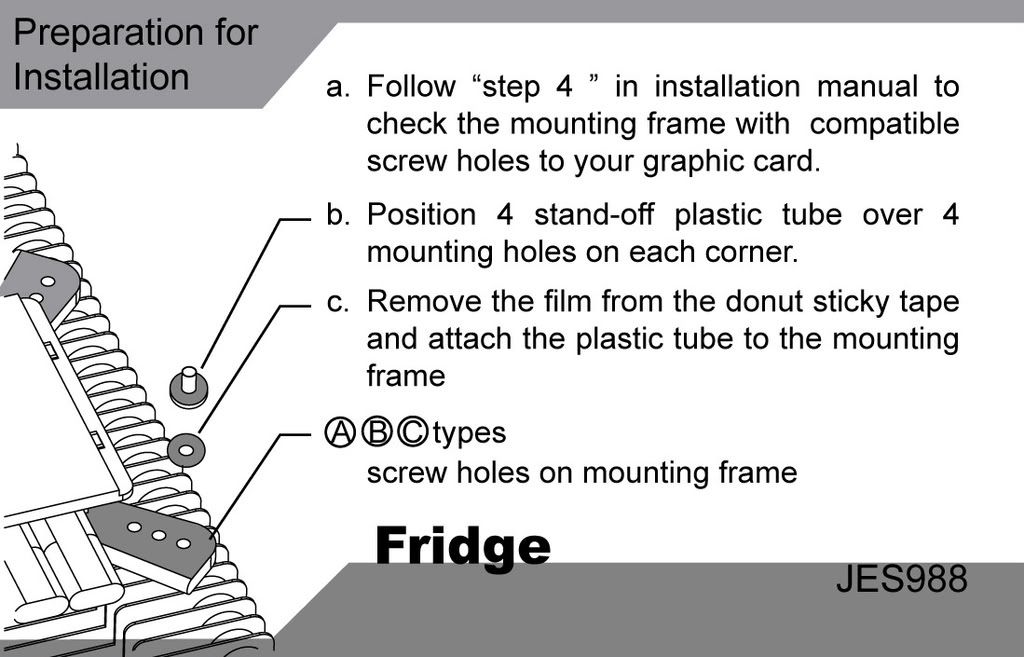
user posted image

This post has been edited by sup3rfly: May 25 2008, 11:45 PM
TSsup3rfly
post May 25 2008, 12:23 PM

Techno Slave
******
Senior Member
1,561 posts

Joined: Jan 2003
From: 秋葉原電気街


The Auras Fridge True Form!

user posted image
Fridge within the box

user posted image

user posted image

user posted image
The mirror finish base

user posted image

user posted image
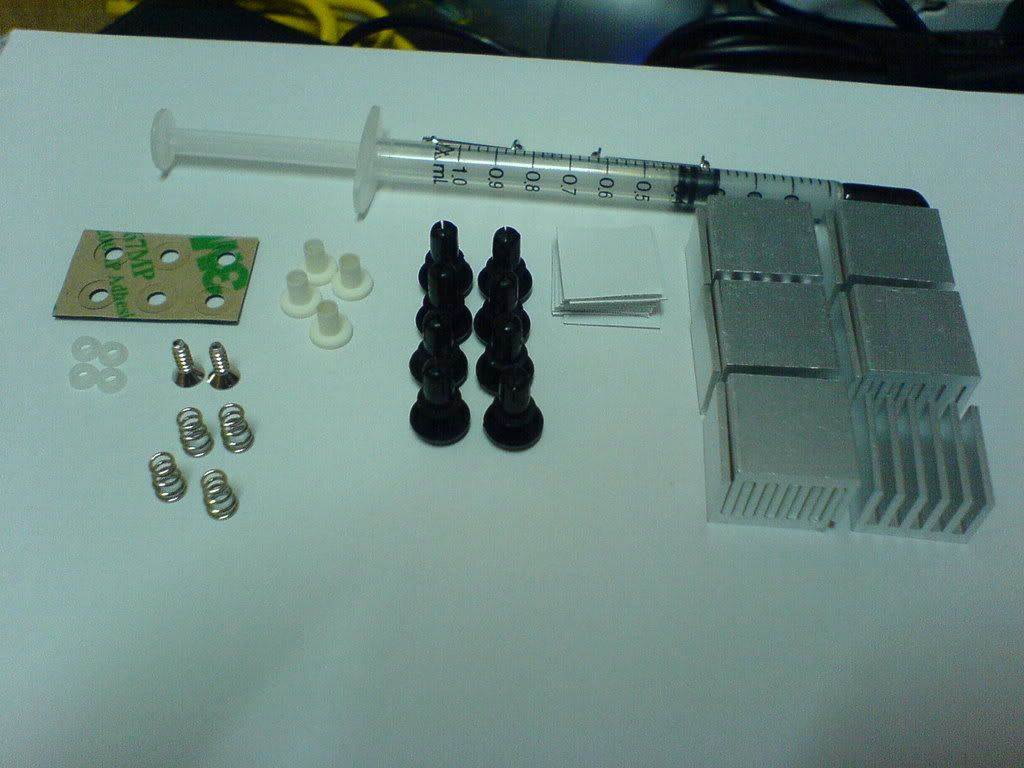
Package Contents

Better Quality Pictures from Auras

user posted image

user posted image

user posted image

This post has been edited by sup3rfly: May 25 2008, 12:41 PM
TSsup3rfly
post May 25 2008, 12:23 PM

Techno Slave
******
Senior Member
1,561 posts

Joined: Jan 2003
From: 秋葉原電気街


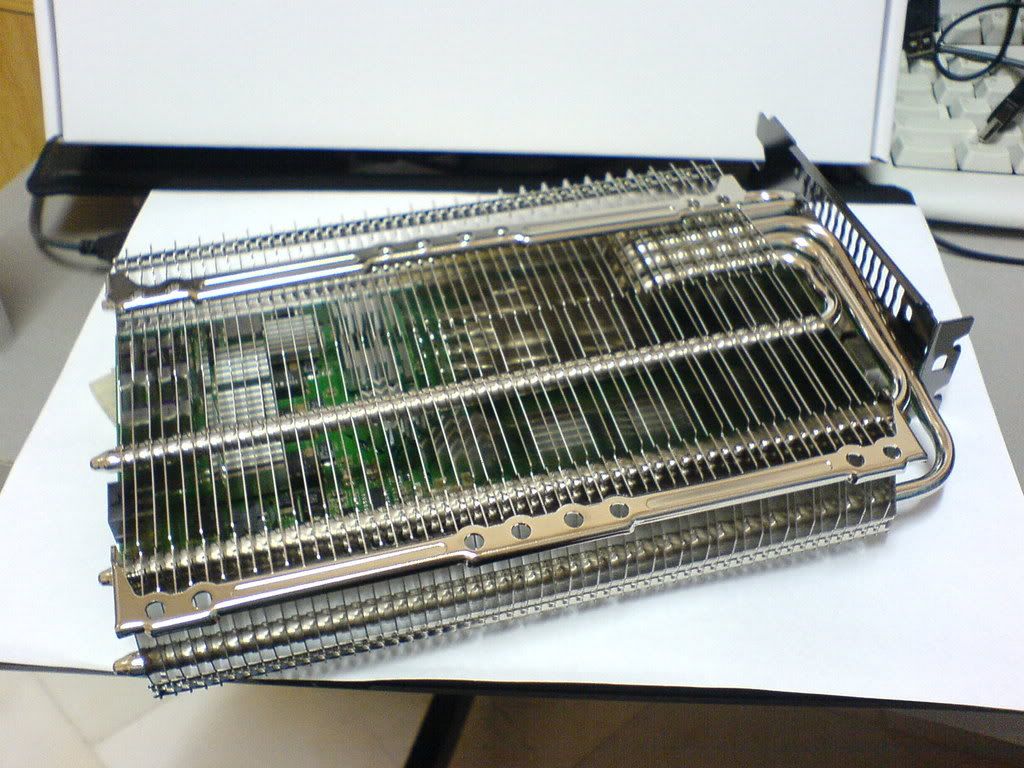
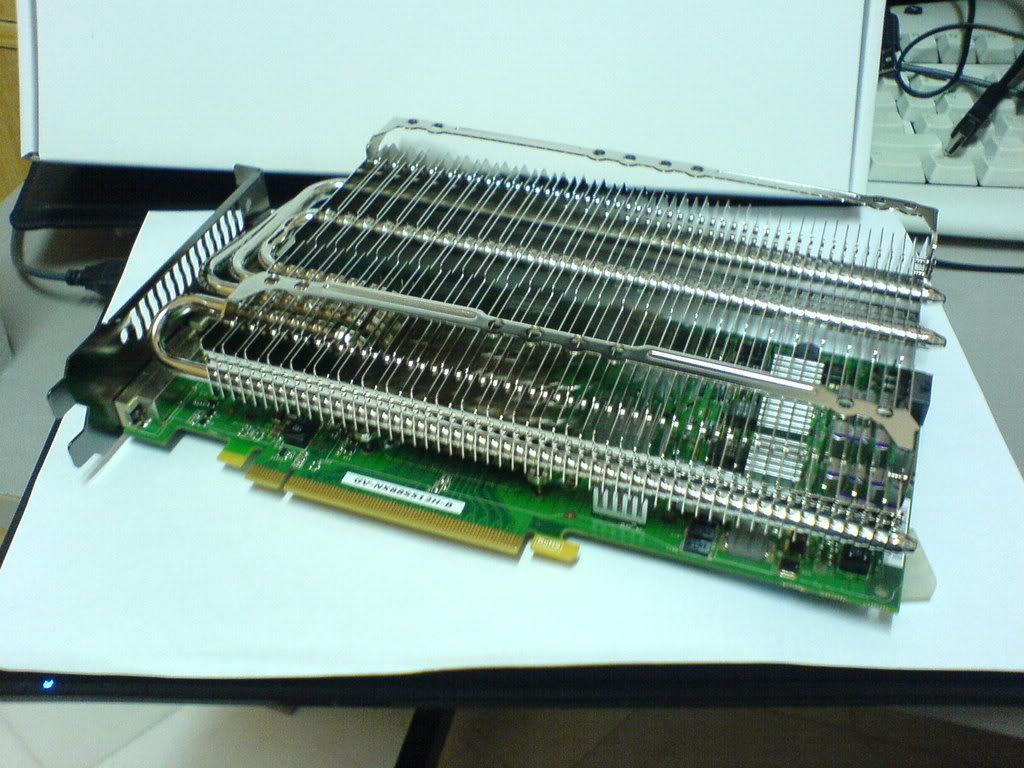
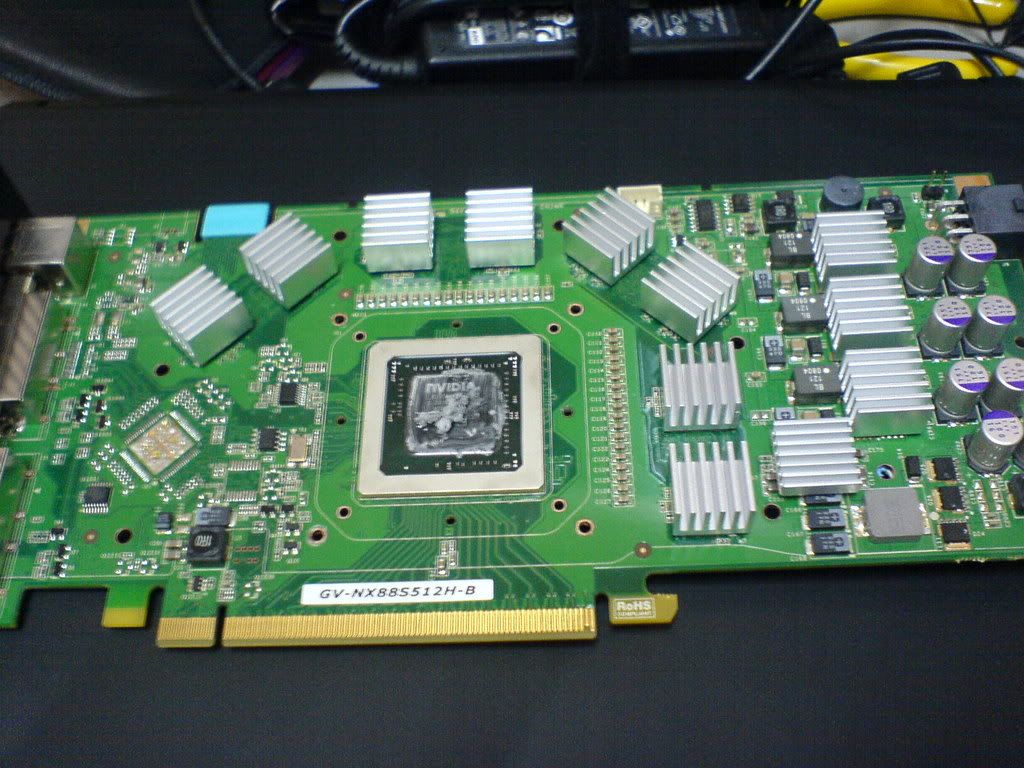
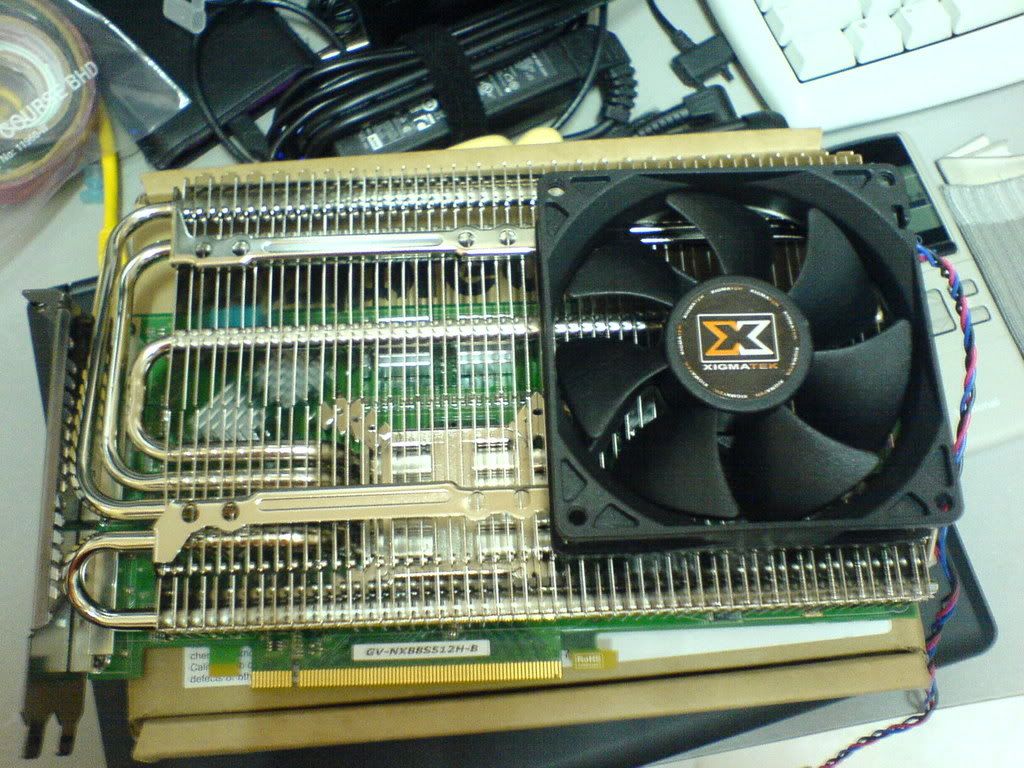
Looks of Fridge Mounted To The Graphic Card

user posted image

user posted image

user posted image
Memory and Chip Sink Placement

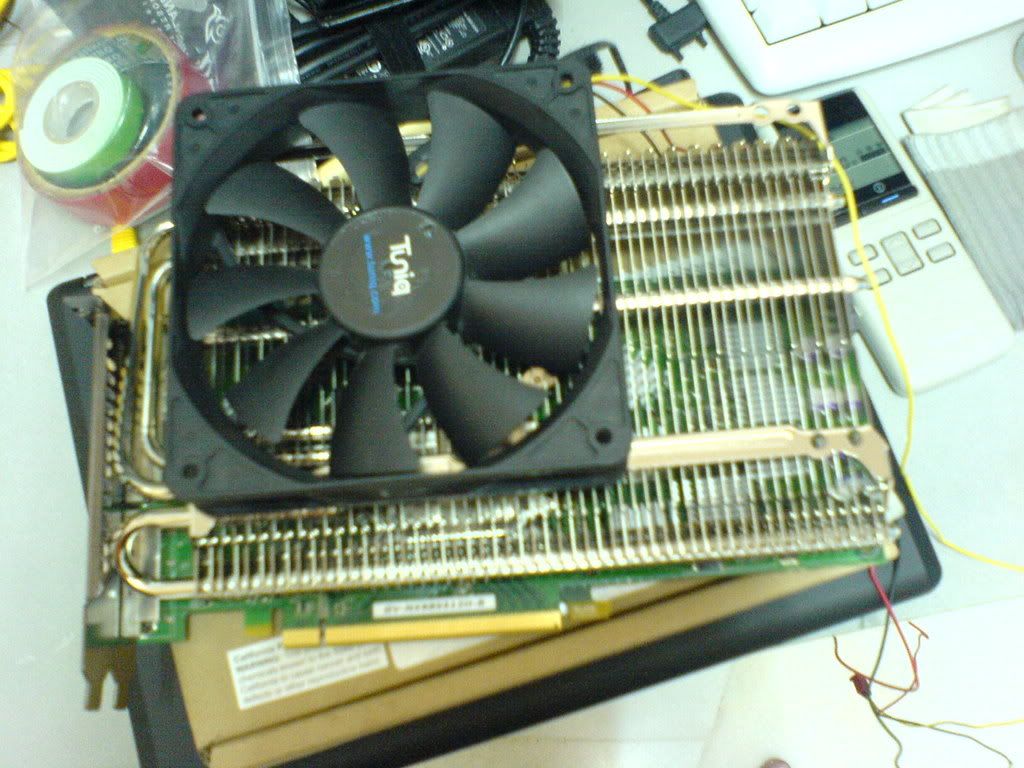
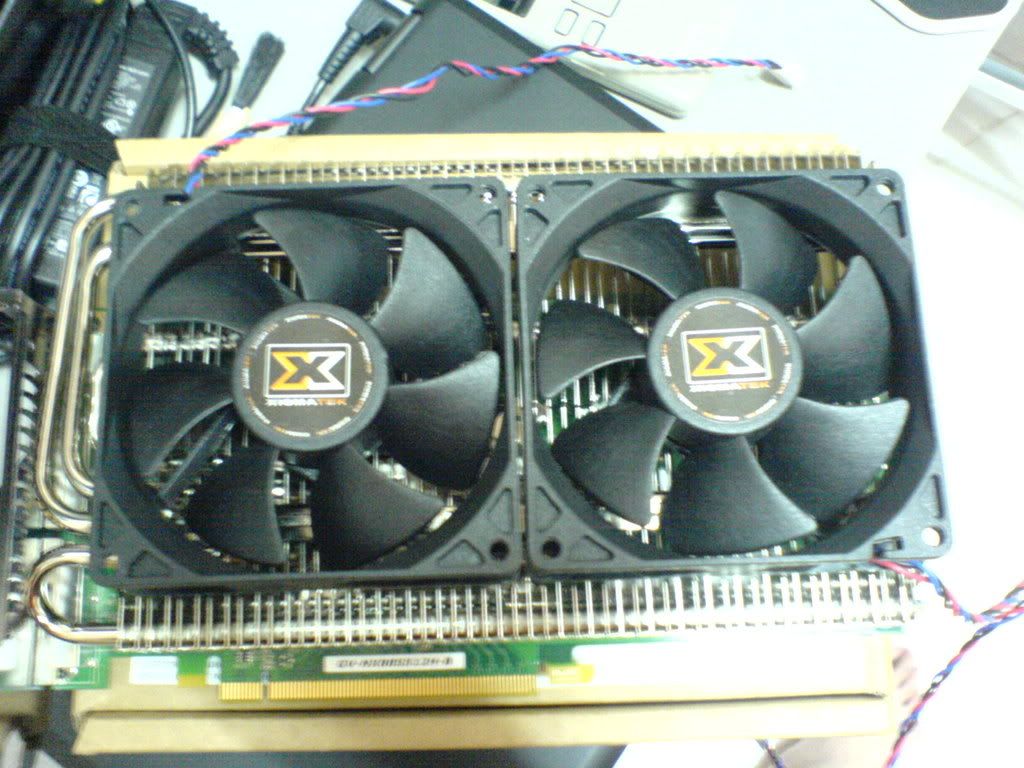
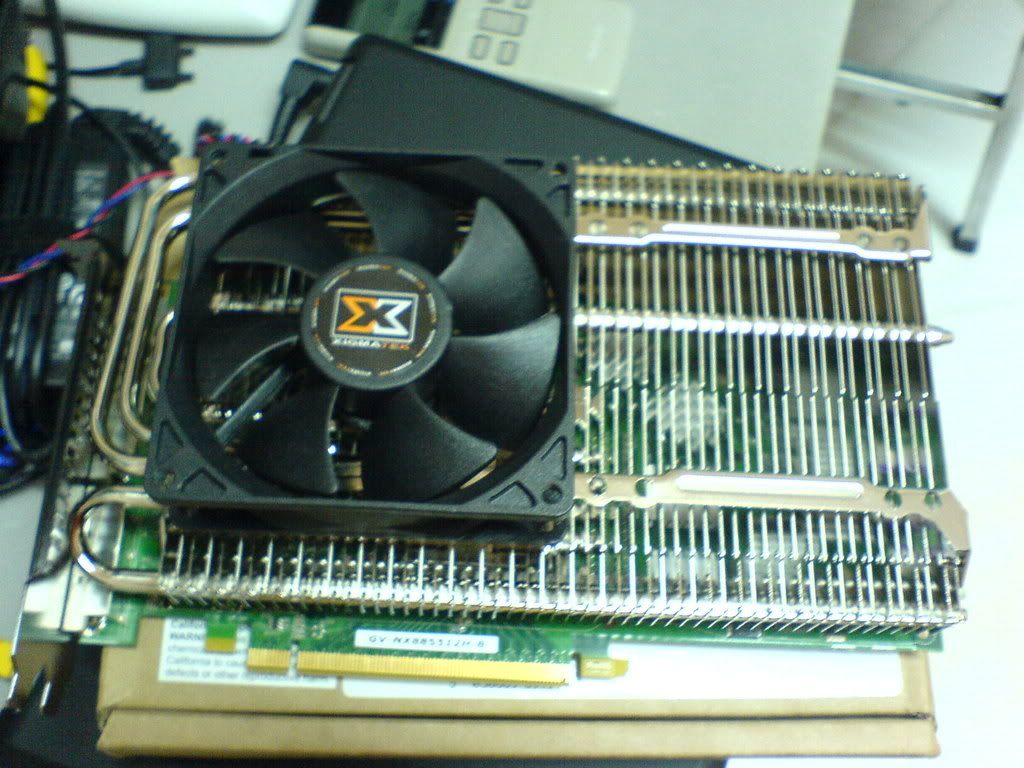
Fridge + Various Fan Setup

user posted image
Fridge + 120MM Fan

user posted image
Fridge + Dual 90MM Fans

user posted image
Fridge + Single 90MM Fan (Left)

user posted image
Fridge + Single 90MM Fan (Right)

P/S: Detail of the Fan will be explain later

user posted image
Xigmatek Battle-Axe vs Auras Fridge


This post has been edited by sup3rfly: May 25 2008, 12:55 PM
TSsup3rfly
post May 25 2008, 12:24 PM

Techno Slave
******
Senior Member
1,561 posts

Joined: Jan 2003
From: 秋葉原電気街


Test bed
CPU: Intel C2D E8500 @ 3.15GHz
Mobo: Asus Maximus Formula
Memory: 2 x 1 GB Crucial DDR2 Memory PC5300
GPU: Gigabyte 8800GTS 512MB
PSU: Zalman 600W PSU
CPU Cooling: Custom Watercooling

Test bed
OS: Windows XP SP2
Benchmark Software: Crysis + Crysis Benchmark Tool 1.05 Final
Monitoring Software: HWMonitor

Test Methods
Same as the Battle-Axe test, the same 3 different clock speed will be included in the test. The only different for this time is that we will be using different fan placement setup to determine which is the best placement or best size fan to be use on the cooler. We will be testing the cooler by using low (5v) and high speed (12v).
The Idle temperature will be logged using HWMonitor and the latest reading on the "Value" field will be taken. As for the Load temperature then the reading on the "Max" field will be taken as this software is able to capture the "Max" temperature and that will be the highest temperature on load.
Below I will explain on how is the fans being setup and the fans specifications.
There is 4 types of fans placement setup
1. Single 120MM fan
2. Dual 90MM fans
3. Single 90MM fan on the left side of the cooler
4. Single 90MM fan on the right side of the cooler
They will be tested under low(5v) and high(12v) fan speed.

Fan Specifications
1. Tuniq 120MM fan (1000 - 2000 RPM)
2. Xigmatek 90MM fans (2200 RPM)


This post has been edited by sup3rfly: May 25 2008, 01:21 PM
TSsup3rfly
post May 25 2008, 12:24 PM

Techno Slave
******
Senior Member
1,561 posts

Joined: Jan 2003
From: 秋葉原電気街


Results

Notes:
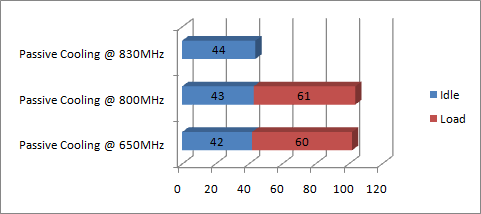
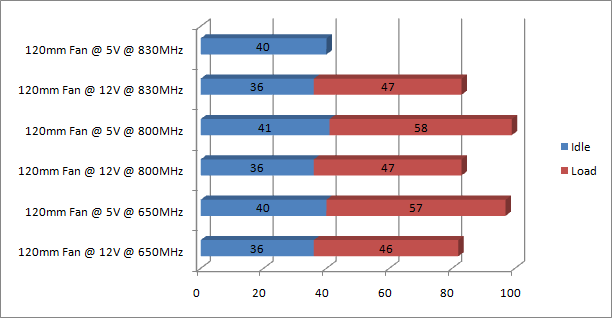
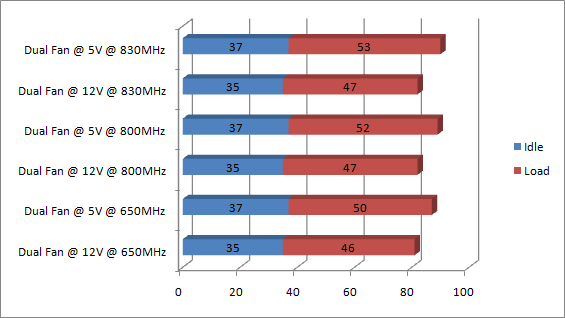
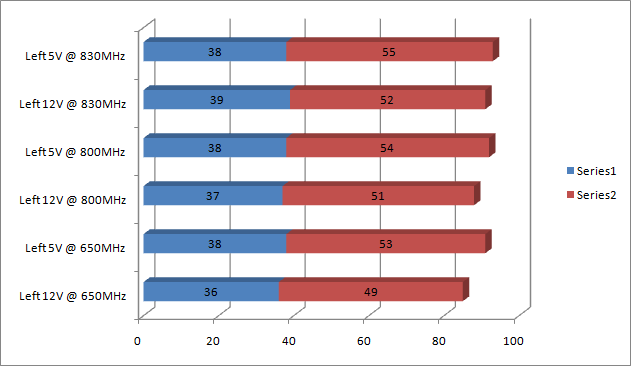
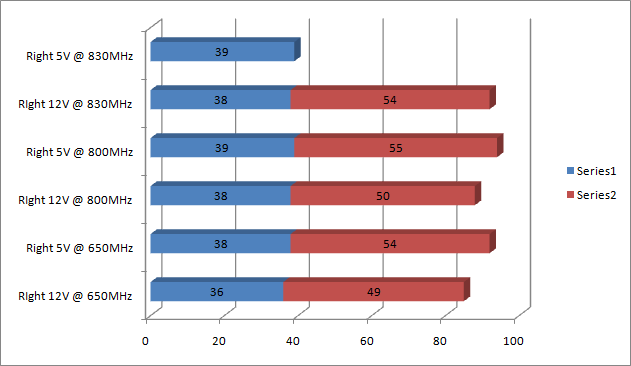
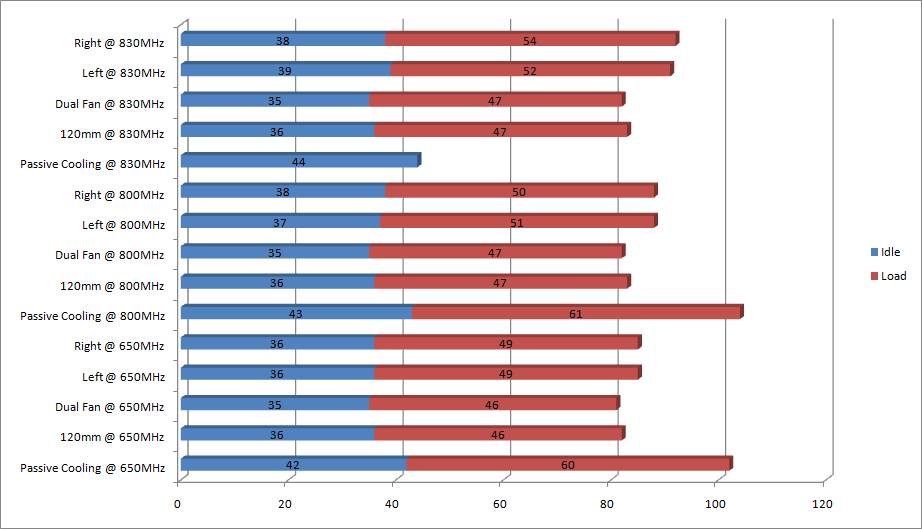
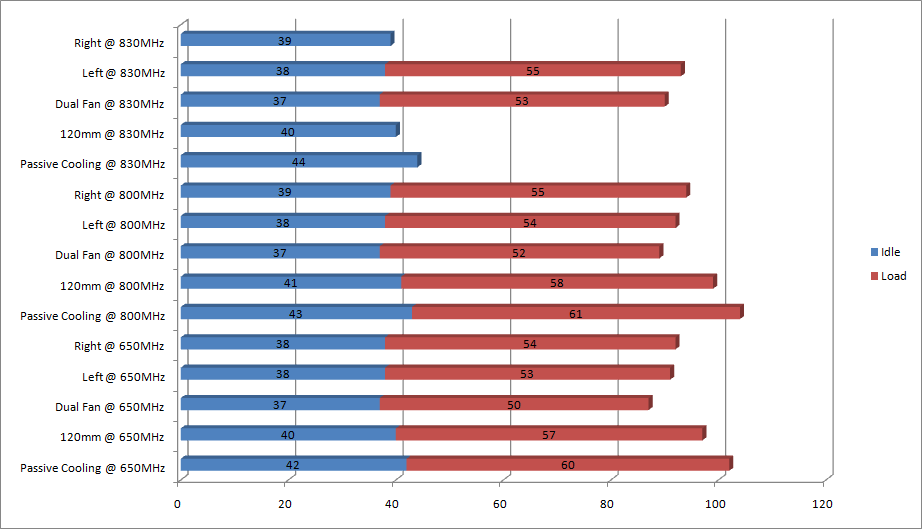
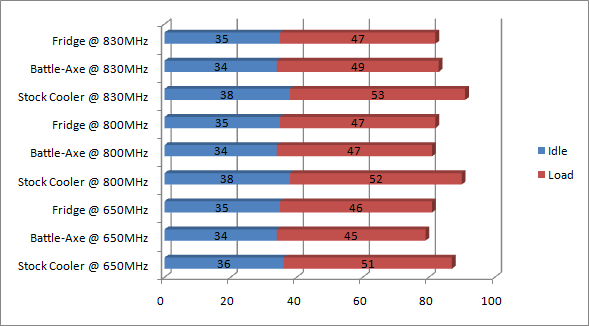
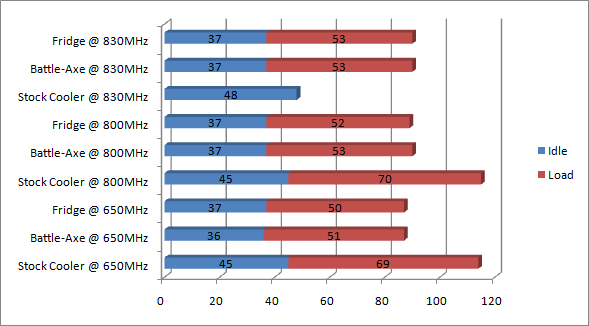
1. There will be 9 different charts which distinguish the results from each categories for easy reading of the results
2. The description of the chart will be shown under each charts.
3. 650MHz is stock speed, 800MHz is semi overclocked and 830MHz is max overclock for the card
4. Please read the description to understand what is each charts represents to, the idea of having so many different charts is to let you all to easily point out which fan settings you want to use. The summarized chart will be for all of the fan settings in 1 chart.

user posted image
Passive Cooling

user posted image
Cooled with 120mm Fan

user posted image
Dual 90mm Fans setup

user posted image
Single 90mm Fan on The Left Side of The Cooler

user posted image
Single 90mm Fan on The Right Side of The Cooler

user posted image
Summarized of All Fan Settings @ High Speed (12V)

user posted image
Summarized of All Fan Settings @ Low Speed (5V)

user posted image
Stock Cooler vs Battle-Axe vs Fridge @ High Speed (12V)

user posted image
Stock Cooler vs Battle-Axe vs Fridge @ Low Speed (5V)

This post has been edited by sup3rfly: May 25 2008, 11:20 PM
TSsup3rfly
post May 25 2008, 12:25 PM

Techno Slave
******
Senior Member
1,561 posts

Joined: Jan 2003
From: 秋葉原電気街


reserving posts, plz dun reply anything yet
TSsup3rfly
post May 25 2008, 12:25 PM

Techno Slave
******
Senior Member
1,561 posts

Joined: Jan 2003
From: 秋葉原電気街


reserving posts, plz dun reply anything yet


Added on May 25, 2008, 12:26 pmreserving posts, plz dun reply anything yet

This post has been edited by sup3rfly: May 25 2008, 12:26 PM
TSsup3rfly
post May 25 2008, 12:26 PM

Techno Slave
******
Senior Member
1,561 posts

Joined: Jan 2003
From: 秋葉原電気街


ok done reserving, free to post now smile.gif
TSsup3rfly
post May 25 2008, 12:34 PM

Techno Slave
******
Senior Member
1,561 posts

Joined: Jan 2003
From: 秋葉原電気街


reserve another one
BurgerRI
post May 25 2008, 01:18 PM

Enthusiast
*****
Senior Member
905 posts

Joined: Aug 2006


Patiently waiting for some scores wink.gif
Downcast
post May 25 2008, 04:57 PM

Casual
***
Junior Member
358 posts

Joined: Nov 2005
From: Bandar Sri Damansara


Same here to see different configuration's results...


Added on May 25, 2008, 11:34 pmResults is UP!!!! wow

This post has been edited by Downcast: May 25 2008, 11:34 PM
sHawTY
post May 26 2008, 08:28 PM

Frequent Reporter
********
All Stars
14,909 posts

Joined: Jul 2005

No comparison marks between Kapak Perang & Peti Ais? blink.gif
kurogane
post May 26 2008, 09:44 PM

On my way
****
Junior Member
508 posts

Joined: Mar 2005
From: KL/Cyberjaya.


Wow, the performance looks really good.

Would it be possible if you test the cooler with an ATI HD3870, if you have one at hand tongue.gif
TSsup3rfly
post May 26 2008, 11:16 PM

Techno Slave
******
Senior Member
1,561 posts

Joined: Jan 2003
From: 秋葉原電気街


QUOTE(sHawTY @ May 26 2008, 08:28 PM)
No comparison marks between Kapak Perang & Peti Ais? blink.gif
*
3dmarks??? for wat???
i m using the same clock speed for all the test...whats the point of showing 3dmark scores??? dun tell me cooler can help in 3dmark scores o.O
sHawTY
post May 27 2008, 01:41 AM

Frequent Reporter
********
All Stars
14,909 posts

Joined: Jul 2005

QUOTE(sup3rfly @ May 26 2008, 11:16 PM)
3dmarks??? for wat???
i m using the same clock speed for all the test...whats the point of showing 3dmark scores??? dun tell me cooler can help in 3dmark scores o.O
I mean comparison in temperatures lar. laugh.gif
ham_revilo
post May 27 2008, 06:59 AM

I
*******
Senior Member
6,583 posts

Joined: Feb 2008


battle-axe and fridge temp results look the same. so i guess its down to the prices now.
Quazacolt
post May 27 2008, 12:22 PM

Riding couple
*******
Senior Member
5,369 posts

Joined: Jan 2007
From: KL Malaysia


fly, can specify a bit on the fridge which fan setting you use when comparing with b.axe and stock?
TSsup3rfly
post May 27 2008, 01:04 PM

Techno Slave
******
Senior Member
1,561 posts

Joined: Jan 2003
From: 秋葉原電気街


QUOTE(Quazacolt @ May 27 2008, 12:22 PM)
fly, can specify a bit on the fridge which fan setting you use when comparing with b.axe and stock?
*
its all in the picture ma...
b-axe - dual fan (5v, 12v)
fridge - dual fan (5v, 12v)
stock - low and high speed set in rivatuner
Quazacolt
post May 27 2008, 01:12 PM

Riding couple
*******
Senior Member
5,369 posts

Joined: Jan 2007
From: KL Malaysia


QUOTE(sup3rfly @ May 27 2008, 01:04 PM)
its all in the picture ma...
b-axe - dual fan (5v, 12v)
fridge - dual fan (5v, 12v)
stock - low and high speed set in rivatuner
*
cant find if its dual or single fan for fridge (previous post was referring to that)

thanks for the clarification though. so, this means b.axe = big winner? both performance and value?
TSsup3rfly
post May 27 2008, 02:31 PM

Techno Slave
******
Senior Member
1,561 posts

Joined: Jan 2003
From: 秋葉原電気街


QUOTE(Quazacolt @ May 27 2008, 01:12 PM)
cant find if its dual or single fan for fridge (previous post was referring to that)

thanks for the clarification though. so, this means b.axe = big winner? both performance and value?
*
they are on par bro... see the last 2 charts... its between stock vs b-axe and fridge ma...

@ shawty...screenshot of it i will let u all know later
too many of it...around 60 of them... my reserved posts is not enough to display all of them so i will provide u the album link... in spore now cant online much...


Change to:
| Lo-Fi Version
0.0200sec    0.53    5 queries    GZIP Disabled
Time is now: 20th December 2025 - 04:47 AM