

 Jan 13 2008, 06:07 PM, updated 18y ago


For those like me sign up the HP DIGI PROMO somewhere in August 07. Here is good news as many is seeking how to share out your EDGE connection to MORE THEN 1 notebook/PC.. Here is how u can do to turn your Windows Mobile hp into Wireless Access point. Great news for ANY Data unlimited plan (EDGE/3G/HSPDA)subscriber on any Windows Mobile smartphone
1. Follow the link below to install the WMWifirouter v0.90 software into your hp
http://www.jongma.org/WMWifiRouter/
2. Choose the download
"Installer for WMWifiRouter without network settings"
3. Run the setup, and it will create a program call "WMWifiRouter" in your hp
4. Go to your hp WIFI setting, create a "Ad-hoc" network.. put in necessary WEP key...
5.) Launch the " WMWifiRouter" program..
6.) Final steps, use your notebook/PC to discover the "Ad-hoc" network u had created. U r done !! Your notebook/PC is connected to your hp Wireless Access point..
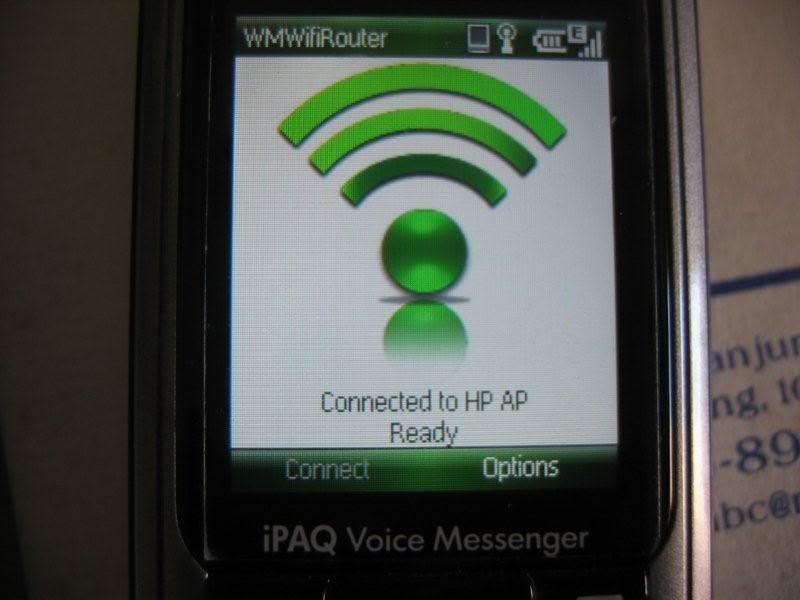
Here is how your hp will look like when internet sharing is turn into Access point & connected on notebooks/PCs
Here is your notebooks shows connected to your hp Access point

I am sure u will like it !!! Thanks to the software developer
Added on January 14, 2008, 9:24 amseems like this is not a hot topic here huh....or not many people have WM6 smartphone ?
This post has been edited by sugen: Jan 14 2008, 09:24 AM
 Quote
Quote


 0.0272sec
 0.68
0.68
 5 queries
 GZIP Disabled