QUOTE(Thrust @ Oct 29 2011, 12:19 AM)
8x and 16x have not much diference in speed anyways. I am running on 8x 8x 4x modebtw don't have lag for me much. Running ultra on 1680 x 1050 with aa off
LYN Nvidia SLI Club, All SLI discussion here
|
|
Oct 29 2011, 07:52 AM
Return to original view | Post
#1
|
![]() ![]() ![]() ![]() ![]()
Senior Member
789 posts Joined: Sep 2011 |
|
|
|
|
|
|
Oct 29 2011, 06:53 PM
Return to original view | Post
#2
|
![]() ![]() ![]() ![]() ![]()
Senior Member
789 posts Joined: Sep 2011 |
QUOTE(Thrust @ Oct 29 2011, 04:27 PM) I just bought another HD6850 as I want to CrossFire already. Sorry for posting in SLi thread. Is Silverstone Strider Gold 750W recommended to run SLi/CrossFire? I'd say the silverstone should suffice. I ran 6850 crossfire only on CM650w last time but i doubt 560w would provide enough juiceCan my current Silverstone Strider 560W have enough juice to support CrossFire mode? |
|
|
Feb 28 2012, 07:27 PM
Return to original view | Post
#3
|
![]() ![]() ![]() ![]() ![]()
Senior Member
789 posts Joined: Sep 2011 |
|
|
|
Feb 29 2012, 08:43 AM
Return to original view | Post
#4
|
![]() ![]() ![]() ![]() ![]()
Senior Member
789 posts Joined: Sep 2011 |
|
|
|
Feb 29 2012, 10:48 AM
Return to original view | Post
#5
|
![]() ![]() ![]() ![]() ![]()
Senior Member
789 posts Joined: Sep 2011 |
|
|
|
Feb 29 2012, 11:06 AM
Return to original view | Post
#6
|
![]() ![]() ![]() ![]() ![]()
Senior Member
789 posts Joined: Sep 2011 |
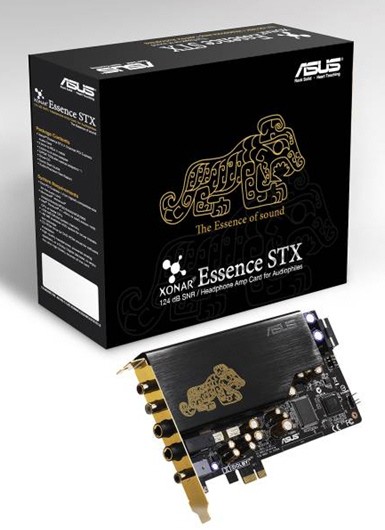
QUOTE(jawagar @ Feb 29 2012, 11:04 AM) wait, which mobo is this? Is it this one? http://www.asus.com/Motherboards/Intel_Soc...s_IV_GENEZGEN3/ And PCIE 2.0 complient devices includes stuffs like these ![]() ![]() This post has been edited by DrBlueBox: Feb 29 2012, 11:09 AM |
|
|
|
|
|
Feb 29 2012, 11:24 AM
Return to original view | Post
#7
|
![]() ![]() ![]() ![]() ![]()
Senior Member
789 posts Joined: Sep 2011 |
|
|
|
Feb 29 2012, 11:37 AM
Return to original view | Post
#8
|
![]() ![]() ![]() ![]() ![]()
Senior Member
789 posts Joined: Sep 2011 |
|
|
|
Feb 29 2012, 11:56 AM
Return to original view | Post
#9
|
![]() ![]() ![]() ![]() ![]()
Senior Member
789 posts Joined: Sep 2011 |
|
|
|
Feb 29 2012, 05:58 PM
Return to original view | Post
#10
|
![]() ![]() ![]() ![]() ![]()
Senior Member
789 posts Joined: Sep 2011 |
QUOTE(kwackers @ Feb 29 2012, 05:53 PM) Hi all, my current gaming rig is as in my sig below. Better get a more powerful single card then spending on a new mobo and trying to find a discontinued card3.2Ghz AMD Phenom II X4 955 Asus M4A88T-M 2 x 2GB Kingston PC1333 Asus GTX460 1GB DDR5 256bit 60GB OCZ SSD Agility 2 150GB WD VelociRaptor Corsair H50 Hydro Cooling I was hoping to be able to play games like Amnesia in full 1920 x 1080 resolution, but found that my video card wasn't powerful enough. Problem is, I didn't pick an SLI-enabled mobo to begin with, so now I need to replace the mobo and pick up an extra GTX460 (and upgrade the PSU, if needed). Can anyone recommend a suitable motherboard? What would be the most cost-effective solution here? Change the mobo and PSU and pick up another GTX460 or just upgrade the video card alone? I can rationalize it by recycling the mobo and PSU and putting together an extra system. |
|
|
Mar 1 2012, 10:11 PM
Return to original view | Post
#11
|
![]() ![]() ![]() ![]() ![]()
Senior Member
789 posts Joined: Sep 2011 |
QUOTE(jawagar @ Mar 1 2012, 10:07 PM) DrBlueBox, THE PIC I UPLOADED IS MY GTX 560 UNIN ON PCIE X16 AND X4 THE PROBLEM IS THAT IT DETECTS THE CARD IN NVIDIA CONTROL PANEL BUT CANNOT SE SLI. WHEN I PUT IT ON THE RED SOCKET AND SLI THEN CAN ENABLE SLI.NEED HELP? Means that you can't use that slot for SLi. Must be hardware limitation |
|
|
Mar 1 2012, 10:20 PM
Return to original view | Post
#12
|
![]() ![]() ![]() ![]() ![]()
Senior Member
789 posts Joined: Sep 2011 |
|
|
|
Mar 15 2012, 10:26 PM
Return to original view | Post
#13
|
![]() ![]() ![]() ![]() ![]()
Senior Member
789 posts Joined: Sep 2011 |
|
|
|
Mar 25 2012, 08:16 PM
Return to original view | Post
#14
|
![]() ![]() ![]() ![]() ![]()
Senior Member
789 posts Joined: Sep 2011 |
QUOTE(safwandalbadalsa @ Mar 25 2012, 08:36 AM) firstly, i like to stress that this is my first time build an SLI setup. Hmm this board has 2 or 3 pcie graphic slots?ive mounted 2 msi 560gtx ti on my p8z68 v-pro mobo, together with sli bridge, with monitor was hooked at primary (upper gc) dvi socket of the gc, but windows wont boot (monitor shows no signal). however the win7 will boot; 1) if i take out the 2nd gc 2) or hook the monitor to the dvi of 2nd gc however nvidia driver did not detect both gc if i go for 2nd step what is wrong actually? Edit: ah 3 slots. which slots did you use? This post has been edited by DrBlueBox: Mar 25 2012, 08:19 PM |
|
|
Mar 28 2012, 08:53 AM
Return to original view | Post
#15
|
![]() ![]() ![]() ![]() ![]()
Senior Member
789 posts Joined: Sep 2011 |
QUOTE(lamjunrong @ Mar 28 2012, 08:19 AM) sli newbie here...wanna ask ho to refine quad sli or quad crossfire? does it mean u take quad gfx cards and sli it together, or take 2 gtx 590 to sli...since it has dual gpu...2x590 got 4 gpu core=quad core=quad sli? Depends on your motherboard. 2x590 = quad SLi on a dual slot PCi-e 16x mobo and any 4 card on a 4 slot PCi-e 16x mobo can also be called quad SLi |
| Change to: | 0.0200sec
0.30
7 queries
GZIP Disabled
Time is now: 4th December 2025 - 07:17 PM |