

 Apr 24 2008, 02:56 PM


Added on April 24, 2008, 3:01 pm
QUOTE(ulala2 @ Jan 5 2008, 11:02 AM)
Step 1
go to HERE to download the KDVD parameters, either NTSC or PAL
TMPGEnc Templates optimized with KDVD parameters
KDVD Half D1
NTSC 352x480
PAL 352x576
Step 2
Go to TTPLAyer, load the RMVB video in playlist, convert the file to WMV 48000 format as shown in picture.


Step 3
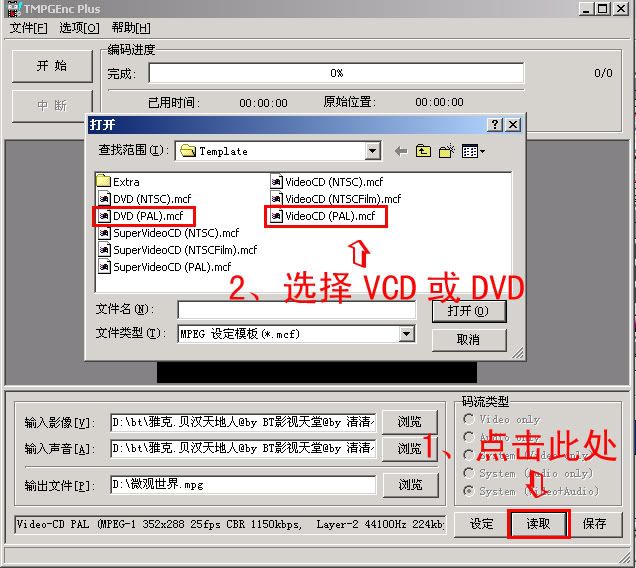
Open ur TMPGenc Plus, load the KDVD parameter u just download.
Load the video file u want to convert, load the wmv file u just converted using ttplayer
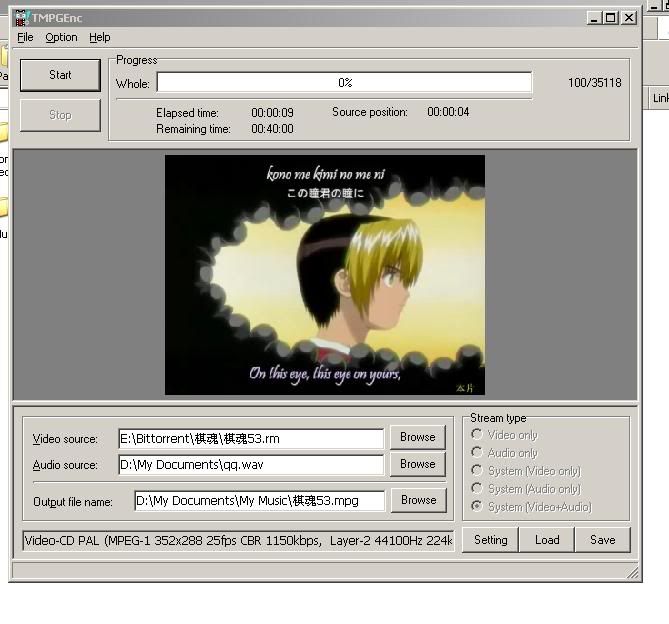
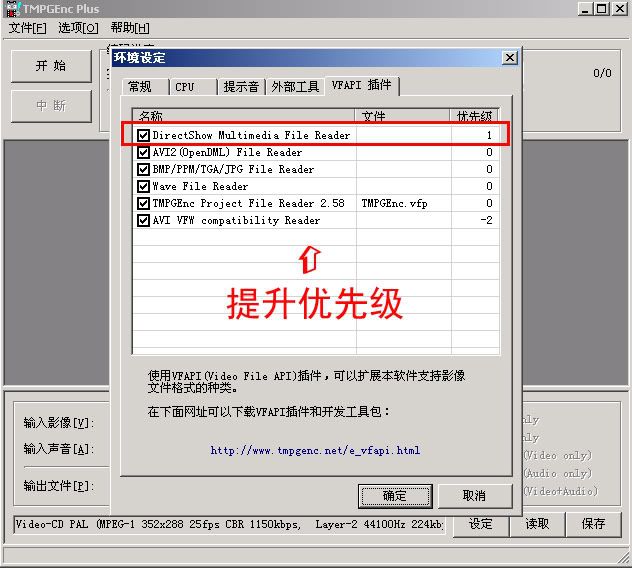
go to do some setting in TMPGenc Plus as follows:-

Here u go start converting.....hope this will make u more clear about the process

It is very good guide.Thanks for the share. go to HERE to download the KDVD parameters, either NTSC or PAL
TMPGEnc Templates optimized with KDVD parameters
KDVD Half D1
NTSC 352x480
PAL 352x576
Step 2
Go to TTPLAyer, load the RMVB video in playlist, convert the file to WMV 48000 format as shown in picture.
Step 3
Open ur TMPGenc Plus, load the KDVD parameter u just download.
Load the video file u want to convert, load the wmv file u just converted using ttplayer
go to do some setting in TMPGenc Plus as follows:-
Here u go start converting.....hope this will make u more clear about the process

This post has been edited by newingpc: Apr 24 2008, 03:01 PM
 Quote
Quote
 0.0151sec
 0.60
0.60
 6 queries
 GZIP Disabled