


Wifi Issues
|
|
 Aug 29 2025, 08:35 PM Aug 29 2025, 08:35 PM
Return to original view | Post
#1
|
 
Senior Member
7,257 posts Joined: Nov 2008 From: SINGAPORE💃 
|
|
|
|
|
|
|
Aug 29 2025, 11:02 PM
Return to original view | Post
#2
|
|
Senior Member
7,257 posts Joined: Nov 2008 From: SINGAPORE💃
|
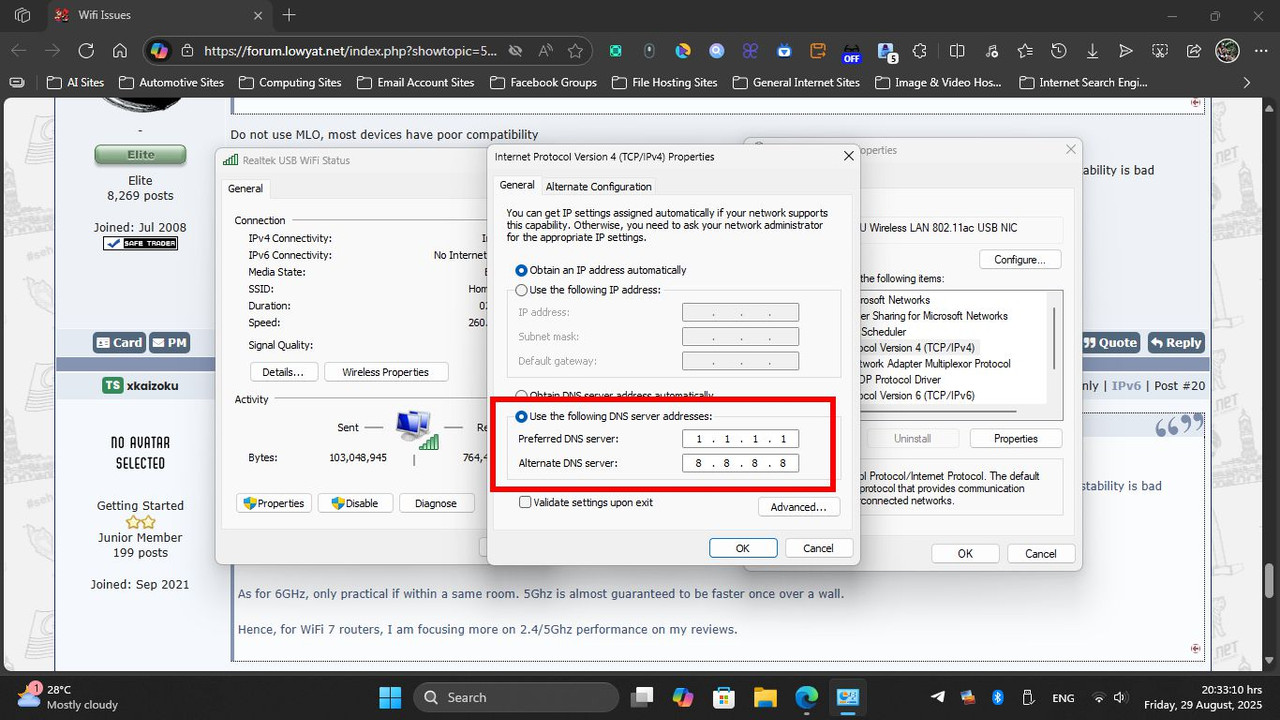
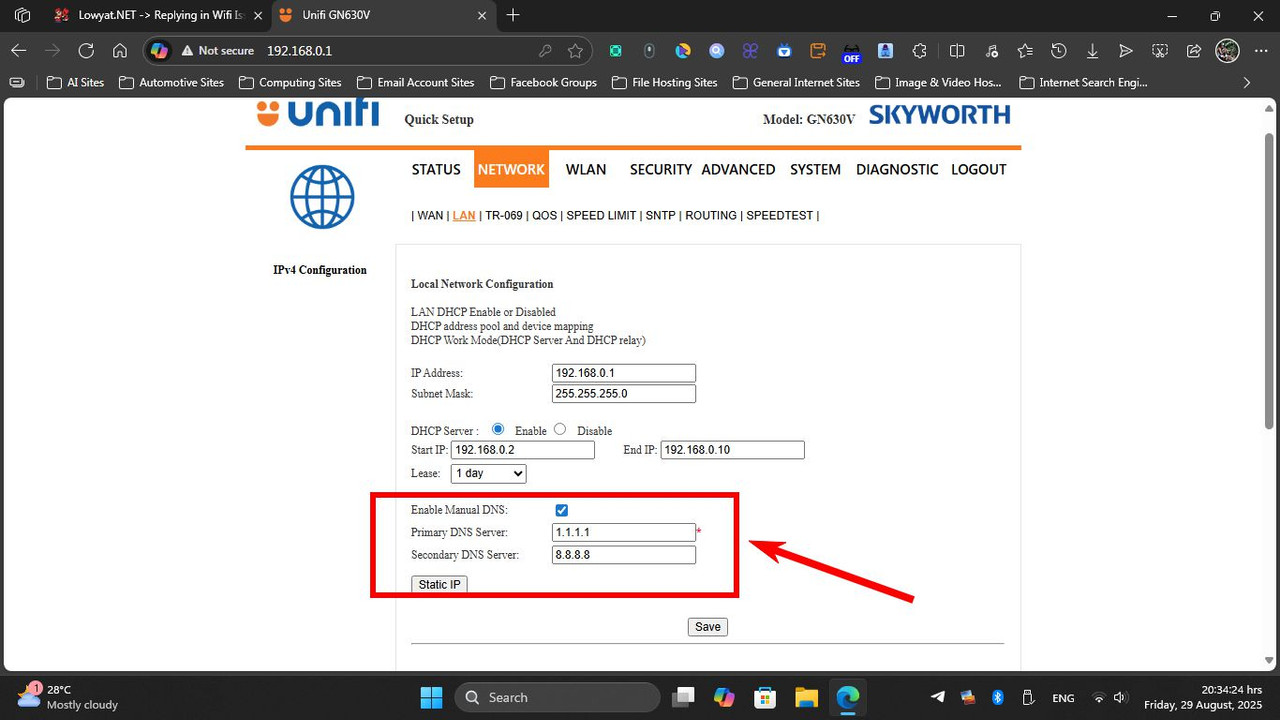
» Click to show Spoiler - click again to hide... « yes, only my laptop uses forced to 5GHz and both my fones is forced to 2.4GHz while at home to save battery .. I dont have issues on streaming medias or play games .. my previous stock router and modem was separate device then I called TM and ask them to change SKYWORTH 2 in 1 router because my old stock router (dunno wat brand from) cannot use custom DNS ..  |
|
|
Aug 29 2025, 11:08 PM
Return to original view | Post
#3
|
|
Senior Member
7,257 posts Joined: Nov 2008 From: SINGAPORE💃
|
» Click to show Spoiler - click again to hide... « this configuration is fine too .. for my GN630V, I manually opened the 4th port to divert from UniFi TV (since they dont use the service anymore) so I can utilise all 4 ports simultaneously .. speed is fine and never lags, I found this GN630V is the best recent router they provide compared to those useless old routers .. |
|
|
Aug 30 2025, 11:06 AM
Return to original view | Post
#4
|
|
Senior Member
7,257 posts Joined: Nov 2008 From: SINGAPORE💃
|
QUOTE(xkaizoku @ Aug 30 2025, 08:57 AM) so I played around with the settings in the morning when everyone was still asleep. good to hear that .. below is my saved settings Changed the DNS to 9.9.9.9 and 1.0.0.1 with their respective ipv6 address. Now my game ping drop to 10-30ms which I consider quite good already. Will continue to monitor and hopefully it stays this way.  CloudFlare IPv4 1.1.1.1 1.0.0.1 Google DNS IPv4 8.8.8.8 8.8.4.4 CloudFlare IPv6 2606:4700:4700::1111 2606:4700:4700::1001 Google DNS IPv6 2001:4860:4860::8888 2001:4860:4860::8844 Quad9 IPv4 - 9.9.9.9 / 149.112.112.112 IPv6 - 2620:fe::fe / 2620:fe::9 HTTPS - https://dns.quad9.net/dns-query TLS - tls://dns.quad9.net |
|
|
Aug 30 2025, 02:56 PM
Return to original view | Post
#5
|
|
Senior Member
7,257 posts Joined: Nov 2008 From: SINGAPORE💃
|
QUOTE(xkaizoku @ Aug 30 2025, 02:17 PM) do you know if facebook videos buffering is due to unifi problem or facebook just succs? This only happens at specific times (mainly during noon). There is no issue with wifi speed or connection. I tried googling for solutions and found that many others are also facing this issue, so I don't think its related to my router. do u use Samsung smartphone? or anyone at home? |
| Change to: |  0.0171sec 0.0171sec
 0.77 0.77
 6 queries 6 queries
 GZIP Disabled GZIP Disabled
Time is now: 17th December 2025 - 09:08 AM |
 Quote
Quote

