Welcome Guest ( Log In | Register )

Bump Topic Topic Closed RSS Feed

Outline · [ Standard ] · Linear+

 [Reference] LAPTOP GAMING Performance + Benchmarks, ~all thing gaming on laptop discussions~

views
     
000022
post Dec 29 2007, 01:07 PM

Enthusiast
*****
Senior Member
761 posts

Joined: Aug 2006
My system Specs

Acer 5920g

CPU -T7300 2.0GHZ
GPU - 8600m gt 256mb GDDR2 O/C @ 619/1308/519
Driver Version - 169.28
RAM -3GB
OS - Vista ( switching to XP will boost my performance considerably, 300-400 marks in 3d mark 06, according to some people, but
meh..I love Vista's eye candy)

3D 06 Mark Score - 4442
» Click to show Spoiler - click again to hide... «


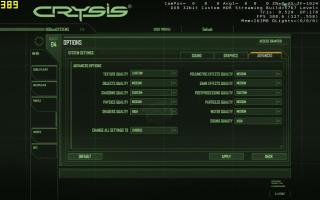
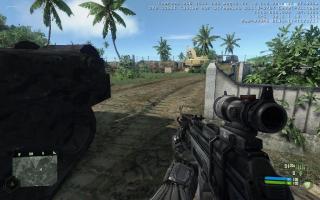
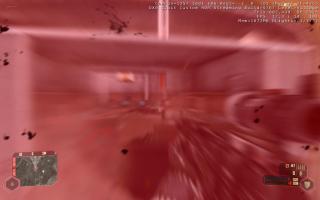
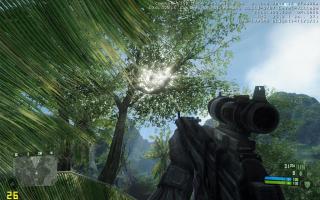
CRYSIS
» Click to show Spoiler - click again to hide... «
000022
post Jan 4 2008, 12:47 AM

Enthusiast
*****
Senior Member
761 posts

Joined: Aug 2006
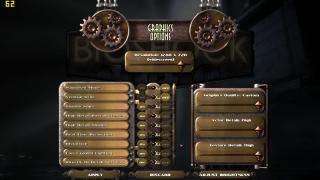
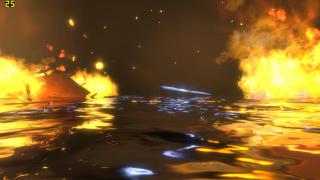
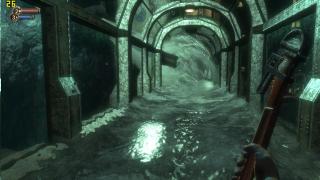
Can't believe no one's done a benchmark of Bioshock yet... I previously had it uninstalled after finishing the game as to not take space in my already minute HDD. I installed it again just for the sake of posting some benchmark pictures of it because I loved the game =)

BIOSHOCK
» Click to show Spoiler - click again to hide... «
000022
post Jan 26 2008, 07:41 PM

Enthusiast
*****
Senior Member
761 posts

Joined: Aug 2006
QUOTE
lol, I noticed that it's in the same class as the 8400m GS but the 3D tests run on it showed results even worst than the GeForce 4 Go which is really surprising..

So for games, definitely a no-no?
the quadro is optimized for openGL applications, while geforce and the likes are optimized for directX
000022
post Jan 27 2008, 12:01 AM

Enthusiast
*****
Senior Member
761 posts

Joined: Aug 2006
QUOTE
Wan to know, is there a performance difference between a 8600gs with 256mb GDDR3 or 8600gt with 256mb DDR2? I was reading this discussion here but it stops half way without any conclusion. Knowing that the GT is a faster card then the GS, would the DDR2 just be a bottleneck? or is the GDDR3 with the GS just a marketing hype and overspec-ed?
In short, the GT would perform better than the GS because of the addtional stream processors. Yes, the GDDR2 cripples it, but it'll still perform better than the GS. No, just like how the 7 series are not able to utilize dx10, the current 8 series can' support dx10.1.

Nvidia has announced that they have no plan on implementing DX10.1 on their upcoming 9 series.

No, Vram is Vram and turbocache is turbocache.

Get the GDDR3 8600m GT if you're that worried.
000022
post Feb 2 2008, 07:35 PM

Enthusiast
*****
Senior Member
761 posts

Joined: Aug 2006
QUOTE
nice benchmark there. smile.gif

but then can u put it in detail like what i've done above?? the proc, ram how much, what graphic card, windows used etc..that's better i guess
Err...he did? the picture he posted actually comprises all those details (except RAM), you know.

Proc : T5450 @ 1.66Ghz
GPU : 8400m GS
OS : Vista Home Premium

I'm guessing his RAM is 1gb. Why? well, it's written in his signature.
000022
post Feb 2 2008, 11:30 PM

Enthusiast
*****
Senior Member
761 posts

Joined: Aug 2006
QUOTE
ello HellRyzer(tm)
wat software did u use to show the fraps number
... icon_question.gif icon_question.gif icon_question.gif
err....FRAPS? The software includes capturing screens during gameplay.
000022
post Feb 5 2008, 02:52 PM

Enthusiast
*****
Senior Member
761 posts

Joined: Aug 2006
QUOTE
ermm.... wanted to ask something, those screenshot u guys provided are shot by game default screen capture or manual capture? Coz from wat i saw, most of the screen shot doesn't look nice even you guys have stated that the settings are almost highest...
Too much Crysis?
000022
post Feb 5 2008, 10:54 PM

Enthusiast
*****
Senior Member
761 posts

Joined: Aug 2006
QUOTE
ya... i know fraps... lol. I think games look better on screen than screen capture it therefore they look so weird in screenshot smile.gif
I thought Crysis finally got to your mind like a cobra's poison to a heart
000022
post Feb 17 2008, 08:40 AM

Enthusiast
*****
Senior Member
761 posts

Joined: Aug 2006
QUOTE
COD4 environment gameplay looks similar with Halo 2. right?
it does? Well, I don't think so though, halo 2 has you either on a giant grass plains, or on a really high tech urban area OR a flood filled spaceship.

COD 4 however has you mostly fighting your way through urban areas. Maybe it does resemble halo 2's large grass plains in some part...

This post has been edited by 22: Feb 17 2008, 08:41 AM
000022
post Feb 18 2008, 08:14 PM

Enthusiast
*****
Senior Member
761 posts

Joined: Aug 2006
QUOTE
Hi..I m so noob in this topic..
Hope to get some help from you guys here..
I am goin to get a new laptop very soon. but cant decide which to go for..
My requirement is very simple.. which is able to play DOTA on flying spaghetti monster without any performance problem. biggrin.gif
Asked around and a lot suggest Acer Aspire 5920G.
The graphic card is GeForce Go 8600GS. Is it the same as 8600M gs?
read thru the thread and none was talking bout this card. i dun see the exact model in the official web as well.
but in the brochure, this is wat stated.
any advise?
They're the same, but I would suggest you get the latest release of the 5920g, with the 512mb 8600m GT GPU

QUOTE
owh yeah, wow really wan to try COD4. hehe halo2 more tech-able i think.

btw, BenQ S41 can play crysis. refer at my post in BenQ S41 v2 discussion thread for more info. sry guys i dont have time to screenshot it. i will probally do it later.
8600m GS right? Yeah, Crysis is definitely able to work on it, heck, even the 8400m GS would, why not the 8600m versions?


000022
post Apr 23 2008, 11:09 AM

Enthusiast
*****
Senior Member
761 posts

Joined: Aug 2006
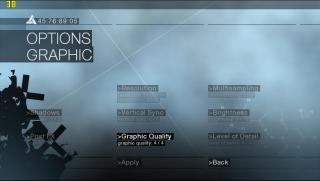
Ok, So now, this is for real, the reason i posted the previous benchmark was because it is "convenient", in the sense that I already had a further save file (I wanted to see how well it would perform on my laptop before buying it) Sorry for the inconvenience caused, I really didn't notice that

O/Ced 600/1300/511

Resolution : 1176*664 (FRAPs wouldn't screw up in this reso)
Shadow : 3/3
Graphic quality : 4/4
Level of Detail : 4/4
Multisampling : 1/3


Well, you said that the settings would have 4/4, but my ori copy has only 4/4 for two of the settings ( This copy is truly ori, as ori as the money i spent on it)

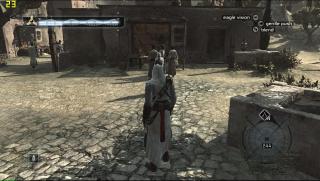
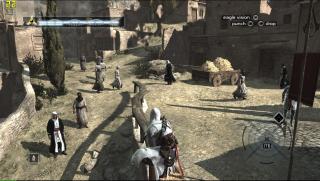
ASSASSIN'S CREED

» Click to show Spoiler - click again to hide... «


This post has been edited by 22: Apr 23 2008, 02:23 PM
000022
post Apr 23 2008, 11:58 AM

Enthusiast
*****
Senior Member
761 posts

Joined: Aug 2006
Posted the Ori

This post has been edited by 22: Apr 23 2008, 02:52 PM
000022
post Apr 23 2008, 02:44 PM

Enthusiast
*****
Senior Member
761 posts

Joined: Aug 2006
nope, Acer 5920g 8600m GT...

Well, I think that there's no more problem with the benchmark then.
000022
post Apr 24 2008, 09:20 PM

Enthusiast
*****
Senior Member
761 posts

Joined: Aug 2006
QUOTE
but limited to a few batch only after that they changed to 8600GS due to some technical issues which cannot be fix
oh? I really would like to know what as the newest batch offers 8600m GT 512mb

QUOTE
is 8600M GT good enough for today's gaming purposes?
Actually,your question is kinda vague... Today's gaming purposes? Define it further. If your desktop's a mighty rig, you'll find that 8600m gt, whichever version will not cut it for you.

Crysis and Assassin's Creed can totally rip the 8600m gt apart.

This post has been edited by 22: Apr 24 2008, 09:21 PM
000022
post Oct 29 2008, 06:03 PM

Enthusiast
*****
Senior Member
761 posts

Joined: Aug 2006
QUOTE
did u mean the i have to update driver for graphic card? Currently, I'm using forceware 176.26...this driver is already installed by acer dealer when I 1stly got my lappy. So,any suggestion what driver suits my lappy well and wat othe others thing I need to update..

So far, wat i've done to my lappy is only do a backup file and system...I have yet to update my vista. If i havent done dat, does it affected my performance of lappy?

the other things make me wonder is I've no prob at all in running cod4 using high setting,AA on. dere's no lagging and I can play dat game very smooth...
First off, try visiting laptopvideo2go.com for better drivers.

Secondly, Crysis is quite a demanding game, more so than COD4, which in my opinion, is a greatly optimized game.

Therefore, the difference in performance is understandable, especially if you've cranked up all the settings and resolution while playing Crysis.

In response, the only thing that I can advice you to do is to lower down your resolution and shader settings. Alternatively, you can download a custom made config system called CCC and apply it to your system.

P/S on a side note, why not O/C your GPU? I've heard that the 960m GT is very O/C-able. This will greatly enhance your card's performance.
000022
post Jan 13 2009, 09:08 PM

Enthusiast
*****
Senior Member
761 posts

Joined: Aug 2006
Sager NP8660

Graphics Processor : Nvidia 9800m GTS
Display : 1680*1050
Processor: P8400 2.2 @ 2.4ghz
Memory: 3GB DDR3
Driver: 185.20
OS : Vista x86


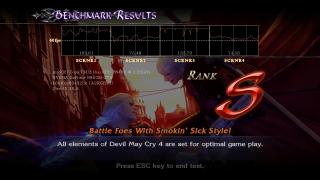
DMC 4
» Click to show Spoiler - click again to hide... «


I guess that's it for now, maybe more next time.
000022
post Jan 14 2009, 12:32 AM

Enthusiast
*****
Senior Member
761 posts

Joined: Aug 2006
QUOTE
Whoa... That's major dude...
That's nothing in comparison with stringfellow's or even corad's lappie, let's not even talk about Naruki's.

Too bad when I ordered, they ran out of 9800m GT, had to go with a 9800m GTS. I've seen several benchmarks in comparison and the performance gap isn't huge between the two, but, I don't have a conclusive evidence on this (never seen or even compared the two before)

My processor is, in fact, quite weak, had a tight budget, but, I could upgrade it in the near future if I really want to.
000022
post Jan 15 2009, 09:39 PM

Enthusiast
*****
Senior Member
761 posts

Joined: Aug 2006
QUOTE
I meant major as in the benchmark. laugh.gif But what a pity though... Most lappies have no 16:9 aspect ratio+Full 1080p Resolution... tongue.gif
Ah.. I see.

My previous comment about the laptop being given the option was incorrect, in fact, the screen size of the laptop itself is wrong for a 16:9 ratio, sorry for the mistake.

This post has been edited by 22: Jan 21 2009, 01:37 AM
000022
post Jan 21 2009, 01:36 AM

Enthusiast
*****
Senior Member
761 posts

Joined: Aug 2006
QUOTE
heya...i have a question to ask...but dunno which thread to put..so i will ask it in here..hope u guys could help.biggrin.gif
Is it essential to boot ur com into safe mode to uninstall the GC driver in order to install a new driver?
No, it is not essential, but for a driver to be cleanly uninstall with no remnants left, then yes, after uninstalling the driver in safe mode, use Driver Sweeper or any other driver cleaners available, to clean any remaining registries or left behind files.

Reboot your computer and install the new drivers. Otherwise, there might not be a difference in performance between the drivers.

It should be noted that it is not needed to uninstall your driver in safe mode, however, it is required that the user runs Driver Sweeper in safe mode to ensure the purge the computer of any driver remnants.
000022
post Jan 23 2009, 01:05 AM

Enthusiast
*****
Senior Member
761 posts

Joined: Aug 2006
QUOTE
thanks for the reply...so for using Driver Sweeper for cleaning Nvidia old driver,i need to select Nvidia display or Nvidia chipset?or both?thanks.biggrin.gif
Display, not chipset.

2 Pages  1 2 >Top
Topic ClosedOptions
 

Change to:
| Lo-Fi Version
0.0253sec    0.21    7 queries    GZIP Disabled
Time is now: 7th December 2025 - 01:07 PM